SecondScreen
Braden Farmer- 3 歳以上対象年齢
- ツールカテゴリ
- 2024/9/14更新日
- 無料価格
com.farmerbb.secondscreen.freeのGoogle Play公式ページにリンクしています。最終確認:2026/11/19。

スクリーンショット

このアプリについて
Googleによる英語 (アメリカ合衆国)からの自動翻訳です。
外部ディスプレイに接続したときにお使いのデバイスの解像度&密度を変更
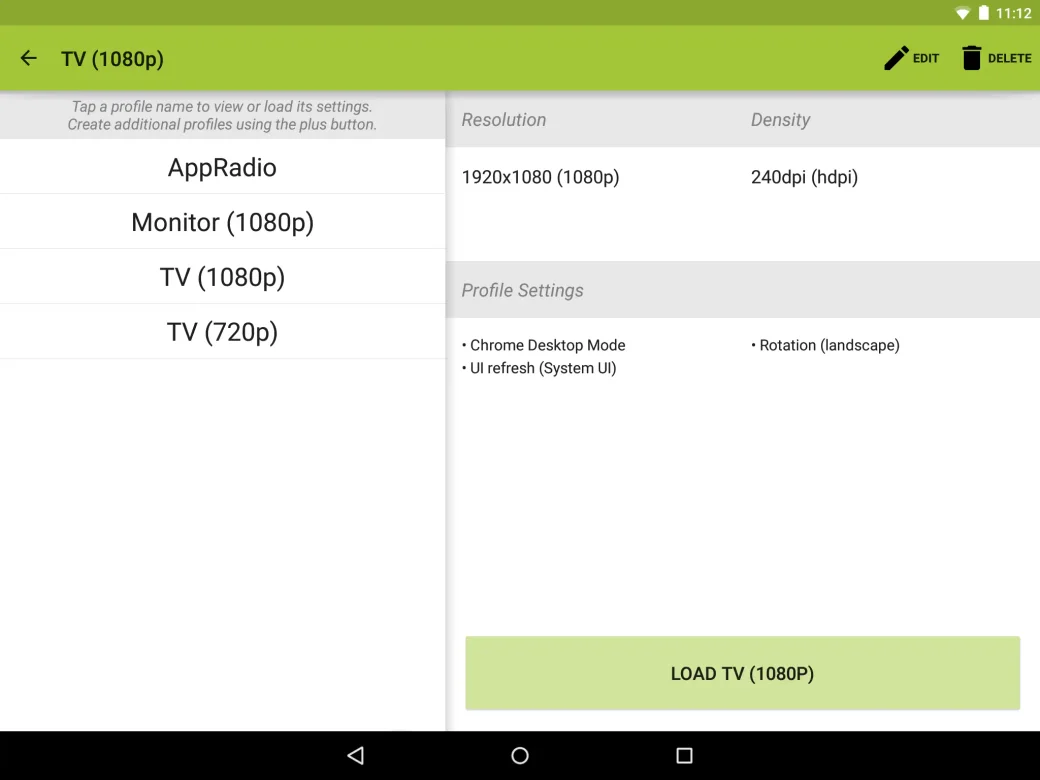
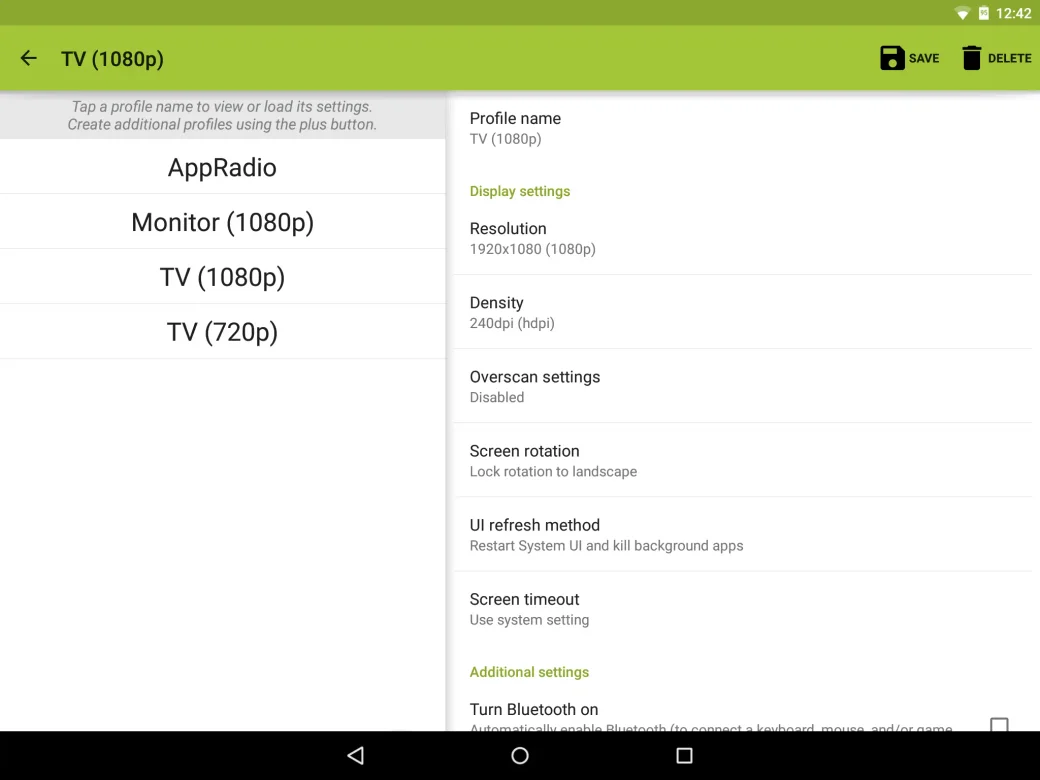
SecondScreenは、頻繁に外部ディスプレイに自分のAndroidデバイスを接続するパワーユーザーのために設計されたアプリケーションです。それはあなたに可能な限り最高の経験を与えるために、既存のスクリーンミラーリングソリューションで動作します。 SecondScreenで、あなたは、あなたのテレビやモニターに合わせChromeで常時デスクトップモードを有効、とも、あなたのデバイスのバックライトをオフにし、他のいくつかの機能の中にあなたのデバイスの解像度や濃度を変更することができます。
Pocketables で、XDA-Developers に、 Androidの警察で、 AndroidHeadlines を、 Androidのコミュニティに、そして Androidのビートする!
ダウンロードする前にお読みください:
&ブル;このアプリはrootアクセスまたはadbのシェルコマンド経由で付与された、昇格権限が必要です。あなたがADBに根ざしたデバイスやアクセス権を持っていない場合、アプリは何もしません。
&ブル;このアプリは、ONLY AOSP / Googleの経験ROMを持つデバイス用です。メーカー肌のROMを持つデバイス上で適切に機能するために保証されません。
&ブル;このアプリは、独自の画面ミラーリング機能を提供していません。スクリーンミラーリングは、MHL / SlimPortアダプターあるいはMiracastまたはChromecastと無線溶液のいずれかを必要とするかもしれません。
&ブル; Bluetoothキーボードとマウスを強くアプリとして推奨されるUI要素が小さく、デバイス自体に押すのが困難にすることができます。
特徴:
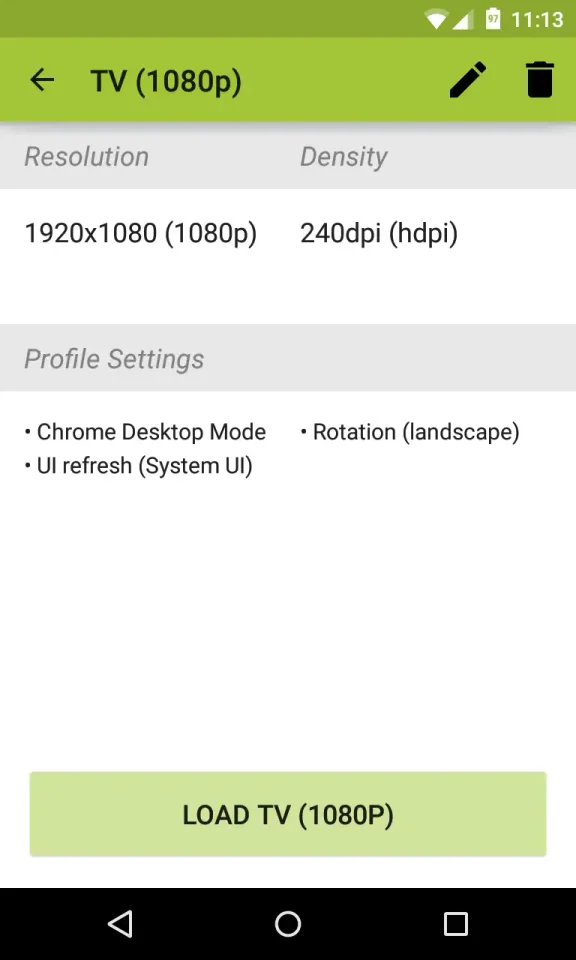
&ブル;あなたが電話を使用している場合は、あなたの外部ディスプレイの解像度をフルに活用し、Androidタブレットインターフェースを表示 - 簡単解像度と密度(DPI)を変更
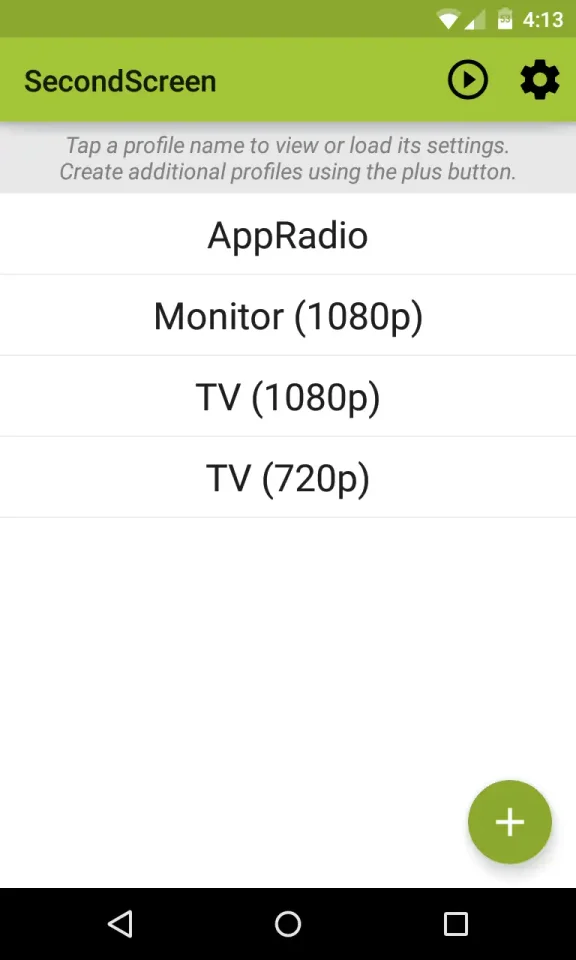
&ブル;シンプルプロファイルベースのインターフェイス - ディスプレイの種類ごとに簡単に有効にする/無効に異なるプロファイル
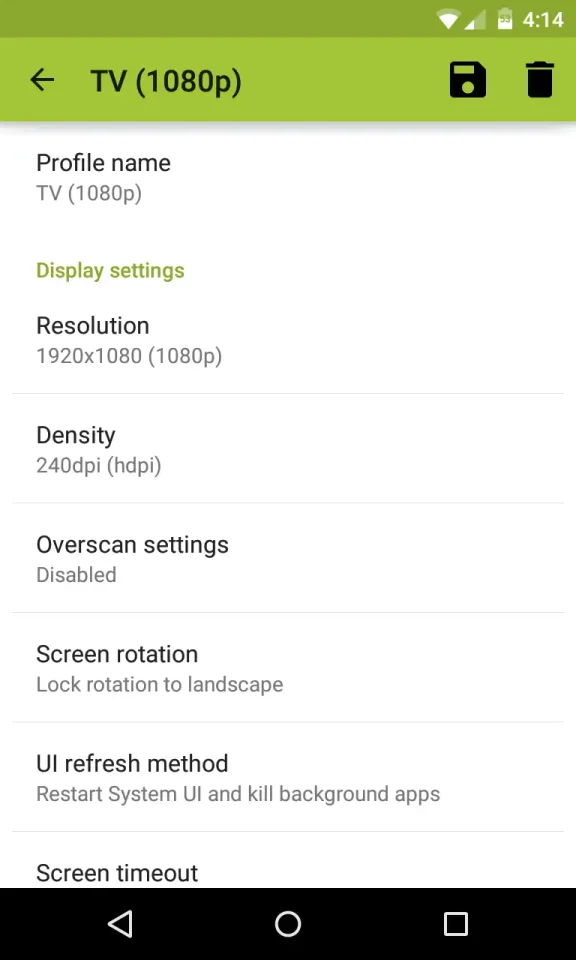
&ブル; :を含む多くの設定可能なオプション、
&ブル;すぐにキーボード、マウス、および/またはゲームコントローラを接続する - 自動的にBluetoothやWi-Fiを提供可能に
&ブル;自動的にデードリームを有効にします
&ブル;デフォルトでは、Chromeのデスクトップサイトを表示 - お使いのテレビで、実際のWebをブラウズ!
&ブル;風景に画面の向きをロック
&ブル;古いテレビのオーバースキャンサポート(アンドロイド4.3以降)
&ブル;システム全体の没入モード(アンドロイド5.0以上)
&ブル;デバイスのバックライトおよび/または振動を無効にする - あなたのデバイスが接続されている間、バッテリーを節約する(すべてのデバイスとの互換性がありません)
&ブル;タスカーとの完全な統合
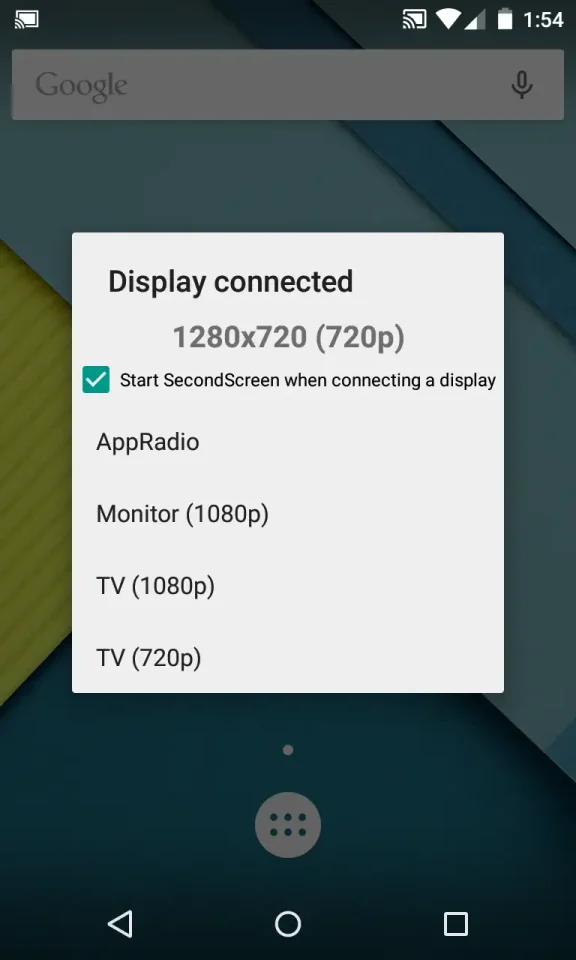
&ブル;自動的に負荷プロファイルディスプレイが接続されています
&ブル;クイックアクション - 迅速かつ容易にプロファイルを作成または編集することなく、SecondScreen機能を実行します
&ブル;ホームスクリーンのショートカットは - アプリを入力せずに、1回のタップでプロファイルを起動します
パーミッションの説明:の
&ブル;ルートアクセスまたはADBシェルコマンドは、解像度/ DPIを変更するバックライト/振動を無効にし、Chromeのデスクトップ専用モードを有効にするために必要な
&ブル; 「接続してのWi-Fiから切断」、「ビューのWi-Fi接続」 - のWi-Fiを有効にするには、プロファイルに必要な
&ブル; 「アクセスBluetooth設定」、「Bluetoothデバイスとのペア」 - ブルートゥースを有効にするには、プロファイルに必要な
&ブル; 「他のアプリを閉じて」 - 解像度/ DPI変更後のユーザインタフェースをリフレッシュするために必要。すべてのデータがプロファイルを起動する前に保存されていることを確認。
&ブル; 「起動時に実行」 - (ハード/ソフト)再起動後にSecondScreenプロファイル通知を表示するために必要な
&ブル; 「システム設定の変更」 - プロファイルは回転をロックするために必要と明るさを設定します
このアプリは、デバイス管理者権限を使用しています。
原文を表示
SecondScreen is an application designed for power users that frequently connect their Android devices to external displays. It works with your existing screen mirroring solution to give you the best experience possible. With SecondScreen, you can change your device's resolution and density to fit your TV or monitor, enable always-on desktop mode in Chrome, and even turn your device's backlight off, among several other features.
Featured on Pocketables, XDA-Developers, Android Police, AndroidHeadlines, Android Community, and Android Beat!
PLEASE READ BEFORE DOWNLOADING:
• This app REQUIRES elevated permissions, granted via root access or adb shell commands. The app will do nothing if you do not have a rooted device or access to adb.
• This app is ONLY for devices with AOSP / Google experience ROMs. It is not guaranteed to function properly on devices with manufacturer-skinned ROMs.
• This app does not provide screen mirroring capabilities on its own. Screen mirroring may require either an MHL/SlimPort adapter or a wireless solution such as Miracast or Chromecast.
• A Bluetooth keyboard and mouse is strongly recommended as the app can make UI elements smaller and harder to press on the device itself.
Features:
• Easily change resolution and density (DPI) - take full advantage of the resolution of your external display, and show the Android tablet interface if you're using a phone
• Simple profile-based interface - easy to enable/disable different profiles for different types of displays
• Many configurable options, including:
• Automatically enable Bluetooth and Wi-Fi - quickly connect a keyboard, mouse, and/or game controller
• Automatically enable Daydreams
• Show desktop sites in Chrome by default - browse the real Web, on your TV!
• Lock screen orientation to landscape
• Overscan support for older TVs (Android 4.3+)
• System-wide immersive mode (Android 5.0+)
• Disable device backlight and/or vibration - save battery while your device is connected (not compatible with all devices)
• Full integration with Tasker
• Load profiles automatically when a display is connected
• Quick Actions - quickly and easily run SecondScreen features without creating or editing profiles
• Homescreen shortcuts - launch a profile with one tap, without entering the app
Explanation of permissions:
• root access or adb shell commands required to change resolution/DPI, disable backlight/vibration, enable desktop-only mode in Chrome
• "connect and disconnect from Wi-Fi", "view Wi-Fi connections" - required for profiles to enable Wi-Fi
• "access Bluetooth settings", "pair with Bluetooth devices" - required for profiles to enable Bluetooth
• "close other apps" - required to refresh the user interface after a resolution/DPI change. Ensure all data is saved before launching a profile.
• "run at startup" - required to show SecondScreen profile notification after a (soft/hard) reboot
• "modify system settings" - required for profiles to lock rotation and set brightness
This app uses the Device Administrator permission.
データ セーフティ
このアプリが収集・共有するデータについて、Braden FarmerがGoogle Playで申告している内容です。
- 第三者と共有されるデータはありません詳しくは、デベロッパーが共有を申告する方法についての説明をご覧ください
- データは収集されません詳しくは、デベロッパーが収集を申告する方法についての説明をご覧ください
新機能
バージョン 2.9.4 · 2024/9/14
• Maintenance release targeting the latest versions of Android
• Fix issue where orientation would stay locked after turning off profile
開発元の連絡先
- ウェブサイトgithub.com
- メールfarmerbb+secondscreen@gmail.com
- プライバシーポリシーgithub.com
- 住所2036 N Elderberry Dr Saratoga Springs, UT 84045-3874 United States
情報
- 提供元
- Braden Farmer
- カテゴリ
- ツール
- バージョン
- 2.9.4
- 更新日
- 2024/9/14
- リリース
- 2014/7/14
- 必要条件
- Android 5.0以降
- 対象年齢
- 3 歳以上
- 価格
- 無料
- パッケージ名
- com.farmerbb.secondscreen.free