ShotView™
Garmin- 3 歳以上対象年齢
- スポーツカテゴリ
- 2026/11/18更新日
- 無料価格
com.garmin.android.apps.shotviewのGoogle Play公式ページにリンクしています。最終確認:2026/11/23。
スクリーンショット

このアプリについて
Googleによる英語 (アメリカ合衆国)からの自動翻訳です。
デバイスから撮影セッション情報を受信します。
ShotView™アプリを使用して、Xero®クロノグラフおよびArcheryX対応デバイスに接続できます。
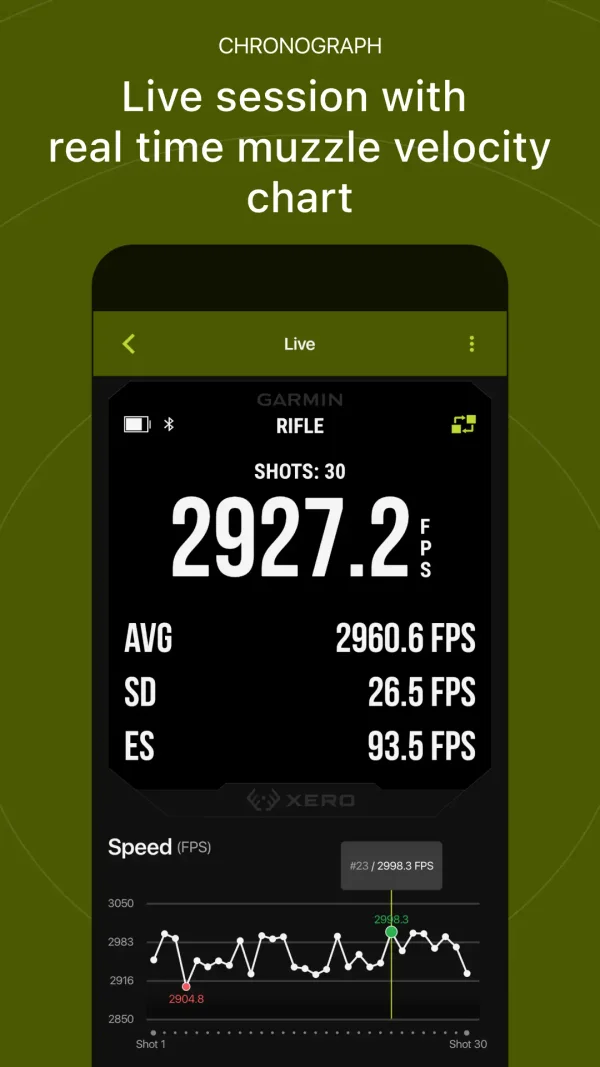
C2に接続すると、リアルタイムの銃口速度チャートでライブセッションを表示したり、任意のセッションを再開したり、ライブセッションを切り替えたりできます。セッション名とショットリストの編集は、C2とアプリ間で同期されます。
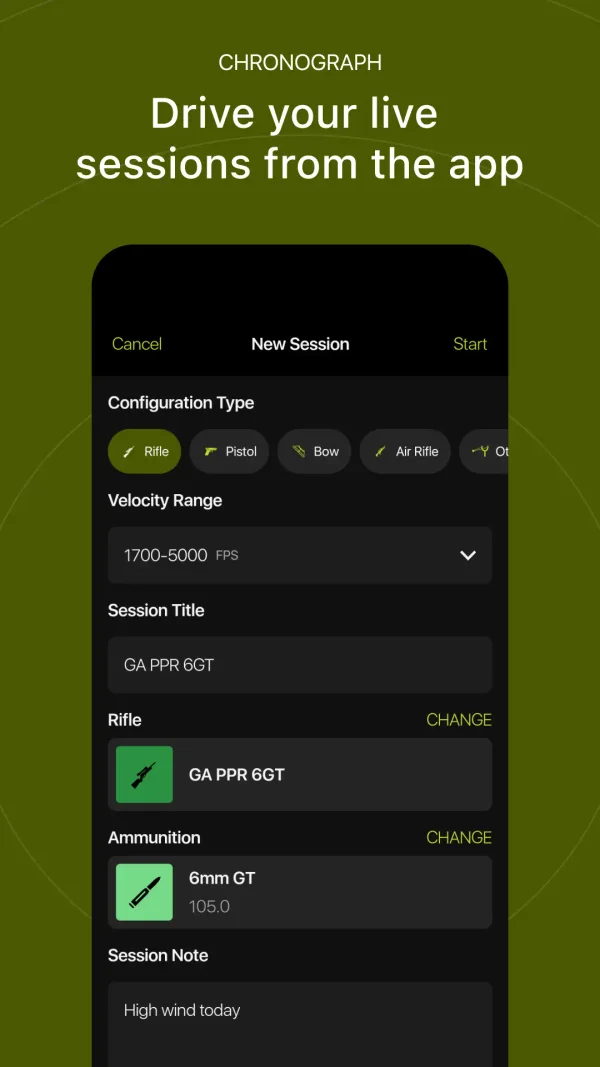
設定可能なカスタムプロファイルを作成し、セッションに紐付けることで、プラットフォームと弾薬を整理できます。
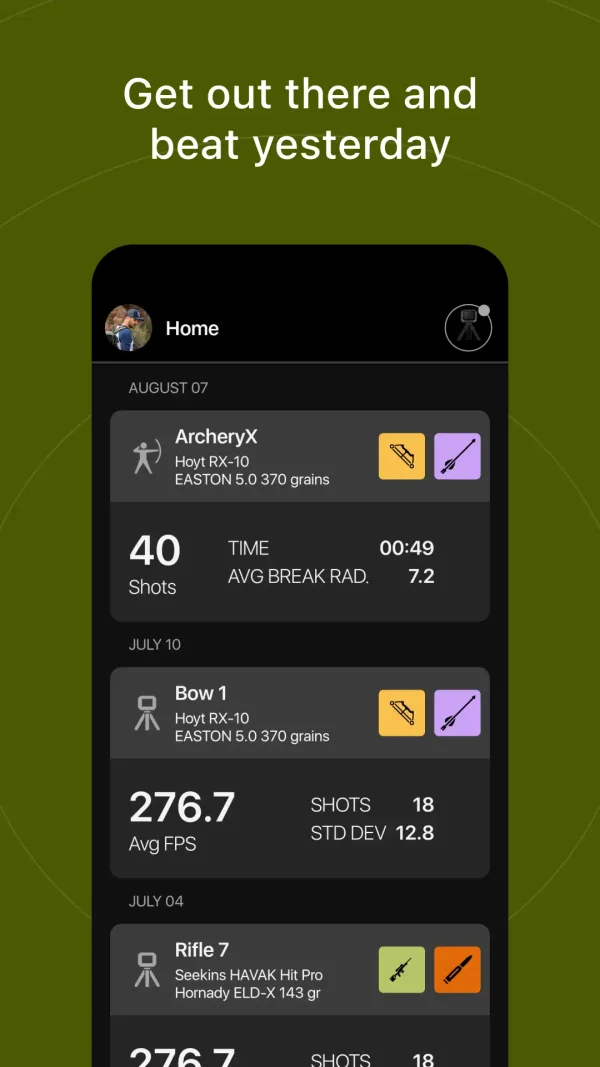
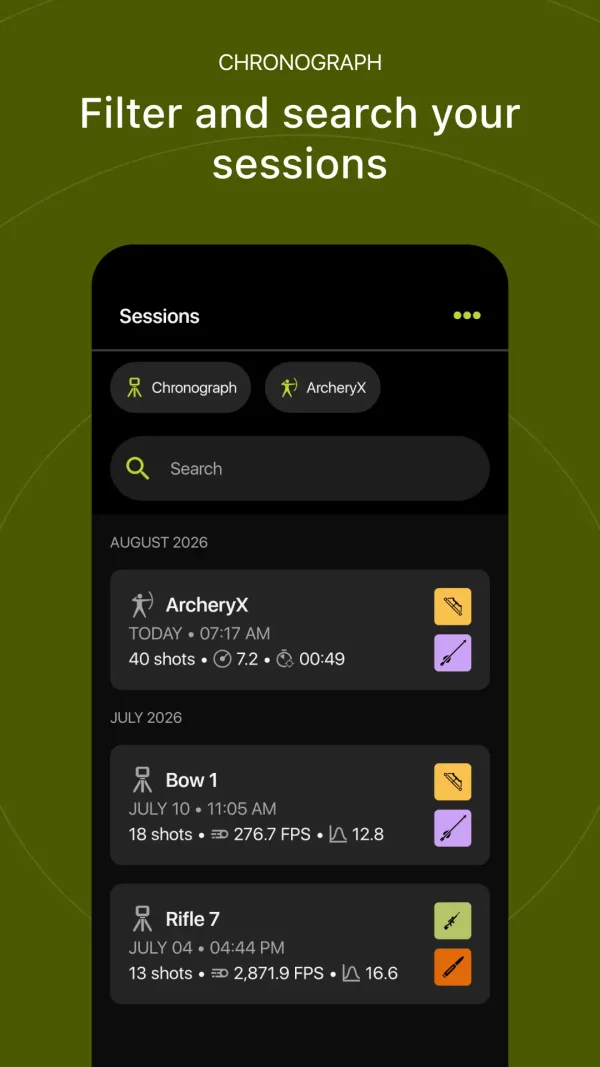
射撃セッション終了後、アプリで弾道データを確認できます。データは整理され、簡単に解釈できます。速度、偏差、最大散布、運動エネルギーなど、ショットデータを分析し、生データをCSV形式でエクスポートできます。必要に応じて、冷間銃身ショットやその他の異常値をセッション計算から除外できます。各セッションにカスタム名を付け、特定のショットにメモを追加し、各ショットの銃身状態(クリーンボアと冷間銃身)をマークできます。武器の種類でフィルタリングして、特定のセッションにすばやくアクセスして確認できます。
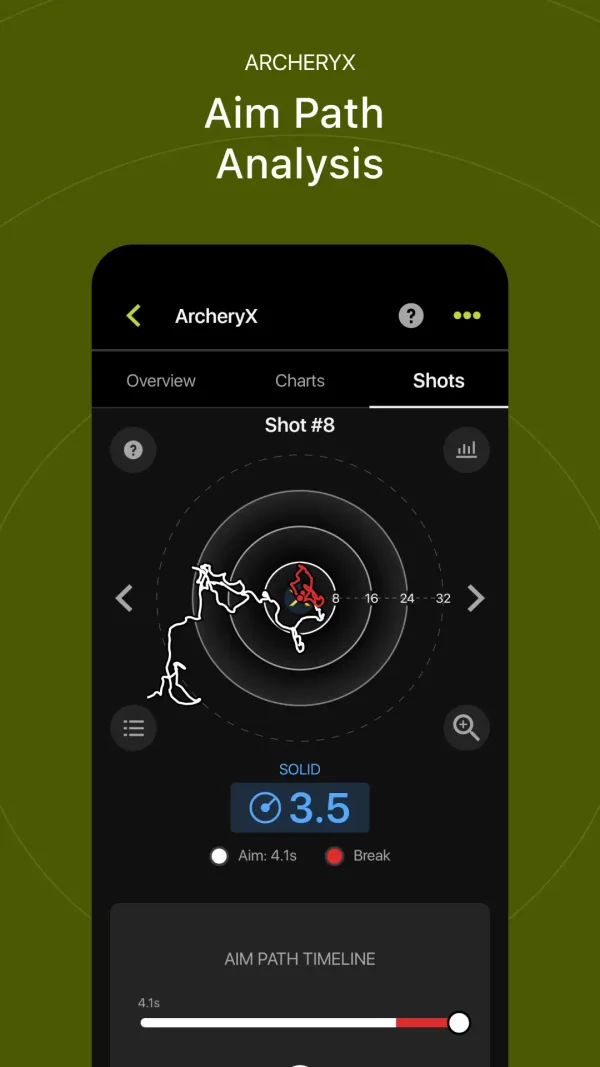
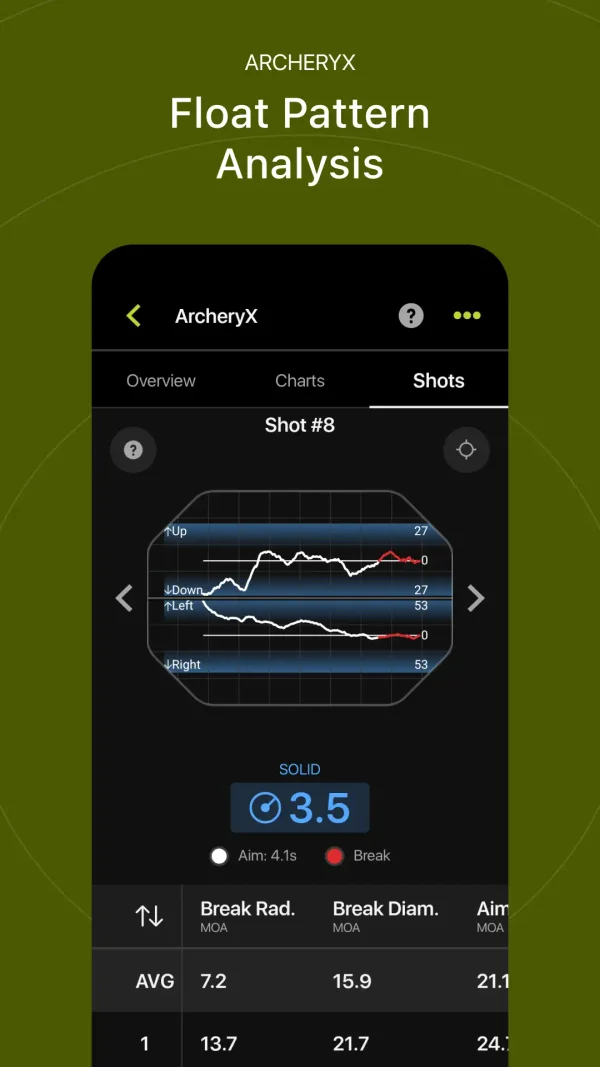
ArcheryXセッションカードと詳細なセッション分析、ショットリスト、セッションタイプフィルターを表示できます。 「チャート」タブに移動すると、比較チャートや個別のチャートを表示できます。「ショット」タブでは、エイムパスとフロート分析データを分析できます。ショットの編集やグループ化、パフォーマンス統計の確認、ヘルプページへのアクセスも可能です。
ShotView™アプリは、記録したショットとセッションデータをクラウドに送信して保存できます。保存したデータは他のスマートフォンでアクセスして使用したり、将来の使用のためにバックアップしたりできます。クラウドにデータを保存するには、Garminアカウントが必要です。
原文を表示
Use the ShotView™ app to connect to your Xero® chronographs, and ArcheryX compatible devices.
Connected to a C2 you can view live sessions with realtime muzzle velocity chart, resume any session and swap between live sessions. Edits in the session name and shot list will be synced between C2 and app.
Organize your platform and ammunition by creating configurable custom profiles and attach them to your sessions.
After a shooting session is completed, see your ballistic data on the app, where it is organized and easy to interpret. Analyze shot data, including speed, deviation, extreme spread, kinetic energy and more — and export the raw data to CSV format. Exclude cold bore shots and other outliers from session calculations as desired. Create custom names for each session, add notes for specific shots, and mark clean bore and cold bore attributes for each shot. Filter by weapon type to quickly access specific sessions for review.
View ArcheryX session cards and detailed session insights, complete with shot lists and session-type filters. Navigate to the Charts tab to view comparison and individual charts, and analyze Aim Path and Float Analysis data on the Shots tab. Edit and group shots, review performance statistics, and access Help pages for additional guidance.
The ShotView™ app can send and save your recorded shot and session data to the cloud. You can access and use saved data on other phones or back up your data for future use. A Garmin account is required to store your data in the cloud.
データ セーフティ
このアプリが収集・共有するデータについて、GarminがGoogle Playで申告している内容です。
- このアプリはサードパーティと以下の種類のデータを共有することがありますおおよその現在地
- このアプリは以下の種類のデータを収集することがありますアプリのアクティビティ、デバイスまたはその他の ID
- データは送信中に暗号化されます
- データを削除するようリクエストできます
新機能
バージョン 3.1.0 · 2026/11/18
Updates to support the Texas App Store Accountability Act requirements
Improved support for connected devices
Easier account management
Improved sessions sorting
Improved app update experience
Bug fixes and performance improvements
開発元の連絡先
- ウェブサイトsupport.garmin.com
- メールmobiledev@garmin.com
- プライバシーポリシーgarmin.com
- 住所1200 E 151st St Olathe, KS 66062 United States
情報
- 提供元
- Garmin
- カテゴリ
- スポーツ
- バージョン
- 3.1.0
- 更新日
- 2026/11/18
- リリース
- 2023/10/9
- 必要条件
- Android 10以降
- 対象年齢
- 3 歳以上
- 価格
- 無料
- パッケージ名
- com.garmin.android.apps.shotview
類似のアプリ
-
 TrailLink: Bike, Run, Walk
健康&フィットネス
-
 Applied Ballistics Quantum
スポーツ
-
 Garmin Jr.™
健康&フィットネス
-
 On Piste
スポーツ
-
 iGPSPORT Ride
健康&フィットネス
-
 PeakVisor - 山の名前を識別
旅行&地域
-
 BassForecast: Fishing Forecast
スポーツ
-
 Moultrie
スポーツ
-
 Garmin Golf
スポーツ
-
 Ride with GPS: Bike Navigation
健康&フィットネス
-
 Navionics® Boating
地図&ナビ
-
 Specialized
健康&フィットネス