Solid Digital Watch Face
DigitX Watchfaces- 3 歳以上対象年齢
- カスタマイズカテゴリ
- 2026/9/7更新日
- ¥270価格
watch.digitx.solidのGoogle Play公式ページにリンクしています。最終確認:2026/11/14。

スクリーンショット

このアプリについて
Googleによる英語 (アメリカ合衆国)からの自動翻訳です。
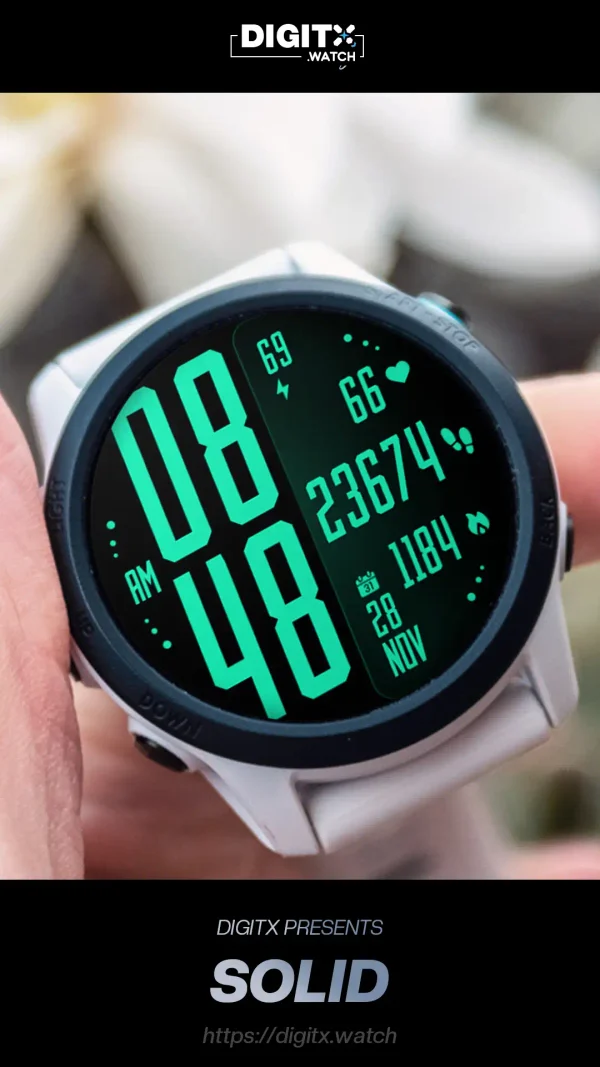
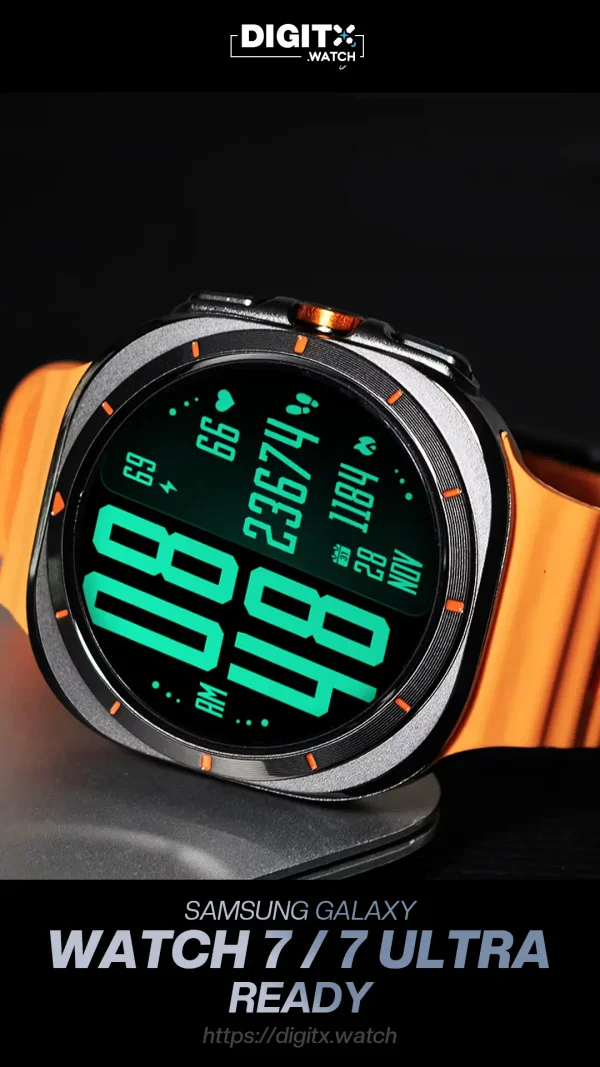
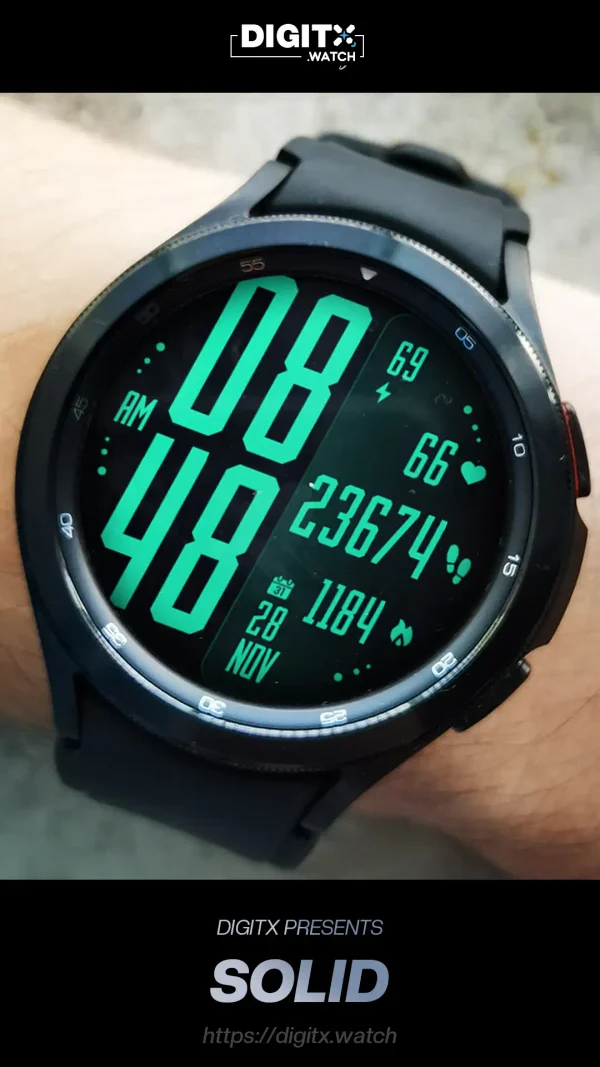
便利なデータとカスタムカラーを備えたWear OS用のミニマルなデジタルウォッチフェイス。
⌚新しいウォッチフェイスフォーマットに対応しています。
対応デバイスはAPIレベル30以降です。Google Pixel、Galaxy Watch 4、5、6、7、Ultra、その他のWear OSモデルが含まれます。
Wear OS向けのミニマルなデジタルウォッチフェイス。必要なデータとカスタムカラーを表示します。
⌚ 1つ買うともう1つ無料:
https://digitx.watch/home/buy-one-get-one-free/
🚨 Galaxy Watchユーザーへの注意:Samsung Wearableアプリのウォッチフェイスエディターでは、このような複雑なウォッチフェイスが正しく読み込まれない場合があります。
これはウォッチフェイス自体の問題ではありません。
Samsungがこの問題を修正するまで、ウォッチフェイスは直接ウォッチ上でカスタマイズすることをお勧めします。
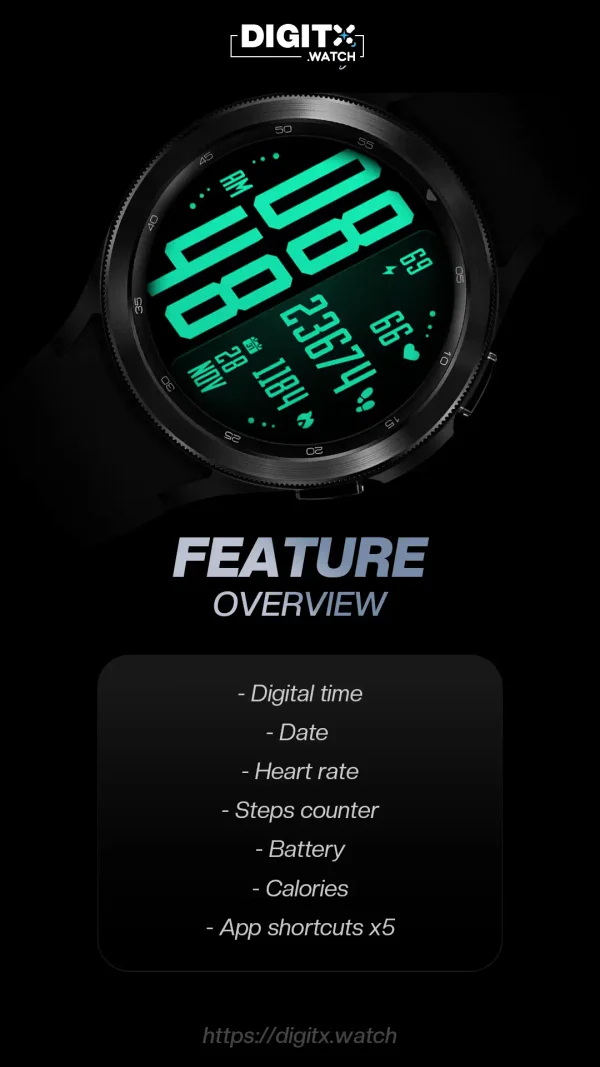
✅ 機能概要:
- ミニマルなデジタルウォッチフェイス
- 12/24時間表示のデジタル時刻表示
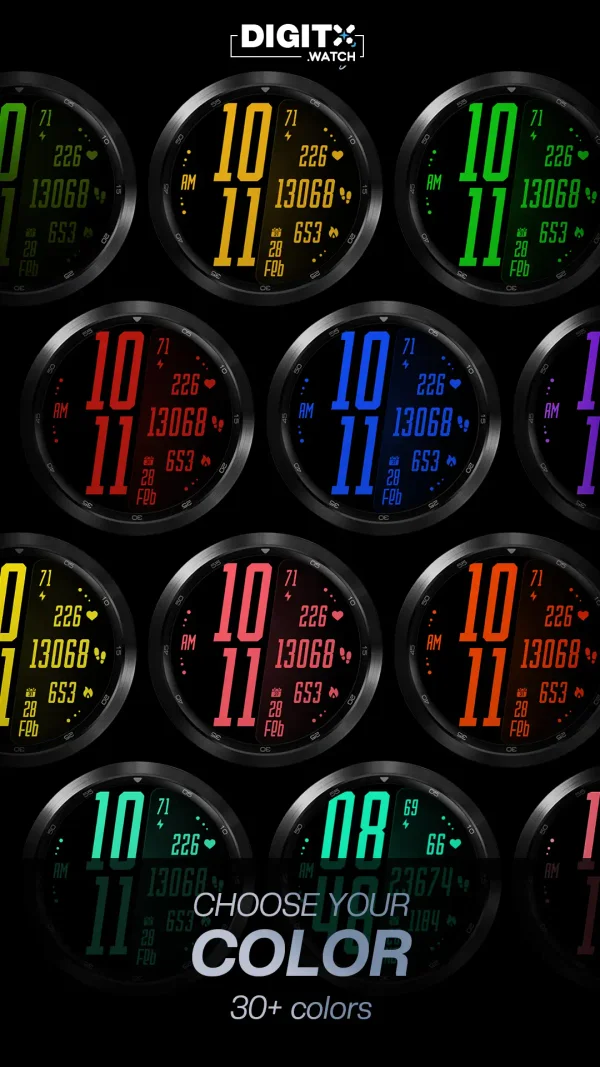
- カスタムカラー(30色から選択可能)
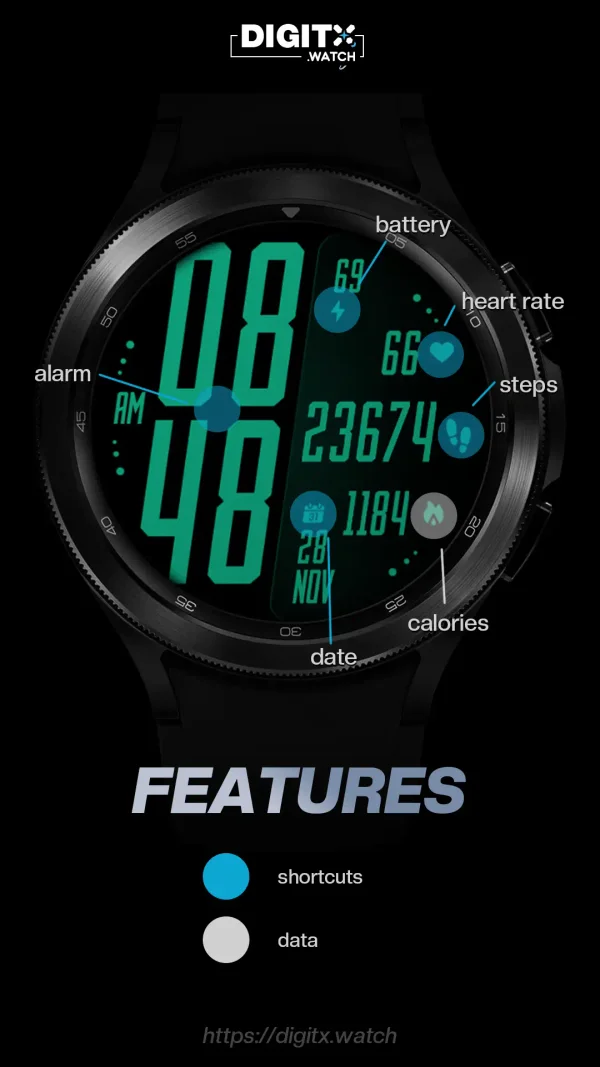
- 4つの標準ショートカット:アラーム、カレンダー、心拍数、バッテリー残量
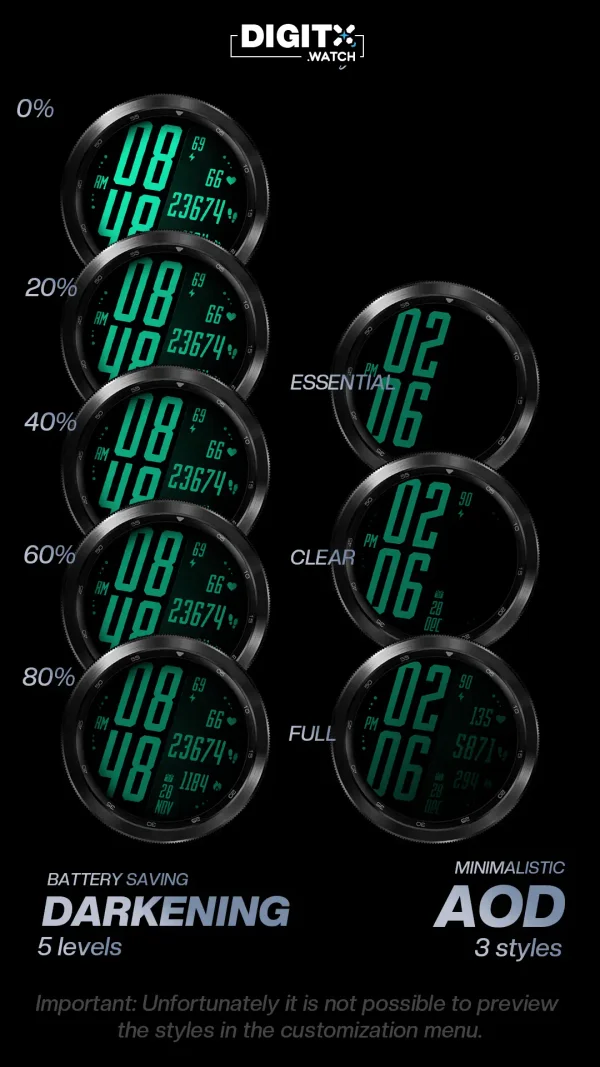
- 5段階の文字盤輝度調整(バッテリー寿命を延ばします)
- 3種類のミニマルなAODスタイル
- ウォッチフェイス表示項目:時刻(デジタル)、午前/午後、日付、月、心拍数、歩数、消費カロリー、バッテリー残量
🎨 カスタマイズオプション:
- カラー:30色
- 文字盤輝度:5段階
- AOD:3種類
📱 スマートフォンアプリ機能(コンパニオンアプリ):
スマートフォンアプリは、Wear OSウォッチにウォッチフェイスをインストールして選択するためのツールです。
❤️ 心拍数測定:
心拍数測定方法が変更されました。(以前は手動でしたが、現在は自動です。)測定間隔は、ウォッチの状態設定(ウォッチ設定 > ヘルスケア)で設定できます。
⌚ AOD:
ウォッチフェイスは常時表示に対応しています。色は通常表示と同期します。* ミニマルなAOD(常時表示ディスプレイ)オプションを選択することもできます。
*AODを使用すると、フル充電されたスマートウォッチの動作時間が大幅に短くなることにご注意ください。
🎨 色の設定方法:
1. ウォッチディスプレイの中央を長押しします。
2. ボタンを押して調整します。
3. 左右にスワイプして、カスタマイズ可能な項目を切り替えます。
4. 上下にスワイプして、項目のオプション/色を変更します。
🚨 対応スマートウォッチでもインストールに問題がありますか?**
https://digitx.watch/home/about-digitx/help-faq/ をご覧ください。
または、https://digitx.watch/home/about-digitx/contact-us/ までお問い合わせください。
** ウォッチフェイスはインストール後、ウォッチ画面に自動的にインストールされません。そのため、ウォッチ画面でこのオプションを設定する必要があります。
✅ Wear OSデバイス(API 30以上)で利用可能
Galaxy Watch Ultra / Galaxy Watch 7
Galaxy Watch 6 / 6 Classic
Galaxy Watch 5 / 5 Pro
Galaxy Watch 4 / 4 Classic
FOSSIL: Gen 7、Gen 6、Gen 6 Wellness、Gen 6 Hybrid、Gen 5e、Wear、Sport、Michael Kors Gen 6
MOBVOI: TicWatch Pro 5、Pro 3 GPS、Pro 3 LTE、E3、Pro 4G、C2、E2/S2、Pro
GOOGLE: Pixel Watch 2、Pixel Watch
XIAOMI: Watch 2 Pro、Watch 2
OPPO: Watch2、Watch X
MONTBLANC: Summit 3、2、2+、Lite、Summit
SUUNTO: Suunto 7
NEW BALANCE: RunIQ
POLAR: M600
TAG HEUER: Connected E4、Connected 2020
その他すべてのWear OSデバイス(API) 30歳以上向け)
ℹ️ スマートウォッチで使える、個性的なウォッチフェイス!
いつも応援ありがとうございます!今後も新しいウォッチフェイスを続々登場予定ですので、ぜひフォローしてください!
ご質問やサポートが必要な場合は、お気軽にお問い合わせください。喜んでお手伝いさせていただきます!
💌 https://digitx.watch/home/about-digitx/contact-us/
_____________________
➡️ 最新情報はこちらをフォロー:
🟢 ウェブサイト:https://digitx.watch/
🔴 Instagram:https://www.instagram.com/digitxhwf/
🔵 Facebook:https://www.facebook.com/digitxxl
__________
DigitX ウォッチフェイス
原文を表示
⌚Supported by the new Watch Face Format.
Compatible devices include API level 30 or later: Google Pixel, Galaxy Watch 4, 5, 6, 7, Ultra, and other Wear OS models.
Minimalistic digital watch face for Wear OS with essential data and custom colors.
⌚ BOGO:
https://digitx.watch/home/buy-one-get-one-free/
🚨 Note to Galaxy Watch users:
The watch face editor in the Samsung Wearable app often fails to load complicated watch faces like this one.
This is not a problem with the watch face itself.
It is recommended that you customize your watch face directly on the watch until Samsung fixes this issue.
✅ Features Overview:
- Minimalistic digital watch face
- 12/24 hours digital time
- Custom colors (30 colors to choose from)
- 4 standard shortcuts: alarm, calendar, heart rate, battery status
- 5 levels of dial brightness (increases battery life)
- 3 minimalistic AOD styles
- Watch face displays: time (digital), am/pm, day of the month, month, heart rate, steps, calories, battery level
🎨 Available Customization Options:
- Color: 30 colors
- Face brightness: 5 levels
- AOD: 3 styles
📱 Phone app features (companion app):
The phone app is simply a tool that helps you install and locate a watch face on your Wear OS watch.
❤️ Heart rate measurement:
Heart rate measurement has been changed. (Previously manual, now automatic). Set the measurement interval in the watch status settings (Watch settings > Health).
⌚ AOD:
The watch face has an always-on display. The colors are synchronized with the normal view.* You can also choose the minimalist AOD option.
*Keep in mind that using AOD will significantly reduce the operating time of a fully charged smartwatch.
🎨 Color Configuration:
1. Press and hold your finger in the middle of the watch display.
2. Press the button to make adjustments.
3. Swipe left or right to switch between different items that can be customized.
4. Swipe up or down to change the options/color of items.
🚨 Having trouble installing even on a compatible smartwatch?**
Visit: https://digitx.watch/home/about-digitx/help-faq/
or contact me: https://digitx.watch/home/about-digitx/contact-us/
** Watch faces are not automatically installed on the watch screen after installation. Therefore, you need to set this option on the watch screen.
✅ Available on Wear OS devices – API 30+
Galaxy Watch Ultra / Galaxy Watch 7
Galaxy Watch 6 / 6 Classic
Galaxy Watch 5/5 Pro
Galaxy Watch 4 / 4 Cassic
FOSSIL: Gen 7, Gen 6, Gen 6 Wellness, Gen 6 Hybrid, Gen 5e, Wear, Sport, Michael Kors Gen 6
MOBVOI: TicWatch Pro 5, Pro 3 GPS, Pro 3 LTE, E3, Pro 4G, C2, E2/S2, Pro
GOOGLE: Pixel Watch 2, Pixel Watch
XIAOMI: Watch 2 Pro, Watch 2
OPPO: Watch2, Watch X
MONTBLANC: Summit 3, 2, 2+, Lite, Summit
SUUNTO: Suunto 7
NEW BALANCE: RunIQ
POLAR: M600
TAG HEUER: Connected E4, Connected 2020
And every another Wear Os devices API 30+)
ℹ️ Unique style watch face ready to test your smartwatch!
Thanks for your support and don't forget to follow me for more upcoming watch faces!
If you have any additional questions or need support, please do not hesitate to contact me. I am here to help!
💌 https://digitx.watch/home/about-digitx/contact-us/
_____________________
➡️ Follow for being up to date:
🟢 Website: https://digitx.watch/
🔴 Instagram: https://www.instagram.com/digitxhwf/
🔵 Facebook: https://www.facebook.com/digitxxl
__________
DigitX Watch Faces
データ セーフティ
このアプリが収集・共有するデータについて、DigitX WatchfacesがGoogle Playで申告している内容です。
- 第三者と共有されるデータはありません詳しくは、デベロッパーが共有を申告する方法についての説明をご覧ください
- データは収集されません詳しくは、デベロッパーが収集を申告する方法についての説明をご覧ください
開発元の連絡先
- ウェブサイトdigitx.watch
- メールsupport@digitx.watch
- プライバシーポリシーdigitx.watch
- 住所35 Ul. Nowa Wieś 42-160 Zajączki Drugie Poland
情報
- 提供元
- DigitX Watchfaces
- カテゴリ
- カスタマイズ
- 更新日
- 2026/9/7
- リリース
- 2025/10/4
- 対象年齢
- 3 歳以上
- 価格
- ¥270
- パッケージ名
- watch.digitx.solid