Speech Assistant AAC
A-Soft-nlアプリ内課金
- 3 歳以上対象年齢
- 通信カテゴリ
- 2026/11/23更新日
- 無料価格
nl.asoft.speechassistantのGoogle Play公式ページにリンクしています。最終確認:2026/11/24。
スクリーンショット
このアプリについて
Googleによる英語 (アメリカ合衆国)からの自動翻訳です。
音声アシスタントは、音声障害のある人のためのテキスト読み上げAACアプリです。
Speech Assistant AAC は、たとえば、失語症、MND/ALS、自閉症、脳卒中、脳性麻痺、またはその他の発話の問題が原因で、発話障害のある人向けに設計されたテキスト読み上げ (TTS) アプリです。
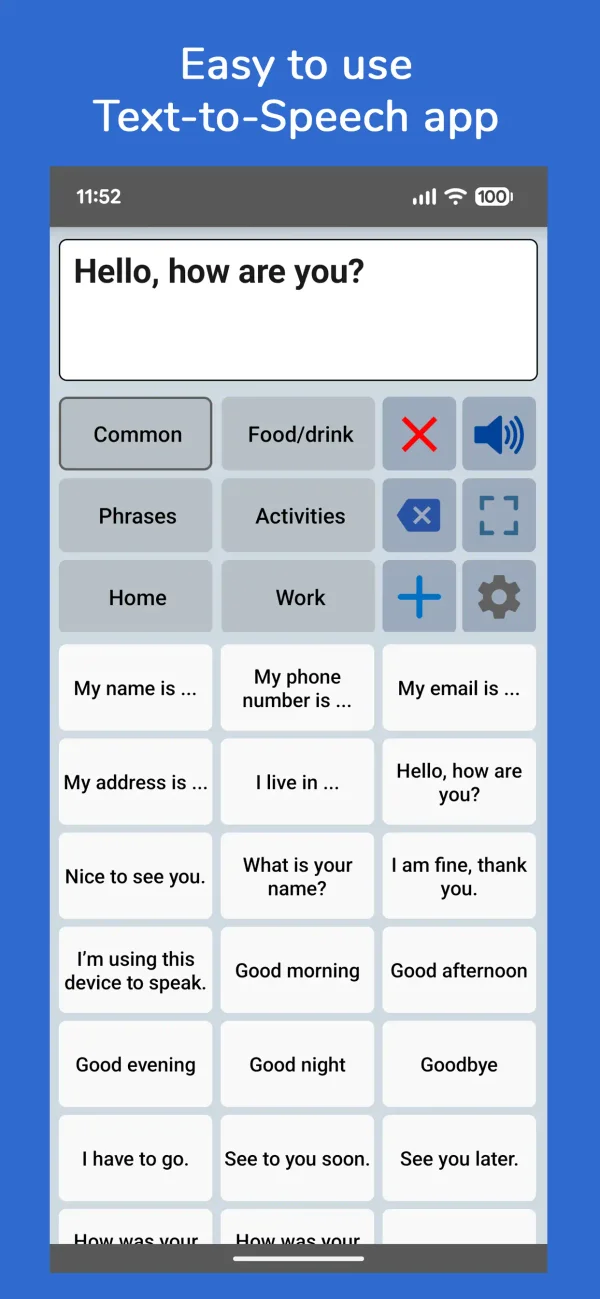
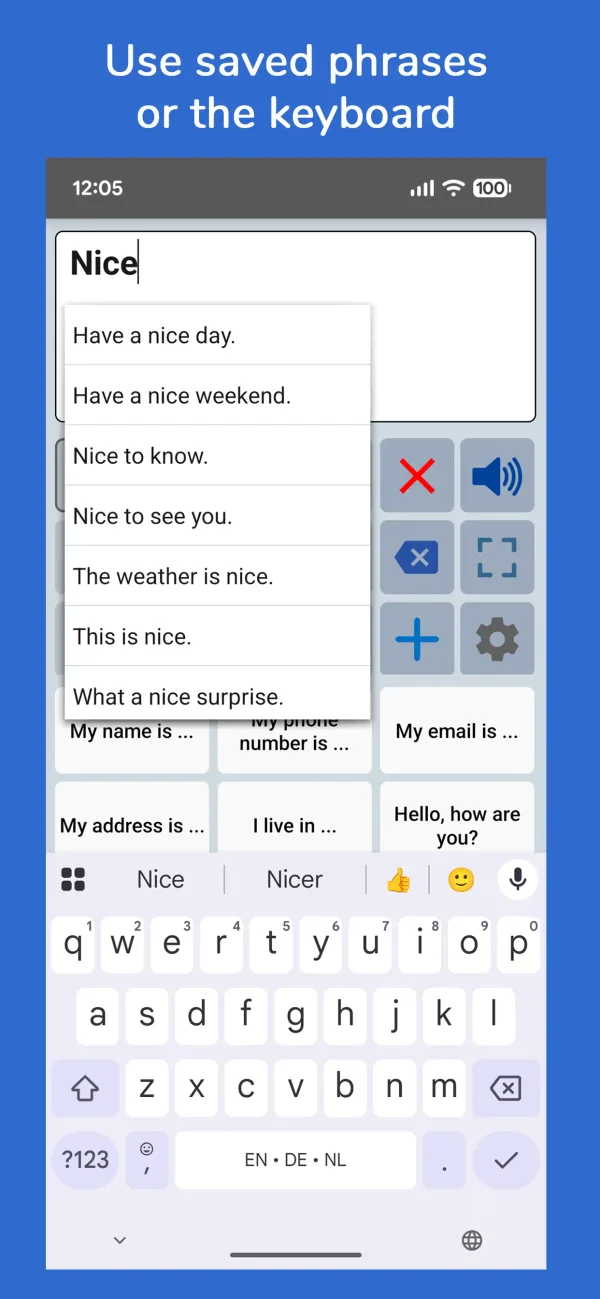
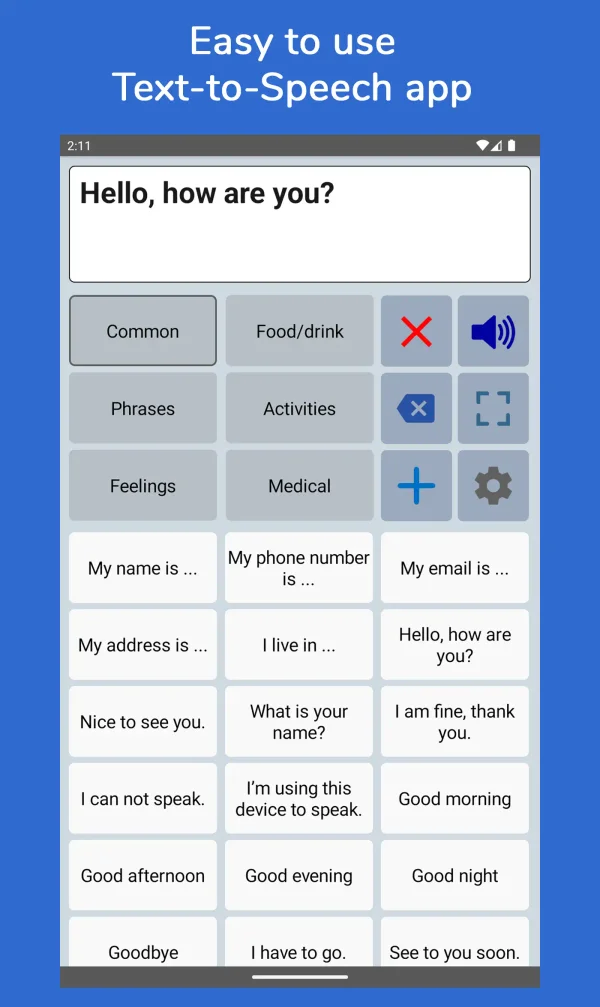
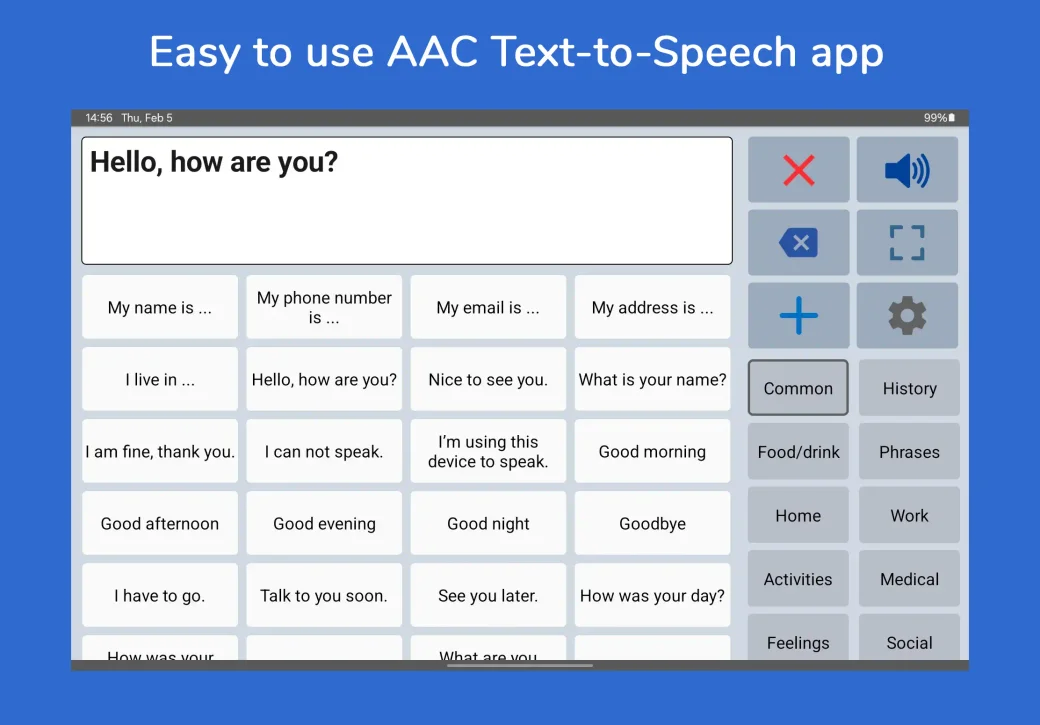
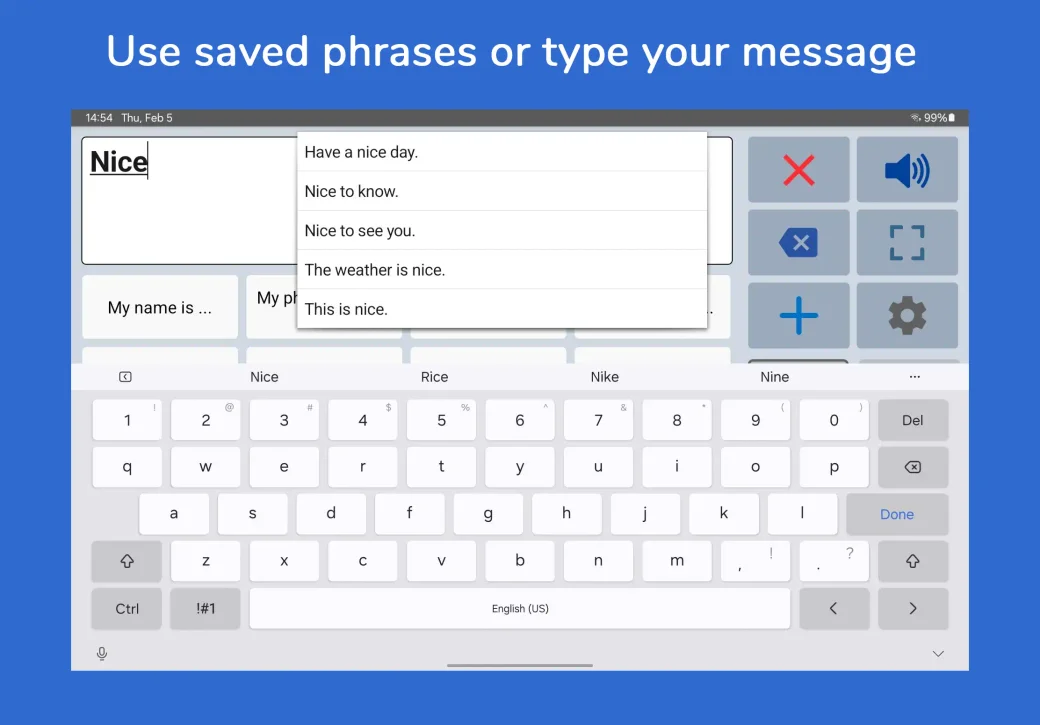
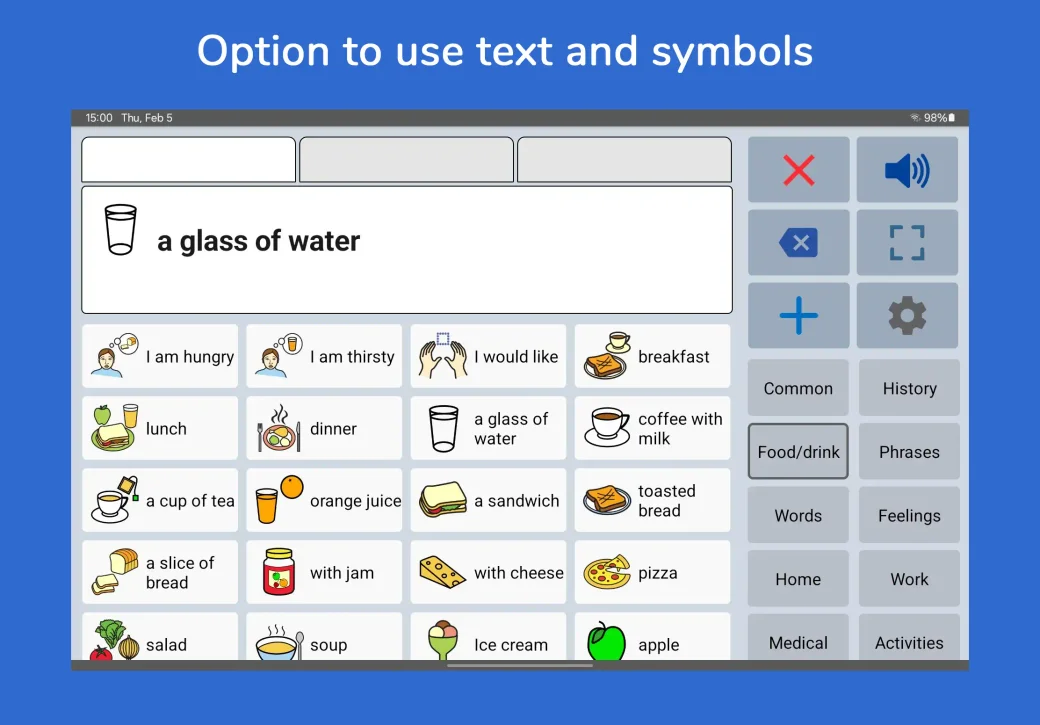
アプリを使用すると、ボタンに配置されるカテゴリとフレーズを作成できます。これらのボタンを使用して、表示または読み上げることができるメッセージ (テキスト読み上げ) を作成できます。キーボードを使用して任意のテキストを入力することもできます。
主な機能
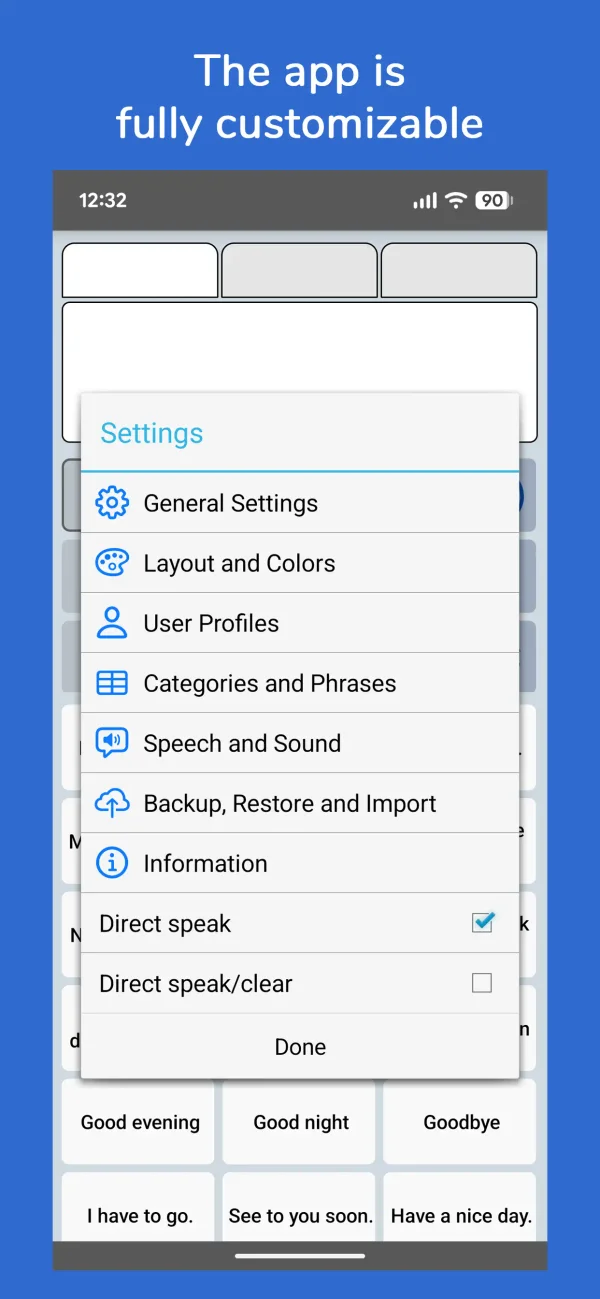
• 使いやすく、ニーズや好みに合わせて完全にカスタマイズできます。
• フレーズを整理するためのカテゴリ。
• 以前に入力したフレーズにすばやくアクセスするための履歴。
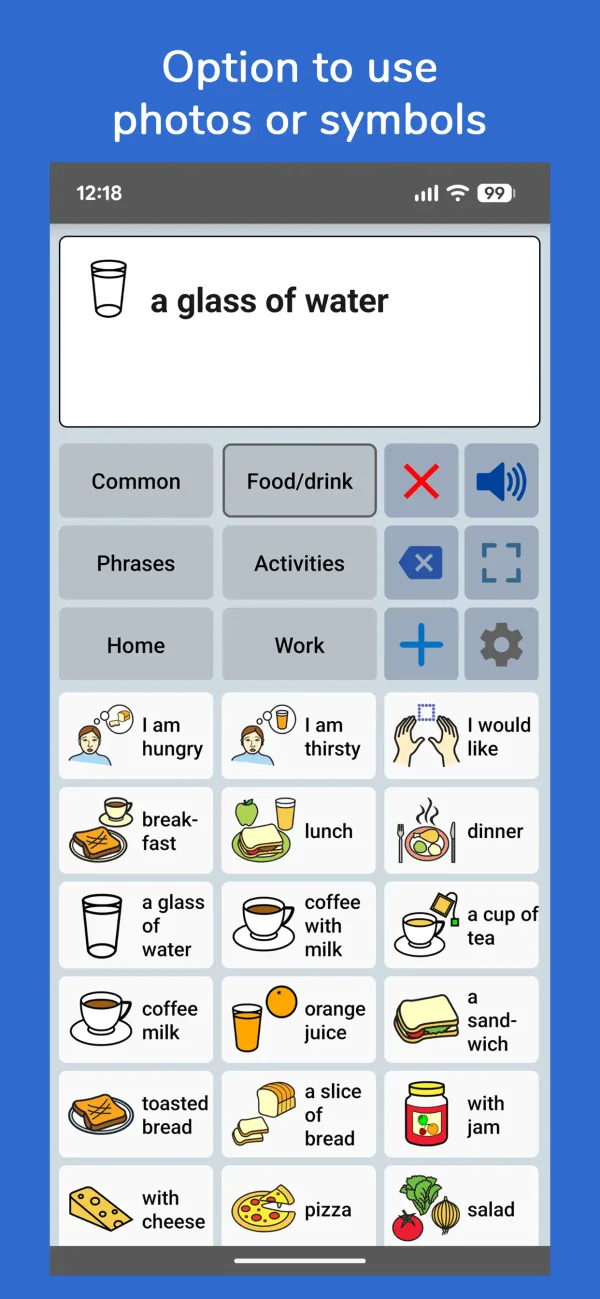
• ボタンのフォト ライブラリまたはシンボルから写真を選択するオプション。
•音声を録音するか、テキスト読み上げの音声を使用するオプション。
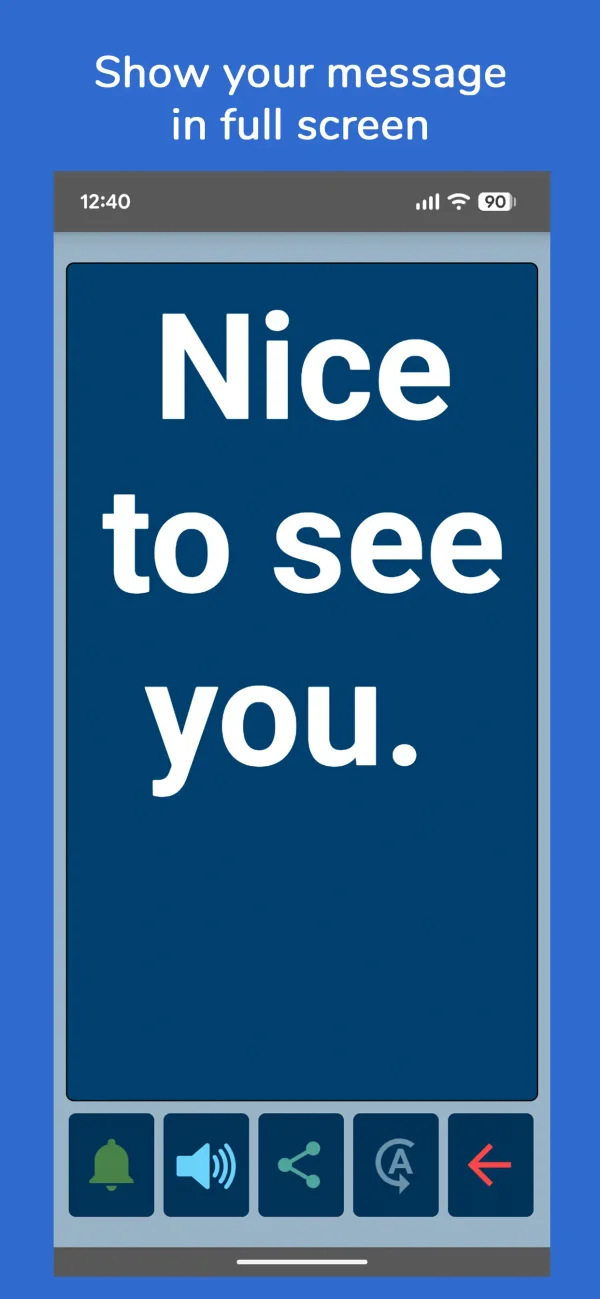
• 大きなフォントでメッセージを表示する全画面表示ボタン。
• フレーズをすばやく見つけるためのオートコンプリート機能。
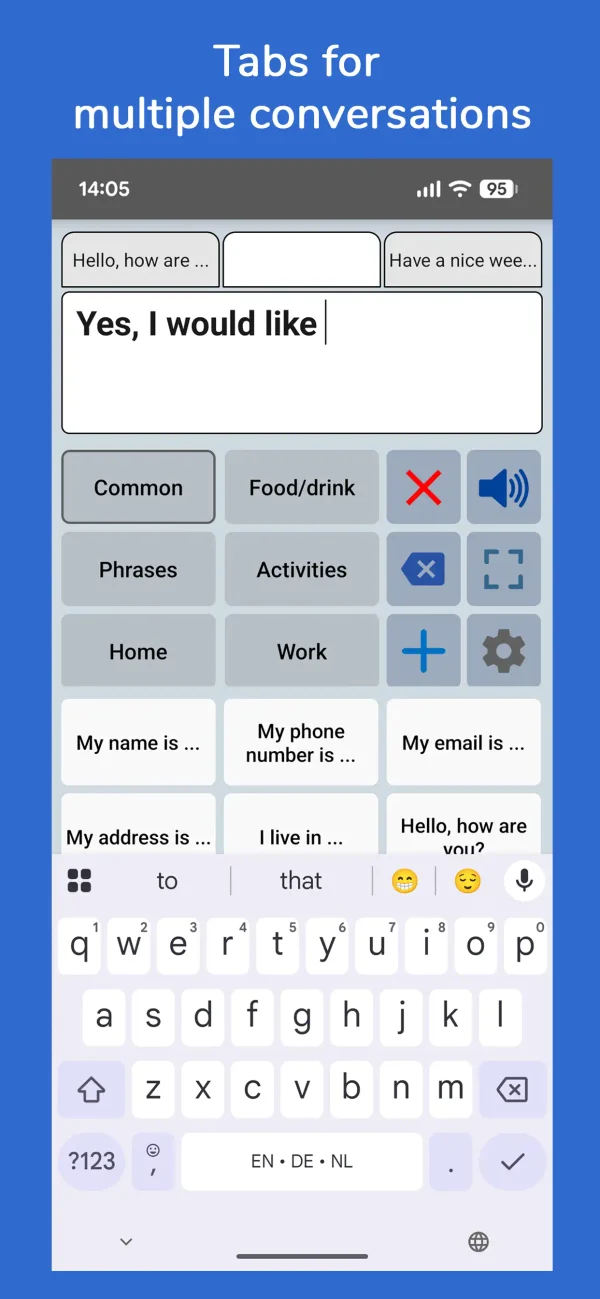
• 複数の会話用のタブ (オプション設定)。
•縦と横のレイアウトでスマートフォンやタブレット用に設計されています。
• メールまたは Google ドライブへのバックアップ。
カテゴリとフレーズ
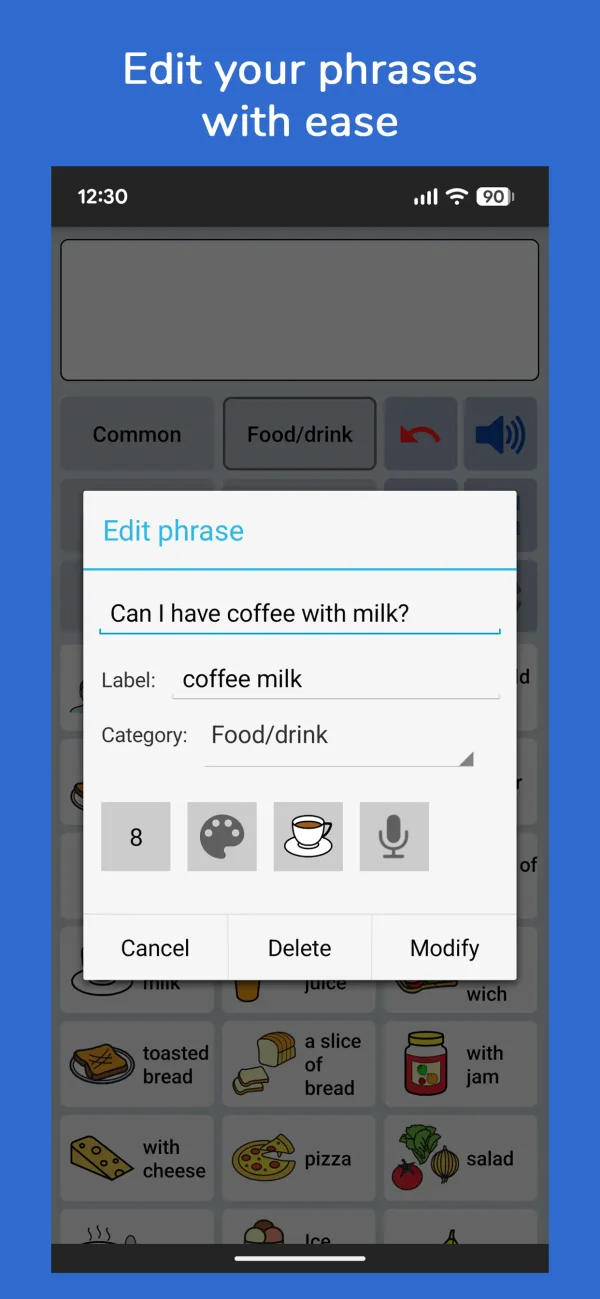
• 独自のカテゴリとフレーズを追加、変更、または削除します。
• すばやくアクセスできるように、フレーズを整理するためのカテゴリを作成できます。
• 長押し (オプション設定) で、フレーズとカテゴリのボタンを簡単に編集できます。
• カテゴリとフレーズをバックアップおよび復元するオプション。
完全にカスタマイズ可能
• ボタン、テキストボックス、およびテキストのサイズを調整できます。
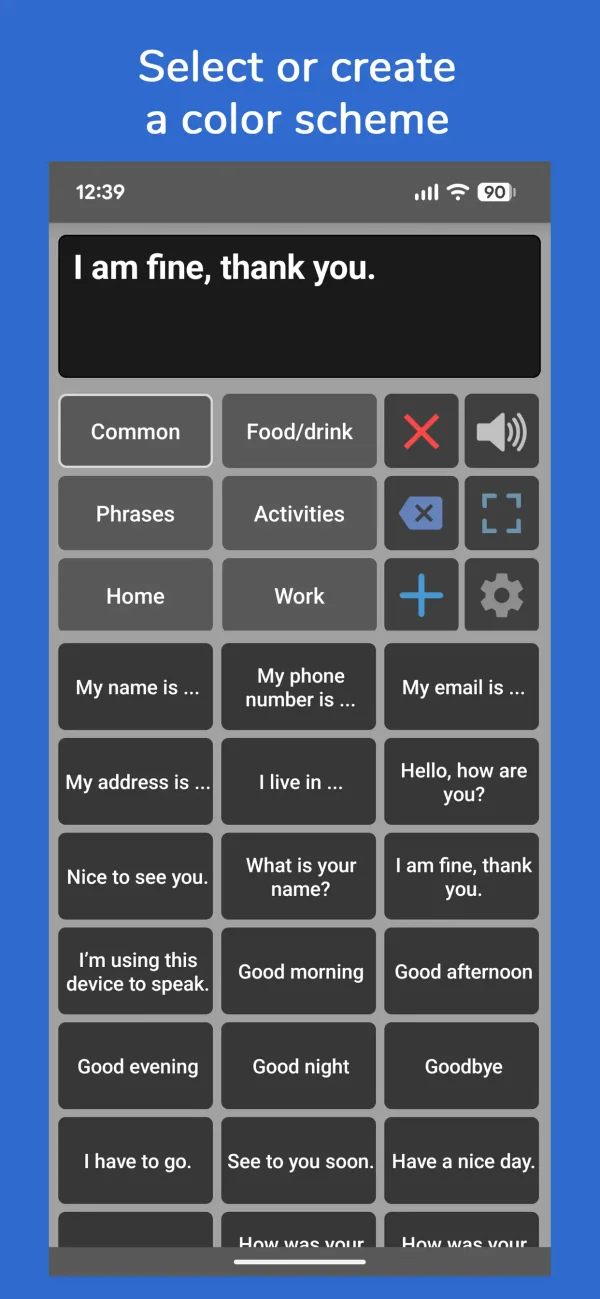
• アプリにはさまざまな配色があり、自分だけの配色を作成することもできます。
• フレーズの付いた個々のボタンに異なる色を付けます。
フルスクリーン
• 非常に大きなフォントでメッセージを全画面表示します。
• 騒がしい環境での通信に便利です。
• あなたの反対側の人にあなたのメッセージを表示するテキストを回転させるボタン。
その他の機能
• メッセージをメール、テキスト、ソーシャル メディアで共有するためのボタン。
• Bluetooth キーボードを接続し、話す、クリア、表示、注意音の機能のショートカットを作成します。
• タッチ後にボタンを (短時間) 無効にすることで、ダブルタップを防止するオプション。
• 意図せずにクリア ボタンをタップした場合のオプションを元に戻す。
• メイン画面とフル画面の注意音ボタン。
声
音声はアプリの一部ではありませんが、アプリはデバイスにインストールされている音声を使用します。
たとえば、「Speech Services by Google」の音声の 1 つを使用できます。多くの言語で女性と男性の声があります。お使いのデバイスで利用できない場合は、Google Play ストアからダウンロードできます。
選択したボイスは、アプリのボイス設定で変更できます。
完全版
アプリの基本バージョンは無料です。アプリの設定で、フルバージョンにアップグレードできます。これは、これらの追加機能に対する 1 回限りの支払いであり、サブスクリプションはありません。
•無制限の数のカテゴリ。
• バックアップと復元のオプション。
• 3400 のマルベリー シンボルのセット (mulberrysymbols.org) からシンボルを選択するオプション。
• 個々のボタンの色を変更するオプション。
• 以前に話されたフレーズにすばやくアクセスするための履歴。
• さまざまな言語、状況、人物のユーザー プロファイルを作成します。
• 複数の会話を簡単に切り替えるためのタブ。
• ボタンに音声を録音し、音声録音をアプリにインポートするオプション。
アプリについて
• アプリはインターネット接続を必要としません。
• フィードバックや質問については、android@asoft.nl までご連絡ください。
• www.asoft.nl で、ユーザー マニュアルを見つけることができます。
原文を表示
Speech Assistant AAC is a text-to-speech (TTS) app designed for people who are speech impaired, for example due to Aphasia, MND/ALS, Autism, Stroke, Cerebral Palsy or other speech problems.
With the app you can create categories and phrases, which are placed on buttons. With these buttons you can create messages that can be shown or spoken (text-to-speech). It is also possible to type any text using the keyboard.
Key features
• Easy to use and completely customizable to your needs and preferences.
• Categories to organize your phrases.
• History for quick access to previously typed phrases.
• Option to select photos from your Photo Library or Symbols on the buttons.
• Option to record speech or use a text-to-speech voice.
• Full screen button to show your message with a large font.
• Auto complete feature to quickly find your phrases.
• Tabs for multiple conversations (optional setting).
• Designed for smartphones and tablets with portrait and landscape layout.
• Backup to Mail or Google Drive.
Categories and phrases
• Add, change or delete your own categories and phrases.
• You can create categories to organize your phrases for quick access.
• Long press (optional setting) to easily edit the phrase and category buttons.
• Option to Backup and Restore your categories and phrases.
Fully Customizable
• The size of the buttons, the textbox and the text can be adjusted.
• The app has various color schemes and you can also create a personal color scheme.
• Give the individual buttons with phrases different colors.
Full screen
• Show your message full screen with a very large font.
• Useful for communicating in a noisy environment.
• Button to rotate the text to show your message to the person opposite of you.
Other features
• Button to share your message to mail, text and social media.
• Connect a bluetooth keyboard and create shortcuts for the functions Speak, Clear, Show and Attention Sound.
• Option for preventing double tapping by disabling the button (for a short time) after touching.
• Undo option in case of unintentionally tapping the clear button.
• Attention sound button on Main and Full screen.
Voices
The voice is not part of the app, but the app uses the voice installed on your device.
For example, you can use one of the voices from 'Speech Services by Google'. It has female and male voices in many languages. If it is not available on your device, you can download it from the Google Play Store.
You can change the selected voice in the voice settings of the app.
Full version
The basic version of the app is free. In the settings of the app you can upgrade to the full version. This is a one-time payment for these extra features, there is no subscription.
• An unlimited number of categories.
• Backup and Restore option.
• Option to select symbols from the set of 3400 Mulberry Symbols (mulberrysymbols.org).
• Option to change the color of the individual buttons.
• History for quick access to previously spoken phrases.
• Create user profiles for different languages, situations or persons.
• Tabs for easy switching between multiple conversations.
• Option to record speech on to a button and to import voice recordings into the app.
About the app
• The app does not require an internet connection.
• For feedback or questions, please contact: android@asoft.nl.
• On www.asoft.nl you can find a user manual.
データ セーフティ
このアプリが収集・共有するデータについて、A-Soft-nlがGoogle Playで申告している内容です。
- 第三者と共有されるデータはありません詳しくは、デベロッパーが共有を申告する方法についての説明をご覧ください
- データは収集されません詳しくは、デベロッパーが収集を申告する方法についての説明をご覧ください
新機能
バージョン 6.6.3 · 2026/11/23
Minor improvements and fixes.
開発元の連絡先
- ウェブサイトasoft.nl
- メールandroid@asoft.nl
- プライバシーポリシーasoft.nl
- 住所Oder 20 Unit A6232 2491 DC 's-Gravenhage Netherlands
情報
- 提供元
- A-Soft-nl
- カテゴリ
- 通信
- バージョン
- 6.6.3
- 更新日
- 2026/11/23
- リリース
- 2012/6/27
- 必要条件
- Android 8.0以降
- 対象年齢
- 3 歳以上
- 価格
- 無料
- アプリ内課金
- ¥740/アイテム
- パッケージ名
- nl.asoft.speechassistant
類似のアプリ
-
 MagPie - Native speech
仕事効率化
-
 FYI.AI
通信
-
 Voxer Walkie-Talkie PTT
通信
-
 HiNotes by HiDock
仕事効率化
-
 b2match
ビジネス
-
 goFLUENT:語学研修
教育
-
 FluentPal - もっと速く、流暢に
教育
-
 RealLife: Speak, Learn English
教育
-
 Albany Times Union News
ニュース&雑誌
-
 Learn Russian with Flashcards!
教育
-
 Ava: Transcribe Voice to Text
健康&フィットネス
-
 Langotalk-AI Language Learning
教育