SplitLab Audio Video Splitter
HitroLab - Mp3 Audio Editor and Ringtone Maker Dev広告を含む · アプリ内課金
- 3 歳以上対象年齢
- 音楽&オーディオカテゴリ
- 2026/9/25更新日
- 無料価格
com.hitrolab.audio_video_splitter_joiner.split.joinのGoogle Play公式ページにリンクしています。最終確認:2026/11/27。

スクリーンショット
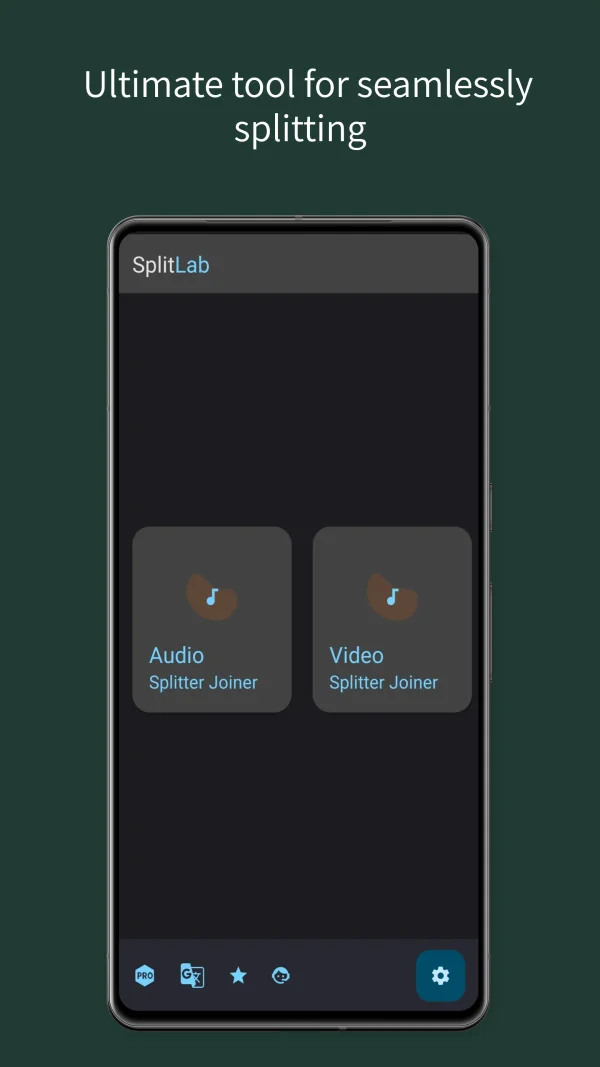
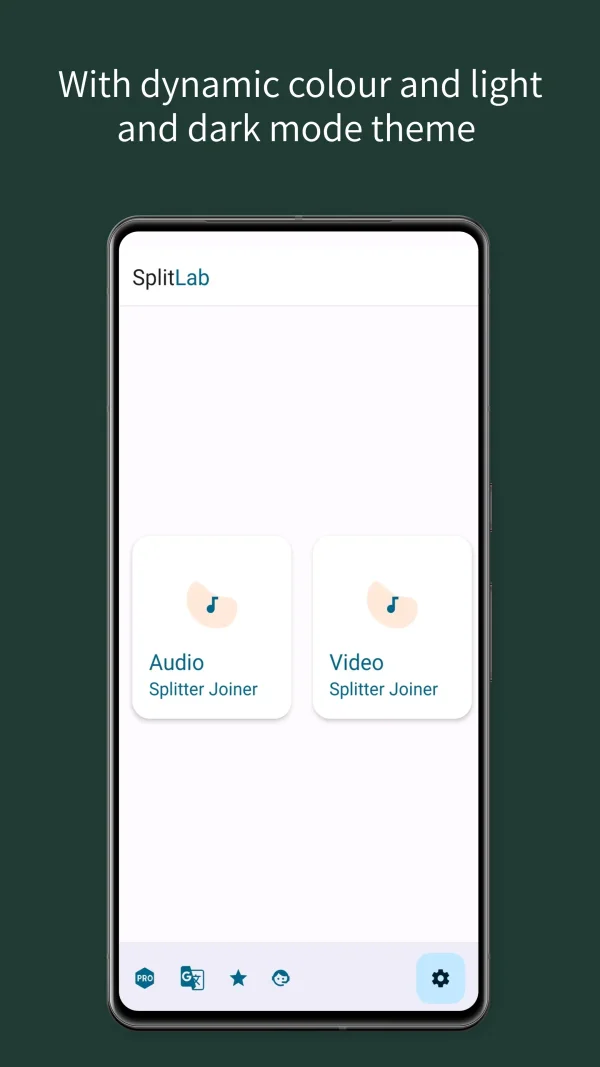
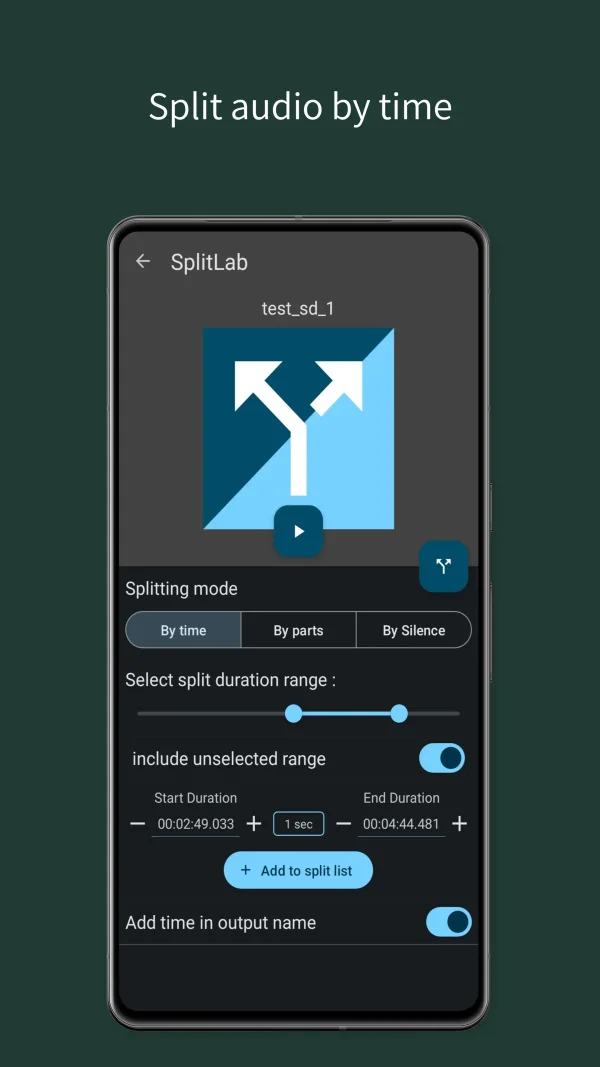

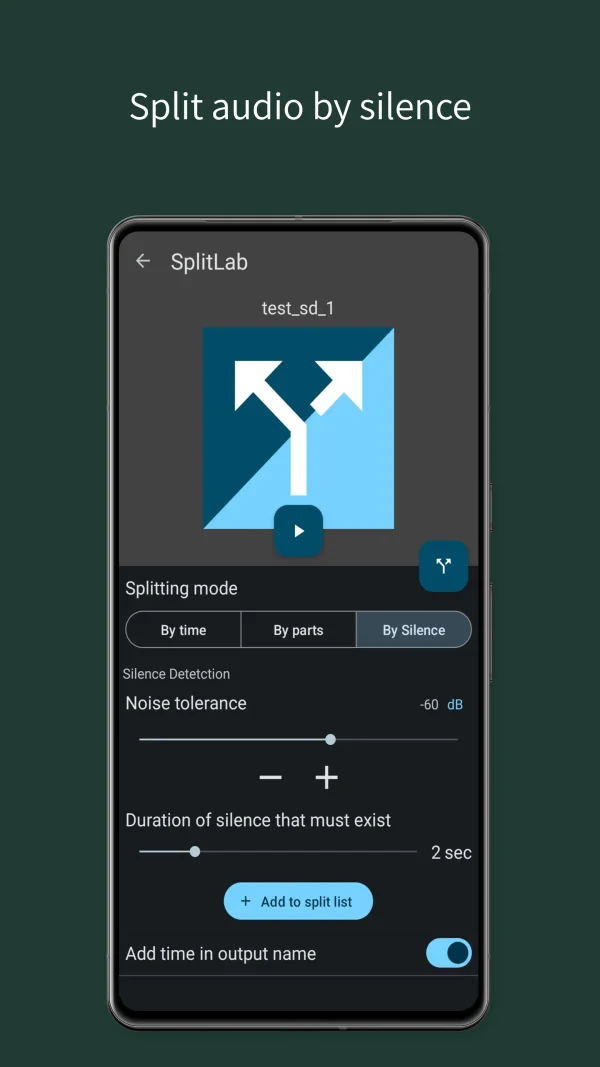

このアプリについて
Googleによる英語 (イギリス)からの自動翻訳です。
大容量のオーディオとビデオを簡単に分割します。品質を損なうことなく、迅速かつ簡単に
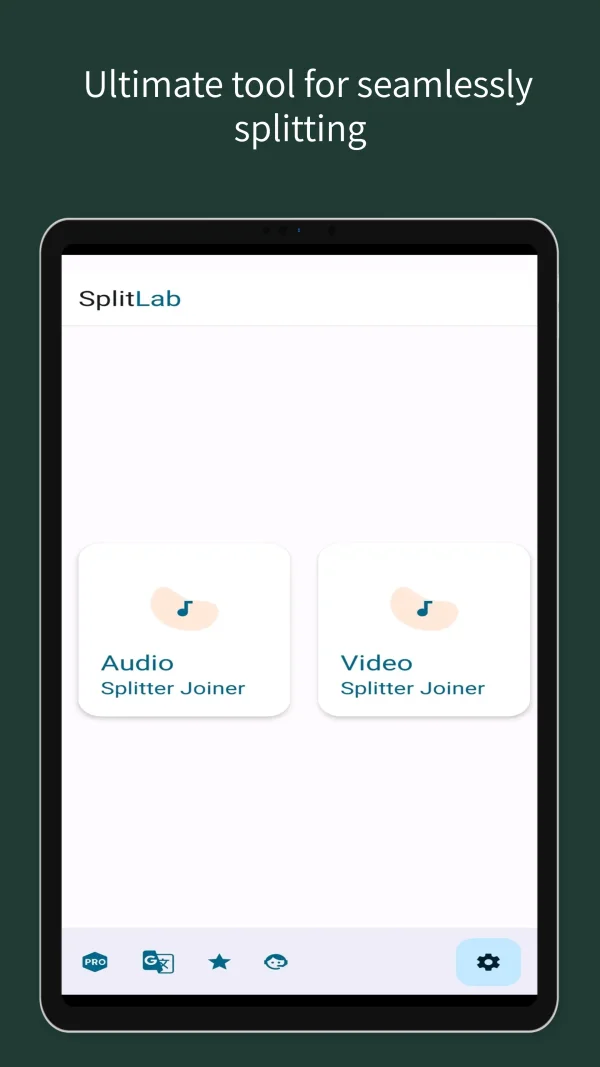
SplitLab Audio Video Splitter は、マルチメディア ファイルをシームレスに分割するための究極のツールです。あなたがコンテンツ クリエーターであっても、ソーシャル メディア愛好家であっても、あるいは単にメディア ライブラリを整理するのが好きな人であっても、このアプリは頼りになるソリューションです。
直感的なインターフェイスにより、オーディオとビデオの分割がかつてないほど簡単になりました。ファイルをインポートし、分割したいセグメントを選択するだけで、残りの作業は強力なアルゴリズムに任せることができます。オーディオやビデオ クリップを分割する場合でも、長い録音をトリミングする場合でも、ファイルをより小さく管理しやすい部分に分割する場合でも、当社のアプリは常に正確さと効率性を実現します。
SplitLab は、大きなオーディオ ファイルやビデオ ファイルを、より小さく管理しやすい部分に簡単に分割するための頼りになるツールです。長いポッドキャスト、コンサートの録画、講義ビデオをセグメントに分割する必要がある場合でも、SplitLab を使用すると、特定のセクションに簡単に移動して共有できます。
主な特徴:
簡単な分割: ユーザーフレンドリーなインターフェイスにより、数回タップするだけでオーディオ ファイルとビデオ ファイルを分割できます。
精密な分割: オーディオ ファイルとビデオ ファイルをミリ秒単位の精度で分割し、セグメント間のシームレスな移行を保証します。
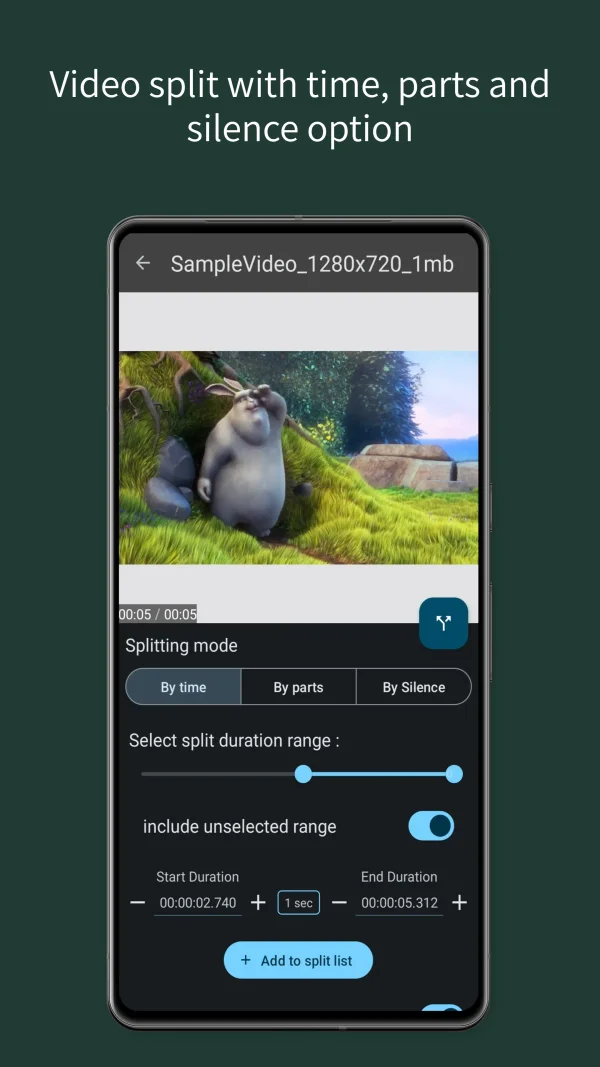
多彩な分割オプション: 時間、部分数、ファイル サイズ、無音検出、無音間隔の長さによってオーディオ ファイルとビデオ ファイルを分割します。シームレスなコンテンツ セグメンテーションのニーズに最も適した方法を選択してください。
複数の形式をサポート: MP3、OGG、OPUS、MP4、WAV、AVI などの一般的なオーディオおよびビデオ形式で動作し、メディア ファイルとの互換性を確保します。
カスタマイズ可能な分割ポイント: カスタムの時間間隔を設定したり、分割する特定のタイムスタンプを選択したりして、セグメンテーション プロセスを完全に制御できます。
高品質出力: 分割プロセス全体を通じてメディア ファイルの元の品質を維持し、毎回鮮明でクリアなオーディオとビデオを保証します。
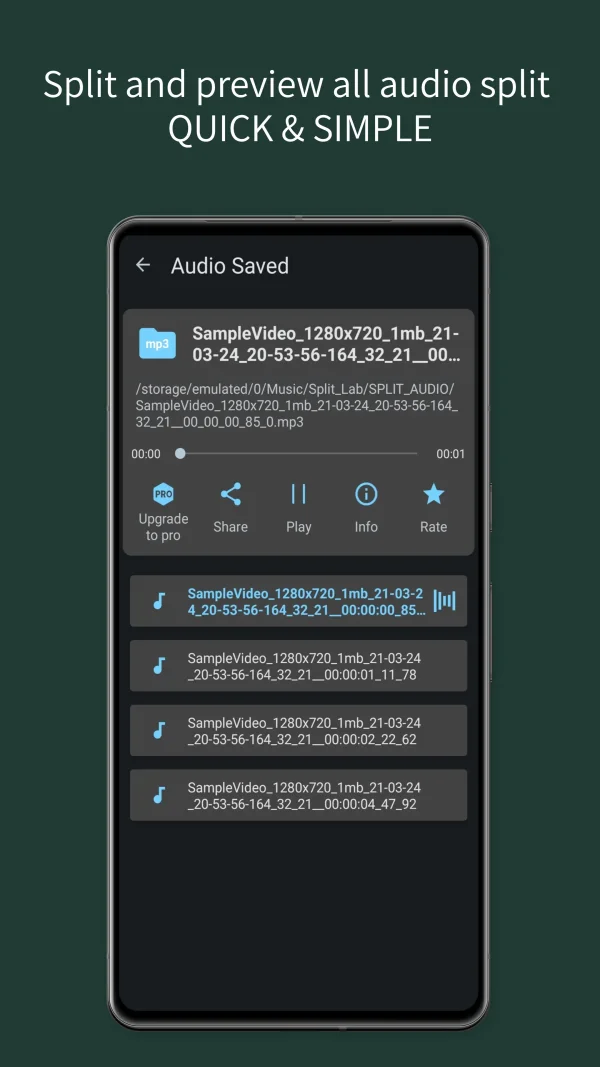
直感的なインターフェイス: ユーザーフレンドリーなデザインにより、ファイルの選択、設定の調整、ファイナライズ前の分割セグメントのプレビューが簡単に行えます。
簡単に共有: 分割ファイルをアプリからお気に入りのソーシャル メディア プラットフォーム、クラウド ストレージ サービス、メッセージング アプリに直接共有できるため、コンテンツを友人、同僚、フォロワーに簡単に配布できます。
理想的な:
コンテンツ作成者: 編集やソーシャル メディア プラットフォームでの共有を容易にするために、録画を分割します。
学生と研究者: 長い講義やプレゼンテーションを研究のために理解しやすい部分に分割します。
メディア プロフェッショナル: プレゼンテーション用のクリップを準備したり、特定のセグメントを大規模なプロジェクトにシームレスに統合したりできます。
なぜSplitLabなのか?
SplitLab は、強力な機能とユーザーフレンドリーなデザインを組み合わせており、オーディオ ファイルとビデオ ファイルを効率的に分割する必要がある人にとって最適なツールです。 SplitLab を使用してメディア管理タスクを今すぐ簡素化しましょう!
MP3、WMA、OPUS、OGG、および WAV ファイルを、サイズ、長さ、無音ごとに、いくつかの等しい部分に分割します。サポートされているすべての形式は、変換せずに直接分割されます。
あなたがプロのビデオグラファーであっても、ソーシャル メディア インフルエンサーであっても、あるいは単にマルチメディア コンテンツの作成と共有が好きな人であっても、当社のオーディオ ビデオ分割アプリは、あらゆる分割ニーズに応える完璧なパートナーです。今すぐダウンロードして、無限の可能性の世界を解き放ちましょう!」
原文を表示
SplitLab Audio Video Splitter is the ultimate tool for seamlessly splitting your multimedia files! Whether you're a content creator, a social media enthusiast, or just someone who loves organizing their media library, this app is your go-to solution.
With our intuitive interface, splitting audio and video has never been easier. Simply import your file, select the segments you want to split, and let our powerful algorithms do the rest. Whether splitting the audio or a video clip, trimming a lengthy recording, or dividing a file into smaller, more manageable parts, our app delivers precision and efficiency every time.
SplitLab is your go-to tool for effortlessly splitting large audio and video files into smaller, manageable parts. Whether you need to divide a lengthy podcast, concert recording, or lecture video into segments, SplitLab ensures you can easily navigate and share specific sections.
Key Features:
Effortless Splitting: Divide your audio and video files with just a few taps, thanks to our user-friendly interface.
Precision Splitting: Split audio and video files with precision down to the millisecond, ensuring seamless transitions between segments.
Versatile Splitting Options: Split audio and video files by time duration, number of parts, file size, silence detection, and duration of silence intervals. Choose the method that best suits your needs for seamless content segmentation.
Multiple Formats Supported: Works with popular audio and video formats like MP3, OGG, OPUS, MP4, WAV, AVI, and more, ensuring compatibility with your media files.
Customizable Split Points: Set custom time intervals or choose specific timestamps for splitting, giving you full control over the segmentation process.
High-Quality Output: Maintain the original quality of your media files throughout the splitting process, ensuring crisp, clear audio and video every time.
Intuitive Interface: User-friendly design makes it easy to select files, adjust settings, and preview split segments before finalizing.
Share with Ease: Share your split files directly from the app to your favorite social media platforms, cloud storage services, or messaging apps, making it effortless to distribute your content to friends, colleagues, or followers.
Ideal for:
Content Creators: Divide recordings for easier editing or sharing on social media platforms.
Students and Researchers: Break down lengthy lectures or presentations into digestible segments for study purposes.
Media Professionals: Prepare clips for presentations or integrate specific segments into larger projects seamlessly.
Why SplitLab?
SplitLab combines powerful functionality with user-friendly design, making it the perfect tool for anyone needing to split audio and video files efficiently. Simplify your media management tasks today with SplitLab!
Split MP3, WMA, OPUS, OGG, and WAV files in several equal parts, by size, by duration and silence. All the supported formats are split directly, without conversion!
Whether you're a professional videographer, a social media influencer, or just someone who loves creating and sharing multimedia content, our Audio Video Splitting App is the perfect companion for all your splitting needs. Download now and unlock a world of endless possibilities!"
データ セーフティ
このアプリが収集・共有するデータについて、HitroLab - Mp3 Audio Editor and Ringtone Maker DevがGoogle Playで申告している内容です。
- このアプリはサードパーティと以下の種類のデータを共有することがあります位置情報、アプリのアクティビティ、他 2 件
- このアプリは以下の種類のデータを収集することがあります位置情報、アプリのアクティビティ、他 2 件
- データは送信中に暗号化されます
- データを削除できません
新機能
2026/9/25
SplitLab now targets Android 16 (API 36)
New Features added:-
- Significant speed improvements (up to 30%)
- Split option is enabled if Playback is not supported
- Support for more codecs
- New improved File gallery
Improvement:-
- Bug fixed for older Android devices
- Lots of bug fixes and performance improvement
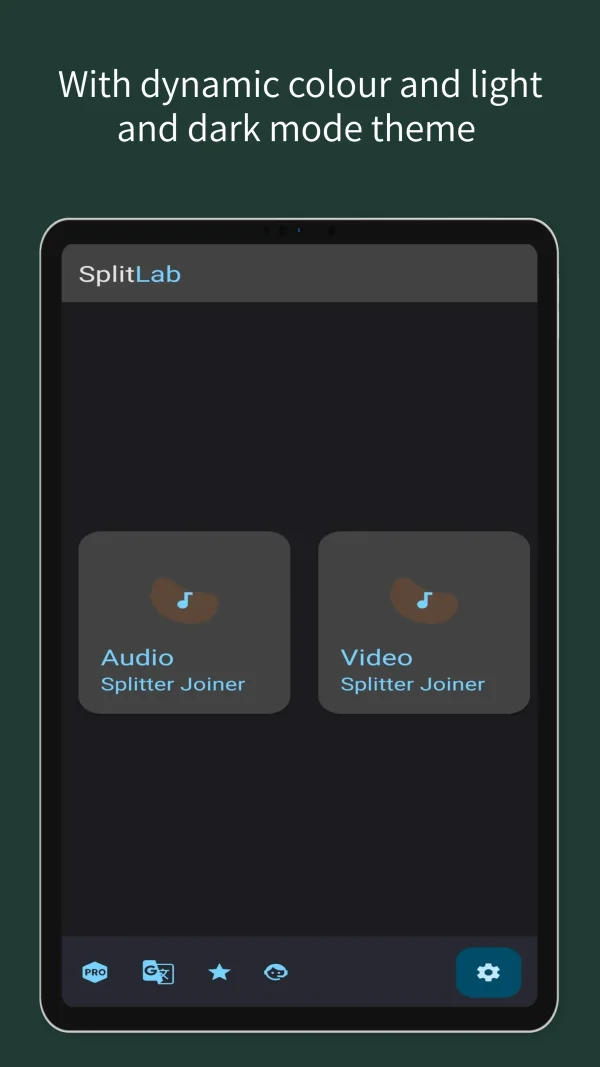
- Lots of UI improvements
開発元の連絡先
- ウェブサイトhitrolab.com
- メールhitrolab@gmail.com
- プライバシーポリシーsites.google.com
- 住所H.No. 417, Ward No. 9, Kamasi, Near Shyama Sarowar Park Sheikhpura, Bihar 811105 India
情報
- 提供元
- HitroLab - Mp3 Audio Editor and Ringtone Maker Dev
- カテゴリ
- 音楽&オーディオ
- 更新日
- 2026/9/25
- 対象年齢
- 3 歳以上
- 価格
- 無料
- アプリ内課金
- ¥50~¥1,740/アイテム
- パッケージ名
- com.hitrolab.audio_video_splitter_joiner.split.join
類似のアプリ
-
 MusicCast Controller
音楽&オーディオ
-
 UE | BOOM by Ultimate Ears
音楽&オーディオ
-
 Sennheiser Smart Control
ツール
-
 Voice Recorder & Audio Editor
音楽&オーディオ
-
 手動カメラ:デジタル一眼レフ カメラプロフェッショナル
写真
-
 音楽スピードチェンジャー
音楽&オーディオ
-
 djay - DJアプリ&AIミキサー
音楽&オーディオ
-
 SoundID™ Headphone Equalizer
音楽&オーディオ
-
 JAMMATES
音楽&オーディオ
-
 Stellio: Music Player & MP3
音楽&オーディオ
-
 AudioLab 音声編集 & MP3カッター
音楽&オーディオ
-
 Functional Ear Trainer
教育