Spring Butterfly
StarWatchfaces- 3 歳以上対象年齢
- カスタマイズカテゴリ
- 2026/8/19更新日
- ¥350価格
com.starwatchfaces.springbutterflyのGoogle Play公式ページにリンクしています。最終確認:2026/11/14。

スクリーンショット



このアプリについて
Googleによる英語 (アメリカ合衆国)からの自動翻訳です。
スタイル、機能性、美しさを完璧に融合させた蝶のアニメーション!
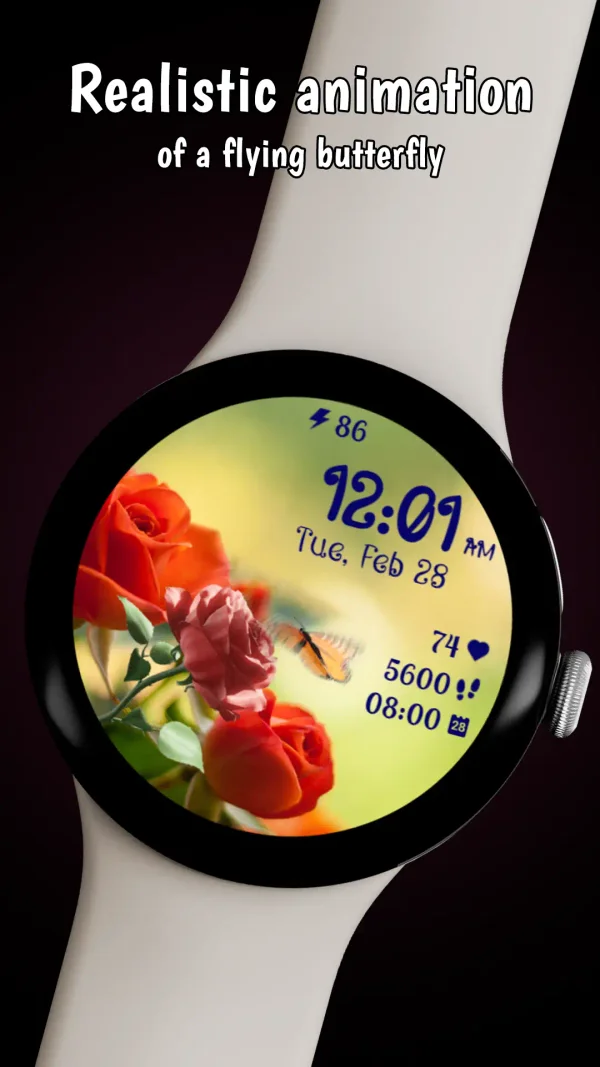
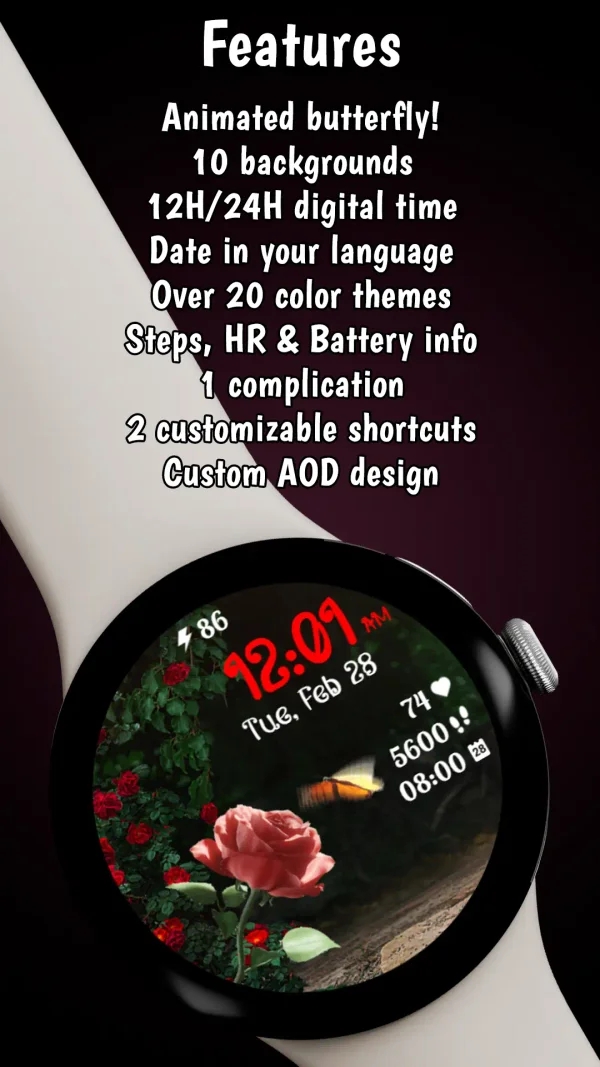
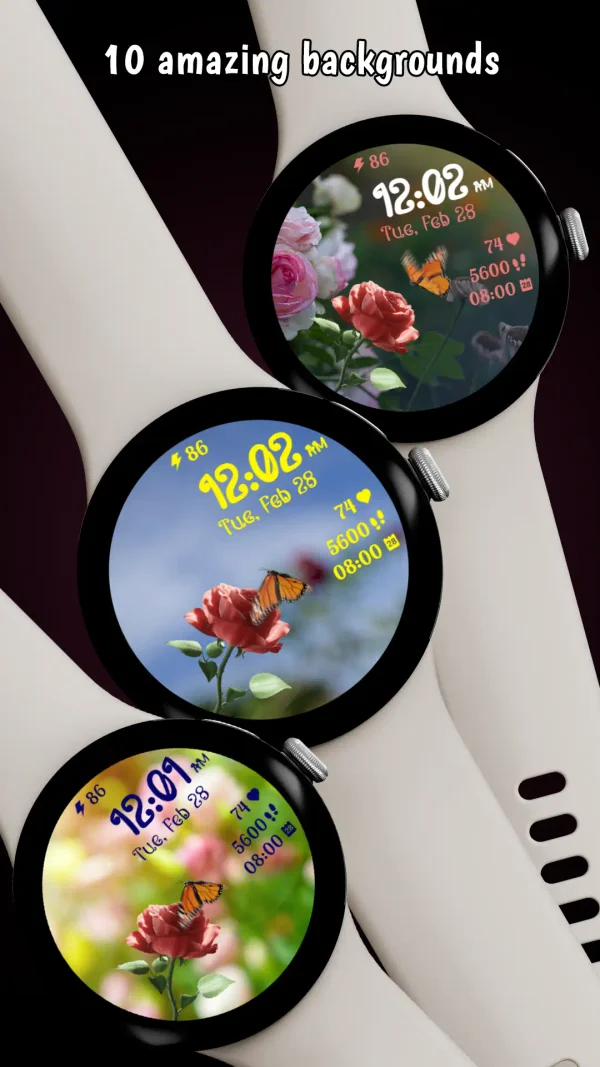
Wear OS 用の Spring Butterfly ウォッチフェイスは、手首に生命力と美しさをもたらすエレガントなアニメーション時計です。この見事なウォッチフェイスには、10 枚の美しく魅力的な背景画像を背景に優雅に羽ばたく蝶のアニメーションが特徴です。蝶はデバイスに自然と優雅さを加え、見るのも身に着けるのも楽しいものにします。
文字盤にはクリアで鮮明なデジタル 12/24 時間時計が搭載されており、時間を正確かつ簡単に表示します。日付は好みの言語で表示されるので、いつでも一目で日と月を把握できます。また、ウォッチフェイスは心拍数と歩数を追跡し、アクティブで健康な状態を維持するのに役立ちます。
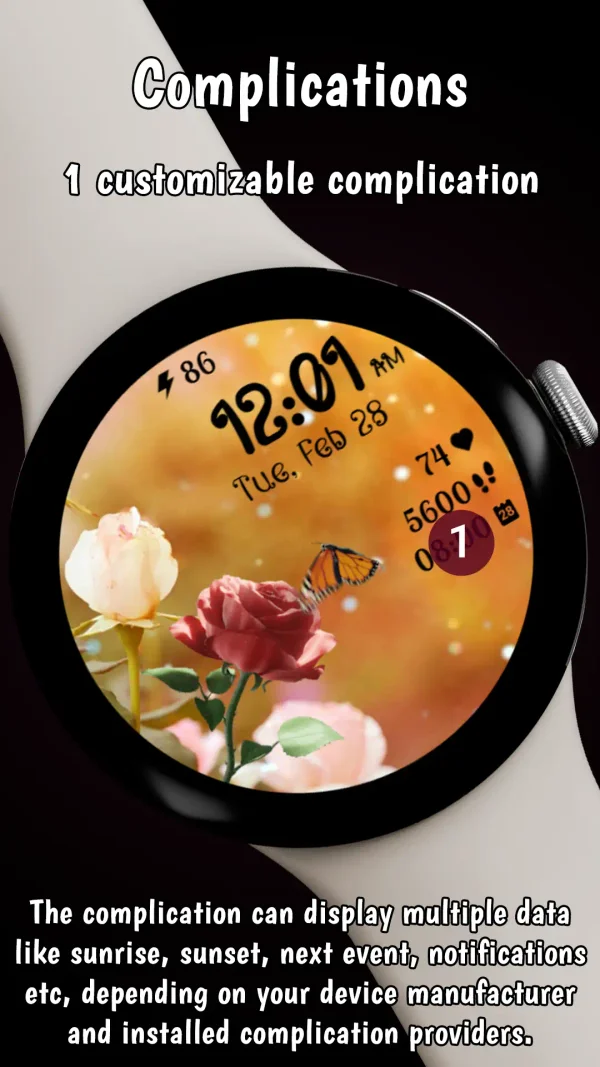
Spring Butterfly のウォッチフェイスは、その見事なデザインとアニメーションに加えて、高度にカスタマイズ可能です。 20 を超える利用可能なカラーテーマから 1 つを選択し、10 種類のかわいい背景から 1 つを選択して、独自の外観を作成できます。ウォッチフェイスにカスタムコンプリケーションを追加して、お気に入りのデータにすばやく簡単にアクセスできるようにすることもできます。カスタマイズ可能な 2 つのショートカットを使用すると、タップするだけで必要な機能にすぐにアクセスできます。
Spring Butterfly ウォッチフェイスは、スタイル、機能性、美しさを 1 つのパッケージに組み合わせた、デバイスへの完璧な追加です。毎日着用するアニメーション時計をお探しの場合でも、特別な日のための特別な文字盤をお探しの場合でも、Spring Butterfly 文字盤は必ずあなたの期待を上回ります。素晴らしいアニメーションと美しいデザインを備えたこのウォッチフェイスは、手首に存在感を与え、見るたびに笑顔をもたらします。
ウォッチフェイスをカスタマイズするには:
1. ディスプレイを長押しします。
2. [カスタマイズ] ボタンをタップして、背景画像、時間、日付、統計の色、表示するコンプリケーションのデータ、カスタム ショートカットで起動するアプリを変更します。
ウォッチフェイスを好みに合わせてカスタマイズします。最も好きな背景を選択し、時間、日付、統計情報に最適なカラーテーマを選択し、コンプリケーションに必要なデータを選択し、2 つのカスタマイズ可能なショートカットを使用して起動する希望のアプリを選択し、お楽しみください。ウォッチフェイス!ストアの掲載情報のスクリーンショットを確認して、ショートカットがどこに配置されているかをよく理解してください。
忘れないでください。携帯電話のコンパニオン アプリを使用して、当社が作成した他の素晴らしいウォッチフェイスを見つけてください。
ウォッチフェイスのインストールで問題が発生した場合は、Samsung がここで詳細なチュートリアルを提供しています: https://developer.samsung.com/sdp/blog/en-us/2022/11/15/install-watch-faces-for-galaxy-watch5 -and-one-ui-watch-45
バッテリーを節約するために、文字盤の心拍数は 10 分ごとに自動的に測定されます。時計が常に手首に正しく装着されていることを確認してください。
心拍数が測定されると、時計の文字盤のハートのアイコンの上に、心臓が鼓動する小さなアニメーションが表示されます。
リクエストに応じて、心拍数のテキストをタップして心拍数を測定することもできます。
合併症には以下が表示されます*:
- 天気
- 一時的な感じ
- バロメーター
- ビクスビー
- カレンダー
- 通話履歴
- リマインダー
- ステップ
- 日付と天気
- 日の出日の入り
- 警報
- ストップウォッチ
- 世界時計
- バッテリー
- 未読通知
必要なデータを表示するには、ディスプレイを長押しし、カスタマイズ ボタンを押して、2 つの合併症に必要なデータを選択します。
* これらの機能はデバイスに依存するため、すべての時計で利用できるわけではありません
希望のショートカットを表示するには、ディスプレイを長押しし、カスタマイズ ボタンを押して、2 つのカスタマイズ可能なショートカット スロットから希望のショートカットを選択します。
その他のウォッチフェイスについては、当社の Web サイトをご覧ください。
楽しむ!
原文を表示
Introducing Spring Butterfly watchface for Wear OS, an elegant, animated timepiece that will bring life and beauty to your wrist. This stunning watchface features an animated butterfly, fluttering gracefully against a backdrop of 10 stunning and charming background images. The butterfly adds a touch of nature and grace to your device, making it a joy to look at and wear.
The watchface features a clear and crisp digital 12/24H clock, displaying the time with accuracy and ease. The date is displayed in your preferred language, ensuring that you always know the day and month with a glance. The watchface also keeps track of your heart rate and steps, helping you stay active and healthy.
In addition to its stunning design and animations, the Spring Butterfly watchface is also highly customizable. You can choose one of the over 20 available color themes and one of the 10 cute backgrounds to create your own unique look. You can also add a custom complication to the watchface, giving you quick and easy access to your favorite data. With two customizable shortcuts, you can quickly access the functions you need with just a tap.
Spring Butterfly watchface is the perfect addition to your device, combining style, functionality, and beauty in a single package. Whether you are looking for an animated timepiece to wear every day, or a special watchface for special occasions, the Spring Butterfly watchface is sure to exceed your expectations. With its superb animation and beautiful design, this watchface will make a statement on your wrist and bring a smile to your face every time you look at it.
To customize the watchface:
1. Press and hold on the display
2. Tap the Customize button to change the background image, the colors for time, date and stats, data for complication to display and the apps to launch with the custom shortcuts.
Customize the watchface as you wish: choose the background you like most, choose the best looking color theme for time, date and stats, select the data you want for the complication, select your desired apps to launch using the 2 customizable shortcuts and enjoy using the watchface! Check the screenshots from the store listing to better understand where the shortcuts are placed.
Don't forget: use the companion app on your phone to discover other amazing watchfaces made by us!
If you have issues installing the watchface, Samsung provided a detailed tutorial here: https://developer.samsung.com/sdp/blog/en-us/2022/11/15/install-watch-faces-for-galaxy-watch5-and-one-ui-watch-45
Heart rate on watch face is automatically measured every 10 minutes in order to save you battery. Please make sure that the watch is worn correctly all the time on the wrist.
When the heart rate is measured, a little animation with a beating heart will be shown over the heart icon on the watch face.
You can also tap the heart rate text to measure the heart rate on request.
The complication can display*:
- Weather
- Feels like temp
- Barometer
- Bixby
- Calendar
- Call History
- Reminder
- Steps
- Date and weather
- Sunrise/sunset
- Alarm
- Stopwatch
- World Clock
- Battery
- Unread notifications
To display the data you want, tap and hold on the display, then press the Customize button and choose the data you want for the 2 complications.
* these functions are device dependent and might not be available on all watches
To display the shortcut you want, tap and hold on the display, then press the Customize button and choose the shortcut you want for the 2 customizable shortcut slots.
For more watchfaces, visit our website.
Enjoy!
データ セーフティ
このアプリが収集・共有するデータについて、StarWatchfacesがGoogle Playで申告している内容です。
- 第三者と共有されるデータはありません詳しくは、デベロッパーが共有を申告する方法についての説明をご覧ください
- このアプリは以下の種類のデータを収集することがあります個人情報、アプリのアクティビティ、他 2 件
- データは送信中に暗号化されます
- データを削除できません
開発元の連絡先
- ウェブサイトstarwatchfaces.com
- メールWearOS@starwatchfaces.com
- プライバシーポリシーstarwatchfaces.com
- 住所Strada Carol Davila 8 bloc 118A sc A et 1 ap 5 100462 Ploiești Romania
情報
- 提供元
- StarWatchfaces
- カテゴリ
- カスタマイズ
- バージョン
- 1.0.0
- 更新日
- 2026/8/19
- リリース
- 2023/2/8
- 対象年齢
- 3 歳以上
- 価格
- ¥350
- パッケージ名
- com.starwatchfaces.springbutterfly