Square KDS Beta
Block, Inc.- 3 歳以上対象年齢
- ビジネスカテゴリ
- 2026/11/18更新日
- 無料価格
com.squareup.rst.kds.betaのGoogle Play公式ページにリンクしています。最終確認:2026/11/19。
スクリーンショット
このアプリについて
Googleによる英語 (アメリカ合衆国)からの自動翻訳です。
忙しいキッチンオペレーターが注文を確認し、ステータスを迅速かつ正確にマークできるようにするため
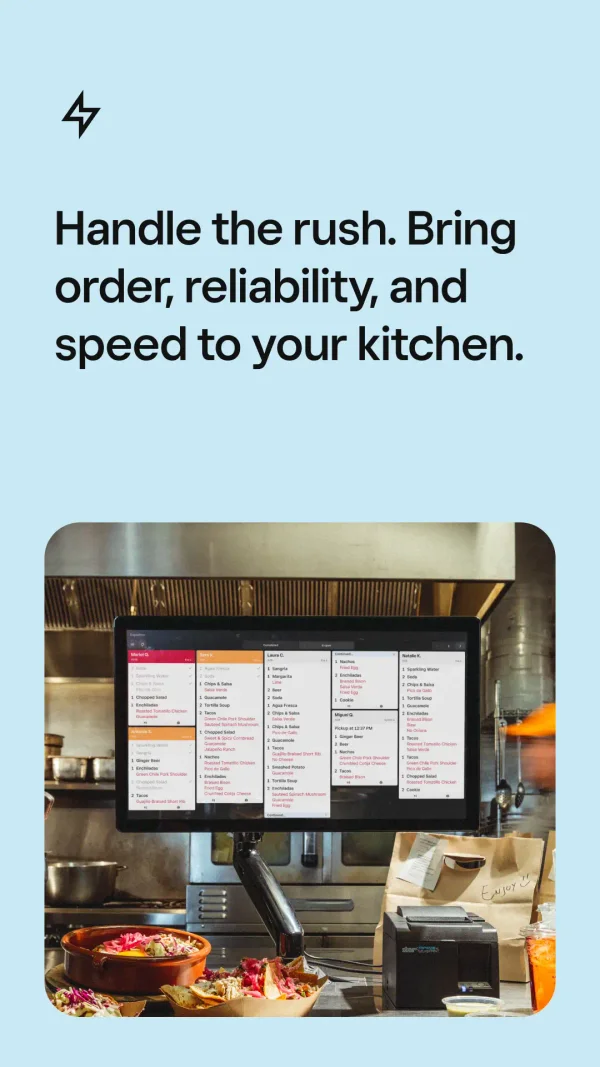
Square KDS を使用すると、複雑なキッチン業務を行う多忙なレストランが 1 か所で注文を確認し、ステータスをマークし、料理を迅速かつ正確に準備できるようになります。 Squares KDS は、単一拠点でも複数拠点でも、レストラン経営者が求めるシンプルさとともに、必要な洗練されたテクノロジーを提供します。
Square KDS を使用すると、次のことが可能になります。
暑く、油っぽく、忙しく、騒々しい環境でキッチンをより効率的に運営します。
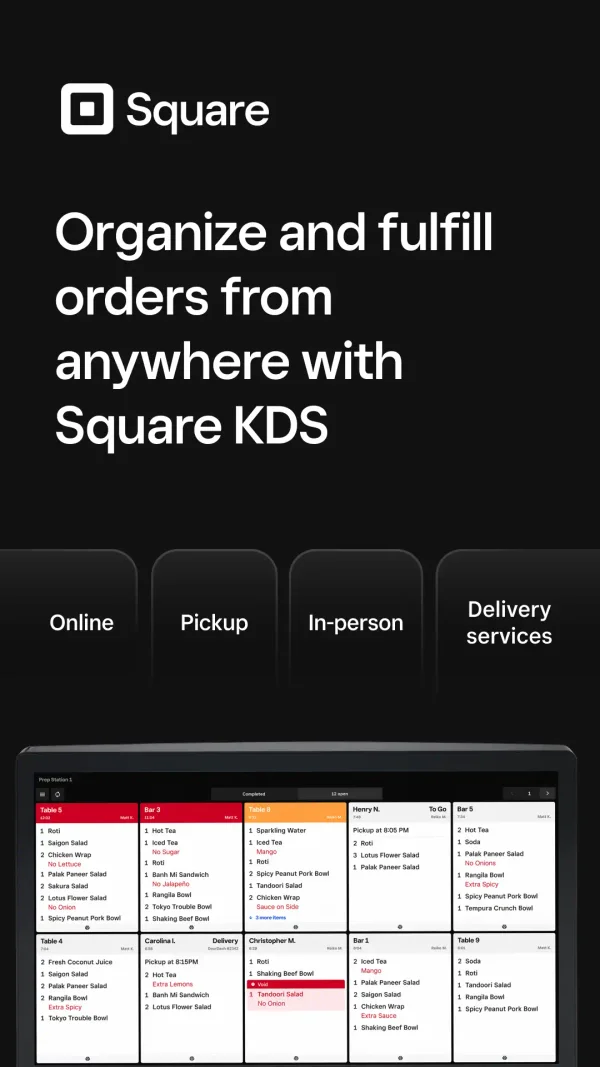
注文チケットを 1 つの画面に表示するため、準備ラインと展示ラインは商品を迅速、正確、効率的に準備できます。
キッチンのオペレーションやスタッフの好みに基づいて、柔軟なレイアウトでチケットを整理します。
キッチンからのコミュニケーションを効率化して、顧客とパートナーはいつ注文の準備ができているかを常に把握できるようにします
Square KDS について詳しくは、このビデオをご覧ください: https://www.youtube.com/watch?v=S43k6JsBYDs
特徴は次のとおりです。
読みやすく、すぐにスキャンできる注文チケットの形式を準備ステーションや手配者に提示します。
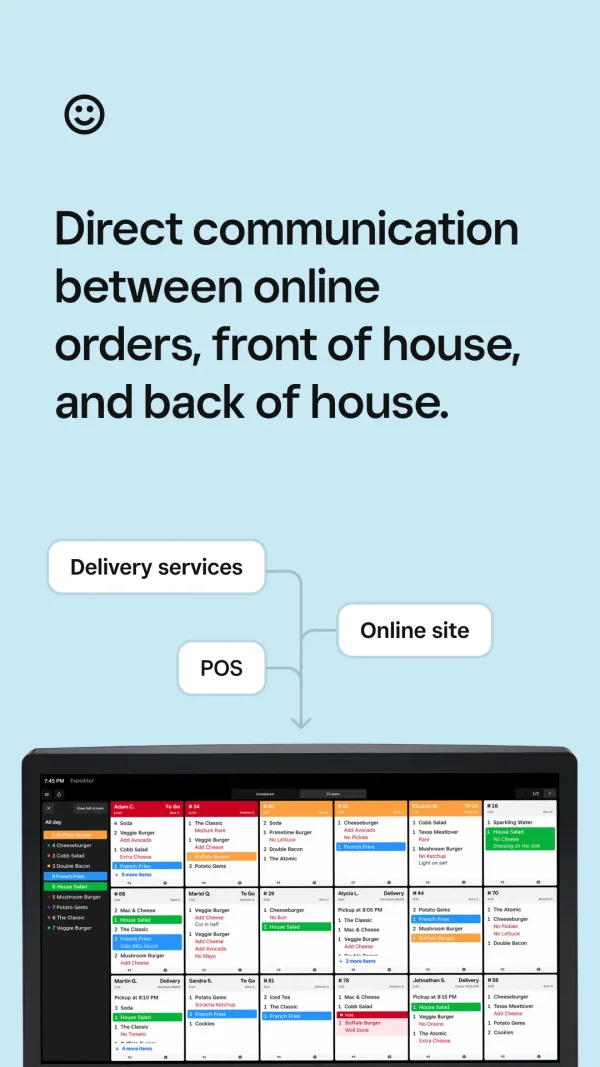
手間をかけずに、店内飲食とテイクアウトの注文を 1 か所で整理できます
サードパーティのマーケットプレイスから注文を自動的に取り込む
簡単なタップで商品や注文を「完了」としてマークします
ピックアップの注文が完了としてマークされると、ダイナーに自動的にテキストメッセージが送信されます
決めたタイマーに基づいてアイテムの優先順位を確認します (つまり、チケットは 5 分後に黄色に変わり、10 分後に赤に変わります)。
どこからでもリアルタイムのキッチン速度をレポート (管理者に最適)
デバイスごとのチケット数と平均完了時間を確認する
オープンチケットと完了チケットによって注文リストをすばやくフィルタリングします
チケットのサイズとページごとに表示するチケットの数を編集します
注文または個別のアイテムごとにチケットをリコールします
KDS から直接 86 アイテム
列の先頭のチケットを優先します
いつでも準備が必要な人気商品の数を確認できます
ワンタップで KDS 画面からオンデマンドで注文を印刷できます
レストランは、その耐久性、シンプルなユーザー インターフェイス、さまざまな画面サイズのオプション、手頃な価格、信頼性の高い接続により、Square の KDS を選択しています。
Square Android KDS は次のデバイスと互換性があります。
マイクロタッチ 22 インチ
マイクロタッチ 15 インチ
エロ 22”
エロ 15”
サムスンギャラクシータブ
レノボ M10
注: 上記以外のデバイスで Square KDS アプリを使用することを選択した場合、デバイス上での Square KDS の表示の品質は保証できません。
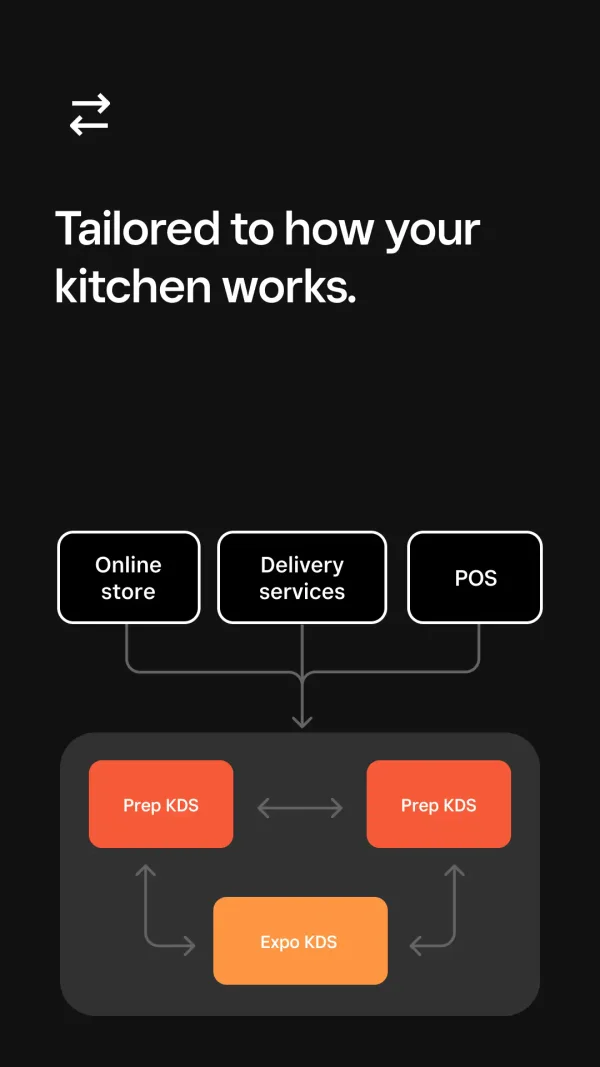
この製品は、注文の詳細をキッチンまたは準備エリアに送信する必要がある大量の注文を行う QSR レストランやフルサービスのレストランに最適です。オペレーターは、注文が画面にどのように表示されるかを制御することもでき、使いやすいダッシュボード設定からビジネス ニーズに合わせて外観を調整できます。 Square KDS ユーザーは、キッチンに複数の異なる KDS システムを設置し、注文や商品を特定の準備ステーションにルーティングすることを選択できます。
Square KDS には、ステーションやビジネスの場所ごとの注文準備速度を示すレポート機能が含まれています。
原文を表示
Square KDS allows busy restaurants with complex kitchen operations to view orders, mark status, and prepare food quickly and accurately, from one place. Whether you are a single-location or a multi-location business, Squares KDS delivers the sophisticated technology you need with the simplicity every restaurateur craves.
With Square KDS, you can:
Run your kitchen more efficiently in hot, greasy, busy, loud environments.
Display order tickets on a single screen, so your prep and expo lines can prepare items quickly, accurately, and efficiently.
Organize your tickets with a flexible layout based on your kitchen operations and staff members’ preferences.
Streamline communication from the kitchen so customers and partners always know when an order is ready
Learn more about Square KDS by watching this video: https://www.youtube.com/watch?v=S43k6JsBYDs
Features Include:
Show an easy-to-read, fast-to-scan order ticket format to prep stations and expediters
Organize dine-in and takeout orders in one place, without work
Pull in orders — automatically — from third-party marketplaces
Mark items and orders as “Complete” with a simple tap
Automatically text diners when pickup orders are marked as complete
See item priority based on timers you decide on (i.e. ticket turns yellow after 5 minutes, and red after 10 minutes)
Report on real-time kitchen speed from anywhere (great for managers)
See # of tickets and average completion time by device
Quickly filter your order list by open versus completed tickets
Edit ticket size and # tickets that show per page
Recall tickets by order or individual item
86 items directly from KDS
Prioritize tickets to the front of the queue
See how many of your popular items need to be prepped at any given time
Print orders on-demand from your KDS screen in one quick tap
Restaurants choose Square’s KDS for its durability, simple user interface, different screen size options, affordability, and reliable connection.
Square Android KDS is compatible on the following devices:
Microtouch 22”
Microtouch 15”
Elo 22”
Elo 15”
Samsung Galaxy Tab
Lenovo M10
Note: If you choose to use the Square KDS app on a device not listed above, we cannot guarantee the quality of how Square KDS will appear on your device.
This product is best fit for QSR and full-service restaurants with high-volume ordering that require order details to be sent to a kitchen or prep area. Operators also have control over how their orders display on the screen — tailoring the appearance to their business needs from easy-to-use dashboard settings. Square KDS users may choose to have multiple different KDS systems in their kitchen, routing orders and items to specific prep stations.
Included with Square KDS is reporting functionality that shows order prep speed by station and location for your business.
データ セーフティ
このアプリが収集・共有するデータについて、Block, Inc.がGoogle Playで申告している内容です。
- 第三者と共有されるデータはありません詳しくは、デベロッパーが共有を申告する方法についての説明をご覧ください
- このアプリは以下の種類のデータを収集することがあります位置情報、個人情報、他 6 件
- データは送信中に暗号化されます
- データを削除するようリクエストできます
新機能
2026/11/18
Thanks for selling with Square. We update our app regularly to improve stability, so we recommend enabling automatic updates on devices running Square KDS Beta.
Have questions? Visit our Support Center at squareup.com/help
開発元の連絡先
- ウェブサイトsquareup.com
- メールcontact@squareup.com
- プライバシーポリシーsquareup.com
- 住所1955 Broadway Ste 600 Oakland, CA 94612 United States
情報
- 提供元
- Block, Inc.
- カテゴリ
- ビジネス
- 更新日
- 2026/11/18
- 対象年齢
- 3 歳以上
- 価格
- 無料
- パッケージ名
- com.squareup.rst.kds.beta