Textcopy- Copy,Paste,Translate
Cards広告を含む · アプリ内課金
- 3 歳以上対象年齢
- ツールカテゴリ
- 2026/5/7更新日
- 無料価格
textcopy.jdklls.cptxtappのGoogle Play公式ページにリンクしています。最終確認:2026/11/25。
スクリーンショット
このアプリについて
Googleによる英語 (アメリカ合衆国)からの自動翻訳です。
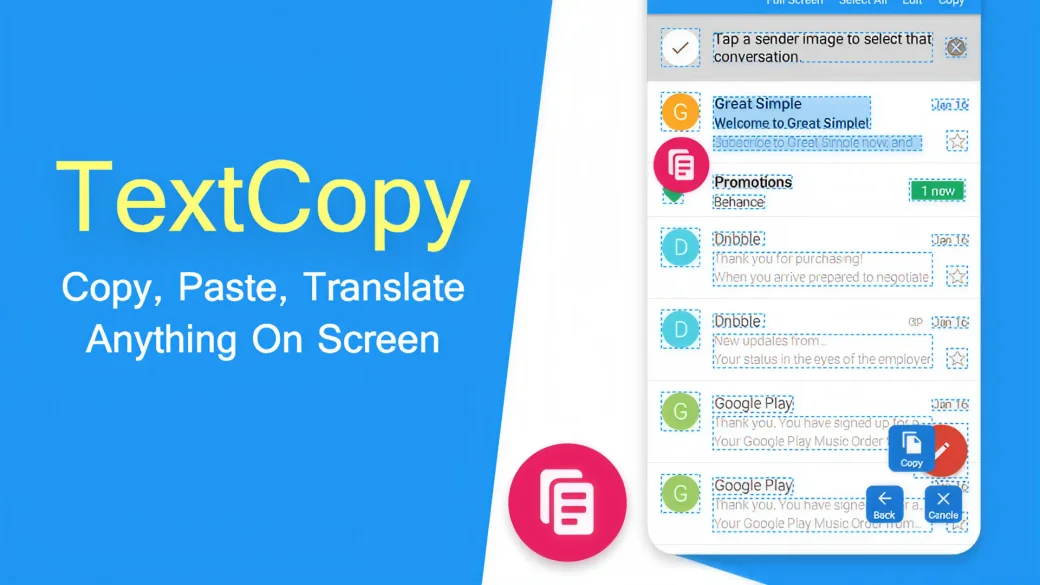
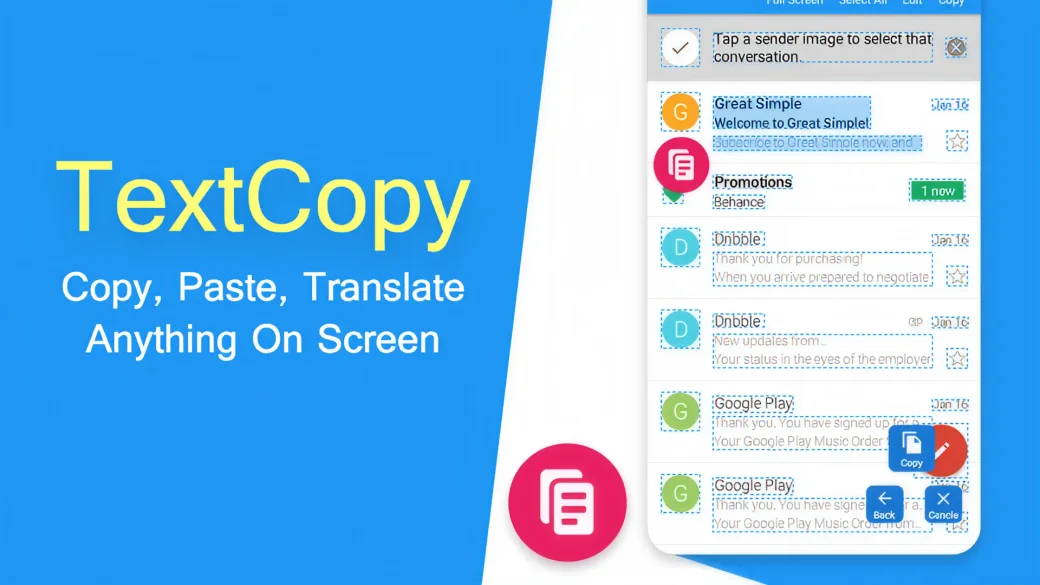
Textcopyは強力なテキストコピーツールで、テキストをコピー、貼り付け、翻訳することを可能にします。
画面上のテキストコピーアプリ - あらゆる抽出機能を解放!
画像やSNSの投稿を閲覧中にデータを取得したいのに、スマートフォンの標準機能である長押し操作が全く機能しない、なんて経験はありませんか?そんな時、コンパクトなアプリを使えば、こうしたデジタル上の制約を回避し、手入力することなく、見落としがちなテキストを簡単にキャプチャできます。画面上の情報を保存したり翻訳したりしたいのに、プラットフォームがコピーをブロックしてしまうような忙しい瞬間のために開発されたのが「画面上のテキストコピーアプリ」です。制限されたピクセルを、わずか数秒で編集可能なテキストに変換します。✨ 画面抽出機能 ✨
📲 画面上のテキストコピーアプリ:デバイス上のあらゆる場所からテキストを抽出できます。
🛠️ 画面上のテキストコピーツール:標準アプリの制限を回避できます。
🔄 あらゆるコピー:画面テキスト転送:プラットフォームを選ばず、シームレスな共有が可能です。
📋 あらゆるテキストをコピー&ペーストして、複数のアプリケーションで統一されたフォーマットを実現。
💻 TextCopyソフトウェア:コピーアプリで、生産性をさらに向上。
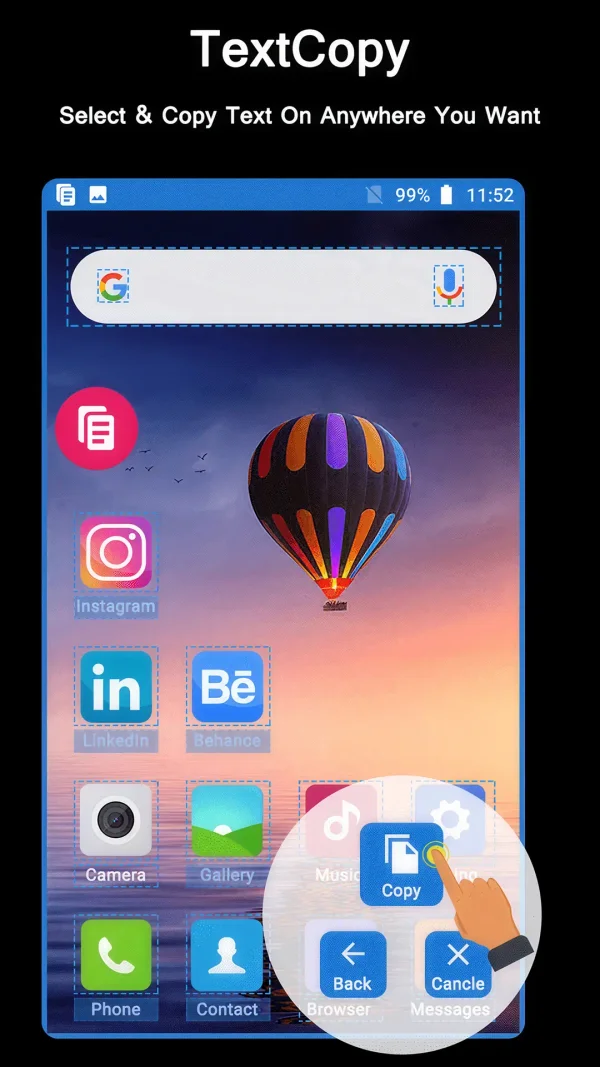
🎈 フローティングオーバーレイボタンで、あらゆるインターフェースからワンクリックで瞬時にアクセス可能。
🌐 英語、ヒンディー語、グジャラート語など主要な言語に対応した統合翻訳機能。
🖼️ 画像とカメラOCRで、写真、書籍、辞書からテキストをキャプチャ。
🔔 通知バーコントロールで、ワークスペースの効率性をテスト。
画面上のテキストコピーツールを最大限に活用する方法
ワークフローは急速に変化しており、Instagram、Facebook、LinkedInからテキストを手動で再入力するのは時間の無駄です。画面上のテキストコピーツールを使用すれば、日々の生産性をスムーズに維持できます。 TextCopyソフトウェア:コピーアプリのアーキテクチャは完全に合理化されており、標準的なアクセシビリティフレームワークを使用して画面要素を読み取り、ワンクリックでテキストの見出しや段落を瞬時に抽出します。⚙️ 簡単なセットアップと実行:
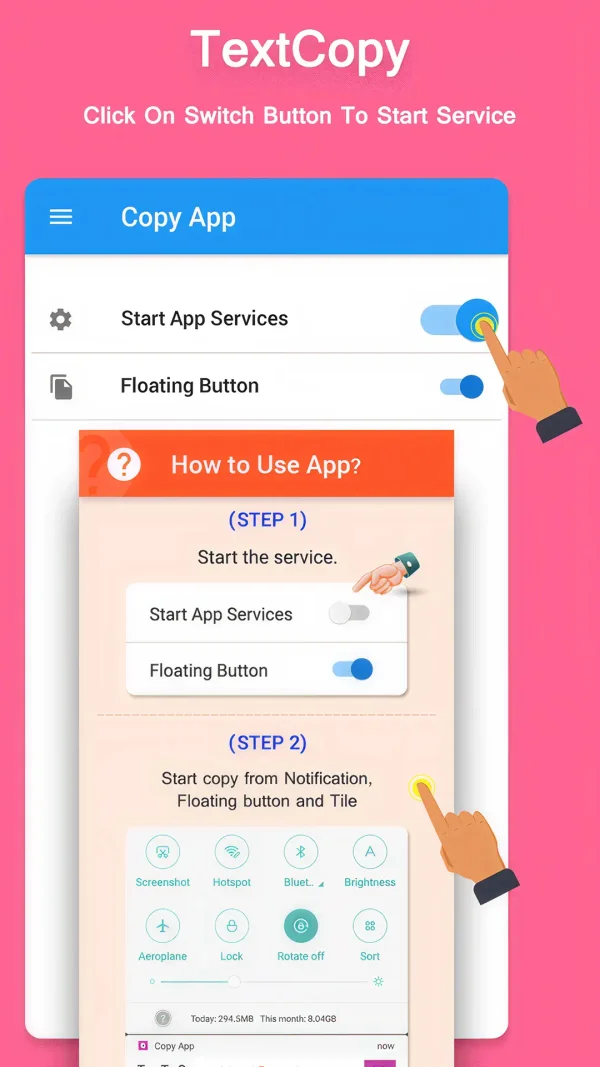
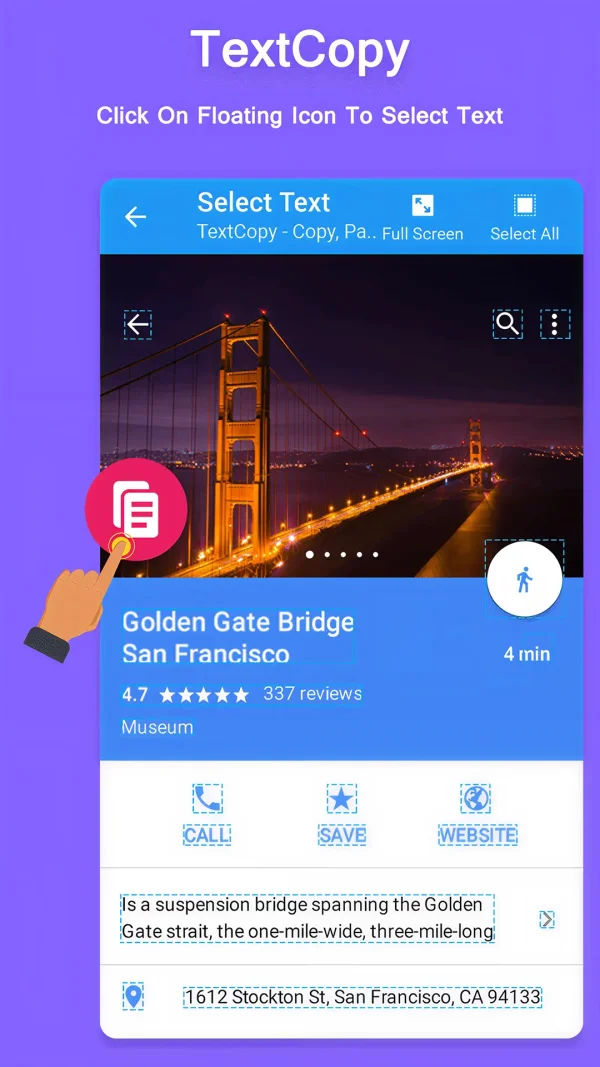
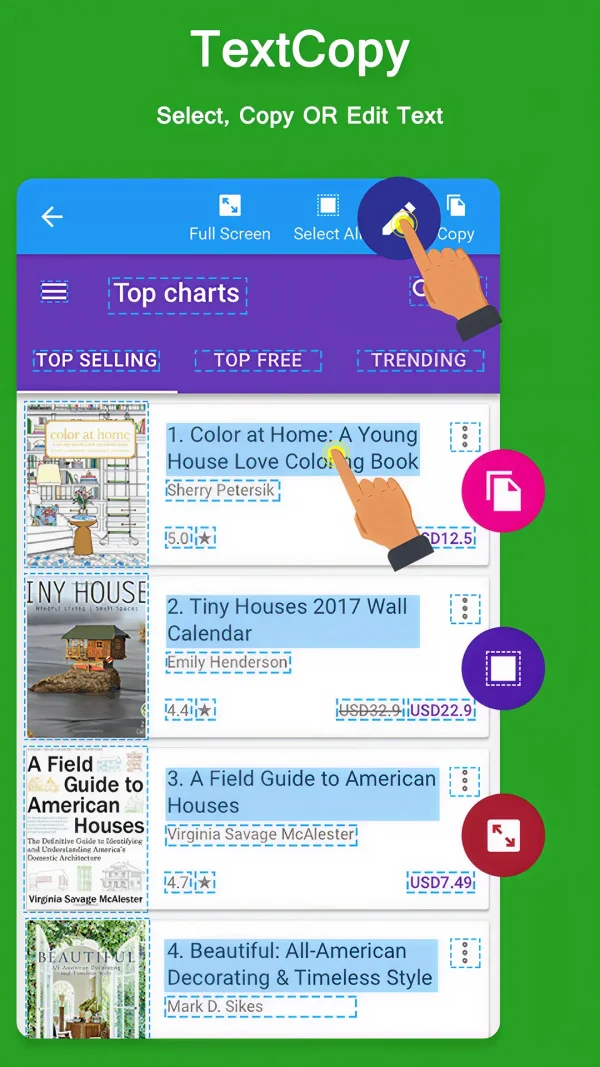
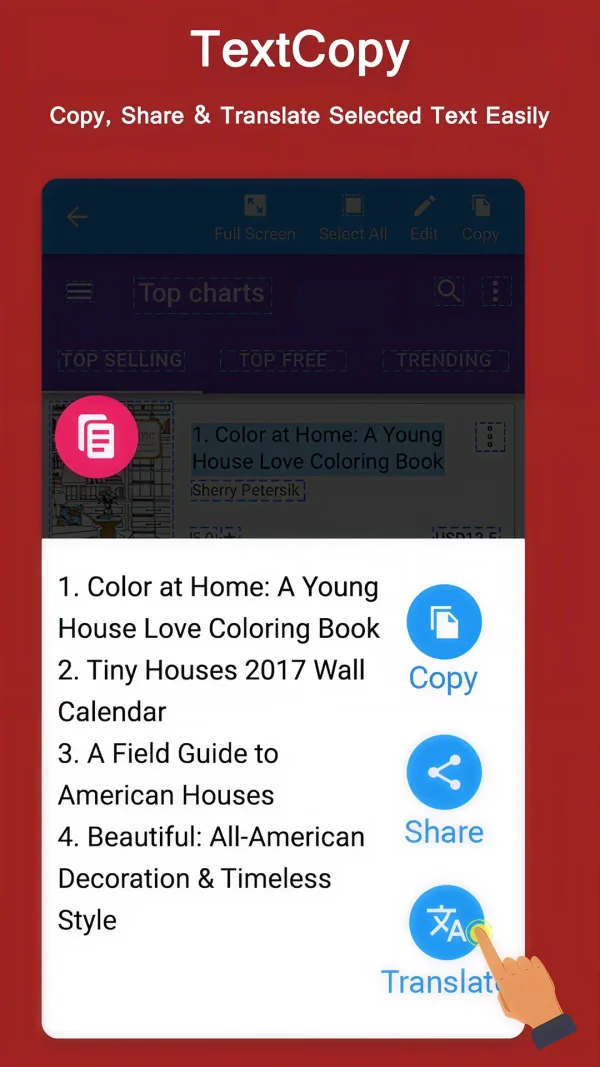
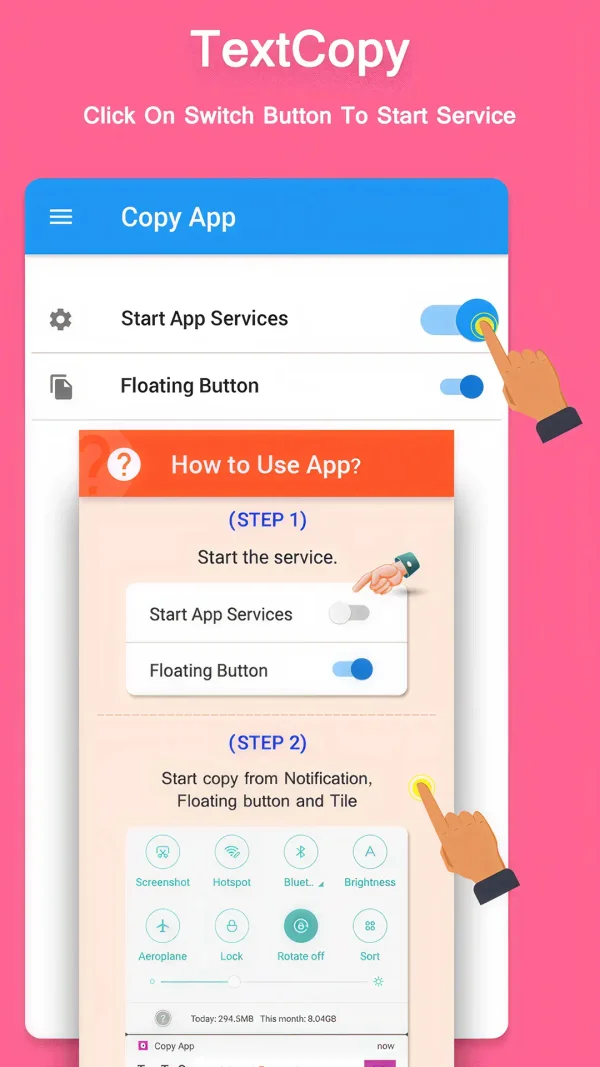
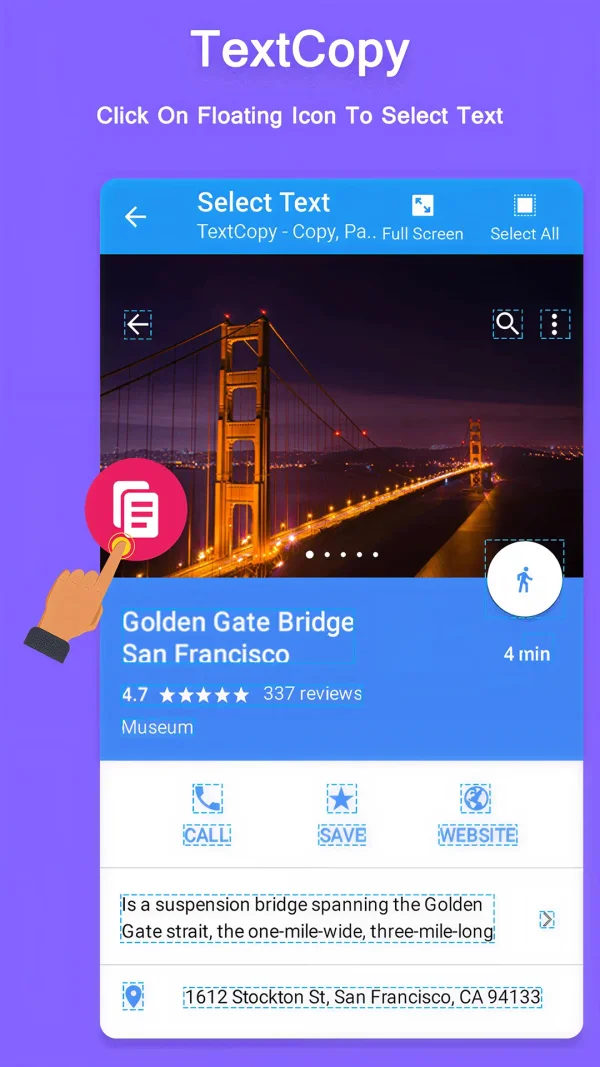
Any Copy:画面テキスト転送システムを有効にするには、メインのコピーサービス切り替えスイッチをオンにし、ソフトウェアが画面を分析するために必要なアクセシビリティ権限を付与するだけです。フローティングボタンをオンにすると、アクティブなインターフェース上に小さなオーバーレイアイコンが表示されます。ブロックされたページや制限のあるアプリレイアウトに遭遇した場合は、このアイコンをタップするとフルスクリーンモードが起動し、隠れた見出しも完全に選択できるようになります。編集ボタンを押すと、テキストの調整、コピー、貼り付け、共有、翻訳を行うことができます。
🌐 多言語翻訳機能:
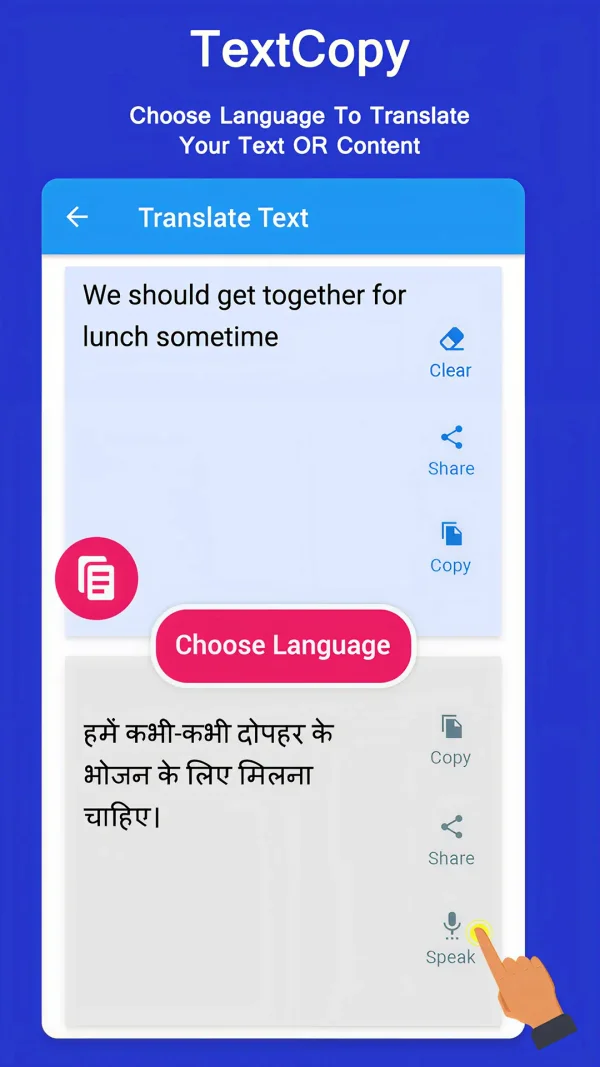
Any Copy:画面テキスト転送機能は、コミュニケーション習慣に優れた柔軟性をもたらします。画像、カメラ映像、ブラウザからテキストを抽出すると、翻訳レイヤーが瞬時に変換し、英語、グジャラート語、ヒンディー語などの言語間でテキストをきれいに翻訳します。
📋 ユニバーサルフォーマットとコントロール:
Universal Copy Paste Any Textワークフローは、テキストの抽出と共有を単一の自動化された動作に統合します。キャプチャしたテキストをSMS、メール、またはあらゆるメッセージングプラットフォームに直接貼り付けることができます。作業が完了したら、通知バーからUniversal Copy Paste Any Textアプリをきれいに停止するか、フローティングアイコンを画面下部にドラッグして無効にすることができます。
今すぐTextCopyソフトウェア:コピーアプリをお楽しみください!
テキストの抽出は瞬時に、そして完全に制限なく行われるべきです。このテクノロジーを信頼し、日々の調査やテキスト共有のニーズをいかに簡単に処理できるかを体験してください。今すぐソフトウェアをインストールしてください。権限とサービス:
uses-permission android:name="android.permission.INTERNET
uses-permission android:name="android.permission.ACCESS_NETWORK_STATE
uses-permission android:name="android.permission.ACCESS_WIFI_STATE
uses-permission android:name="android.permission.SYSTEM_ALERT_WINDOW
uses-permission android:name="android.permission.BIND_ACCESSIBILITY_SERVICE
uses-permission android:name="android.permission.FOREGROUND_SERVICE
原文を表示
Text Copy On Screen App - Unlock Universal Extraction!
Imagine browsing an image or a social media post and needing to grab data, only for your phone's native long-press option to fail completely. It is incredibly convenient how a compact application can override these digital restrictions and capture stubborn text without you manually typing it out. Text Copy On Screen App is built for those busy moments when you want to save or translate on-screen information but the platform blocks copying. It turns restricted pixels into editable text in seconds.✨ Screen Extraction Features ✨:
📲 Text Copy On Screen App for harvesting text anywhere on your device;
🛠️ Copy Text On Screen Tool for bypassing standard app limitations;
🔄 Any Copy: Screen Text Transfer for seamless cross-platform sharing;
📋 Universal Copy Paste Any Text for clear multi-application formatting;
💻 TextCopy Software: Copying App for growing your productivity options;
🎈 Floating Overlay Button for instant, one-click access over any interface;
🌐 Integrated Translator supporting major scripts like English, Hindi, and Gujarati;
🖼️ Image & Camera OCR to capture text from pictures, books, and dictionaries;
🔔 Notification Bar Control for testing your workspace efficiency.
How to best enjoy your Copy Text On Screen Tool!
Workflows move rapidly, and manually re-typing text from Instagram, Facebook, or LinkedIn is an absolute waste of time. Using the Copy Text On Screen Tool is the easiest path to keeping your daily productivity seamless. The TextCopy Software: Copying App architecture is entirely streamlined, using standard accessibility frameworks to read screen elements and instantly extract text headers or paragraphs with a single click.⚙️ Straightforward Setup and Execution:
To activate the Any Copy: Screen Text Transfer system, simply enable the main copy service toggle and grant the required accessibility permission so the software can analyze your screen. Once you turn on the floating button, a small overlay icon appears over your active interface. When you encounter a blocked page or restrictive app layout, tapping this icon initializes full-screen mode, making even hidden headers completely selectable. Press the edit button to adjust, copy, paste, share, or translate your text.
🌐 Multi-Language Translation Mastery:
The Any Copy: Screen Text Transfer feature introduces exceptional flexibility to your communication habits. Once text is isolated from an image, camera feed, or browser, the translation layer can instantly convert it, cleanly translating between scripts like English, Gujarati, and Hindi.
📋 Universal Formatting and Control:
The Universal Copy Paste Any Text workflow consolidates extraction and sharing into a single automated motion. Paste your captured text directly into an SMS, email, or any messaging platform. When you are finished with your task, you can cleanly stop the Universal Copy Paste Any Text app from your notification bar or simply drag the floating icon to the bottom of your screen to disable it.
Start Enjoying TextCopy Software: Copying App Today!
Extracting text should be instant and completely unrestricted. Trust the technology and experience how effortlessly it handles your daily research and text-sharing needs. Go ahead and install the software now.Permission & Services:
uses-permission android:name="android.permission.INTERNET
uses-permission android:name="android.permission.ACCESS_NETWORK_STATE
uses-permission android:name="android.permission.ACCESS_WIFI_STATE
uses-permission android:name="android.permission.SYSTEM_ALERT_WINDOW
uses-permission android:name="android.permission.BIND_ACCESSIBILITY_SERVICE
uses-permission android:name="android.permission.FOREGROUND_SERVICE
データ セーフティ
このアプリが収集・共有するデータについて、CardsがGoogle Playで申告している内容です。
- このアプリはサードパーティと以下の種類のデータを共有することがありますファイル、ドキュメント
- データは収集されません詳しくは、デベロッパーが収集を申告する方法についての説明をご覧ください
- データは送信中に暗号化されます
- データを削除できません
開発元の連絡先
- ウェブサイトcardsapp.com
- メールsupport.textcopy@cardsapp.com
- プライバシーポリシーcardsapp.com
- 住所1 Atirei Yeda KFAR SABA, 4464301 Israel
情報
- 提供元
- Cards
- カテゴリ
- ツール
- バージョン
- 14.1.1
- 更新日
- 2026/5/7
- リリース
- 2019/1/8
- 必要条件
- Android 8.0以降
- 対象年齢
- 3 歳以上
- 価格
- 無料
- アプリ内課金
- ¥110~¥10,900/アイテム
- パッケージ名
- textcopy.jdklls.cptxtapp
類似のアプリ
-
 Fonty - Draw and Make Fonts
アート&デザイン
-
 Krisp AI Meeting Note Taker
仕事効率化
-
 Hitext: Add Text & Story Font
アート&デザイン
-
 Mutsapper: Data Transfer
ツール
-
 UltData: Photo & File Recovery
ツール
-
 PicDiary - My Photo Journal
ライフスタイル
-
 Lawyer Diary & Handbook
カスタマイズ
-
 Geulgram - Text on Photo
写真
-
 ノーティセーブ
仕事効率化
-
 Lefant
ツール
-
 HiNotes by HiDock
仕事効率化
-
 PDF結合:スキャン、署名、編集
仕事効率化