Time Time Baby Celestial Clock
JustinWhite.com- 3 歳以上対象年齢
- 仕事効率化カテゴリ
- 2026/10/30更新日
- ¥170価格
com.timetimebaby.watchfaceのGoogle Play公式ページにリンクしています。最終確認:2026/11/20。
Time Time Baby Celestial Clockは現在Google Playで入手できない可能性があります
前回の確認時、ストアのページにアクセスできませんでした。リンク先は引き続きGoogle Playの公式ページです。
このアプリについて
Googleによる英語 (アメリカ合衆国)からの自動翻訳です。
天体をテーマにしたスマホ時計、月の満ち欠け表示、テーマに加え、Wear OS用のウォッチフェイスが2種類。
Time Time Baby Celestial Clockは、Androidスマートフォンで流れる瞬間を天体時計に変えます。Wear OS用の2種類の個性的なウォッチフェイスもご用意。太陽、月、地球とともに、世紀から秒まで、時の流れを感じてください。
Androidスマートフォンで
• 輪郭線付きの針とムーンフェイズ表示を備えた10リングのアナログ時計。
• デジタル時刻、YYYY MM DD形式の日付、曜日、現在の月相。
• 年と日の出・日の入りの目安を表示する太陽のイラスト。
• 月と変化する月の満ち欠けを表示する月のイラスト。
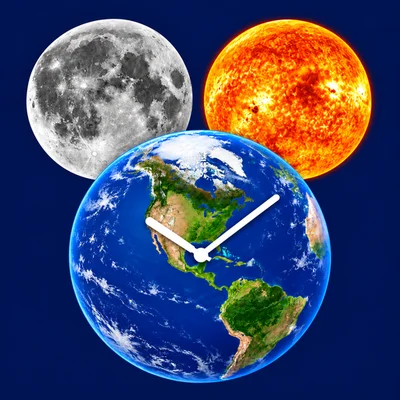
• シンプルなアナログ時計を備えた地球のイラスト。
• アプリの全8言語で、300の天文学に関する豆知識から毎日「知っていましたか?」という豆知識をお届けします。
カスタマイズ
• スチームパンク、ミッドナイト、フォレスト、ポーセリンなど、10種類のイラストテーマ。
• 時計のラベルとオプションは8言語に対応。
• 12時間表示(AM/PM)または24時間表示。
• 季節による変化のある都市のタイムゾーン、または固定UTCオフセット。 • デバイス時刻またはオプションでインターネット時刻。
• 縦向きと横向きのレイアウトで、フルスクリーンのアートワークを表示。
• 設定はデバイスに保存されます。
スマートフォンの時計とアートワークは、デバイス時刻を使用してオフラインで動作します。日の出と日の入りの推定時刻を表示するには、都市を選択するか、オプションでフォアグラウンドでの位置情報の使用を許可してください。設定以外の画面をタップすると、スマートフォンのシステムコントロールが一時的に表示されます。
ヘルプとフィードバック
• 時計とそのオプションを説明するオフラインチュートリアル。
• 誤ってアプリを閉じないように、デフォルトで有効になっている終了確認オプション。
• アプリ内プライバシーリーダー(オフラインで利用可能)。
• オプションにアプリの共有と評価のリンクがあります。
• フィードバックを送信すると、スマートフォンアプリまたはウォッチフェイスのいずれかにメールの下書きが送信されます。
2種類のWear OSウォッチフェイス
ナインリング:スチームパンク風のアートワークと9本の針が、世紀、年、ISO週、月、日、曜日、時、分、秒を表示します。8種類のリングカラーパレットから選択できます。中央のデジタル時計は、ウォッチフェイスの12時間表示または24時間表示に対応しています。
天体表示:左上の月は、簡略化された月と概算の位相影を表示します。右上の太陽は年を表示します。その下の大きな地球表示にはアナログ針と3時位置に日付表示窓があります。8種類の地球表示がプリセットされており、対応するタイムゾーンをカバーしています。その他のタイムゾーンにはデフォルト表示が用意されています。
ウォッチの文字盤エディターで「ナインリング」または「天体表示」を選択してください。常時表示モードでは、簡略化された暗い時計表示が使用されます。
スマートフォンとウォッチへのインストール
スマートフォンの「ウォッチにインストール」リンクを使用してGoogle Playを開き、同じGoogleアカウントを持つ互換性のあるウォッチを選択してください。ウォッチフェイスは個別にインストールされ、独立して動作します。スマートフォンとの連携は不要です。スマートフォンの設定はウォッチに同期されません。
要件とプライバシー
スマートフォン:Android 8以降。ウォッチ:Wear OS 4以降。広告、アプリアカウント、組み込み分析SDKは使用していません。オプションのインターネット時刻機能はTimeAPIに接続します。TimeAPIはプライバシーポリシーに基づき接続データを記録する場合があります。この機能を使用するには、インターネット接続とサービスの利用可能性が必要です。ウォッチリングのラベルは英語表記です。天体月はウォッチの地域設定に従います。
天体観測は概算であり、ナビゲーションには適していません。地球のアートワークはリアルタイムの衛星画像ではありません。OnePlusウォッチでは、サードパーティ製のウォッチフェイスはスマートモードが必要となり、標準搭載のウォッチフェイスよりもバッテリー消費量が多くなる場合があります。
開発者:JustinWhite.com
サポート:jwhite@coolbabynames.com
テクスチャ:Solar System Scope / INOVE、CC BY 4.0、投影、サイズ変更、シェーディングにより改変。スマートフォンの天体観測:SunCalc。
原文を表示
Time Time Baby Celestial Clock turns the passing moment into a celestial clock for your Android phone, with two distinctive watch faces for Wear OS. Follow time from centuries to seconds alongside the Sun, Moon and Earth.
ON YOUR ANDROID PHONE
• Ten-ring analog clock with outlined hands and a moon-phase dial.
• Digital time, YYYY MM DD date, weekday and current moon phase.
• Sun artwork showing the year and estimated sunrise and sunset.
• Moon artwork showing the month and changing phase shading.
• Earth artwork with a simple analog clock.
• A daily “Did you know?” fact from 300 astronomy facts in all eight app languages.
MAKE IT YOURS
• Ten illustrated themes, from Steampunk and Midnight to Forest and Porcelain.
• Eight languages for clock labels and options.
• 12-hour AM/PM or 24-hour time.
• City time zones with seasonal changes, or fixed UTC offsets.
• Device time or optional Internet time.
• Portrait and landscape layouts with full-screen artwork.
• Settings remembered on your device.
The phone clock and artwork work offline using device time. For sunrise and sunset estimates, choose a city or optionally allow foreground location. Tap outside settings to briefly reveal the phone's system controls.
HELP AND FEEDBACK
• Offline tutorial explaining the clock and its options.
• Optional exit confirmation, enabled by default to prevent accidental closing.
• In-app privacy reader, available offline.
• Share app and Rate app links in options.
• Send feedback opens an email draft for the phone app or either watch face.
TWO WEAR OS WATCH FACES
Nine Rings: steampunk artwork and nine outlined hands track century, year, ISO week, month, date, weekday, hour, minute and second. Choose from eight ring color palettes. A central digital clock follows your watch's 12- or 24-hour setting.
Celestials: the Moon at upper left shows the abbreviated month and an approximate phase shadow. The Sun at upper right shows the year. A larger Earth below carries analog hands and a date window at three o'clock. Eight bundled Earth views cover supported watch time zones, with a default view for others.
Choose Nine Rings or Celestials in your watch's face editor. Always-on mode uses a simplified dim clock display.
PHONE AND WATCH INSTALLATION
Use the phone's Install on watch link to open Google Play and choose a compatible watch with the same Google account. The watch face is installed separately and works independently; it does not require the phone companion. Phone settings do not sync to the watch.
REQUIREMENTS AND PRIVACY
Phone: Android 8 or later. Watch: Wear OS 4 or later. No ads, app accounts or embedded analytics SDKs. Optional Internet time contacts TimeAPI, which may log connection data under its privacy policy; this feature requires connectivity and service availability. Watch ring labels are English; the celestial month follows the watch locale.
Astronomy is approximate, not for navigation. Earth artwork is not live satellite imagery. On OnePlus watches, third-party faces may require Smart Mode and use more battery than supported built-in faces.
Developer: JustinWhite.com
Support: jwhite@coolbabynames.com
Textures: Solar System Scope / INOVE, CC BY 4.0, adapted by projection, resizing and shading. Phone astronomy: SunCalc.
データ セーフティ
このアプリが収集・共有するデータについて、JustinWhite.comがGoogle Playで申告している内容です。
- このアプリはサードパーティと以下の種類のデータを共有することがありますファイル、ドキュメント
- このアプリは以下の種類のデータを収集することがありますファイル、ドキュメント
- データは送信中に暗号化されます
新機能
2026/10/30
Discover Time Time Baby Celestial Clock with a multi-ring analog clock, Sun, Moon, and Earth visuals, themes, and daily astronomy facts. Includes a guided tutorial, optional exit confirmation, privacy reader, sharing, and feedback options, plus a link to the companion Wear OS watch faces.
開発元の連絡先
- ウェブサイトjustinwhite.com
- メールjwhite@coolbabynames.com
- プライバシーポリシーtimetimebaby.com
- 住所183 Lake Ct Rd Twin Lake, MI 49457-9555 United States
情報
- 提供元
- JustinWhite.com
- カテゴリ
- 仕事効率化
- 更新日
- 2026/10/30
- リリース
- 2026/10/30
- 対象年齢
- 3 歳以上
- 価格
- ¥170
- パッケージ名
- com.timetimebaby.watchface