Touch Controls
AppListoアプリ内課金
- 3 歳以上対象年齢
- ツールカテゴリ
- 2026/11/13更新日
- 無料価格
com.applisto.touchcontrols.youtubeのGoogle Play公式ページにリンクしています。最終確認:2026/11/28。

スクリーンショット
このアプリについて
Googleによる英語 (アメリカ合衆国)からの自動翻訳です。
YTアプリ用のVLCスタイルのジェスチャーベースの明るさと音量のコントロール。
タッチコントロール
タッチコントロールは、公式YouTubeアプリでフルスクリーン動画を視聴する際に、VLCのようなジェスチャーコントロール機能を追加します。公式YouTube Musicアプリでも、動画再生中はこの機能が利用できます。
画面右側を上下にスワイプすると音量を調整できます。プレミアム会員の方は、画面左側をスワイプすると画面の明るさを調整できます。
カスタマイズ可能なオーバーレイ
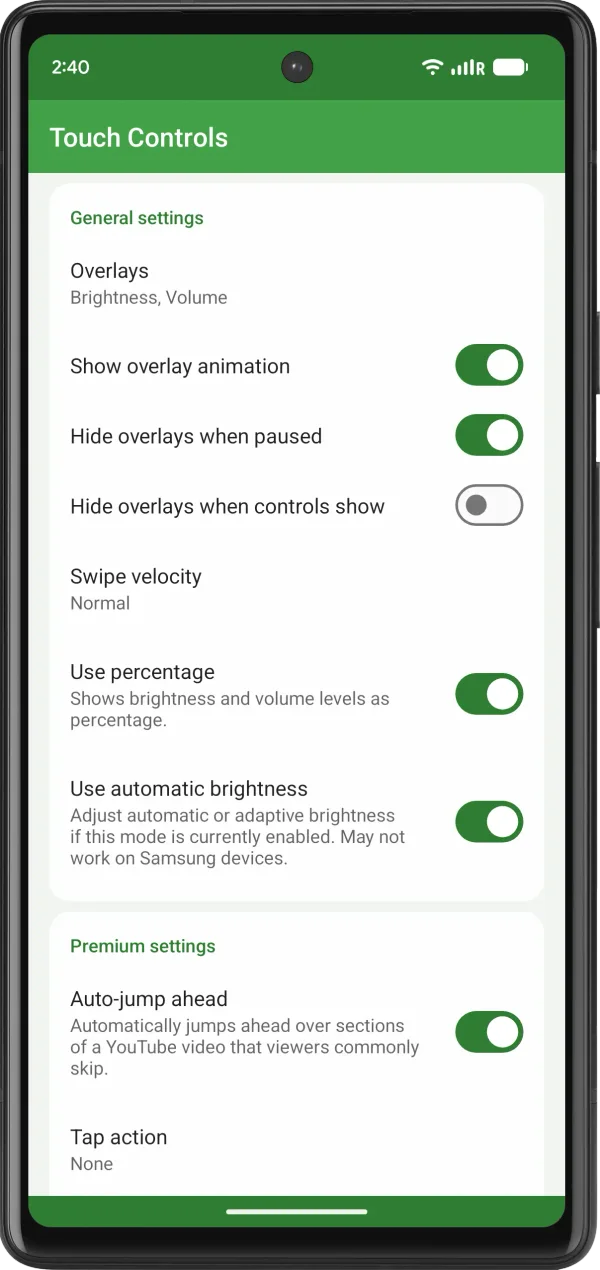
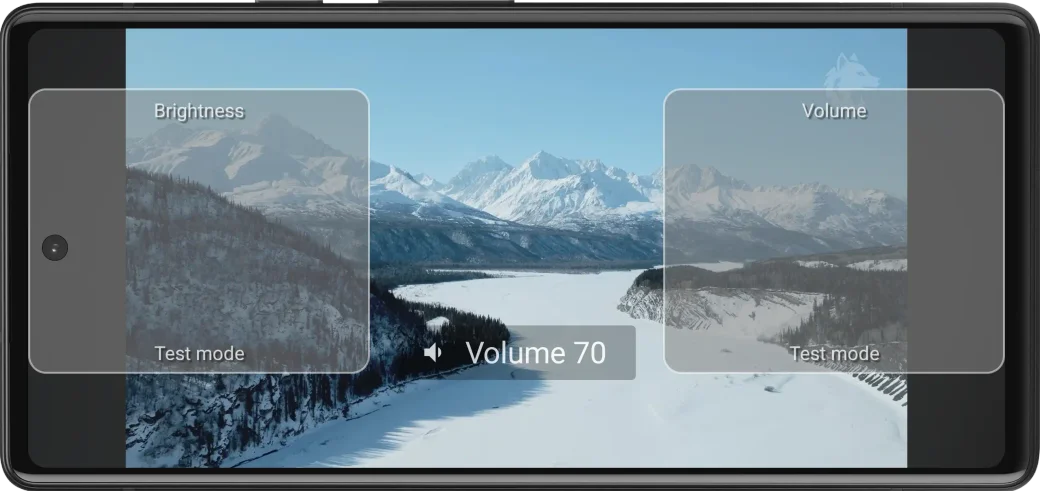
• 明るさオーバーレイ、音量オーバーレイ、または両方を表示するかどうかを選択できます。
• オーバーレイが表示される際に、控えめなアニメーションを表示します。
• 再生が一時停止している間、またはプレーヤーコントロールが表示されている間は、オーバーレイを非表示にします。
• オーバーレイの水平方向と垂直方向のマージンを調整します。
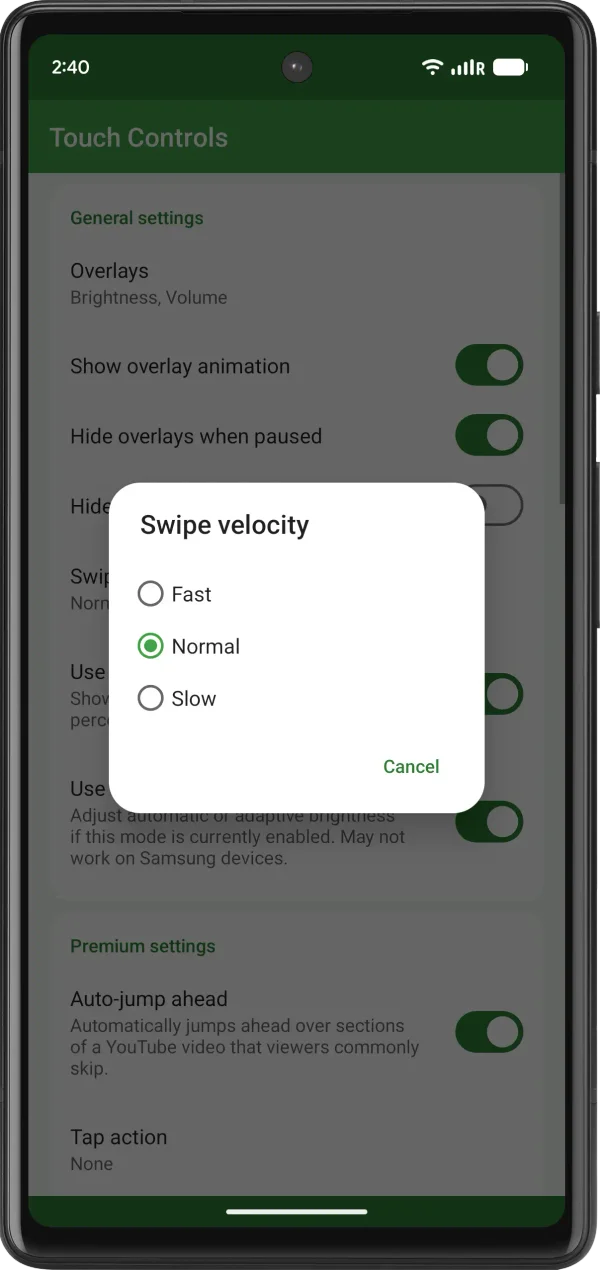
• スワイプの感度を好みに合わせて選択できます。
• 明るさと音量レベルをパーセンテージで表示します。
• テストモードを使用して、オーバーレイ領域を設定中に表示したままにできます。
プレミアム機能
• 明るさのジェスチャーコントロール
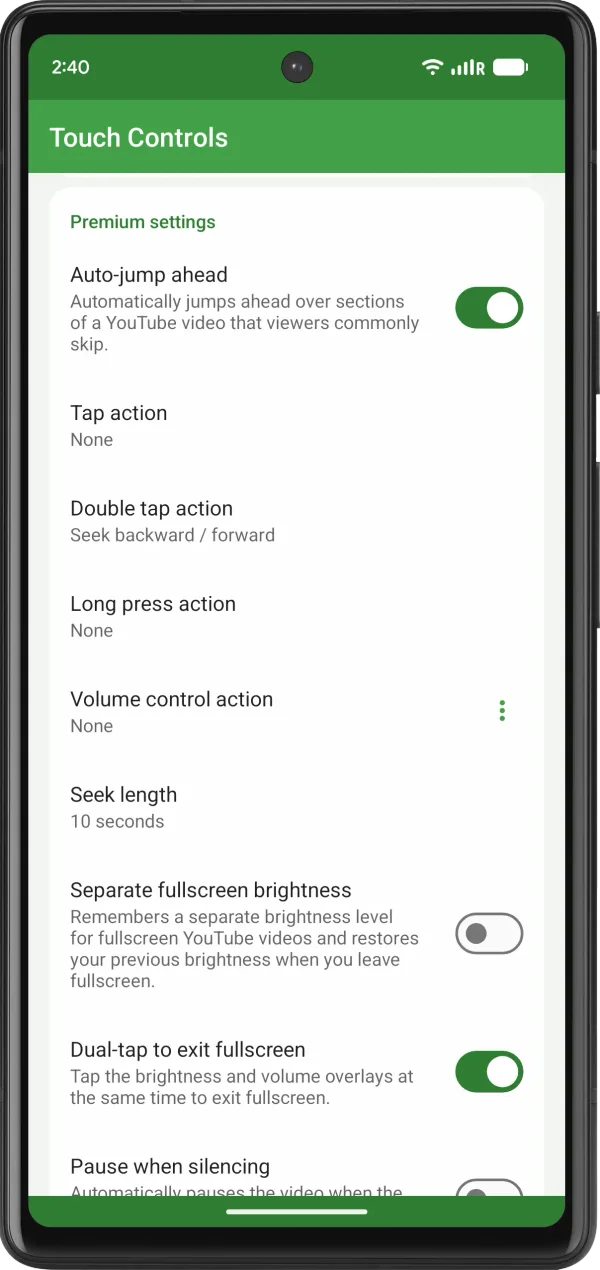
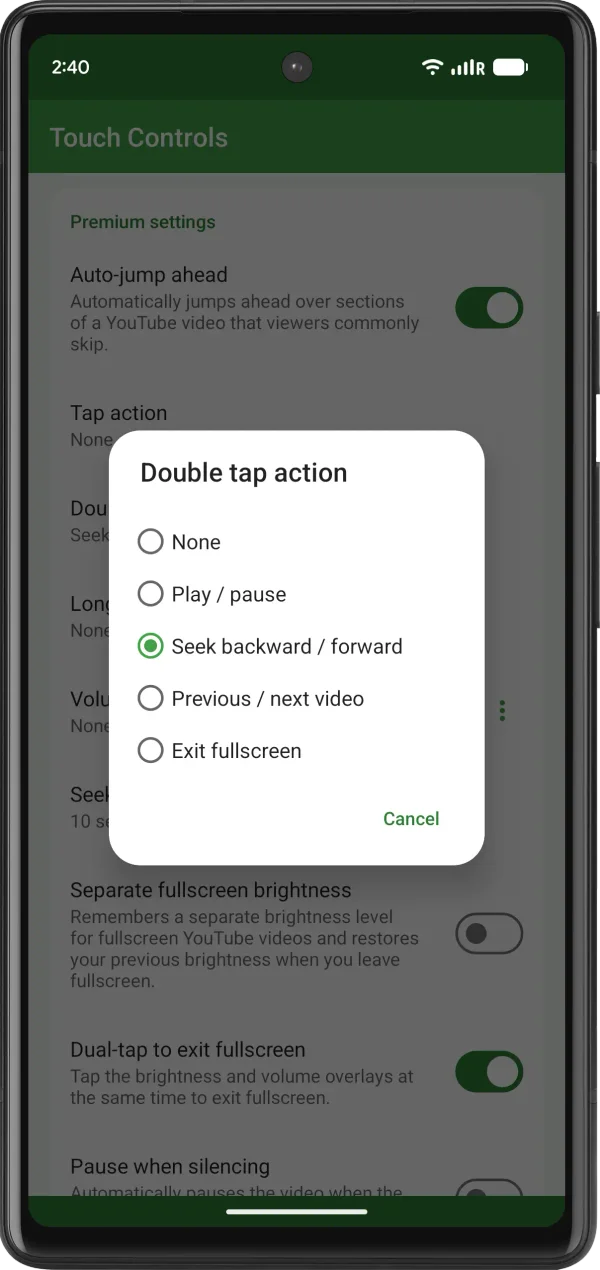
• タップ、ダブルタップ、長押し、音量ボタンにアクションを割り当てます。
• 再生/一時停止、前後シーク、前のビデオ/次のビデオを開く、またはフルスクリーンを終了できます。
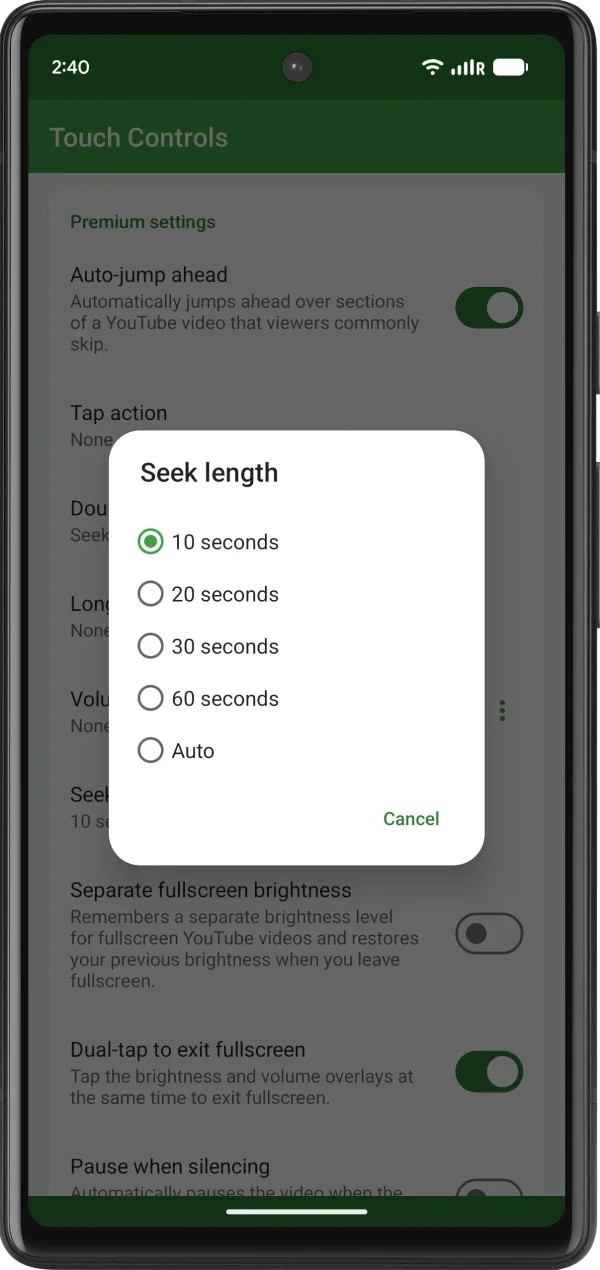
• シーク間隔を10秒、20秒、30秒、または60秒から選択できます。
• 繰り返し有効にするとシーク距離が増加するアダプティブオートシークを使用できます。
• フルスクリーンビデオ用に個別の明るさレベルを記憶し、フルスクリーンを終了すると以前の明るさに戻ります。
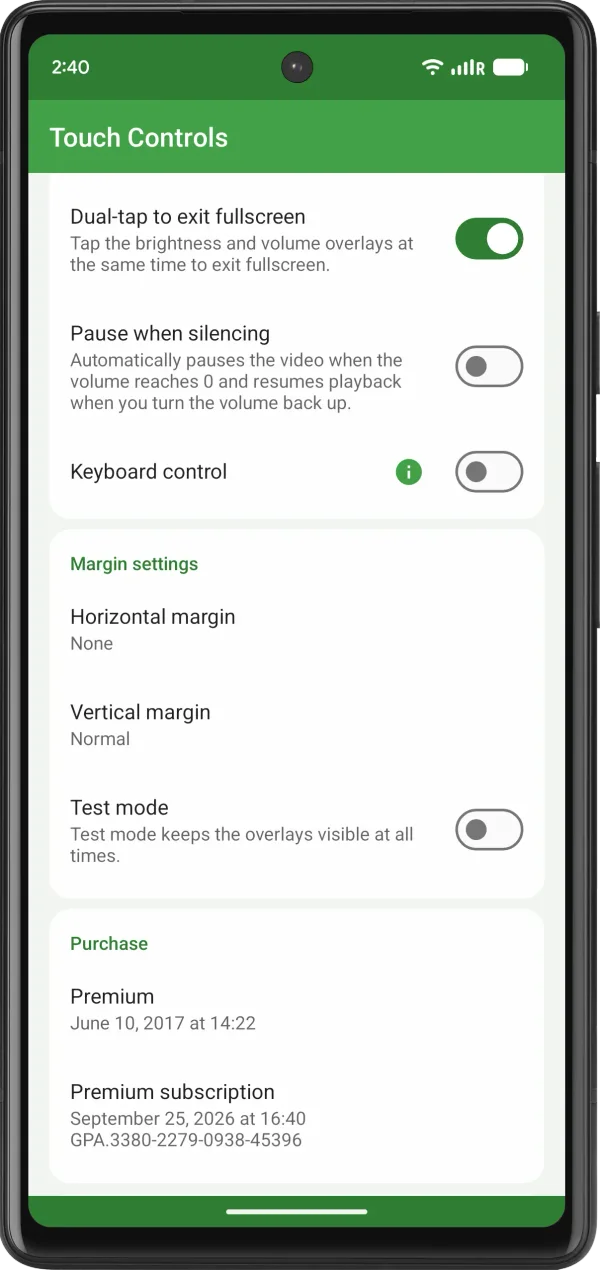
• 明るさと音量のオーバーレイを同時にタップしてフルスクリーンを終了します。
• 再生を自動的に一時停止します。音量がゼロになると自動的にスキップされ、音量を再び上げると元の音量に戻ります。
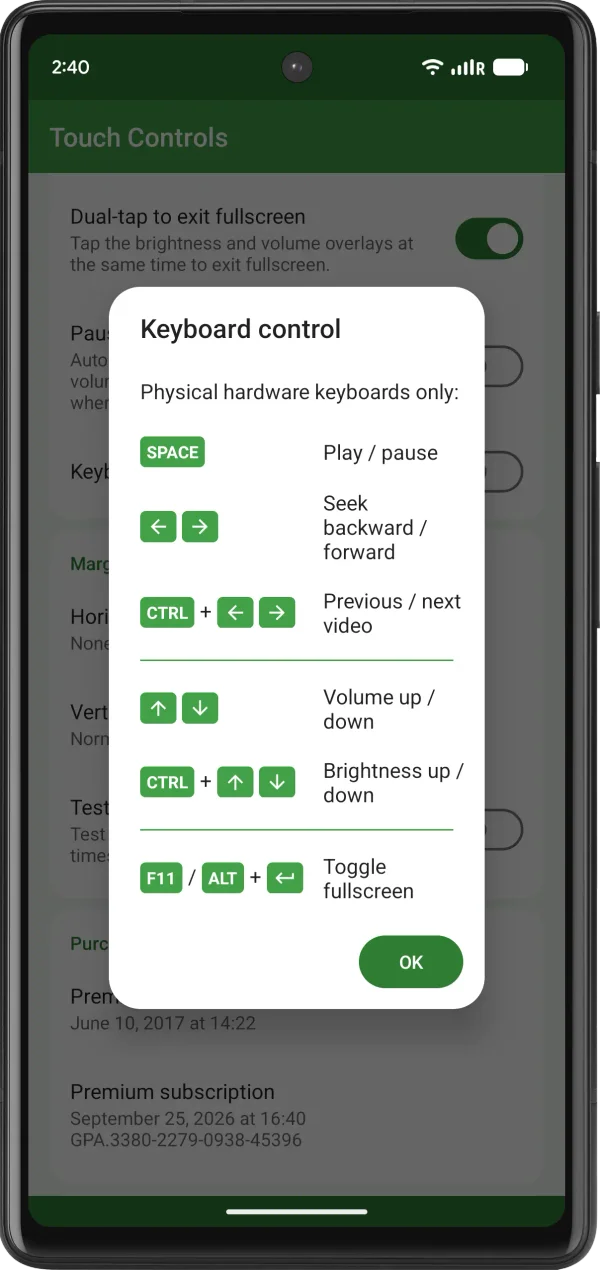
• 物理キーボードを使用して、再生、音量、明るさ、フルスクリーンモードを操作できます。
自動スキップ
自動スキップ機能は、視聴者がよくスキップする動画のセクションを自動的にスキップします。セクションがスキップされると、画面に短いメッセージが表示されます。
自動スキップ機能はプレミアムプランでご利用いただけます。既に購入済みのプレミアムプランは、他のすべてのプレミアム機能で引き続き有効です。
公式のYouTubeアプリとYouTube Musicアプリのみがサポートされています。YouTube Musicでは、タッチコントロールは動画再生中のみ動作します。
オーバーレイが正しく動作しない場合は、デバイスを再起動してみてください。
アクセシビリティサービスの使用について
Touch Controlsは、以下の目的でアクセシビリティサービスを使用します。
• 全画面再生を検出し、透明な明るさと音量のタッチオーバーレイを有効にする
• 再生が一時停止されているかどうか、プレーヤーコントロールやおすすめ動画が表示されているかどうかを検出する
• 通知シェードまたはクイック設定が開かれたときにオーバーレイを非表示にする
• プレーヤーコントロールを表示するために必要なタッチジェスチャーを実行する
• キーボード操作のために物理キーボードのキー入力を監視する
アクセシビリティサービスは、公式のYouTubeアプリおよびYouTube Musicアプリからのイベント、ならびに通知シェードとクイック設定を検出するために必要な限定的なAndroidシステムUIイベントを処理します。視聴アクティビティに関する個人情報を収集または送信することはありません。
通知へのアクセス
通知へのアクセスはオプションであり、自動ジャンプが有効になっている場合にのみ要求されます。これは、アクティブなAndroidメディアセッションにアクセスし、再生中の動画を特定するために使用されます。Touch Controlsは通知の内容を読み取ることはありません。
ジャンプ先が利用可能かどうかを判断するために、動画のタイトル、作成者、および再生時間が匿名でTouch Controlsサーバーに送信されます。このデータには、個人情報やデバイス識別子は含まれていません。
原文を表示
Touch Controls
Touch Controls adds VLC-style gesture controls to fullscreen videos in the official YT app. The official YT Music app is also supported whenever a video is playing.
Swipe up or down on the right side of the screen to adjust the volume. With Premium, swipe on the left side to adjust screen brightness.
Customizable overlays
• Choose whether to show the brightness overlay, volume overlay, or both
• Show a subtle animation when the overlays appear
• Hide overlays while playback is paused or while player controls are visible
• Adjust horizontal and vertical overlay margins
• Select the preferred swipe sensitivity
• Display brightness and volume levels as percentages
• Use test mode to keep the overlay areas visible while configuring them
Premium features
• Brightness gesture controls
• Assign actions to taps, double taps, long presses, and volume buttons
• Play or pause, seek backward or forward, open the previous or next video, or exit fullscreen
• Select seek intervals of 10, 20, 30, or 60 seconds
• Use adaptive Auto seeking, which increases the seek distance when repeatedly activated
• Remember a separate brightness level for fullscreen videos and restore the previous brightness after leaving fullscreen
• Tap the brightness and volume overlays simultaneously to exit fullscreen
• Automatically pause playback when the volume reaches zero and resume when the volume is raised again
• Control playback, volume, brightness, and fullscreen mode using a physical keyboard
Auto-jump ahead
Auto-jump ahead automatically skips sections of a video that viewers commonly skip. A brief on-screen message confirms when a section has been skipped.
Auto-jump ahead is available with the Premium subscription. Existing lifetime Premium purchases remain valid for all other Premium features.
Only the official YT and YT Music apps are supported. In YT Music, Touch Controls operates only while a video is playing.
If the overlays do not work correctly, try restarting the device.
Accessibility service usage
Touch Controls uses an accessibility service to:
• Detect fullscreen video playback and activate the transparent brightness and volume touch overlays
• Detect whether playback is paused and whether player controls or suggested videos are visible
• Hide the overlays when the notification shade or quick settings are opened
• Perform touch gestures needed to reveal player controls
• Observe physical keyboard key presses for keyboard-control functionality
The accessibility service processes events from the official YT and YT Music apps, together with limited Android System UI events needed to detect the notification shade and quick settings. It does not collect or transmit personal information about your viewing activity.
Notification access
Notification access is optional and requested only when Auto-jump ahead is enabled. It is used to access the active Android media session and determine which video is playing. Touch Controls does not read notification contents.
To determine whether jump-ahead sections are available, the video title, author, and duration are sent anonymously to the Touch Controls server. This data does not include personal information or device identifiers.
データ セーフティ
このアプリが収集・共有するデータについて、AppListoがGoogle Playで申告している内容です。
- 第三者と共有されるデータはありません詳しくは、デベロッパーが共有を申告する方法についての説明をご覧ください
- このアプリは以下の種類のデータを収集することがあります位置情報、個人情報、他 4 件
- データは送信中に暗号化されます
- データを削除できません
開発元の連絡先
- メールsupport@applisto.com
- プライバシーポリシーapplisto.com
- 住所Building A1, Dubai Digital Park, IFZA Properties, DSO, إمارة دبيّ United Arab Emirates
情報
- 提供元
- AppListo
- カテゴリ
- ツール
- バージョン
- 2.0.3
- 更新日
- 2026/11/13
- リリース
- 2015/9/3
- 必要条件
- Android 6.0以降
- 対象年齢
- 3 歳以上
- 価格
- 無料
- アプリ内課金
- ¥260~¥860/アイテム
- パッケージ名
- com.applisto.touchcontrols.youtube