UBS Access: Secure login
UBS AG- 3 歳以上対象年齢
- ファイナンスカテゴリ
- 2026/11/13更新日
- 無料価格
com.ubs.swidK2Y.androidのGoogle Play公式ページにリンクしています。最終確認:2026/11/26。
スクリーンショット

このアプリについて
Googleによる英語 (イギリス)からの自動翻訳です。
モバイルバンキングと電子バンキングの場合:カードリーダーなしで簡単にログインして支払いを承認できます
UBS Access アプリを使用すると、E-Eanking およびモバイル バンキング アプリに簡単かつ安全にログインできます。 UBS Access アプリでは、新しい受取人やクレジット カードまたはプリペイド カードを使用したオンライン購入を確認することもでき、セキュリティ関連のイベントについて通知します。
1. デジタルバンキングに簡単ログイン
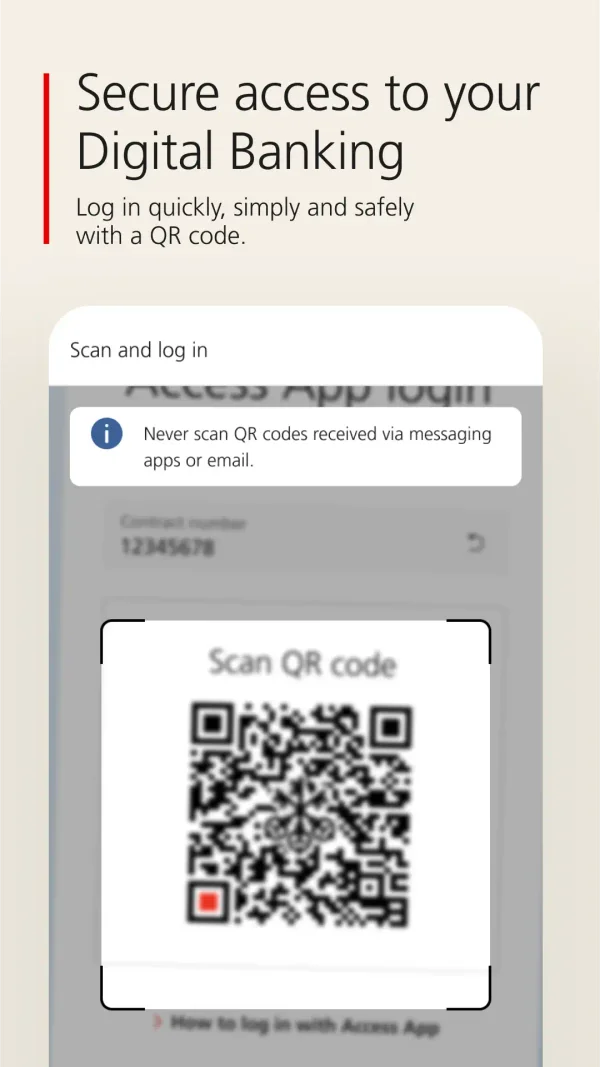
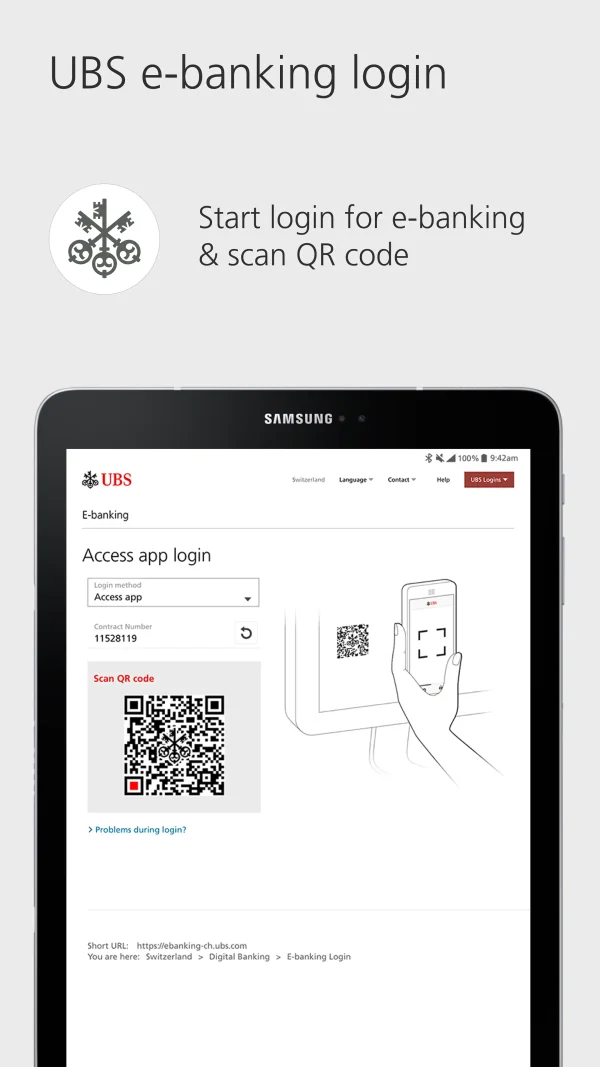
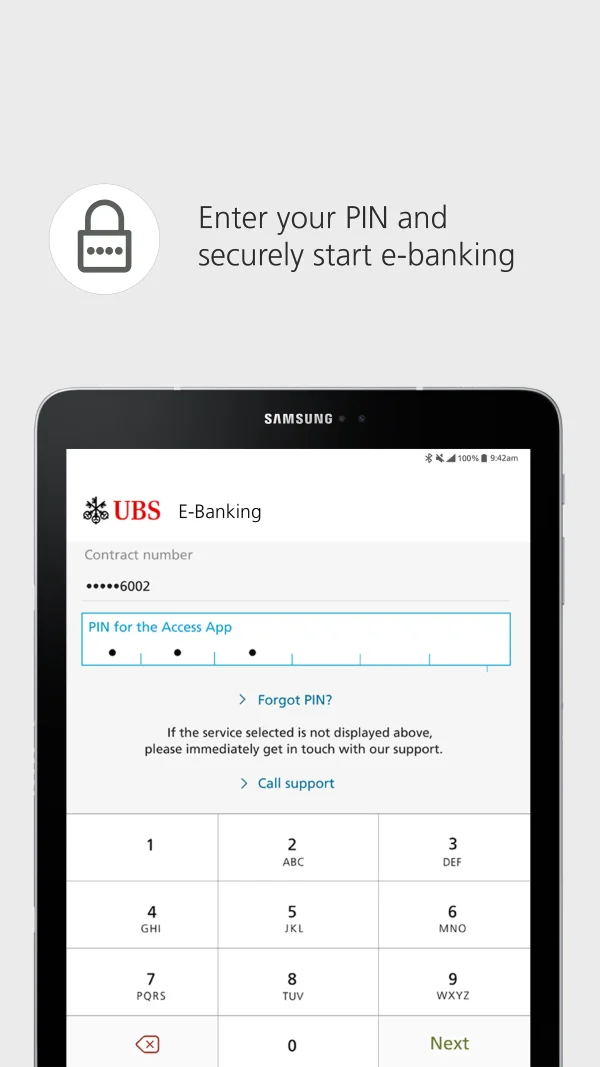
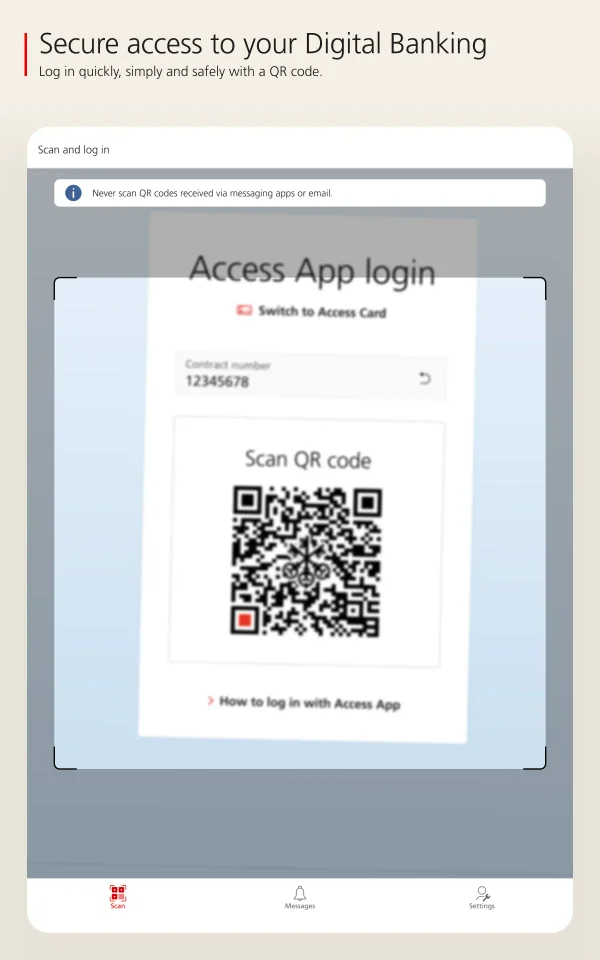
- E バンキング: ログイン ページを開き、Access アプリで QR コードをスキャンし、PIN を入力するか、生体認証を使用すると、すぐに安全に E バンキングにログインできます。
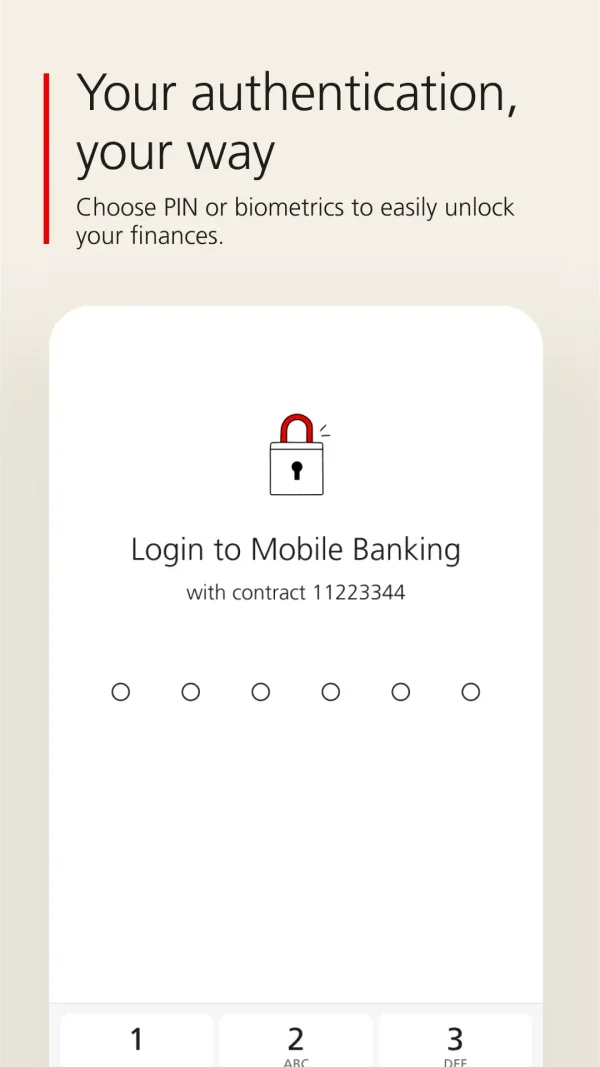
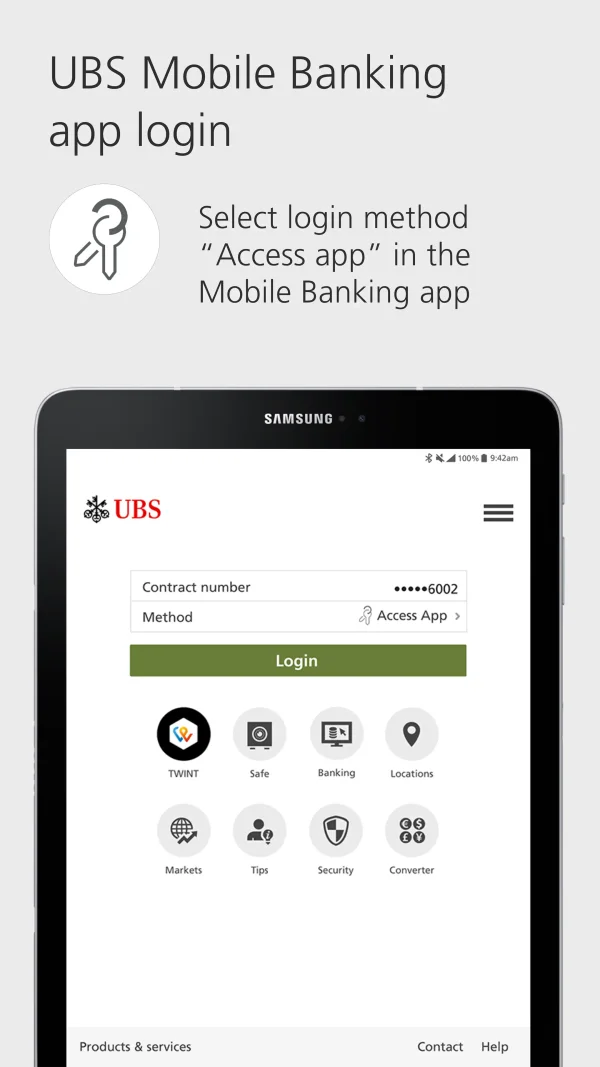
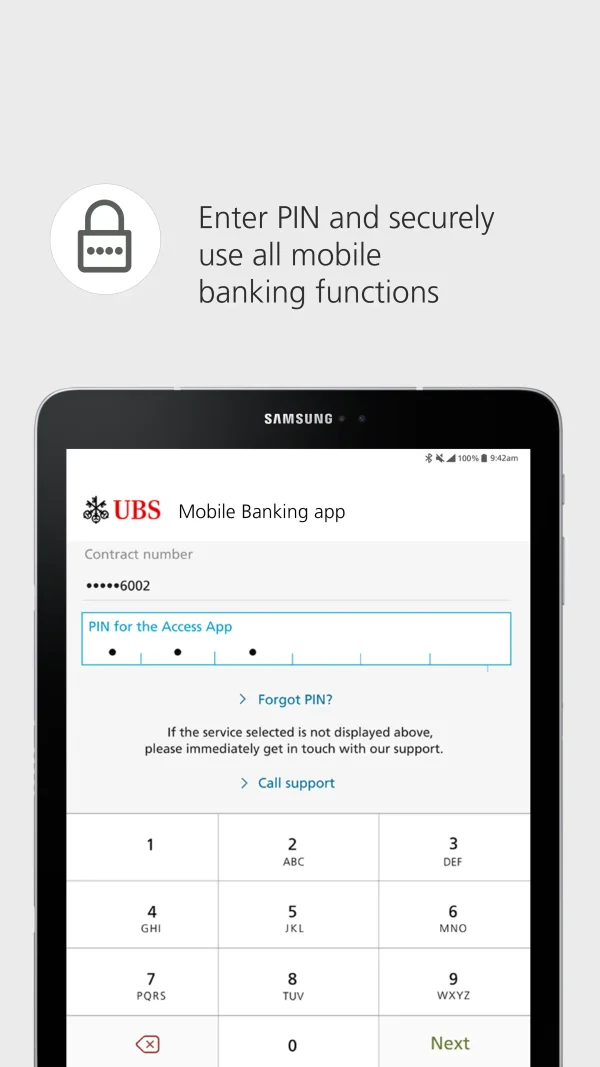
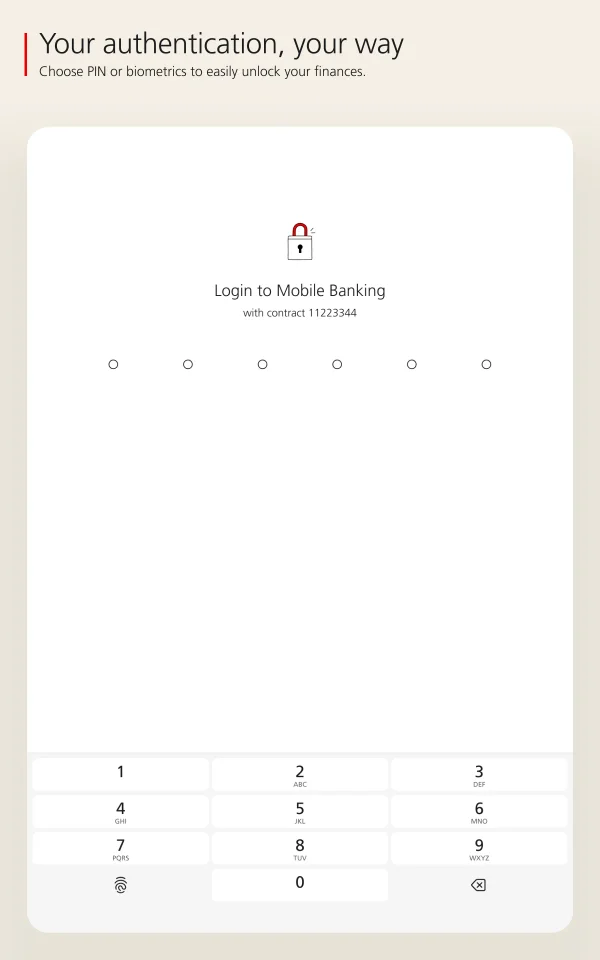
- モバイル バンキング: モバイル バンキング アプリを起動し、ログイン方法として「アプリにアクセス」を選択します。その後、PIN または生体認証を使用して簡単かつ安全にログインできます。
2. オンライン支払いを安全に承認する
- クレジットカードやプリペイドカードによるオンライン決済を行うと、プッシュ通知が届き、簡単に決済を確認できます。
- 最高水準のセキュリティにより、詐欺のリスクが軽減されます。
3. 新たな受取人の確認
- PIN または生体認証を使用して Access アプリのブロックを解除し、受取人を確認して支払いを承認します。
4. セキュリティメッセージを受信する
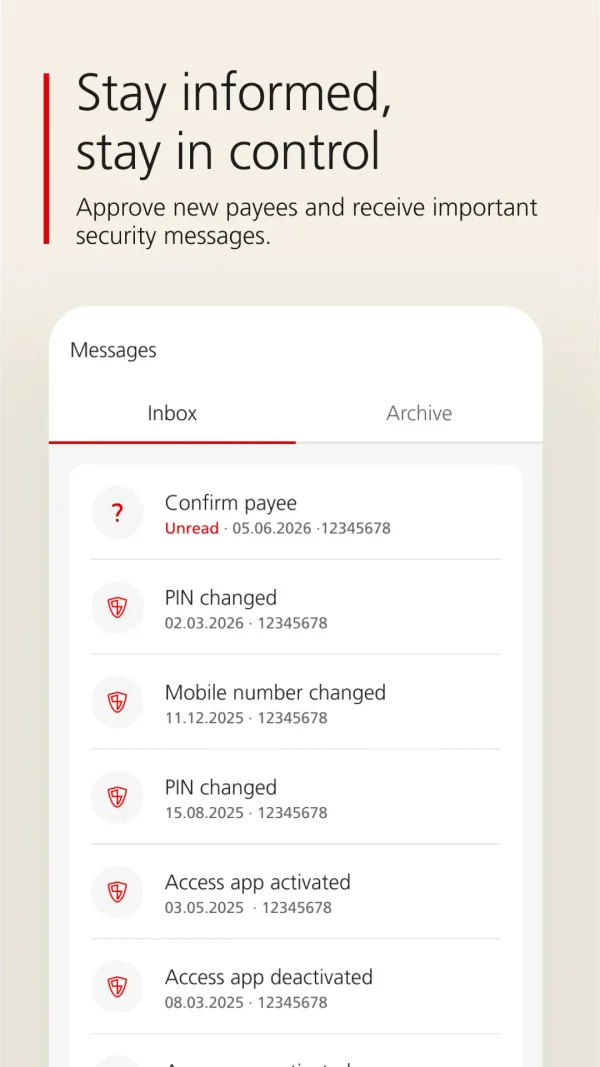
- セキュリティ設定や連絡先の詳細の変更など、セキュリティ関連のイベントに関する情報を受け取ります。
UBS Access アプリの使用は次のように安全です。
- スマートフォンを紛失した場合でも、選択した PIN で Access アプリを保護します。
- Access アプリは、デジタル バンキングにログインする前に常にスマートフォンのセキュリティをチェックします。
- ログイン用のセキュリティ コードは自動的に計算され、UBS に直接転送されます。データ送信は多重レベルのセキュリティによって保護されます。
- Access アプリは常に最新であり、最適な保護を提供します。
- より簡単にログインし、新しい受取人を確認するために生体認証を設定します。
UBS スイス AG および UBS グループ AG のその他の米国以外の関連会社は、UBS スイス AG および UBS グループ AG のその他の米国以外の関連会社の既存の顧客のみが利用できる UBS アクセス アプリ (「アプリ」) を使用します。他の人がアプリを使用することは許可されていません。このアプリは、米国人またはオーストラリアに居住する人を対象としたものではありません。 Google Play でのダウンロードのためのアプリの提供は、いかなる取引を行うための勧誘、申し出、または推奨を構成するものではなく、また、アプリをダウンロードする人と UBS との間で顧客関係を確立するための勧誘または申し出として理解されるものでもありません。スイス AG または UBS グループ AG のその他の米国以外の関連会社。
要件:
デジタル バンキング契約のある UBS スイス AG、UBS ヨーロッパ SE (ドイツ、イタリア)、または UBS AG (香港、シンガポール) との銀行関係: 有効化するには、セキュリティ メッセージ用にデジタル バンキングに保存されている携帯電話番号が必要です。モバイル バンキング アプリのプロフィールにこの携帯電話番号を入力します。名前をタップして、[電話] に移動します。電子バンキングでもプロフィールからこれを行うことができます。「連絡先の詳細」で鉛筆マークをクリックし、次に「電話番号」をクリックします。スイスの携帯電話番号をお持ちでない場合は、最初の 0 を除いた電話番号を入力し、国コードを変更してください。
UBS Europe SE (英国、フランス、モナコ、またはルクセンブルク) での銀行関係: アクティベーションには、保存されている携帯電話番号が必要です。これを設定するには、クライアントアドバイザーに問い合わせてください。
「デジタル バンキング」契約による UBS Europe SE (ジャージー) での銀行関係: アクティベーションするには、カード リーダー付きのアクセス カードまたはアクセス カード ディスプレイが必要です。
機能の範囲は国によって異なる場合があります。
UBS Access アプリをぜひご利用ください。 Google Play でのフィードバックと評価をお待ちしております。
原文を表示
With the UBS Access App you can log in to E-Eanking and the Mobile Banking App easily and securely. The UBS Access App also allows you to confirm new payees and online purchases made using credit or prepaid card, and it informs you about security-related events.
1. Log in easily to Digital Banking
- E-Banking: Open the login page, scan the QR code with the Access App, enter your PIN or use biometrics and you’ll be immediately and securely logged in to E-Banking.
- Mobile Banking: Launch the Mobile Banking App and select “Access App” as the login method. Afterwards, you can easily and securely log in using a PIN or biometrics.
2. Approve online payments securely
- When you make online payments by credit or prepaid card, you will receive a push notification and can simply confirm the payment.
- The highest standards in security reduce the risk of fraud.
3. Confirm new payees
- Unblock the Access App with a PIN or using biometrics, check payees and approve payments.
4. Receive security messages
- Receive information concerning security-related events such as changes to your security settings or contact details.
Using the UBS Access App is this secure:
- A PIN of your choice protects the Access App – even if you lose your smartphone.
- The Access App always checks the security of your smartphone before you log in to Digital Banking.
- The security code for the login is calculated automatically and transferred directly to UBS. Data transmission is protected by multi-level security.
- The Access App is always up-to-date and offers optimum protection.
- Set up biometrics to log in more easily and to confirm new payees.
UBS Switzerland AG and other non-US affiliated companies of UBS Group AG only make the use of the UBS Access App (“App”) available to existing clients of UBS Switzerland AG and of other non-US affiliated companies of UBS Group AG. Other persons are not permitted to use the App. The App is not intended for US persons nor persons domiciled in Australia. The provision of the App for download in Google Play does not constitute a solicitation, offer or recommendation to enter into any transaction, nor is it to be understood as a solicitation or offer to establish a client relationship between the person who downloads the App and UBS Switzerland AG or other non-US affiliated companies of UBS Group AG.
Requirements:
Banking relationship at UBS Switzerland AG, UBS Europe SE (Germany, Italy) or UBS AG (Hong Kong, Singapore) with Digital Banking contract: For activation, you will need a mobile number stored in Digital Banking for security messages. Enter this mobile number in the profile of your Mobile Banking App: Tap on your name and go to "Phone". You can also do this in E-Banking via your profile: In "My contact details" click on the pencil symbol and then "Phone numbers". Please enter your phone number without the initial 0 and modify the country code if you do not have a Swiss mobile number.
Banking relationship at UBS Europe SE (UK, France, Monaco or Luxembourg): For activation, you will need a saved mobile number. Please contact your client advisor to set this up.
Banking relationship at UBS Europe SE (Jersey) with a "Digital Banking" contract: For activation, you will need an Access Card with card reader or an Access Card Display.
The range of functions may differ depending on the country.
We hope you will enjoy using the UBS Access App. We look forward to receiving your feedback and your rating in Google Play.
データ セーフティ
このアプリが収集・共有するデータについて、UBS AGがGoogle Playで申告している内容です。
- 第三者と共有されるデータはありません詳しくは、デベロッパーが共有を申告する方法についての説明をご覧ください
- データは収集されません詳しくは、デベロッパーが収集を申告する方法についての説明をご覧ください
新機能
バージョン 26.11.0.2826 · 2026/11/13
Small improvements and bug fixes. Your digital security is very important to us. Therefore, we will soon only support Android versions 12 and above.
開発元の連絡先
- ウェブサイトubs.com
- メールsh-access-feedback@ubs.com
- プライバシーポリシーubs.com
- 住所Bahnhofstrasse 45 8001 Zürich Switzerland
情報
- 提供元
- UBS AG
- カテゴリ
- ファイナンス
- バージョン
- 26.11.0.2826
- 更新日
- 2026/11/13
- リリース
- 2016/10/31
- 必要条件
- Android 12以降
- 対象年齢
- 3 歳以上
- 価格
- 無料
- パッケージ名
- com.ubs.swidK2Y.android