VIP Notes (trial)
Ogroman- 3 歳以上対象年齢
- 仕事効率化カテゴリ
- 2026/9/18更新日
- 無料価格
com.OGR.vipnotesfreeのGoogle Play公式ページにリンクしています。最終確認:2026/11/19。
スクリーンショット


このアプリについて
Googleによる英語 (アメリカ合衆国)からの自動翻訳です。
暗号化テキストと添付ファイルを含むメモ帳(試用版)
機能:
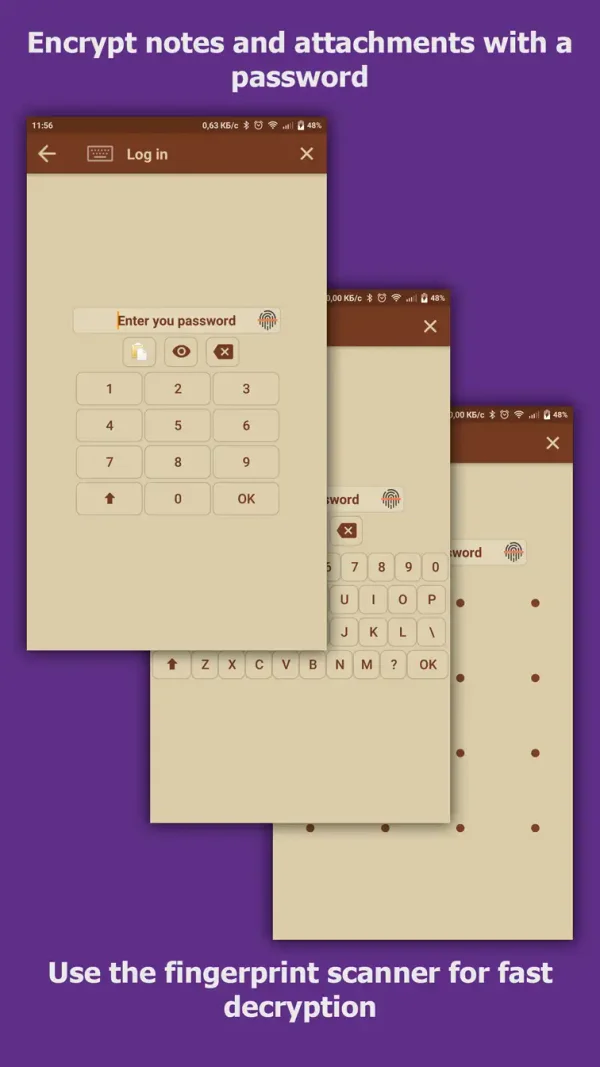
-暗号化AES-256
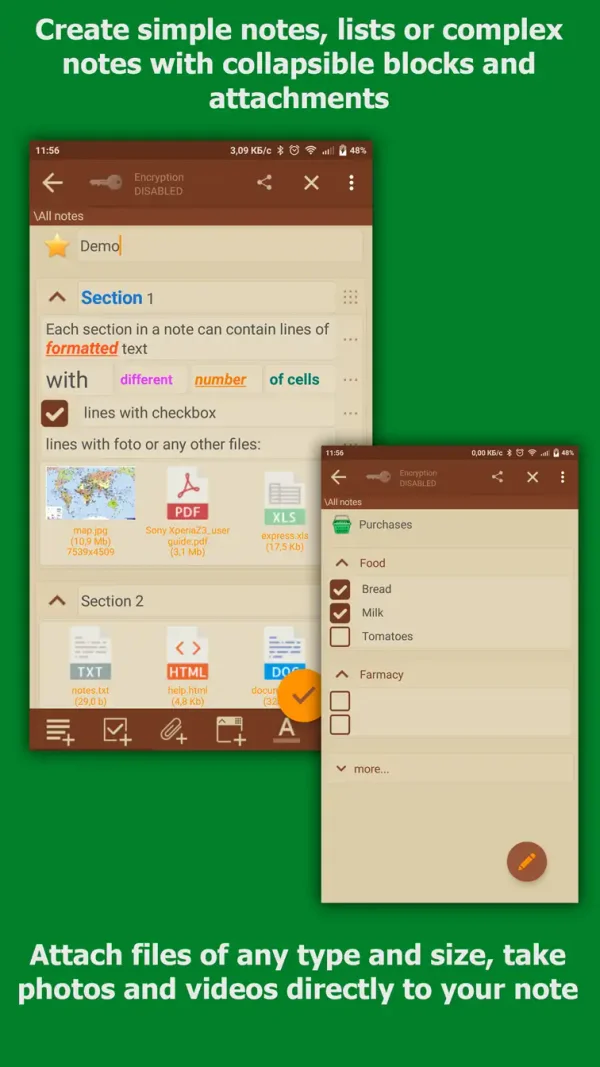
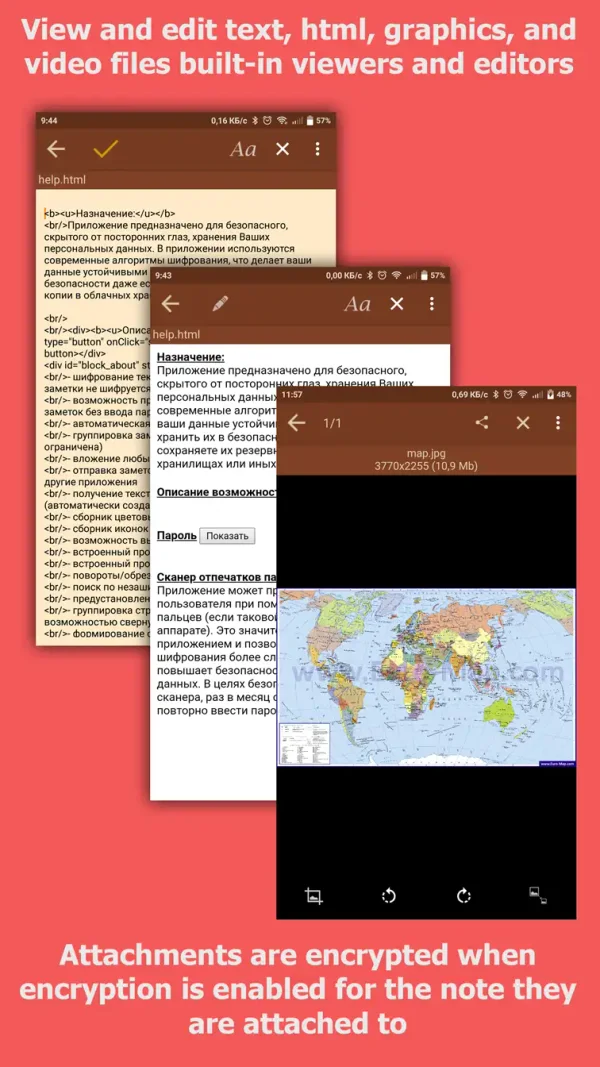
-添付ファイル(メモの暗号化が有効になっている場合は暗号化されます)
-アプリケーション内の添付ファイルの表示と編集(テキストとhtml、写真)
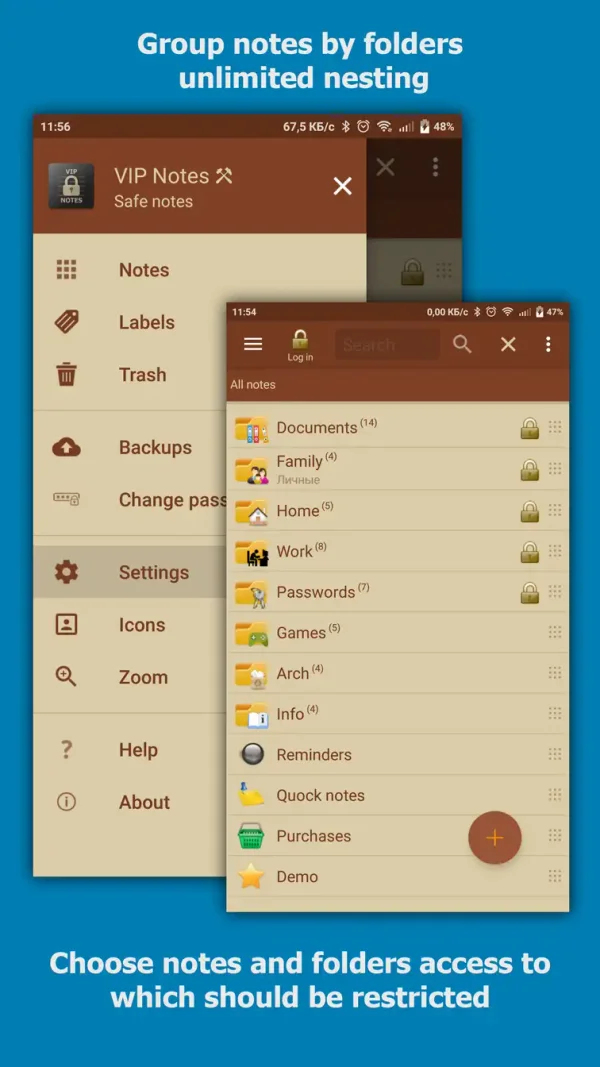
-フォルダー:無制限のネスト(完全版のみ)
-テキストのフォーマット
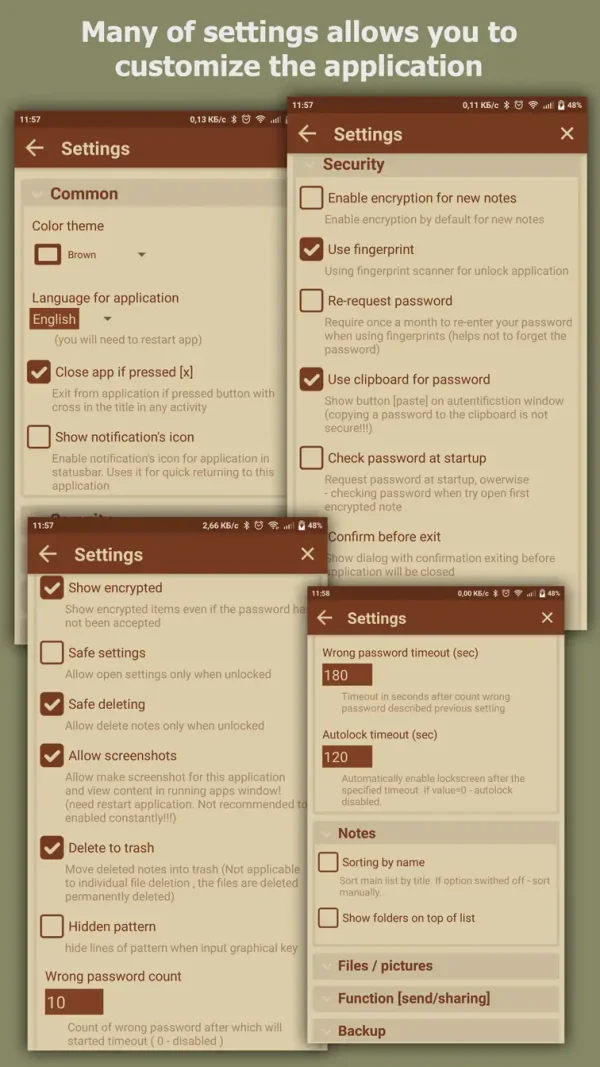
-パスワードの入力方法(デジタル/フル/パターン3x3 /パターン4x4)
-クイックログイン(短いパスワード/指紋スキャナー/生体認証)
-間違ったパスワードを何度も試行した後のデータの消去
-気付かないうちにデータをクリアするための個別のパスワード
-時間で自動ロック
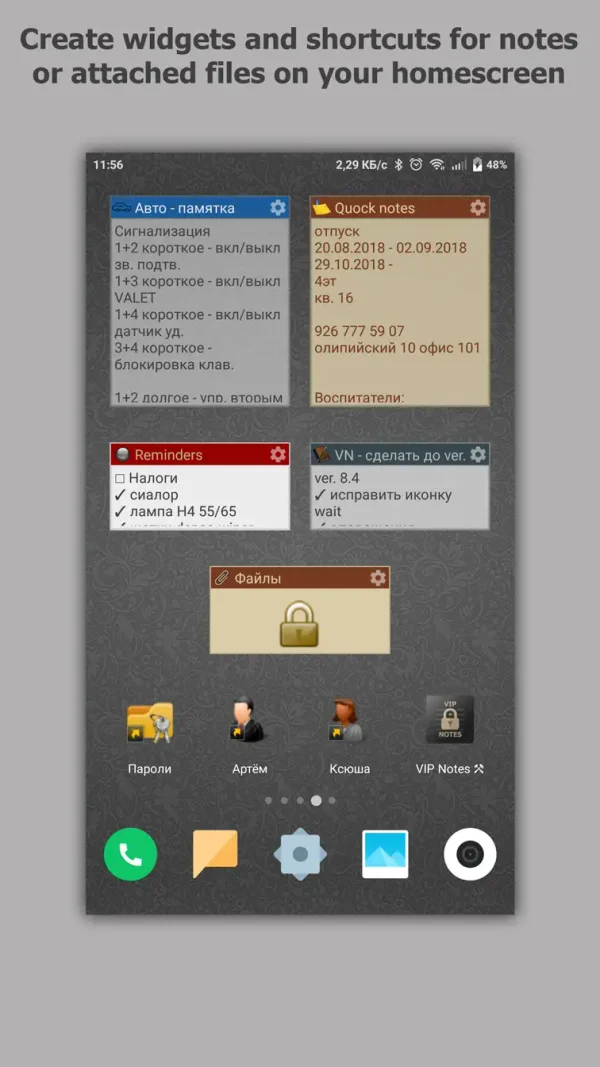
-ノートまたは添付ファイルのウィジェットとショートカット
-アイコンライブラリ(カスタムアイコン)
-色のテーマ
-データベースのバックアップ/復元
-リマインダー
-ラベル
-「Samsung DEX」をサポート
-広告が含まれていません
-インターネットアクセスは必要ありません
無料版の制限:
-作成できるフォルダは3つだけです
-1行に1つの添付ファイルのみ
-カスタムアイコンをアップロードできません
-ファイルの添付:カメラとギャラリーからのみ許可
-無効化された自動化(メモへのリンクなしの自動的なバックアップとリマインダー)
-元に戻す/やり直し機能を無効にしました
-他のアプリケーション(クラウドなど)を介したバックアップ/復元を直接無効化
説明::
-暗号化はデフォルトで無効になっています!
-データはあなたのパスワードを使用して暗号化されます
-ノートの暗号化は、ノート編集ウィンドウで有効になっています。
-ノートの本文と添付ファイルは暗号化され、ノート名は暗号化されません!
-添付されたメモの暗号化が有効になっている場合、添付ファイルは暗号化されます
原文を表示
Features:
- encryption AES-256
- attachments (will encrypted if enabled encryption for note)
- view and edit attached files inside application (text and html, photo)
- folders: unlimited nesting (only in full version)
- formatting text
- password's input methods ( digital/full/pattern 3x3/pattern 4x4)
- quick login (short password/fingerprint scanner/biometric)
- clearing data after many attempt to wrong password
- separate password for imperceptible data clearing
- auto-lock by time
- widgets and shortcuts for notes or attached files
- icon library (custom icons)
- color themes
- backup/restore database
- reminders
- labels
- support "Samsung DEX"
- does not contain advertising
- does not require Internet access
limitations of the free version:
- you can create only 3 folder
- only one attached file per one row
- cannot upload custom icons
- attaching file: allowed only from camera and gallery
- disabled automation (automatically backup and reminders without links to notes)
- disabled undo/redo functions
- disabled backup/restore direct through other application ( like clouds )
Some explanation::
- encryption is disabled by default!
- data will be encrypted using you password
- note encryption is enabling in the note editing window.
- the note body and attached files will be encrypted, the note name is not encrypted!
- attached files are encrypted if encryption is enabled for the note they are attached to
データ セーフティ
このアプリが収集・共有するデータについて、OgromanがGoogle Playで申告している内容です。
- 第三者と共有されるデータはありません詳しくは、デベロッパーが共有を申告する方法についての説明をご覧ください
- データは収集されません詳しくは、デベロッパーが収集を申告する方法についての説明をご覧ください
新機能
バージョン 9.9.84 · 2026/9/18
- The minimum API version has been raised to 35 (Android 15)
- The option to log in via fingerprint without a dialog has been removed (outdated API)
- Fixed bug "The data is encrypted with an empty password" when enabled "Autosave"
- Fixed bug in android 17 when open the gallery for get media files
- Fixed image viewing in an external application
- Added menu "open in external application" for files
開発元の連絡先
- ウェブサイトogroman.ru
- メールogr.sup@gmail.com
- プライバシーポリシーsites.google.com
- 住所г.Москва, ул, Саратовская, д.3, корп.1 Москва Russia 109518
情報
- 提供元
- Ogroman
- カテゴリ
- 仕事効率化
- バージョン
- 9.9.84
- 更新日
- 2026/9/18
- リリース
- 2013/9/19
- 対象年齢
- 3 歳以上
- 価格
- 無料
- パッケージ名
- com.OGR.vipnotesfree