Watch Face CUE151
Creation Cue- 3 歳以上対象年齢
- カスタマイズカテゴリ
- 2026/8/4更新日
- ¥73価格
com.creation.cue151watchfaceのGoogle Play公式ページにリンクしています。最終確認:2026/11/26。
スクリーンショット


このアプリについて
Googleによる英語 (イギリス)からの自動翻訳です。
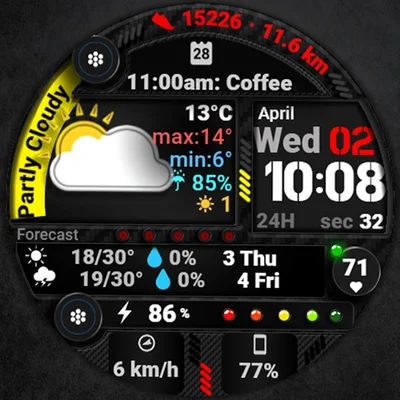
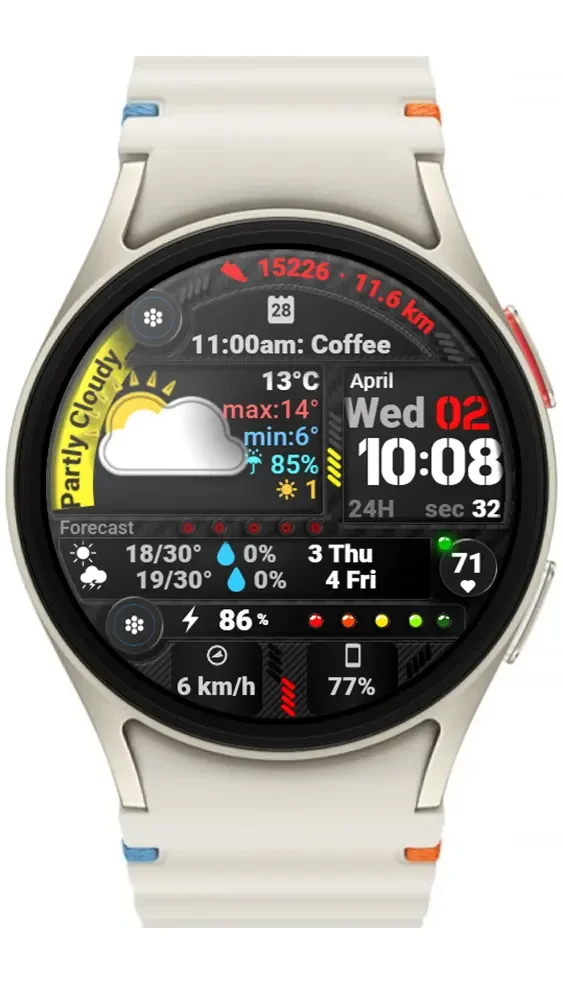
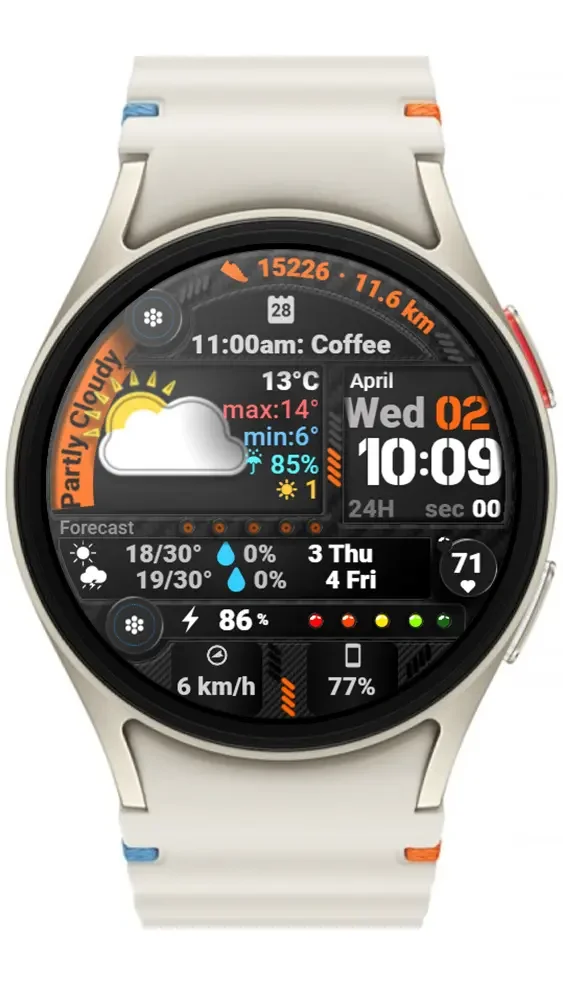
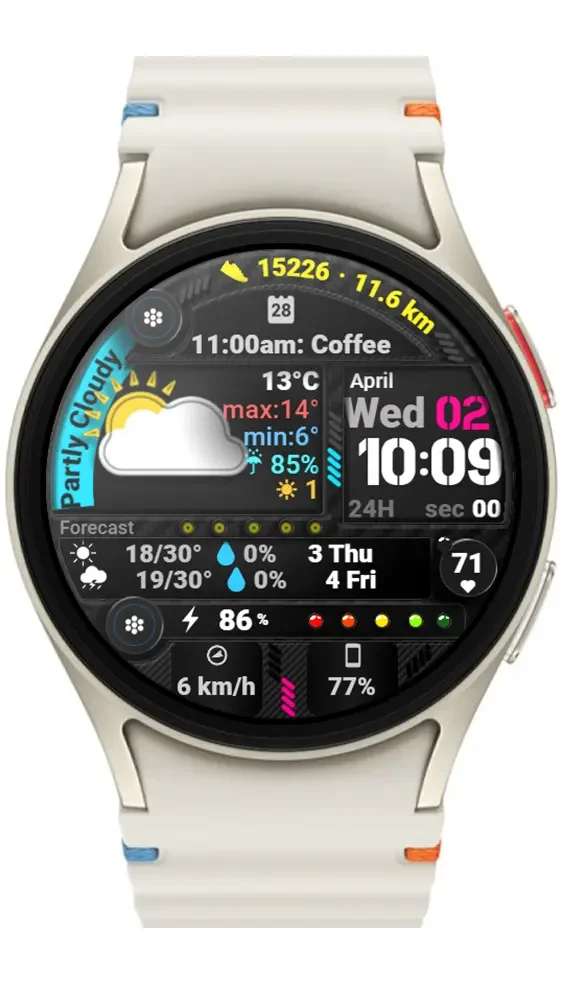
スポーティでモダンなウォッチフェイスには、忙しいハイテクなレイアウトと詳細な天気が表示されます。
⚠︎ このウォッチフェイスは、APIレベル34以上のWear OS搭載Samsungウォッチ(Samsung Galaxy Watch 4、5、6、7、Ultraなど)のみに対応しています。
主な機能:
▸デジタル表示は24時間形式またはAM/PM形式を選択可能。
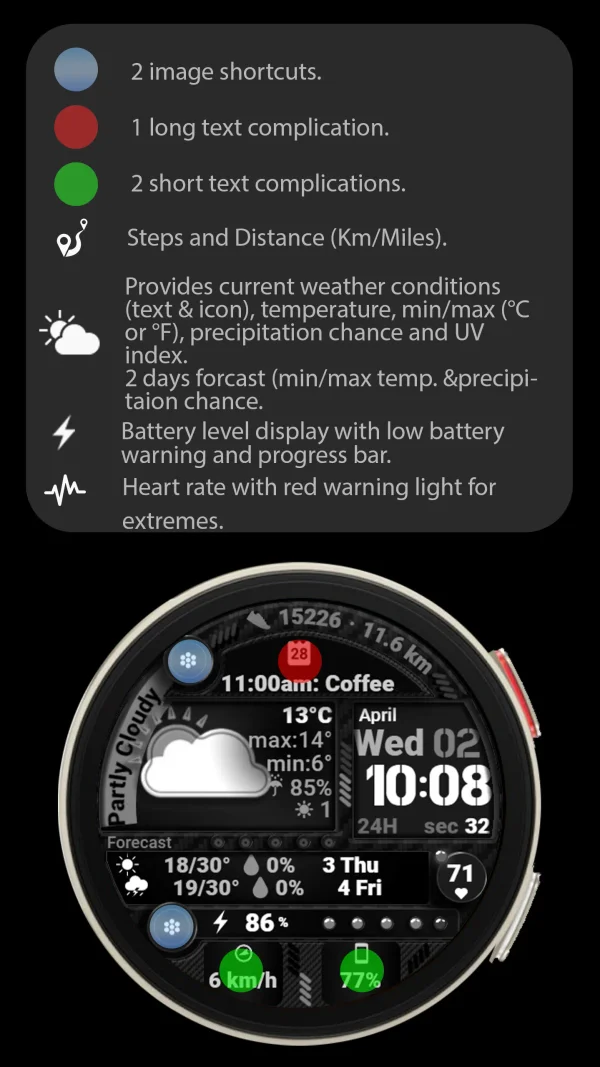
▸心拍数表示(高心拍数/低心拍数ゾーンを赤色マーカーで表示)。
▸歩数と移動距離をキロメートルまたはマイルで表示。
▸現在の天気(気温、紫外線指数、降水確率、天気予報(テキストとアイコン))を表示。
▸今後2日間の天気予報をアイコンで表示。
▸バッテリー残量表示(低バッテリー時の赤色点滅警告灯と背景表示)、充電表示。
▸ウォッチフェイスに、ショートテキストコンプリケーション2つ、ロングテキストコンプリケーション1つ、画像ショートカット2つを追加可能。
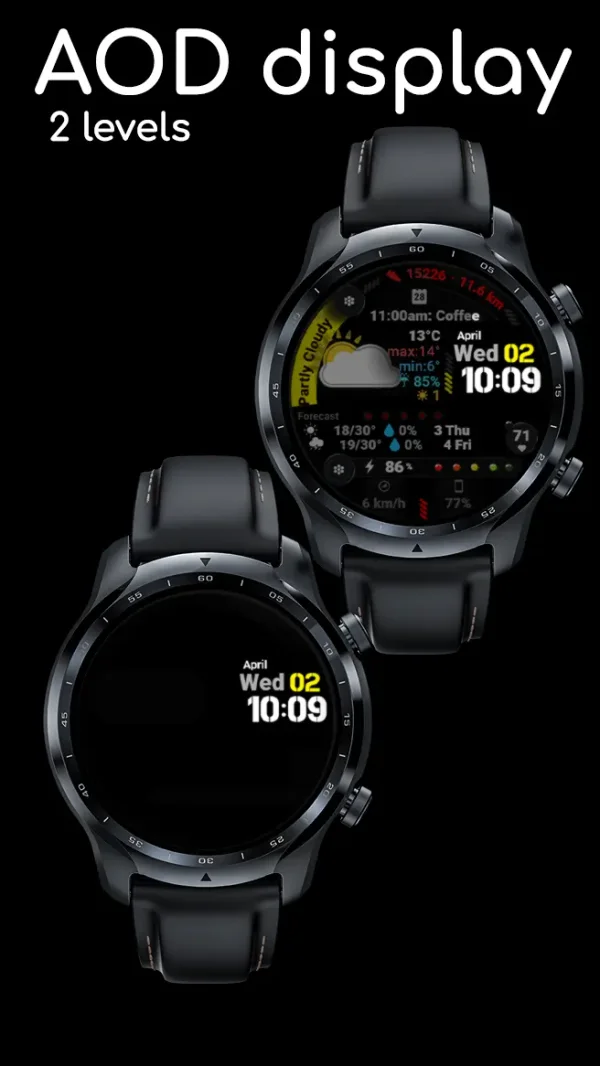
▸常時表示(AOD)の明るさ調整オプション2種類。
▸複数のカラーテーマを選択可能。
天気や日付などの詳細情報は、システムに設定されているデフォルト言語で自動的に表示されます。
🌦️ 天気情報が表示されない場合
天気情報が表示されない場合は、スマートウォッチがBluetoothでスマートフォンに接続されていること、およびスマートフォンとスマートウォッチの両方の設定で位置情報へのアクセス許可が有効になっていることを確認してください。また、スマートウォッチのデフォルトの天気アプリが正しく設定され、正常に動作していることを確認してください。別のウォッチフェイスに切り替えてから元に戻すと、問題が解決する場合があります。データの同期には数分かかる場合があります。
カスタムコンプリケーションを配置できるさまざまなエリアを試して、ニーズや好みに合った最適な配置を見つけてください。
🌦️ 天気情報が表示されない場合
天気情報が表示されない場合は、スマートウォッチがBluetoothでスマートフォンに接続されていること、およびスマートフォンとスマートウォッチの両方の設定で位置情報へのアクセス許可が有効になっていることを確認してください。また、スマートウォッチのデフォルトの天気アプリが正しく設定され、正常に動作していることを確認してください。別のウォッチフェイスに切り替えてから元に戻すと、問題が解決する場合があります。データの同期には数分かかる場合があります。
インストール中に問題や不具合が発生した場合は、お気軽にご連絡ください。サポートさせていただきます。
✉️ メールアドレス:creationcuespace@gmail.com
原文を表示
⚠︎ This watch face is compatible with Wear OS Samsung watches only with API Level 34+, like Samsung Galaxy Watch 4, 5, 6, 7, Ultra…
Key Features:
▸24-hour format or AM/PM for the digital display.
▸Heart rate display with red marker for High/Low zones.
▸Steps and distance-made display in km or miles.
▸ Current weather display with temperature, UV index, precipitation chance and weather condition (text & icon).
▸ Next two days' weather forecast shown with icons.
▸Battery power indication colors with low battery red flashing warning light and background plus charging indication.
▸You can add 2 short text complications, 1 long text complication and 2 image shortcuts on the Watch Face.
▸Two AOD dimmer options.
▸Multiple color themes available.
All details like the weather and date will automatically appear in the language set as default on the system.
🌦️ Weather Info Not Showing?
If the weather data doesn’t appear, make sure your watch is connected to your phone via Bluetooth and that location permissions are enabled in both the phone and watch settings. Also, ensure the default Weather app on your watch is set up and working. Sometimes it helps to switch to another watch face and then back. A few minutes may be needed for the data to sync.
Feel free to experiment with the different areas available for custom complications to discover the optimal placement that suits your needs and preferences.
🌦️ Weather Info Not Showing?
If the weather data doesn’t appear, make sure your watch is connected to your phone via Bluetooth and that location permissions are enabled in both the phone and watch settings. Also, ensure the default Weather app on your watch is set up and working. Sometimes it helps to switch to another watch face and then back. A few minutes may be needed for the data to sync.
If you encounter any problems or installation difficulties, please contact us so we can assist you with the process.
✉️ Email: creationcuespace@gmail.com
データ セーフティ
このアプリが収集・共有するデータについて、Creation CueがGoogle Playで申告している内容です。
- 第三者と共有されるデータはありません詳しくは、デベロッパーが共有を申告する方法についての説明をご覧ください
- データは収集されません詳しくは、デベロッパーが収集を申告する方法についての説明をご覧ください
新機能
2026/8/4
Updated for Wear OS target SDK 35 compatibility, performance improvements, and bug fixes.
開発元の連絡先
- ウェブサイトcreationcue.web.app
- メールcreationcuespace@gmail.com
- プライバシーポリシーcreationcue.web.app
- 住所ΑΣΗΜΑΚΟΠΟΥΛΟΥ 15 ΙΩΑΝΝΙΝΑ 45332 Greece
情報
- 提供元
- Creation Cue
- カテゴリ
- カスタマイズ
- 更新日
- 2026/8/4
- リリース
- 2025/4/1
- 対象年齢
- 3 歳以上
- 価格
- ¥73
- パッケージ名
- com.creation.cue151watchface
類似のアプリ
-
 N-SPORT775 EffectWeather Watch
カスタマイズ
-
 OT | Weather Forecast Watch
カスタマイズ
-
 ML2U 413 Active Lifestyle
カスタマイズ
-
 CFS140 情報ディスプレイ
カスタマイズ
-
 [KNA015] CRESCENT
アート&デザイン
-
 Chester Weather info
カスタマイズ
-
 SD95
カスタマイズ
-
 DF087
カスタマイズ
-
 ES WR0015
カスタマイズ
-
 N-SPORT772 DirectWeather Watch
カスタマイズ
-
 Digital Skrut Watch face
カスタマイズ
-
 N-SPORT742 SuperDial Weather
カスタマイズ