Weather Widget Watch Face
MikichBlaz- 3 歳以上対象年齢
- カスタマイズカテゴリ
- 2026/8/6更新日
- ¥250価格
com.mikichblaz.weatherwidgetwatchfaceのGoogle Play公式ページにリンクしています。最終確認:2026/11/16。
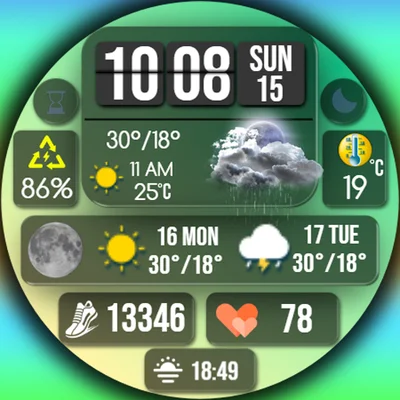
スクリーンショット
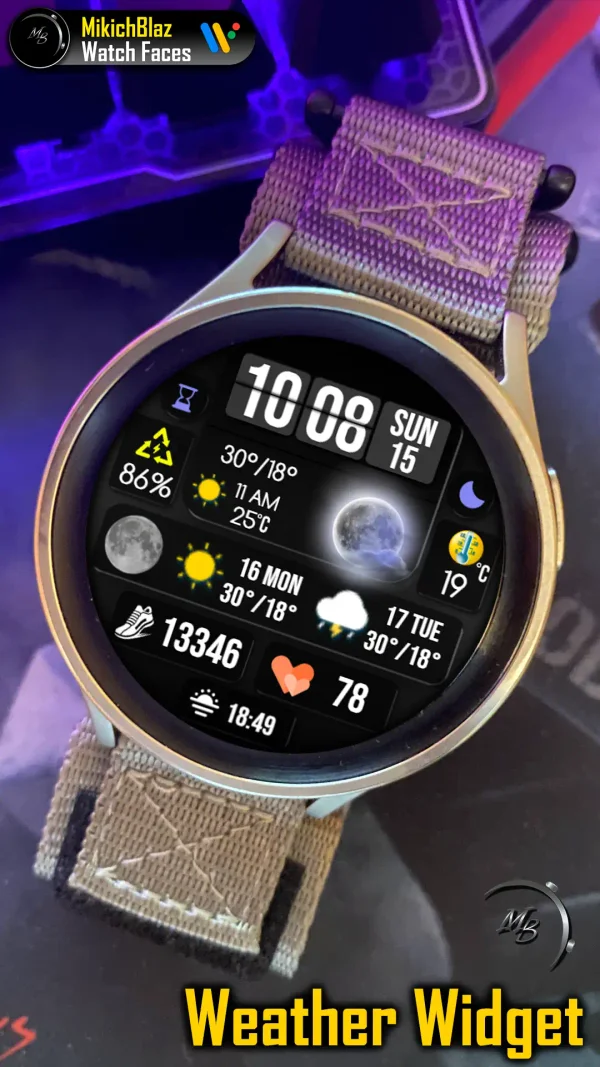
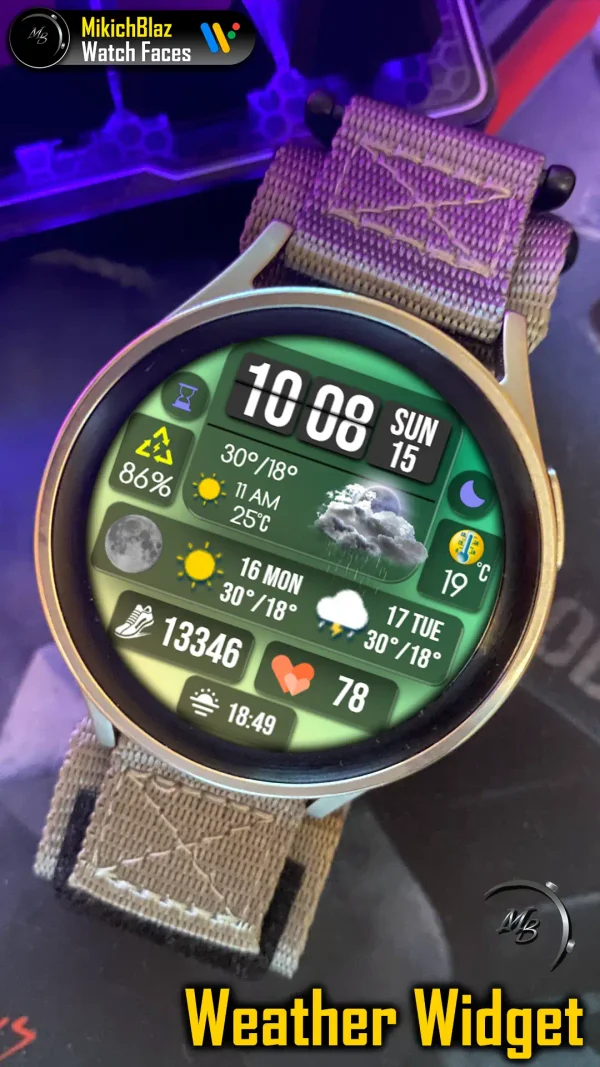
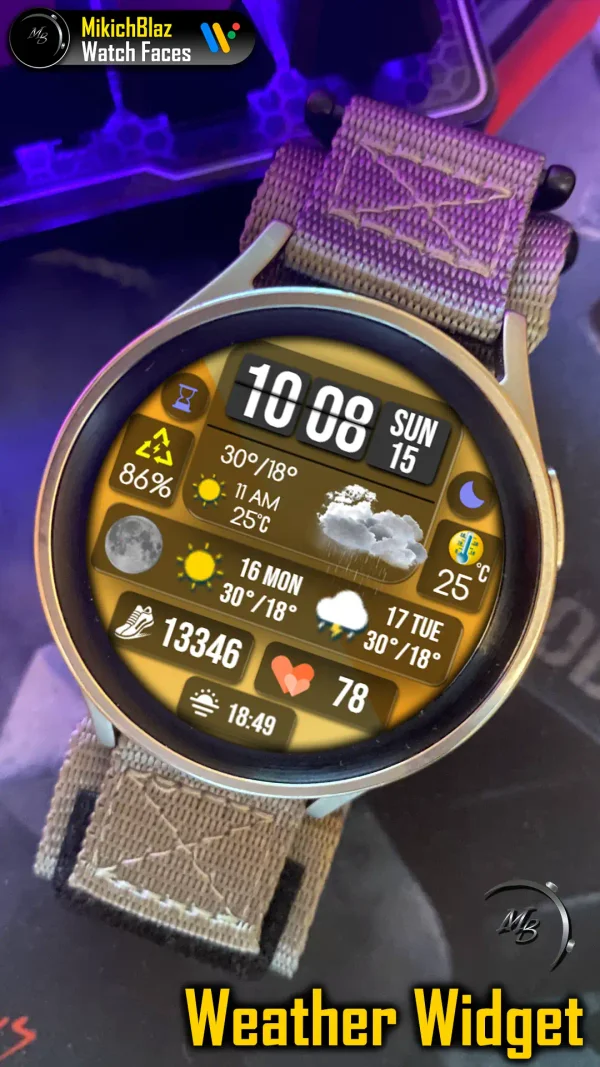

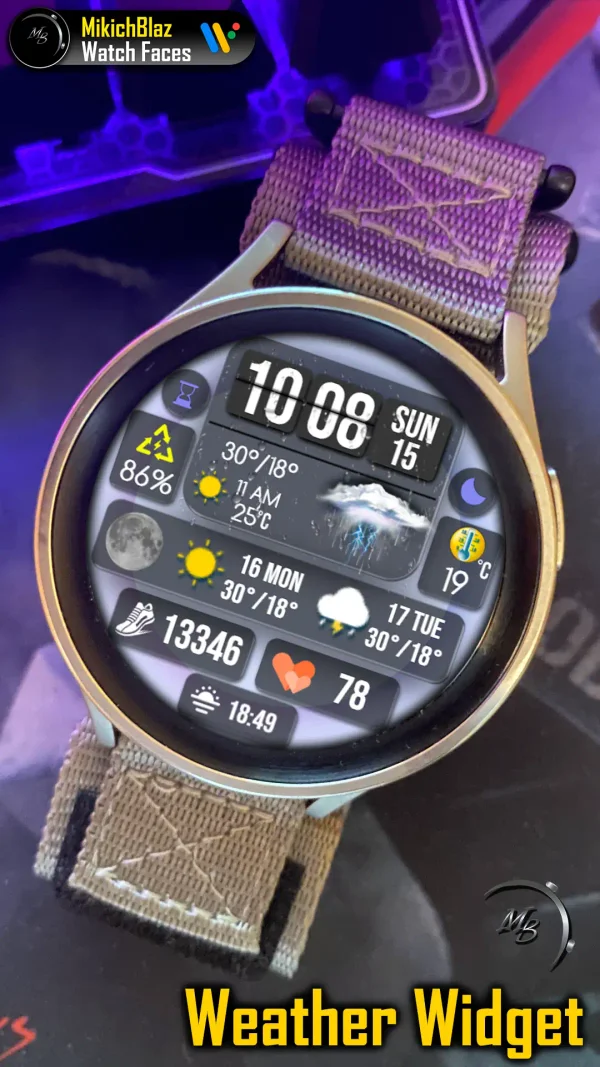
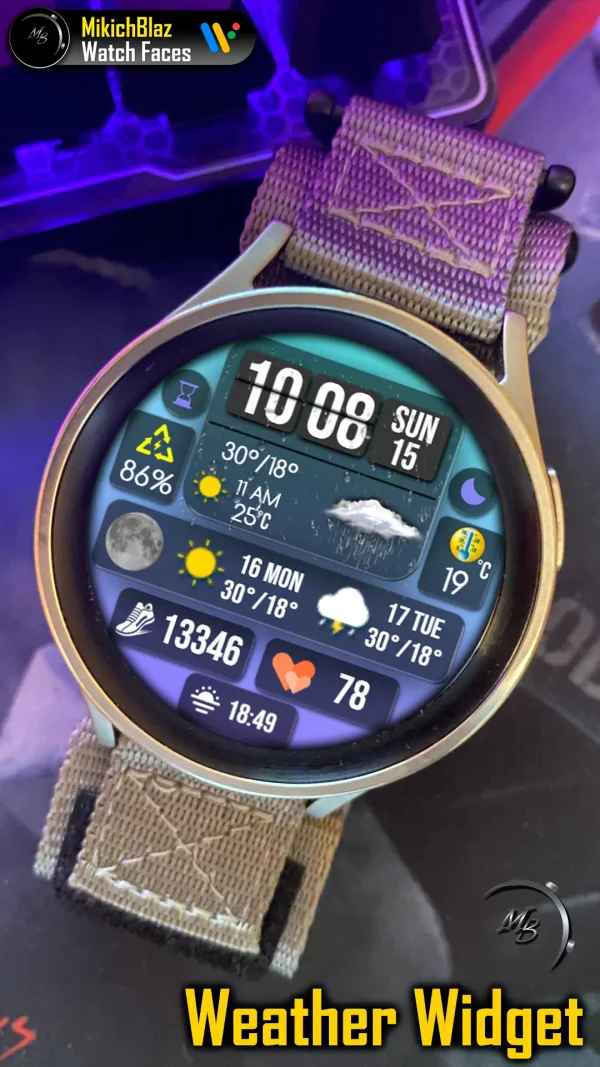

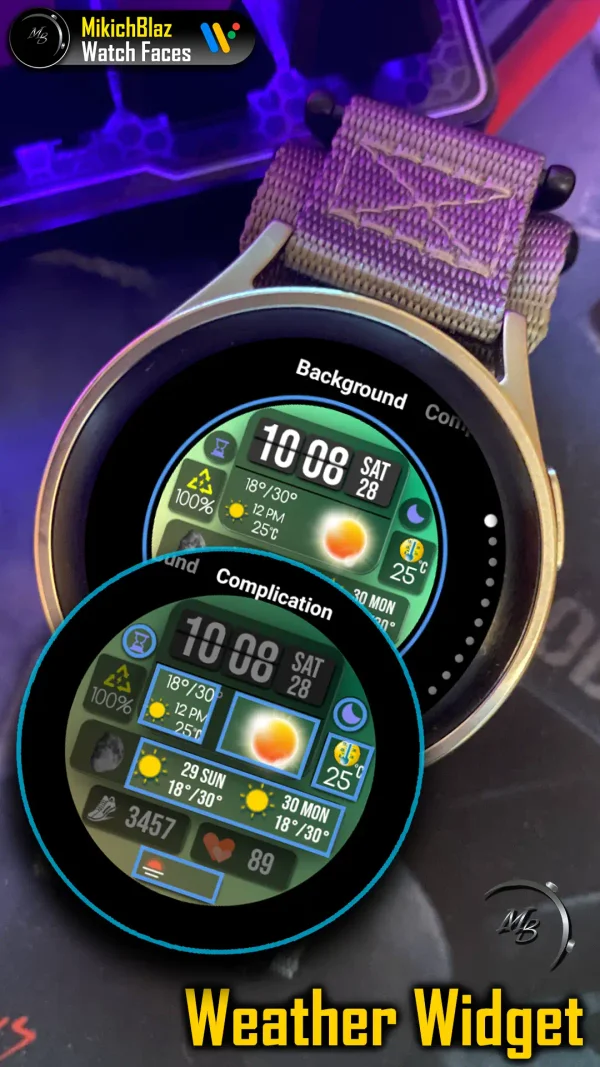
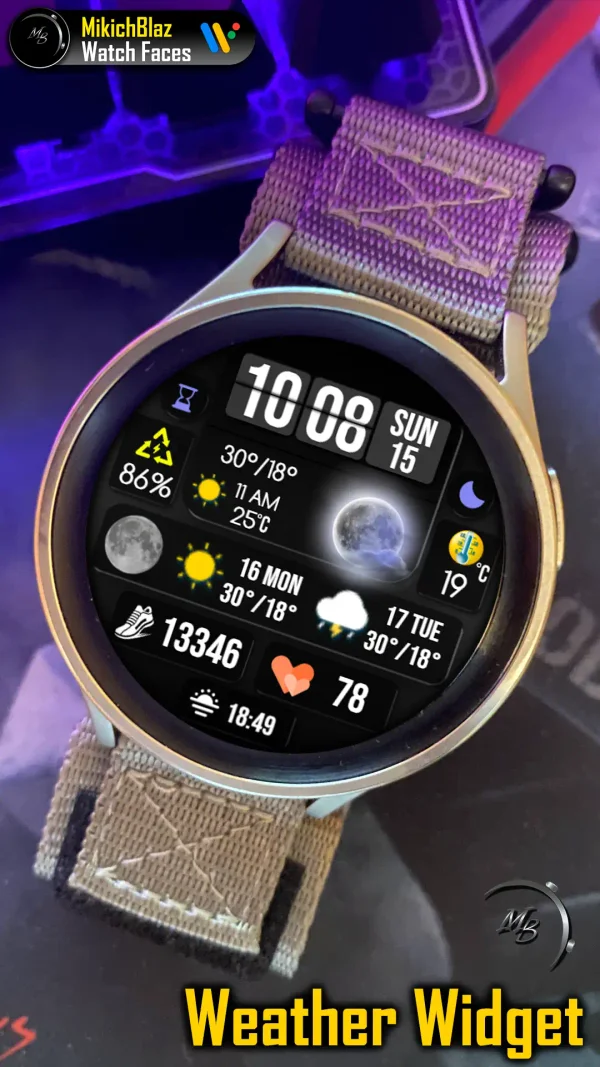
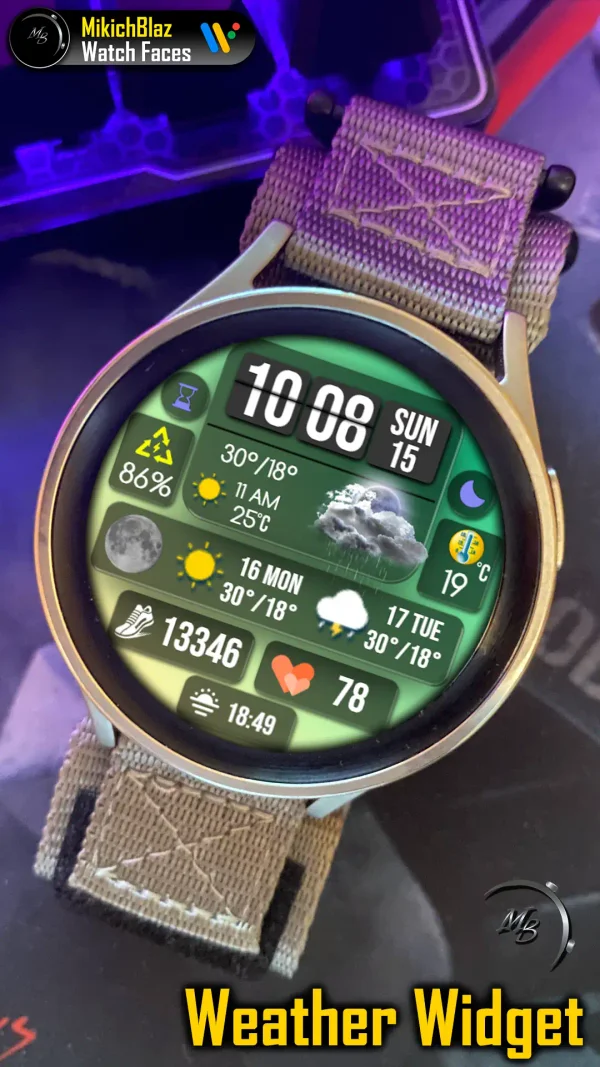
このアプリについて
Googleによる英語 (アメリカ合衆国)からの自動翻訳です。
Wear OS 用の天気ウィジェット ウォッチフェイス
Wear OS 用の天気ウィジェット ウォッチフェイス
注記:
この文字盤は天気予報アプリではありません。時計にインストールされている天気アプリから提供される天気データを表示するインターフェースです。
このウォッチフェイスは、Wear OS 5 以降とのみ互換性があります。
Wear OS の文字盤で最新の天気予報を直接確認できます。
リアルな天気アイコン: 予報に基づいたダイナミックなスタイルの昼と夜の天気アイコンを体験してください。
天気ウィジェットをタップするとアプリのショートカットが追加されます(提供されている天気アプリ、または別のフィールドでタップすると他のアプリを開くように設定できます)
カスタマイズ可能な背景: 10 種類の背景から選択
最初のメイン ウィジェットには次が表示されます。
時刻と日付 - フリップ時計スタイル、12/24 時間形式をサポートする読みやすい大きな数字 (携帯電話のシステム設定に基づく)
メインの天気アイコン (昼と夜のさまざまな現実的なアイコンのセット)
今日の最高気温、最低気温、
当日の1時間先の天気予報。
右側の小さなウィジェットには、現在の温度が°C/°Fで表示されます(タップでショートカットを設定できます)
左側の小さなウィジェットには電力の割合が表示され、タップするとショートカットが表示され、システム バッテリー ステータス メニューが開きます
次のウィジェット - ムーンフェイズ、
天気 - 毎日、2 日前の天気、日付、気温の最新情報 (°C/°F 単位) を取得します。
歩数カウンター: 右側に表示される歩数を記録します。
心拍数: タップすると心拍数モニターが開き、画面上で心拍数を直接監視します。
3つのカスタムコンプリケーション。
AOD、
完全調光 AOD モード
プライバシーポリシー:
https://mikichblaz.blogspot.com/2024/07/privacy-policy.html
原文を表示
Weather Widget Watch Face for Wear OS
Note:
This watch face is not a weather app; it is an interface that displays weather data provided by the weather app installed on your watch!
This watch face is compatible only with Wear OS 5 or higher.
Stay updated with the latest weather forecast directly on your Wear OS watch face.
Realistic Weather Icons: Experience day and night weather icons with dynamic styles based on the forecast.
App shortcuts complications on weather widgets on tap, ( you can set to open your proffered weather app, or other apps on tap on different fields )
Customizable Backgrounds: Choose from 10 backgrounds
The first main widget shows:
Time and date - flip clock style, easily readable big numbers with 12/24-hour format support (based on your phone's system settings)
Main weather icon ( different sets of realistic icons for day and night )
Hight Low temperature for the current day,
One hour ahead forecast for the current day.
Small widget on the right side shows current temperature in °C/°F ( you can set shortcut on tap )
Small widget on the left side shows power percentage with shortcut on tap - opens system battery status menu
Next widget - moon phase,
Weather - get weather, date, and temperature updates (in °C/°F) for every day, 2 days ahead
Step Counter: Keep track of your steps displayed on the right side.
heart rate: Monitor your HR directly on screen, with shortcut on tap - opens HR monitor
3 custom complications.
AOD,
Full dimmed AOD mode
Privacy policy:
https://mikichblaz.blogspot.com/2024/07/privacy-policy.html
データ セーフティ
このアプリが収集・共有するデータについて、MikichBlazがGoogle Playで申告している内容です。
- 第三者と共有されるデータはありません詳しくは、デベロッパーが共有を申告する方法についての説明をご覧ください
- データは収集されません詳しくは、デベロッパーが収集を申告する方法についての説明をご覧ください
開発元の連絡先
- メールmiki.blazevski@gmail.com
- プライバシーポリシーmikichblaz.blogspot.com
- 住所Ul. Bul. Jane Sandanski Br. 30/1-7 Aerodrom 1000 Skopje North Macedonia
情報
- 提供元
- MikichBlaz
- カテゴリ
- カスタマイズ
- 更新日
- 2026/8/6
- リリース
- 2025/1/4
- 対象年齢
- 3 歳以上
- 価格
- ¥250
- パッケージ名
- com.mikichblaz.weatherwidgetwatchface