Web Dashboard
Livio- 3 歳以上対象年齢
- ツールカテゴリ
- 2026/10/20更新日
- 無料価格
livio.dashboardのGoogle Play公式ページにリンクしています。最終確認:2026/11/13。
Web Dashboardは現在Google Playで入手できない可能性があります
前回の確認時、ストアのページにアクセスできませんでした。リンク先は引き続きGoogle Playの公式ページです。
このアプリについて
Googleによる英語 (アメリカ合衆国)からの自動翻訳です。
Android端末のカラフルなウィジェットで、リモートサーバーの状態を確認しましょう!
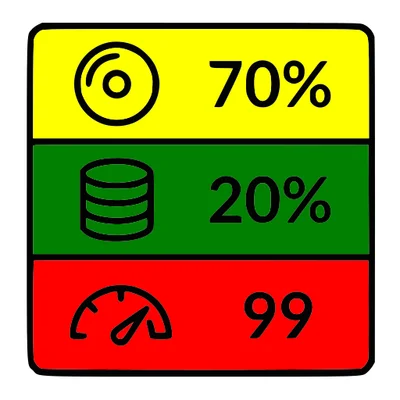
Webダッシュボードは、Androidデバイス上でカラフルなウィジェットを使ってサーバーとWebサイトのステータスを表示します。
この軽量アプリケーションは、2種類のリモートサーバーを監視します。
♦ 独自の定義済みメトリクスでサーバーの状態を表示できる、特定のJSON APIを備えたリモートサーバー。
♦ JSON APIを備えていないWebサーバー。この場合、GETレスポンスのコンテンツタイプと長さ、およびレスポンスタイムのみが表示されます。
機能
♦ サーバー管理:カスタム名とURLを割り当てることで、サーバーを簡単に定義・管理できます。
♦ リアルタイム診断:ネットワーク障害やサーバー側のエラーに関する診断フィードバックで、常に最新の情報を把握できます。
♦ 履歴データ追跡:過去の測定値の詳細な履歴にアクセスし、パフォーマンスの傾向を時系列で監視できます。
♦ 柔軟なデータ保持:更新頻度とデータ保持期間をカスタマイズできます。
♦ 設定の移植性:アプリケーションの設定全体を保存したり、既存の設定をメインメニューから直接読み込むことができます。
ユーザーインターフェース
♦ ➕ボタンを使用して、サーバー名とWebアドレスを設定してサーバーを定義します。
♦ サーバーをクリックすると編集ダイアログが開き、必要に応じて名前とWebアドレスを変更できます。
♦ サーバーを長押しすると、過去の読み取り履歴が表示されます。
♦ 1つまたは複数のサーバーを選択し、🗑️ゴミ箱アイコンを押すと、サーバー定義を削除できます。
♦ ⟳更新アイコンをクリックすると、サーバーの状態を更新できます。
♦ サーバーまたはネットワークエラーが発生した場合は、診断情報が表示されます。
♦ 設定パネルで、更新タイマー、保持時間、テーマを変更できます。
ウィジェット
Webダッシュボードは、自動的に更新され、サーバーの状況を即座に表示するウィジェットを提供します。
ウィジェットを有効にするには、ホーム画面📱の空いている領域を長押しし、「ウィジェット」オプションを選択します。「Webダッシュボード」アイコンを探して選択し、リストからエンドポイントを選択します。画面上に配置してウィジェットの作成を確定します。
JSON API
柔軟なJSON APIを使用して独自のメトリクスを定義できます。詳細については、Webサイト(https://thesaurus.altervista.org/dashboard-help#JSONAPI)をご覧ください。
権限
♢ INTERNET - リモートサーバーおよびWebサイトのステータスを確認するため
♢ WRITE_EXTERNAL_STORAGE(別名:Photos/Media/Files) - 設定を保存および読み込むため
原文を表示
Web Dashboard displays the status of your servers and websites with colorful widgets on your Android device.
This light application monitors two types of remote servers:
♦ remote servers with a specific JSON API for displaying server status with your own defined metrics;
♦ any web server without JSON API, in which case only the following parameters are displayed: GET response content type and length, plus response time.
Features
♦ Server Management: Easily define and organize your servers by assigning custom names and URLs.
♦ Real-Time Diagnostics: Stay informed with diagnostic feedback related to network interruptions or server-side errors.
♦ Historical Data Tracking: Access detailed history of previous readings to monitor performance trends over time.
♦ Flexible Data Retention: Customize update frequencies and data retention periods.
♦ Configuration Portability: Save your entire application setup or load existing configurations directly from the main menu.
User interface
♦ Define your servers by setting name and web address by using the ➕ button.
♦ Click on a server to open the edit dialog to change name and web address, whenever you need.
♦ Long click on server to open the history of last readings.
♦ Delete server definitions by selecting one or more servers and pressing the 🗑️ wastebasket icon.
♦ Update server status by clicking the ⟳ refresh icon.
♦ Diagnostic information is displayed in case of server or network error.
♦ Change refresh timer, retention time and theme in Settings panel.
Widgets
Web Dashboard provides widgets that update automatically and provide instant view of your servers.
In order to activate widget, long-press free area of the home screen 📱, select Widgets option, look for Web Dashboard icon, select it and the select an endpoint from the list, confirm widget creation by placing it on the screen.
JSON API
Define your own your metrics using the flexible JSON API, further details are described in the web site: https://thesaurus.altervista.org/dashboard-help#JSONAPI
Permissions
♢ INTERNET - to check status of remote servers and websites
♢ WRITE_EXTERNAL_STORAGE (aka Photos/Media/Files) - to save and load configuration
データ セーフティ
このアプリが収集・共有するデータについて、LivioがGoogle Playで申告している内容です。
- 第三者と共有されるデータはありません詳しくは、デベロッパーが共有を申告する方法についての説明をご覧ください
- データは収集されません詳しくは、デベロッパーが収集を申告する方法についての説明をご覧ください
新機能
バージョン 1.2 · 2026/10/20
♦ modern redesign with faster and smoother user experience
開発元の連絡先
- ウェブサイトthesaurus.altervista.org
- メールjava.lc.6@gmail.com
- プライバシーポリシーthesaurus.altervista.org
- 住所Italy
情報
- 提供元
- Google Commerce Ltd
- カテゴリ
- ツール
- バージョン
- 1.2
- 更新日
- 2026/10/20
- リリース
- 2026/4/16
- 必要条件
- Android 7.0以降
- 対象年齢
- 3 歳以上
- 価格
- 無料
- パッケージ名
- livio.dashboard