Work Shift Calendar
LRHSoft広告を含む · アプリ内課金
- 3 歳以上対象年齢
- 仕事効率化カテゴリ
- 2025/9/28更新日
- 無料価格
com.lrhsoft.shiftercalendarのGoogle Play公式ページにリンクしています。最終確認:2026/11/19。

スクリーンショット
このアプリについて
Googleによる英語 (アメリカ合衆国)からの自動翻訳です。
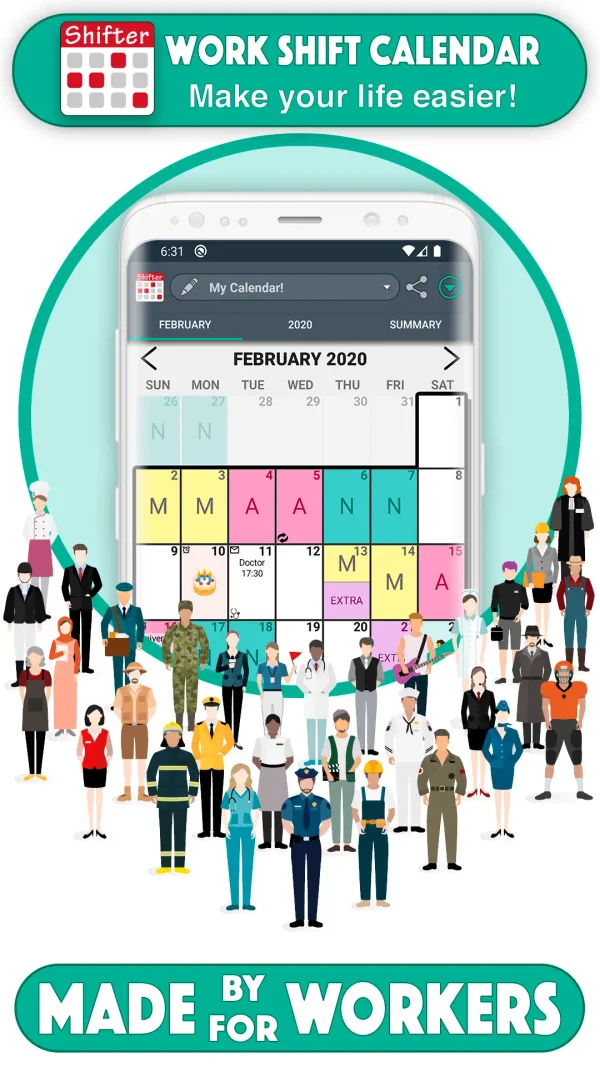
シフト労働者のために特別に設計された
このアプリは、シフト労働者と、日常を整理する必要があるため、予定を逃さないように設計されています。
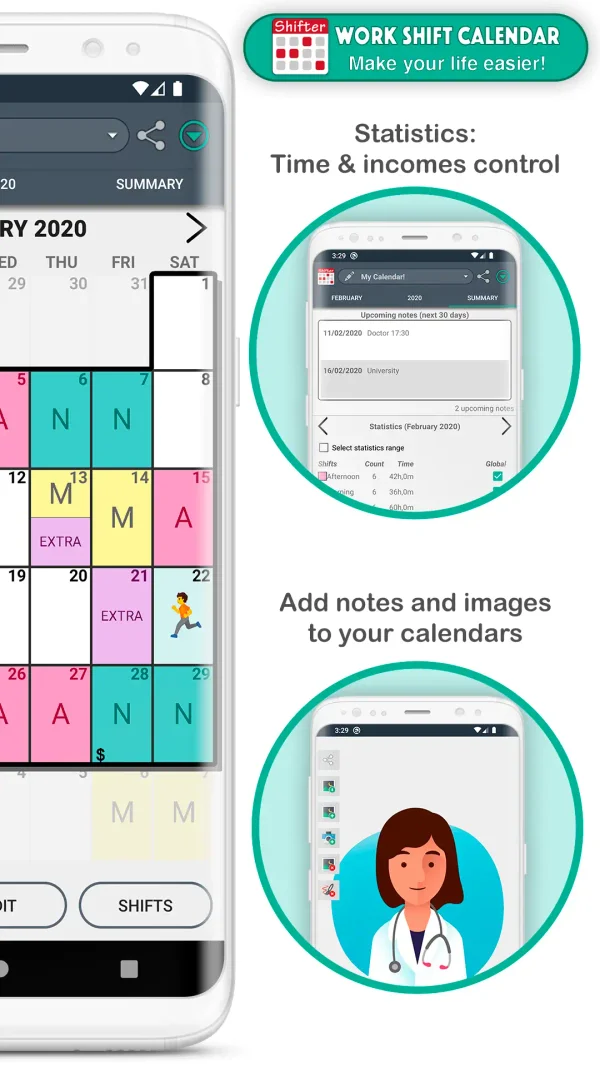
私たちの統計システムのおかげで、あなたはあなたの仕事日とあなたの収入の徹底的な制御を迅速かつ簡単に行うことができます。
シフト📆
-完全に構成可能なシフトを作成します✏️
-分割シフトと休憩時間を含めるオプションを使用して、就業日を追加します。あなたのスケジュールを追跡する📊
-あなたの収入、残業、早期終了を入力してください。収益を設定し、労働時間を簡単に管理する💰
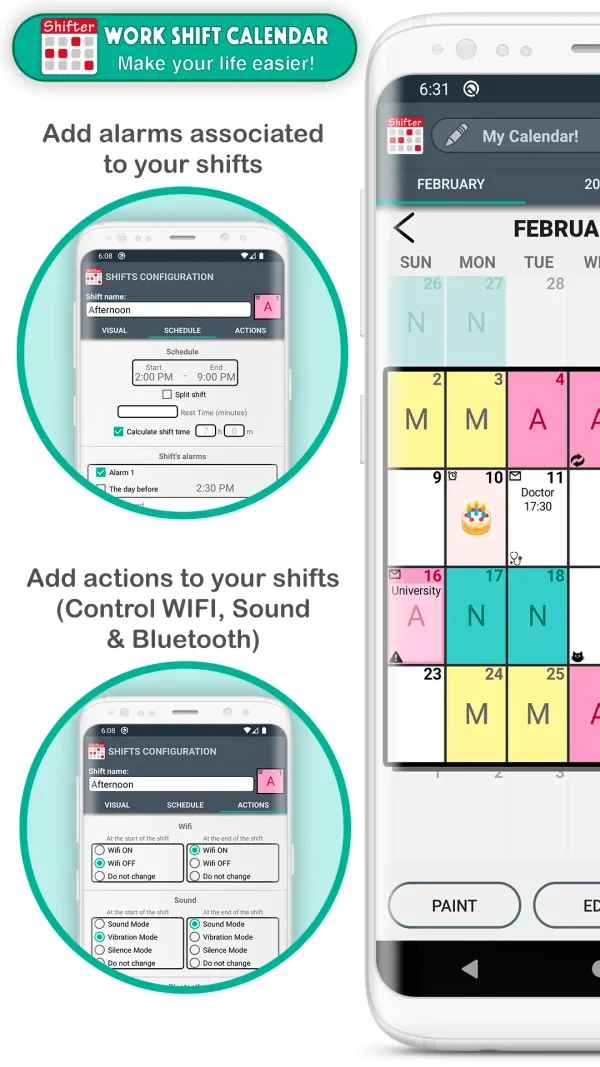
-そのシフトに関連付けられたアラームを作成し(その日または前日の)、その音をカスタマイズします🔔
-各シフトのスケジュールの最初または最後にアクションを含めます(WIFI、サウンドモード、Bluetooth)🔇
-1日に最大2交替制でペイントします。
-あるカレンダーから別のカレンダーにシフトをインポートします。
-日付に関連付けられたカスタマイズ可能なアイコンを追加します🐱
注意事項📝
-毎日メモを作成し、アラーム付きのリマインダーを追加します。重要な予定やメモを忘れないでください🔔
-アラームの音をカスタマイズします。
-画像や手作りの絵をメモに含める️🖼️
ウィジェット📲
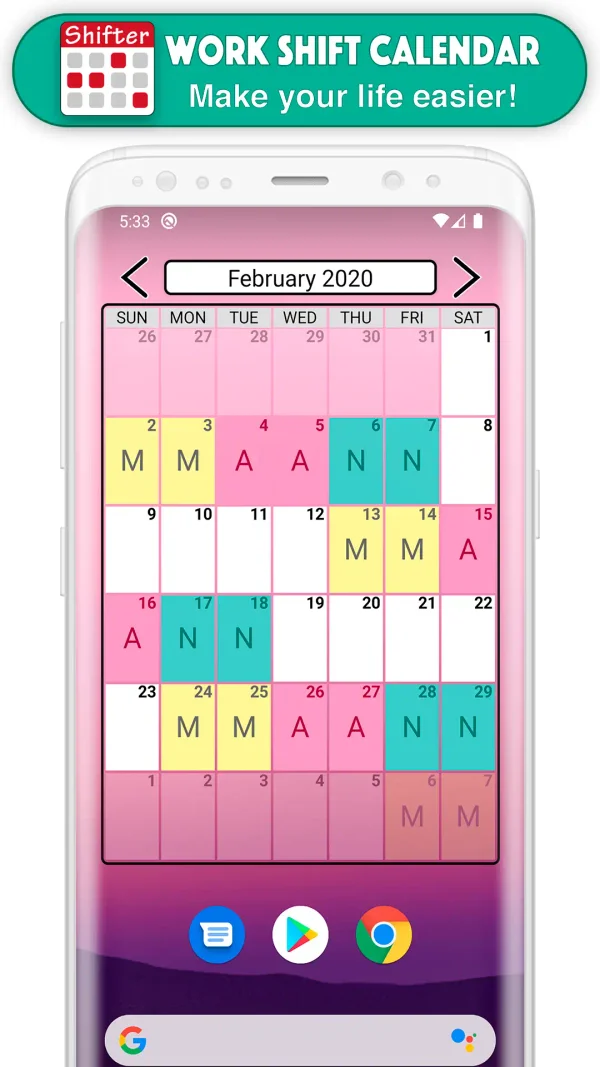
-デスクトップ用のウィジェットを作成し、アプリを開かなくてもカレンダーを表示できます。
-毎週と毎月のウィジェットの間で選択します。
・お好きなサイズをお選びください。
トップ機能🚀
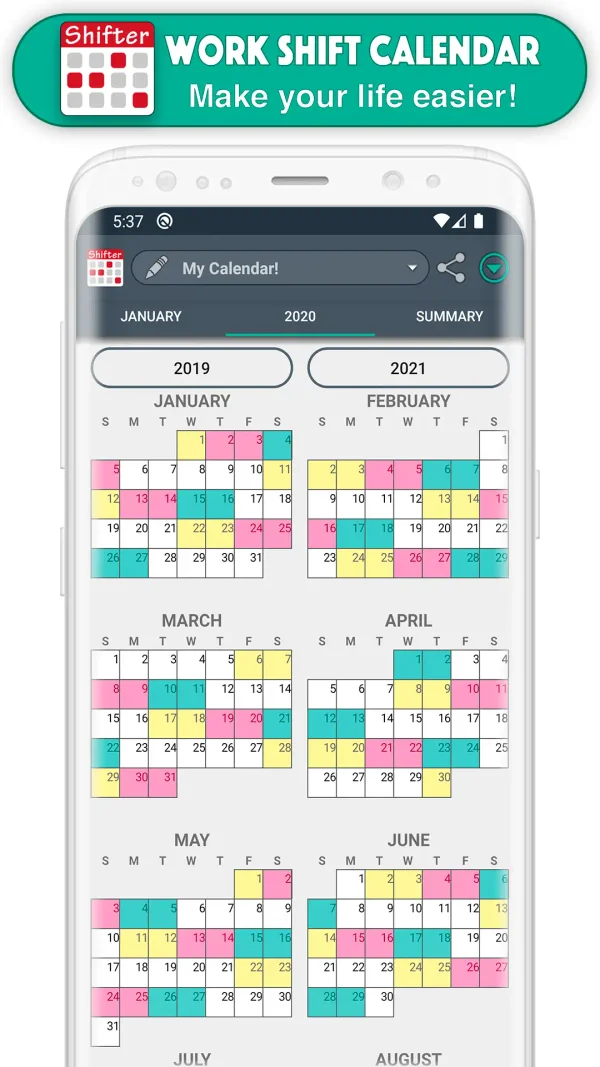
-月次および年次ビューをお楽しみください(画面をスライドするだけで年間のすべての月が表示され、年次統計も表示されます)。
-カレンダーをGoogleカレンダーにエクスポートします。
-祝日をGoogleカレンダーから直接追加する🌴
-統計セクションで日付の範囲を選択することにより、作業時間と収益を制御します。
-一目で今後のメモを表示します。
-異なるカレンダーを比較します。
-WhatsApp、電子メール、電報を介してあなたのカレンダー(月間、年間ビューまたはカレンダーの比較)を友達と共有...📧
-バックアップを簡単に作成します。
-最大10の異なるカレンダーを設定します。
-他のカレンダーを簡単にインポートします。
-アイコン検索を使用してすばやく検索しますfind
使いやすい
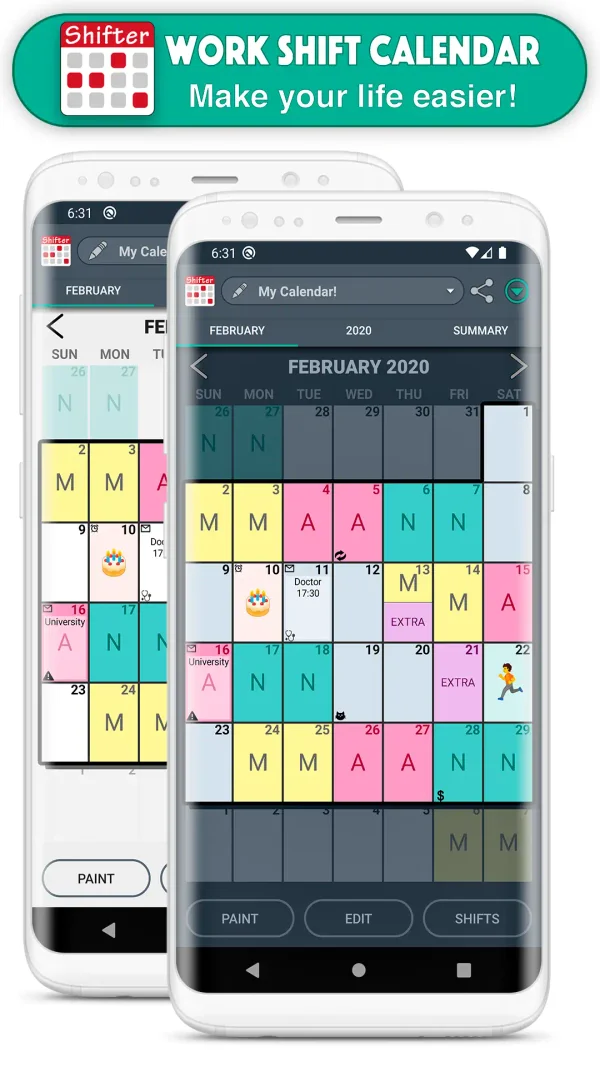
-2つの方法でカレンダーを変更します。
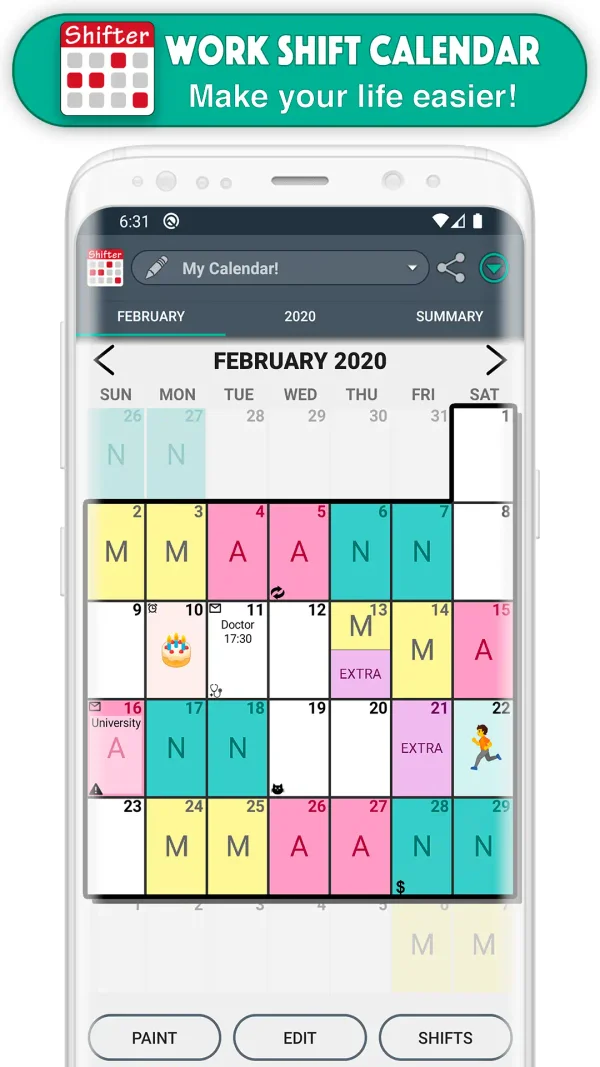
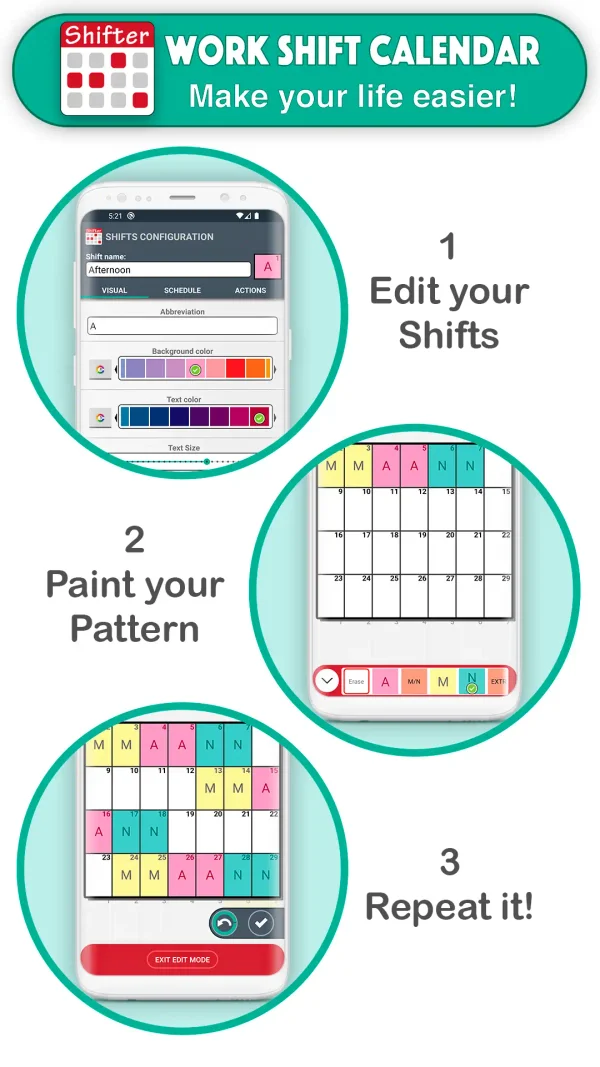
(1)クイックモードまたはペイント:ドロップダウンリストからイベントを選択し、曜日をクリックしてそのイベントでペイントします🎨
(2)編集モード:1日以上を選択し、選択した日の範囲でアクションを実行します(繰り返し、コピー、切り取り、貼り付け、削除、またはシフトの割り当て)✂️
-シフトメニュー:そのカレンダーのすべてのシフトを表示したり、新しいシフトを作成したり、編集、並べ替え、またはインポートしたりできます。
注目の機能⭐️
- 使いやすい。
-明確なインターフェース。
-カスタマイズ可能。
-大きな利点を引き出すPROバージョン。
-アプリの基本機能とヘルプセクションのチュートリアル(FAQ)
-高速でパーソナライズされたカスタマーサービスℹ️
-ソーシャルネットワークShiftシフターコミュニティに参加して、説明ビデオ、新しいアップデートに関する情報、さらに視覚的なコンテンツをお楽しみください。
私たちの仕事をサポート💜
私たちは非常に小さなチームで、Shifterの開発に力を注いでいます。このアプリが気に入った場合は、アプリの改善と新機能の追加にご協力ください。 PROバージョンを購入すると、そのすべての利点が有効になるだけでなく、アプリの継続的な開発も大幅にサポートされます。
フェイスブック&インスタグラム:@ShifterCalendar
原文を表示
This app is designed for shift workers and people who need to organize their day to day basis and thus not to miss any appointments.
You can carry out an exhaustive control of your working day and your income quick and easily thanks to our statistics system.
SHIFTS 📆
- Create fully configurable shifts ✏️
- Add your workday, with option to include split shift and rest time. Keep track of your schedules 📊
- Enter your income, overtime and early exit. Set up earnings and control working time easily 💰
- Create alarms associated with that shift (for that day or for the previous day) and customize its sound 🔔
- Include actions at the beginning or end of the schedule of each shift (WIFI, sound mode, Bluetooth) 🔇
- Paint up to two shifts per day.
- Import your shifts from one calendar to another.
- Add customizable icons associated with a date 🐱
NOTES 📝
- Create notes on each day and add reminders with alarms. Don't ever forget important appointments or notes 🔔
- Customize the sound of alarms.
- Include images and handmade drawings in your notes ️🖼️
WIDGETS 📲
- Create a widget for your desktop and view your calendar even without opening the app.
- Choose between weekly and monthly Widget.
- Choose the size you like more.
TOP FUNCTIONS 🚀
- Enjoy the Monthly and Annual View (which allows you to see all months of the year just by sliding the screen, as well as Annual Statistics).
- Export your calendar to Google calendar.
- Add national holidays directly from Google Calendar 🌴
- Control working time and earnings by selecting a range of dates in the Statistics section.
- View upcoming notes at a glance.
- Compare different calendars.
- Share your calendar (monthly, annual view or comparison of calendars) with your friends via WhatsApp, email, Telegram ... 📧
- Create backups easily.
- Set up to ten different calendars.
- Import other calendars simply.
- Use the icon search to find them quickly 🔎
EASY TO USE
- Modify your calendar in two ways:
(1) Quick mode or Paint: Select an event from the drop-down list and click on the days to paint them with that event 🎨
(2) Edit Mode: Select one or more days and perform actions in the selected day range (repeat, copy, cut, paste, delete or assign shifts) ✂️
- Shifts menu: you can see all the shifts of that calendar, create new ones, edit, reorder or import them.
FEATURED FEATURES ⭐️
- Easy to use.
- Clear interface.
- Customizable.
- PRO version that unlocks great advantages.
- Tutorial with the basic functions of the app and help section (FAQs)
- Fast and personalized customer service ℹ️
- Social networks 👍 enjoy explanatory videos, information about new updates and more visual content by joining our Shifter community.
SUPPORT OUR WORK 💜
We are a very small team of people who make a great effort to develop Shifter. If you like this app, you can help us improving it and continue adding new features. Buying PRO version not only activates all its advantages, but also greatly support the continuous development of the app.
FACEBOOK & INSTAGRAM: @ShifterCalendar
データ セーフティ
このアプリが収集・共有するデータについて、LRHSoftがGoogle Playで申告している内容です。
- このアプリはサードパーティと以下の種類のデータを共有することがありますファイル、ドキュメント
- このアプリは以下の種類のデータを収集することがありますファイル、ドキュメント
- データは送信中に暗号化されます
- データを削除できません
新機能
バージョン 2.0.7.8 · 2025/9/28
Any problems with Shifter? write to us at ShifterCalendar@gmail.com and we will provide you the solution.
開発元の連絡先
- ウェブサイトlrhsoft.com
- メールshiftercalendar@gmail.com
- プライバシーポリシーlrhsoft.com
- 住所Ctra. del Centro Paraíso, 77 35308 Santa Brígida Spain
情報
- 提供元
- Google Commerce Ltd
- カテゴリ
- 仕事効率化
- バージョン
- 2.0.7.8
- 更新日
- 2025/9/28
- リリース
- 2015/6/26
- 必要条件
- Android 5.0以降
- 対象年齢
- 3 歳以上
- 価格
- 無料
- アプリ内課金
- ¥120~¥1,180/アイテム
- パッケージ名
- com.lrhsoft.shiftercalendar
類似のアプリ
-
 Google カレンダー
仕事効率化
-
 シンプルカレンダー - スケジュール帳・予定表のカレンダー
仕事効率化
-
 メモ帳
仕事効率化
-
 メモ帳、メモ帳、カラーノートブック、メモアプリ
仕事効率化
-
 カレンダーウィジェット:月+アジェンダ
仕事効率化
-
 Timer Plus - ワークアウト用タイマー
健康&フィットネス
-
 メモ帳、メモ、リスト、ノート、メモアプリ - Notein
仕事効率化
-
 日々のウイークプランナー、オーガナイザー、カレンダー、日誌
仕事効率化
-
 Supershift - シフト管理
仕事効率化
-
 カレンダー 2026: シンプルカレンダー
仕事効率化
-
 DigiCal 日本カレンダースケジュール
仕事効率化
-
 シンプルカレンダ
仕事効率化