Zoho Lens
Zoho Corporationアプリ内課金
- 3 歳以上対象年齢
- 仕事効率化カテゴリ
- 2026/11/16更新日
- 無料価格
com.zoho.lens.customerのGoogle Play公式ページにリンクしています。最終確認:2026/11/19。
スクリーンショット


このアプリについて
Googleによる英語 (アメリカ合衆国)からの自動翻訳です。
拡張現実によるリモートアシスタンス
Zoho Lensを使用すると、サポート担当者はセッションを開始し、顧客のスマートフォンにアクセスすることで、顧客や現場担当者に専門的な作業指示を提供できます。HDビデオと音声に対応したこの効率的なリモートアシスタンスツールでは、問題解決が必要な対象物に注釈を付けることができます。
主な機能:
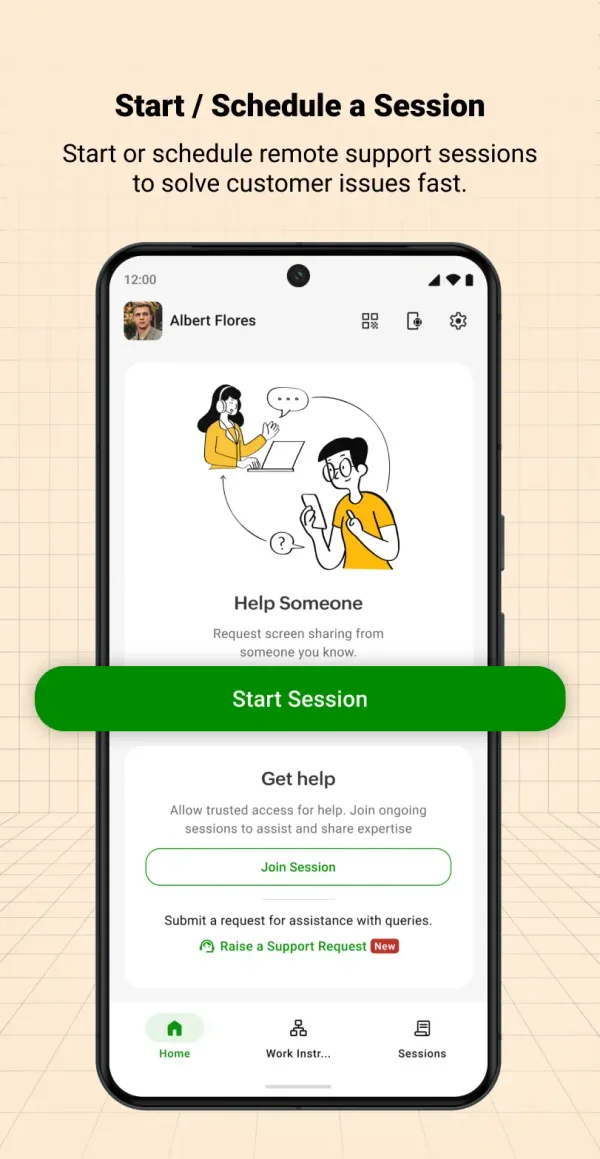
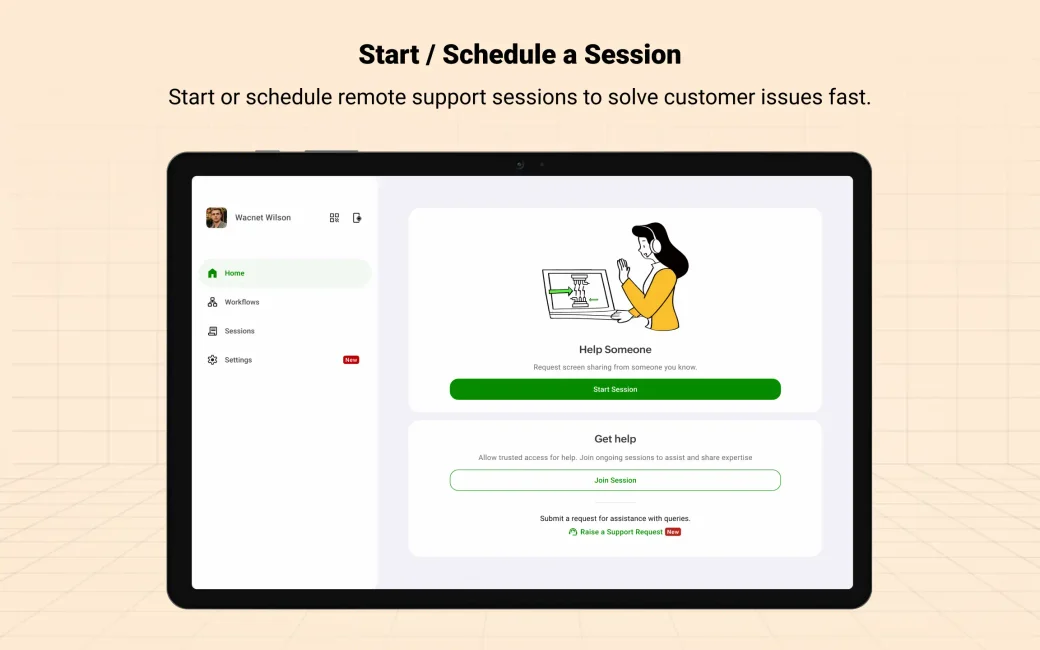
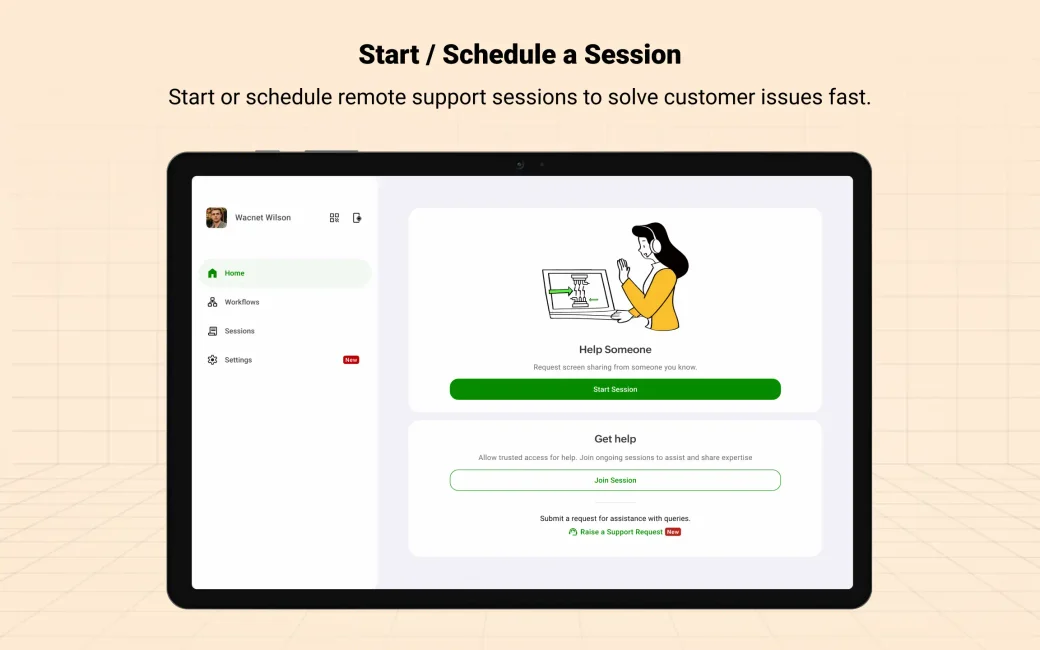
セッションの開始とスケジュール設定:
技術者はサポートセッションを即座に開始し、セッションリンクを顧客と共有できます。また、都合に合わせて事前にセッションをスケジュールすることも可能です。
セッションへの参加:
顧客は共有された参加リンクをタップするか、名前とセッションキーを入力するだけでセッションに参加できます。
ライブストリーム:
顧客のスマートフォンまたはスマートグラスから高解像度のリアルタイムビデオを技術者の画面に表示し、サポートが必要な問題に即座にアクセスできます。
ビデオの共有:
セッション中にビデオを共有して、手順の説明、トレーニングの提供、トラブルシューティング、リモートガイダンスに活用できます。
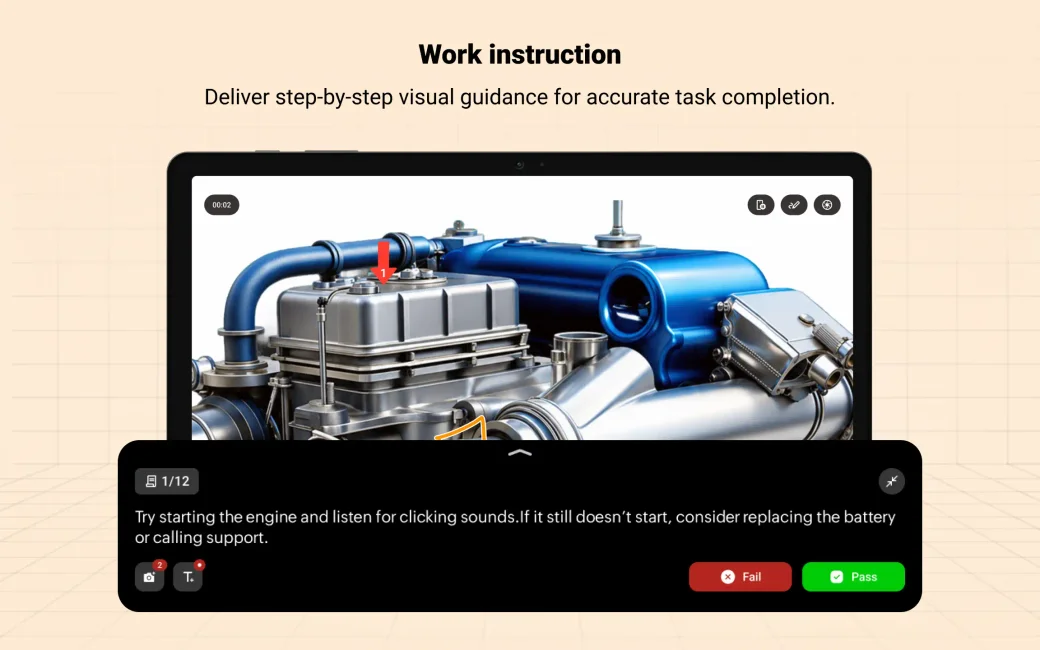
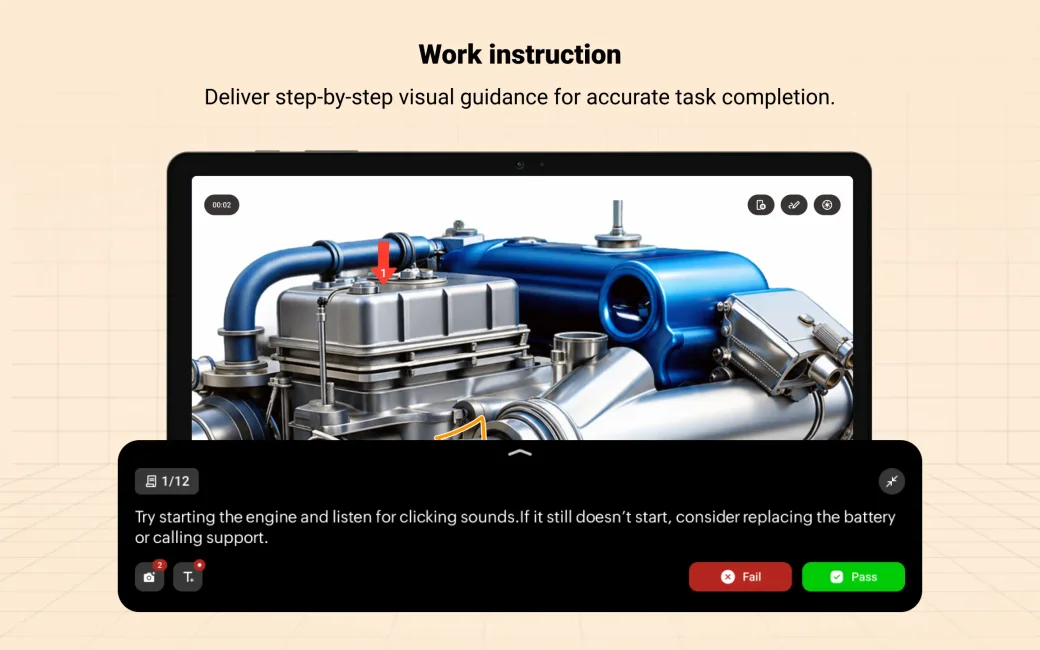
作業指示:
現場技術者と顧客が正確かつ一貫して作業を実行できるよう、視覚的な作業指示を作成、管理、共有できます。
アンサーボット:
セッション中に、関連するナレッジリソースやトラブルシューティング情報にアクセスすることで、問題解決を迅速化し、技術者の生産性を向上させます。
クライアントポータル:
ユーザーは、サポートリクエストの送信、セッションへの参加、サポートリソースへのアクセスを一元管理できるポータルを利用できます。
カメラ切り替え:
エンドユーザーは、セッション中に前面カメラと背面カメラを切り替えることで、視認性を向上させ、専門家とのコミュニケーションをより効果的に行うことができます。
QRコード/バーコード/ライブテキストスキャナー:
QRコード、バーコード、またはテキストをリアルタイムで素早くスキャンし、情報を取得できます。リンクを開いたり、テキストを抽出したり、関連情報にワンタップで即座にアクセスできます。
高度なチャットとファイル転送:
メッセージ、画像、ドキュメント、その他のファイルをリアルタイムで安全に交換し、効率的なコラボレーションと問題解決を実現します。
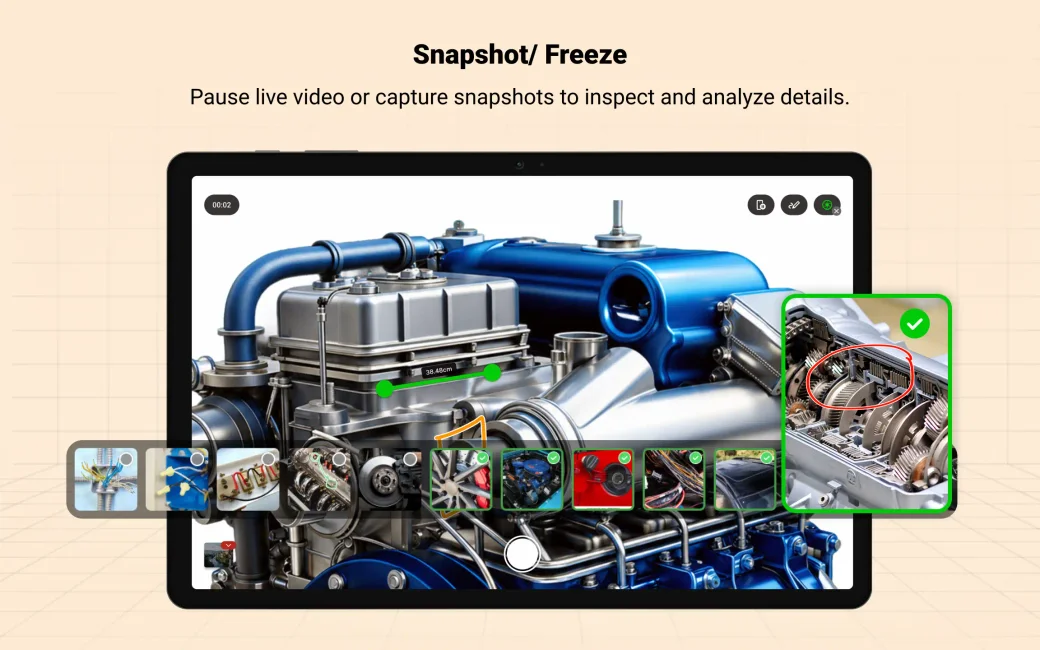
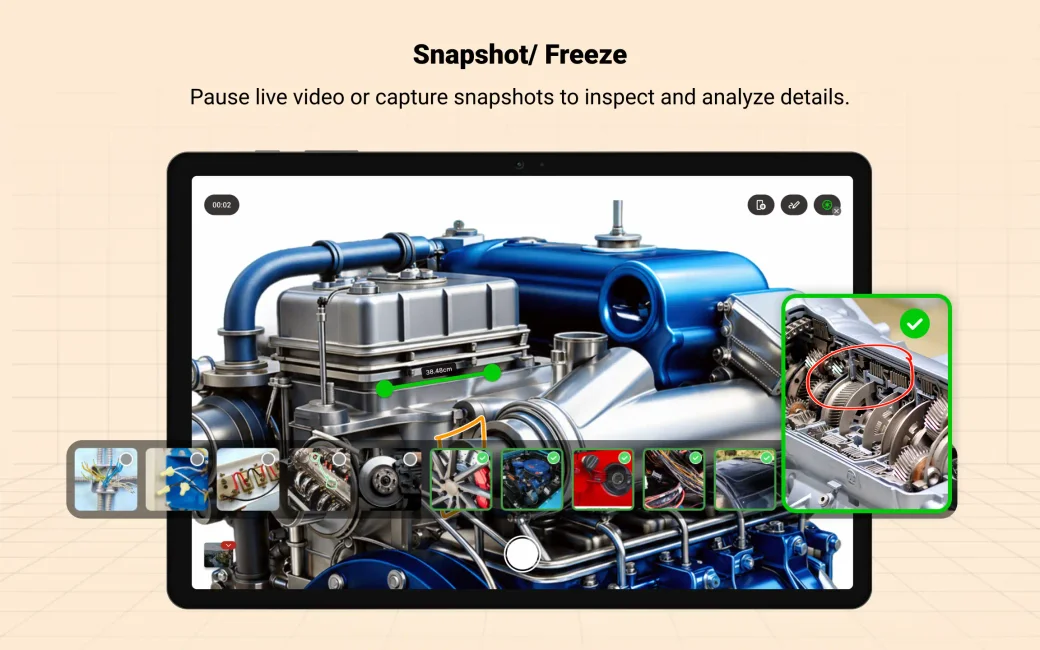
ズーム、フリーズ、スクリーンショット:
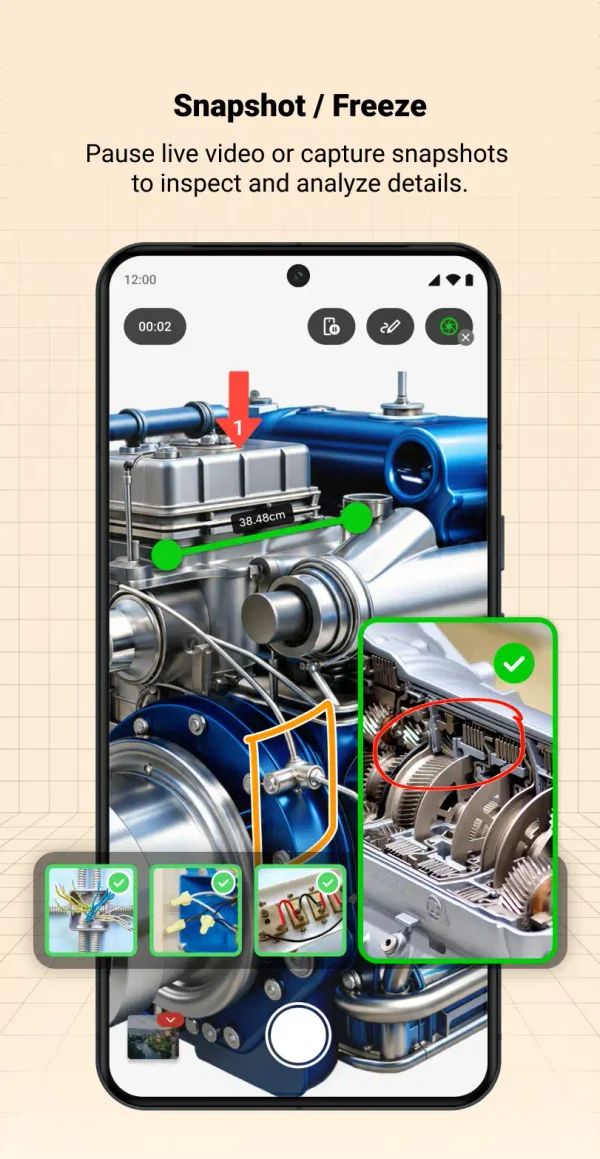
画面をピンチ操作してビデオフィードをズームインし、現実世界のオブジェクトを拡大表示できます。ビデオストリームをフリーズして細部を確認したり、ドキュメント作成、分析、将来の参照用にスクリーンショットをキャプチャしたりできます。
セッションノート:
セッション中にメモ、観察事項、アクションアイテムを書き留め、必要に応じて後で参照できます。
セッション録画:
トレーニング、監査、ドキュメント作成、知識共有のために、リモートアシスタンスセッションを録画できます。録画は、セッション中いつでも開始または停止できます。
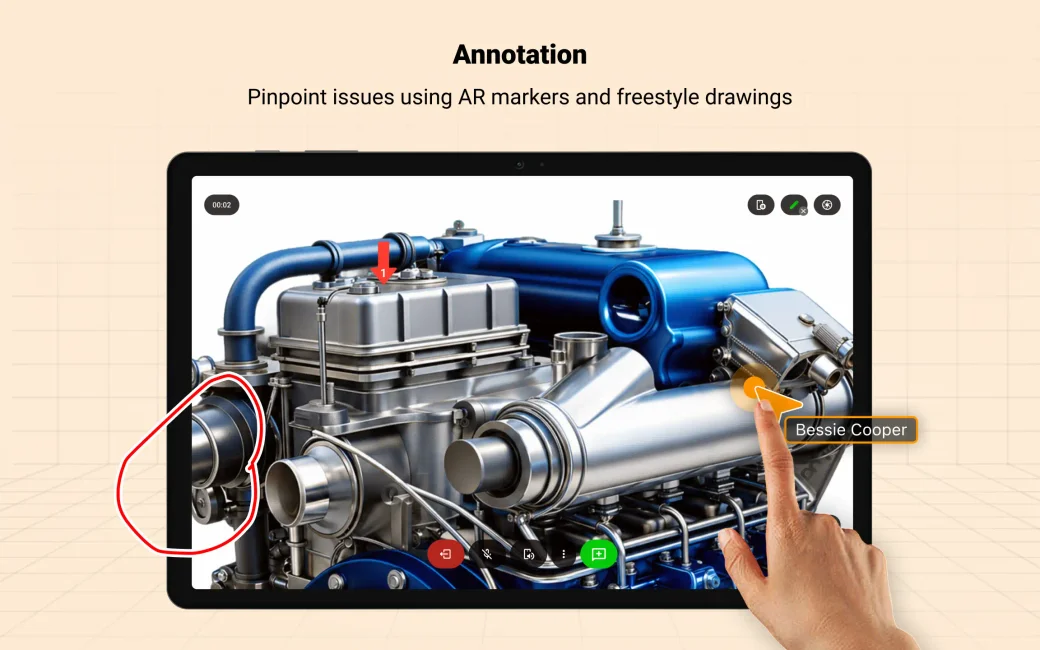
AR注釈:
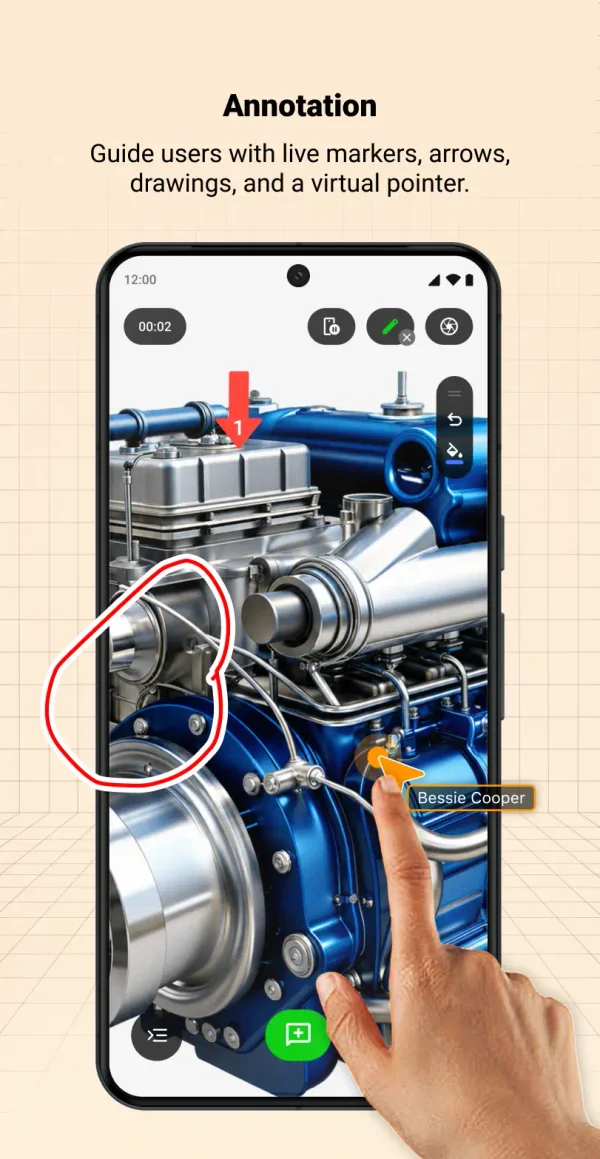
ビデオストリームにAR注釈を追加して、視覚的なガイダンスを強化できます。矢印の配置、マーカーの描画、特定の領域のハイライト表示などを簡単に行い、正確な指示を提供できます。
ARコメント:
AR注釈にコンテキストコメントを追加して、追加情報、トラブルシューティングのガイダンス、またはステップバイステップの手順を提供できます。
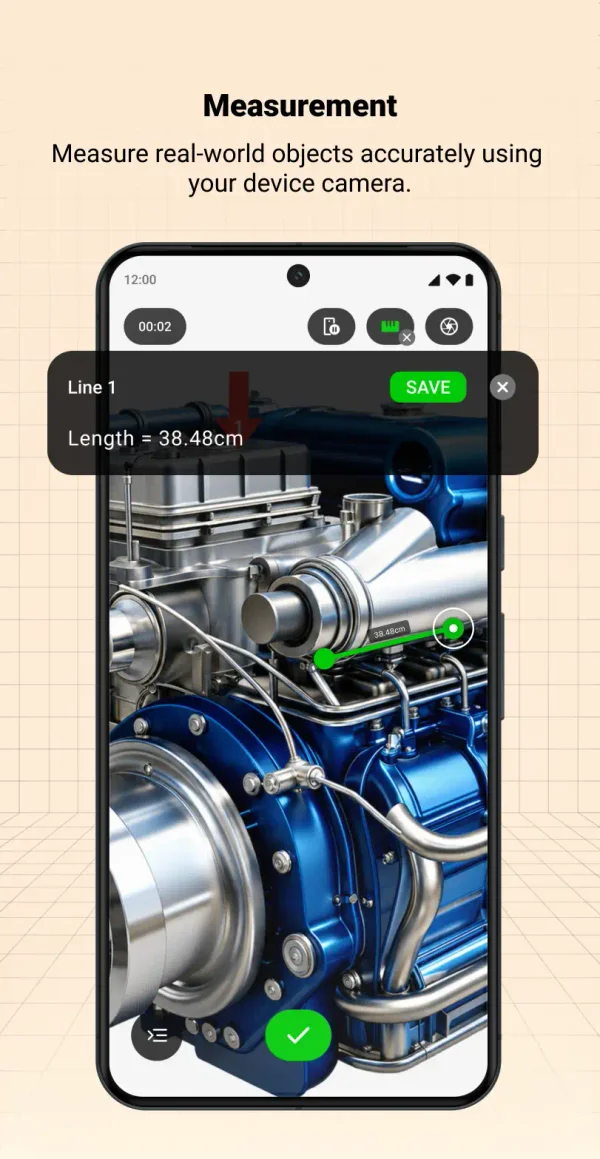
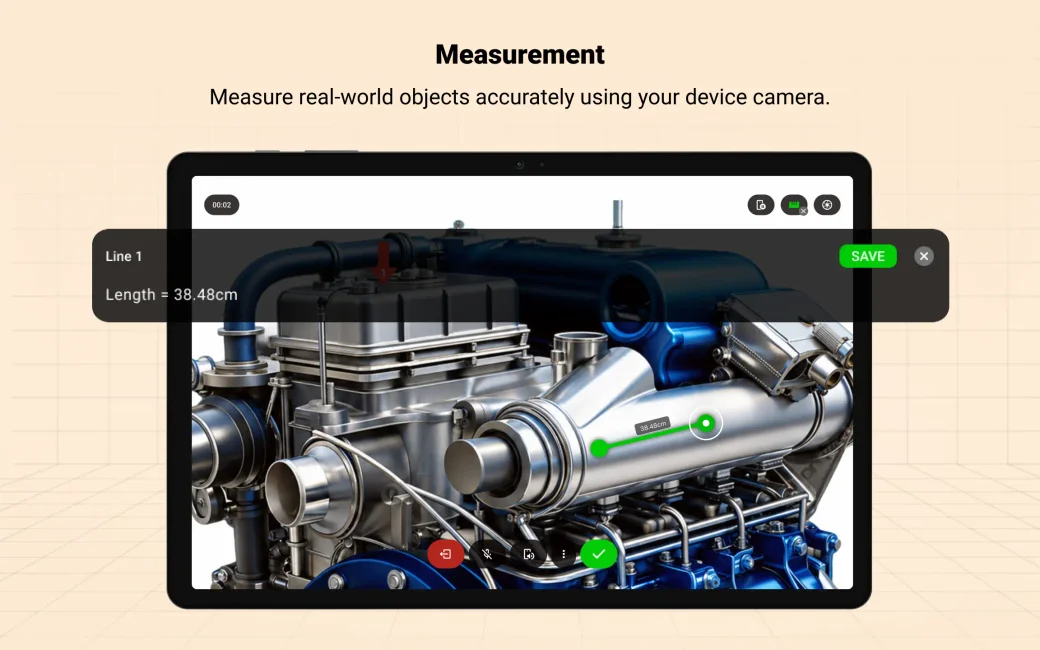
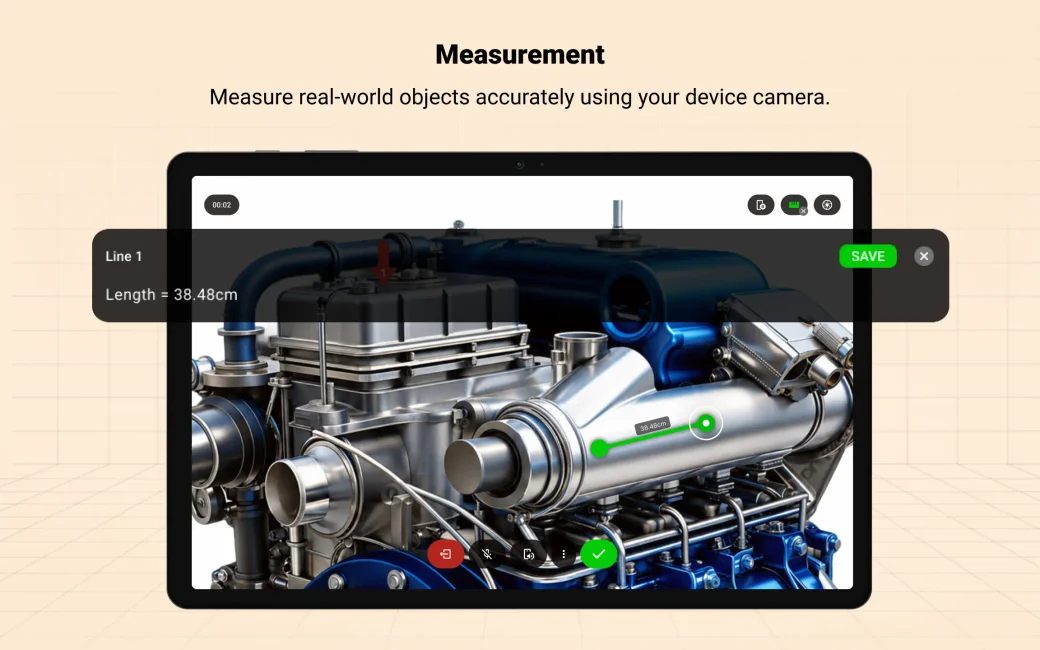
AR計測:
オブジェクトや空間をリアルタイムで計測し、正確な寸法を取得することで、リモートでの検査や評価をより簡単かつ正確に行うことができます。
複数参加者セッション:
専門家は、社内スペシャリスト、外部技術者、ベンダー、その他の関係者をセッションに招待し、共同作業を行うことで、問題をより迅速に解決できます。
懐中電灯コントロール:
セッション中にデバイスの懐中電灯をオン/オフすることで、機器の点検時や暗い場所での作業時の視認性を向上させることができます。
位置情報共有:
デバイスの位置情報をセッション参加者と共有することで、専門家が環境をより深く理解し、状況に応じたサポートを提供できます。
オフライン録画:
インターネット接続が利用できない場合でも、動画を録画し、観察結果を記録できます。接続が復旧したら、技術者と共有できます。
スマートグラス対応:
対応するスマートグラスを接続することで、ハンズフリーで動画をストリーミング再生し、現場作業中に専門家のガイダンスを受けることができます。
このモバイルアプリは、Zoho Lensウェブアプリケーションの拡張機能です。
ダウンロードして14日間の無料トライアルにご登録ください。
ご意見、ご提案、ご質問は、support@zoholens.comまでお問い合わせください。
原文を表示
Zoho Lens allows support agents to provide expert work instructions to customers or field agents by initiating a session and accessing their smartphone. The efficient remote assistance tool with both HD video and audio lets you annotate live objects in need for problem solving.
Core features:
Initiate and schedule sessions:
Technician can instantly start a support session and share the session link with customers. Sessions can also be scheduled in advance based on convenience.
Join a session:
Customers can simply tap the shared join link or enter their Name and Session Key to join a session.
Live stream:
View high-definition real-time video from the customer's smartphone or smart glasses on the technician's screen for instant access to the issue requiring assistance.
Share Video:
Share videos during a session to demonstrate procedures, provide training, or assist with troubleshooting and remote guidance.
Work Instructions:
Create, manage, and share visual work instructions to help field technicians and customers perform tasks accurately and consistently.
Answer Bot:
Access relevant knowledge resources and troubleshooting information during a session to accelerate issue resolution and improve technician productivity.
Client Portal:
Provide users with a centralized portal to raise support requests, join sessions, and access support resources
Camera Switch:
End users can switch between the front-facing and rear-facing cameras during a session to provide better visibility and communicate more effectively with experts.
QR / Barcode / Live Text Scanner:
Quickly scan and retrieve information from QR codes, barcodes, or text in real time. Open links, extract text, and access relevant information instantly with a single tap.
Advanced Chat & File Transfer:
Exchange messages, images, documents, and other files securely in real time, ensuring efficient collaboration and issue resolution.
Zoom, Freeze and Screenshot:
Pinch the screen to zoom into the video feed for a closer look at real-world objects. Freeze the video stream to inspect intricate details and capture screenshots for documentation, analysis, and future reference.
Session Notes:
Jot down notes, observations, and action items during a session and refer to them later whenever needed.
Session Recording:
Record remote assistance sessions for training, auditing, documentation, and knowledge-sharing purposes. Recording can be started or stopped at any time during an active session.
AR annotation:
Add AR annotations to the video stream for additional visual guidance. Easily place arrows, draw markers, and highlight specific areas to provide precise instructions.
AR Comments:
Add contextual comments to AR annotations to provide additional information, troubleshooting guidance, or step-by-step instructions.
AR Measure:
Measure objects and spaces in real time to obtain accurate dimensions, making remote inspections and assessments easier and more precise.
Multi-participant Session:
Experts can invite internal specialists, external technicians, vendors, or other stakeholders to collaborate in a session and resolve issues faster.
Torch Control:
Turn the device flash light on or off during a session to improve visibility while inspecting equipment or working in low-light environments.
Location Sharing:
Share the device location with session participants to help experts better understand the environment and provide contextual assistance.
Offline Recording:
Record videos and capture observations even when internet connectivity is unavailable, and share them with the technician once connectivity is restored.
Smart Glass Support:
Connect supported smart glasses to stream hands-free video and receive expert guidance while performing field operations.
The mobile app is an extension of our Zoho Lens web application.
Download and sign up for a 14-day free trial.
For further comments, suggestions, and questions, please write to us at support@zoholens.com
データ セーフティ
このアプリが収集・共有するデータについて、Zoho CorporationがGoogle Playで申告している内容です。
- 第三者と共有されるデータはありません詳しくは、デベロッパーが共有を申告する方法についての説明をご覧ください
- このアプリは以下の種類のデータを収集することがあります個人情報、写真と動画、他 5 件
- データは送信中に暗号化されます
- データを削除するようリクエストできます
新機能
バージョン 3.4.3 · 2026/11/16
Bug fixes
開発元の連絡先
- メールsupport@zoholens.com
- プライバシーポリシーzoho.com
- 住所4141 Hacienda Dr Pleasanton, CA 94588-8566 United States
情報
- 提供元
- Zoho Corporation
- カテゴリ
- 仕事効率化
- バージョン
- 3.4.3
- 更新日
- 2026/11/16
- リリース
- 2019/8/26
- 必要条件
- Android 6.0以降
- 対象年齢
- 3 歳以上
- 価格
- 無料
- アプリ内課金
- ¥1,000~¥18,000/アイテム
- パッケージ名
- com.zoho.lens.customer