- 対象年齢4+
- カテゴリユーティリティ
- 開発元2N TELEKOMUNIKACE a.s.
- 言語英語ほか6言語
- サイズ19.2 MB
App Storeの公式ページにリンクしています
Download.orgは2N® Mobile Keyのファイルを一切ホストしていません。ボタンを押すと、2N TELEKOMUNIKACE a.s.が公開しているApp Storeのアプリページが開きます。ページの最終確認:2026/11/17。
スクリーンショット

概要
開発元はこのテキストをお使いの言語で提供していません。
Mobile Key 3 from 2N empowers you with the ability use your mobile phone as your access credential and the key to your doors. Our latest version introduces patented WaveKey technology to bring you unprecedented reliability, opening speed and solution security.
WaveKey technology allows door opening to feel instant upon reader touch. Furthermore, it prevents unwanted door opening by static phones and attempts to ensure phones moving away from the reader won’t authenticate.
Bluetooth credential security is guaranteed by government grade AES encryption over our proprietary channel. Benefit from the option of NFC door unlocking too, if your phone and 2N reader supports it.
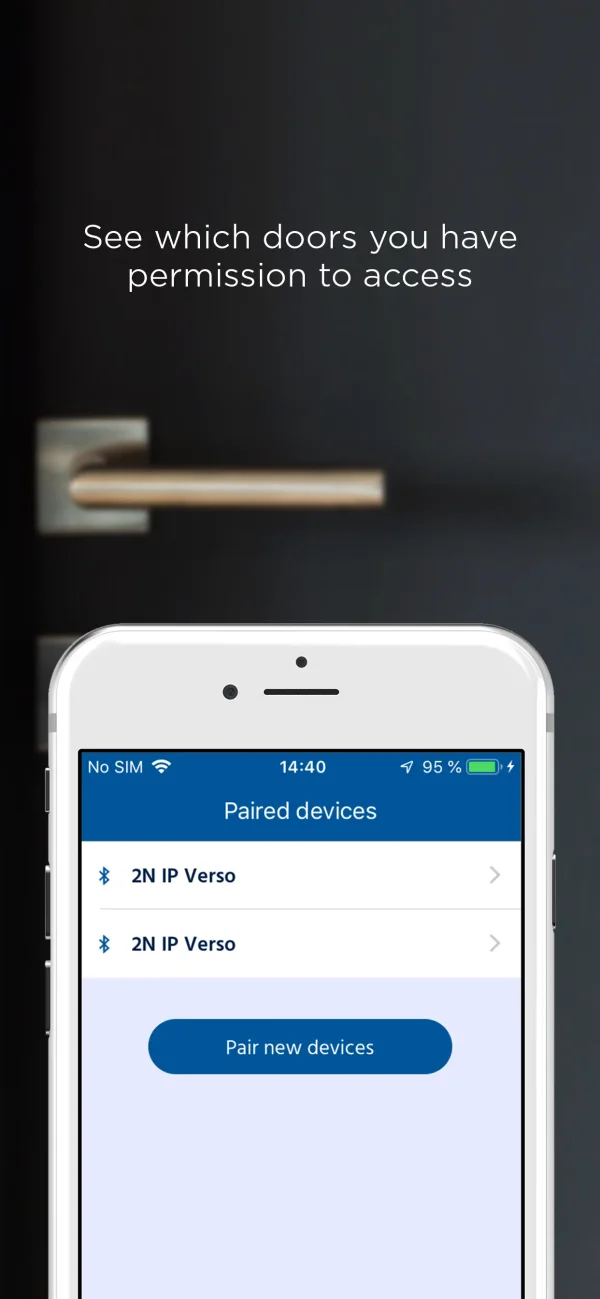
Used in combination with an appropriate 2N® IP Intercoms or Access Units, Mobile Key offers a convenient, secure and reliable keyless access solution.
Operation modes include:
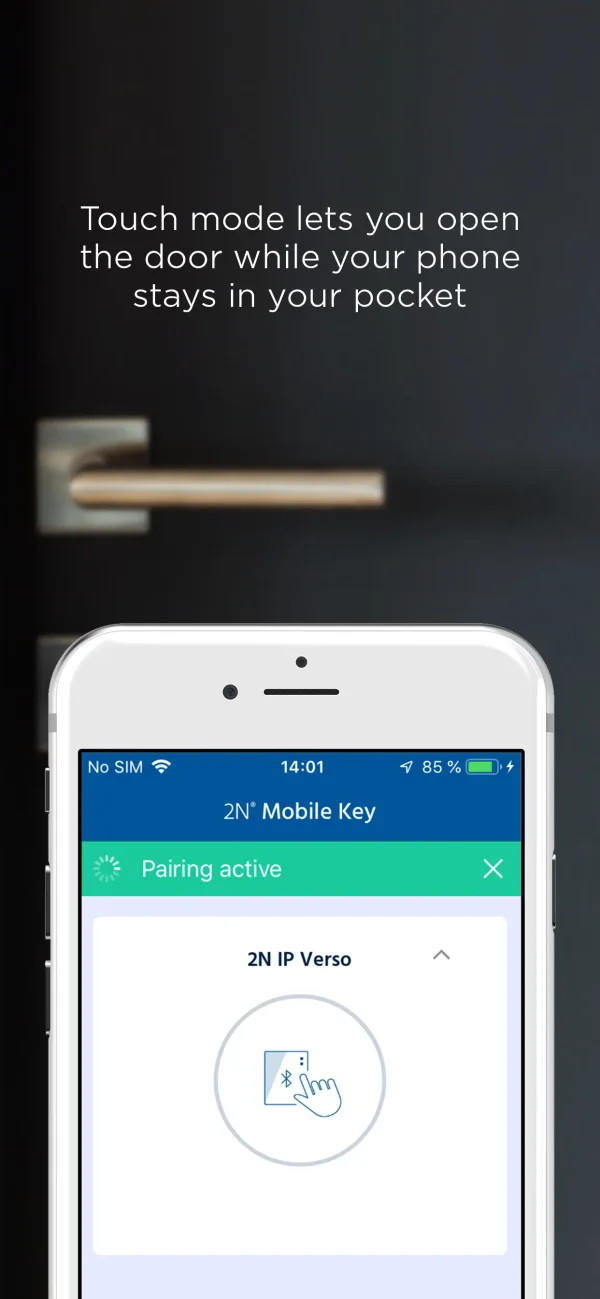
‘Touch mode’, which lets you open the door without removing your phone from your pocket or bag, simply by touching the reader. Enjoy a seamless and convenient access experience even if your hands are full.
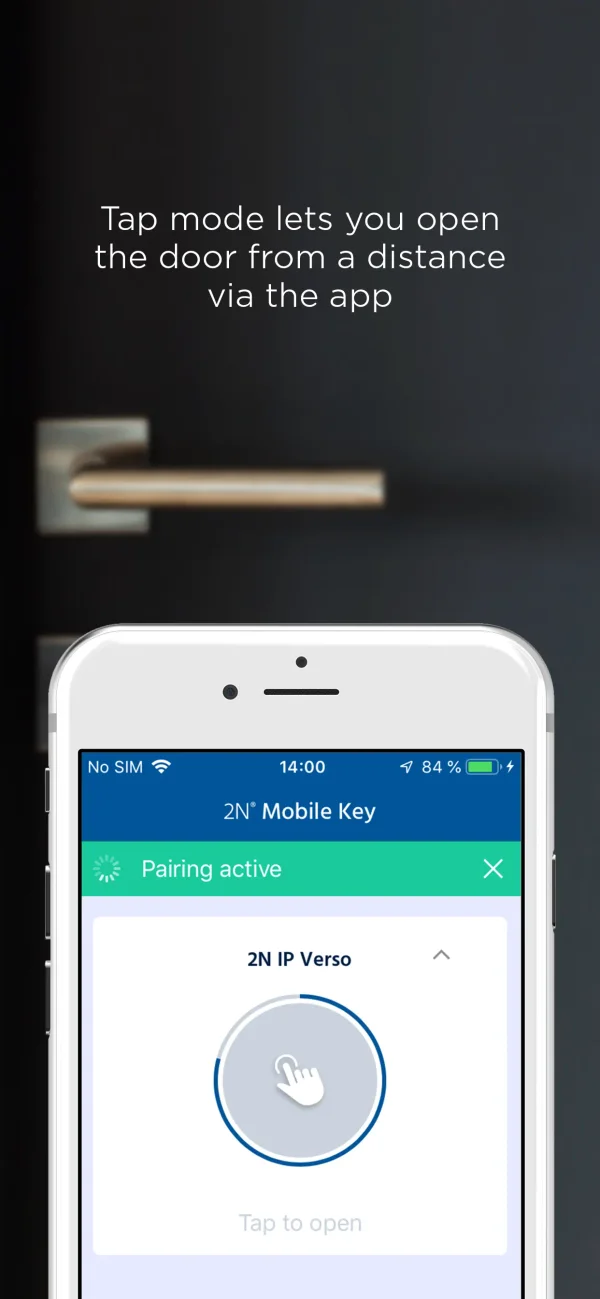
‘Tap mode’, which allows you to trigger door opening form a greater distance by tapping the button in the app. Perfect for car park or garage access.
‘Card mode’, allowing you to authenticate by presenting your phone against the reader without need to unlock the screen Disabled by default. Requires ‘Tap mode’ enabling by reader admin and enabling in app.
‘Motion mode’, allowing authentication to be triggered via motion detected in the intercom’s camera. Requires configuration by reader admin and enhanced video license in reader.
Other features include:
Other features include:
• Unlimited free credentials
• Dynamic performance training
• Door sensitivity settings
• Vibration feedback
• Time limited access
• Simultaneously supported authentication modes
• Manual sensitivity override per device
Setup Instructions:
• Download and install the app
• Choose the authentication mode (‘Tap-in-app’ or ‘Touch’) in your Bluetooth enabled 2N® IP Intercom or Access Unit.
• Add a new user to its directory and generate a pairing PIN code
• Start pairing mode in the app and select the device you wish to pair (you must be within range of the device. For ‘Touch’ mode you may need to touch the device for it to become visible in the app)
• Enter the pairing PIN code when prompted
• After successful pairing, you may now enter the door with the app
新機能
バージョン 3.6.0 · 2025/1/11
The Mobile Key service is reaching its end of life. We are releasing the final version, which allows existing users to export their data before the app is removed from the app store.
アプリのプライバシー
このアプリのデータの取り扱いについて、2N TELEKOMUNIKACE a.s.がApp Storeで申告している内容です。
-
ユーザーに関連付けられないデータ
収集される場合がありますが、ユーザーの識別情報には関連付けられません。
- 使用状況データ
- 診断
プライバシーの取り扱いは、ご利用の機能やお客様の年齢などに応じて異なる場合があります。
情報
- 販売元
- 2N TELEKOMUNIKACE a.s.
- カテゴリ
- ユーティリティ
- バージョン
- 3.6.0
- 更新日
- 2025/1/11
- リリース
- 2016/12/13
- サイズ
- 19.2 MB
- 必要条件
- iOS 16.0以降
- 対象年齢
- 4+
- 価格
- 無料
- 言語
- 英語, チェコ語, フランス語, ドイツ語, イタリア語, ロシア語, スペイン語
- 著作権
- © 2N TELEKOMUNIKACE a.s.