- 対象年齢4+
- カテゴリ写真/ビデオ
- 開発元Abdul Al-Hawani
- サイズ11.8 MB
App Storeの公式ページにリンクしています
Download.orgはAngelshot Camera Appのファイルを一切ホストしていません。ボタンを押すと、Abdul Al-Hawaniが公開しているApp Storeのアプリページが開きます。ページの最終確認:2026/11/25。
スクリーンショット
概要
開発元はこのテキストをお使いの言語で提供していません。
My name is Abdul Al-Hawani, and I have been a photographer for more than 15 years. Angelshot is the camera I was missing on my own iPhone. It is built the way I see photography and film: you are in control, you see the finished picture in the viewfinder, and the result is still cinematic.
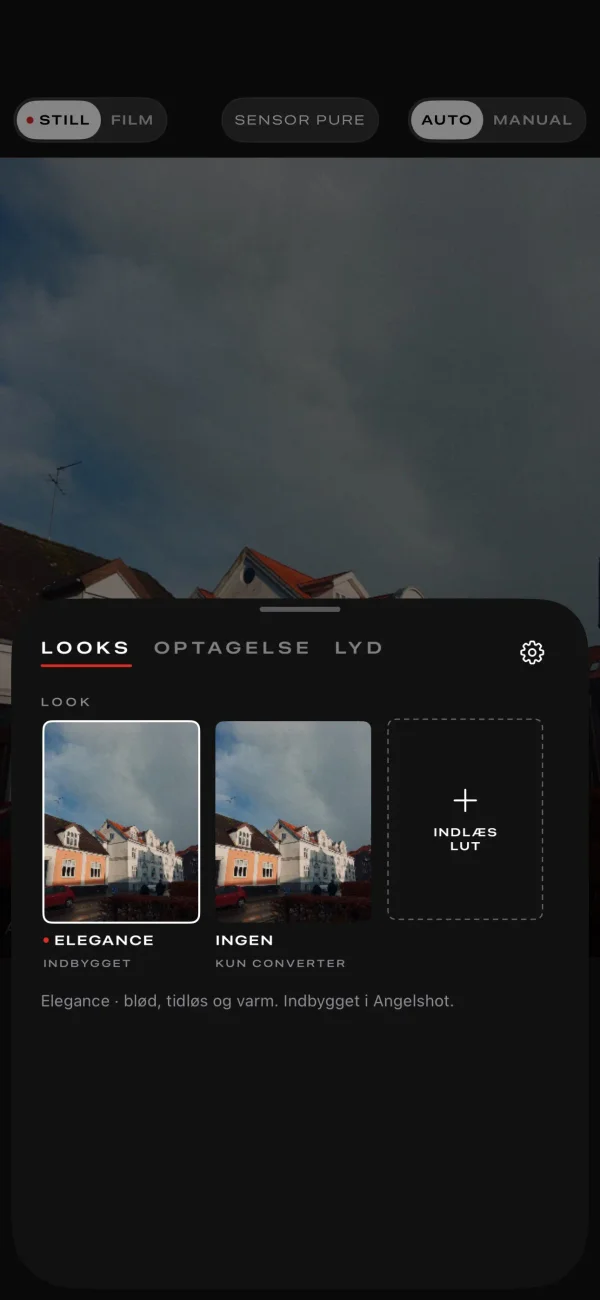
ONE LOOK, MY OWN
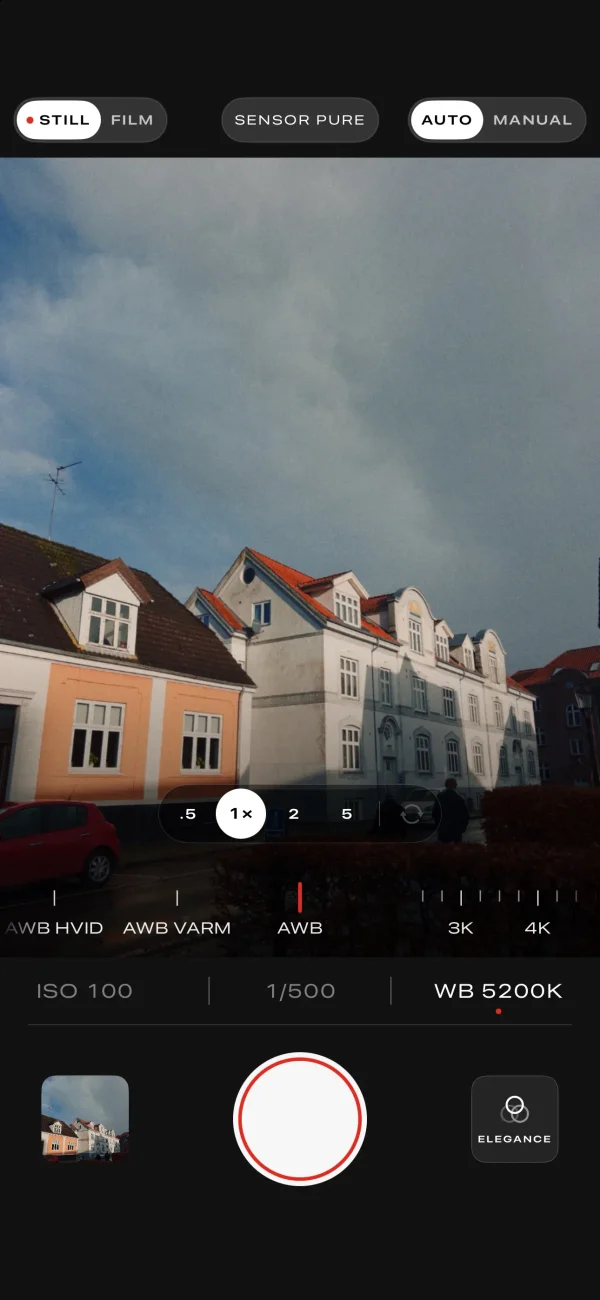
Elegance is built in and chosen from the start: soft, timeless and warm. You see the look in the viewfinder while you shoot, and that is the picture you get. If you have your own LUTs (.cube), you can load them and switch with a swipe.
LIKE A REAL CAMERA
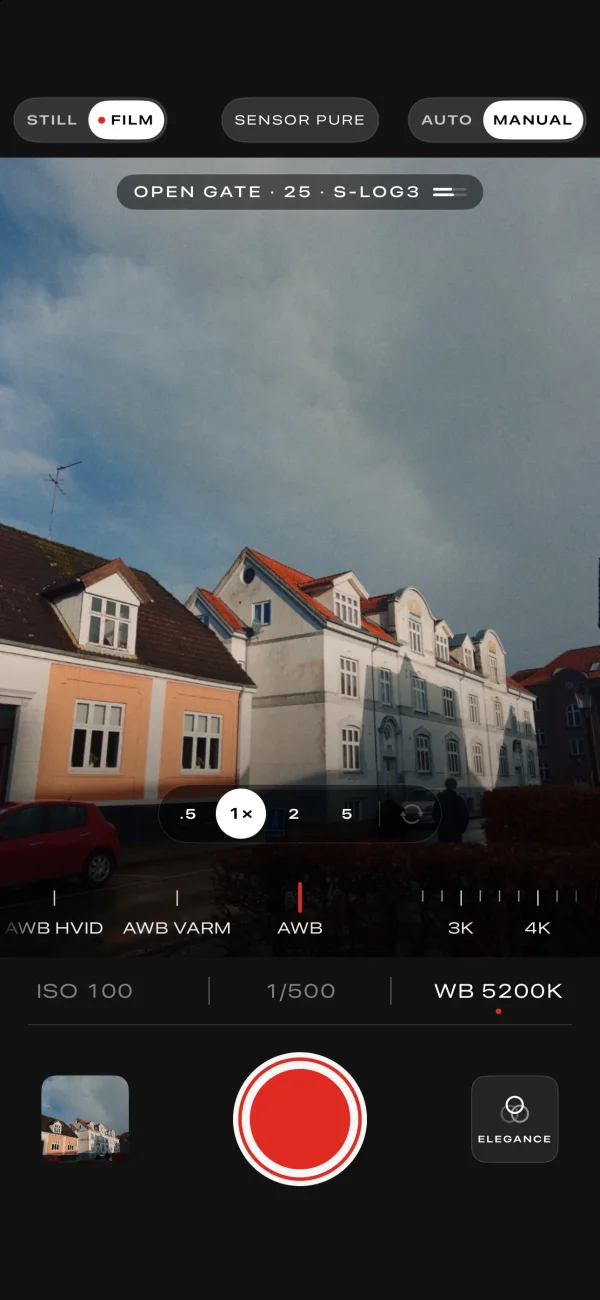
• ISO, shutter speed, white balance and focus on a dial you push with your finger
• AUTO or MANUAL, and auto on one value while you hold another
• The .5, 1, 2 and tele lenses with one tap
• The volume button is the shutter
FILM
• Open Gate in 4:3 with the whole sensor, at 24, 25 or 30 frames per second
• Recorded in Log and converted to S-Log3 / S-Gamut3.Cine
• Save with the look burned in, or as clean S-Log3 for grading
• Sound meter, microphone choice, sound presets and a limiter
PHOTO
• SENSOR PURE: one RAW capture without the phone's processing, developed by Angelshot
• 16-bit TIFF, and the DNG original can be saved alongside
FILM CHARACTER
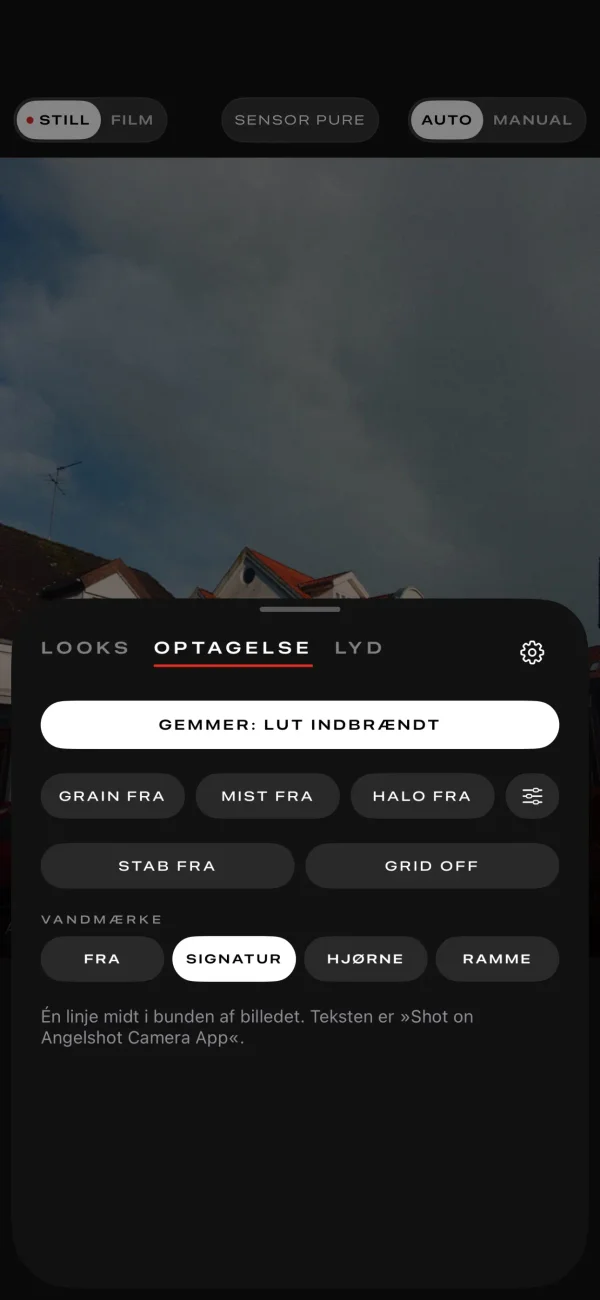
• Grain, Mist and Halo with presets and strength. They are part of the light in the picture, not laid on top.
WATERMARK
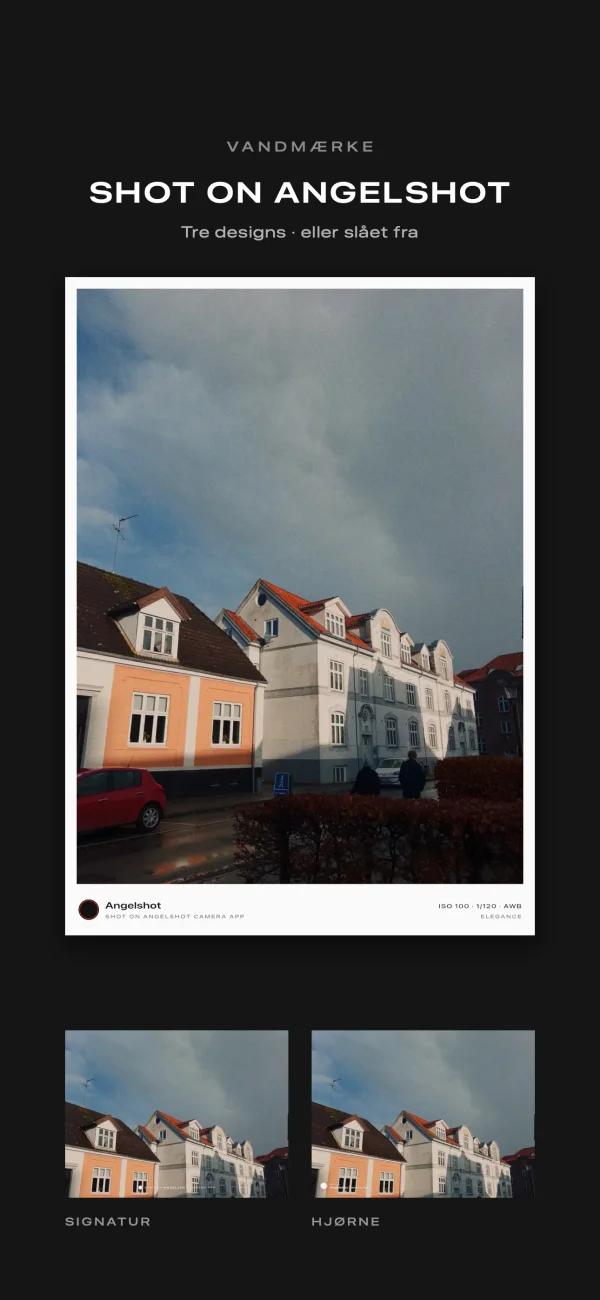
• “Shot on Angelshot Camera App” in three designs: Signature, Corner and Frame. It can be turned off.
YOUR PICTURES ARE YOURS
No account, no ads, no tracking. Everything stays on your phone.
The app's interface is in Danish. Angelshot is made for iPhone 15 Pro and later; Log video needs a Pro model. Angelshot is not affiliated with Sony. S-Log3 and S-Gamut3.Cine are computed from Sony's published formulas.
新機能
バージョン 1.0.2 · 2026/11/24
• Open Gate at 50 and 60 fps. Choose the frame rate next to the shutter under the viewfinder.
• Shutter angle: set the shutter in degrees (180° and more) or as a time. The shutter follows the frame rate.
• Focus tracking: tap a person or object, choose TRACK, and focus follows it. The cross stops it.
• Stills are taken straight from the viewfinder, with no delay, also many in a row.
• The viewfinder runs smoothly at high frame rates.
• Gallery: zoom and gestures as in Photos, clips play at once in full screen, and you can choose many photos by dragging across them, then share or delete them together.
• Tap a number on any dial to choose it.
アプリのプライバシー
このアプリのデータの取り扱いについて、Abdul Al-HawaniがApp Storeで申告している内容です。
-
データの収集なし
開発元はこのアプリからデータを収集しません。
プライバシーの取り扱いは、ご利用の機能やお客様の年齢などに応じて異なる場合があります。
情報
- 販売元
- Abdul Al-Hawani
- カテゴリ
- 写真/ビデオ
- バージョン
- 1.0.2
- 更新日
- 2026/11/24
- リリース
- 2026/11/13
- サイズ
- 11.8 MB
- 必要条件
- iOS 17.0以降
- 対象年齢
- 4+
- 価格
- 無料
- 著作権
- © 2026 Abdul Al-Hawani