
- 対象年齢4+
- カテゴリスポーツ
- 開発元株式会社S-CADE
- 言語英語
- サイズ8.9 MB
App Storeの公式ページにリンクしています
Download.orgはAngleEyeLiteのファイルを一切ホストしていません。ボタンを押すと、株式会社S-CADEが公開しているApp Storeのアプリページが開きます。ページの最終確認:2026/11/17。
スクリーンショット

概要
****安定した動作のために、A11 Bionicチップ以上のデバイスでの使用をおすすめします****
■概要■
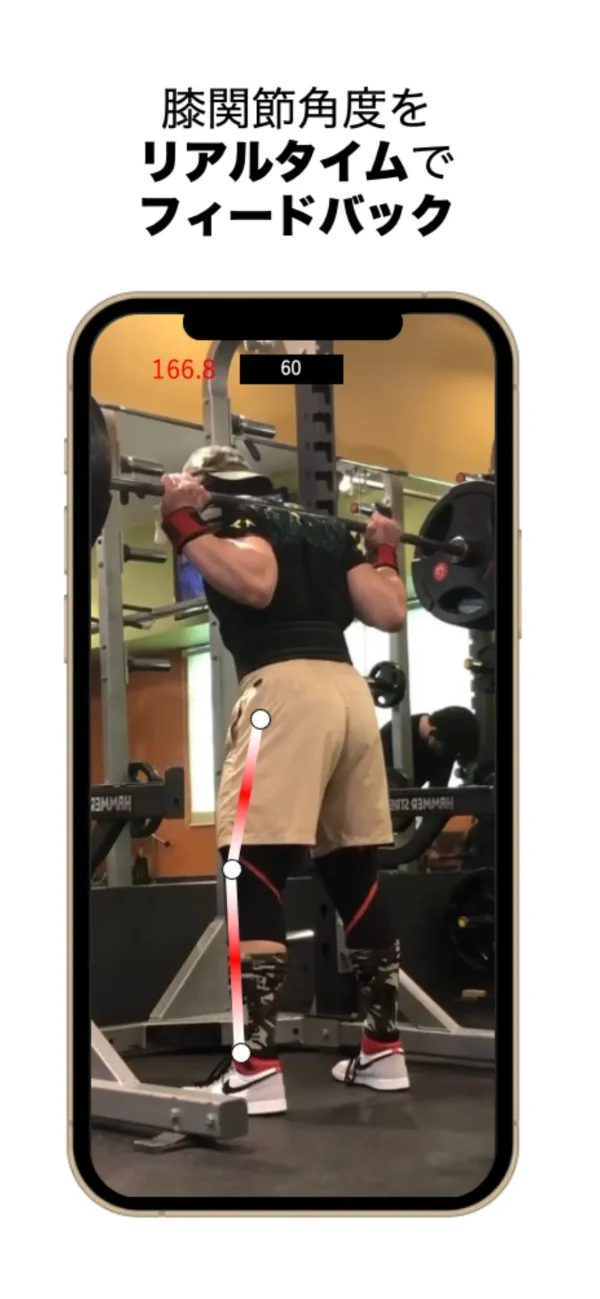
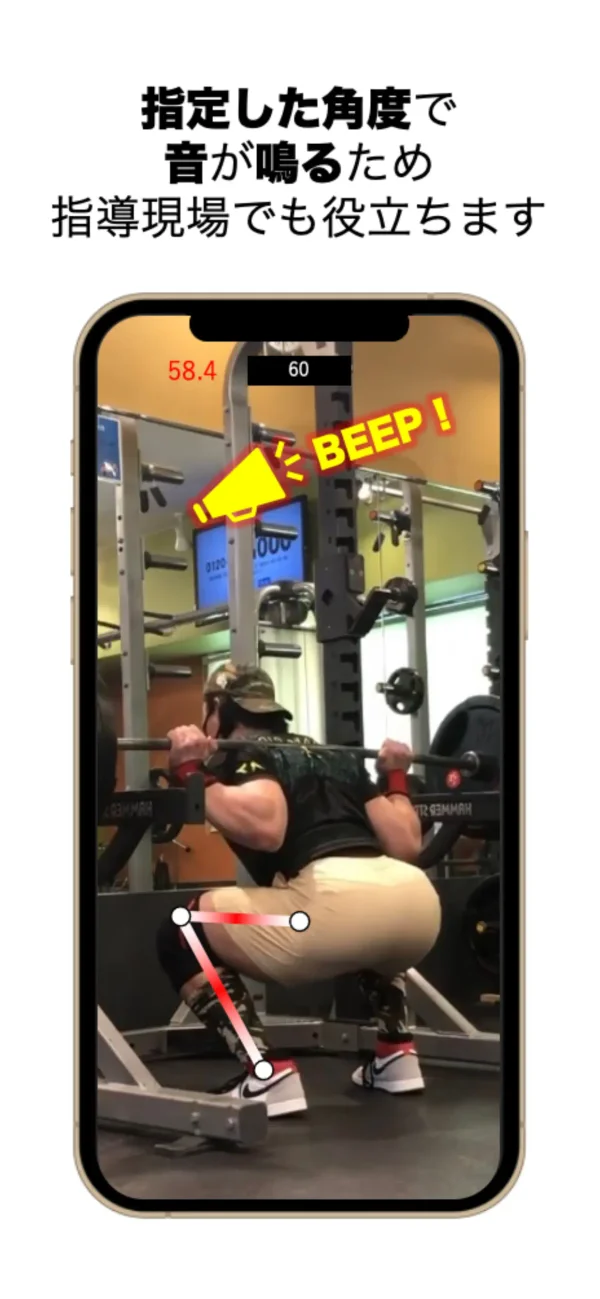
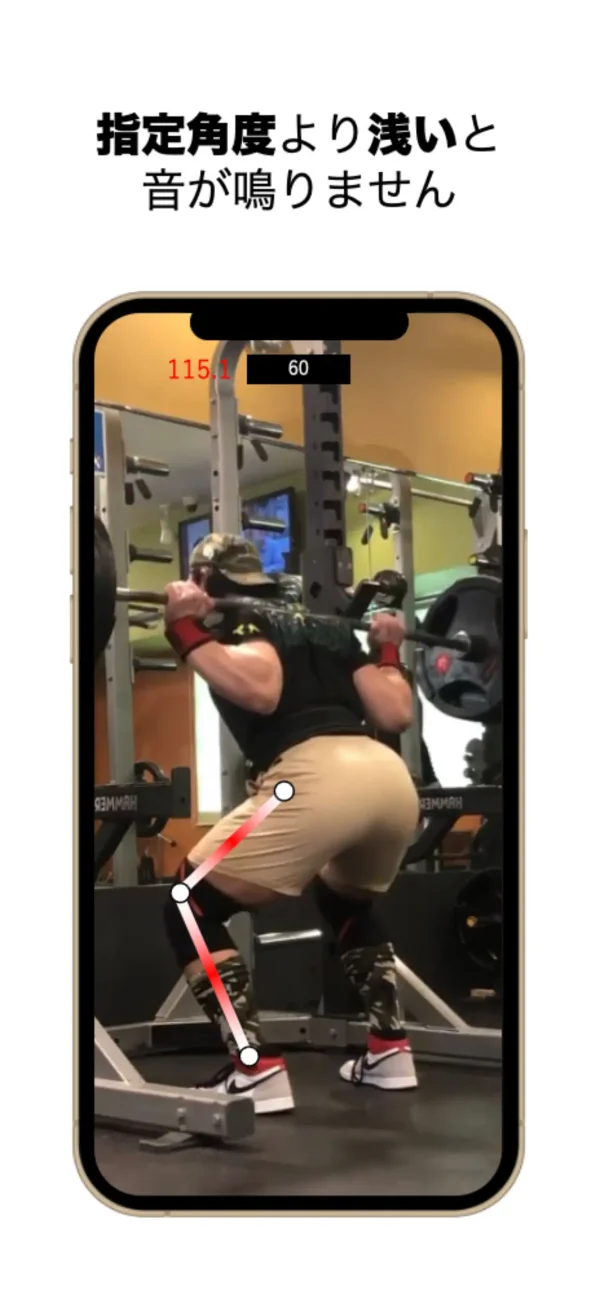
AngleEyeは、AIによって各関節のランドマークを自動検出します。検出されたランドマークより関節角度を算出し、得られた角度をリアルタイムで知ることができます。さらには、指定角度で音を鳴らすことができるため、例えばスクワットやデッドリフトの深さを客観的に知ることができます。
筋力トレーニングの効果には、「深い・浅い」などの関節角度に関わる要素が大きな影響を与えますが、トレーニング中に自分自身の関節角度を正確に知ることは難しいです。しかし、当アプリを使用することでそのような悩みは完全に解決されます。
また、ニューロマスキュラーコントロールの評価のために、指定角度と患者さんの思う角度とのギャップを測ることも可能となるため、全てのトレーニーやトレーニングコーチはもちろん、理学療法士や作業療法士などの機能訓練に関わるような医療従事者の方々にも使えるアプリになるかと思います。
シンプルなデザインで直感的に使いやすいデザインであるため、余計なストレスを感じる必要はありません。
■方法■
1. アプリを開き、デバイスを対象者の全身がカメラ内に納まるように配置します。
2. 左右でカメラに近い側の脚をLeft・Rightスイッチで選択します。
3. 音を鳴らしたい角度を画面真ん中上部の枠に入力します。(デフォルトは90度)
4. 検出された角度が画面左上に赤文字で表示されます。
■主な機能■
・Left・Rightスイッチで選択した脚の関節角度を自動検知します
・画面真ん中上部のテキストボックスで指定した角度で音が鳴ります
・パラレルモードで大腿骨と床の平行を検知して音が鳴ります
・カメラアイコンをタップするとフロントカメラに切り替わります
■注意■
・対象者以外の人が映らないように撮影してください。
・撮影する際は、対象者の全身が映るようにしてください。
・ルーズフィットな服装は検出精度が低下します。
・Left・Rightスイッチでカメラに近い方の脚を指定してください。
****For stable operation, it is recommended to use the device with A11 Bionic chip or higher. ****
■Overview■
AngleEye automatically detects the landmarks of each joint by AI. It calculates the joint angle from the detected landmarks, and the obtained angle can be known in real time. Furthermore, it can play a sound at a specified angle, so you can objectively know the depth of a squat or deadlift, for example.
Although factors related to joint angle such as "deep/shallow" have a great impact on the effectiveness of strength training, it is difficult to know your own joint angle accurately during training. However, by using our app, such problems are completely solved.
It also makes it possible to measure the gap between the specified angle and the patient's desired angle for the evaluation of neuromuscular control, so I think this app can be used not only by all trainees and training coaches, but also by medical professionals such as physical therapists and occupational therapists who are involved in functional training.
The design is simple and intuitive, so there is no need to feel unnecessary stress.
■How to use■
1. Open the app and position the device so that the subject's entire body is within the camera.
2. Select the leg on the left or right that is closest to the camera with the Left/Right switch.
3. Enter the angle at which you want the sound to be played in the frame at the top center of the screen. (Default is 90 degrees)
4. The detected angle will be displayed in red letters in the upper left corner of the screen.
■Main functions■
・It automatically detects the joint angle of the leg selected by the Left/Right switch.
・The sound is played at the angle specified by the text box in the upper middle of the screen.
・It detects the parallelism between the femur and the floor in parallel mode and sounds a sound.
・Tap the camera icon to switch to the front camera.
■Caution■
・Please take pictures so that no one other than the target person is visible.
・When taking pictures, make sure that the subject's entire body is visible.
・Loose fitting clothing reduces detection accuracy.
・Use the Left/Right switch to specify the leg that is closer to the camera.
新機能
バージョン 2.1 · 2025/10/14
軽微な修正を行いました
アプリのプライバシー
このアプリのデータの取り扱いについて、株式会社S-CADEがApp Storeで申告している内容です。
-
ユーザーに関連付けられないデータ
収集される場合がありますが、ユーザーの識別情報には関連付けられません。
- 位置情報
- ID
- 使用状況データ
- 診断
プライバシーの取り扱いは、ご利用の機能やお客様の年齢などに応じて異なる場合があります。
情報
- 販売元
- S-CADE, CORPORATION
- カテゴリ
- スポーツ
- バージョン
- 2.1
- 更新日
- 2025/10/14
- リリース
- 2021/6/7
- サイズ
- 8.9 MB
- 必要条件
- iOS 15.0以降
- 対象年齢
- 4+
- 価格
- 無料
- 言語
- 英語
- 著作権
- © S-CADE