
- 対象年齢4+
- カテゴリ仕事効率化
- 開発元Martin Doersch
- 言語英語ほか1言語
- サイズ35.9 MB
App Storeの公式ページにリンクしています
Download.orgはAnnotapeのファイルを一切ホストしていません。ボタンを押すと、Martin Doerschが公開しているApp Storeのアプリページが開きます。ページの最終確認:2026/11/25。
スクリーンショット
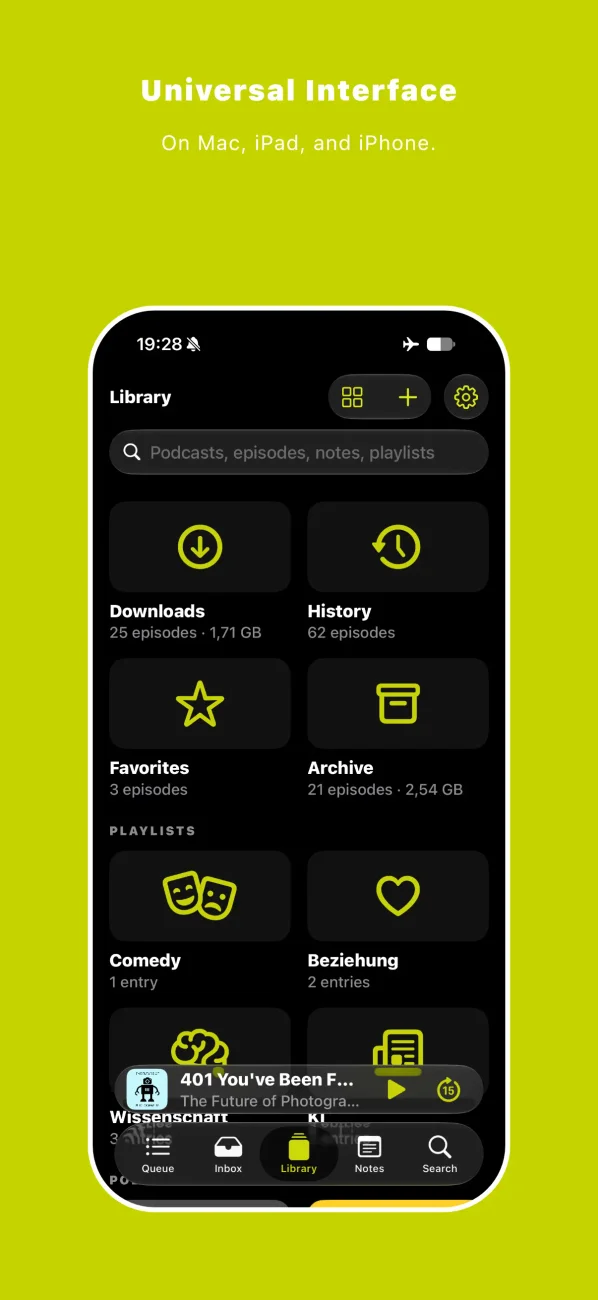
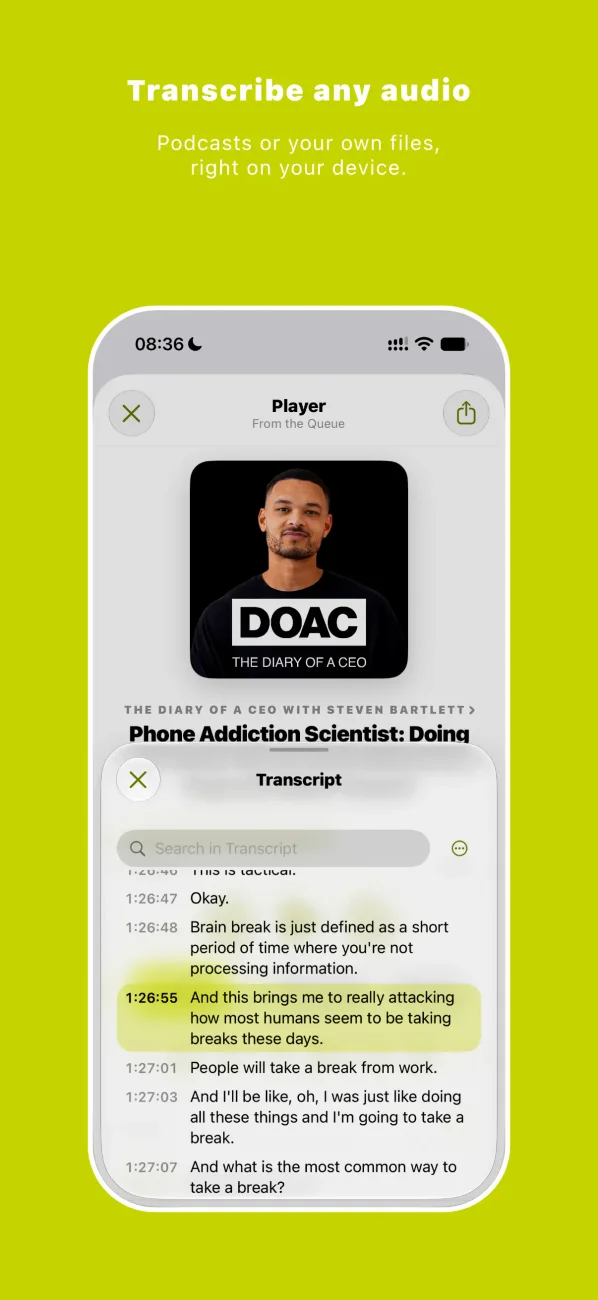
概要
開発元はこのテキストをお使いの言語で提供していません。
Annotape is a podcast app for everyone who wants to keep something from what they hear.
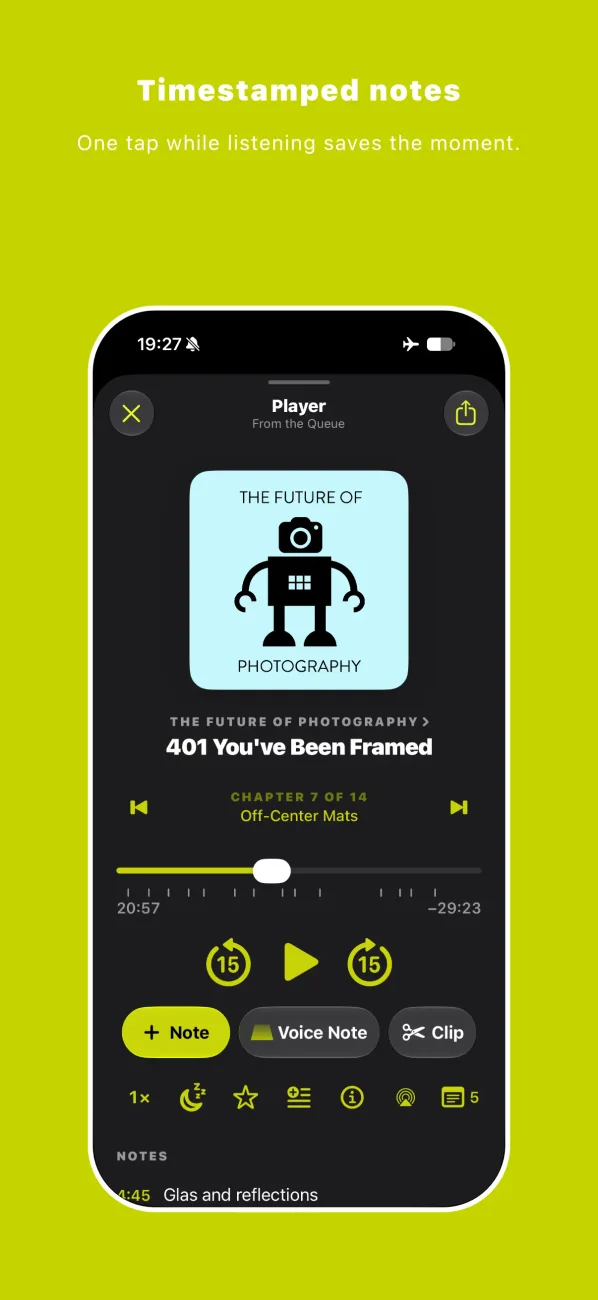
Tap + while listening, and Annotape remembers the moment to the second. Write down what matters to you, or record a voice note. Later, a tap on the note takes you right back there, a few seconds early, so you hear the context.
NOTES THAT LAST
• Timestamped notes, also without text as a bookmark
• Voice notes, turned into text on your device
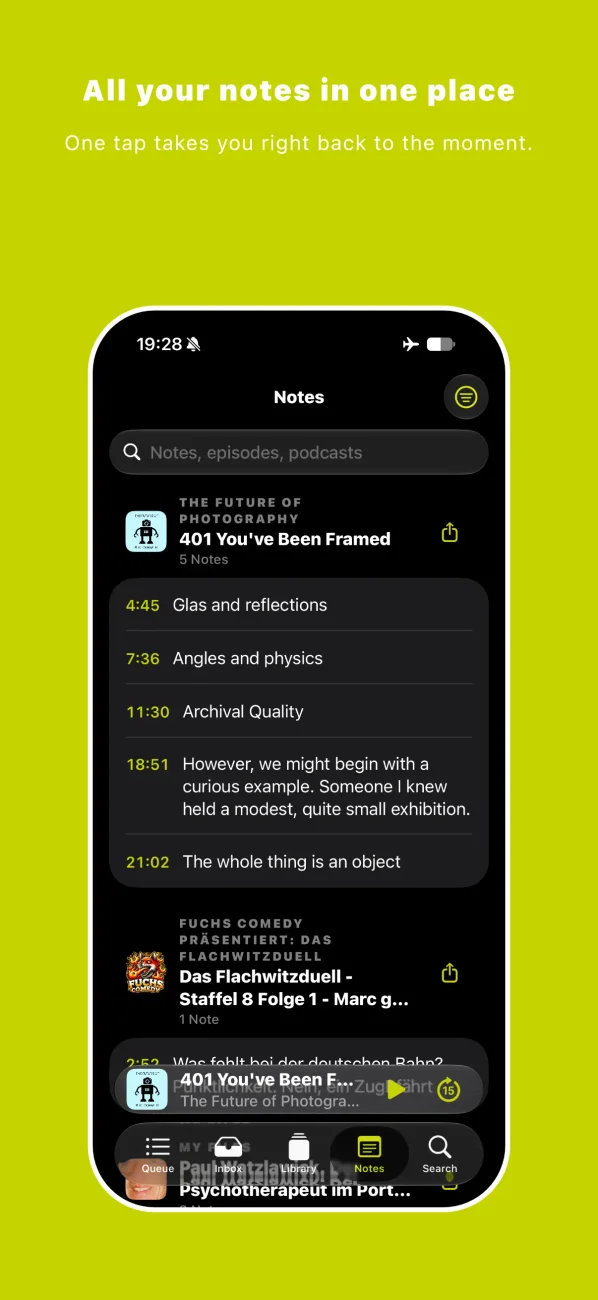
• All notes in one place, by podcast and episode, with search
• "Note Now" from the Lock Screen, Control Center, the Action button or CarPlay, without opening the app
TRANSCRIPTS TO READ ALONG
• The transcript follows along as you listen; tap a sentence to jump there
• Annotape transcribes episodes without a transcript on your device
• Save sentences as notes, create clips, search all transcripts
• Export transcripts as text or subtitles (SRT), paste notes and chapters from subtitles
AN OPEN ARCHIVE
Episodes with notes go to your iCloud Drive, into the folder "Podcast Archive": notes and transcripts as Markdown, data as JSON, the cover and, if you like, the audio. Readable in Finder, the Files app and Obsidian, also without Annotape.
SHARING AND CLIPS
• Share an episode from a certain moment
• Open shared episodes in Annotape from the share menu, from the shared moment
• Export a part as an audio clip, with a waveform for precise trimming
LISTEN YOUR WAY
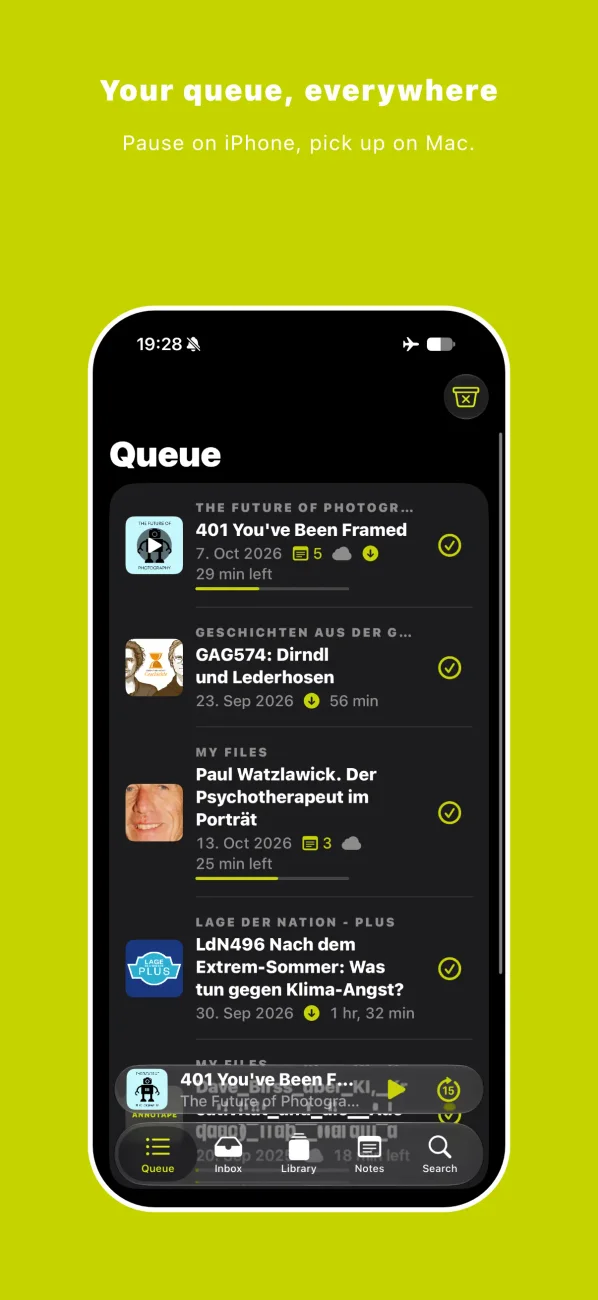
• Inbox for new episodes, Queue for what plays next
• Per podcast: new episodes to the Inbox, straight to the Queue or saved for later in the podcast
• Playlists, favorites, history
• Speed from 0.5× to 3× in steps of 5 %, saved per podcast
• Chapters, sleep timer, skip intervals of your choice
• Downloads, on Wi-Fi only if you like
• Widgets for the Home Screen and Lock Screen
• CarPlay: the Queue, Inbox, podcasts and playlists in your car
• Your own audio files: talks, audiobooks and voice memos from the folder "My Audio Files" in iCloud Drive
• Search for podcasts or add an RSS address, import and export with OPML
• Single episodes without subscribing: paste an episode link into the search and listen right away
ON ALL YOUR DEVICES
Subscriptions, position, queue, playlists and notes sync through your own iCloud account. Stop on your iPhone and continue on your Mac where you left off. On iPad and Mac, player and notes sit side by side.
FREE AND PRIVATE
Annotape is free. No ads, no subscription, no account, no tracking, no server of its own. Your data stays in your iCloud. All features belong to everyone. If you want to support the development, you can give a voluntary contribution and get three supporter icons for the app icon as a thank-you.
Annotape: from "annotate" and "tape". Listen and mark.
新機能
バージョン 1.11 · 2026/11/24
What’s new in Annotape 1.11:
• Several episodes at once: tap Select in the Inbox and the Queue, or More › Select Episodes in a podcast. Put the chosen episodes at the top or the end of the Queue, mark them as played, add them to a playlist, download or discard them. On the Mac, ⌘-click or Shift-click to choose several.
• Musical notes in the transcript: where music plays, the transcript shows a line with musical notes. Tap it to jump there. Podcast transcripts show their music marks as notes, and transcribing on your device finds music by itself.
• A whole podcast at once: in a podcast’s More menu, mark all episodes as played or unplayed. Shake or press ⌘Z to undo it.
アプリのプライバシー
このアプリのデータの取り扱いについて、Martin DoerschがApp Storeで申告している内容です。
-
データの収集なし
開発元はこのアプリからデータを収集しません。
プライバシーの取り扱いは、ご利用の機能やお客様の年齢などに応じて異なる場合があります。
情報
- 販売元
- Martin Doersch
- カテゴリ
- 仕事効率化
- バージョン
- 1.11
- 更新日
- 2026/11/24
- リリース
- 2026/10/15
- サイズ
- 35.9 MB
- 必要条件
- iOS 27.0以降
- 対象年齢
- 4+
- 価格
- 無料
- アプリ内課金
- あり
- 言語
- 英語, ドイツ語
- 著作権
- © Martin Dörsch
こちらもおすすめ
-
 Remote-Timer仕事効率化
-
 Glazr PPTX Presentation Editor仕事効率化
-
 ポモドーロタイマー: Pomidor Focus勉強タイマー・1日の計画・ADHD向け
-
 choclift: Workflow Sweetenerdesktop touch controls
-
 ToBuy: 買い物リストとレシピ共有ショッピングリスト
-
 Infomaniak kDrive仕事効率化
-
 Cheatsheet ノート ウィジェットクイックノートウィジェットとウォッチアプリ
-
 バーコードリーダー・バーコード読み取り(ばーこーどりーだーJANコードの連続読取・共有も対応!バーコード読み取りアプリ
-
 FileBrowserGONetwork access & media player
-
 OmniFocus 4毎日より多くのことを達成