- 対象年齢4+
- カテゴリユーティリティ
- 開発元RootRise Technologies Pvt. Ltd.
- 言語英語
- サイズ3.1 MB
App Storeの公式ページにリンクしています
Download.orgはArchive Utilityのファイルを一切ホストしていません。ボタンを押すと、RootRise Technologies Pvt. Ltd.が公開しているApp Storeのアプリページが開きます。ページの最終確認:2026/11/27。
スクリーンショット


概要
開発元はこのテキストをお使いの言語で提供していません。
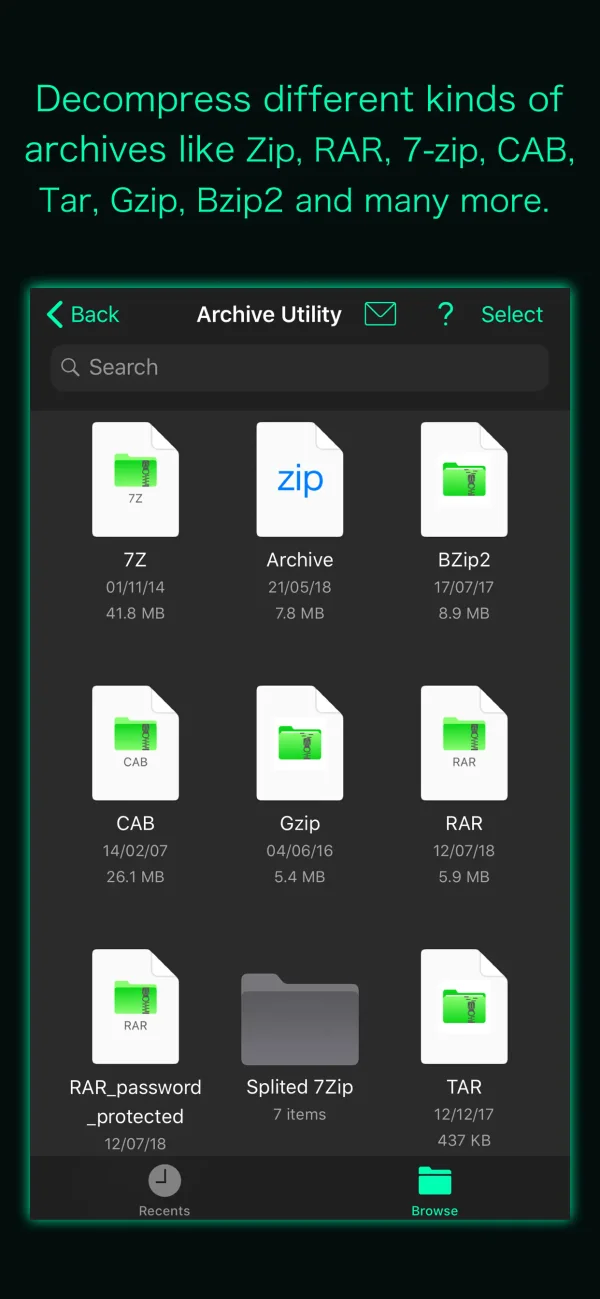
“Archive Utility” is a small and intuitive application to create .zip file and decompress many different kinds of archive files on iPhone and iPad. It supports to unarchive or expand common formats like Zip, RAR, 7-zip, CAB, Tar, Gzip and Bzip2, as well as older formats like StuffIt, Cpio, LZH, ARJ, ARC, DiskDoubler and LBR. It can also expand unusual formats like ISO, BIN, MDF, NRG and CDI, Windows self-extracting EXE files, and can even extract media from Flash SWF files and images from PDF files. Many more archive formats are supported, tap Developer Website to visit product page for the complete list.
Your long time wait for computer like compress-uncompress tool on iPhone and iPad is over with "Archive Utility". It integrates Archive and Expand features with Document Browser View to make easy-to-use yet powerful Archive Utility.
* How to create a ZIP file?
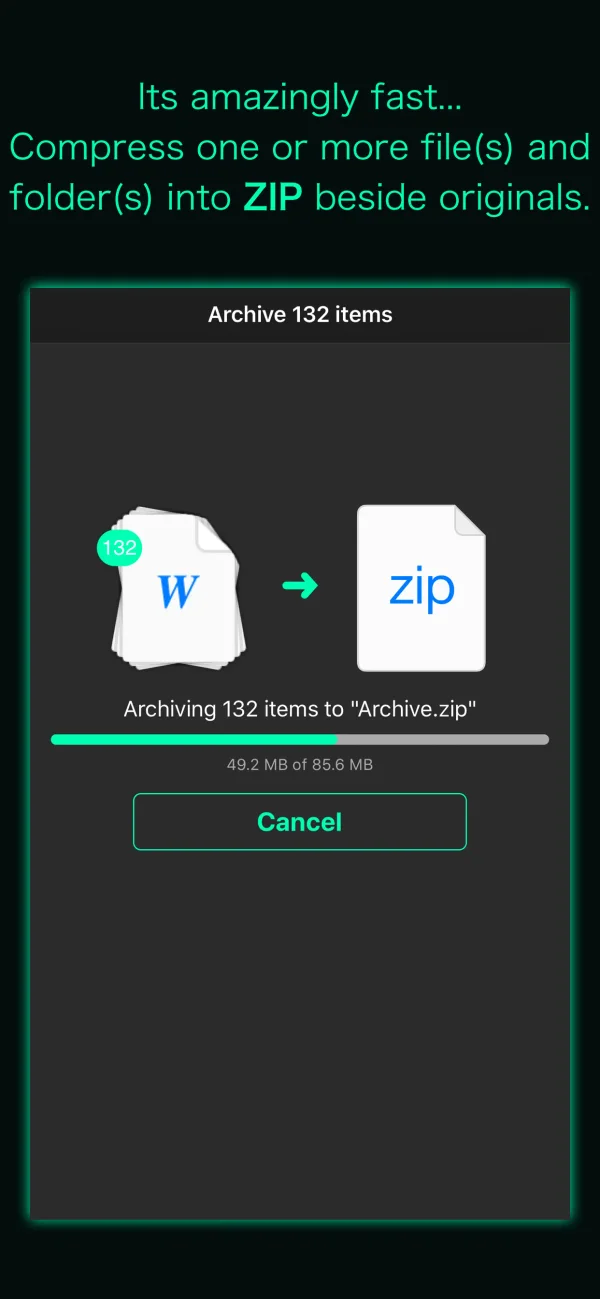
- Use powerful Browser view to select file(s) and folder(s) you want to compress and tap Archive button to create ZIP file beside original items.
* How to expand/unarchive/uncompress/extract an archive file?
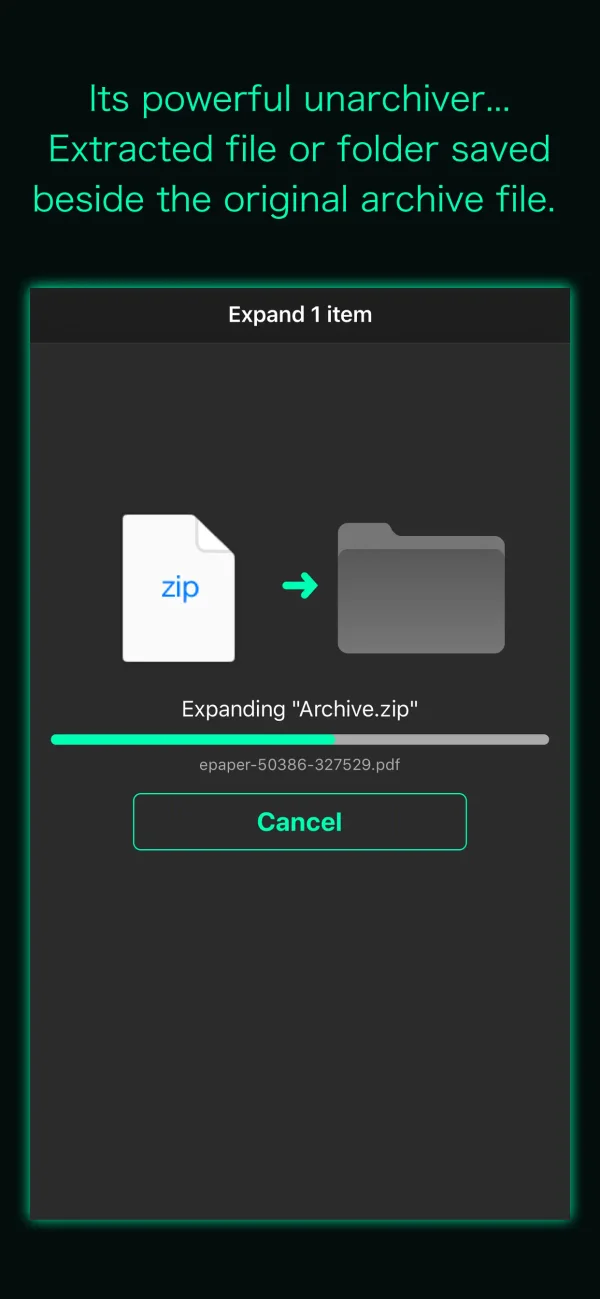
- Navigate to archive file you want to uncompress in Browser view and tap on it to expand. Decompressed file or folder saved in the same folder as the original archive file.
- Use "Copy to Archive Utility" to open archive file received as email attachment, downloaded from the the web or contained in another app. You can even add files in the app's Documents folder from your computer through iTunes file sharing.
- It lets you preview files and archives that iOS can support.
DOCUMENT MANAGEMENT
- "Archive Utility" built upon Document Browser view which allows to access files no matter where they’re located — on your device or in the cloud with Archive Utility. Handles access to iCloud Drive and third-party cloud storage services such as Dropbox and Box within the app.
- Browse view to navigate folders, organise your files with tags, move files between folders, search and sort.
- Share files using the Share button or a drag-and-drop action.
- You can move, delete, duplicate and rename a document and folder.
- Drag and drop to select files and organise them into folders.
- Inherit tagged and favourite items from Files app and allow to create and change within the app.
Note: “Archive Utility” is standalone application running natively to archive files and expand archives securely right on your iOS device.
You can refer User Manual for any assistance Or Contact Support.
新機能
バージョン 2.0 · 2026/1/10
- Updated user interface to streamline with latest iOS.
- Other minor bug fixes and improvements.
If Archive Utility useful to you, we would appreciate an App Store review. It will help other people find the app and make them delighted.
Thank you all users for your feedback :)
アプリのプライバシー
このアプリのデータの取り扱いについて、RootRise Technologies Pvt. Ltd.がApp Storeで申告している内容です。
-
データの収集なし
開発元はこのアプリからデータを収集しません。
プライバシーの取り扱いは、ご利用の機能やお客様の年齢などに応じて異なる場合があります。
情報
- 販売元
- RootRise Technologies Private Limited
- カテゴリ
- ユーティリティ
- バージョン
- 2.0
- 更新日
- 2026/1/10
- リリース
- 2018/8/4
- サイズ
- 3.1 MB
- 必要条件
- iOS 15.6以降
- 対象年齢
- 4+
- 価格
- ¥500
- 言語
- 英語
- 著作権
- © 2018-2026 RootRise Technologies Pvt. Ltd.
こちらもおすすめ
-
 ZIP Extractor - Unzip, Unrarユーティリティ
-
 WinZip: #1書類圧縮/圧縮解除ツールプロフェッショナルZipファイルマネージャー
-
 ファイル変換 (Document Converter)PDF、DOCX、JPG、HTML、WORD、などへの変換
-
 UnRAR - zip,rar,7z ファイル解凍圧縮ソフトユニバーサルビデオプレーヤー,ビューファイル
-
 iZip - Zip Unzip Unrar最高の Zip ファイルマネージャー
-
 オーディオ コンバーター: Convert Audio変換のMP3、WAV、M4A、AAC
-
 ビデオコンバーター (Video Converter)MP4、MOV、およびMP3に変換
-
 ZIP・RAR・7Z 解凍アプリ圧縮ファイルを開く・作成する
-
 LightBlue®ユーティリティ
-
 CleanMy®Phone: ストレージクリーナースマホクリーナー カメラロール 整理