- 対象年齢4+
- カテゴリ仕事効率化
- 開発元Juergen Altziebler
- 言語英語ほか4言語
- サイズ4.1 MB
App Storeの公式ページにリンクしています
Download.orgはArchivia: Document Scannerのファイルを一切ホストしていません。ボタンを押すと、Juergen Altzieblerが公開しているApp Storeのアプリページが開きます。ページの最終確認:2026/11/24。
スクリーンショット

概要
開発元はこのテキストをお使いの言語で提供していません。
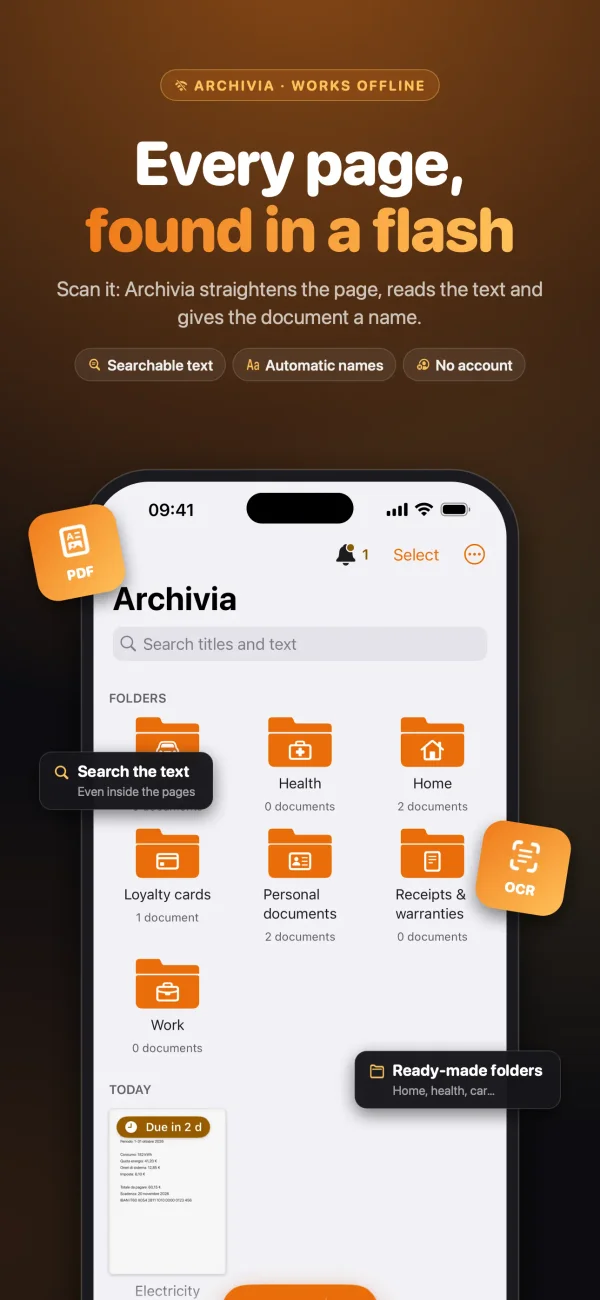
Archivia turns your phone into a document archive you can actually search.
Point at a page: the edges are found automatically, the page is straightened and the text becomes searchable. Search "bill" or "IBAN" and the document turns up, even if you never renamed it.
A NAME THAT SAYS WHAT IT IS
Once the text is read, Archivia gives the document a sensible name, like "ID card Mario Rossi" or "Bill Energia Chiara – October 2026". If you rename it yourself, your name stays.
YOUR PERSONAL DOCUMENTS, NEATLY LAID OUT
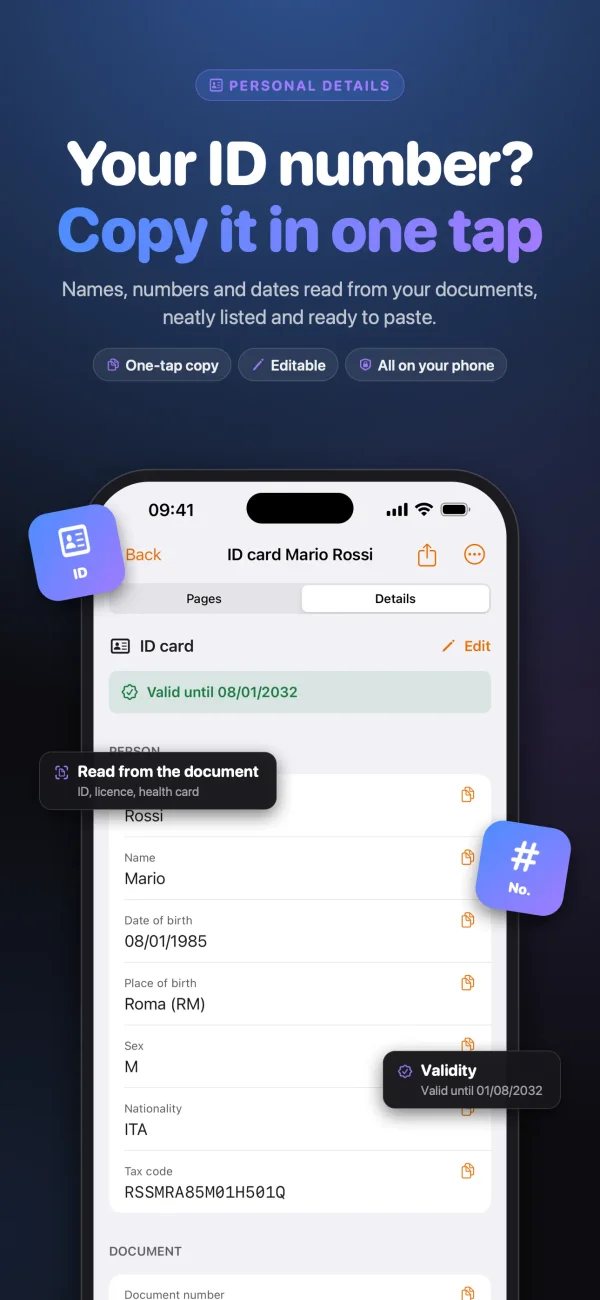
ID cards, driving licences, passports and health cards get a Details tab: name, tax code, number, issue and expiry dates, each one copyable with a tap and editable by hand. When a document has expired or expires soon, you see it on the thumbnail.
LOYALTY CARDS, ALWAYS READY
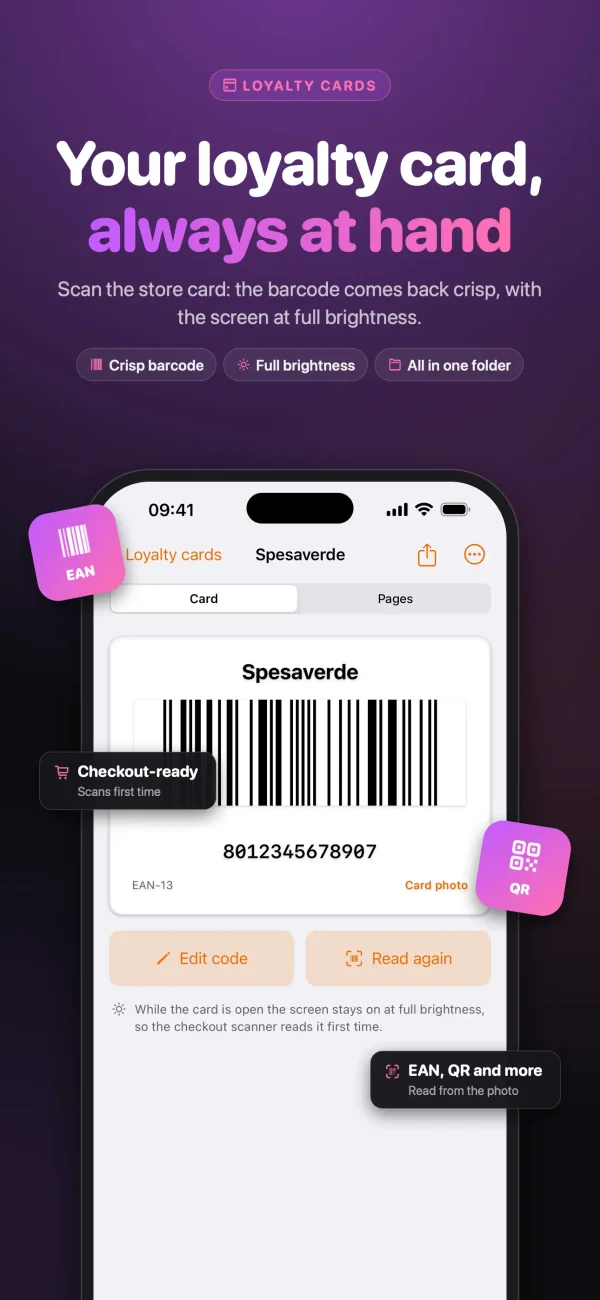
Scan your supermarket card: Archivia reads the barcode and redraws it sharp, with the screen at full brightness for the checkout scanner.
FILL & SIGN
Open a PDF form: Archivia fills it in with the details from your documents (name, date and place of birth, document number). Type anywhere, add your signature with your finger and save a new PDF, ready to send.
BILLS AND DUE DATES UNDER CONTROL
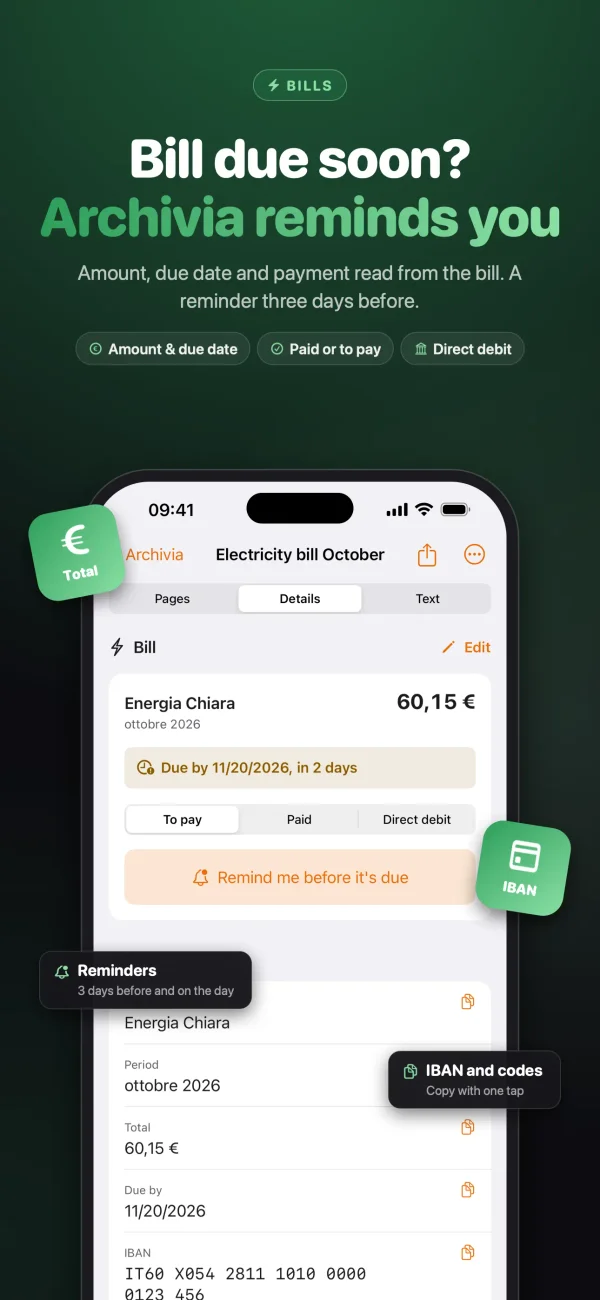
For bills, the Details tab shows the amount, the due date and whether it's already paid. A reminder arrives three days before and on the day, and the bell in the library tells you what's due soon. Direct-debit bills stay quiet.
TEXT, READY TO COPY
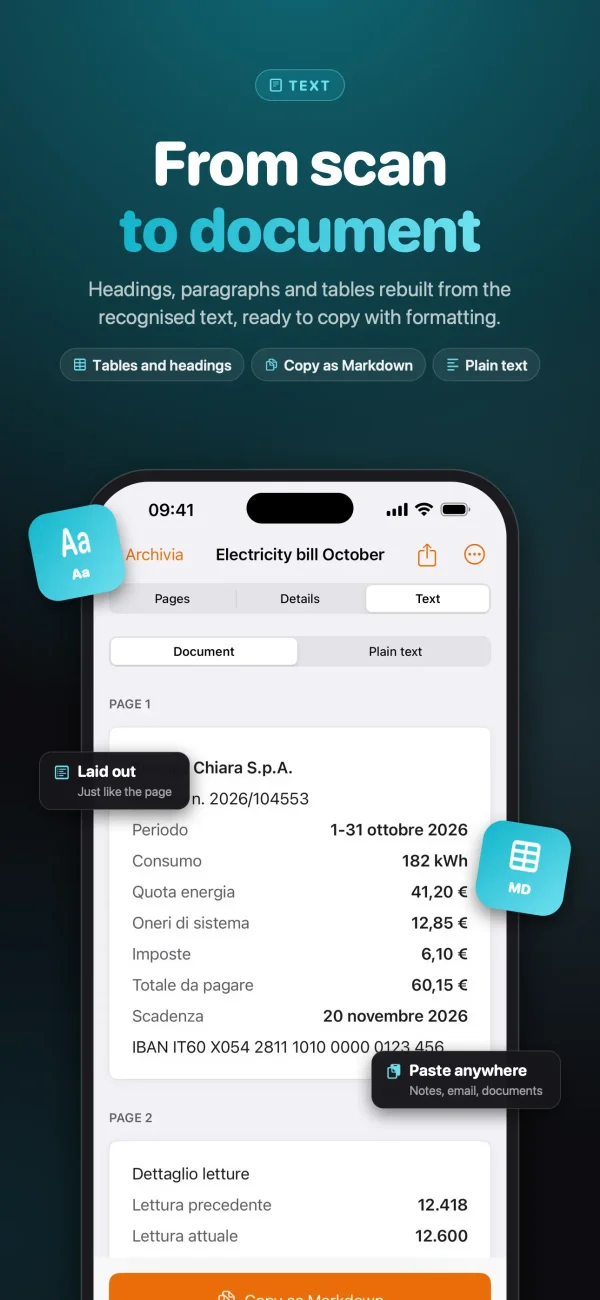
The Text tab rebuilds the document with headings, paragraphs and tables. Copy it as plain text or Markdown with one tap.
ORGANISED WITHOUT EFFORT
- Ready-made folders: personal documents, home, health, car, work, receipts
- Grid or list, pinch to choose how many columns you see
- Pin documents to the top, sort by date or name
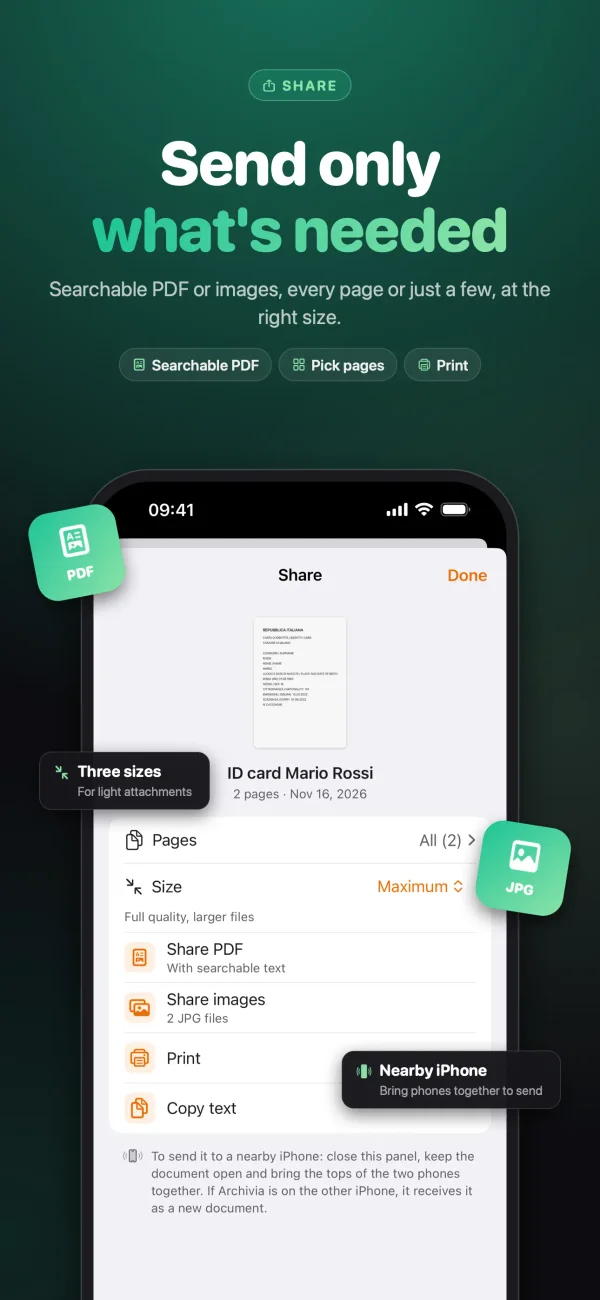
SHARE ONLY WHAT'S NEEDED
- PDFs with searchable text, in three sizes (also for attachments with size limits)
- Just some pages, or JPG images
- Print, copy the text, or send to a nearby iPhone by bringing the phones together
TRULY PRIVATE
Scans, text and folders stay on this iPhone. Archivia has no account, doesn't use the internet and collects no data. Lock it with Face ID, and your documents stay hidden in the app switcher.
BACKUP
Export your whole archive as a .zip file with a PDF for each document, in its folders. New phone? Reopen it with "Import from Files".
Archivia speaks English, Italian, French, Spanish and German.
新機能
バージョン 2.1.0 · 2026/11/23
New Summary tab: long documents and anything over 4 pages get a clear summary (in short, contents, key details, what to do), written by Apple Intelligence on your phone or built from the key sentences. Copy it as Markdown.
Smarter document types: long letters that mention an ID card or a payment are no longer filed as ID cards or receipts.
New Disclaimer page in Settings.
アプリのプライバシー
このアプリのデータの取り扱いについて、Juergen AltzieblerがApp Storeで申告している内容です。
-
データの収集なし
開発元はこのアプリからデータを収集しません。
プライバシーの取り扱いは、ご利用の機能やお客様の年齢などに応じて異なる場合があります。
情報
- 販売元
- Juergen Altziebler
- カテゴリ
- 仕事効率化
- バージョン
- 2.1.0
- 更新日
- 2026/11/23
- リリース
- 2026/11/10
- サイズ
- 4.1 MB
- 必要条件
- iOS 17.0以降
- 対象年齢
- 4+
- 価格
- 無料
- 言語
- 英語, フランス語, ドイツ語, イタリア語, スペイン語
- 著作権
- © 2026 Alex Mantovani