
- 対象年齢4+
- カテゴリ写真/ビデオ
- 開発元Alastair Bor
- 言語英語
- サイズ6.1 MB
App Storeの公式ページにリンクしています
Download.orgはASCII Cameraのファイルを一切ホストしていません。ボタンを押すと、Alastair Borが公開しているApp Storeのアプリページが開きます。ページの最終確認:2026/11/18。
スクリーンショット

概要
開発元はこのテキストをお使いの言語で提供していません。
Your camera. Reimagined as ASCII art.
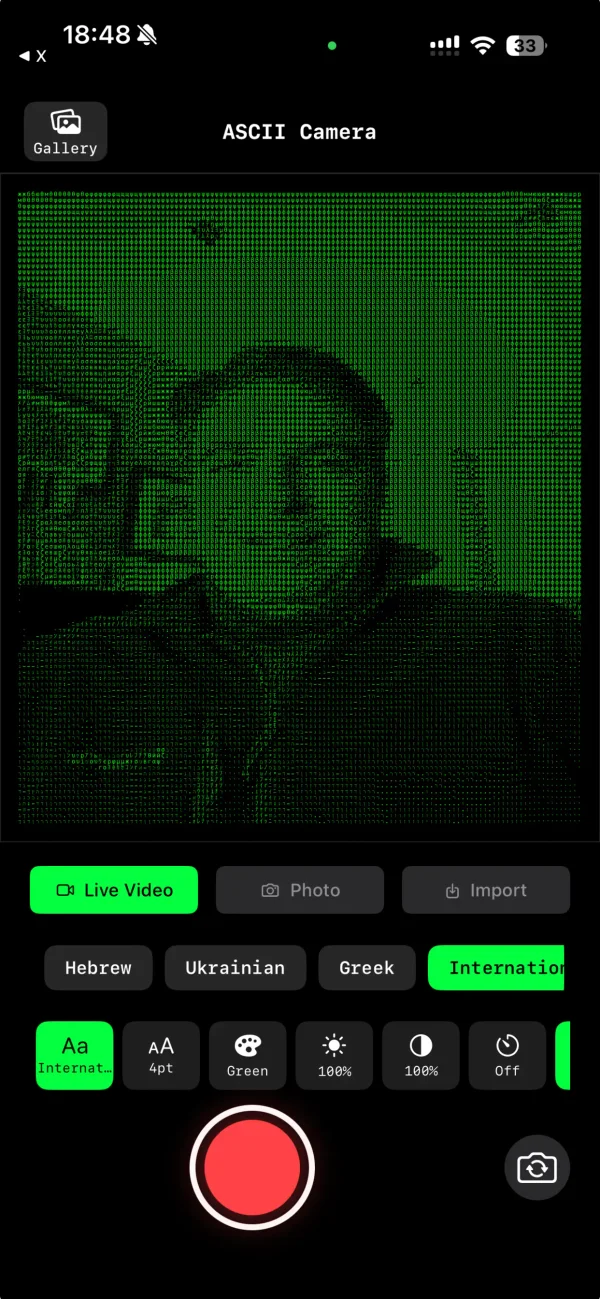
ASCII Camcorder transforms your live camera feed into real-time text art; and records it. Point it at anything: the result is something no filter can produce.
THE HEADLINE FEATURES
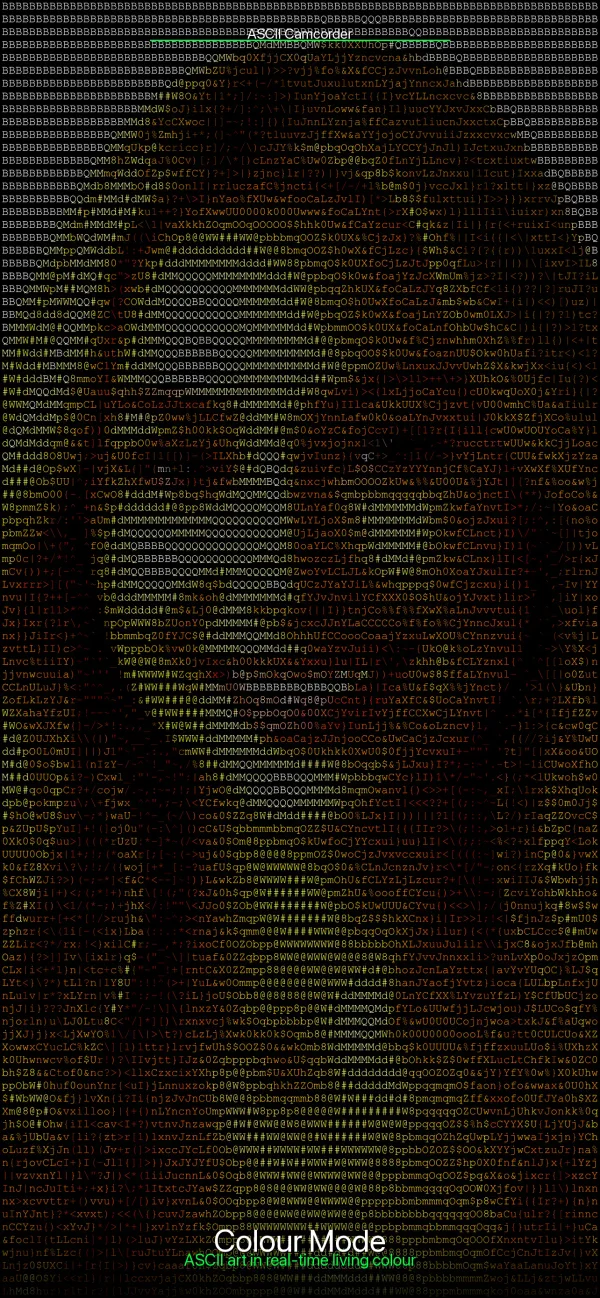
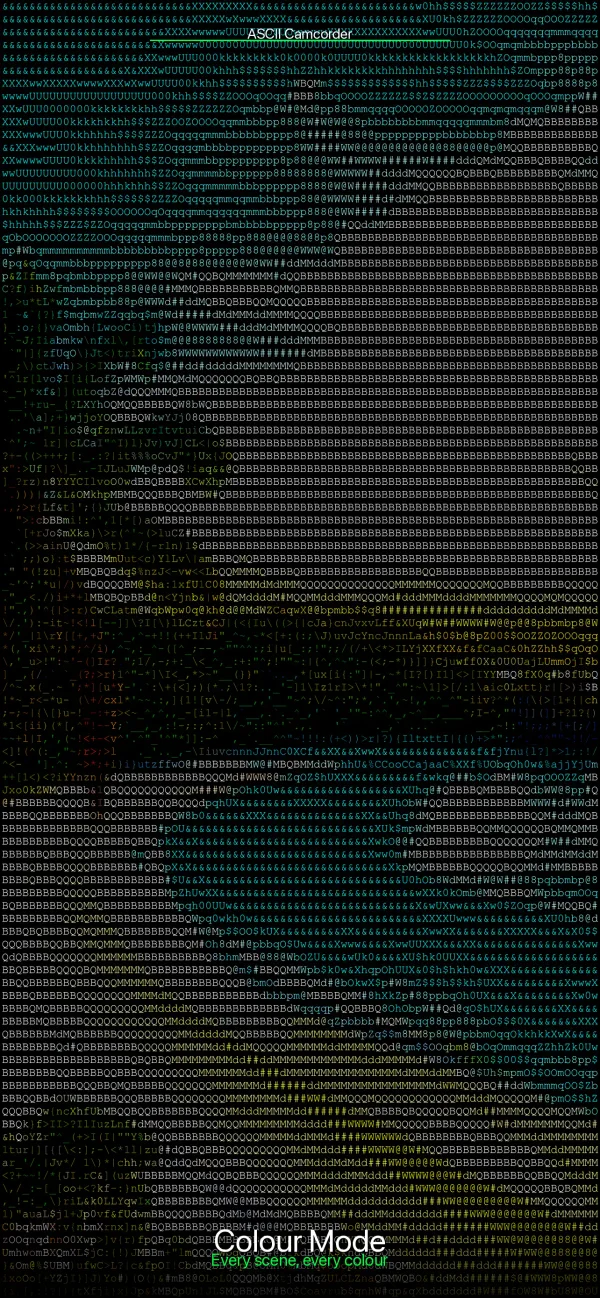
COLOUR MODE
Not monochrome. Every character is rendered in the true colour sampled from that exact spot in the frame. The result looks like nothing else on the App Store.
LIVE ASCII VIDEO
Hit record. Walk around. Every frame of footage is rendered in ASCII as you shoot; motion, depth, light; all translated into characters. Export as a standard video file and share it anywhere.
INSTANT PHOTO CAPTURE
Freeze any moment as an ASCII image. Print it. Frame it. It's art that also happens to be text.
GPU-ACCELERATED RENDERING
Built on Metal. The conversion is smooth and immediate; no lag, no dropped frames; even with the largest character sets and finest zoom levels.
CHARACTER SETS
Nine distinct sets give you complete creative control:
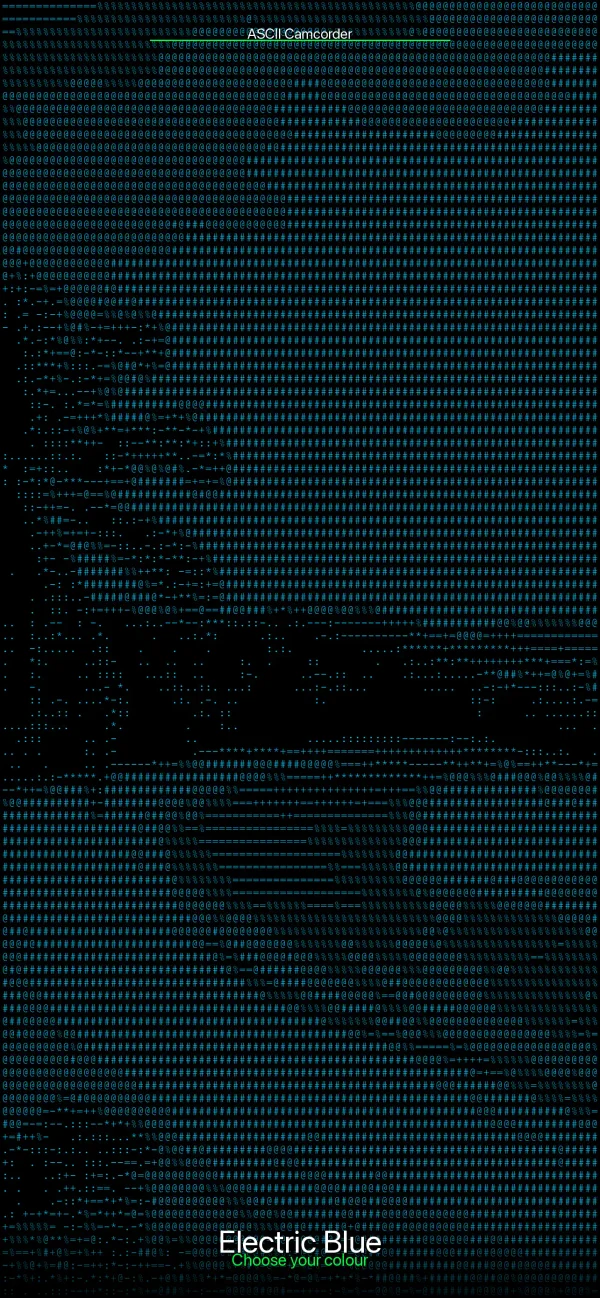
• Standard: the classic, clean ASCII look
• Dense: maximum detail, 70+ characters from space to @
• Simple: stripped back, graphic, bold
• Blocks: Unicode block elements for a pixelated edge
• Braille: 256-dot-pattern characters, uniquely textured output
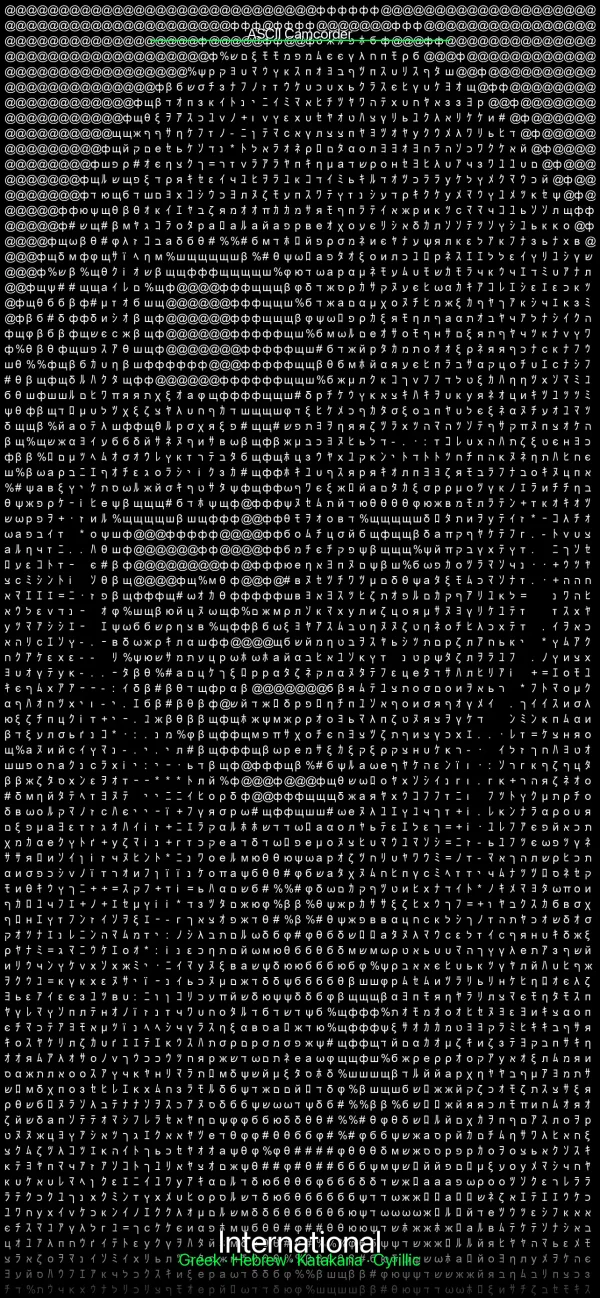
• International: a world first: Greek, Hebrew, Katakana, and Ukrainian Cyrillic characters interleaved and sorted by visual density, so every brightness level draws from all four writing systems simultaneously. The result is genuinely unlike any other ASCII art.
• Katakana: full halfwidth katakana, sorted by ink density
• Hebrew: 28 characters, perfectly density-ranked
• Greek: classical alphabet, sorted for accurate brightness mapping
• Ukrainian: Cyrillic alphabet, density-ranked for accurate tone reproduction
COLOUR THEMES
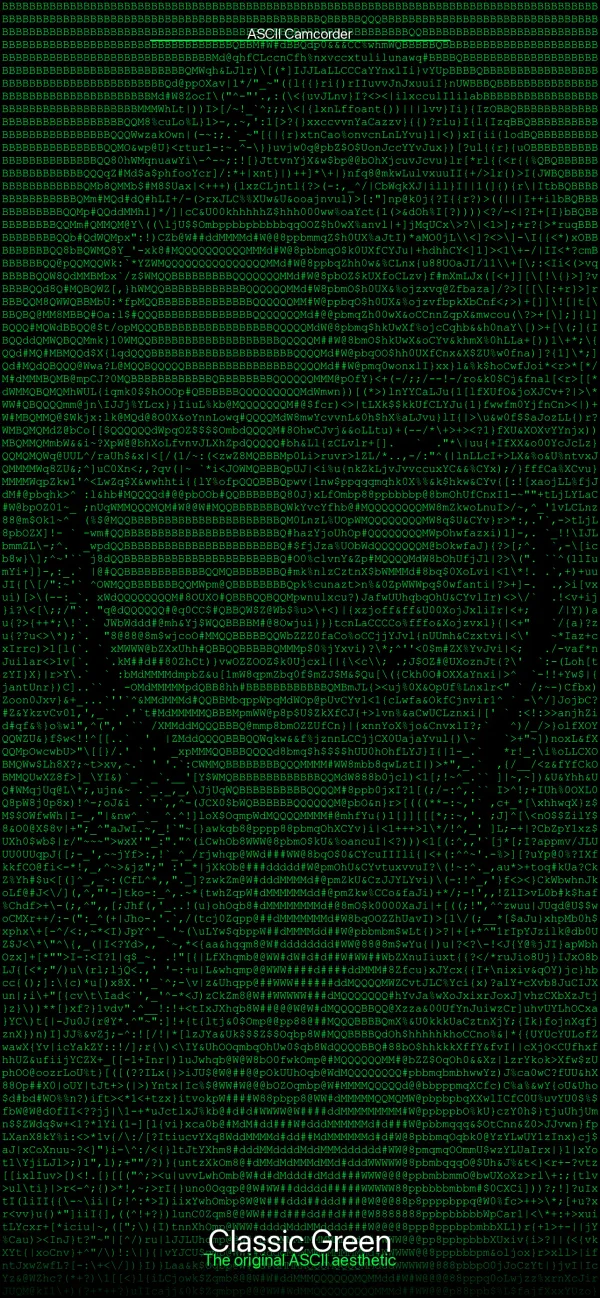
Classic green terminal glow. Amber CRT warmth. Cool electric blue. Clean white. Custom or full per-character colour mode. Colour is a creative choice, not an afterthought.
FULL CREATIVE CONTROL
• Adjust font size, zoom, contrast, and brightness live; changes are instant
• Switch character sets and colour on the fly while recording
• Front and rear camera with real-time switching
SHARE EVERYWHERE
• Export ASCII videos as standard .mov files (H.264, audio included)
• Share ASCII photos to any app (.JPG or .PNG)
• Export as RTF; paste formatted ASCII art into any document, email, or notes app with your chosen font and colour preserved
• Export as TXT; paste into any app that accepts text
• Print directly from the app; makes remarkable wall art
CLEAN AND PRIVATE
No ads. No subscriptions. No account required. Camera access only. Nothing leaves your device unless you share it yourself. All processing happens on-device.
Optimised for iPhone and iPad. Requires iOS 15 or later.
新機能
バージョン 2.3 · 2026/7/24
• Listening to music or a podcast? ASCII Camera no longer interrupts your audio just for opening the app — sound is only taken over when you actually start recording a video.
• Sharing a converted video is tidier now: exported files no longer linger and eat up storage after you're done sharing.
• Cancelling a video export stops right away and cleans up after itself.
• Performance and stability improvements, including lower memory use during long exports.
Thanks for using ASCII Camera! Found a bug or have an idea? Send us feedback anytime from the in-app menu.
アプリのプライバシー
このアプリのデータの取り扱いについて、Alastair BorがApp Storeで申告している内容です。
-
ユーザーに関連付けられないデータ
収集される場合がありますが、ユーザーの識別情報には関連付けられません。
- 連絡先情報
- ユーザーコンテンツ
プライバシーの取り扱いは、ご利用の機能やお客様の年齢などに応じて異なる場合があります。
情報
- 販売元
- Ambor
- カテゴリ
- 写真/ビデオ
- バージョン
- 2.3
- 更新日
- 2026/7/24
- リリース
- 2025/8/1
- サイズ
- 6.1 MB
- 必要条件
- iOS 17.0以降
- 対象年齢
- 4+
- 価格
- ¥150
- 言語
- 英語
- 著作権
- © 2026 Ambor
こちらもおすすめ
-
 フラットカラーカメラプロ仕様の動画キャプチャ
-
 Kodist:アナログフィルムカメラRAWから作るエモい写真、AIなし
-
 SceneSwap: 背景変更AI写真切り抜き・消しゴム
-
 Converto: ファイル変換MKVをMP4に、HEICをJPGに、MP3
-
 Photo Collage Maker – Picframe写真/ビデオ
-
 動画編集 ビートシンク&音楽リール・TikTok動画を簡単編集
-
 写真編集 - レタッチと美肌背景削除 体型補正 歯のホワイトニング
-
 AI Video Eraser写真/ビデオ
-
 Captions AI写真/ビデオ
-
 Picture Collage Maker - Pixuva写真/ビデオ