
- 対象年齢4+
- カテゴリ仕事効率化
- 開発元Karl Koch
- 言語英語
- サイズ21.1 MB
App Storeの公式ページにリンクしています
Download.orgはAtempoのファイルを一切ホストしていません。ボタンを押すと、Karl Kochが公開しているApp Storeのアプリページが開きます。ページの最終確認:2026/11/24。
スクリーンショット


概要
開発元はこのテキストをお使いの言語で提供していません。
**Atempo: Your Digital Notebook for Life**
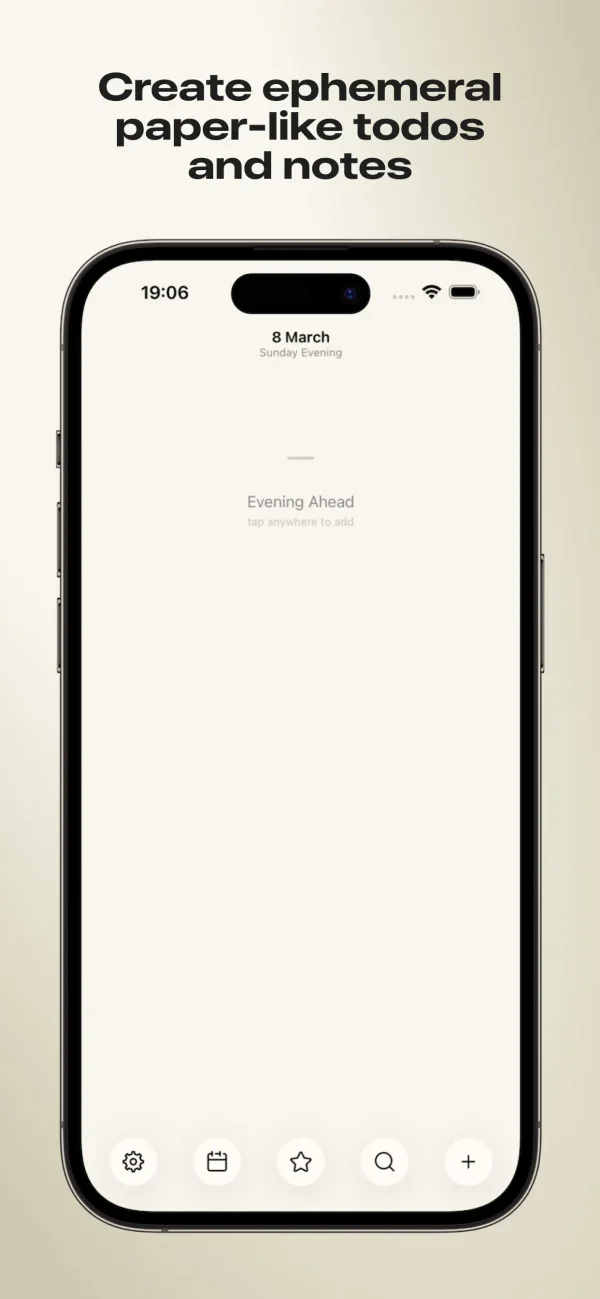
Transform your daily planning with Atempo, the todo app that thinks like a notebook. Write your thoughts, track your tasks, and stay organised with the simplicity of pen and paper—enhanced by the power of modern technology.
Ephemeral by design — each day is its own page, not an infinite scroll.
Non-judgmental — no productivity metrics or guilt.
Paper-speed — fast as jotting on paper.
Analog ritual — embraces daily note-taking habit.
**Notebook-Style Organisation**
• Daily Pages: Each day gets its own page, just like a physical notebook
• Chronological Order: Items appear in the order you add them, preserving your natural workflow
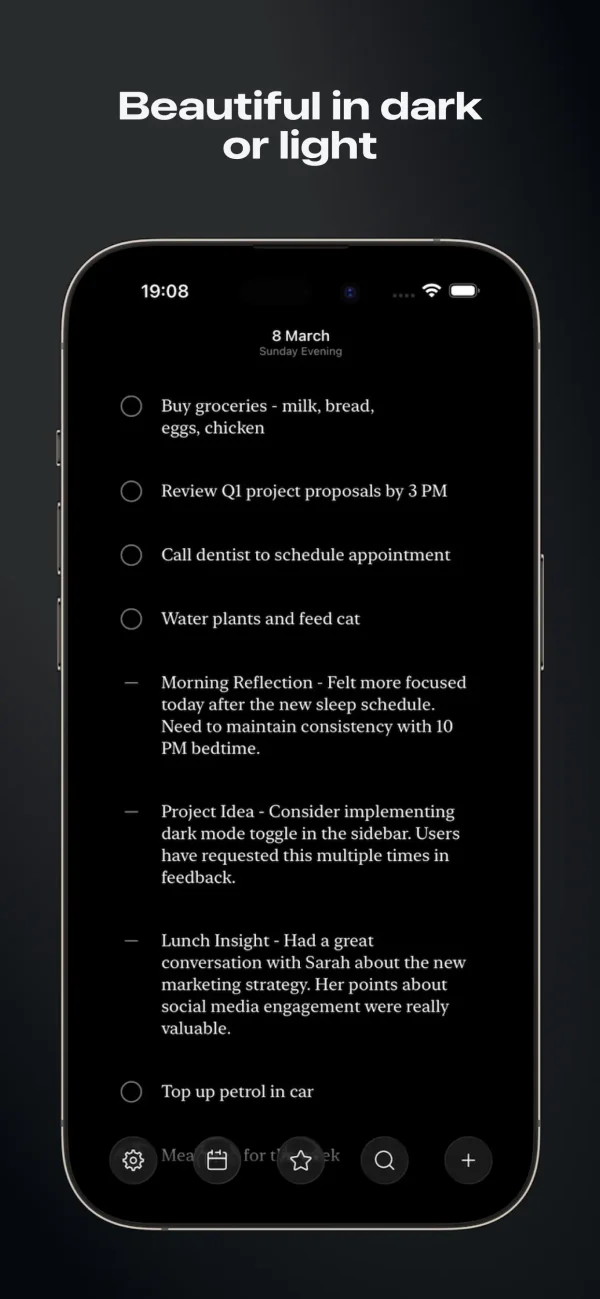
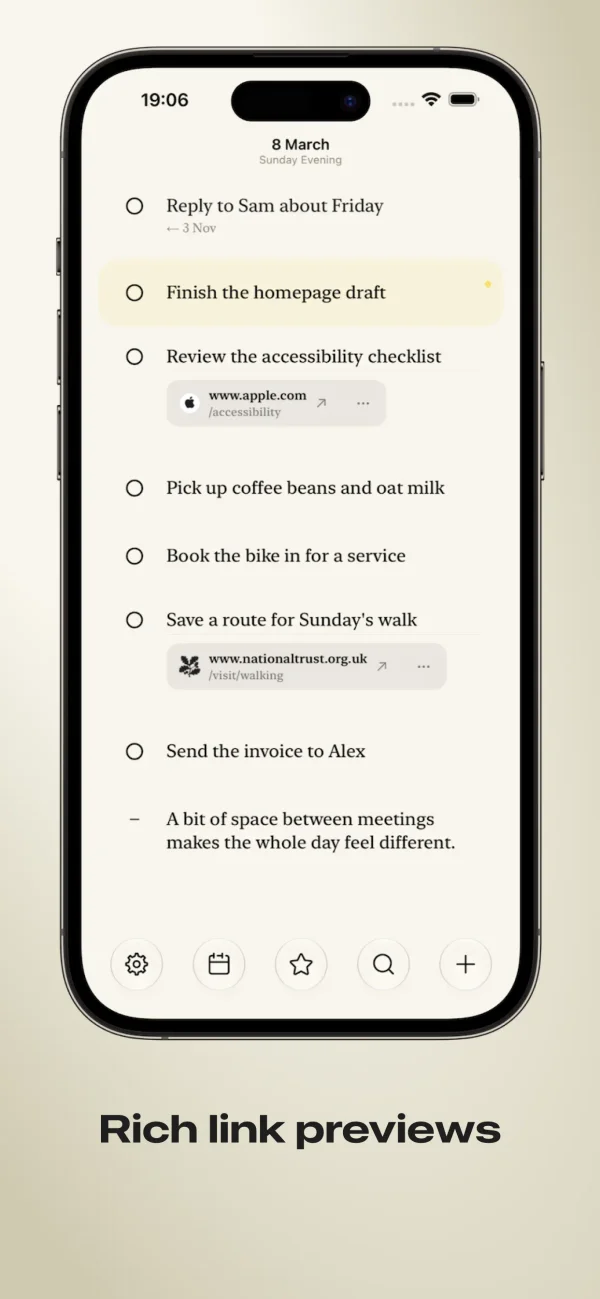
• Mixed Content: Switch between todos and notes seamlessly with a simple toggle
• Visual Hierarchy: Indent items to create subtasks and organise your thoughts
• Temporal Fade: Older incomplete items gradually become translucent, gently nudging you to act or let go
**Apple Intelligence**
• Weekly Reflections: Get a short, encouraging summary of what you accomplished over the past week
• Pattern Insights: Discover trends in your productivity—completion rates, your most productive days, and daily averages
• Natural Language Questions: Ask about your accomplishments, habits, or timing in plain English
• Semantic Search: Find items using natural language powered by on-device Apple Intelligence
**Seamless Cross-Platform Experience**
• Native on iPhone, iPad, and Mac: Beautiful, optimised interfaces for each device
• iCloud Sync: Your data syncs privately and instantly across all your devices
• Widgets: Home screen, lock screen, and Control Centre widgets to stay on top of your day
• Quick Add: Add items instantly from anywhere—menubar floating panel on Mac, lock screen widgets on iPhone, or Siri Shortcuts
• Offline Ready: Works perfectly without an internet connection, with a subtle indicator when you're offline
**Thoughtful Features**
• Photo Attachments: Add photos to your items for visual context
• Highlighting: Long-press to highlight important items in your choice of six colours
• Focus Mode: Filter your view to show only highlighted items when you need to concentrate
• Auto-Rollover: Incomplete todos from previous days automatically appear on today's page
• Carry Forward: Manually move items to tomorrow with a single tap
• Item Links: Connect related items together—mark dependencies, similarities, and relationships between tasks
• Keyboard Shortcuts: Full keyboard support for power users on Mac and iPad
• Menubar Integration: Quick access on Mac with a floating panel and customisable keyboard shortcut
• Siri Shortcuts: Add items hands-free with voice commands
**Focus on What Matters**
• Distraction-Free: Clean, monospaced typography for a focused writing experience
• No Overwhelming Features: Simple interface that grows with your needs, without nagging reminders
• Privacy-First: Your data stays yours, synced via iCloud with no third-party servers
• Customisable: Choose your highlight colour, content width, completion animation style, and more
**Perfect for:**
• Daily planners who value simplicity over complexity
• Students managing assignments and notes
• Professionals organising tasks and meetings
• Anyone who loves the feel of writing in a notebook
Start each day with clarity. End each day with accomplishment. Atempo helps you capture your thoughts, organise your tasks, and move through your days with intention—one page at a time.
*Atempo requires iOS 26+ or macOS 26+. iCloud sync requires an Apple ID signed in to iCloud. Apple Intelligence features require a compatible device.*
Download Atempo today and rediscover the joy of organised thinking.
新機能
バージョン 2026.24 · 2026/11/23
Paste photos, videos, files, and longer text directly into Atempo, with previews that make attachments easier to find and open. Earlier gives unfinished tasks their own view, and Bring to Today moves them back into your current list with Undo. Dictation is easier to start and fades smoothly into view.
アプリのプライバシー
このアプリのデータの取り扱いについて、Karl KochがApp Storeで申告している内容です。
-
データの収集なし
開発元はこのアプリからデータを収集しません。
プライバシーの取り扱いは、ご利用の機能やお客様の年齢などに応じて異なる場合があります。
情報
- 販売元
- Karl Koch
- カテゴリ
- 仕事効率化
- バージョン
- 2026.24
- 更新日
- 2026/11/23
- リリース
- 2026/3/4
- サイズ
- 21.1 MB
- 必要条件
- iOS 27.0以降
- 対象年齢
- 4+
- 価格
- 無料
- 言語
- 英語
- 著作権
- © KEJK
こちらもおすすめ
-
 Descroll: Screen Time Control仕事効率化
-
 NextUp: Client Meeting Notes仕事効率化
-
 Sparc: Family life, organised仕事効率化
-
 App for Google カレンダー: horaプランナー・リマインダー・予定
-
 Slate: To Do List & Planner仕事効率化
-
 買い物リスト: Nom Land自分のレシピ保存と食事計画
-
 addTaskManager: ADHDタスク管理ブレインダンプ&週間プランナー
-
 Bosh - Get Stuff Done仕事効率化
-
 Freaks: Habit Tracker, Streaks仕事効率化
-
 Taskly - Focus on what matters仕事効率化