- 対象年齢4+
- カテゴリ仕事効率化
- 開発元Selim Ustel
- 言語英語
- サイズ31.1 MB
App Storeの公式ページにリンクしています
Download.orgはAvlu - Memory Palaceのファイルを一切ホストしていません。ボタンを押すと、Selim Ustelが公開しているApp Storeのアプリページが開きます。ページの最終確認:2026/11/12。
スクリーンショット
概要
開発元はこのテキストをお使いの言語で提供していません。
Memory is a place you build by hand.
Avlu puts a palace over your notes. Every note is a plain markdown file in a folder you own; the palace arranges them as rooms you furnish, so that walking the room brings the ideas back with it. No account, no server, and nothing that leaves your iCloud.
ROOMS YOU FURNISH
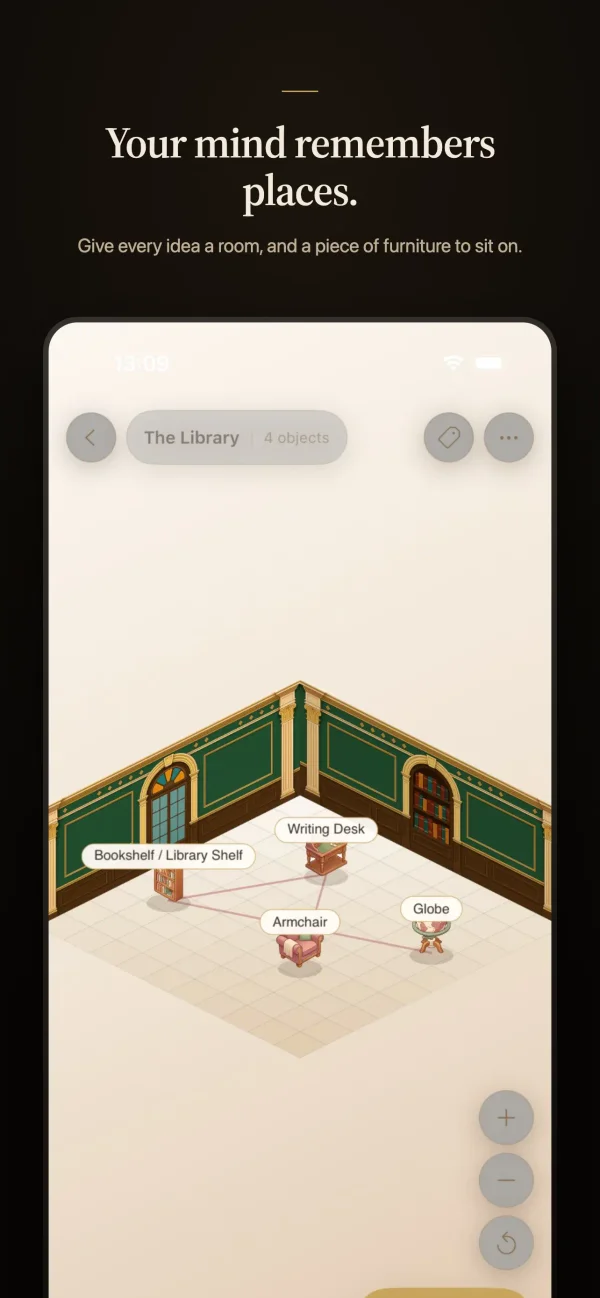
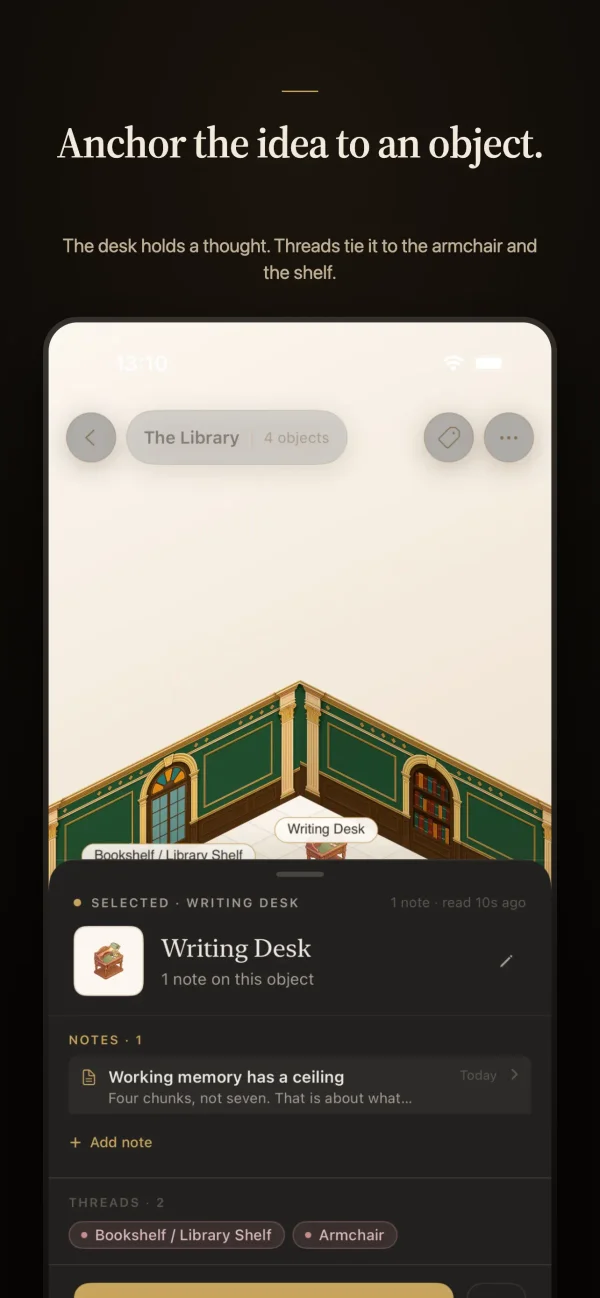
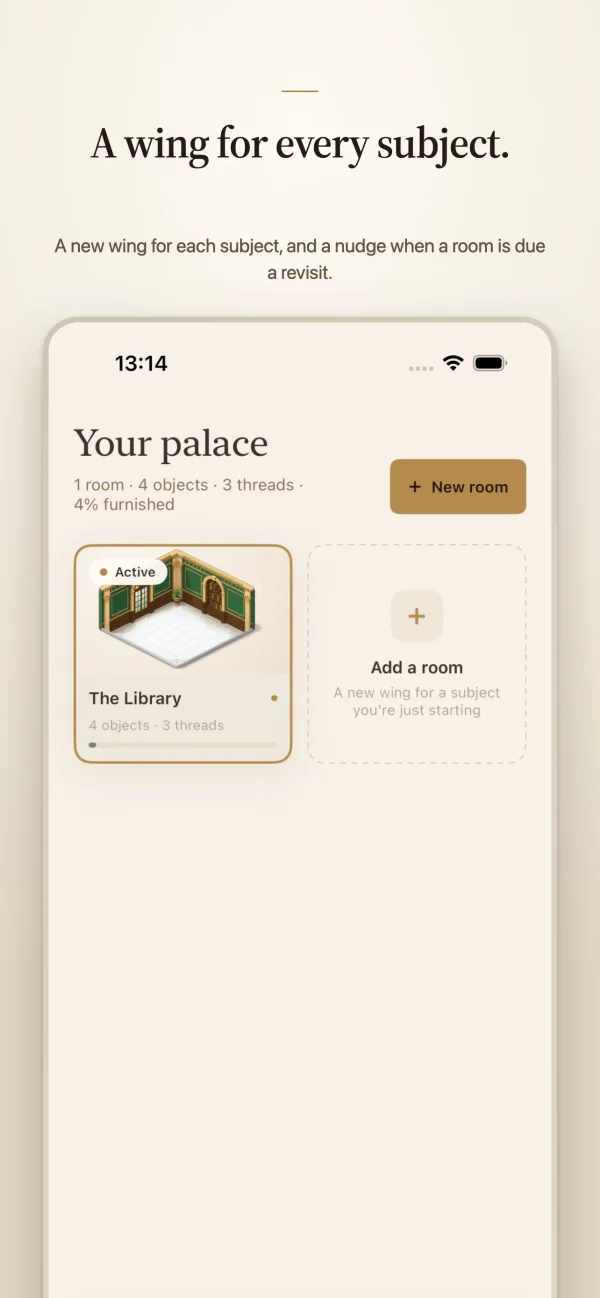
A room is one subject. Start from a template — a library, a workshop, a music room, a memory gallery, a living hall — and put things in it: a writing desk, an armchair, an arch. Each piece of furniture holds one note or several, and it is the object you remember, not the file name. More than a hundred pieces wait in the catalog.
Pinch to zoom, drag to pan, turn an object to face the other way. Take a piece out and it waits in storage with its notes intact. Removing something never destroys it.
MARKDOWN THAT RENDERS AS YOU TYPE
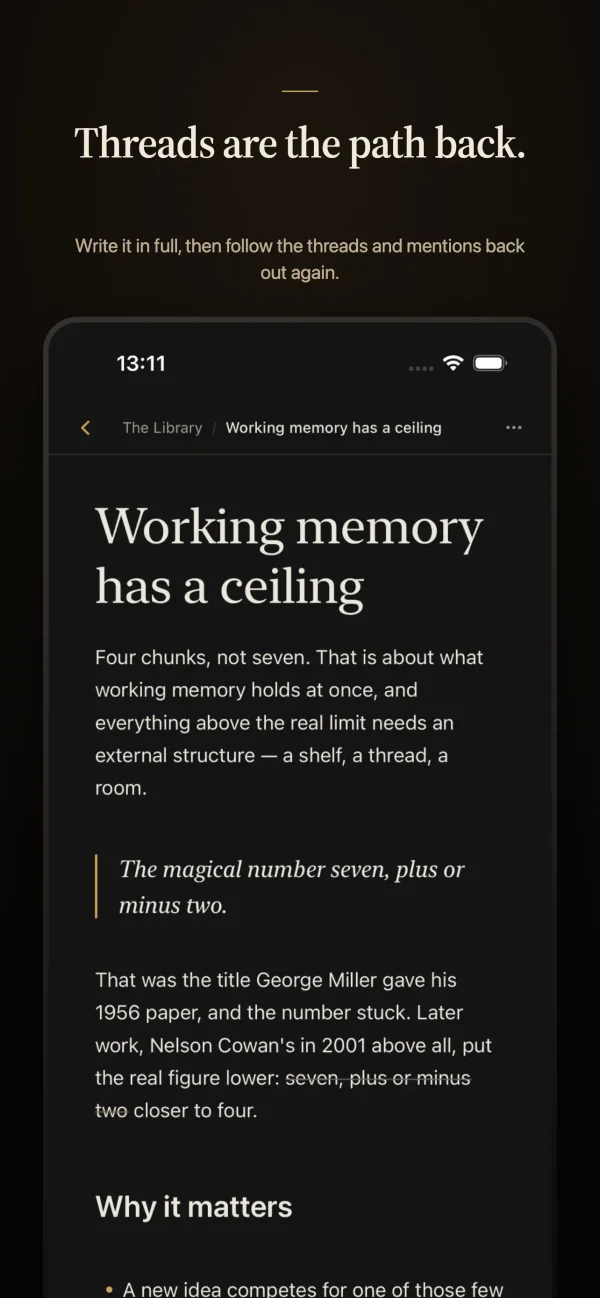
No edit mode and no preview pane. Headings, lists, tasks, quotes and code render in place, and the markup shows itself only on the line you are writing. Add a picture from Photos or Files, or paste one, and it stands where you put it; tap it and set it small, medium or big. Any other file drops in as a card that opens on a tap.
Type [[ and pick the note to link. Rename a note and every link to it is repointed. Frontmatter you wrote yourself is left exactly as it was.
LINKS BECOME THREADS
Write [[a link]] between two notes and Avlu lifts it onto the furniture holding them, then draws it as a line across the floor. A connection becomes something you can see from the doorway, and every idea comes back with its neighbour.
ROOMS FADE IF YOU NEGLECT THEM
Notes you stop opening fall due, and the room they stand in dims. The dashboard counts what is waiting and lists the notes you have left longest. Opening a note is what reviewing means: no ratings, no schedules, nothing else to remember to do.
BUILT FOR EACH SCREEN
On iPhone, four tabs: Today, Palace, Notes and Commands. A room fills the screen, and a note opens as a page. On iPad, every screen and feature of the Mac app at touch proportions, in both orientations, with a sidebar that folds to a ribbon.
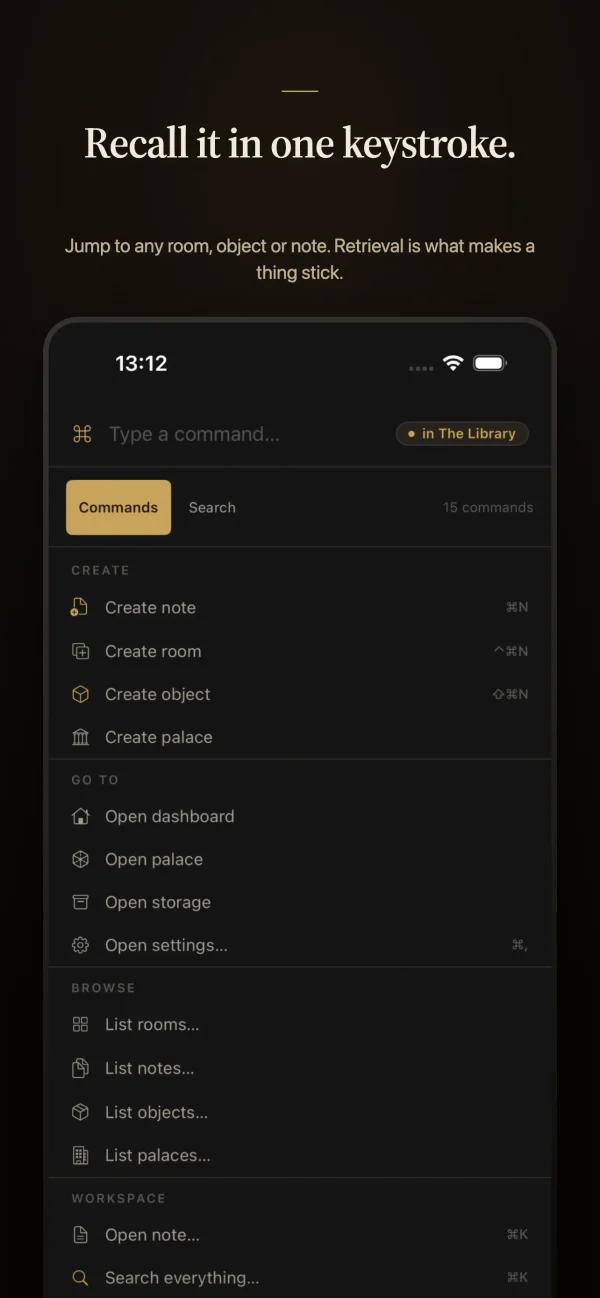
The command list holds every action in the palace: make a note, a room or an object, jump to any room, change the theme. Its search reads every note's title and text.
YOUR FILES, YOUR ICLOUD
• A palace is a folder: plain .md files, plus one small folder beside them that holds the room layouts
• Open it in the Files app, back it up, or point any other markdown app at it, Obsidian included
• Keep it in iCloud Drive and your iPhone, iPad and Mac open the same palace
• No account, no analytics, no advertising, and no network access of any kind
• No permission prompts: Avlu never asks for your photo library, camera, contacts or location
WHO IT IS FOR
Students with a room for each subject. Engineers with runbooks they can walk. Designers, travellers, athletes — anyone whose notes have outgrown a list. Your first palace is built in four steps, and its first notes are already written for you.
AVLU FULL
Avlu is free: rooms, furniture, notes, threads, storage and review, without limits. Avlu Full is an optional subscription, monthly or yearly, that adds one thing: you choose the tile an object stands on, and you can move what is already placed. On a free palace every object finds its own spot. If a subscription ends, nothing moves. One subscription covers iPhone, iPad and Mac.
Payment is charged to your Apple Account at confirmation of purchase. The subscription renews automatically unless it is cancelled at least 24 hours before the end of the current period. Manage or cancel it in your App Store account settings.
Terms of Use: https://www.apple.com/legal/internet-services/itunes/dev/stdeula/
Privacy Policy: https://useavlu.com/privacy/
アプリのプライバシー
このアプリのデータの取り扱いについて、Selim UstelがApp Storeで申告している内容です。
-
データの収集なし
開発元はこのアプリからデータを収集しません。
プライバシーの取り扱いは、ご利用の機能やお客様の年齢などに応じて異なる場合があります。
情報
- 販売元
- Selim Ustel
- カテゴリ
- 仕事効率化
- バージョン
- 1.0.0
- 更新日
- 2026/9/26
- リリース
- 2026/9/25
- サイズ
- 31.1 MB
- 必要条件
- iOS 17.0以降
- 対象年齢
- 4+
- 価格
- 無料
- アプリ内課金
- あり
- 言語
- 英語
- 著作権
- © 2026 Selim Ustel
こちらもおすすめ
-
 PlayStack: Game Tracker仕事効率化
-
 スケジュール管理:1日の予定表・タスク管理ADHD向け 集中とルーティン管理
-
 Orvena仕事効率化
-
 スキャナー:PDF・書類・名刺ドキュメントをスキャン、編集・署名・共有
-
 Kurun - 24時間を円グラフで時間管理・1日の予定表一日のスケジュール・勉強時間や習慣の記録・計画表・行動記録
-
 New Year's Resolution Tracker仕事効率化
-
 Idle Habits RPG仕事効率化
-
 Quick Capture - Vault notes仕事効率化
-
 TaskForge: ObsidianタスクMarkdownのToDoリストとウィジェット
-
 SageMaster仕事効率化