- 対象年齢4+
- カテゴリ写真/ビデオ
- 開発元Jonathan Patt
- 言語英語
- サイズ2.6 MB
App Storeの公式ページにリンクしています
Download.orgはBaftrのファイルを一切ホストしていません。ボタンを押すと、Jonathan Pattが公開しているApp Storeのアプリページが開きます。ページの最終確認:2026/11/20。
スクリーンショット

概要
開発元はこのテキストをお使いの言語で提供していません。
Capture repeatable before-and-after photos in the field. Baftr helps you return to the original location, match the framing, track unfinished photo sets, and export clear comparisons.
Built for contractors, land managers, trail crews, conservation teams, inspectors, and anyone who needs consistent visual documentation over time.
WHAT BAFTR HELPS YOU DO
• Capture before photos with location, compass heading, and date information
• Return to the original photo location using distance and direction guidance
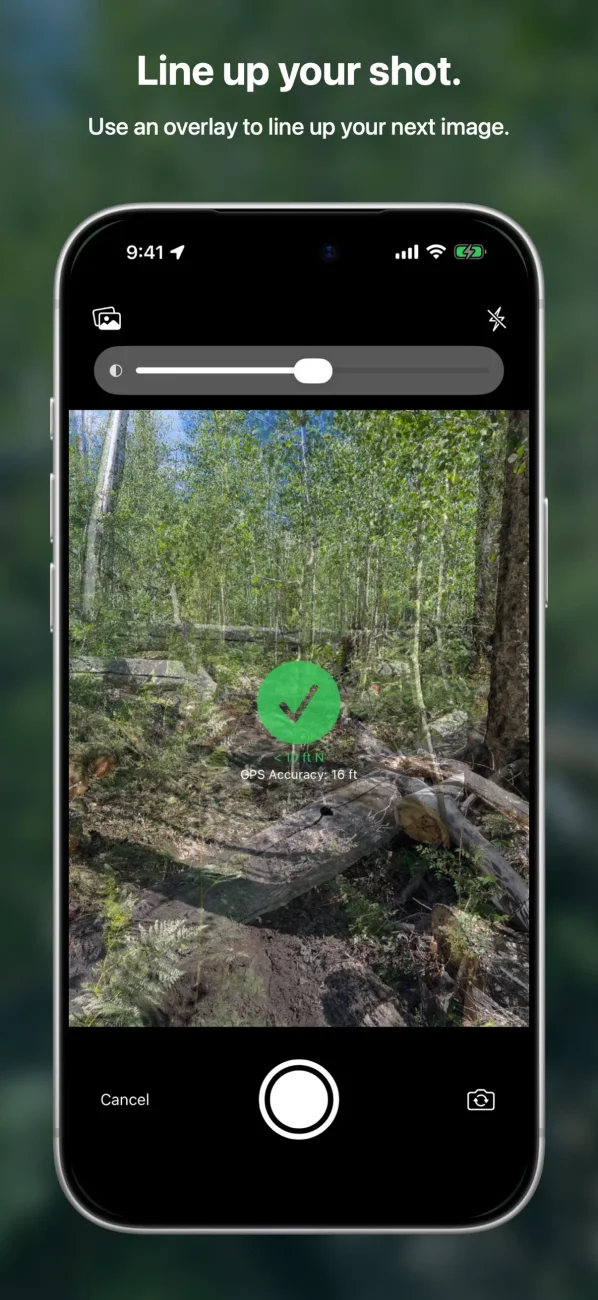
• Overlay the original image while capturing an after photo
• Adjust overlay opacity or use an edge overlay for precise alignment
• See which photo sets still need an after photo
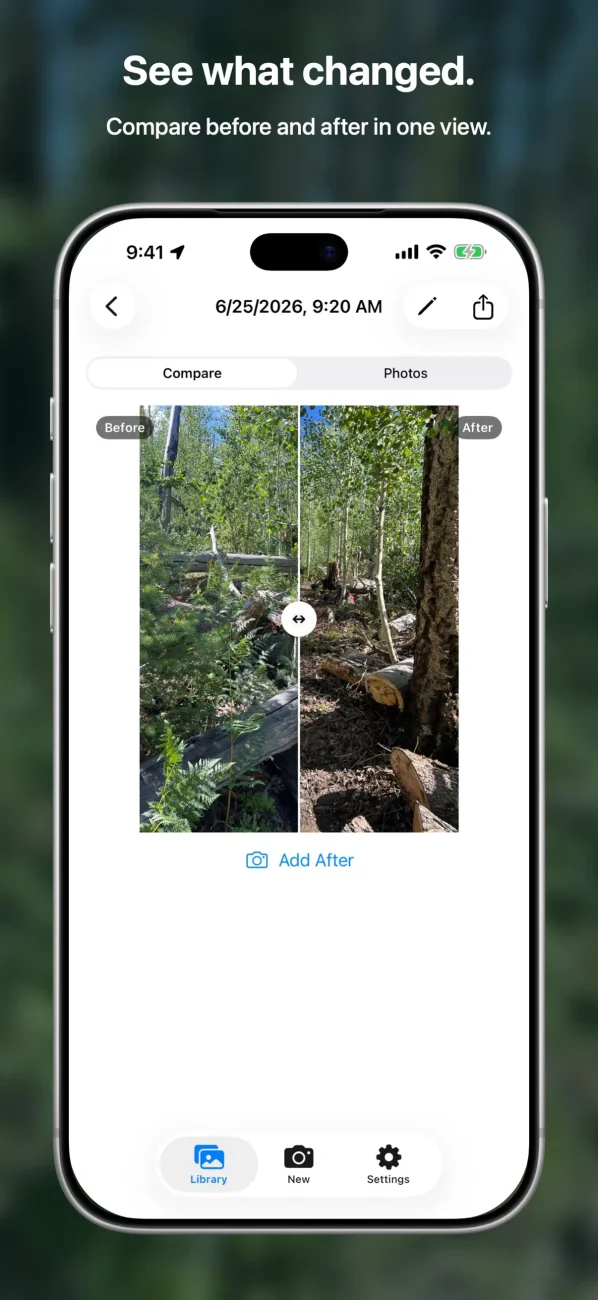
• Add multiple after photos to document changes over time
• Sort photo sets by date or distance from your current location
• Organize photo sets into folders by project, site, or client
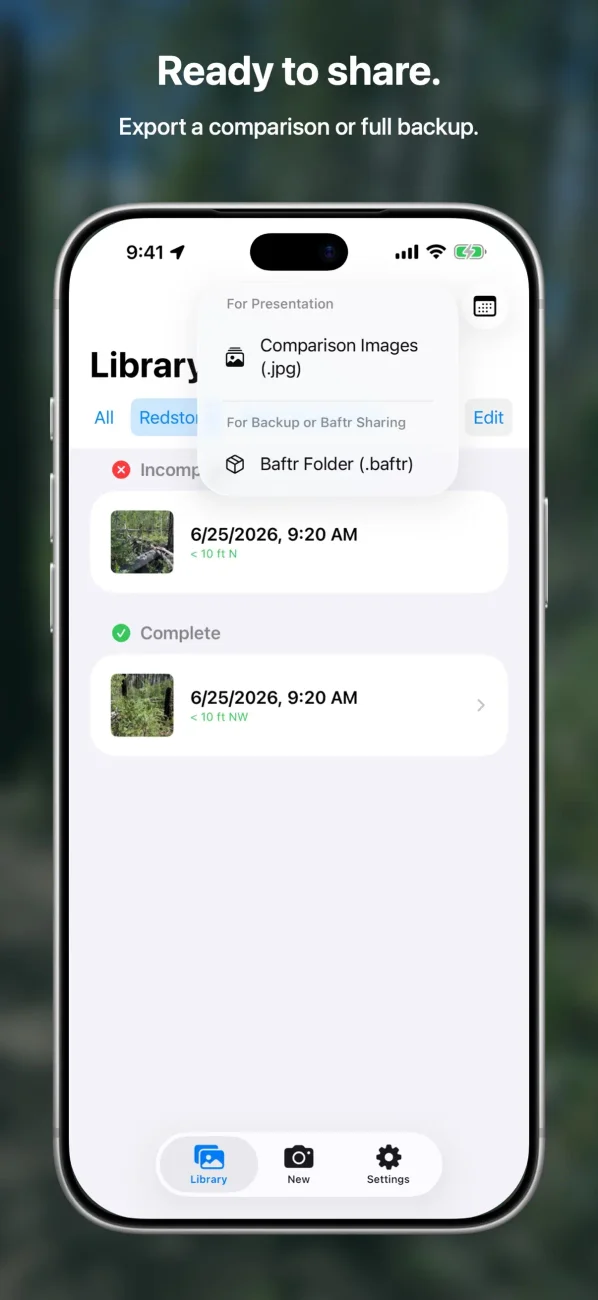
• Export polished before-and-after comparison images
• Customize export size, quality, spacing, and optional title and date labels
• Share complete or partial Baftr photo sets and folders for backup or collaboration
• Import shared photo sets from backup or other users
• Work fully offline without cell service or WiFi
BUILT FOR REPEATABLE FIELD PHOTOGRAPHY
GPS can help you return to the general location, but it cannot recreate the original framing—and ordinary photo libraries do not show which locations still need an after photo.
Baftr keeps the original photo, location, and heading together. When it is time for the follow-up, Baftr guides you back, displays the original over the camera view, and helps you line up a consistent shot.
COMMON USES
• Trail maintenance documentation and reporting
• Conservation, restoration, and photo-point monitoring
• Construction, landscaping, and remodeling documentation
• Site inspections and field observations
• Volunteer and nonprofit project reporting
• Home and property projects tracked over time
Your photo library is stored on your device. Export comparison images for presentations and reports, or create complete Baftr packages for backup and sharing.
新機能
バージョン 1.5 · 2026/10/10
Experimental Nearby Reminders: Turn on reminders for selected before photos and get a notification to take the after photo when you return near its location.
Compare view: Completed photo sets now include a draggable before-and-after reveal alongside the existing Photos view. Choose the default view in Settings.
Export titles: Photo sets with custom titles can optionally embed that title in the image.
Multiple bug fixes and speed and memory optimizations.
アプリのプライバシー
このアプリのデータの取り扱いについて、Jonathan PattがApp Storeで申告している内容です。
-
データの収集なし
開発元はこのアプリからデータを収集しません。
プライバシーの取り扱いは、ご利用の機能やお客様の年齢などに応じて異なる場合があります。
情報
- 販売元
- Jonathan Patt
- カテゴリ
- 写真/ビデオ
- バージョン
- 1.5
- 更新日
- 2026/10/10
- リリース
- 2025/6/30
- サイズ
- 2.6 MB
- 必要条件
- iOS 16.0以降
- 対象年齢
- 4+
- 価格
- ¥1,500
- 言語
- 英語
- 著作権
- © 2026 Jonathan Patt