- 対象年齢4+
- カテゴリヘルスケア/フィットネス
- 開発元Beta Cell Foundation
- 言語英語
- サイズ21.6 MB
App Storeの公式ページにリンクしています
Download.orgはBeta Cell Lab Notesのファイルを一切ホストしていません。ボタンを押すと、Beta Cell Foundationが公開しているApp Storeのアプリページが開きます。ページの最終確認:2026/11/24。
スクリーンショット
概要
開発元はこのテキストをお使いの言語で提供していません。
Log your decisions on purpose — what you ate, dosed, and did, and how you felt — then look back and reflect to learn what works for you. Three tools for type 1 diabetes and exercise, from the Beta Cell Foundation: a logbook, a journal, and simulators.
LOGBOOK
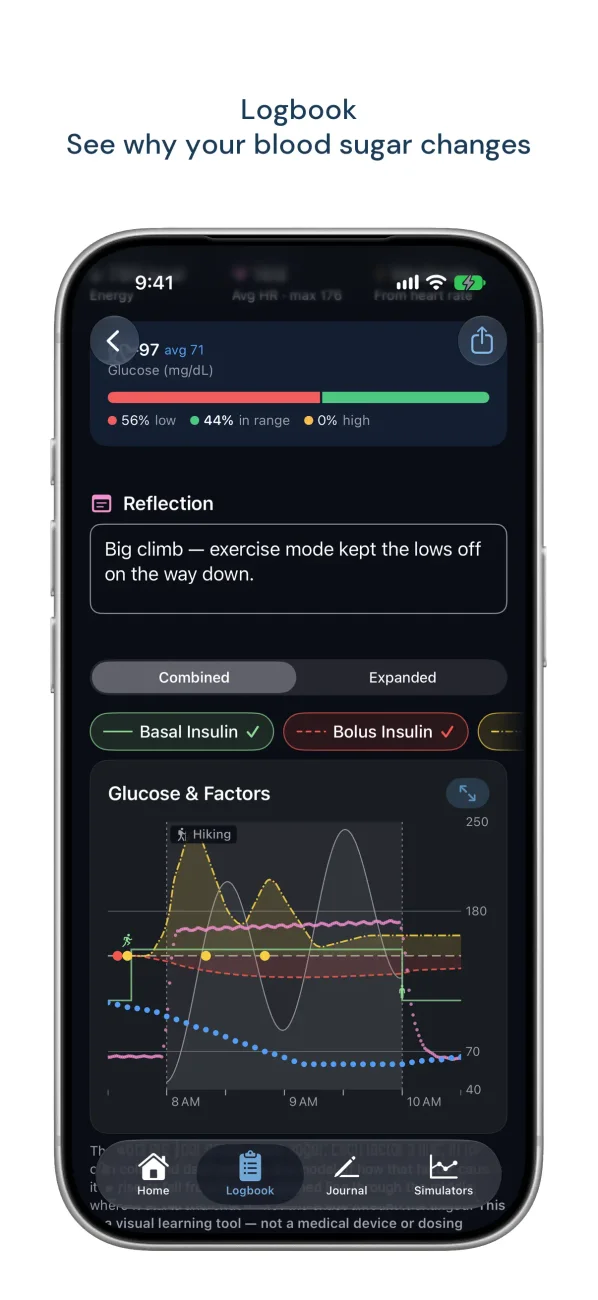
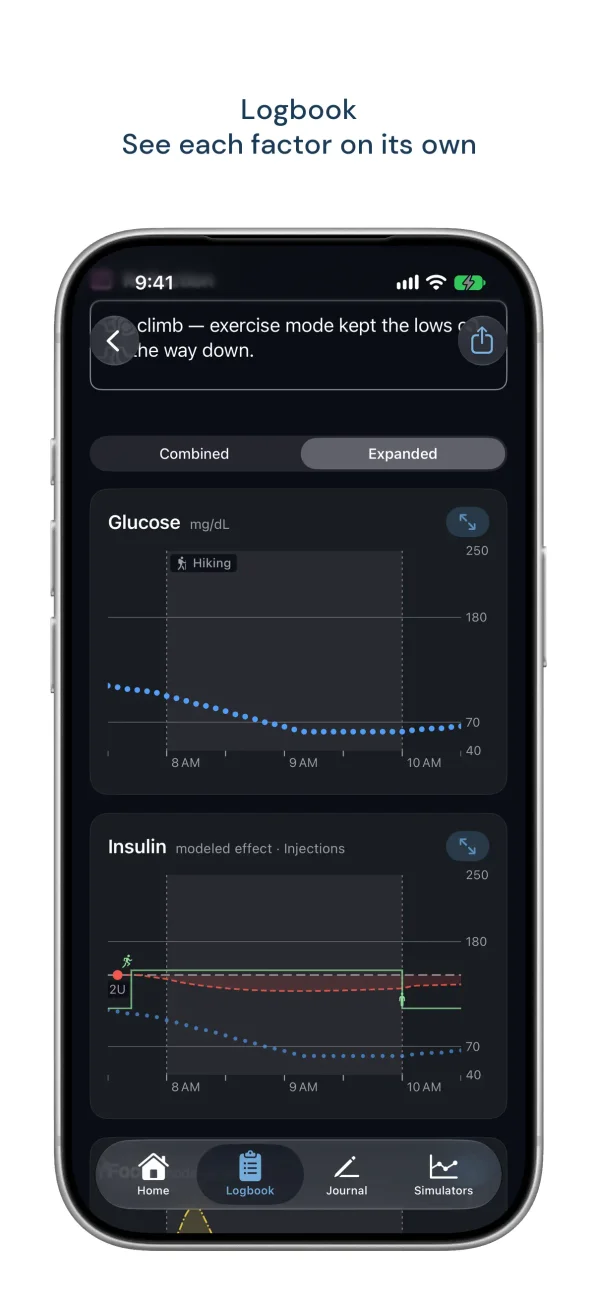
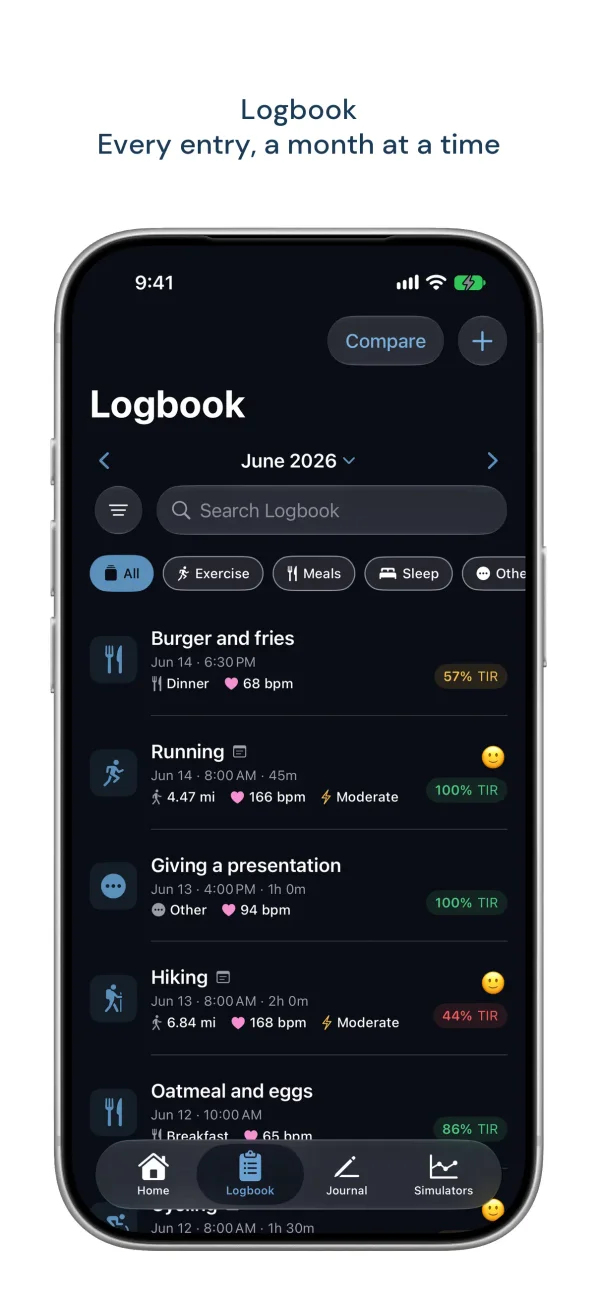
Every workout from Apple Health on one timeline with your glucose, insulin, carbs, heart rate, and elevation — and the modeled effect of each dose and meal shaded on the chart, so you can see why your blood sugar did what it did. Meals (with a photo, logged with their carbs, protein, and fat), sleep (from Apple Health if you turn it on, or added yourself), other activities, and basal, carb ratio, and correction factor tests get the same chart, and every chart labels whatever else you logged in its window. Log food, insulin, and fingersticks straight to Health; tag how each went; write a reflection; browse a month at a time, search every month, and filter by kind, time in range, intensity, type, or period day; compare up to six entries' charts on one scale; export any entry, or the ones you compared, as a PDF for your care team, or print blank logs. A guide explains how to run each test, with its peer-reviewed sources; the results are for you and your care team, and the app never tells you what to change.
SIMULATORS
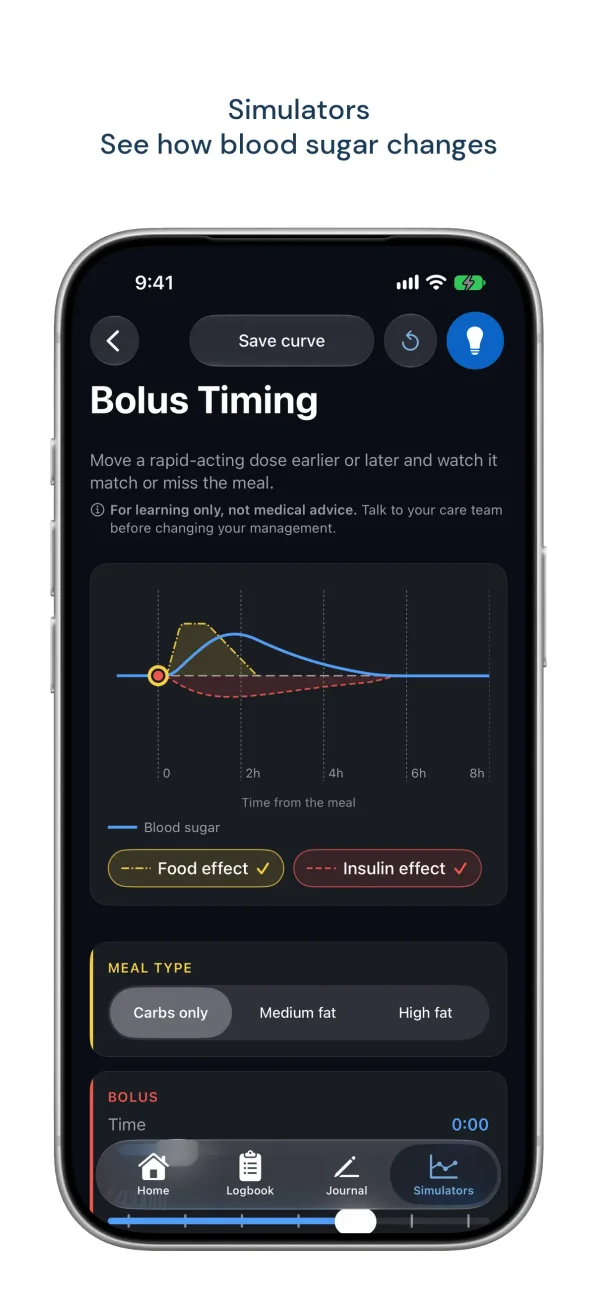
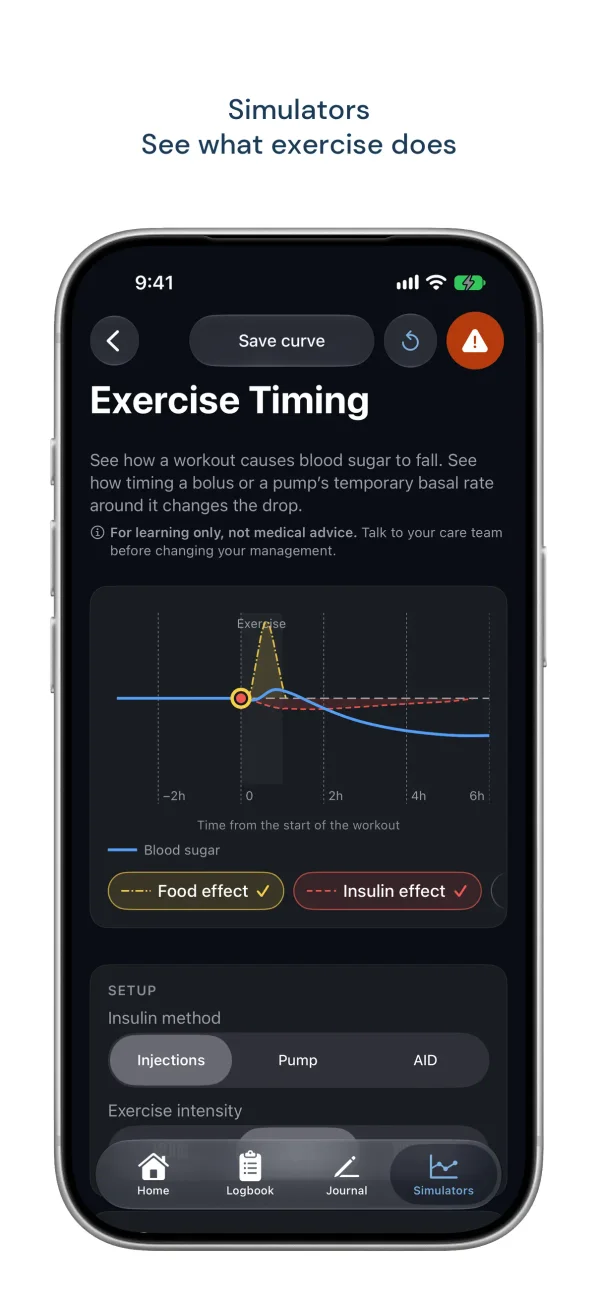
Twelve blood sugar simulators you can play with: bolus timing, the bolus and basal insulins, split boluses, pump basal, exercise timing, anaerobic exercise, extended exercise, exercise overnight, the dawn phenomenon, treating a low, and correcting a high. Split boluses, exercise, and the dawn phenomenon run on injections, a pump, or AID. Move a slider through its marked stops and watch the curve; pinch to zoom in. A note on each one says what the curve is showing you. Nothing is logged.
JOURNAL
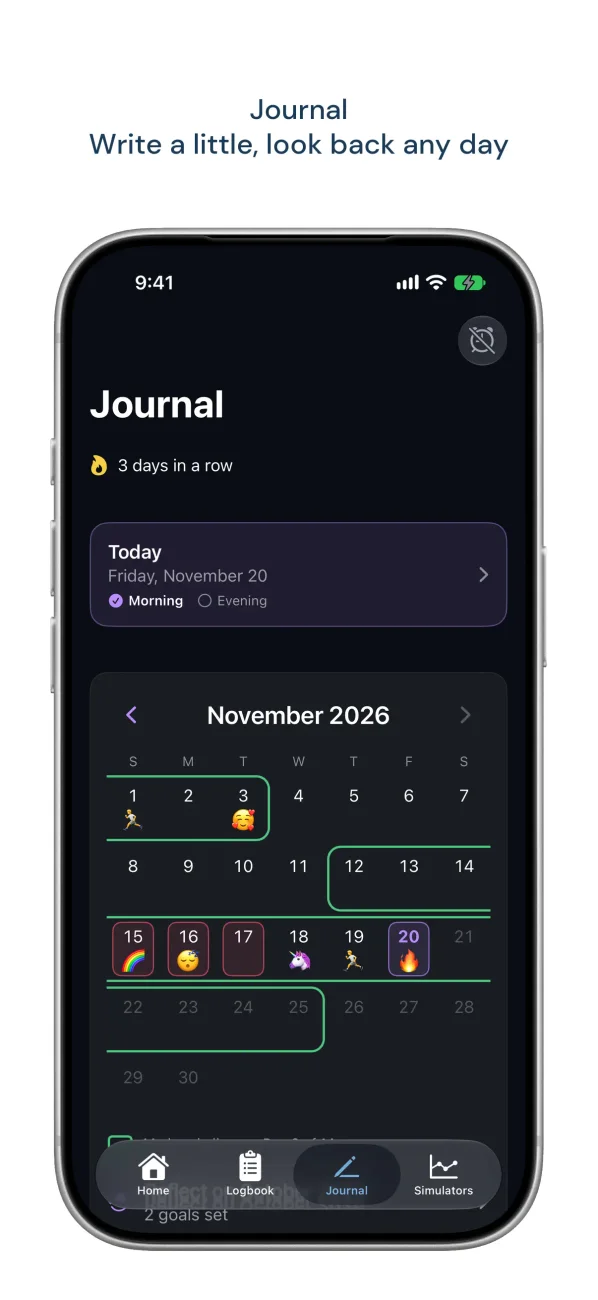
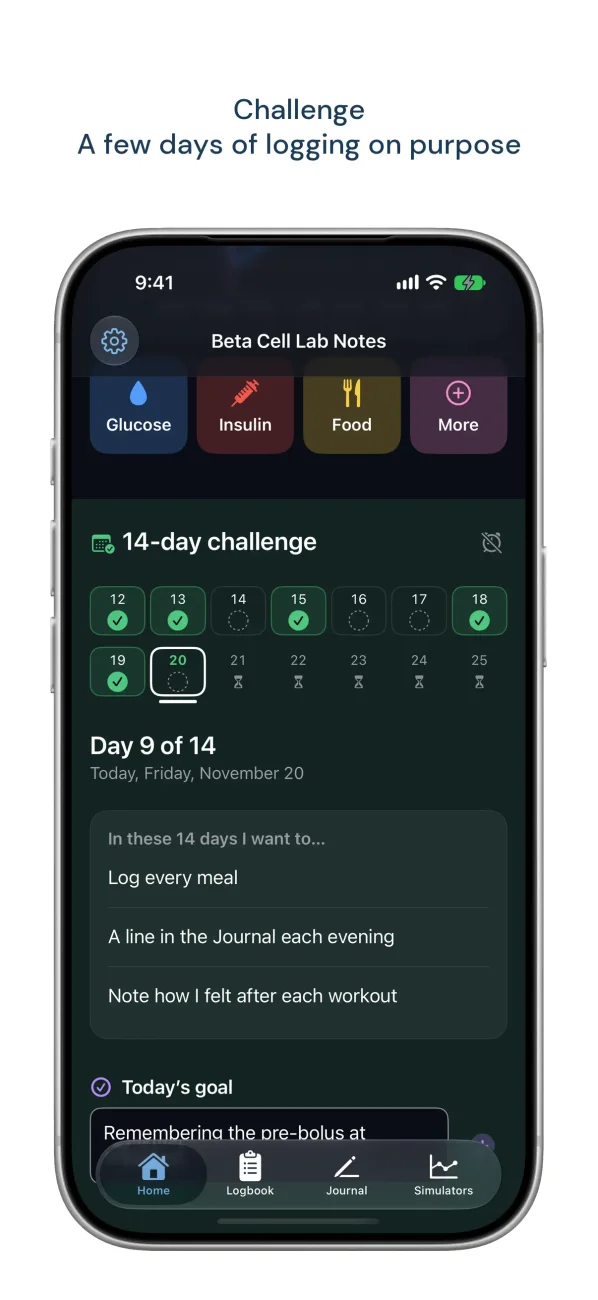
A line or two each morning and evening, with the day's blood sugar and Logbook entries on the page; today's goal on Home; goals for the month under the calendar, and a look back at its end. Take on a challenge of 3, 7, or 14 days, marking each day complete yourself. Widgets keep today's page, your goals, and how you are in view, on the Home Screen, the Lock Screen, and your Apple Watch. Optional period tracking, read from and written to Apple Health, marks period days across the Journal and the Logbook.
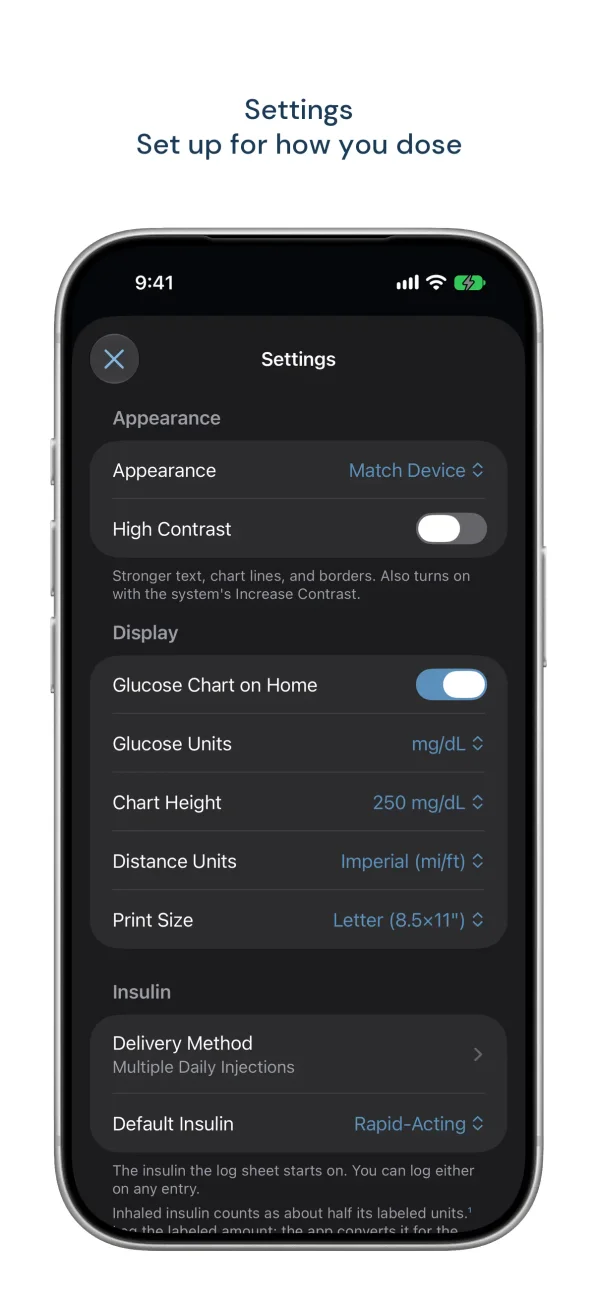
Works with MDI, insulin pumps, and AID systems, and Rapid-Acting and Inhaled insulin. Sign in to your CGM — Dexcom (Dexcom Share), FreeStyle Libre (LibreLinkUp), Medtronic MiniMed, Guardian, and Simplera (CareLink, with your pump's boluses and carbs if you want them), Eversense (Eversense NOW), or Nightscout — and see your readings on Home and your charts within minutes. Any CGM that writes to Apple Health works too. Apple Watch companion for three-tap logging. Follows your device's light or dark setting, or choose one, with High Contrast too; VoiceOver and Larger Text throughout.
Your data is yours. It stays on your devices and backs up to your own iCloud. We never see it, and there's no server in between. If you sign in with the same iCloud account on a different device, your data will sync. CGM sign-ins are sent only to that service — Abbott, Medtronic, Dexcom, Senseonics, or your own Nightscout site — to fetch your own readings. Export Data saves everything you've written in the app, photos included, as one file that opens on an iPhone or an Android phone.
Beta Cell Lab Notes is a visualization and learning tool, not a medical device. Never use it for dosing decisions.
Product names such as Lantus, Tresiba, Dexcom, FreeStyle Libre, Eversense, CareLink, MiniMed, Omnipod, Control-IQ, twiist, and CamAPS are trademarks of their owners. The Beta Cell Foundation and Beta Cell Lab Notes aren't affiliated with or endorsed by them.
新機能
バージョン 2.0.3 · 2026/11/24
• Charts open full screen. Tap the expand button on a Logbook, Home, or Journal chart; on iPhone it turns to landscape. Swipe up or down between an entry's charts.
• Add Meal can log your insulin too, with its own time, so a meal and its bolus are logged in one place.
• Workout intensity now has four levels: Light, Moderate, High, and Intense, read on the same scale as your heart-rate zones. Intense is the all-out effort that tends to raise blood sugar: five minutes or more above 90% of your maximum heart rate, or a strength workout. The simulators call their top level Intense too.
• Home lists everything you logged today under Today's Logbook.
• The Overnight Exercise Effect simulator is back.
• Fixed: a workout could show one intensity in the Logbook and another on its own screen.
• Fixed: a reflection that starts with "/" was saved wrongly in an exported PDF.
アプリのプライバシー
このアプリのデータの取り扱いについて、Beta Cell FoundationがApp Storeで申告している内容です。
-
データの収集なし
開発元はこのアプリからデータを収集しません。
プライバシーの取り扱いは、ご利用の機能やお客様の年齢などに応じて異なる場合があります。
情報
- 販売元
- Beta Cell Foundation
- カテゴリ
- ヘルスケア/フィットネス
- バージョン
- 2.0.3
- 更新日
- 2026/11/24
- リリース
- 2026/9/11
- サイズ
- 21.6 MB
- 必要条件
- iOS 26.0以降
- 対象年齢
- 4+
- 価格
- 無料
- 言語
- 英語
- 著作権
- © 2026 Beta Cell Foundation
こちらもおすすめ
-
 GlucoLabヘルスケア/フィットネス
-
 SweetLife - Diabetes Trackerヘルスケア/フィットネス
-
 GlucoseInsightsヘルスケア/フィットネス
-
 Lowcate - Diabetesヘルスケア/フィットネス
-
 Ando - CGM Glucose & Workoutsヘルスケア/フィットネス
-
 Yahra YOGA | TREATMENTSヘルスケア/フィットネス
-
 Enabled Diabetesメディカル
-
 Magic Trainingランニングと筋トレの計画
-
 Glucose Guide - GiGi Diabetesヘルスケア/フィットネス
-
 Enhance-d:糖尿病と運動血糖値、CGM、運動の管理アプリ