- 対象年齢4+
- カテゴリ写真/ビデオ
- 開発元Blackmagic Design Inc
- 言語英語ほか8言語
- サイズ203.3 MB
App Storeの公式ページにリンクしています
Download.orgはBlackmagic Cameraのファイルを一切ホストしていません。ボタンを押すと、Blackmagic Design Incが公開しているApp Storeのアプリページが開きます。ページの最終確認:2026/11/24。
スクリーンショット



概要
開発元はこのテキストをお使いの言語で提供していません。
Introducing Digital Film for iPhone and iPad!
Blackmagic Camera unlocks the power of your iPhone and iPad by adding digital film camera controls and operating systems! Now you can create the same cinematic ‘look’ as Hollywood feature films. You get the same intuitive and user friendly interface as Blackmagic Design’s award winning cameras. So it’s just like using a professional digital film camera! This means you can adjust settings such as frame rate, shutter angle, white balance and ISO all in a single tap. Or record directly to Blackmagic Cloud in industry standard 10-bit Apple ProRes files up to 4K! Recording to Blackmagic Cloud Storage lets you collaborate on DaVinci Resolve projects with editors anywhere in the world, all at the same time!
Get the "Hollywood Look" with Digital Film!
Blackmagic Camera puts the professional features you need for feature film, television and documentaries in your pocket. Now you can create YouTube and TikTok content with a cinematic look, and broadcast quality ENG! Imagine having a run and gun camera on hand to capture breaking news whenever it happens! Or use Blackmagic Camera as a B Cam to capture angles that are difficult to reach with traditional cameras, while still retaining control of important settings. Best of all, recording to Blackmagic Cloud allows you to get your footage to the newsroom or post production studio in minutes.
Interactive Controls for Fast Setup
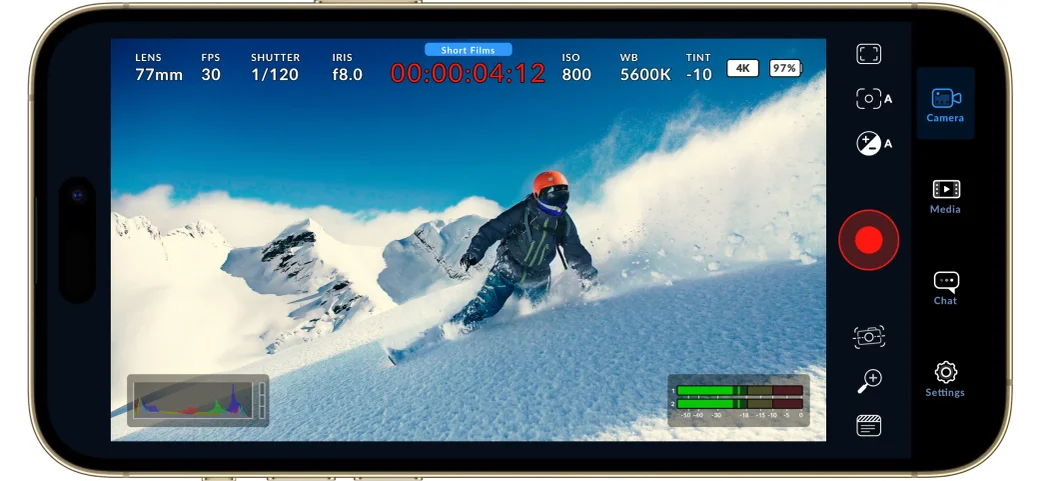
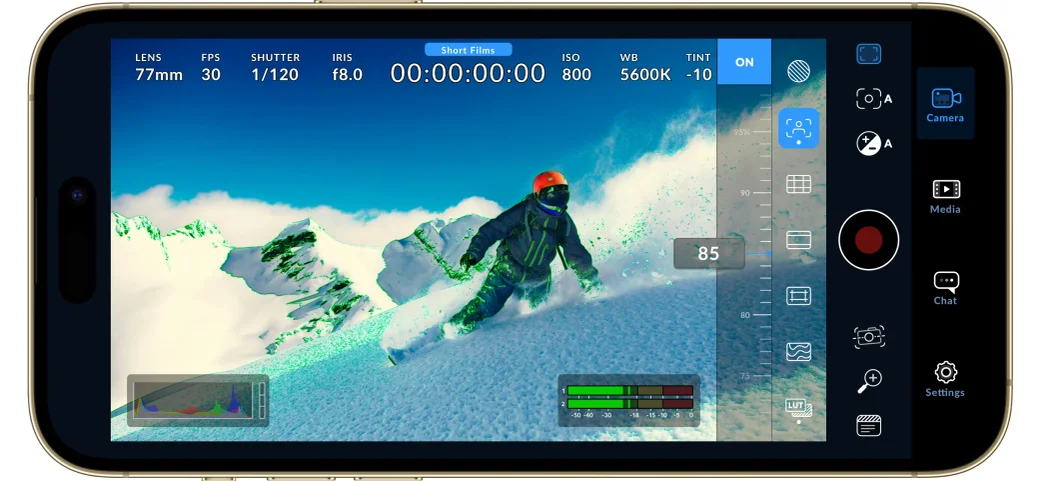
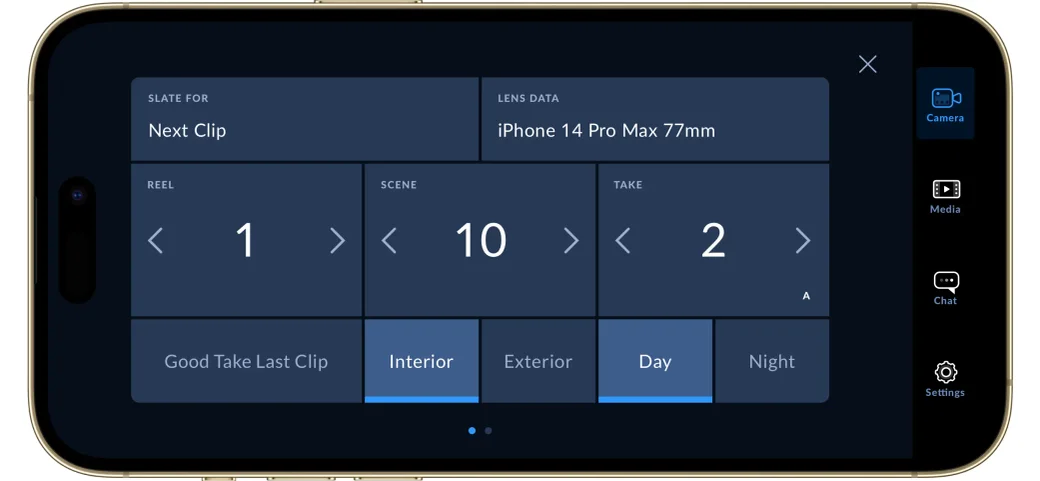
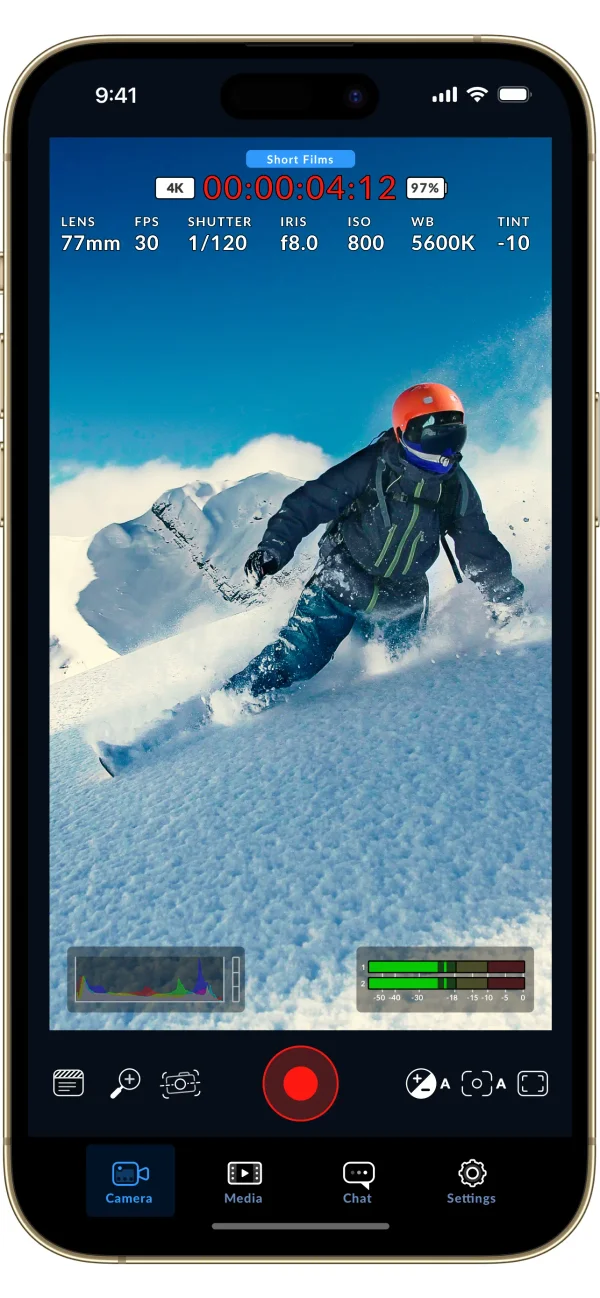
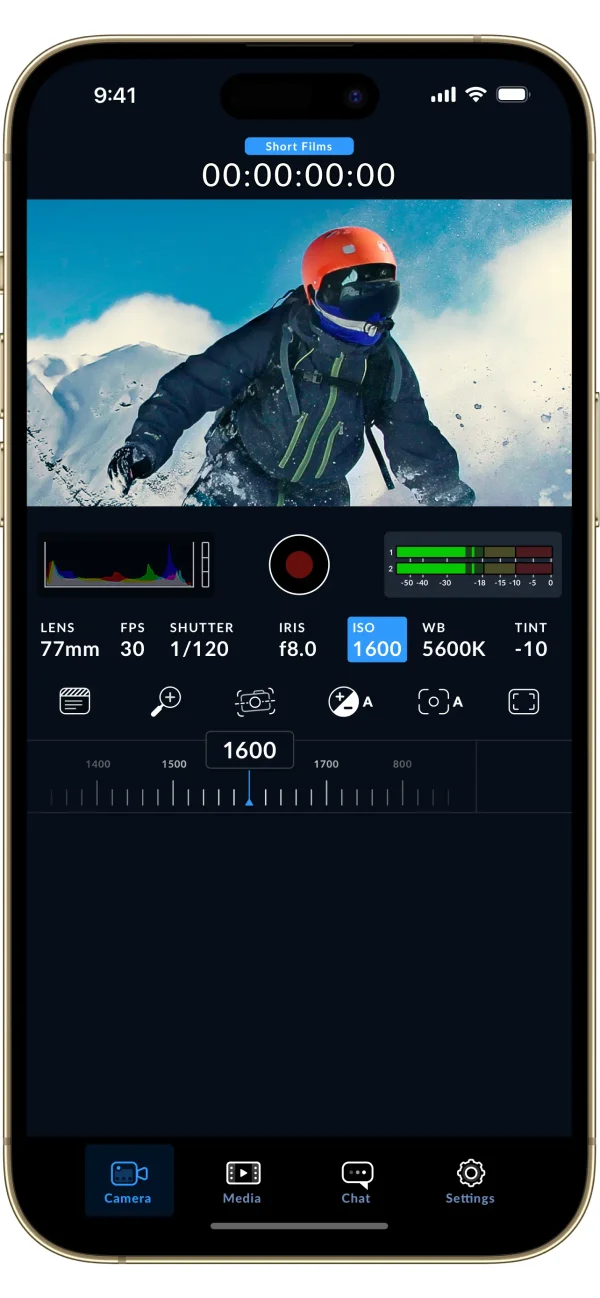
Blackmagic Camera has all the controls you need to quickly setup and start shooting! Everything is interactive, so you can tap any item and instantly change settings without searching through confusing menus! The HUD shows status and record parameters, histogram, focus peaking indicators, levels, frame guides and more. Show or hide the HUD by swiping up or down. You can auto focus by tapping the screen in the area you want to focus. You can shoot in 16:9 or vertical aspect ratios, plus you can shoot 16:9 while holding your phone vertically if you want to shoot unobtrusively.
On Screen Heads Up Display
The heads up display, or HUD, controls have the most important camera controls such as lens selection, frame rate, shutter angle, timecode, ISO, white balance, gain and audio levels. You can adjust settings such as exposure by touching the ISO indicator, or you can change the audio levels simply by touching the audio meters. Everything is interactive, so if you tap any item you can instantaneously change its settings without having to search through complex menus!
Camera Setup Menus
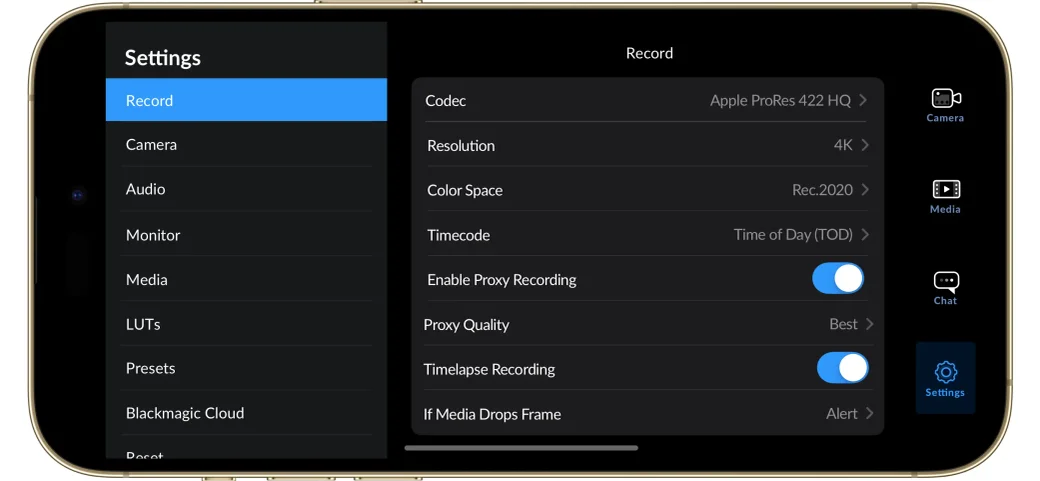
The settings tab unlocks the full power of your phone’s camera, with quick access to advanced settings such as monitoring, audio, camera setup, recording and more! The record tab gives you total control over video resolution and recording format including industry standard Apple ProRes or space efficient H.264 and H.265. Plus, you can set anamorphic de-squeeze and lens correction settings. Professional audio options include AAC and PCM format and VU or PPM audio metering. You can even add external microphones! Or add 3D LUTs to recreate film looks!
Media
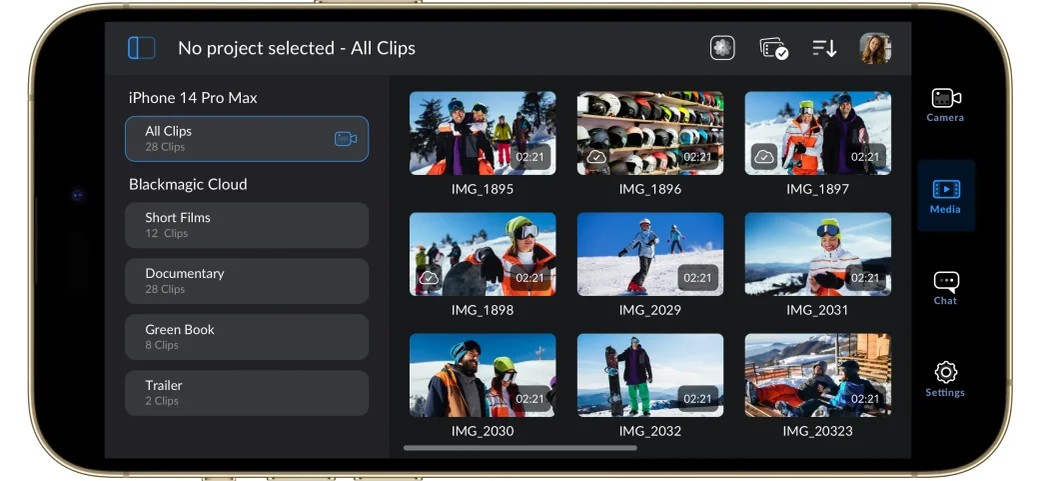
The Blackmagic Camera media tab has all the controls you need to browse or scrub clips for quick review, search and sort and view the upload status of your media. Access your media from Blackmagic Camera’s all clips folder by choosing the Media button to see the thumbnails for each clip you have stored. Plus, you can save to the files folder on the phone, send it to Blackmagic Cloud Storage via Blackmagic Cloud or manually choose which clips to upload to a project library. You can even sync media from Blackmagic Camera directly into the DaVinci Resolve project so you’re ready to edit!
Live Sync to Blackmagic Cloud Storage
When shooting with Blackmagic Camera, the video you capture can be instantly uploaded as a proxy file, followed by the camera originals, and saved to Blackmagic Cloud Storage. This means you can start editing quickly using your proxies, speeding up your workflow.
新機能
バージョン 3.5.3 · 2026/10/23
• Support for iPhone Duo.
• General performance and stability improvements.
アプリのプライバシー
このアプリのデータの取り扱いについて、Blackmagic Design IncがApp Storeで申告している内容です。
-
データの収集なし
開発元はこのアプリからデータを収集しません。
プライバシーの取り扱いは、ご利用の機能やお客様の年齢などに応じて異なる場合があります。
情報
- 販売元
- Blackmagic Design Inc
- カテゴリ
- 写真/ビデオ
- バージョン
- 3.5.3
- 更新日
- 2026/10/23
- リリース
- 2023/9/14
- サイズ
- 203.3 MB
- 必要条件
- iOS 18.0以降
- 対象年齢
- 4+
- 価格
- 無料
- 言語
- 英語, フランス語, ドイツ語, イタリア語, 日本語, 韓国語, ポルトガル語, 簡体字中国語, スペイン語
- 著作権
- © Blackmagic Design Pty Ltd
こちらもおすすめ
-
 Filmic Pro-Video CameraCinema Quality Video Capture
-
 ProCamera. 一眼レフそしてマニュアルカメラRAW & 高画質 撮影そして動画撮影 for iPhone
-
 Halide Mark III - Pro CameraRAW, Manual and Macro Capture
-
 Pro Camera-Omnipotent Camera写真/ビデオ
-
 Varlens カメラ - 写真の楽しさを発見オールインワンの究極のプロカメラ
-
 Sony | Monitor & Control写真/ビデオ
-
 Protake - Mobile Cinema Camera写真/ビデオ
-
 DJI Ronin写真/ビデオ
-
 Monitor+写真/ビデオ
-
 Project Indigo写真/ビデオ