- 対象年齢4+
- カテゴリ仕事効率化
- 開発元Marcell Beres
- 言語英語
- サイズ70.8 MB
App Storeの公式ページにリンクしています
Download.orgはBridgeSyncのファイルを一切ホストしていません。ボタンを押すと、Marcell Beresが公開しているApp Storeのアプリページが開きます。ページの最終確認:2026/11/8。
スクリーンショット


概要
開発元はこのテキストをお使いの言語で提供していません。
Your iPhone and your Windows PC, finally working as one.
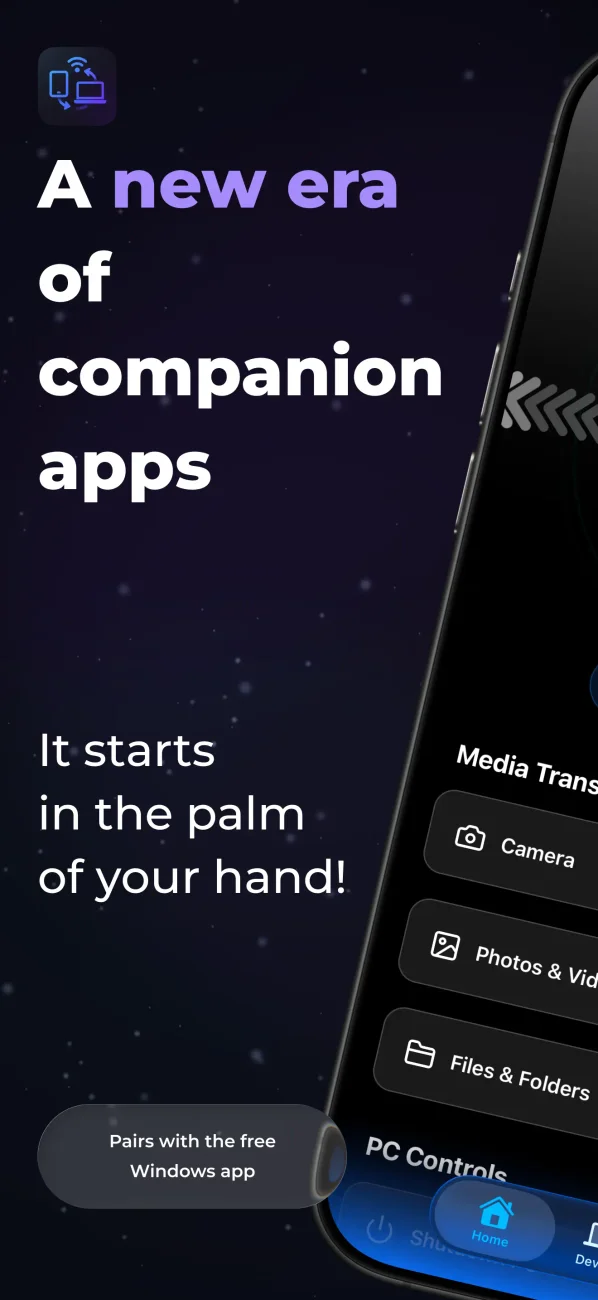
BridgeSync connects your iPhone and Windows PC over your own local network, giving you the features you actually want from a phone companion: fast file transfers, notification mirroring, shared clipboard, screen mirroring, and remote PC controls.
No cloud storage. No files uploaded somewhere first. Your devices communicate directly with each other, with end-to-end encryption protecting the connection.
Download the free BridgeSync Desktop app at bridgesyncapp.com
SEND FILES FAST
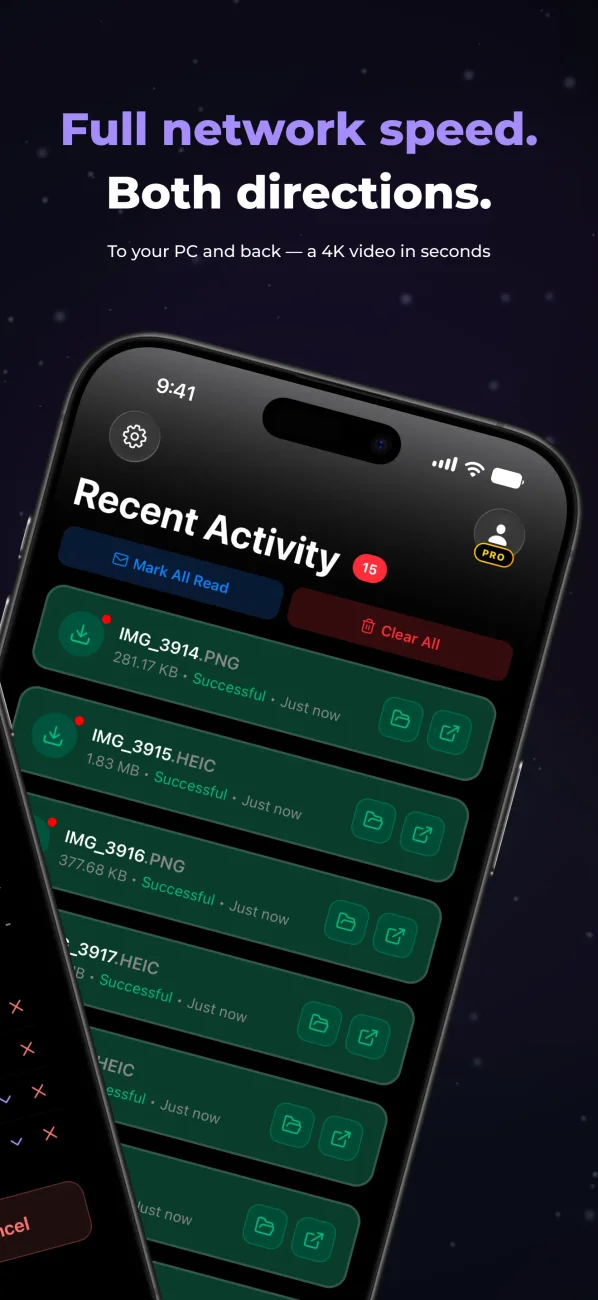
Move photos, videos, documents, and entire folders between your iPhone and PC over Wi-Fi. Transfers use multiple parallel connections on your local network to make the most of your available bandwidth.
Send folders without flattening their structure, keep your original files and quality, and watch live transfer progress on the sender device.
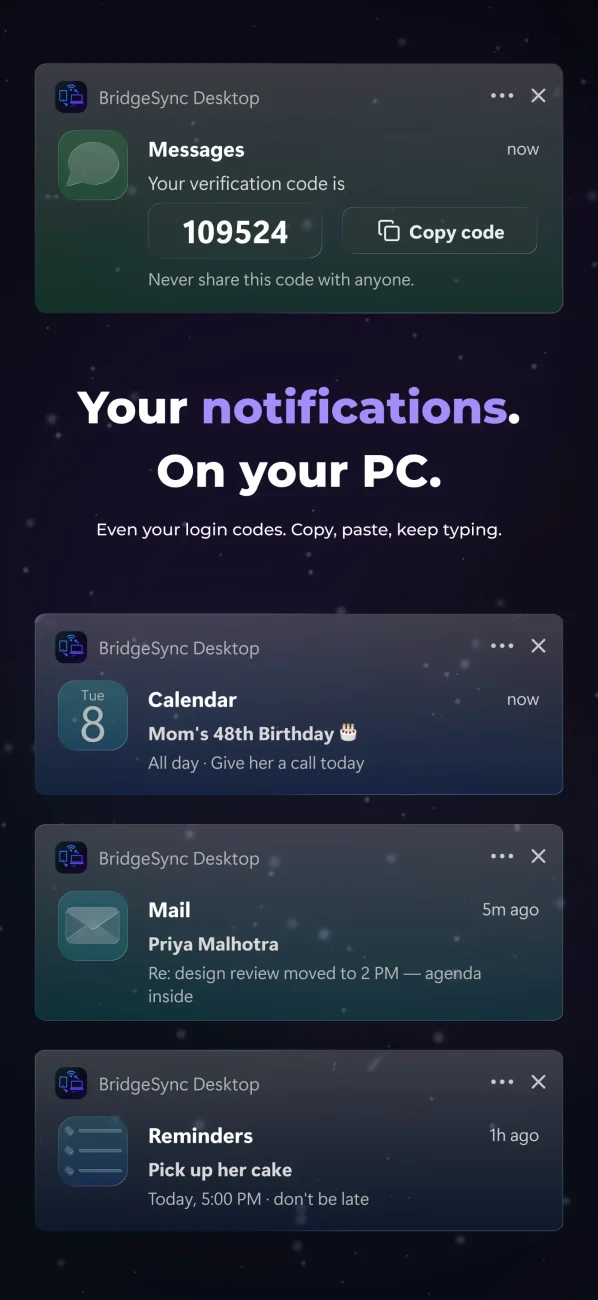
SEE YOUR iPHONE NOTIFICATIONS ON WINDOWS
Your iPhone notifications appear as native Windows notifications, including messages, calls, calendar alerts, and more.
Dismiss a notification from your PC and it is dismissed on your iPhone too. Notification mirroring can continue even when BridgeSync is closed on your iPhone.
STOP REACHING FOR YOUR PHONE FOR VERIFICATION CODES
Verification and two-factor authentication codes can appear right on your desktop alongside your other notifications.
See the code, copy it, and keep typing without picking up your phone.
TAKE ACTION FROM YOUR DESKTOP
When an iPhone notification offers an action, BridgeSync can bring that action to your PC.
Incoming calls can be accepted or declined from Windows. The call itself stays on your iPhone, including its audio. BridgeSync simply lets you respond without having to reach for the phone.
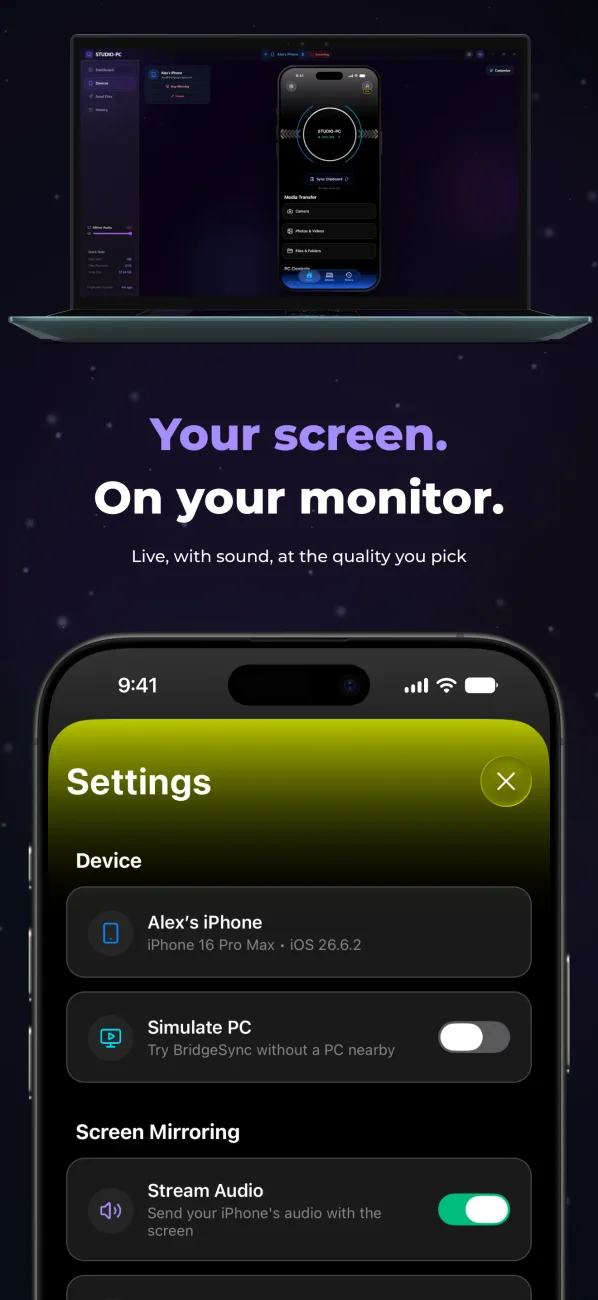
MIRROR YOUR iPHONE SCREEN
See your iPhone screen live on your Windows PC, with audio.
Choose between quality presets depending on whether you want a sharper picture or lower latency.
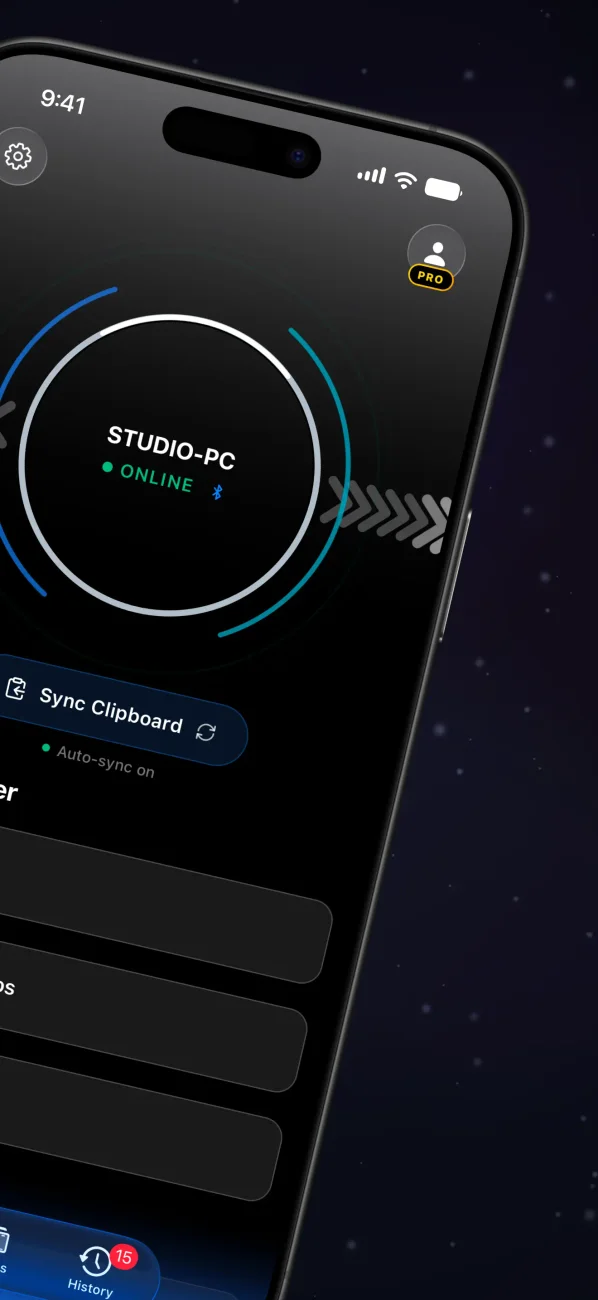
SHARE ONE CLIPBOARD
Copy on your iPhone and paste on your PC. Copy on your PC and paste on your iPhone.
Text, images, links, code, and long passages can move between your devices without sending emails to yourself.
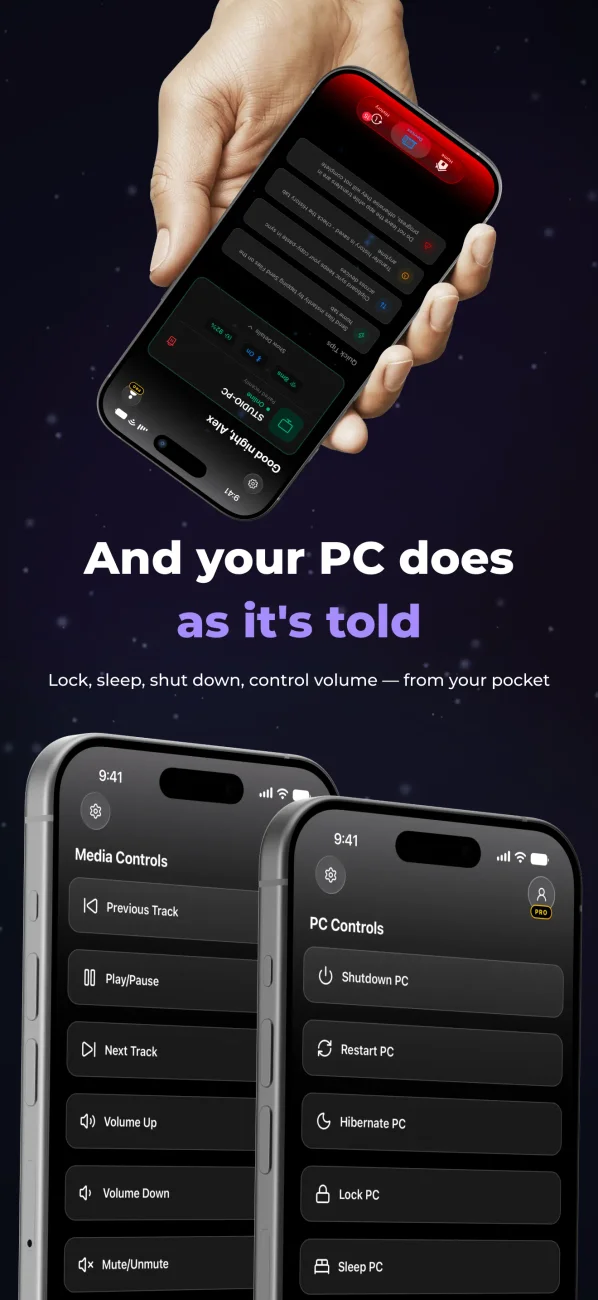
CONTROL YOUR PC FROM YOUR PHONE
Use your iPhone to lock, sleep, restart, or shut down your PC. Adjust the volume and control playback with play, pause, and skip controls, even while your PC is locked.
SEE YOUR DEVICES IN ONE PLACE
Check your iPhone's battery, connection status, connected devices, and transfer history from BridgeSync.
Your transfer history is available across both devices, so you can see what you've recently sent or received without digging through folders.
PRIVATE BY DESIGN
BridgeSync is built around direct device-to-device communication, end-to-end encrypted.
Your files travel directly between your iPhone and Windows PC over your local network. They are not uploaded to our servers or stored in the cloud just to move between your own devices.
WHAT YOU NEED
A Windows PC with the free BridgeSync Desktop app and an iPhone with BridgeSync installed.
Both devices need to be connected to the same network.
FREE AND PRO
Free accounts get 2 transfers a day, up to 5 MB per file - enough to set everything up and see how it works. Pro removes both limits and unlocks notification mirroring, screen mirroring, clipboard sync and unlimited transfer history.
BridgeSync Pro is an auto-renewing subscription: BridgeSync Pro Monthly (1 month, $6.99 per month) or BridgeSync Pro Yearly (1 year, $59.99 per year), both with a 1-week free trial for new subscribers. Prices are in US dollars; the app shows the price in your local currency before you buy. Payment is charged to your Apple Account at confirmation of purchase. Subscriptions renew automatically unless canceled at least 24 hours before the end of the current period. Manage or cancel your subscription in your Apple Account settings.
Privacy Policy: https://bridgesyncapp.com/privacy
Terms of Use (EULA): https://bridgesyncapp.com/terms
アプリのプライバシー
このアプリのデータの取り扱いについて、Marcell BeresがApp Storeで申告している内容です。
-
ユーザーに関連付けられたデータ
収集され、ユーザーの識別情報に関連付けられる場合があります。
- 連絡先情報
- ID
- その他のデータ
プライバシーの取り扱いは、ご利用の機能やお客様の年齢などに応じて異なる場合があります。
情報
- 販売元
- Marcell Beres
- カテゴリ
- 仕事効率化
- バージョン
- 3.8.4
- 更新日
- 2026/10/30
- リリース
- 2026/11/2
- サイズ
- 70.8 MB
- 必要条件
- iOS 18.0以降
- 対象年齢
- 4+
- 価格
- 無料
- アプリ内課金
- あり
- 言語
- 英語
- 著作権
- © 2026 Marcell Béres
こちらもおすすめ
-
 TowerGate 広告ブロック広告なしの動画再生・バックグラウンド再生
-
 Second Brain, Mind Map: Visuel仕事効率化
-
 OneFocus: Deep Work仕事効率化
-
 Screenable: Better Screen Time仕事効率化
-
 Pelorus: Multi-Engine Search仕事効率化
-
 Prazo: カレンダーとタスクスケジュール・リマインダー・買い物リスト
-
 Nota AI - 文字起こし・録音・議事録・要約30言語以上・オフラインLLMで質問回答、プライバシー保護
-
 Moleculist仕事効率化
-
 Private AI Note Taker: Basil仕事効率化
-
 Interview: 文字起こしレコーダー録音も書き起こしも、スマホの中だけで