
- 対象年齢4+
- カテゴリユーティリティ
- 開発元Bernard Azar
- 言語英語
- サイズ14.9 MB
App Storeの公式ページにリンクしています
Download.orgはBye AIのファイルを一切ホストしていません。ボタンを押すと、Bernard Azarが公開しているApp Storeのアプリページが開きます。ページの最終確認:2026/11/15。
スクリーンショット


概要
開発元はこのテキストをお使いの言語で提供していません。
The "AI info" label on your post often doesn't come from the post itself. It comes from notes hidden inside your photos, videos and audio.
When you make or edit a photo, a video or a song with AI, the tool leaves its mark. It writes its name into the file, sometimes the exact words you typed, and often an official tag saying a machine made it. Social apps read those notes. That's how a photo you barely touched, or a clip with an AI soundtrack, can end up labelled as AI.
Bye AI finds those notes in photos, videos and audio, explains each one in plain English, and removes the ones you choose. The picture and sound stay exactly as they are.
CHOOSE WHAT TO CLEAN
Pick one of four starting points, or tick items one by one:
AI traces only — the AI label, the name of the app that made it, and your prompt. AI and history — all of that, plus where the file was downloaded from and its editing history. Personal details — where and when it was taken and the phone or camera, while anything about AI stays. Everything — every hidden note, AI and personal alike.
EVERY NOTE, EXPLAINED
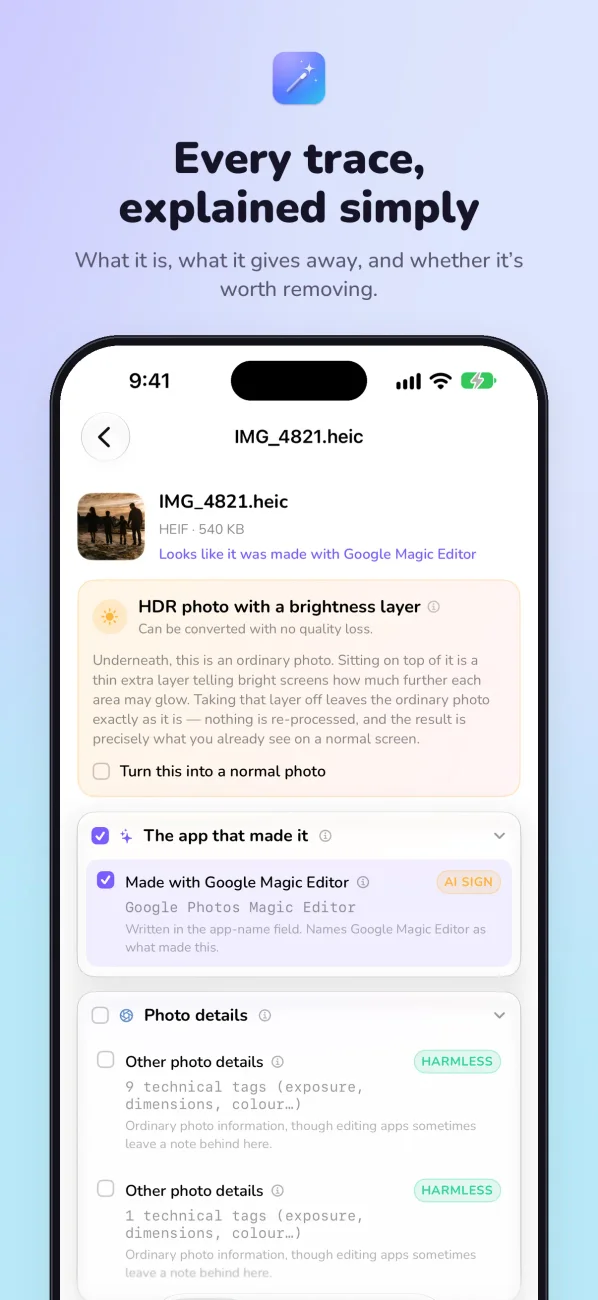
No codes or jargon. Each note gets a clear name, like "Made with Midjourney", "Labelled as AI-generated" or "Where this was taken", with a line on what it gives away. Labels show at a glance how much each one matters: AI PROOF, AI SIGN, PRIVATE or HARMLESS.
QUALITY UNTOUCHED
Many apps that remove hidden details quietly re-save your file, losing a little quality every time. Bye AI doesn't. It removes only the notes you ticked and leaves the picture, video or sound exactly as it was.
Every cleaned file is opened again and checked, so you know nothing that says "AI" was left behind.
REPLACE OR KEEP YOUR ORIGINALS
On iPhone and iPad, save the clean copies next to your originals, or replace the originals in Photos with them. Replaced photos keep their date, favourite and albums, iOS asks before anything is removed, and the originals stay in Recently Deleted for 30 days.
Clean copies are also gathered in a "Bye AI" album, so you can always tell which is which.
PHOTOS, VIDEOS AND MUSIC
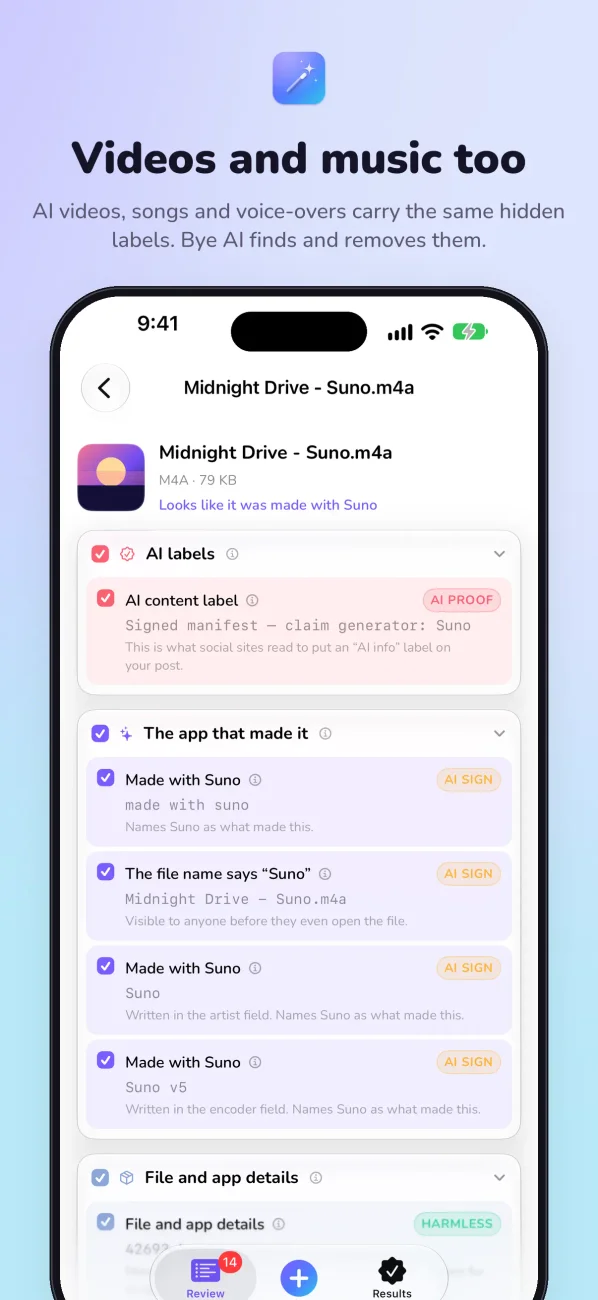
AI video and AI music are marked just as thoroughly as images. Bye AI reads photos (JPEG, PNG, HEIC, WebP, GIF, TIFF), videos (MP4, MOV), songs and voice recordings (MP3, M4A, WAV, AIFF, FLAC), one at a time or hundreds at once. It recognises hundreds of AI tools, from Midjourney, ChatGPT and Gemini to Sora, Veo and Kling for video, and Suno, Udio and ElevenLabs for music and voice. Add files from Photos or Files, or drag them in from another app.
HDR PHOTOS, MADE NORMAL
Many AI and iPhone photos are HDR: they glow brighter than everything around them and can look washed out on some screens. Bye AI can turn them into normal photos that look right everywhere, usually with no loss in quality at all.
PRIVATE BY DESIGN
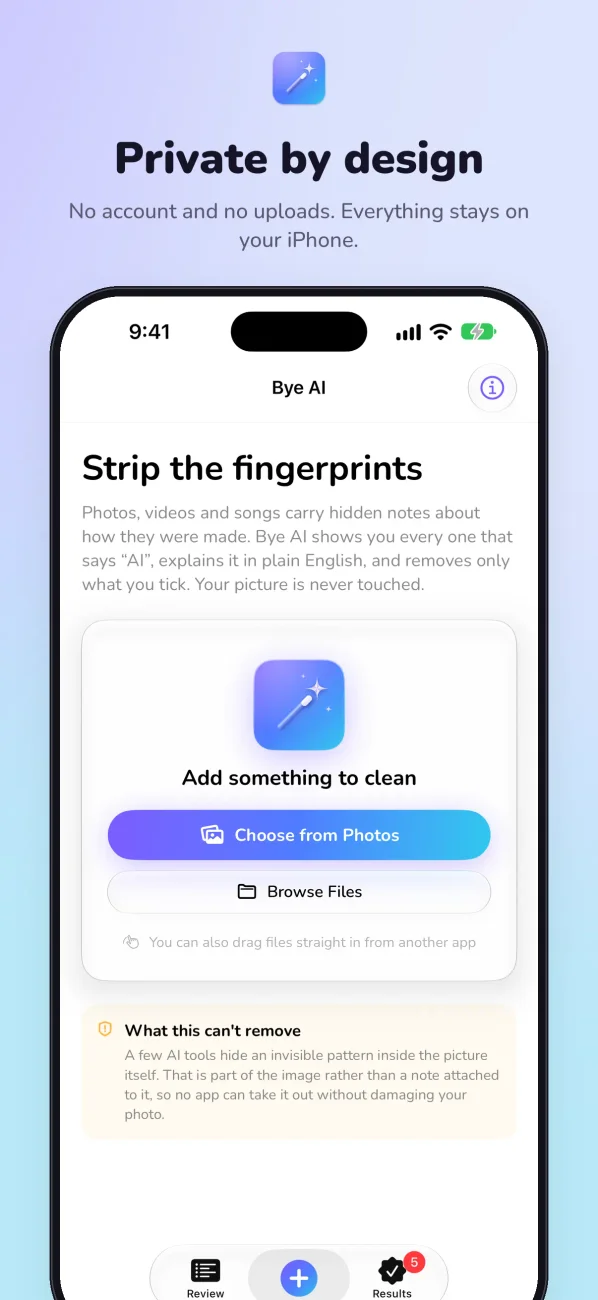
No account, no uploads. Everything happens on your device, and your photos, videos and songs never leave it.
FREE TO TRY
Bye AI is free, with one clean a week. A clean can include as many files as you like. Unlock unlimited cleans with a single $4.99 payment: no subscription, and it works on your iPhone, iPad and Mac.
ONE HONEST LIMIT
A few AI tools also hide an invisible pattern inside the picture or sound itself. That pattern is part of the image, not a note attached to it, so no app can remove it without damaging your file. Bye AI removes what can be removed, completely, and is upfront about the rest.
新機能
バージョン 2.3.1 · 2026/11/11
Bug Fixes
アプリのプライバシー
このアプリのデータの取り扱いについて、Bernard AzarがApp Storeで申告している内容です。
-
ユーザーに関連付けられないデータ
収集される場合がありますが、ユーザーの識別情報には関連付けられません。
- ID
- 使用状況データ
- 診断
- その他のデータ
プライバシーの取り扱いは、ご利用の機能やお客様の年齢などに応じて異なる場合があります。
情報
- 販売元
- Bernard Azar
- カテゴリ
- ユーティリティ
- バージョン
- 2.3.1
- 更新日
- 2026/11/11
- リリース
- 2026/9/8
- サイズ
- 14.9 MB
- 必要条件
- iOS 18.0以降
- 対象年齢
- 4+
- 価格
- 無料
- アプリ内課金
- あり
- 言語
- 英語
- 著作権
- © Nordbox