- 対象年齢4+
- カテゴリ写真/ビデオ
- 開発元Li Fan
- 言語英語
- サイズ39.7 MB
App Storeの公式ページにリンクしています
Download.orgはCalcuLightのファイルを一切ホストしていません。ボタンを押すと、Li Fanが公開しているApp Storeのアプリページが開きます。ページの最終確認:2026/11/10。
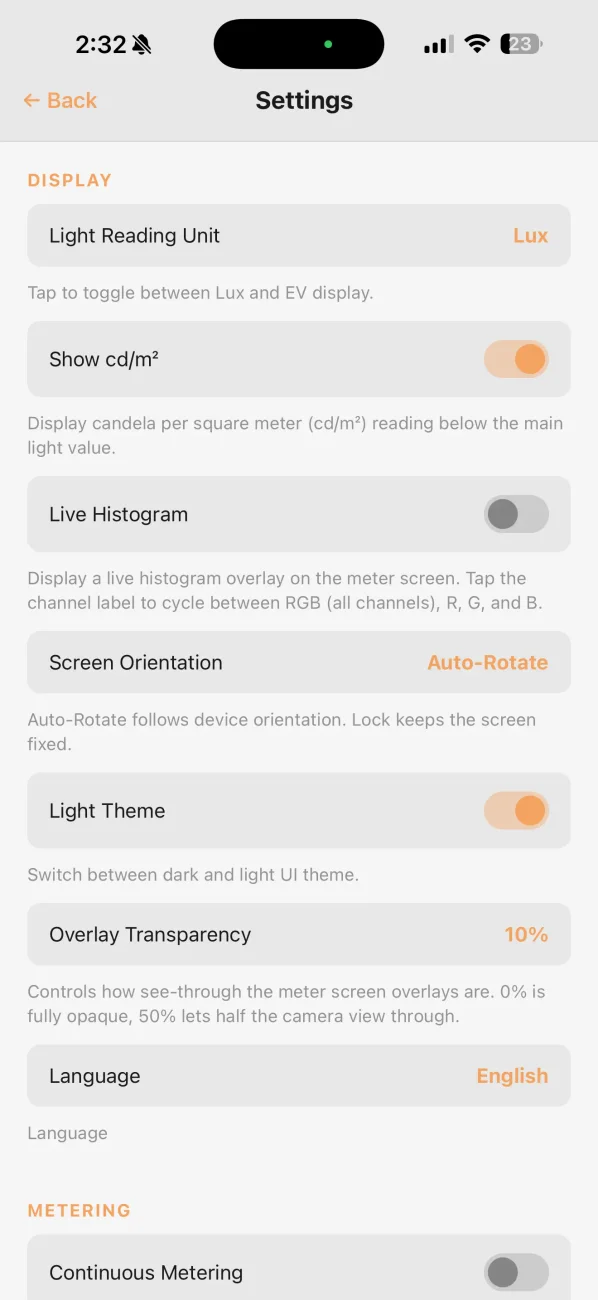
スクリーンショット



概要
開発元はこのテキストをお使いの言語で提供していません。
CalcuLight is a powerful, intuitive light meter for film photographers who want more than a handheld meter can offer.
METERING MODES
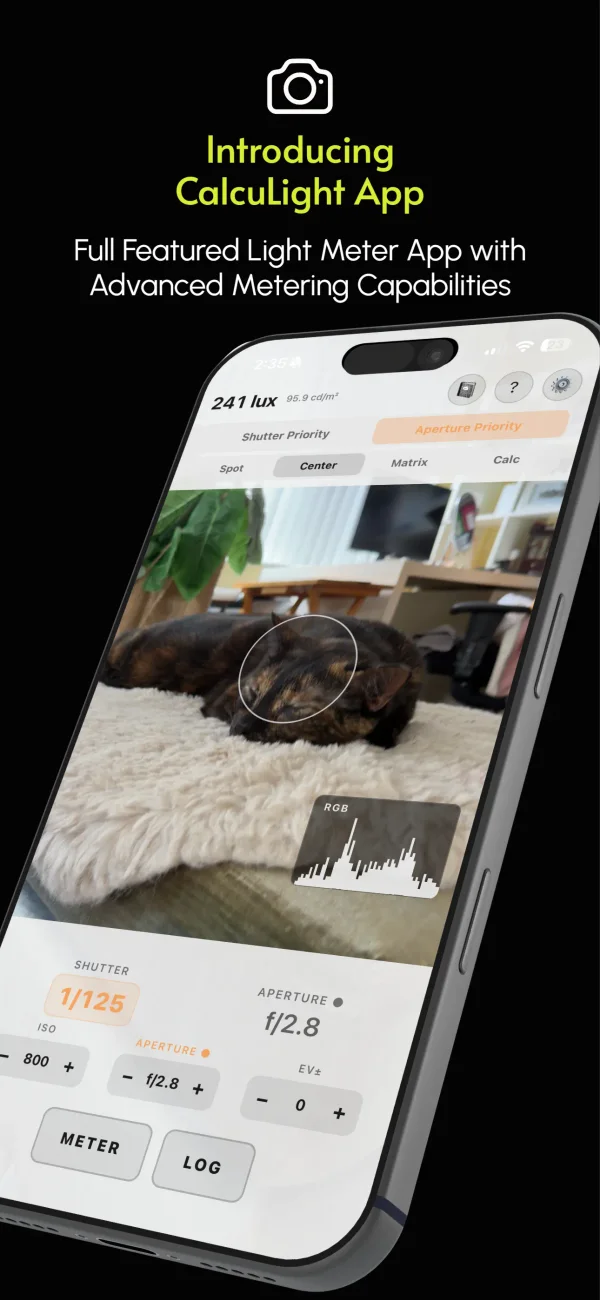
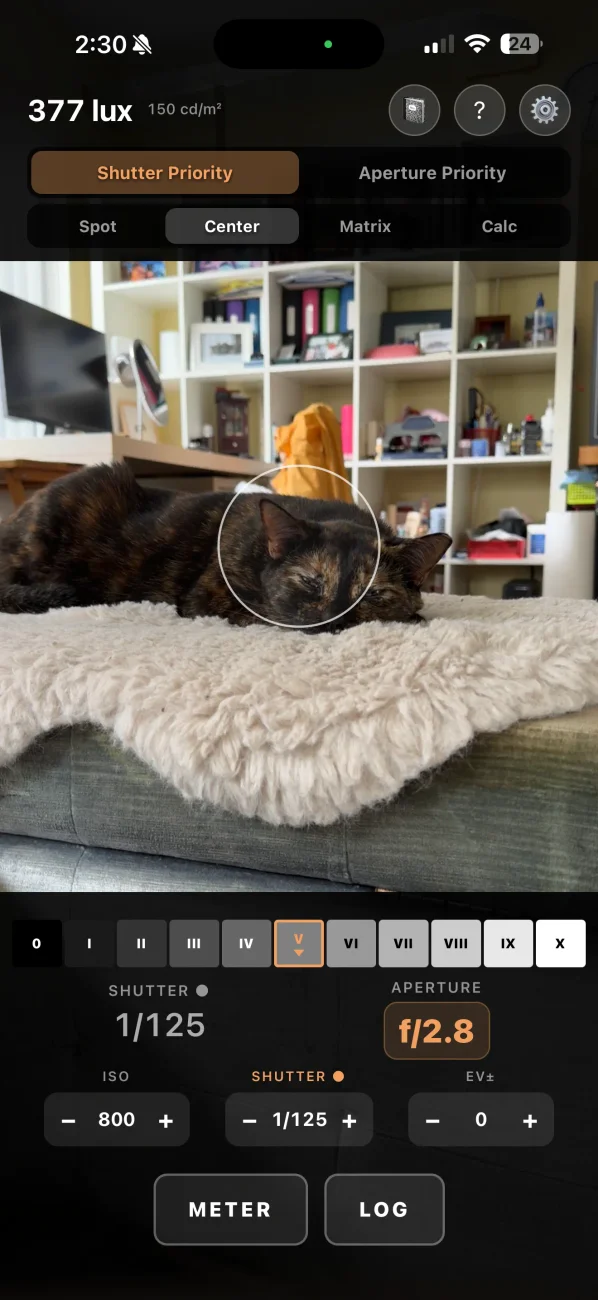
Center Weighted: Classic center focused metering (approximately 30 degree field of view), similar to vintage film cameras.
Matrix: Full frame averaging for tricky scenes. Uses your camera's EXIF data for the fastest possible readings.
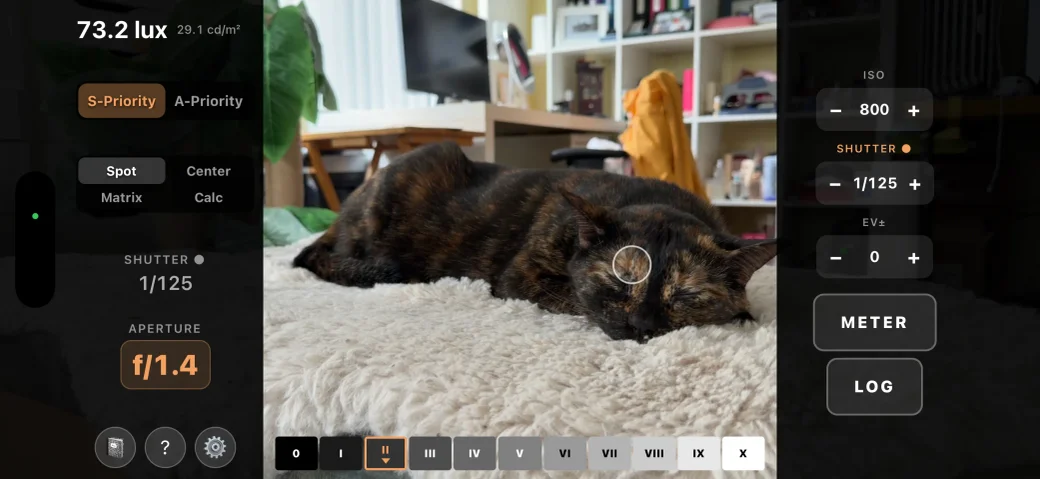
Spot (Pro): Measure a precise 5% area of the frame. Tap anywhere to position the metering point.
Calculated (Pro): Tap up to five areas for an averaged reading, plus the brightness range between your darkest and brightest points. Set your film type and CalcuLight warns when a scene's contrast will not fit.
EXPOSURE COMBINATION SCALE
Instead of a single pair of numbers, the readout shows a scale of equivalent exposures, so you can see at a glance that 1/125 at f/5.6 matches 1/250 at f/4. Swipe to scroll through combinations, or tap one to switch instantly. Combinations your camera cannot reach are flagged before you commit.
EXPOSURE CONTROLS
Shutter Priority: Set your shutter speed.
Aperture Priority (Pro): Set your aperture.
EV Compensation: Per shot adjustment in full, half, or third stops.
ISO, shutter, and aperture (Pro) values in full, half, or third stop increments.
Camera Range Limits (Pro): Restrict ISO, shutter and aperture to what your gear can actually do. Apertures reach f/0.7 for fast optics like the Noctilux.
SHOOTING PROFILES (Pro)
Save a named setup for how you are actually shooting: the film, how you are rating it, and the filter on your lens.
Push and pull in third stops, up to three either way. Push two stops on ISO 400 film and CalcuLight meters it as EI 1600.
Filter compensation up to ten stops, from a yellow filter to an ND10.
Switch setups from the viewfinder. The active profile is always shown on screen, so a reading is never quietly adjusted without you seeing why.
ZONE SYSTEM VALUE DISPLAY (Pro)
Displays the current zone from 0 to X beside your metering point. In Calculated mode, each point shows its own zone value.
LIVE HISTOGRAM (Pro)
Real time RGB histogram to catch clipped highlights and blocked shadows before you shoot. Toggle combined RGB, red, green, and blue channels.
LOG BOOK (Pro)
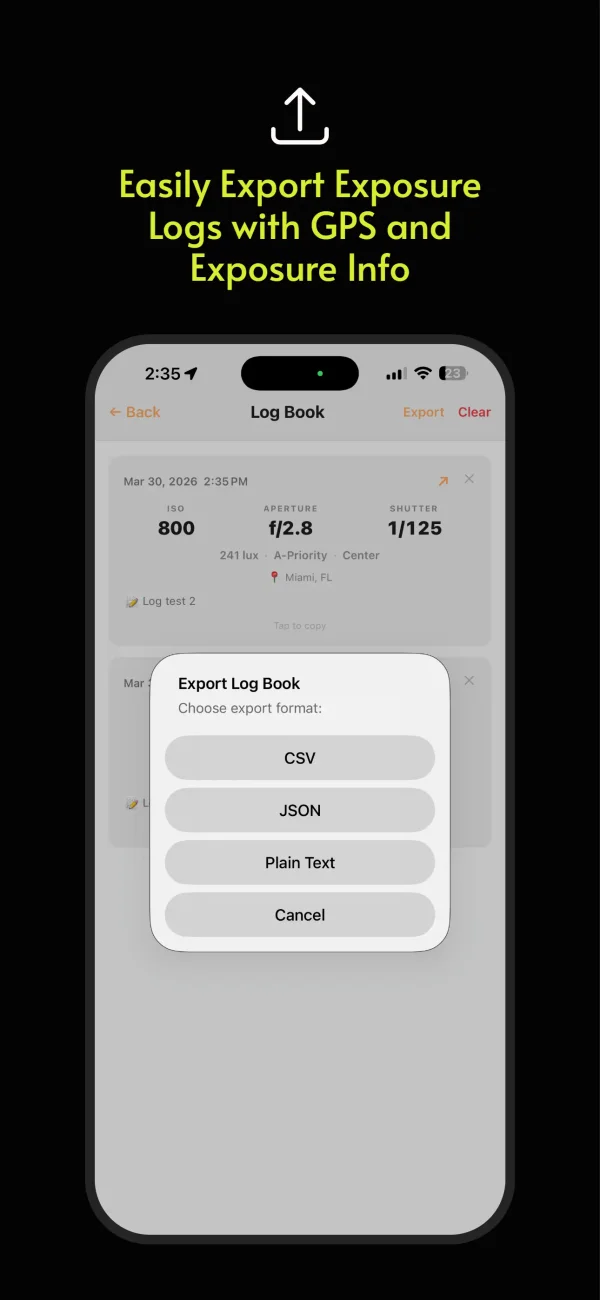
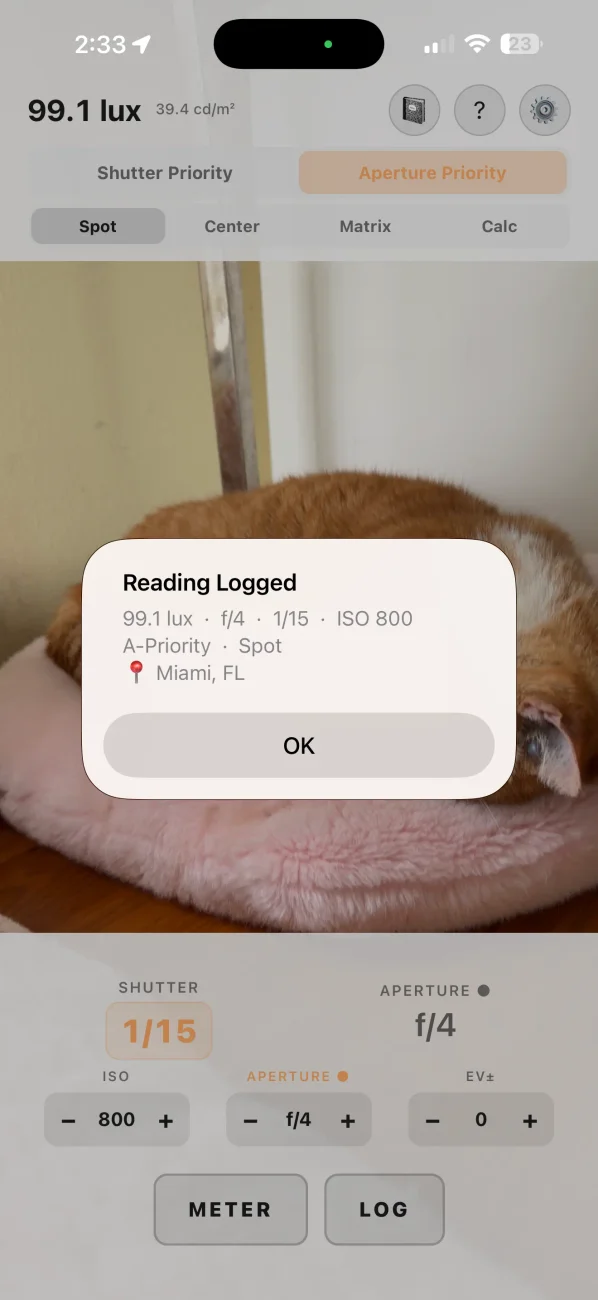
Save every reading with full exposure data, metering mode, GPS location (choose precise or general) and timestamp. Notes are pre-populated with captured values in Calculated mode. Export as CSV, JSON, or plain text.
MULTI-LANGUAGE SUPPORT
English, 简体中文, 繁體中文, 日本語, 한국어, हिन्दी, Русский, Deutsch, Français, Español, Português, Nederlands
FREE vs PRO
The FREE version is completely ad-free and covers over 90% of what film shooters need for exposure metering.
Free version features:
Center Weighted and Matrix metering
Shutter Priority metering
Exposure combination scale
EV compensation
Single metering mode
ISO, shutter and EV compensation stop increments
Light and dark themes
Portrait and landscape with orientation lock
Overlay transparency
All 12 languages
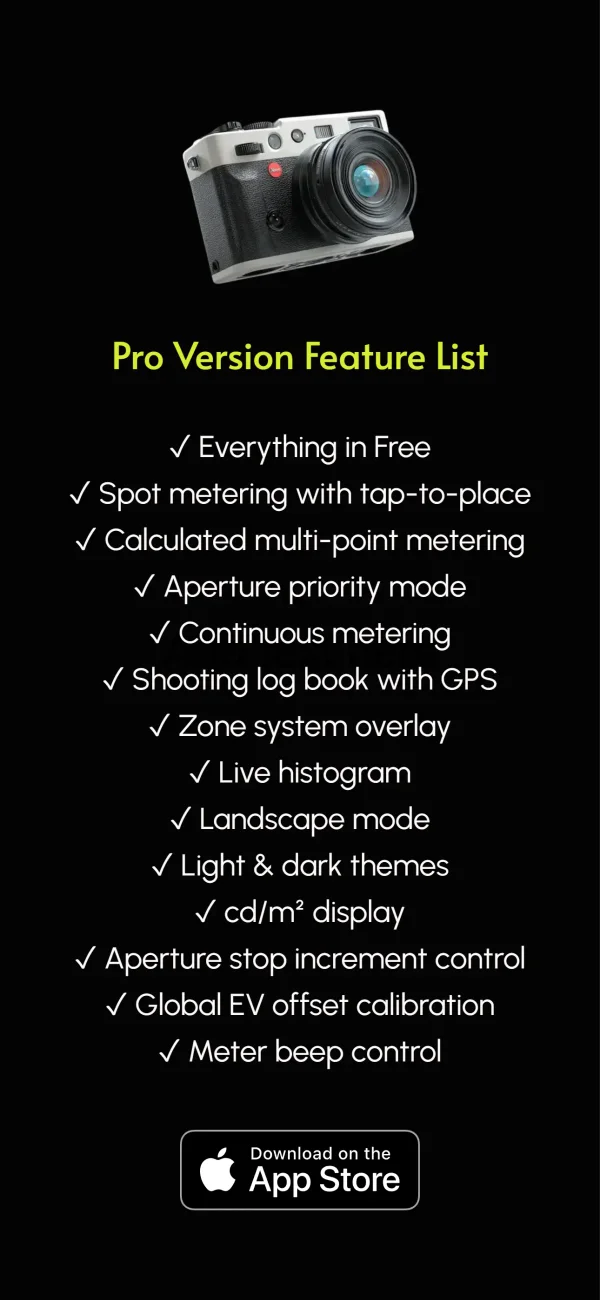
Pro version:
All free version features
Spot metering with adjustable area
Calculated metering
Aperture Priority metering
Shooting profiles with push/pull and filter compensation
Vintage camera shutter speed options
Zone System overlay
Live histogram
Log book with optional GPS location recording
Continuous metering mode
Global EV offset
Exposure settings range limits
Aperture stop increment control
cd/m2 display
Remember settings between sessions
Silent metering (turn off the meter beep)
Experimental features (lens switch)
You can try Pro version at no cost for 14-days. After that, you can access the Pro version in two ways: Pay as you go for only $0.99 USD per month to access all Pro features (cancel any time); or $14.99 USD for lifetime access to all Pro features and future updates.
Privacy Policy:
https://calculight.ocutrain.com/privacy-policy.html
Terms of Service:
https://calculight.ocutrain.com/terms-of-service.html
新機能
バージョン 1.5.0 · 2026/10/27
Version 1.5.0 of CalcuLight include new features to help you know whether a scene's dynamic range will fit on your film stock:
Scene Brightness Range (Pro)
Calculated mode now shows the range between your darkest and brightest metered points, not just the average. That spread is what decides whether a scene fits on film at all. Set your film type in Settings and CalcuLight warns you when a scene is close to the limit, or past it, and by how many stops. Slide (narrowest latitude), colour negative and black and white (widest latitude) each get their own latitude.
Bracket Logging (Pro)
Turn on "Bracketing" and each log entry records the frames either side of your metered exposure, so your log matches the roll you actually shot. CalcuLight varies whichever value it calculates and leaves the one you chose alone: the aperture in Shutter Priority, the shutter in Aperture Priority. Bracket frames appear on the entry and in CSV, JSON and text exports.
Also in this update:
• Settings shows the version and build you have currently installed
• Removed system permissions CalcuLight never used, including microphone and storage access
• New Help sections covering scene range, film latitude and bracketing
• All 12 languages updated and synchronized
アプリのプライバシー
このアプリのデータの取り扱いについて、Li FanがApp Storeで申告している内容です。
-
データの収集なし
開発元はこのアプリからデータを収集しません。
プライバシーの取り扱いは、ご利用の機能やお客様の年齢などに応じて異なる場合があります。
情報
- 販売元
- Li Fan
- カテゴリ
- 写真/ビデオ
- バージョン
- 1.5.0
- 更新日
- 2026/10/27
- リリース
- 2026/6/12
- サイズ
- 39.7 MB
- 必要条件
- iOS 15.1以降
- 対象年齢
- 4+
- 価格
- 無料
- アプリ内課金
- あり
- 言語
- 英語
- 著作権
- © Li Fan