- 対象年齢4+
- カテゴリブック
- 開発元Gram 1
- 言語英語
- サイズ54.0 MB
App Storeの公式ページにリンクしています
Download.orgはCalibReader: EPUB Readerのファイルを一切ホストしていません。ボタンを押すと、Gram 1が公開しているApp Storeのアプリページが開きます。ページの最終確認:2026/11/24。
スクリーンショット


概要
開発元はこのテキストをお使いの言語で提供していません。
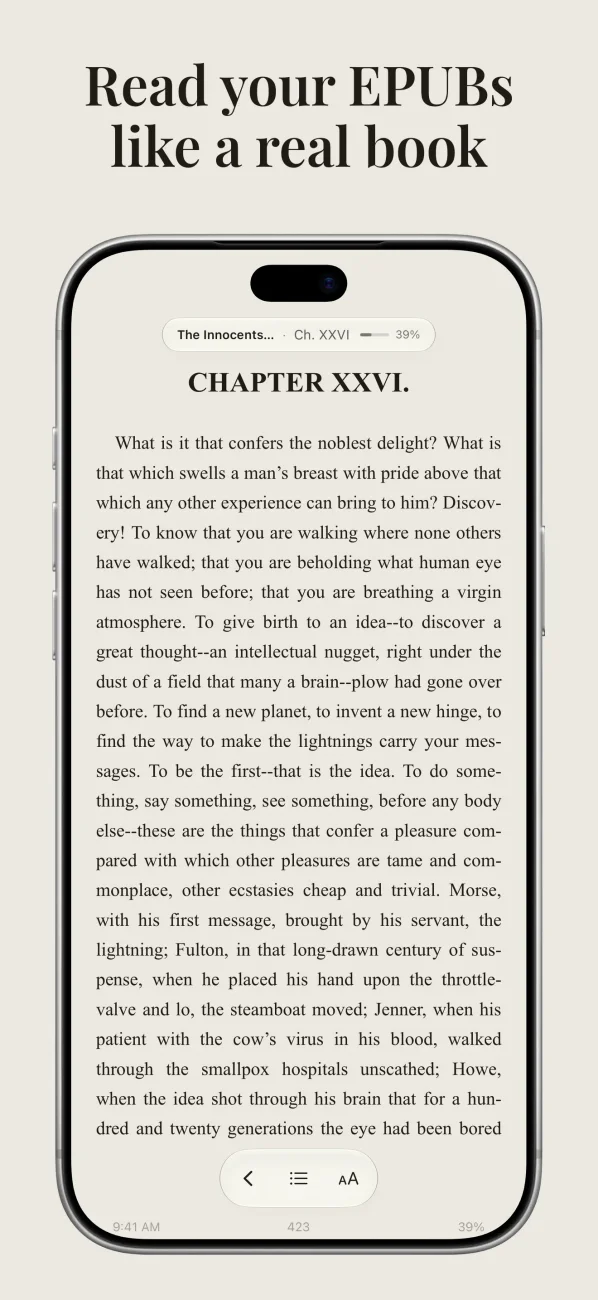
Read your EPUBs like a real book: two pages side by side on iPad and iPhone Duo, with real page curls. PDFs open as two-page spreads too. Open your ebook files straight from Files, Safari, Mail or AirDrop, or bring your whole calibre library: CalibReader shelves them with covers and series, and keeps your place on every device.
YOUR EPUB AND PDF FILES
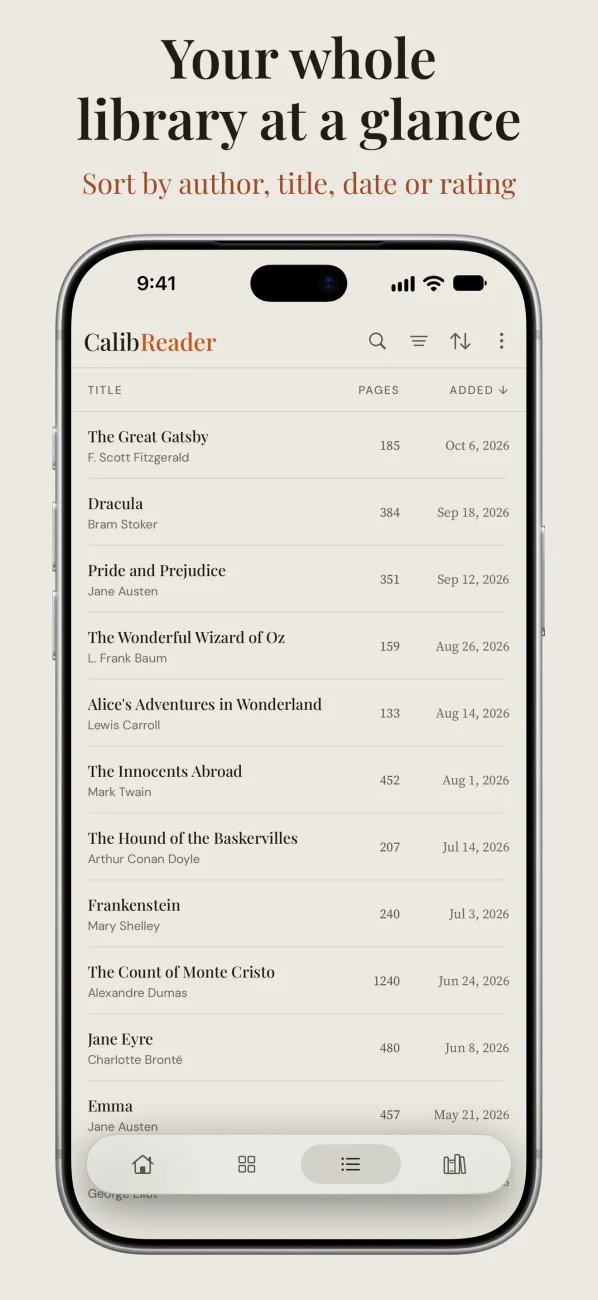
Any folder of EPUB or PDF files becomes a library with covers, sorting and search.
SEVERAL LIBRARIES, ONE TAP APART
Keep more than one: a calibre library, a Fiction folder, a Non-fiction folder, wherever they live. Switch in a tap, and each keeps its own books and reading places.
WORKS WITH YOUR CALIBRE LIBRARY
Point CalibReader at your calibre library folder and every book, cover, series, tag and synopsis appears as you organised it. Nothing to convert, no lock-in.
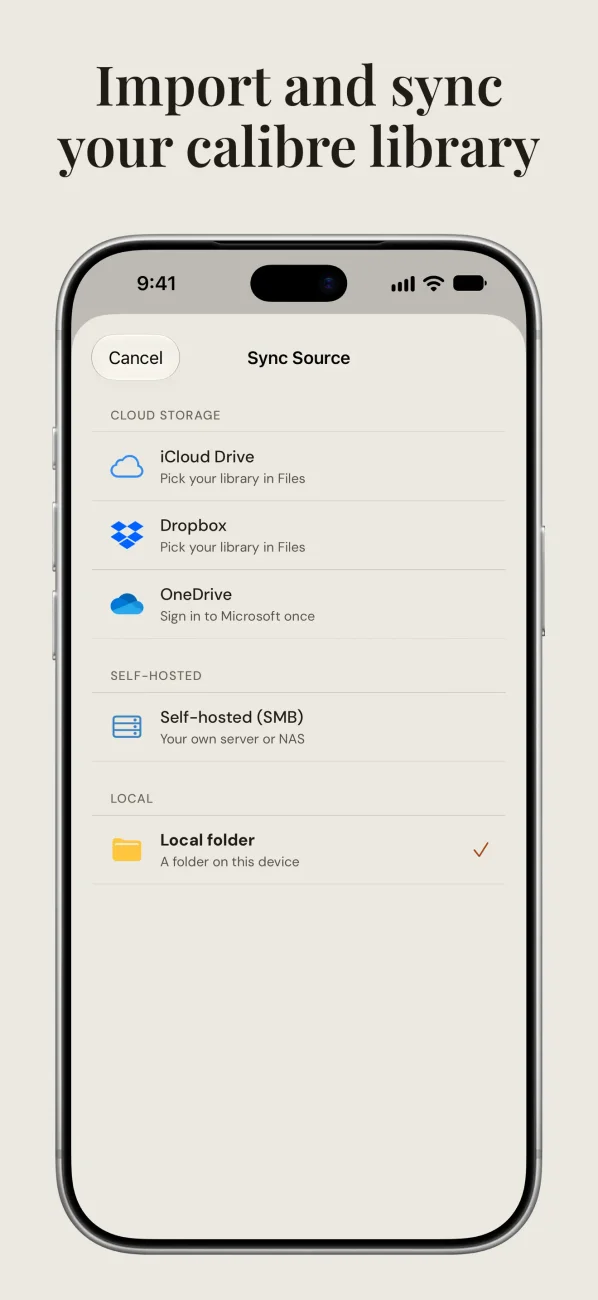
YOUR STORAGE, YOUR CHOICE
• A folder on your device or in iCloud Drive
• Dropbox and OneDrive
• Your own server or NAS over SMB
• Your calibre Content Server, at home or away
• Other apps that share a folder in Files
BUILT FOR IPHONE DUO
Open iPhone Duo and your book becomes a two-page spread, with real page curls. Close it and the book closes: the cover screen shows its cover, leather-bound with the title in gold or the original art. Tap to keep reading, one page at a time. Your place holds through every fold, and turning the open phone to portrait gives you a single page.
A READER BUILT FOR LONG SESSIONS
• Two-page spread, single page or continuous scroll, with page curl or flip
• Opens on a title page that turns over like a real one
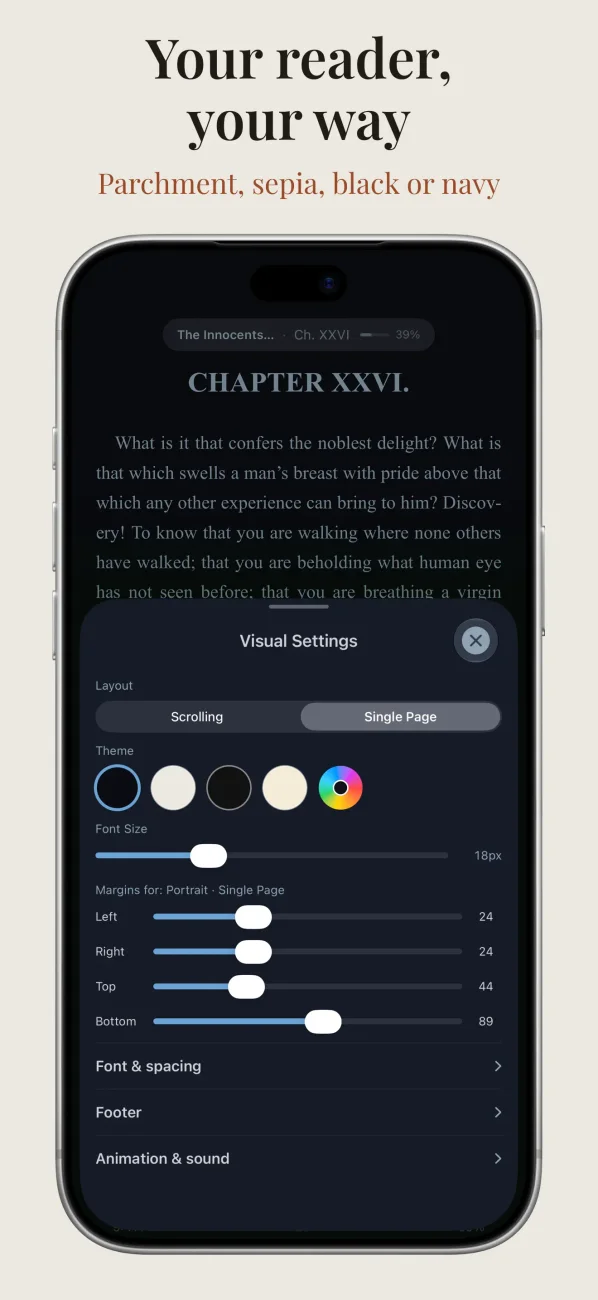
• Parchment, sepia, black and navy themes, plus two custom themes in your own colours
• Eye Comfort: a warmer, dimmer page with softer blacks. On a matte nano-texture display (iPhone Duo, and iPad mini or iPad Pro with nano-texture) it looks and feels like e-ink
• In single-page and two-page views, slide one finger on the page for brightness, two for Warmth
• Your own fonts and font weights; size, spacing, margins and justification, applied live
• Table of contents, chapter navigation, clock and progress footer
• Built-in dictionary
• A PDF reader with two-page spreads on iPad and iPhone Duo that remembers your page
PICK UP WHERE YOU LEFT OFF
Reading positions and read status sync across your devices through a tiny file in your library folder. Put down the iPad, pick up the iPhone. A Home Screen widget shows your book and takes you back to it in one tap. A free calibre plugin writes read status, % read and last-read date back to your desktop library.
A LIBRARY THAT LOOKS LIKE A LIBRARY
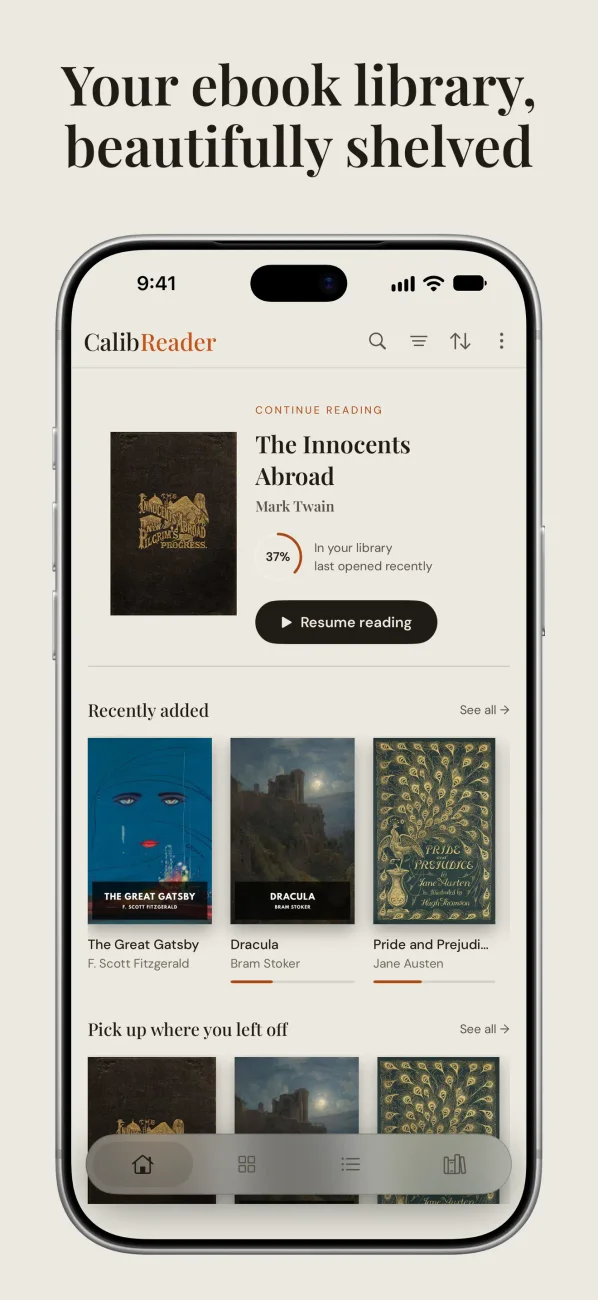
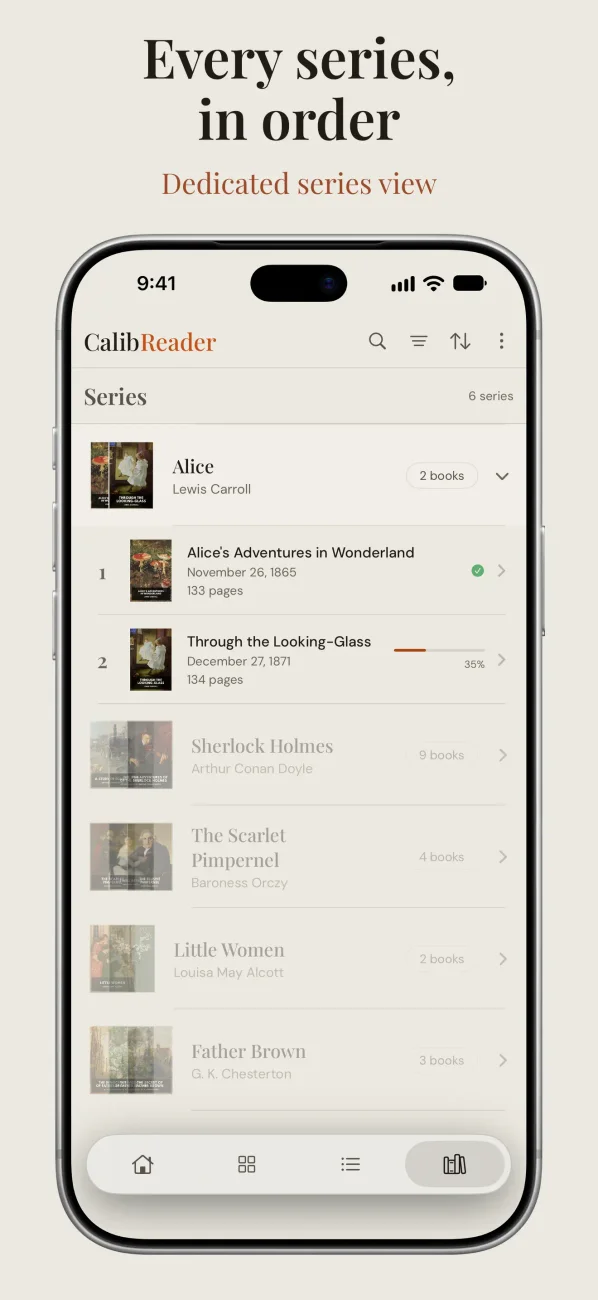
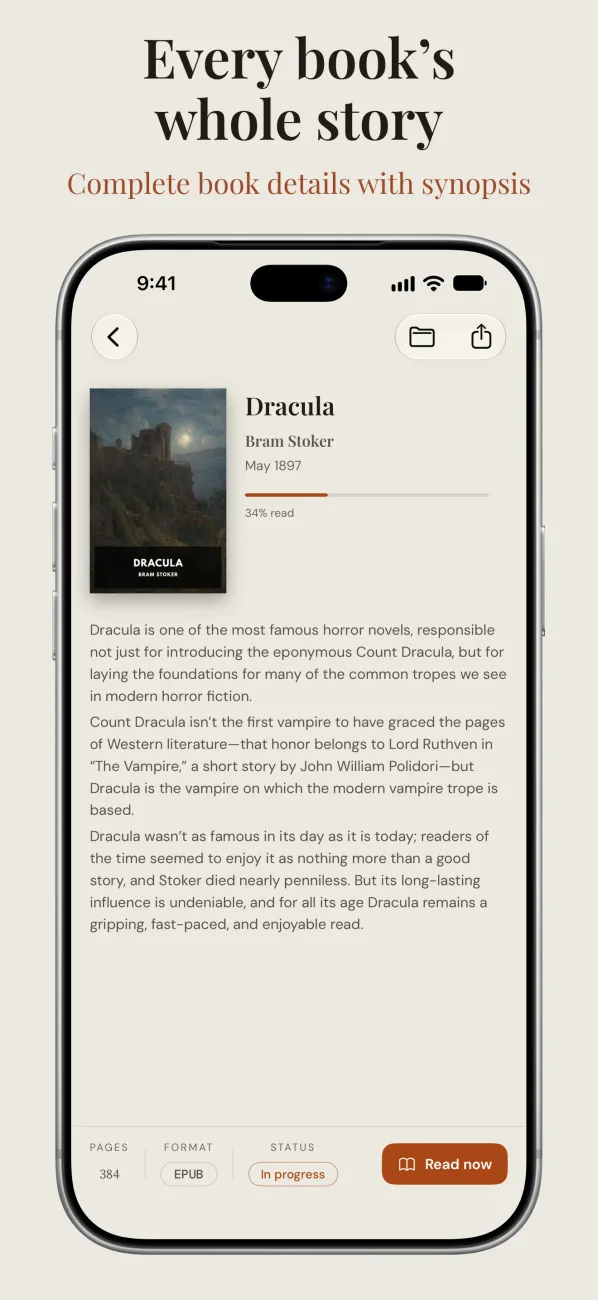
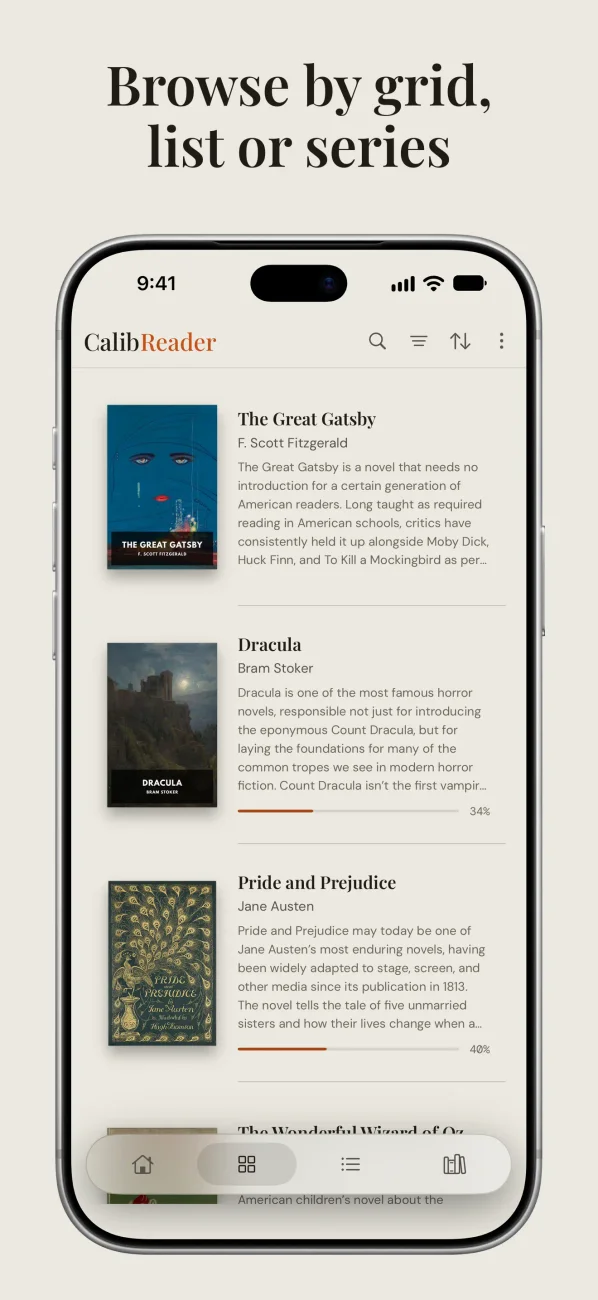
Home with continue reading and recently added; grid, list and series views; filters and search; cover art found automatically when a book has none, and Choose Cover to swap in another edition's cover, use any image from Photos or Files, or bind any book in leather.
3 BOOKS FREE, THEN ONE PURCHASE
Read any 3 books free, and bring in, sync and browse as many as you like. Then unlock your whole library with one purchase. No subscription, no account, no ads, no tracking, and no data collected.
Formats: EPUB and PDF in the built-in reader; other formats open in the app of your choice.
Note: CalibReader opens EPUB and PDF files without copy protection (DRM). Books bought in other apps' stores stay in those apps.
CalibReader is an independent app, not affiliated with or endorsed by the calibre project. calibre is a trademark of Kovid Goyal.
Support: hello@calibreader.com · https://calibreader.com
新機能
バージョン 1.0.5 · 2026/11/15
Reading
• Two customizable themes, one light and one dark, with your own page and text colours. Reset either to stock at any time.
• Eye Comfort: a calm, paper-like page for long reading, with Warmth to cut blue light like Night Shift, and a text dimmer for reading in the dark.
• In Single Page or Dual Page view, slide up or down the middle of the page to set your screen brightness, or slide with two fingers to set Warmth. Leave the app and your iPhone gets its own brightness back.
• iPhone Duo and iPad: on the two-page spread, flick or drag from anywhere on the right page to turn forward, or on the left page to turn back.
• New fonts: Palatino, Baskerville, Helvetica and Futura, as on Kindle.
• Font weight, using each font's own weights.
• Bigger text sizes, up to 64 px, and books that size their text with words like "large" now follow your setting.
• Each view keeps its own font size, like margins.
• Line Spacing now works in every book, even ones that set their own spacing.
• Text a book hard-codes in black now shows on dark themes.
• The Aa panel and Contents take on your reading theme.
• iPhone Duo: on the two custom themes, the open phone hides the bright clock and status icons while you read.
• Chapter headings stay with their text.
Your books
• Light, Dark or Auto for the library and book pages. Auto follows your iPhone, and it's the new default. A choice you already made is kept.
• Use any image from Photos or Files as a book's cover. On iPhone Duo, the closed screen can have its own.
• Home screen widget: your book's cover and progress, one tap to keep reading.
• Folders of loose EPUBs show each book's cover, title, author, description and year straight away.
• Pick a single book file instead of a folder and CalibReader adds that book.
• iPhone Duo: List view uses the full width, with room for every title; tap a book to open its page.
Your libraries
• Keep several libraries and switch between them in a tap: calibre libraries, or plain folders of books such as Fiction and Non-fiction, even several from one NAS or Dropbox. Each keeps its own books and reading places.
• Download your whole calibre Content Server library for offline reading.
• Reach your NAS or Content Server from anywhere with its Tailscale address. CalibReader tries your home address first.
• Faster search across thousands of books.
Steadier
• Fixes a crash while reading on the iOS 27.3 beta.
• Dropbox, iCloud and OneDrive libraries never drop books from your shelf while they're still downloading, or when calibre's catalogue file is an older copy. If books really are gone, CalibReader asks before removing a large number.
• Books you imported stay. If a file goes missing, you choose what happens.
• OneDrive stays signed in.
• Recently finished shows the books you finished most recently.
• Less memory usage with big libraries.
• iPhone Duo: tap the cover, unfold, and the book turns smoothly.
アプリのプライバシー
このアプリのデータの取り扱いについて、Gram 1がApp Storeで申告している内容です。
-
データの収集なし
開発元はこのアプリからデータを収集しません。
プライバシーの取り扱いは、ご利用の機能やお客様の年齢などに応じて異なる場合があります。
情報
- 販売元
- Gram 1 LLC
- カテゴリ
- ブック
- バージョン
- 1.0.5
- 更新日
- 2026/11/15
- リリース
- 2026/10/27
- サイズ
- 54.0 MB
- 必要条件
- iOS 26.2以降
- 対象年齢
- 4+
- 価格
- 無料
- アプリ内課金
- あり
- 言語
- 英語
- 著作権
- © 2026 Gram 1 LLC
こちらもおすすめ
-
 EPUB・PDFリーダー - Readgio読書の進捗を記録・管理
-
 Actually Read: Focus Readerブック
-
 Unfold Your Cityブック
-
 purrpage. Double-Page Readerブック
-
 Calibre, 電子書籍リーダー - PageoCalibre同期・EPUB変換・読み上げ
-
 EPUB Reader - JustRead電子書籍・PDFリーダー、オーディオブック
-
 BookShelves eBook ReaderEPUB・PDF・コミックリーダー
-
 Duri: Book & PDF Readerブック
-
 Book2Life: AI Ebook Readerブック
-
 AudioNest: Audiobook Playerブック