- 対象年齢12+
- カテゴリヘルスケア/フィットネス
- 開発元LSQUARED LABS LTD
- 言語英語
- サイズ27.6 MB
App Storeの公式ページにリンクしています
Download.orgはCaliTimer: Calisthenics Timerのファイルを一切ホストしていません。ボタンを押すと、LSQUARED LABS LTDが公開しているApp Storeのアプリページが開きます。ページの最終確認:2026/11/15。
スクリーンショット

概要
開発元はこのテキストをお使いの言語で提供していません。
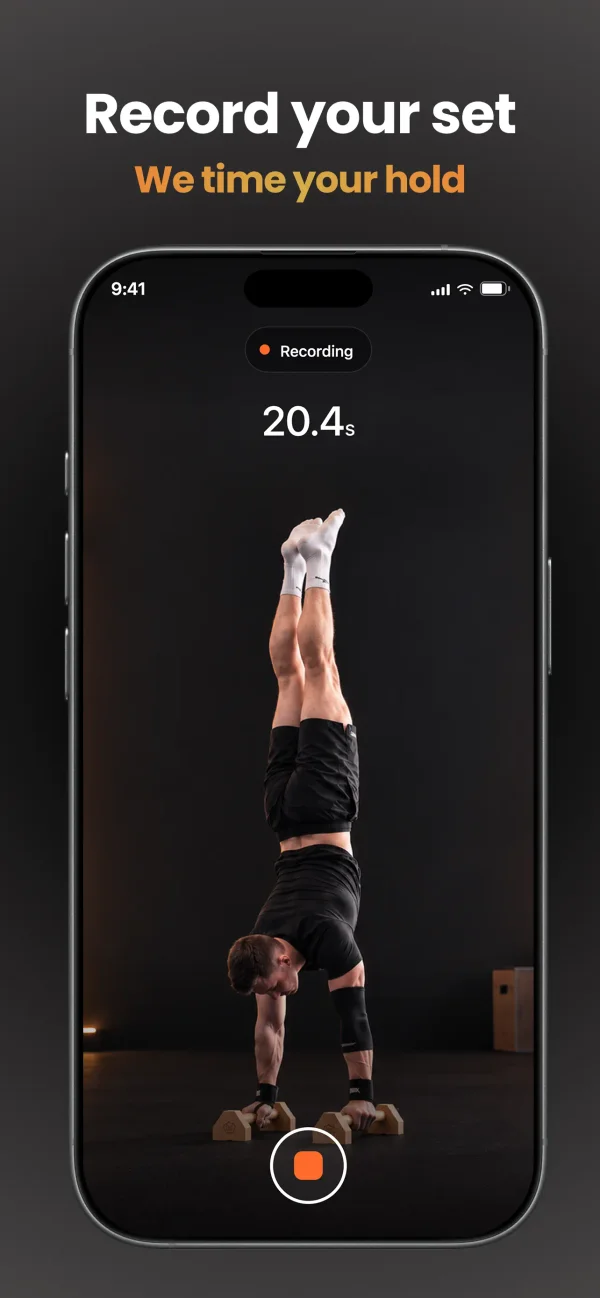
You already film your training. CaliTimer gets the real hold time out of that footage, keeps every set in a training log, and exports a clip with the measured time burned in.
TIME IT
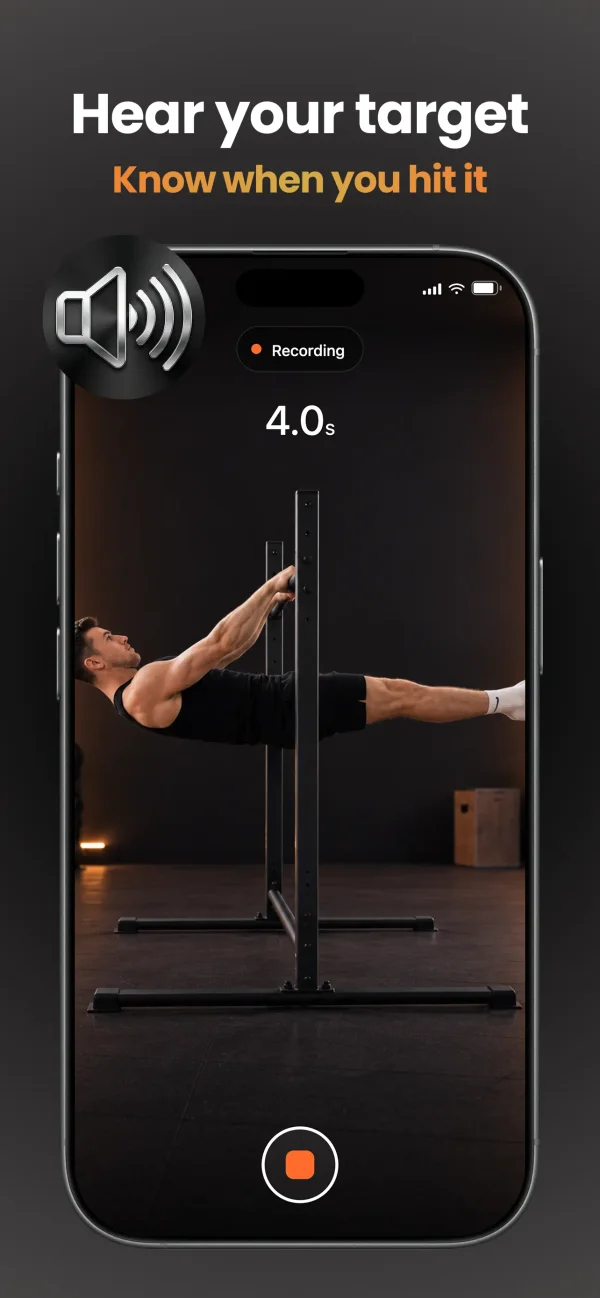
• Record a set in the app, or bring in a clip you filmed earlier with Time a Clip.
• Review it on a marked timeline: drag the handles to the exact frame a hold starts and breaks, add a hold, or delete one that isn't real.
• On handstand, front lever and tuck front lever, CaliTimer fills the hold time in for you. On everything else you mark it, a couple of seconds either way. Imported clips are always marked by hand.
LOG IT
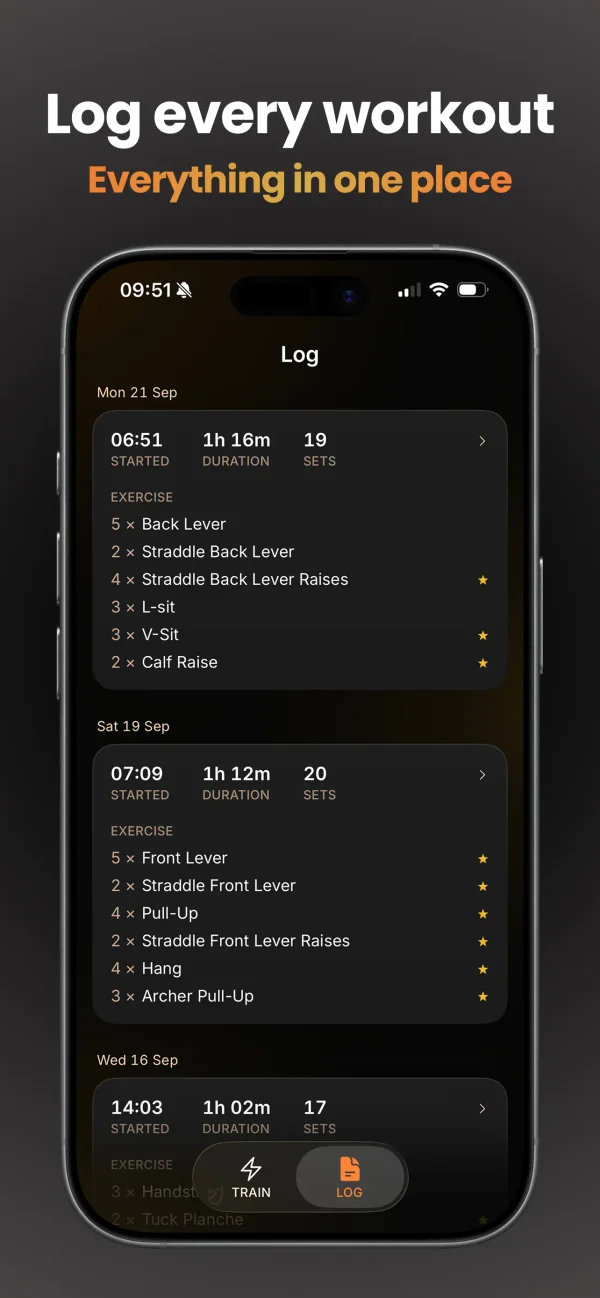
• 78 exercises in ten families: front lever, back lever, planche and handstand variations, plus core, legs, push, pull and grip work. Timed holds and counted reps in one place. Can't find yours? Create it.
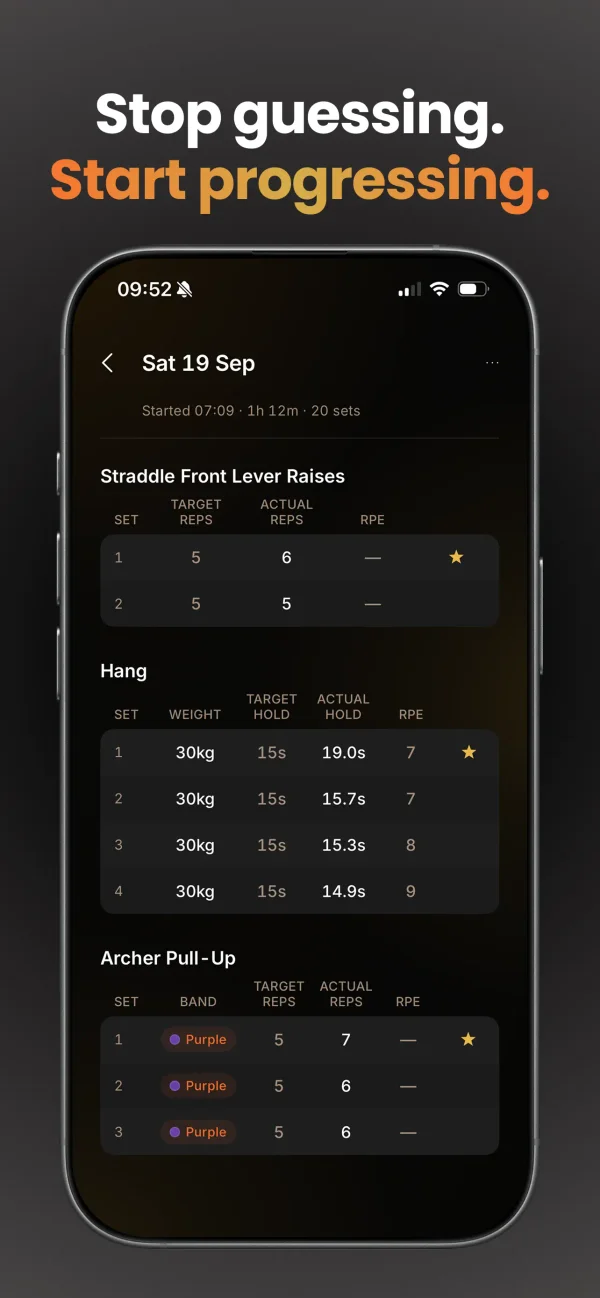
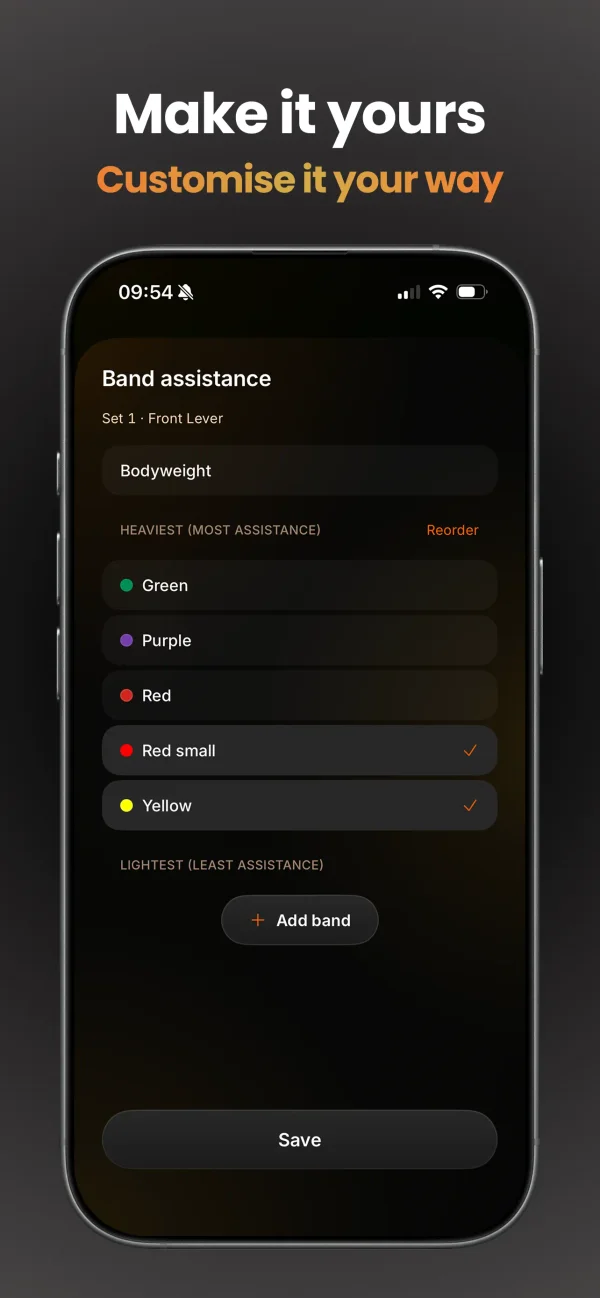
• Build a session from several exercises. Log each set as hold time or reps, with added weight, resistance bands (use several at once) and RPE. Add a note to any exercise.
• A rest timer counts down between sets.
• Every session is a card in your log that opens into full detail, with your personal bests starred. Your week, time trained, sets and sessions is on the Train screen.
• Kilograms or pounds, your choice.
SHARE IT
• Clip It exports a set as a clip trimmed to the hold, with the real measured time burned into the footage. Choose the typeface, colour, size, background and position, then save it or share it.
• Filmed a hold months ago? Bring it in with Time a Clip, mark the hold on the timeline, and log it if it belongs in your record.
PRIVACY
• Your training data never leaves your phone.
• Pose analysis, used for auto-detect, runs on-device with Apple's Vision framework, which returns joint positions — not images.
• No account. No sign-up. No analytics. No ads. No third-party SDKs.
• Recordings stay on your device and are deleted when a session ends unless you save them to your camera roll.
CALITIMER PRO
CaliTimer requires a subscription: £4.99/month or £44.99/year, each starting with a 7-day free trial. One subscription covers the whole app, and new skills arrive as their detection is finished.
Payment is charged to your Apple Account when you confirm the purchase. Subscriptions renew automatically unless auto-renewal is turned off at least 24 hours before the end of the current period. Manage or cancel anytime in your Apple Account settings.
Terms of Use (EULA): https://www.apple.com/legal/internet-services/itunes/dev/stdeula/
Subscription Terms: https://calitimer.app/terms
Privacy Policy: https://calitimer.app/privacy
CaliTimer is built and maintained by one developer. Feedback is welcome, there's a "Contact support" link in the app's Account screen.
新機能
バージョン 2.2.2 · 2026/9/30
TRAIN
Every way to start is now its own large card at the top of Train. Handstand Timer lets you jump straight into a quick practice session for handstands!
SKELETON OVERLAY
Turn on "Skeleton overlay" in Auto-detect settings to see the tracked body outline over the camera while you record.
アプリのプライバシー
このアプリのデータの取り扱いについて、LSQUARED LABS LTDがApp Storeで申告している内容です。
-
データの収集なし
開発元はこのアプリからデータを収集しません。
プライバシーの取り扱いは、ご利用の機能やお客様の年齢などに応じて異なる場合があります。
情報
- 販売元
- LSQUARED LABS LTD
- カテゴリ
- ヘルスケア/フィットネス
- バージョン
- 2.2.2
- 更新日
- 2026/9/30
- リリース
- 2026/7/20
- サイズ
- 27.6 MB
- 必要条件
- iOS 17.0以降
- 対象年齢
- 12+
- 価格
- 無料
- アプリ内課金
- あり
- 言語
- 英語
- 著作権
- © 2026 Stephen Lengyel
こちらもおすすめ
-
 Zelos: Calisthenicsヘルスケア/フィットネス
-
 Calisthenics Basingstokeヘルスケア/フィットネス
-
 Unlocked Calisthenicsヘルスケア/フィットネス
-
 Monk: 筋トレ記録 ジムログ筋力トレーニングのプランナー
-
 Upfit: AI Form Check Trainerヘルスケア/フィットネス
-
 DigDeeep - AI Pushup Counterヘルスケア/フィットネス
-
 Workout Aura: Lift + Gym Logヘルスケア/フィットネス
-
 BreathBuzz: 呼吸法アプリ・ボックス呼吸4-7-8呼吸法と腹式呼吸、深呼吸で睡眠導入
-
 Holds — Calisthenics Trackerヘルスケア/フィットネス
-
 HIITインターバルタイマー:サーキットワークアウトEMOMジム時計