
- 対象年齢4+
- カテゴリ仕事効率化
- 開発元Elaine Bevington
- 言語英語
- サイズ8.7 MB
App Storeの公式ページにリンクしています
Download.orgはcalmdocsのファイルを一切ホストしていません。ボタンを押すと、Elaine Bevingtonが公開しているApp Storeのアプリページが開きます。ページの最終確認:2026/11/18。
スクリーンショット
概要
開発元はこのテキストをお使いの言語で提供していません。
calmdocs is file storage you control. Every save is kept and restorable, every deleted file recoverable, and everything comes back out whenever you want it — a folder as a single zip, or the whole account through a documented API. Files live in named groups on Mac, iPhone, iPad and the web, and photographs can be browsed by date, by place, or at random. No subscription, no advertising, and nothing collected that the app does not need to work.
GROUPS
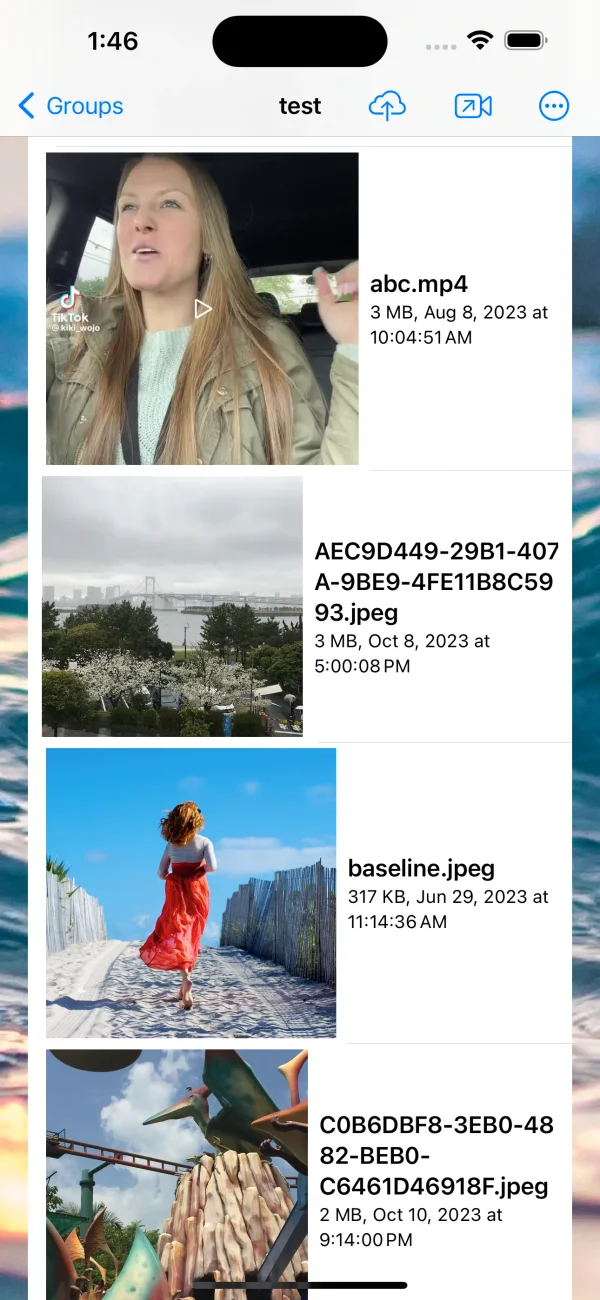
Separate libraries, each with its own folder tree: Photos, Work, the scans, the house. You work in one group at a time rather than in a single combined drive.
VERSION HISTORY
Every save is kept. Open a file's history and restore any earlier version. Restoring does not discard the current one.
DELETED FILES
Deleting moves a file to the group's bin, not off the server. Restore it at any time. A group can also empty its own bin automatically after a set number of days.
PHOTO VIEWS
A group can show you:
• a random photograph
• the most recent
• one taken on this day in an earlier year
• one from this month
• one taken near your current location
A slideshow runs any of these full screen and keeps the display awake.
PHOTO FILTERING
Screenshots, photographs of documents, and blurred or badly exposed shots are excluded from the random, recent and slideshow views. This is always on and applies to every photo view.
WIDGETS
Home Screen, Lock Screen and StandBy widgets show photographs from a group you choose. Long-press and choose Edit Widget to change the group; two widgets can show two different groups. Tapping one opens the slideshow.
A widget can read only the group it shows, and never has your sign-in. Signing out stops them.
FILES OF EVERY KIND
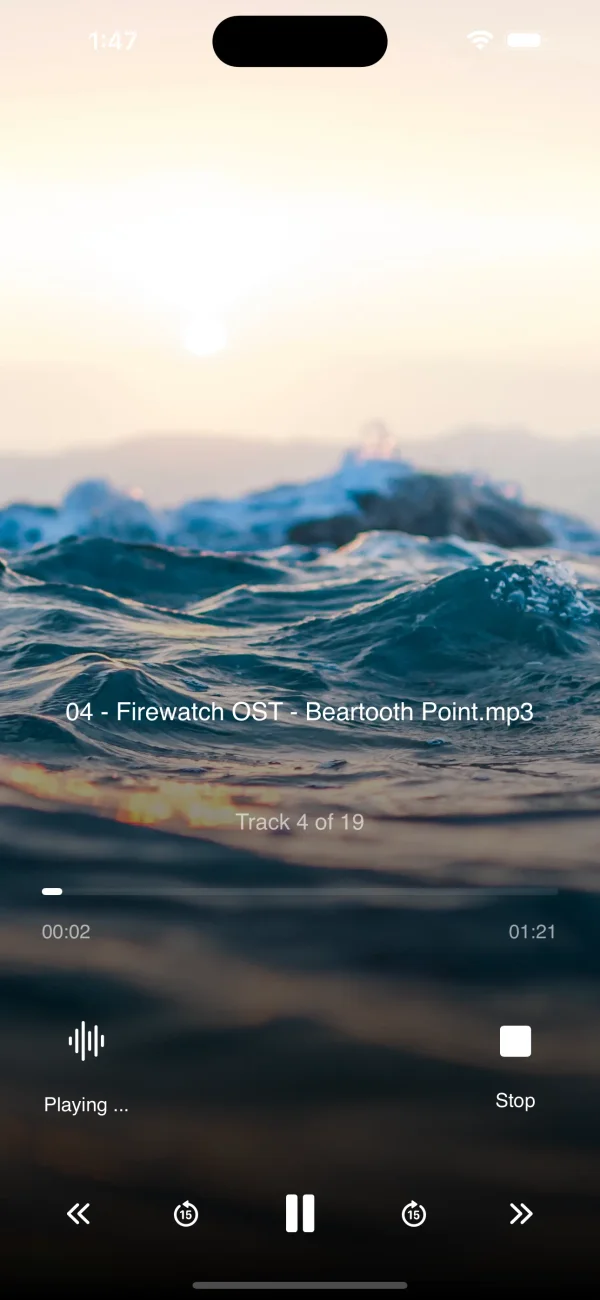
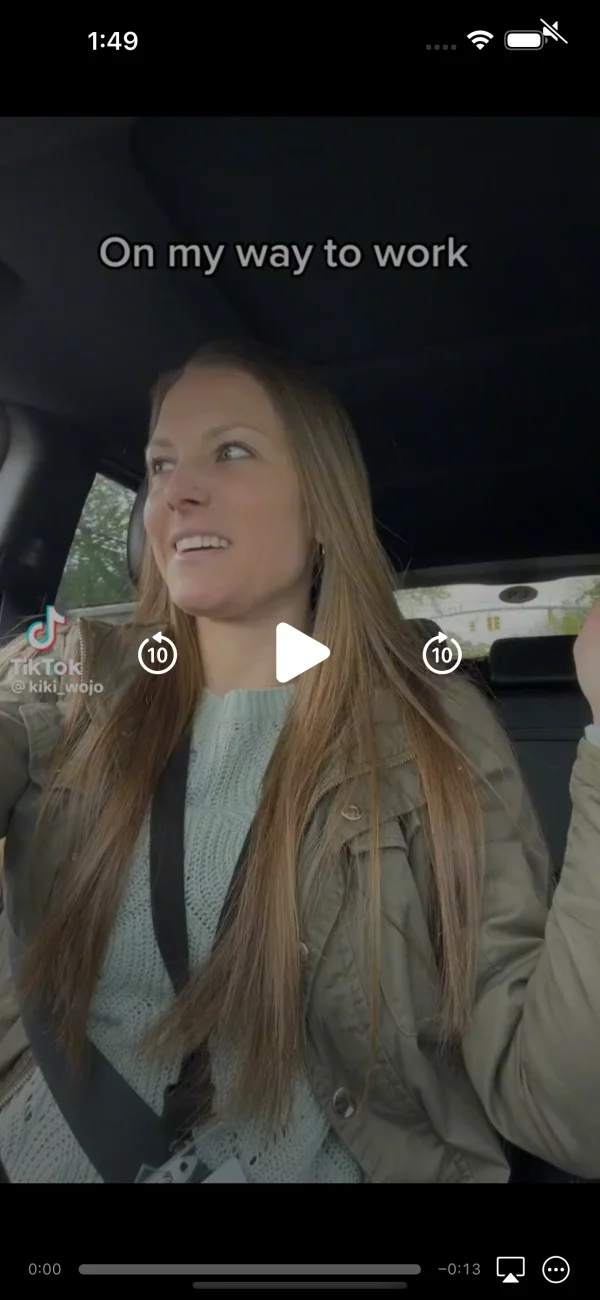
Photographs, video, audio and PDFs open in the app. Large video is converted for streaming rather than downloaded whole. Any folder can be downloaded as a single zip, and a link to that zip works for someone without the app.
SEARCH
By name and path, within a group. You can also browse the folder tree or list what changed most recently.
ON THE MAC
A menu bar app, downloaded from calmdocs.com rather than the App Store, syncs chosen folders on your disk with a group and updates itself. It is not sandboxed, which is what lets it sync folders you choose.
ON THE WEB, AND FROM YOUR OWN CODE
Everything is also at calmdocs.com in a browser, on the same account. There is a documented HTTP API with an OpenAPI description at calmdocs.com/api/docs.
SIGNING IN
An email address and a six-digit code. There is no password to reuse, leak or reset.
WHAT WE HOLD
Your email address, the files you upload, and what those files say about themselves: size, type, when they were taken, and for photographs the position the camera recorded. That is what the service runs on. We do not sell it and we do not track you between apps. The full policy is at calmdocs.com/privacy.
新機能
バージョン 1.2.11 · 2026/11/16
A document that has been opened before now opens at once in the viewer, without showing a download first.
アプリのプライバシー
このアプリのデータの取り扱いについて、Elaine BevingtonがApp Storeで申告している内容です。
-
ユーザーに関連付けられたデータ
収集され、ユーザーの識別情報に関連付けられる場合があります。
- 連絡先情報
- ユーザーコンテンツ
- ID
プライバシーの取り扱いは、ご利用の機能やお客様の年齢などに応じて異なる場合があります。
情報
- 販売元
- Elaine Bevington
- カテゴリ
- 仕事効率化
- バージョン
- 1.2.11
- 更新日
- 2026/11/16
- リリース
- 2023/11/22
- サイズ
- 8.7 MB
- 必要条件
- iOS 17.6以降
- 対象年齢
- 4+
- 価格
- 無料
- 言語
- 英語
- 著作権
- Copyright © 2026 Iain McLaren