- 対象年齢4+
- カテゴリユーティリティ
- 開発元Computing & Dreams BVBA
- 言語英語
- サイズ110.1 MB
App Storeの公式ページにリンクしています
Download.orgはCard Grading Toolのファイルを一切ホストしていません。ボタンを押すと、Computing & Dreams BVBAが公開しているApp Storeのアプリページが開きます。ページの最終確認:2026/11/20。
スクリーンショット
概要
開発元はこのテキストをお使いの言語で提供していません。
Take your TCG card grading to the next level with Card Grading Tool! Snap a photo of your card and find out which grade it could get from PSA, BGS or CGC before you send it in.
Card Grading Tool is built for collectors of trading cards: Pokémon, Magic: The Gathering, One Piece, Lorcana and other TCG cards, as well as sports cards.
HOW IT WORKS
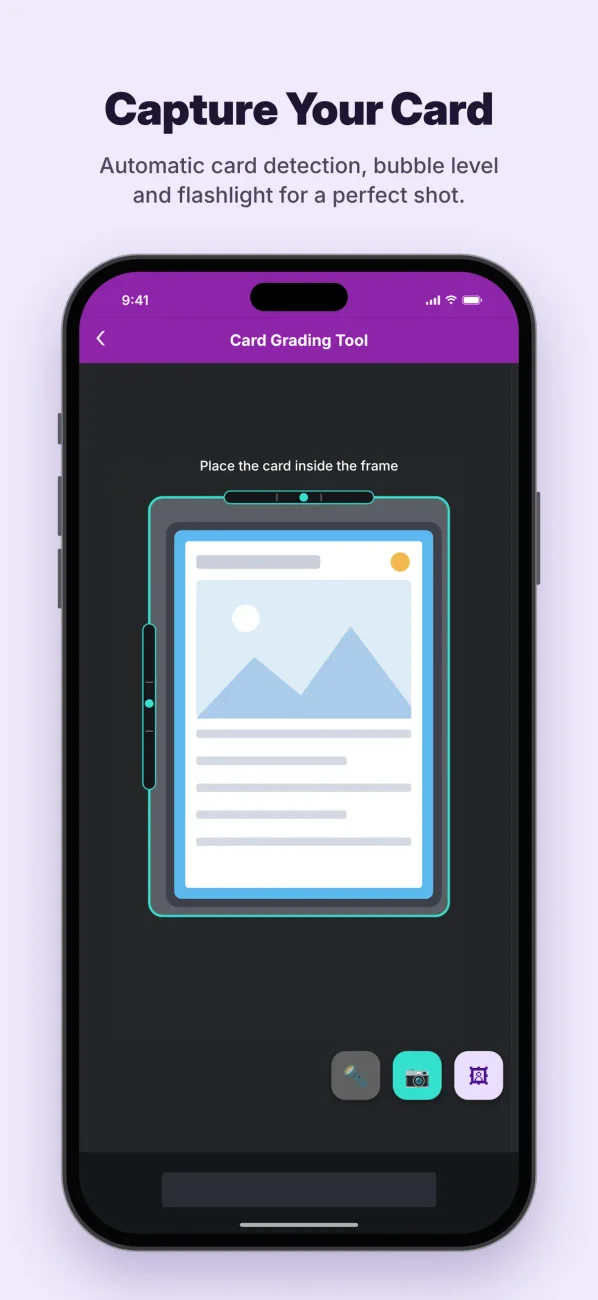
1. Take a photo: a bubble level and a flashlight help you get a straight, well-lit shot.
2. Automatic card detection: the app finds your card on the photo.
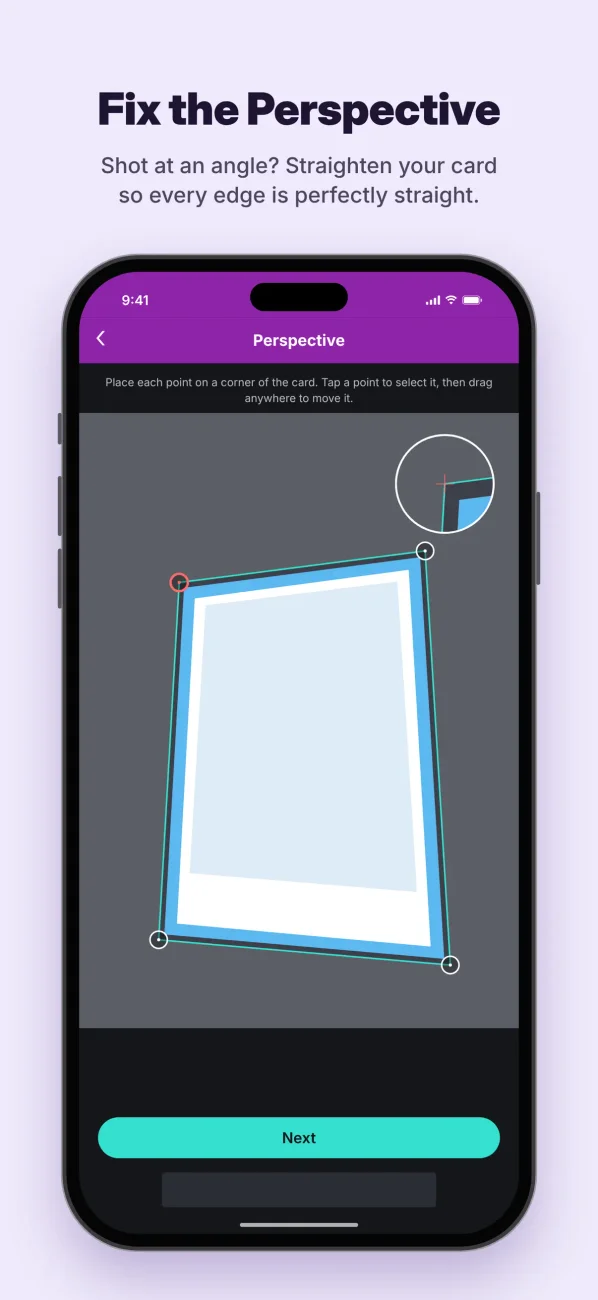
3. Perspective correction: straighten a card shot at an angle, so its edges are perfectly straight.
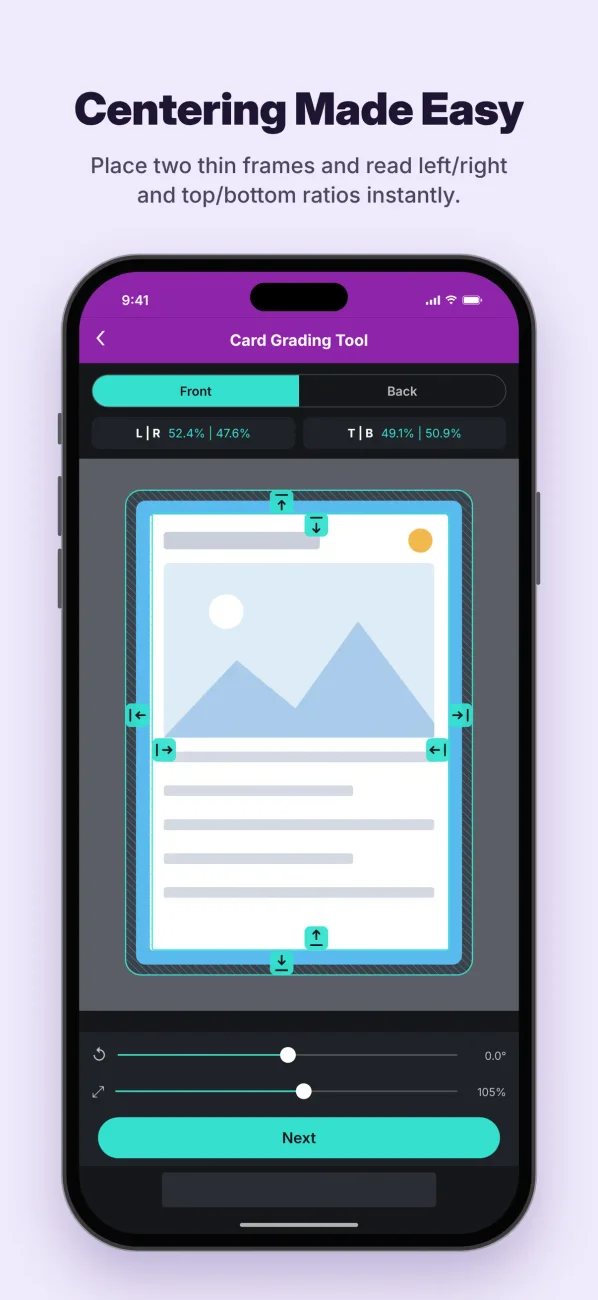
4. Centering measurement: place two thin frames on the card edge and on the inner border, zoom in for pixel-level precision.
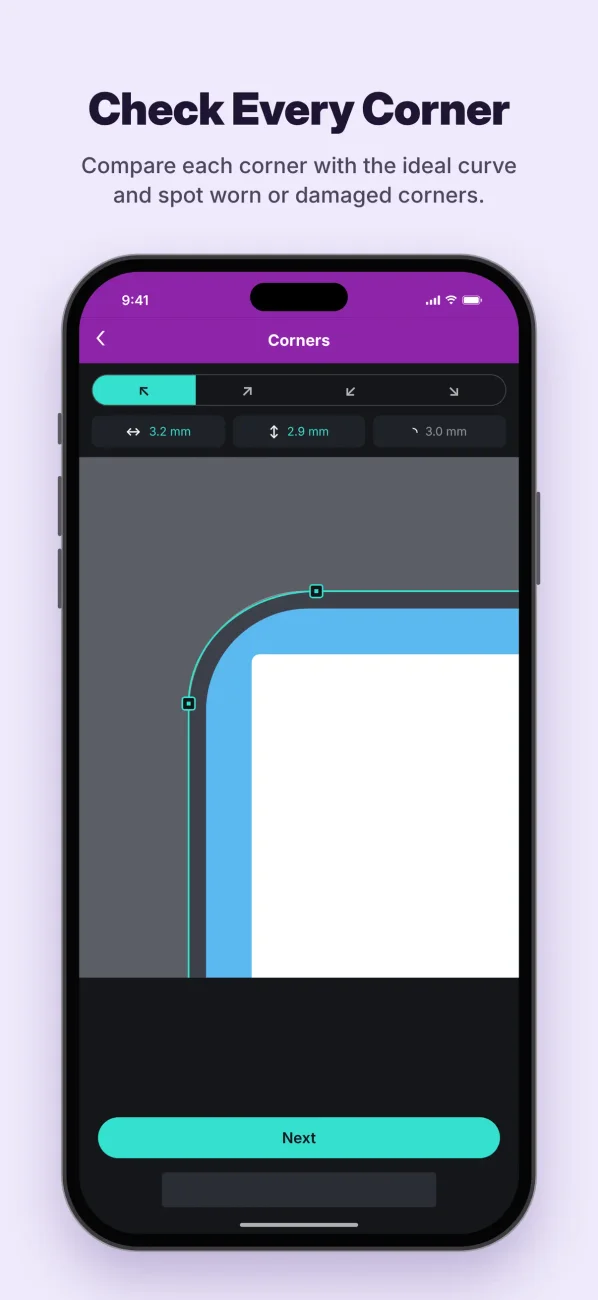
5. Corner check: compare each corner with the ideal curve, one by one.
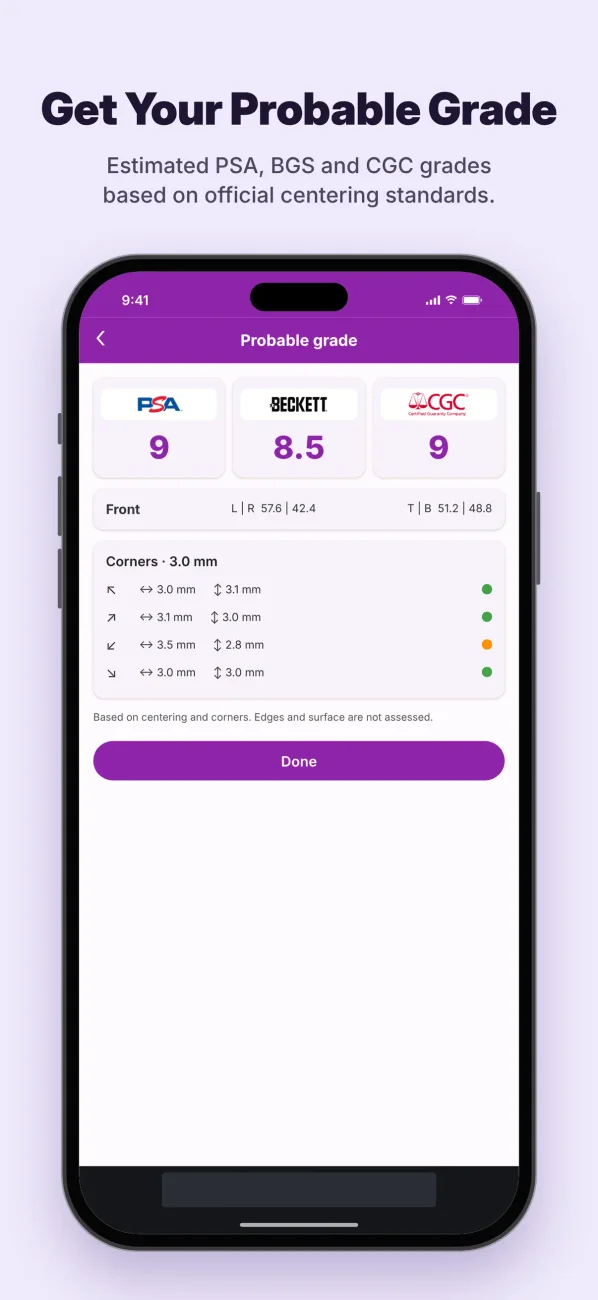
6. Probable grade: see your estimated grade for PSA, BGS and CGC.
KEY FEATURES
- Probable grade based on the centering standards published by PSA, BGS and CGC
- Front or back: the back of the card has its own, more tolerant standards
- Precise centering tools: left/right and top/bottom ratios, rotation and image size sliders
- Rounded or square corners, for TCG cards and sports cards
- Automatic card detection and perspective correction
- Corner analysis to spot worn or damaged corners
- Works on iPhone and iPad
WHY CHECK CENTERING BEFORE GRADING?
Centering is one of the first things graders look at, and it can cap your card's grade no matter how perfect the rest is. A card centered 60/40 can't get a PSA 10. Card Grading Tool helps you pick the cards worth submitting and avoid paying grading fees for disappointing results.
GOOD TO KNOW
The probable grade is an estimate based on centering and corners. Edges and surface are not evaluated, and the final grade is always decided by the grading company.
Card Grading Tool is not affiliated with, endorsed by or sponsored by PSA, Beckett (BGS), CGC, The Pokémon Company, Wizards of the Coast or any other brand mentioned.
新機能
バージョン 2.1.1 · 2026/11/16
A brand-new grading experience:
- Automatic card detection on your photo
- New perspective tool to straighten cards shot at an angle
- Redesigned centering tool with precise frames, zoom, rotation and image size sliders
- Front or back selection, with the right standards for each side
- New corner tool to compare each corner with the ideal curve
- Probable grade for PSA, BGS and CGC, based on their official centering standards
- Flashlight button and bubble level for better photos
- Full-resolution photos for more accurate measurements
アプリのプライバシー
このアプリのデータの取り扱いについて、Computing & Dreams BVBAがApp Storeで申告している内容です。
-
ユーザーのトラッキングに使用されるデータ
他社のアプリやウェブサイトを横断してユーザーをトラッキングする目的で使用される場合があります。
- 使用状況データ
-
ユーザーに関連付けられたデータ
収集され、ユーザーの識別情報に関連付けられる場合があります。
- 使用状況データ
-
ユーザーに関連付けられないデータ
収集される場合がありますが、ユーザーの識別情報には関連付けられません。
- ユーザーコンテンツ
プライバシーの取り扱いは、ご利用の機能やお客様の年齢などに応じて異なる場合があります。
情報
- 販売元
- Computing & Dreams BVBA
- カテゴリ
- ユーティリティ
- バージョン
- 2.1.1
- 更新日
- 2026/11/16
- リリース
- 2025/1/6
- サイズ
- 110.1 MB
- 必要条件
- iOS 15.0以降
- 対象年齢
- 4+
- 価格
- 無料
- 言語
- 英語
- 著作権
- © Computing & Dreams
こちらもおすすめ
-
 Card Centering Calculator: CCCユーティリティ
-
 Instant Card GradingQuickly pre-grade your cards!
-
 Card Centering Calculator Appユーティリティ
-
 Grade My Cardユーティリティ
-
 Card Centering Calculatorユーティリティ
-
 センタリングツール - トレカ鑑定前に計測送る前にグレードをセルフチェック
-
 カードセンタリング計算・トレカ鑑定ツールPSA 10・BGS・CGC グレーディング予想
-
 カードセンタリングツール - CCTTCG・スポーツカードの鑑定スキャナー
-
 カードセンタリング計算機TCG & スポーツカードグレーディングツール
-
 Binder AI: Card Grading Toolユーティリティ