- 対象年齢4+
- カテゴリユーティリティ
- 開発元Aykut Aras
- 言語英語
- サイズ3.9 MB
App Storeの公式ページにリンクしています
Download.orgはCardoodleのファイルを一切ホストしていません。ボタンを押すと、Aykut Arasが公開しているApp Storeのアプリページが開きます。ページの最終確認:2026/11/16。
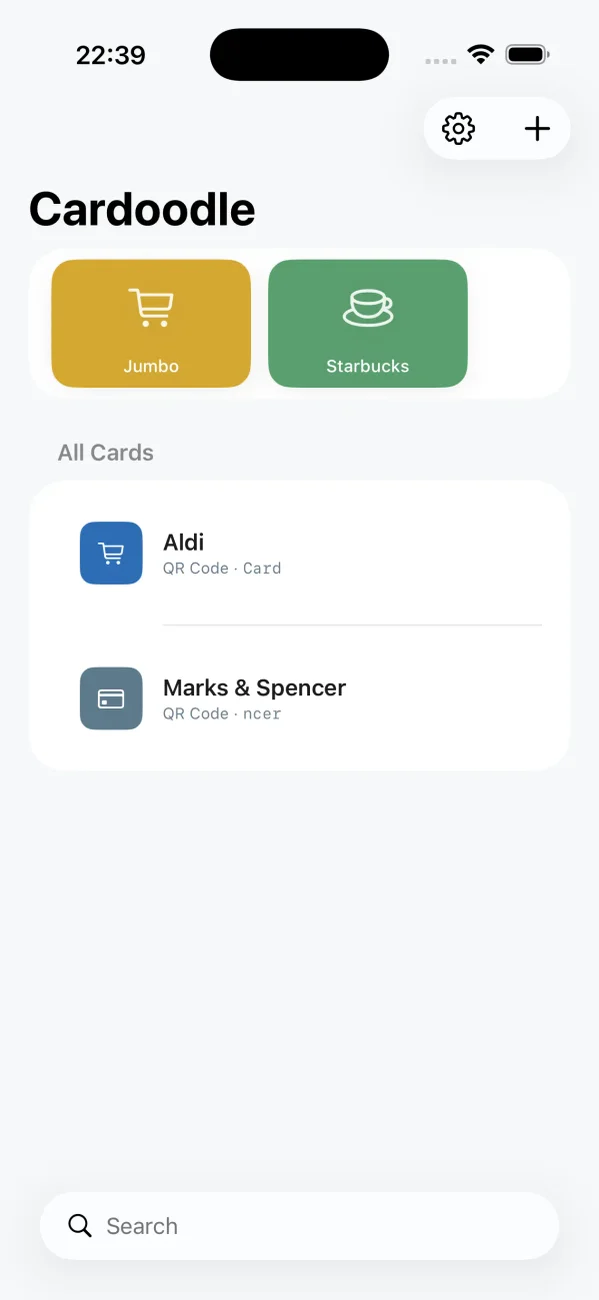
スクリーンショット

概要
開発元はこのテキストをお使いの言語で提供していません。
Cardoodle is a free, open-source loyalty card wallet for iPhone and Apple Watch. Store all your loyalty cards, membership cards, and discount cards in one place.
SCAN OR TYPE
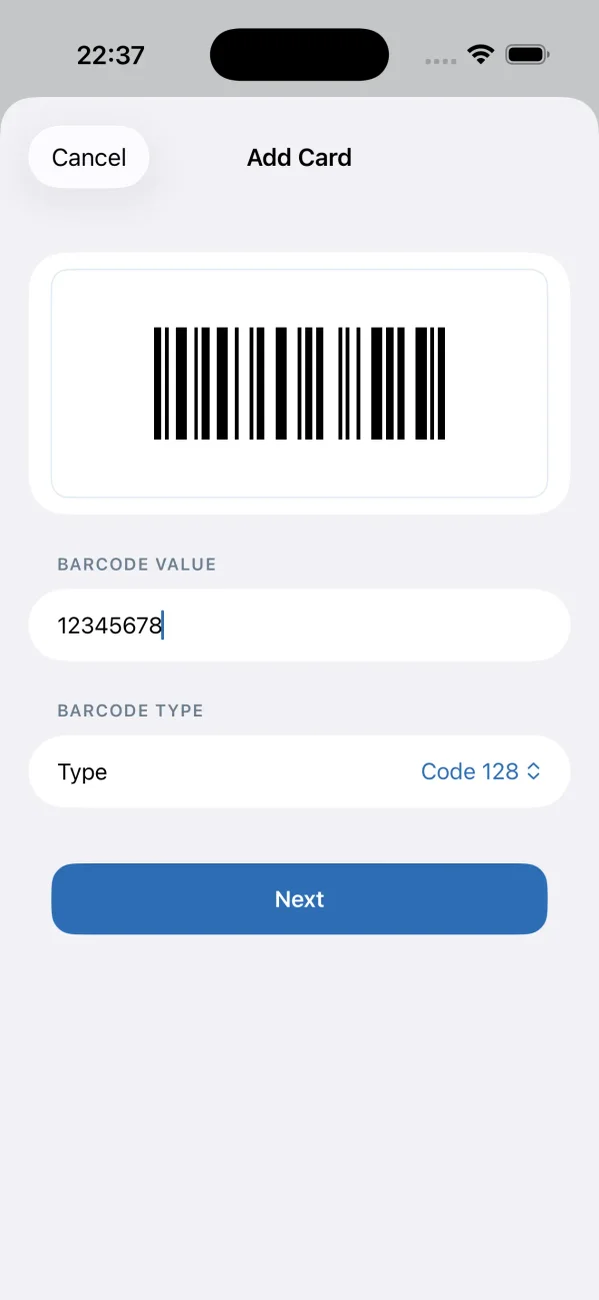
Add cards instantly by scanning their barcode with your camera, or enter the number manually. Supports QR, Code 128, EAN-13, EAN-8, Code 39, PDF417, and Aztec barcodes.
USE AT CHECKOUT
Tap a card to display its barcode fullscreen at maximum brightness — ready for any store scanner. Works even without an internet connection.
APPLE WATCH
Browse your cards and display barcodes right from your wrist. Cards sync automatically from your iPhone.
STAY ORGANIZED
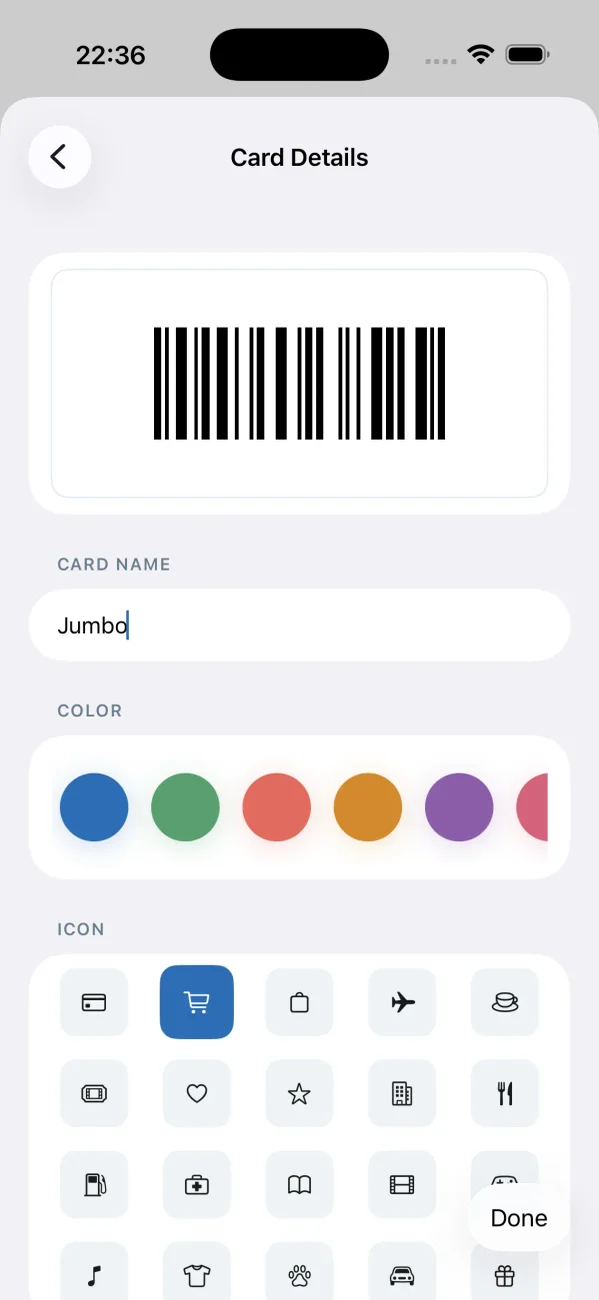
Name your cards, assign colors and icons, add notes, and photograph the front and back of physical cards. Pin your favorites to the top for quick access.
SYNC WITH ICLOUD
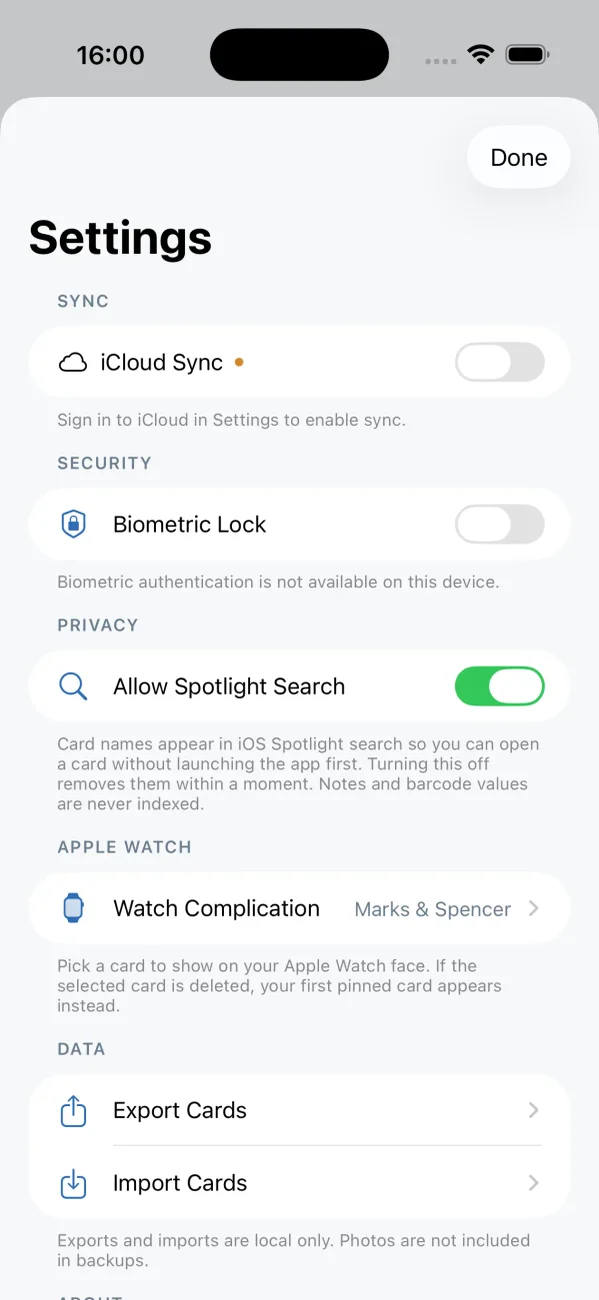
Optionally sync your cards across all your Apple devices via your private iCloud account. Sync is off by default — your choice, always.
WIDGETS
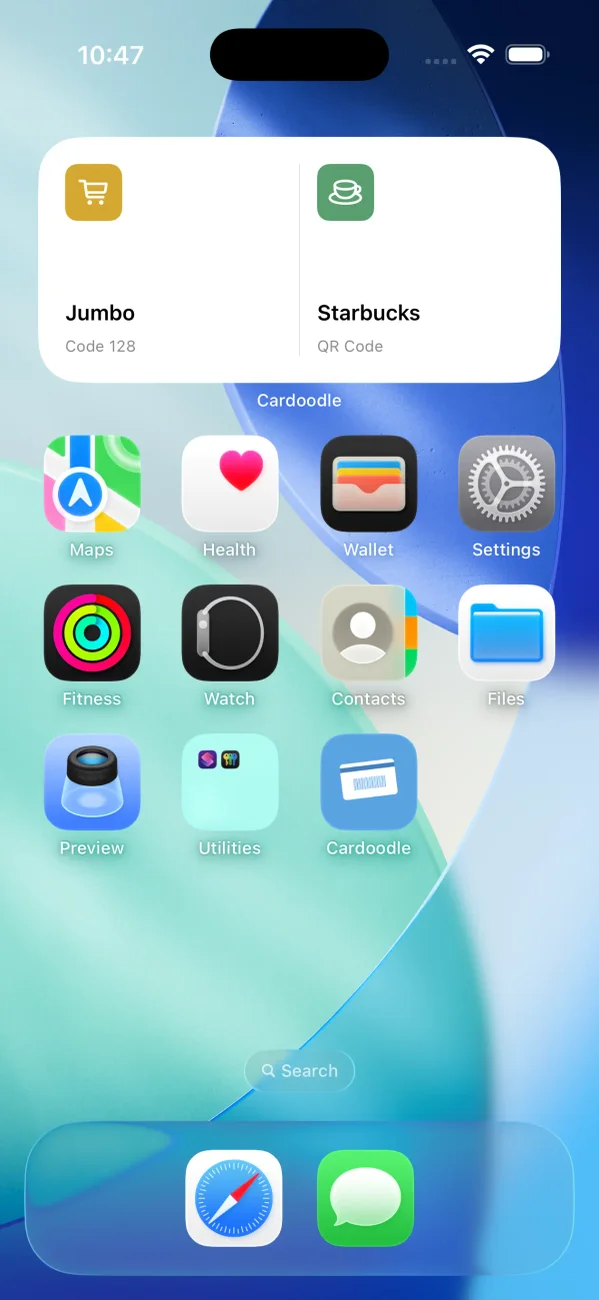
Add a Cardoodle widget to your Home Screen or Lock Screen to see your most recently used card at a glance, or pin a favorite card you always want one tap away. Tapping a widget jumps straight to the fullscreen barcode — no list, no search.
SIRI & SHORTCUTS
Cardoodle now shows up in the Shortcuts app. Build an automation that opens your Starbucks card when you arrive at the café, drop a card on an NFC tag by the coffee machine, or just say "Show my Migros card" to Siri. The same intents work on Apple Watch.
SPOTLIGHT SEARCH
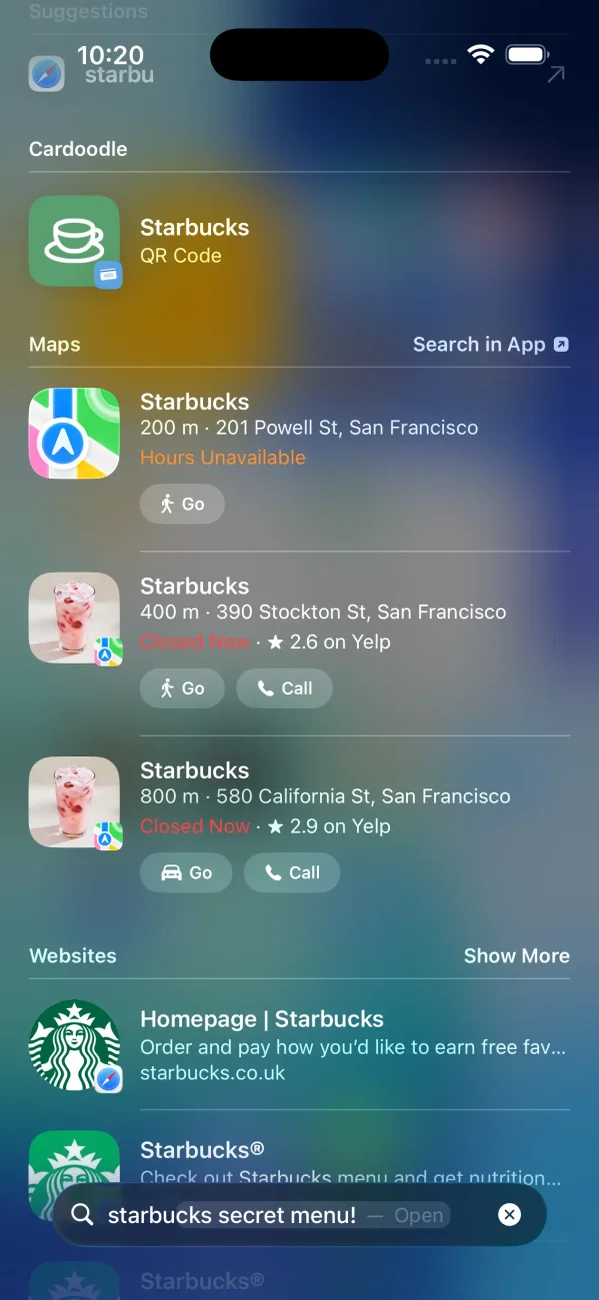
Swipe down on the Home Screen, type a card name, tap the result. The fullscreen barcode opens straight away — no need to open Cardoodle first. Lock screen search works the same way.
WATCH COMPLICATIONS
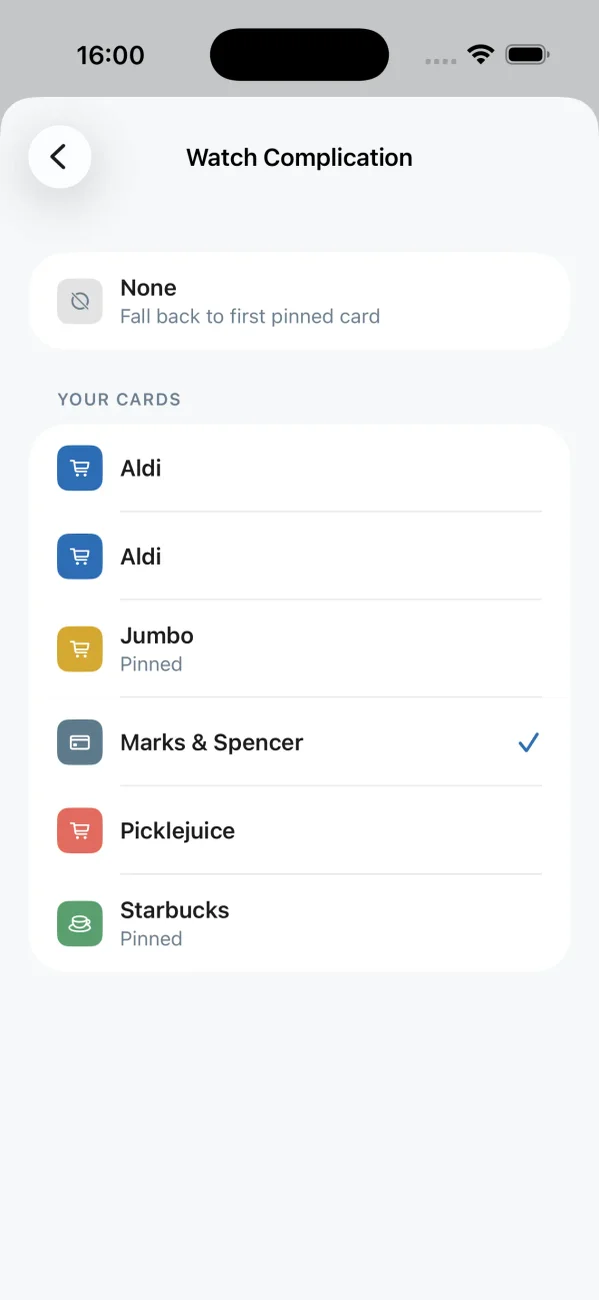
- Favourite Card complication — Pin a card you choose to your watch face. One tap opens its barcode at full brightness, ready for the scanner. Pick it in the iPhone app at Settings → Apple Watch.
- Recent Card complication — Shows whichever card you used most recently. No setup — it follows you.
PRIVACY FIRST
No accounts. No analytics. No advertising. No third-party SDKs. Your data stays on your device (or in your private iCloud if you choose). Cardoodle is fully open source — inspect the code yourself.
新機能
バージョン 1.5 · 2026/4/22
Your most-used loyalty cards, one tap from your watch face.
• Favourite Card complication — Pin a card you choose to your watch
face. One tap opens its barcode at full brightness, ready for the
scanner. Pick it in the iPhone app at Settings → Apple Watch.
• Recent Card complication — Shows whichever card you used most
recently. No setup — it follows you.
Both complications support corner, circular, inline, and rectangular
styles, and can live side-by-side on the same face. Like everything
else in Cardoodle: fully on-device, no trackers, no accounts.
アプリのプライバシー
このアプリのデータの取り扱いについて、Aykut ArasがApp Storeで申告している内容です。
-
データの収集なし
開発元はこのアプリからデータを収集しません。
プライバシーの取り扱いは、ご利用の機能やお客様の年齢などに応じて異なる場合があります。
情報
- 販売元
- Aykut Aras
- カテゴリ
- ユーティリティ
- バージョン
- 1.5
- 更新日
- 2026/4/22
- リリース
- 2026/4/17
- サイズ
- 3.9 MB
- 必要条件
- iOS 17.0以降
- 対象年齢
- 4+
- 価格
- 無料
- 言語
- 英語
- 著作権
- © 2026 Aykut Aras