- 対象年齢4+
- カテゴリユーティリティ
- 開発元Bruce Nguyen
- 言語英語ほか4言語
- サイズ35.9 MB
App Storeの公式ページにリンクしています
Download.orgはCCTV Super Toolのファイルを一切ホストしていません。ボタンを押すと、Bruce Nguyenが公開しているApp Storeのアプリページが開きます。ページの最終確認:2026/11/18。
スクリーンショット
概要
開発元はこのテキストをお使いの言語で提供していません。
A field kit for camera installers: find devices on the network, survey each spot you plan to mount a camera, and hand the customer a PDF report before you quote the job.
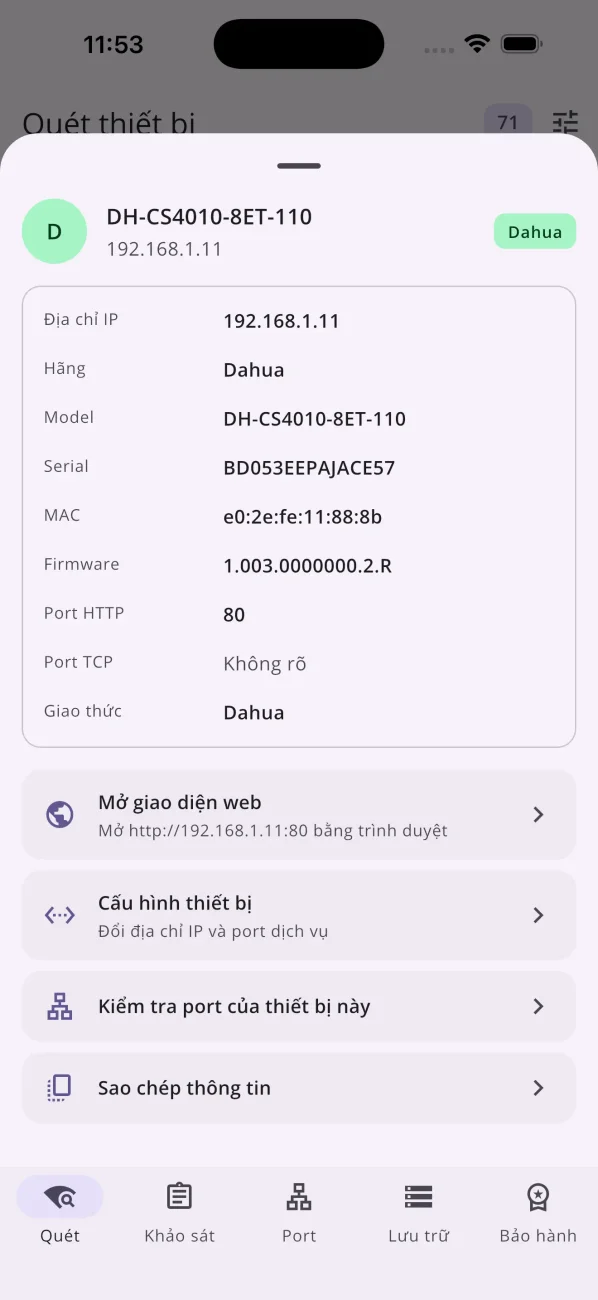
DEVICE SCANNER
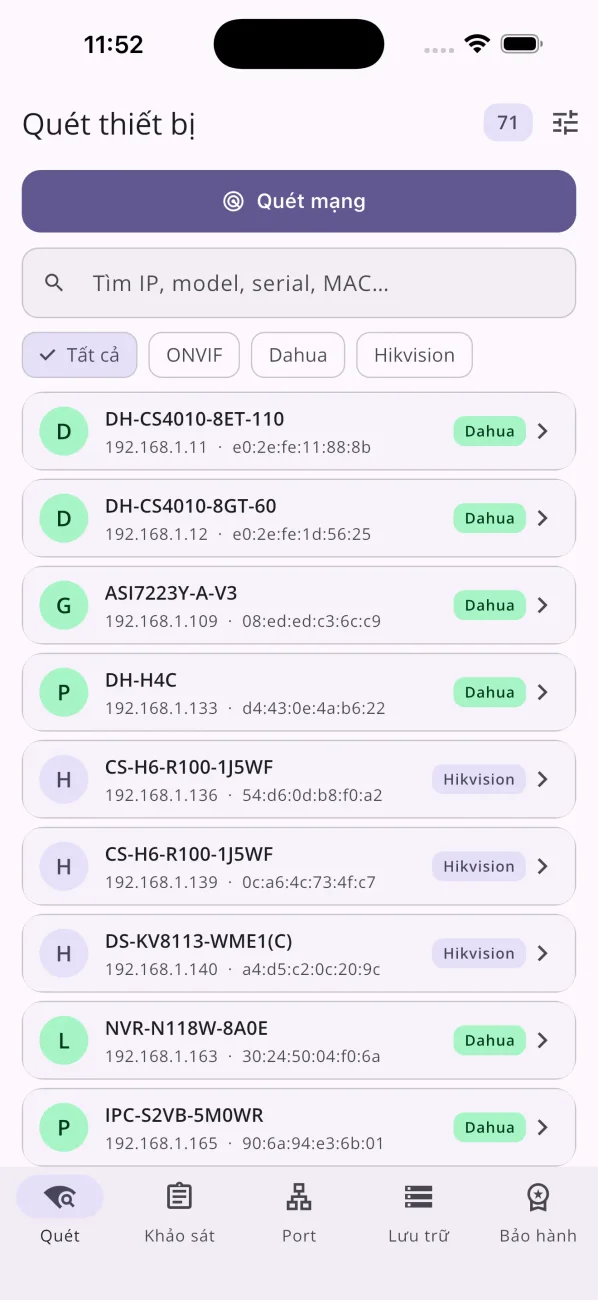
• Finds cameras and recorders on the local network over ONVIF (WS-Discovery), Dahua/KBVISION (DHIP) and Hikvision (SADP-style). Each protocol can be turned off; the scan window is 3–30 seconds.
• Each device shows IP, MAC, model, serial, firmware, HTTP and TCP ports, and the protocol that found it.
• Warns when two devices hold the same IP address.
• Search by IP, model, serial or MAC, and filter by protocol.
• Open a device's web interface, copy its details, or port-check it.
• Change IP, subnet mask, gateway and service ports over DVRIP, always with a before/after table and a confirmation first.
SITE SURVEY
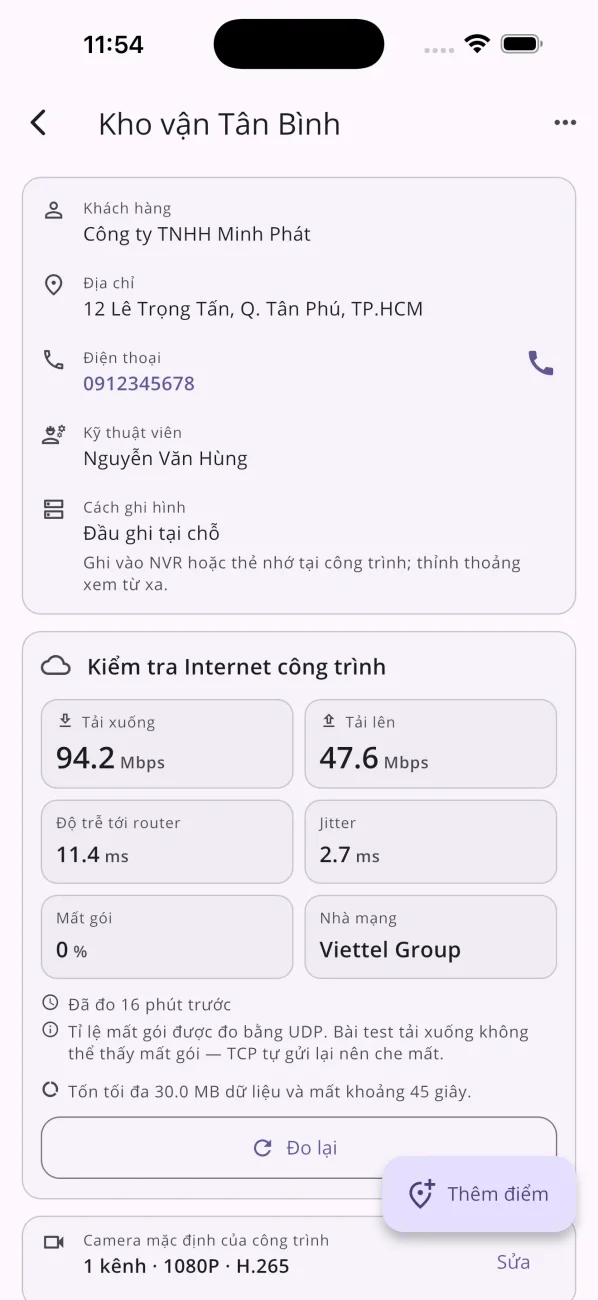
• A job records the customer, address, phone, technician, how footage is recorded and the camera you plan to fit; any position can override it.
• Add a point per planned camera position, with notes, GPS and photos.
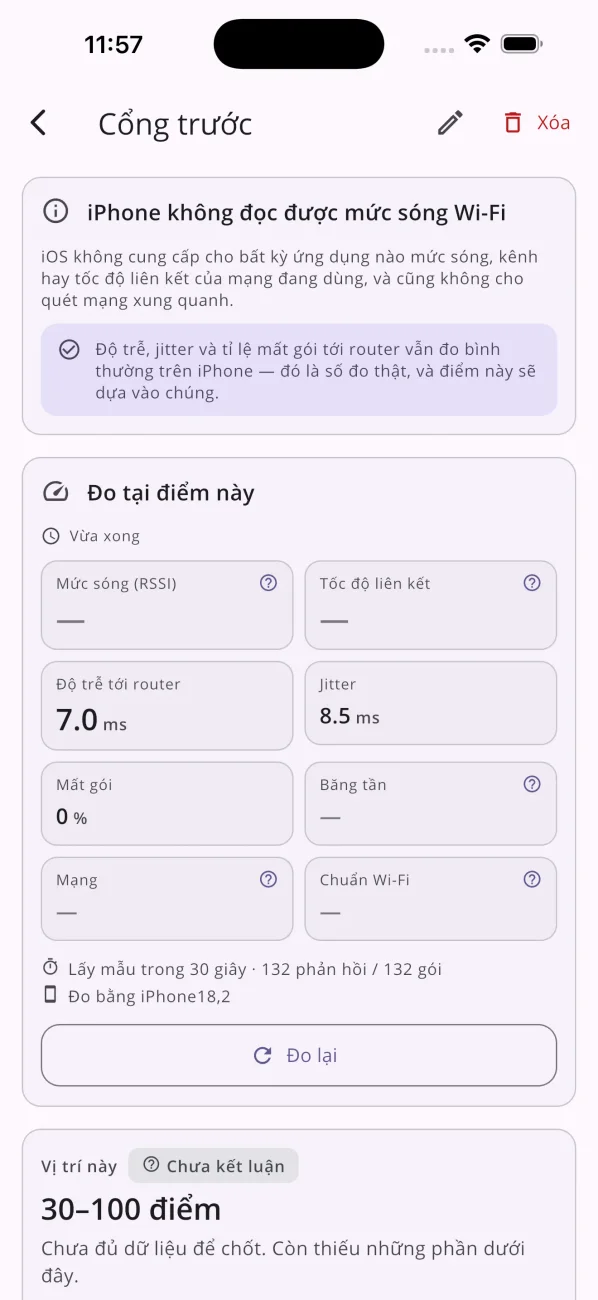
• A reading at each point: latency, jitter and packet loss to the router, with the packets sent and answered.
• One reading for the whole site: download, upload, latency, jitter, packet loss and ISP.
• Works out the upload the site needs — main stream, sub stream, scene headroom, an allowance for remote viewing — and compares it with the line you measured.
• Handover: scan the label on the camera body, or the network, to attach the device you installed to the position you surveyed.
PDF REPORTS
• Two documents: a survey report and an acceptance record.
• The survey report: cover, position tally, internet-line page, summary table, a section per position, conclusion, thresholds and sources, method and limits.
• The acceptance record: installed-device table, notes by position, photo pages, a signature block, and a page stating what it does not claim.
• Pick the report language independently of the app, choose whether photos go in, preview, share or save.
• Every copy carries a report id, a content fingerprint and a timestamp with timezone.
PORT CHECKER
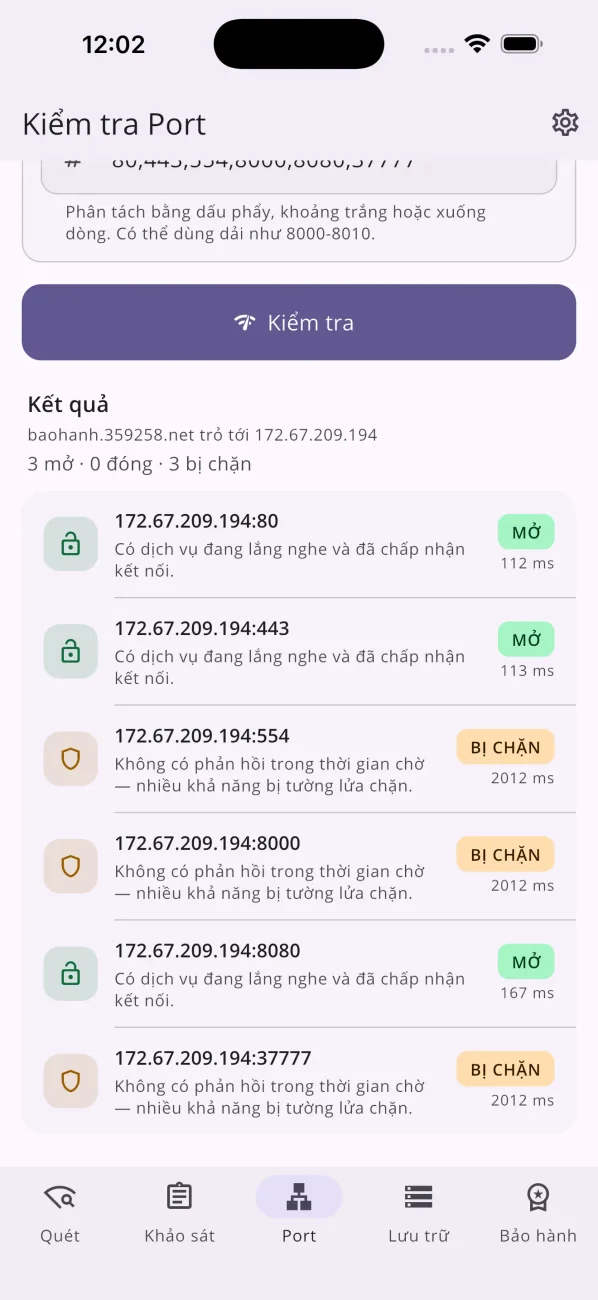
Test whether ports are reachable from the internet, by hostname or WAN IP (the app fetches yours). Presets for Hikvision, Dahua, KBVISION and common ports; ranges such as 8000-8010 work. Open, closed or blocked, with response times.
STORAGE CALCULATOR
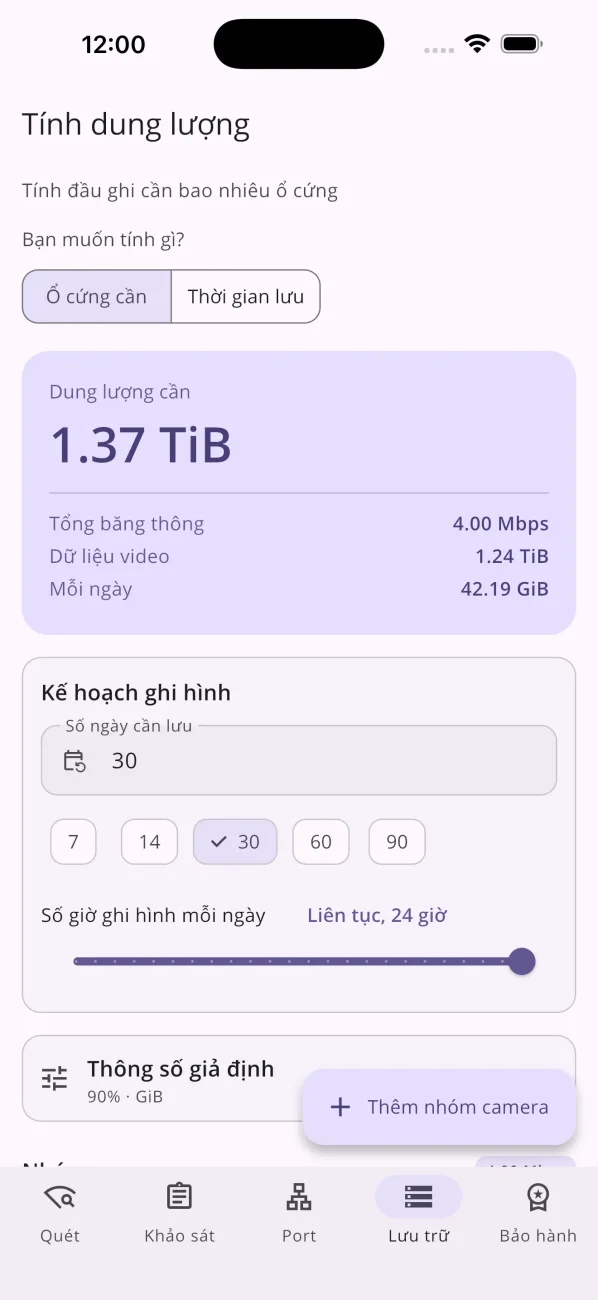
Size a disk for the retention you want, or how long a disk you have will last. Cameras go in groups: channels, PAL/NTSC, codec including SmartH264+ and SmartH265+, resolution, frame rate, motion level, and a suggested bitrate you can override.
WARRANTY CHECK
Look up a device by serial number, typed or scanned from the label.
WHAT AN IPHONE AND IPAD CAN MEASURE
iOS does not let any app read Wi-Fi signal strength, channel or link rate, and does not allow scanning for nearby networks. The app says so on the measurement screen and leaves those fields blank rather than guessing. Latency, jitter and packet loss to the router are still measured for real and the verdict rests on them — so on iOS the app reports a score range together with what is missing, instead of settling on a grade. Full signal scoring needs an Android handset.
YOUR DATA
Surveys, photos, customer details and device passwords stay on this device. There is no account, no server holds your surveys, and survey data is excluded from iCloud backup — exporting a PDF is the only way to keep a copy. The app reaches the network in four places: the speed test, the WAN IP lookup, the warranty lookup and ads.
NOTES
• Scanning only works on the local network, so the device has to be on the same Wi-Fi as the equipment.
• The app is ad-supported. Watch one rewarded video to hide ads for 30 minutes, or to export one PDF without the watermark.
• Not affiliated with Hikvision, Dahua, KBVISION or ONVIF; the names only say which protocols the app speaks.
新機能
バージョン 4.2.0 · 2026/8/27
Three more languages: Turkish, Russian and Arabic.
Both the app and the PDF reports. The report language is still chosen separately from the app's, so you can work in English and hand the customer a Russian document.
Arabic reports are set right to left: tables, number columns and the signature block all mirror, while IP addresses, dBm and device names still read left to right, the way they do on the equipment.
On iPhone the app now picks up the phone's language for all five. Before this, a phone set to Russian still opened in English unless you chose Russian by hand in Settings.
Fixed: the Russian navigation labels were long enough to wrap onto a second line, which left the row of icons crooked.
アプリのプライバシー
このアプリのデータの取り扱いについて、Bruce NguyenがApp Storeで申告している内容です。
-
ユーザーのトラッキングに使用されるデータ
他社のアプリやウェブサイトを横断してユーザーをトラッキングする目的で使用される場合があります。
- ID
-
ユーザーに関連付けられたデータ
収集され、ユーザーの識別情報に関連付けられる場合があります。
- ID
-
ユーザーに関連付けられないデータ
収集される場合がありますが、ユーザーの識別情報には関連付けられません。
- 診断
プライバシーの取り扱いは、ご利用の機能やお客様の年齢などに応じて異なる場合があります。
情報
- 販売元
- Bruce Nguyen
- カテゴリ
- ユーティリティ
- バージョン
- 4.2.0
- 更新日
- 2026/8/27
- リリース
- 2021/5/8
- サイズ
- 35.9 MB
- 必要条件
- iOS 15.5以降
- 対象年齢
- 4+
- 価格
- 無料
- 言語
- 英語, アラビア語, ロシア語, トルコ語, ベトナム語
- 著作権
- © CCTVWIKI