
Cherry Notes - AI Notes/Tasks
Tasks that outlive the chat
iPhone, iPad向けに設計
無料 · アプリ内課金
- 対象年齢4+
- カテゴリ仕事効率化
- 開発元Closing CRM LLC
- 言語英語ほか4言語
- サイズ26.1 MB
App Storeの公式ページにリンクしています
Download.orgはCherry Notes - AI Notes/Tasksのファイルを一切ホストしていません。ボタンを押すと、Closing CRM LLCが公開しているApp Storeのアプリページが開きます。ページの最終確認:2026/11/18。
スクリーンショット
概要
開発元はこのテキストをお使いの言語で提供していません。
Cherry Notes is a task list that outlives the chat. Capture notes, tasks, features, and bugs on your phone - then connect your AI coding agent to work through them. No more pasting lists into chat every session.
The problem:
AI coding agents are powerful, but they forget. Every session starts blank - you paste your bug list, the agent works, you close it, and tomorrow you're pasting again. And as chat grows, earlier messages fall out of context. "I'm working on item 5" is just text - the agent can't claim work, track what's done, or release items back.
The solution:
Cherry Notes lives outside the chat. The agent reads your items and gets a clean, structured response every time, regardless of context window state - whether the session is 5 minutes or 5 days old.
You cherry-pick an item, the agent works on it, and marks it done. This state is in a database, not a chat log. It survives session restarts, context clears, and agent switches.
Captured when you think of it. You're in line at coffee, think of a new feature, jot it down. It's synced before you reach your desk - capture anywhere, the agent picks it up when it's time to work.
Flag it and forget it:
Swipe to flag any item. A connected agent automatically picks up flagged work - point it at a project and walk away.
How it works:
1. Create projects and add items (ideas, features, bugs, tasks)
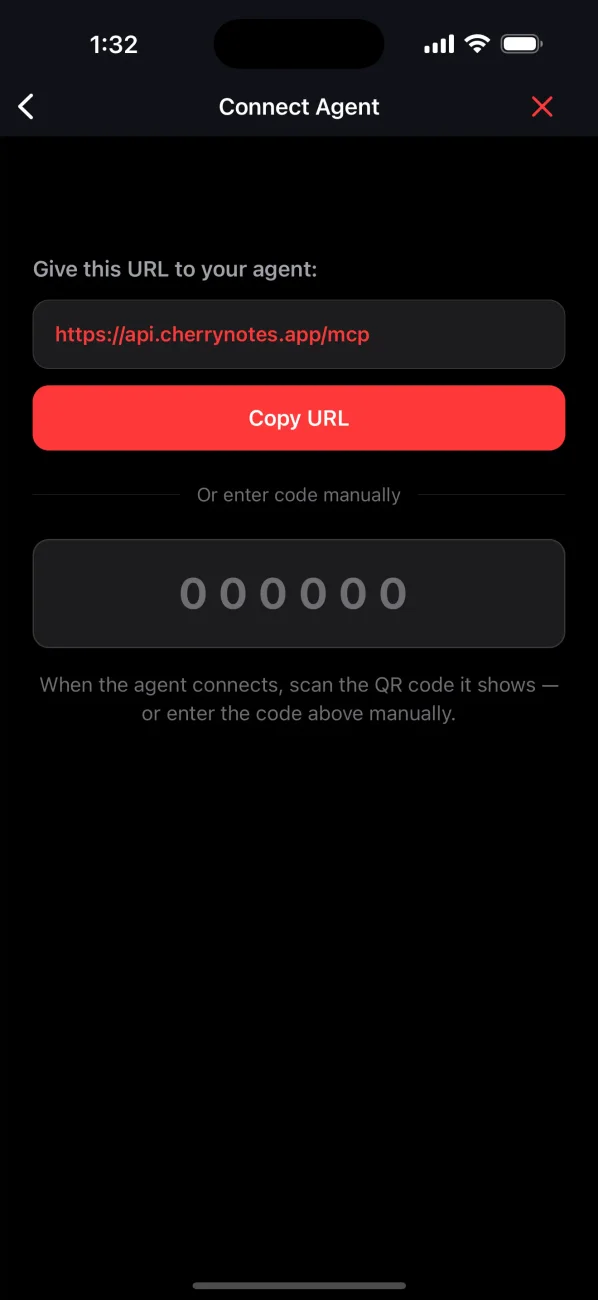
2. Connect an AI coding agent (Claude Code, ChatGPT, Cursor, Codex, GitHub Copilot, Gemini, Devin, and other MCP-compatible agents)
3. The agent reads your items, cherry-picks work, and marks it done
4. You stay in control - approve work before it's marked complete
Features:
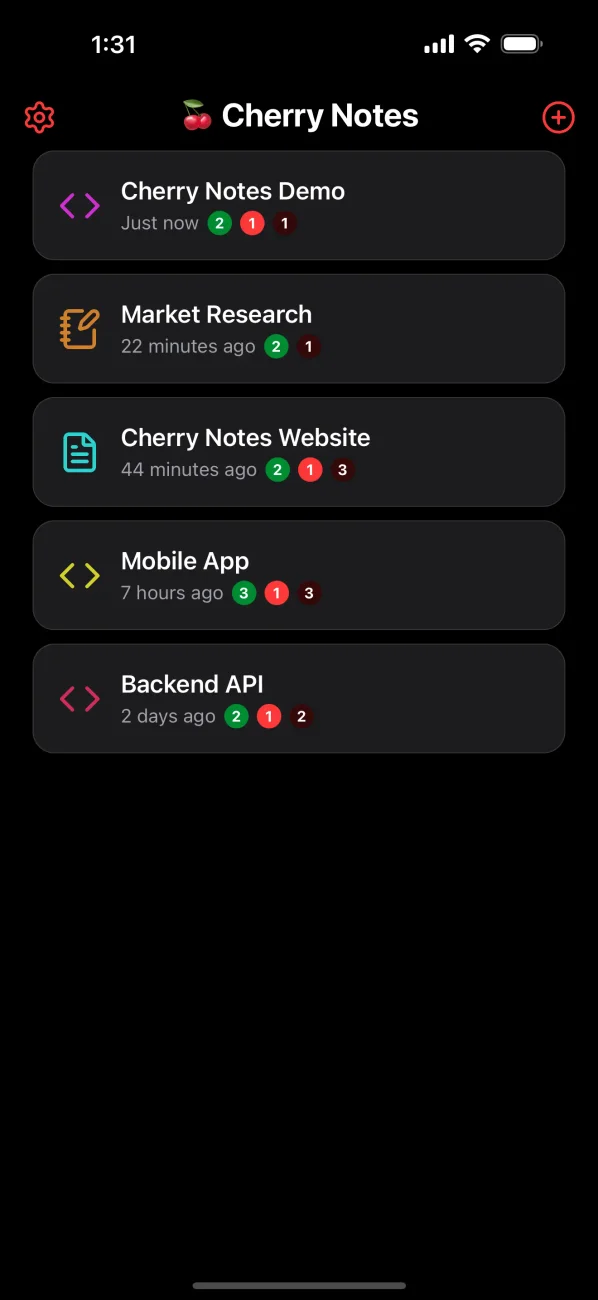
- Quick capture: jot down ideas as they come, organized into projects
- Flag for pickup: mark items for automatic pickup by your agent
- Agent integration: connect any MCP-compatible AI coding agent
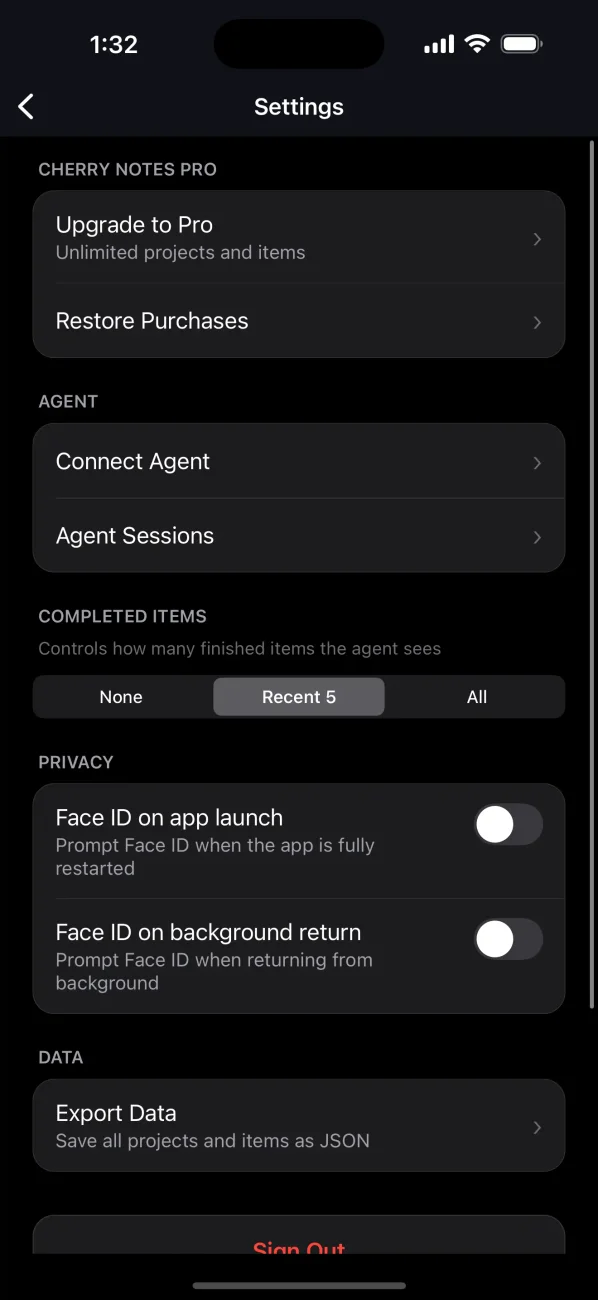
- Session management: see which agents are connected and revoke access anytime
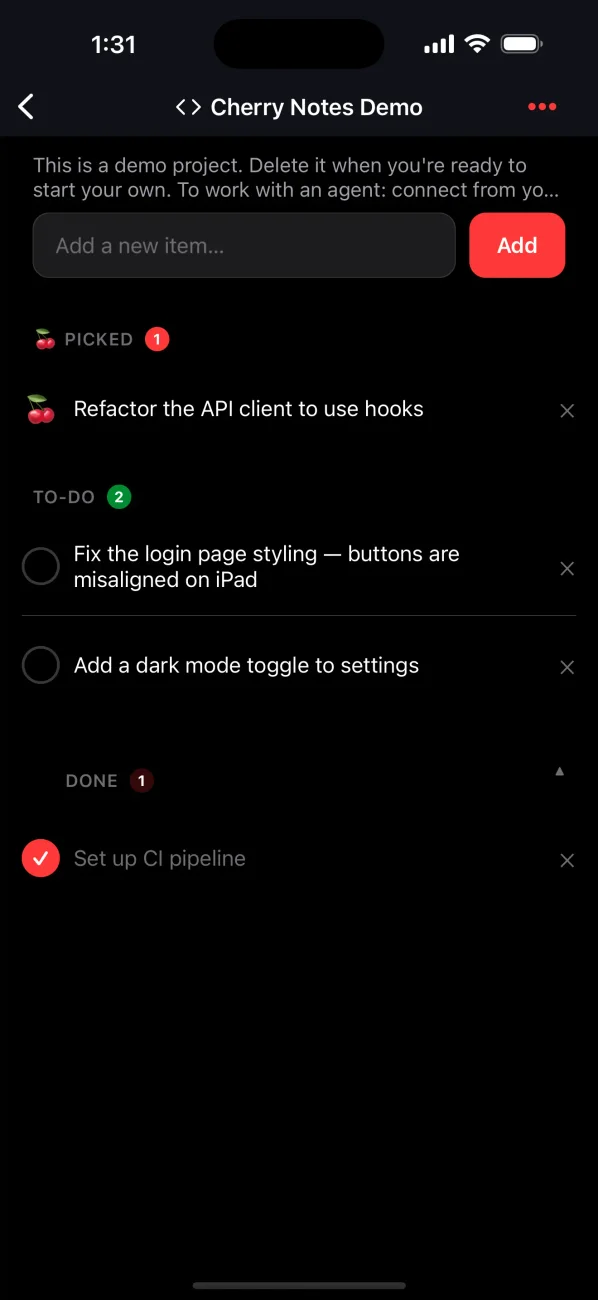
- Cherry-pick workflow: agents claim specific items before starting work
- Three-state items: todo, picked (in progress), done
- Drag to reorder: arrange items exactly how your agent should see them
- Done items visibility: control how many completed items the agent sees
- Export data: export everything anytime from Settings
- Face ID lock: protect your data with biometric authentication
- Apple Sign In, Google Sign In, or email/password
- Multi-project: separate lists per repo, each with its own profile
- Project profiles: software, games, content, or research
- Real-time sync across all your devices
- Works offline: capture without a connection, syncs when you're back
Use cases:
- Software projects: track bugs, features, refactors, and tech debt
- Game development: capture mechanics, levels, and polish items
- Content creation: plan videos, articles, and creative projects
- Research: organize tasks, hypotheses, and follow-ups
Privacy first:
- No tracking, no advertising, no selling or sharing data
- No third-party analytics or crash reporting
- Revoke agent access anytime
- Delete your account anytime - permanently removes all data
Cherry Notes Pro:
Free includes up to 5 projects with 20 items each. Pro lifts the limits via auto-renewable subscription. Payment is charged to your Apple ID at purchase confirmation. Renews automatically unless canceled at least 24 hours before period end. Manage anytime in Settings > Apple ID > Subscriptions.
If you use Claude Code, ChatGPT, Cursor, Codex, Copilot, Gemini, Devin, Cline, Zed, or any MCP-compatible agent, Cherry Notes bridges the gap between capturing ideas on your phone and having your agent ship code.
Your agent forgets. Cherry Notes doesn't.
Terms of Use (EULA):
https://www.apple.com/legal/internet-services/itunes/dev/stdeula/
Privacy Policy:
https://cherrynotes.app/privacy
新機能
バージョン 1.3.0 · 2026/10/30
Cherry Notes is now a fully native app - rebuilt from the ground up for iOS. Faster launch, smoother scrolling, and real offline support: capture items with no connection and they sync when you're back.
New in this version:
- Flag items for pickup - swipe to flag any item and a connected agent grabs it automatically. Point your agent at a project and walk away.
- Drag to reorder - arrange items exactly how you want your agent to see them.
- Multi-line entry - the quick-add field expands for longer notes; Enter still commits.
- Project history - see what changed and when inside each project.
- Face ID lock at launch - protect your lists with biometrics.
- Deep links - pairing and agent setup links open straight into the app.
- Connect Agent sheet - paste your MCP URL or scan once, step-by-step.
Simplified: priority levels are gone - flagging covers "work on this next." Cherry-picking stays the heart of the workflow: your agent claims items, works them, marks them done.
Plus the usual: sign-in fixes, sync improvements, and a pile of squashed bugs.
アプリのプライバシー
このアプリのデータの取り扱いについて、Closing CRM LLCがApp Storeで申告している内容です。
-
ユーザーに関連付けられたデータ
収集され、ユーザーの識別情報に関連付けられる場合があります。
- 連絡先情報
- ユーザーコンテンツ
- ID
- その他のデータ
プライバシーの取り扱いは、ご利用の機能やお客様の年齢などに応じて異なる場合があります。
情報
- 販売元
- Closing CRM LLC
- カテゴリ
- 仕事効率化
- バージョン
- 1.3.0
- 更新日
- 2026/10/30
- リリース
- 2026/9/21
- サイズ
- 26.1 MB
- 必要条件
- iOS 17.0以降
- 対象年齢
- 4+
- 価格
- 無料
- アプリ内課金
- あり
- 言語
- 英語, フランス語, 日本語, 簡体字中国語, スペイン語
- 著作権
- © Closing CRM LLC
こちらもおすすめ
-
 Elly: Simple To Do List仕事効率化
-
 Messo: To-Do, Notes, Tasks仕事効率化
-
 Pad Notes AI: 手書きノート・PDF暗記テープで勉強もはかどる
-
 AI Email Writer: Write & Reply仕事効率化
-
 MindNote: Efficient Mind Map仕事効率化
-
 Nuclear - To Do List & Tasks仕事効率化
-
 付箋 - メモアプリ と やりたいことリストタスク管理 - todoリスト と 1日のスケジュール
-
 Idea Think:思考を育てるメモアイデアをツリーで整理する
-
 RIL PASS仕事効率化
-
 Brainstorming仕事効率化