- 対象年齢4+
- カテゴリ仕事効率化
- 開発元Marco Bormann
- 言語英語
- サイズ9.8 MB
App Storeの公式ページにリンクしています
Download.orgはChronionのファイルを一切ホストしていません。ボタンを押すと、Marco Bormannが公開しているApp Storeのアプリページが開きます。ページの最終確認:2026/11/13。
スクリーンショット
概要
開発元はこのテキストをお使いの言語で提供していません。
Chronion is a focused, no-nonsense time tracking app for iPhone, iPad, Mac, and Apple Watch. Whether you track work hours, study sessions, or personal projects, it gives you a clear picture of where your time goes — without getting in the way.
Start and stop in seconds
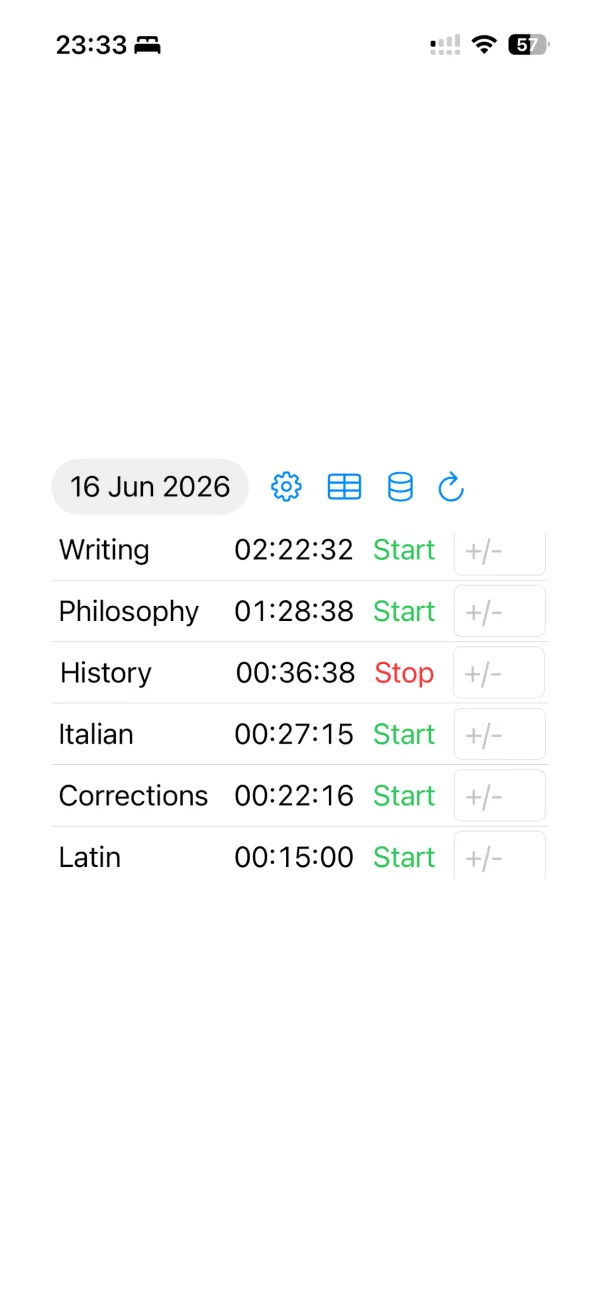
Each of your categories appears as a row with a single Start/Stop button. Tap once to begin tracking, tap again to stop. Multiple categories can run independently — switch between them freely throughout your day.
Full session history
Browse your sessions by day using the date picker. Every session is logged with its exact start and end time. Tap any session to open the detail view, where you can review, correct, or invalidate individual entries. Invalidated sessions are shown with a strikethrough and excluded from all totals — useful for accidental starts or duplicates.
Manual adjustments
Made a mistake? Forgot to start the timer? Use the built-in adjustment field to add or subtract minutes from any category on any day. Adjustments are logged as their own entries so your history stays accurate and auditable.
Offline-first, iCloud-backed
Time Tracker works fully offline. All data is saved locally first and synced to iCloud automatically when a connection is available. Switch between your iPhone, iPad, and Mac and your sessions follow — no manual export or import needed. The app handles sync conflicts gracefully and keeps all your devices consistent.
Apple Watch
The companion watch app lets you start and stop timers directly from your wrist. A watch widget keeps your active timer visible at a glance on your watch face, so you never have to pull out your phone just to check the time.
Home Screen and Lock Screen widgets
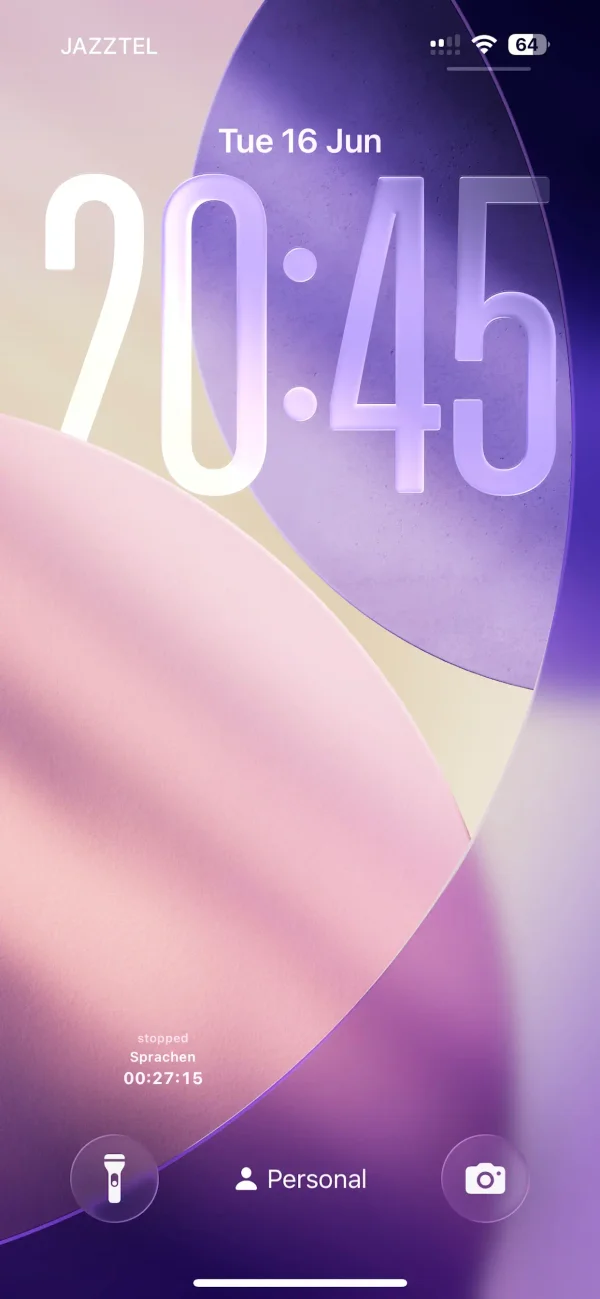
Put your timers on your iPhone Home Screen or Lock Screen. The widget shows your active category and lets you start or stop tracking with a single tap — without opening the app.
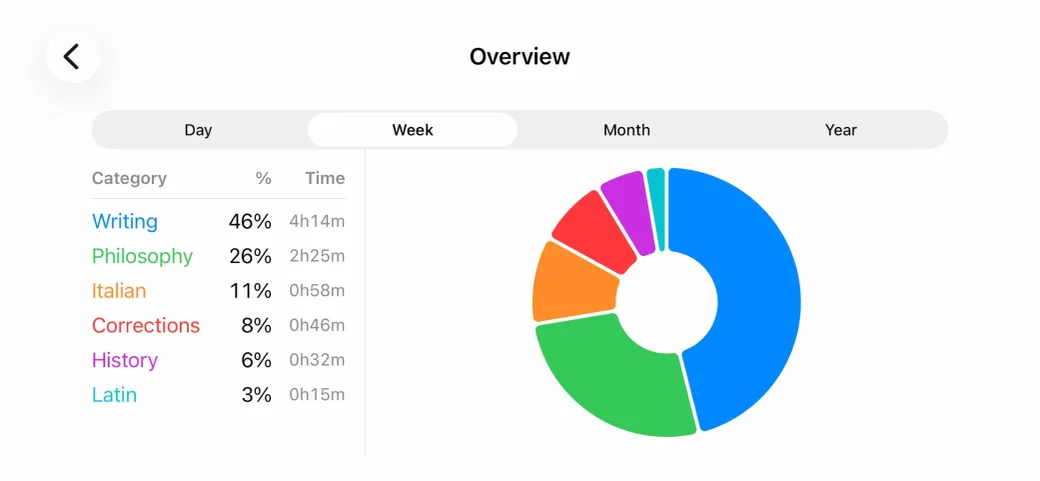
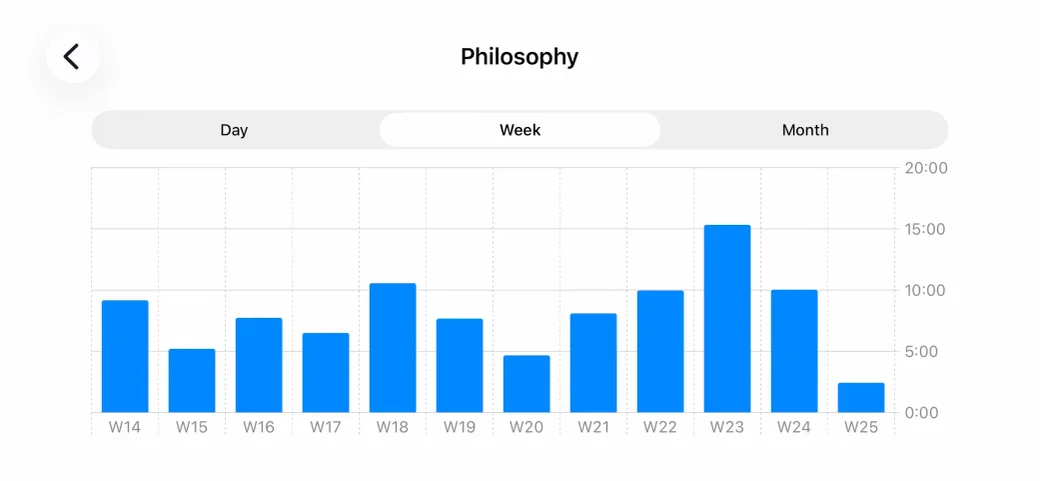
Weekly statistics
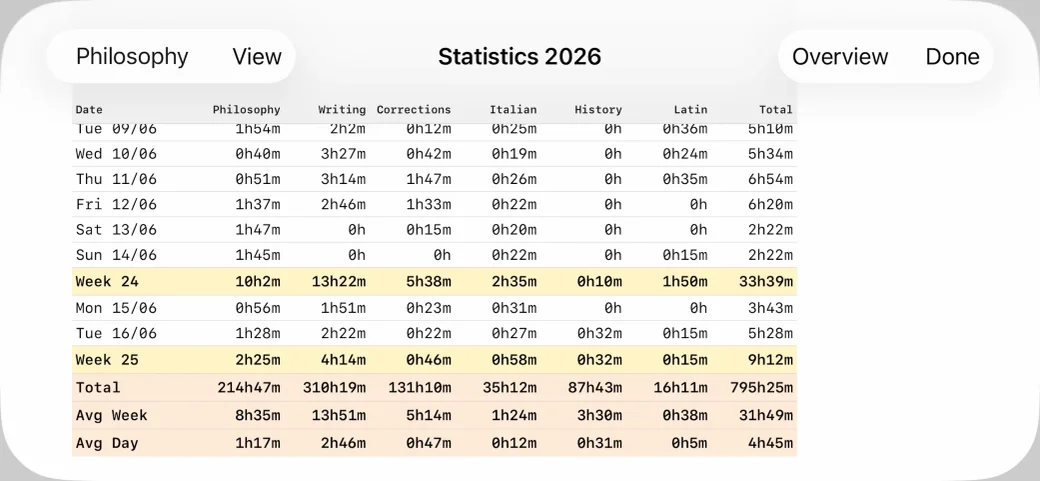
The built-in stats view breaks down your tracked time by category across full calendar weeks. See daily totals, weekly totals, average hours per week, and average hours per day. Categories can be configured for a 5-day or 7-day week so your averages reflect your actual schedule.
CSV export and import
Export all your sessions as a CSV file for use in Numbers, Excel, or any other tool. Import existing CSV records to migrate from another app or restore a backup.
Privacy by design
Chronion requires no account, no login, and no subscription. Your data lives on your device and in your personal iCloud account — it is never sent to any external server or third party.
新機能
バージョン 1.1 · 2026/6/26
- Create a new timer category on first screen when CloudKit DB is empty
- Minor design improvements
アプリのプライバシー
このアプリのデータの取り扱いについて、Marco BormannがApp Storeで申告している内容です。
-
データの収集なし
開発元はこのアプリからデータを収集しません。
プライバシーの取り扱いは、ご利用の機能やお客様の年齢などに応じて異なる場合があります。
情報
- 販売元
- Marco Bormann
- カテゴリ
- 仕事効率化
- バージョン
- 1.1
- 更新日
- 2026/6/26
- リリース
- 2026/6/24
- サイズ
- 9.8 MB
- 必要条件
- iOS 26.0以降
- 対象年齢
- 4+
- 価格
- 無料
- 言語
- 英語
- 著作権
- © 2026 Marco Bormann. All rights reserved.
こちらもおすすめ
-
 Plio: Time Tracker & Focus仕事効率化
-
 TickTappy: Simple Time Tracker仕事効率化
-
 ぽちログ - 打刻タイムカードと工数・勤怠の記録アプリフリーランスと副業の作業時間・出退勤を時給つきでシンプル集計
-
 Flowmodoro Flow Timer仕事効率化
-
 DailyTrace: The Shape of DaysSee where your time goes
-
 Life Tile: Auto Tracker仕事効率化
-
 Local Hours - Simple Timesheet仕事効率化
-
 Timer & Stopwatch - CountDo仕事効率化
-
 Timetracker - 24h Life Tracker仕事効率化