- 対象年齢4+
- カテゴリフード/ドリンク
- 開発元Kineema Labs LLC
- 言語英語
- サイズ11.2 MB
App Storeの公式ページにリンクしています
Download.orgはCold Brew Studioのファイルを一切ホストしていません。ボタンを押すと、Kineema Labs LLCが公開しているApp Storeのアプリページが開きます。ページの最終確認:2026/11/11。
スクリーンショット
概要
開発元はこのテキストをお使いの言語で提供していません。
Cold brew is forgiving right up until it isn't. A setting that tastes great on one grinder turns to sludge on another, and the batch you nailed last month is a guess by the time you open a new bag.
Cold Brew Studio is a digital studio for the gear on your counter. Tell it what you grind with and what you brew in, and it works out the recipe for your exact setup. Then it helps you dial in every bean you buy.
YOUR SETUP ON ONE SCREEN
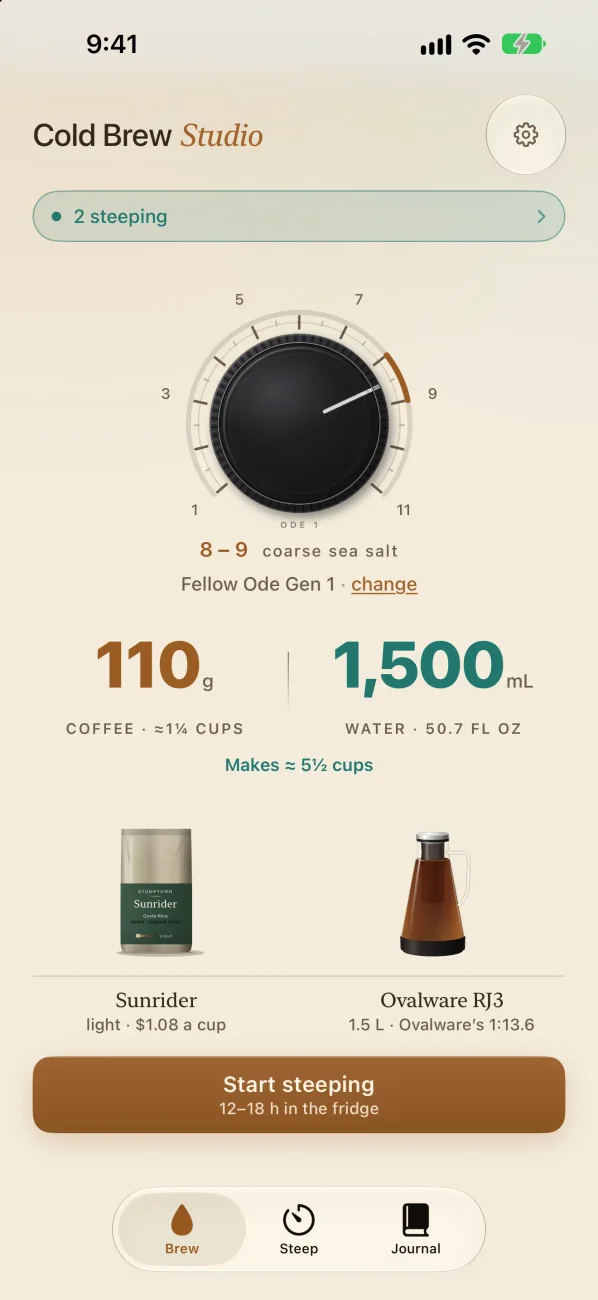
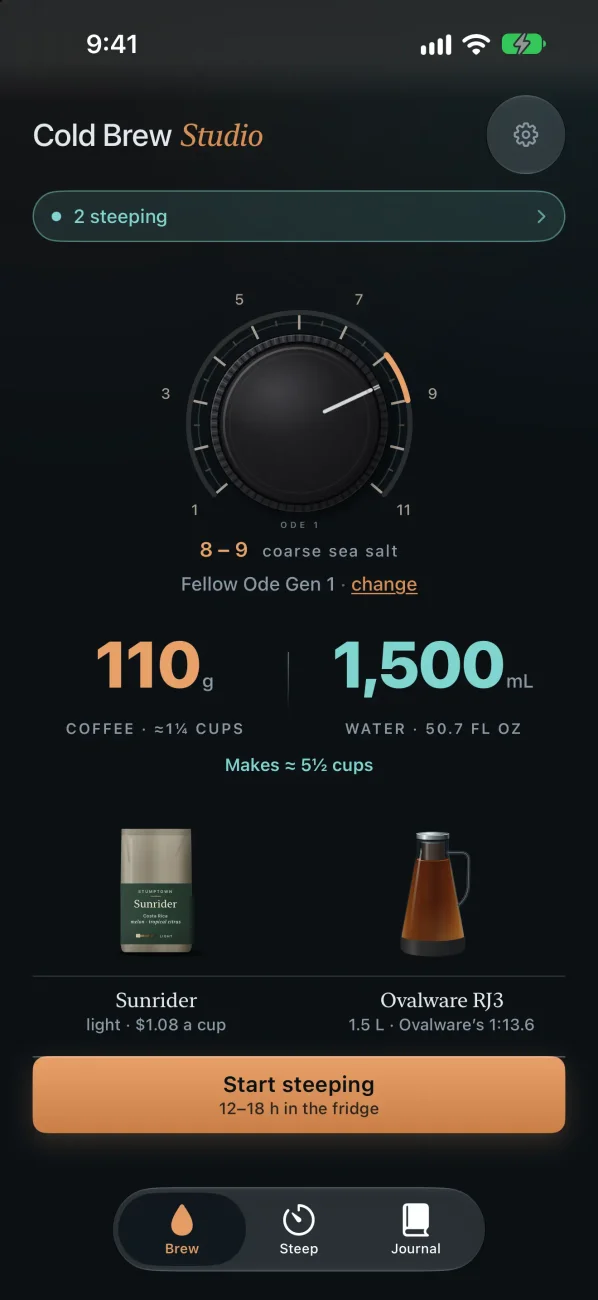
Brew shows your grinder's dial with the setting marked, the grams of coffee and milliliters of water for your batch, how many cups it makes, and your bag of beans standing next to your brewer. Tap the dial, the bag or the brewer to change it. When it looks right, hit Start steeping.
80+ GRINDERS, RESEARCHED AND CREATED
More than 80 of the most popular grinders were researched and created, giving you a full digital studio for your gear. Each one wears its real dial, whether yours has a knob that turns or a numbered ring that rotates past a mark. The cold brew setting starts from the manufacturer's guidance and what the coffee community has worked out. Found your own sweet spot? Drag the dial to where you actually dialed in and the recipe follows. Using something rarer? Add it as your own grinder.
SIZED TO WHAT YOU BREW IN
Nineteen brewers are built in, from a quart mason jar up to a gallon dispenser, and you can add your own by its capacity. Every batch is sized to what your brewer actually holds. Pick a strength: Everyday, Strong, Jet fuel or Concentrate. If your brewer came with its own recipe, that's on the list too.
ANY BEAN, READY TO GO
Search more than 300 beans from specialty roasters, or scan the label on your bag and the app fills in the bean for you.
KNOW WHEN IT'S READY
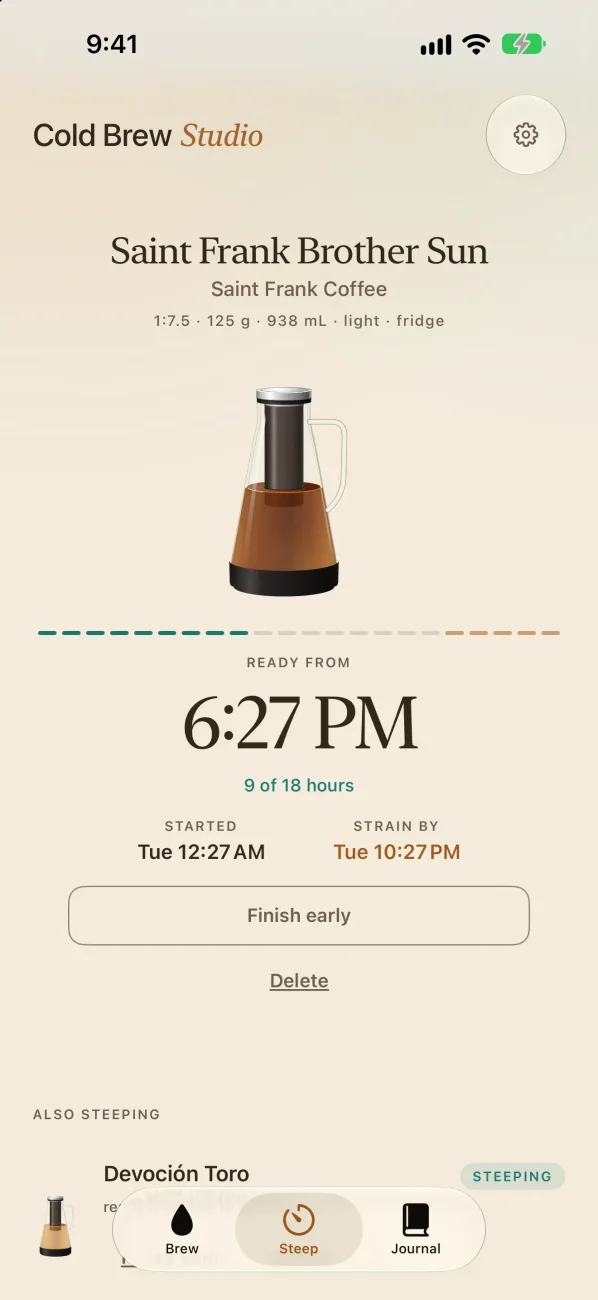
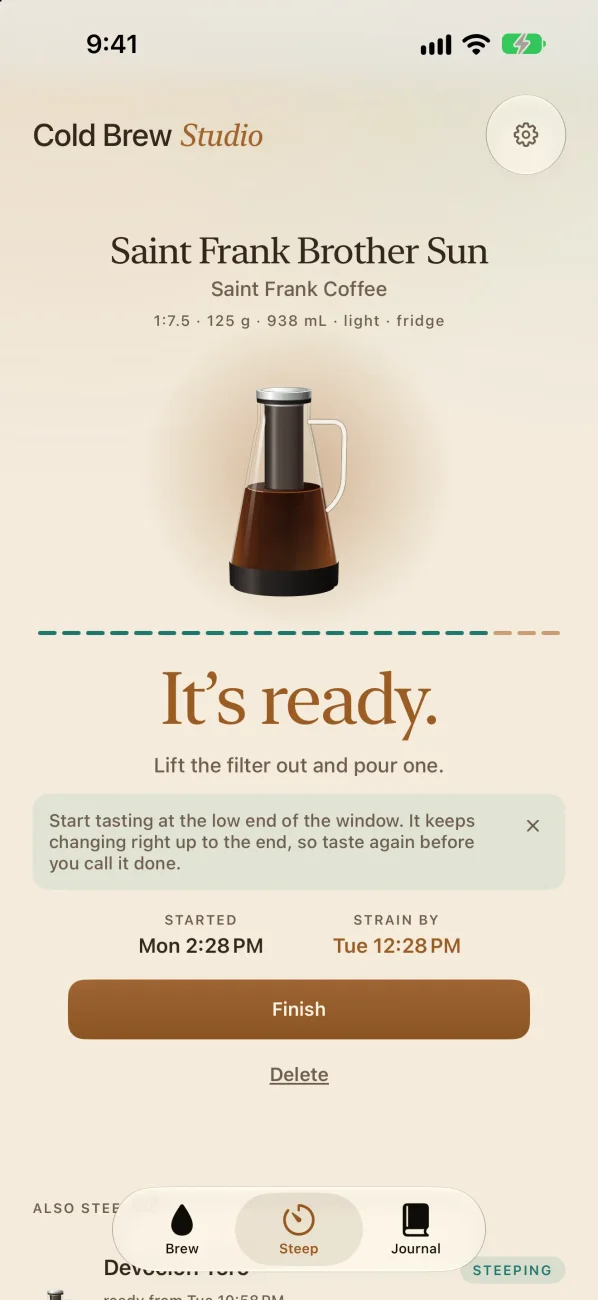
Start steeping and watch your brewer darken hour by hour. The batch lives on your Lock Screen and in the Dynamic Island, with a notification when it's ready to taste and another before it steeps too long. Ask Siri what's steeping, or start a batch by voice.
DIAL IN EVERY BEAN
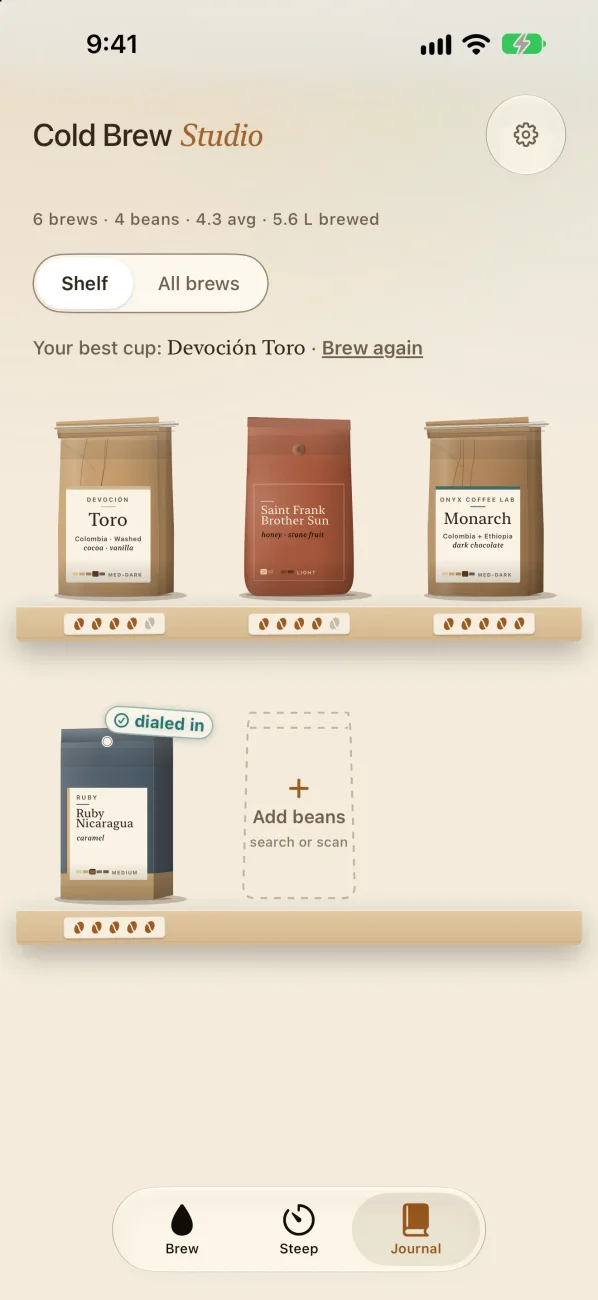
Rate each batch and tap what was off, like too weak or too bitter, and the next recipe adjusts. Every bean you brew gets a bag on your shelf, with your rating on the plank below it. Tap a bag for its field notes: your tasting notes next to what the bag promised, with every brew of that bean underneath. Once a bean is dialed in, its best recipe is one tap from brewing again.
YOURS
Your journal lives on your device, and you never need an account. If you want one, it syncs your journal between your iPhone and the web app at coldbrew.studio. There are no ads or trackers, and your data is never sold.
Brew something worth waiting for.
新機能
バージョン 3.2.1 · 2026/10/29
A quieter look. Labels read in plain sentence case, and the extra rules, tags and stats lines are gone from Brew, Steep, Journal and the widgets, so your numbers stand on their own.
アプリのプライバシー
このアプリのデータの取り扱いについて、Kineema Labs LLCがApp Storeで申告している内容です。
-
ユーザーに関連付けられたデータ
収集され、ユーザーの識別情報に関連付けられる場合があります。
- 連絡先情報
- ユーザーコンテンツ
-
ユーザーに関連付けられないデータ
収集される場合がありますが、ユーザーの識別情報には関連付けられません。
- ユーザーコンテンツ
- ID
- その他のデータ
プライバシーの取り扱いは、ご利用の機能やお客様の年齢などに応じて異なる場合があります。
情報
- 販売元
- Kineema Labs LLC
- カテゴリ
- フード/ドリンク
- バージョン
- 3.2.1
- 更新日
- 2026/10/29
- リリース
- 2026/7/15
- サイズ
- 11.2 MB
- 必要条件
- iOS 26.0以降
- 対象年齢
- 4+
- 価格
- 無料
- 言語
- 英語
- 著作権
- © 2026 Tyler Cannon