
- 対象年齢4+
- カテゴリ仕事効率化
- 開発元Baurjan Jalgaskhan
- 言語英語
- サイズ81.3 MB
App Storeの公式ページにリンクしています
Download.orgはComiga Editorのファイルを一切ホストしていません。ボタンを押すと、Baurjan Jalgaskhanが公開しているApp Storeのアプリページが開きます。ページの最終確認:2026/11/19。
スクリーンショット



概要
開発元はこのテキストをお使いの言語で提供していません。
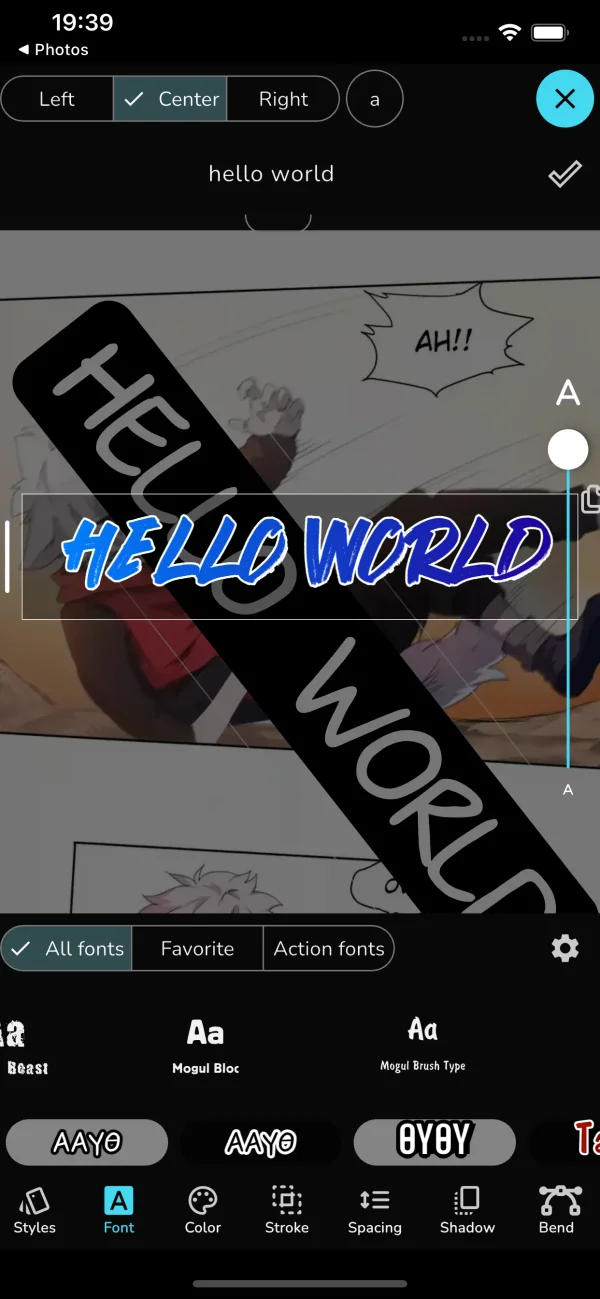
Create stunning visuals effortlessly with Comiga Editor — a powerful and easy-to-use image editing tool. Designed for creators and professionals, it helps you edit, organize, and prepare your images with precision and speed.
Key Features:
Smart Editing Tools – Crop, resize, and adjust your images quickly.
Layer & Filter Support – Enhance photos with filters, overlays, and effects.
Text & Stickers – Add captions, titles, or creative stickers to your images.
Cloud Sync – Access and edit your projects anywhere with automatic saving.
Batch Editing – Manage and process multiple images at once.
Fast Export – Save and share your edited images instantly.
Whether you’re designing artwork, editing photos, or preparing visuals for publishing, Comiga Editor gives you the tools you need to create with ease.
Start editing smarter with Comiga Editor today!
新機能
バージョン 2.7.10 · 2026/11/16
+ Bug fixes
アプリのプライバシー
このアプリのデータの取り扱いについて、Baurjan JalgaskhanがApp Storeで申告している内容です。
-
データの収集なし
開発元はこのアプリからデータを収集しません。
プライバシーの取り扱いは、ご利用の機能やお客様の年齢などに応じて異なる場合があります。
情報
- 販売元
- Baurjan Jalgaskhan
- カテゴリ
- 仕事効率化
- バージョン
- 2.7.10
- 更新日
- 2026/11/16
- リリース
- 2025/10/23
- サイズ
- 81.3 MB
- 必要条件
- iOS 15.6以降
- 対象年齢
- 4+
- 価格
- 無料
- 言語
- 英語
- 著作権
- © @ 2026 Comiga Editor
こちらもおすすめ
-
 CityPop Clock.80年代シティポップ風時計アプリレトロなアニメのデジタル時計!懐かしい雰囲気の動画が流れます
-
 Family Central: Organizer仕事効率化
-
 Study Quest: Tasks & Vibes仕事効率化
-
 オーセンティケーター 2FA - ワンタイムパスワードアプリスマートで高度な2段階認証とパスワード生成 ソフトウェア
-
 90 Day Goal Planner仕事効率化
-
 腕立て伏せでアプリロック解除: RepUnlockスマホ依存対策・スクリーンタイム制限・スマホロック
-
 オンライン自習室・勉強タイマー EarlyBird一緒に集中できる作業部屋|ADHDにも
-
 Ora - デイリープランナー#1 科学に基づくアプリ - ADHD
-
 FocusDown: Flip to Focus Timer仕事効率化
-
 デスクトップモード OS: ProDocktive外部ディスプレイマルチタスク, ミラーリング, PC,OS