- 対象年齢4+
- カテゴリミュージック
- 開発元RRS, OOO
- 言語英語
- サイズ20.7 MB
App Storeの公式ページにリンクしています
Download.orgはComp 609のファイルを一切ホストしていません。ボタンを押すと、RRS, OOOが公開しているApp Storeのアプリページが開きます。ページの最終確認:2026/11/12。
スクリーンショット

概要
開発元はこのテキストをお使いの言語で提供していません。
Comp 609 AUv3 plug-in — comes as time-limited Demo-version for you to try. It gives you 5 minutes of Free play time. (You can reload the Comp 609 AUv3 plug-in as many times as you want, thereby you get the Demo period again and again.) Unlimited version of Comp 609 AUv3 plug-in comes as In-App Purchase.
FEATURES:
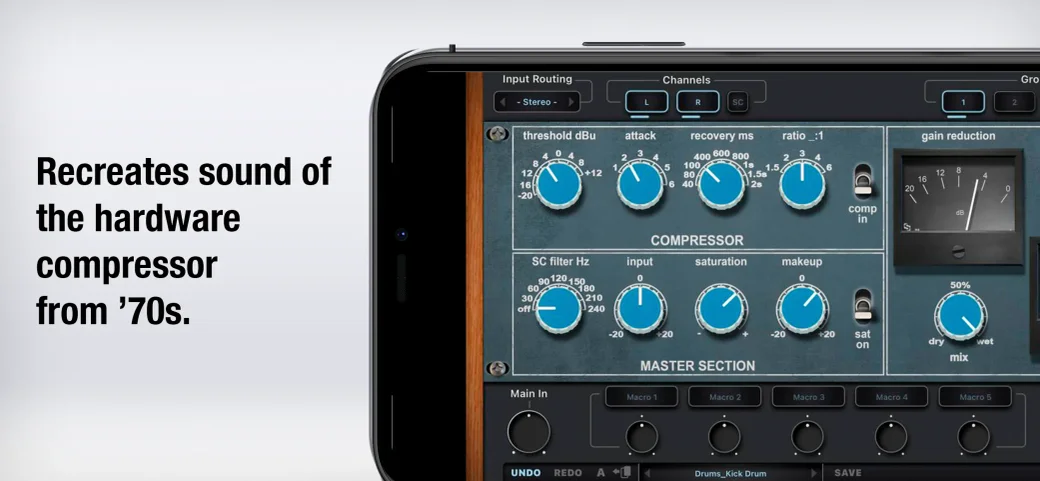
• 6 Attack, 9 Recovery (Release) and 5 Ratio selections;
• External Sidechain and Sidechain signal High-pass filter;
• 6 operation modes: M/S, Mid-channel, Side-channel, Mono with Right-channel as Sidechain signal, 2-Mono, linked Stereo (or Mono);
• Parallel compression;
• 8x Oversampling and 64-bit floating point processing;
• Undo/Redo;
• A/B comparison;
• 2x/4x/8x Upsampling;
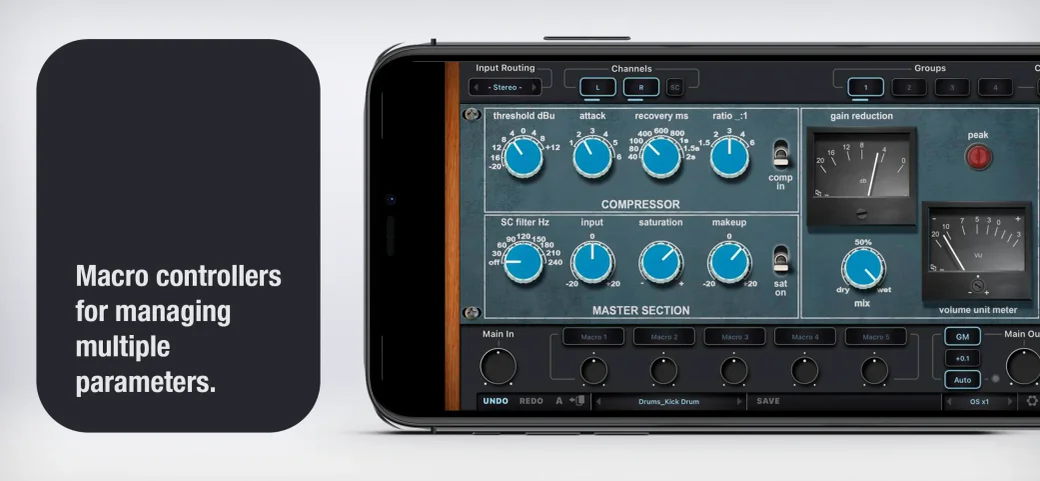
• Macro controllers;
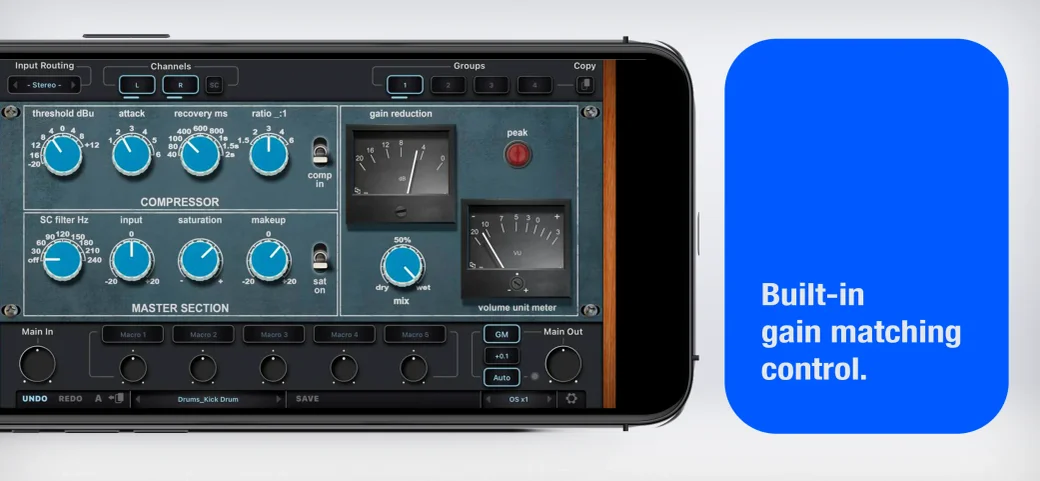
• Built-in Gain Match;
• Scalable GUI.
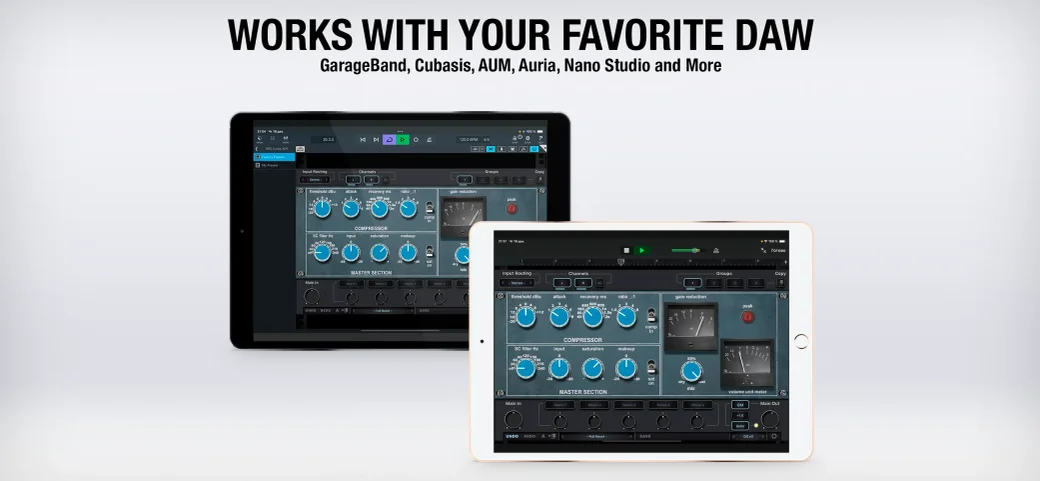
COMPRESSOR SECTION:
• Threshold determines how much compression will occur. When the input signal exceeds the Threshold level, the compressor engages. A smaller value results in more compression. The available range is from -20 dBu to +12 dBu;
• Attack determines how fast limiting will engage when the signal exceeds the limiter Threshold. The available values is from 1 to 6;
• Recovery (Release) is the time it takes for the compressor to stop processing after the signal drops below the Threshold value. The available values are 40, 80, 100, 400, 600, 800, 1000, 1500, 2000 ms;
• Ratio — this control determines the compressor ratio. The available values are 1.5:1, 2:1, 3:1, 4:1 and 6:1;
• Sat. On — this toggle switch enables the Analog Saturation. The saturation has no effect unless this switch is in the «On» (down) position.
MASTER SECTION:
• SC-Filter — the Sidechain Filter controls the cutoff frequency of a low-cut filter on the compressor control signal Sidechain. The available range is 30 Hz to 240 Hz and Off;
• Input Gain controls the signal input level to the plug-in;
• The Makeup control increases the signal level out of the compressor to compensate for reduced levels as a result of compression. The available range is -20 dB to +20 dB. The Makeup control does not affect the amount of compression;
• Mix — the output balance between the signal processed by the plug-in and the original dry source signal can be adjusted with the Mix control. Mix facilitates parallel compression techniques without having to create additional routings in the DAW;
• Comp. In — this toggle switch enables the compressor. The compressor has no effect unless this switch is in the «In» (down) position.
• Mode — compressor can operate in six modes: M/S, Mid-channel, Side-channel, Mono with Right-channel as Sidechain signal, 2-Mono, linked Stereo (or Mono). This switch determines the active mode.
To use Comp 609 as a plug-in, you need an AUv3-compatible host app like GarageBand, Auria, AUM, Cubasis and more — Comp 609 will appear in the list of Audio Unit extensions for effect plug-ins in the host app.
新機能
バージョン 3.0.1 · 2025/12/28
- Fixed parameters Automation bug.
If you like Comp 609 plug-in, please support us by rating this app in the App Store!
アプリのプライバシー
このアプリのデータの取り扱いについて、RRS, OOOがApp Storeで申告している内容です。
-
データの収集なし
開発元はこのアプリからデータを収集しません。
プライバシーの取り扱いは、ご利用の機能やお客様の年齢などに応じて異なる場合があります。
情報
- 販売元
- RRS, OOO
- カテゴリ
- ミュージック
- バージョン
- 3.0.1
- 更新日
- 2025/12/28
- リリース
- 2020/8/15
- サイズ
- 20.7 MB
- 必要条件
- iOS 10.0以降
- 対象年齢
- 4+
- 価格
- 無料
- アプリ内課金
- あり
- 言語
- 英語
- 著作権
- © Red Rock Sound, LLC