
- 対象年齢4+
- カテゴリ写真/ビデオ
- 開発元Apex Tech Systems
- 言語英語
- サイズ15.5 MB
App Storeの公式ページにリンクしています
Download.orgはCompressNStampのファイルを一切ホストしていません。ボタンを押すと、Apex Tech Systemsが公開しているApp Storeのアプリページが開きます。ページの最終確認:2026/11/14。
スクリーンショット
概要
開発元はこのテキストをお使いの言語で提供していません。
CompressNStamp - Professional Photo Processing Made Simple
Transform your photos with powerful editing tools while keeping your data completely private. CompressNStamp processes everything locally on your device - no internet required, no data uploaded, your photos stay yours. Designed with workflow in mind to save you time while producing professional photos.
LIGHTNING-FAST WORKFLOW
Capture, customize, and export in seconds. Our streamlined interface lets you snap a photo, auto-apply your saved style templates, and share instantly. Perfect for photographers, real estate agents, contractors, field workers, or anyone who needs consistent, professional image processing on the go.
SMART RESIZING & COMPRESSION
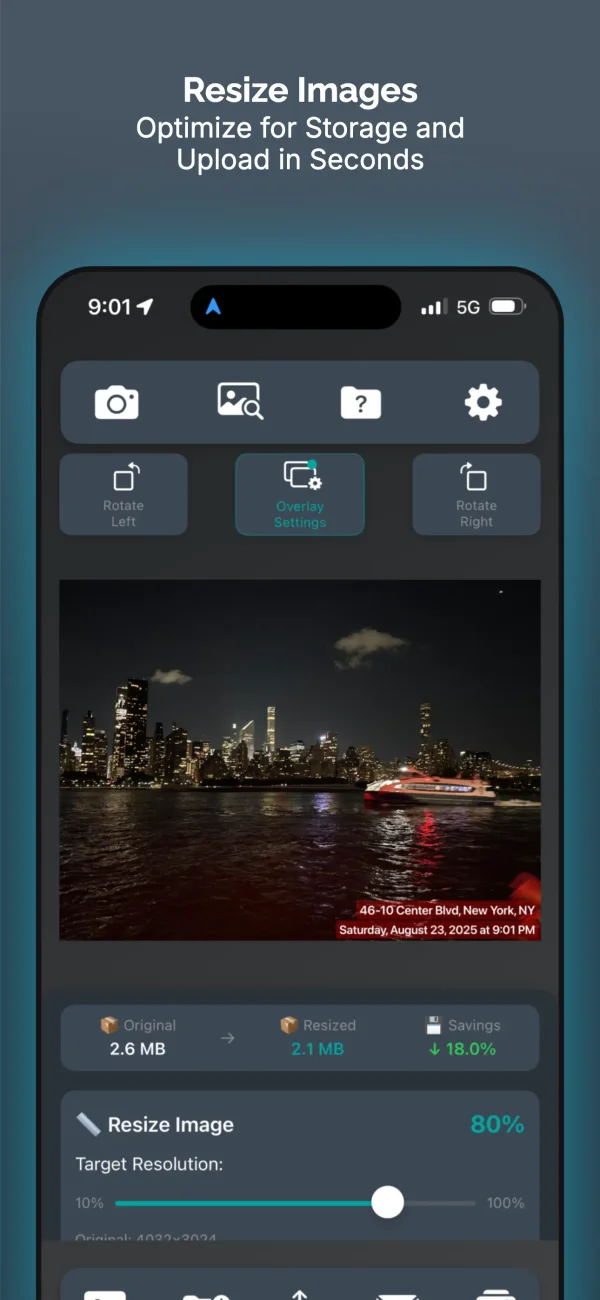
Intelligent image resizing with real-time file size preview
Adjustable quality settings from 10-100%
Support for JPEG, PNG, and HEIC formats
See exactly how much space you'll save before exporting
Maintains image quality while reducing file sizes up to 90%
KEY FEATURES AT A GLANCE:
-Resize images with precise control
-Add multiple text overlays
-Apply watermarks and logos
-Save and reuse style templates
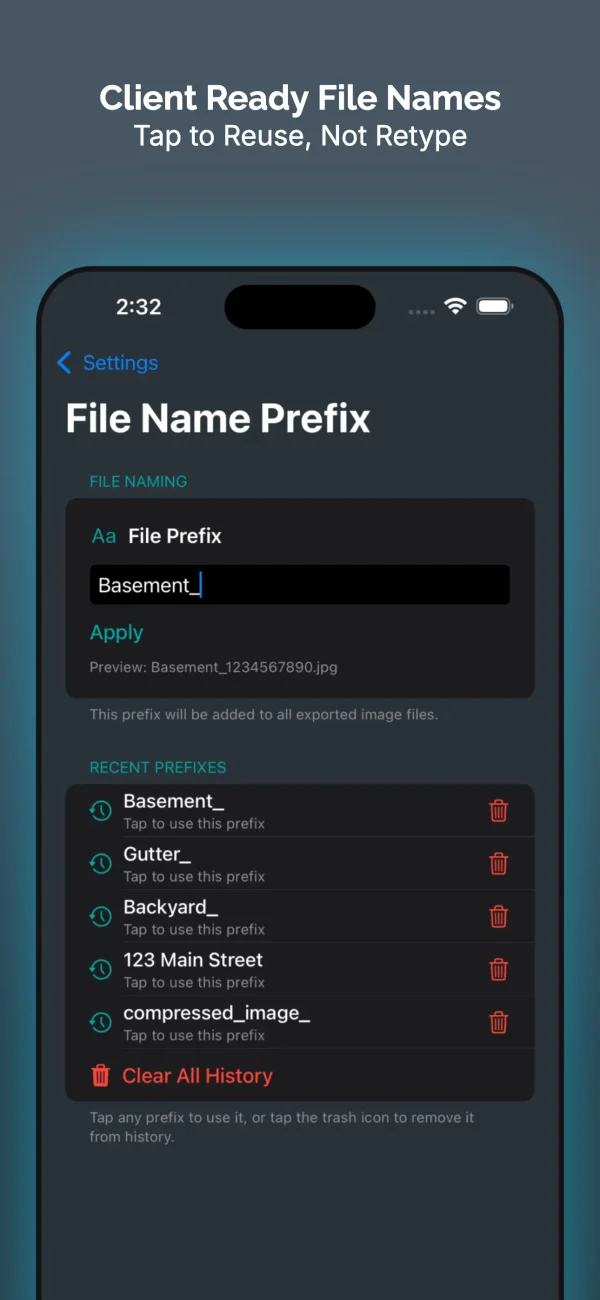
-Custom file naming system
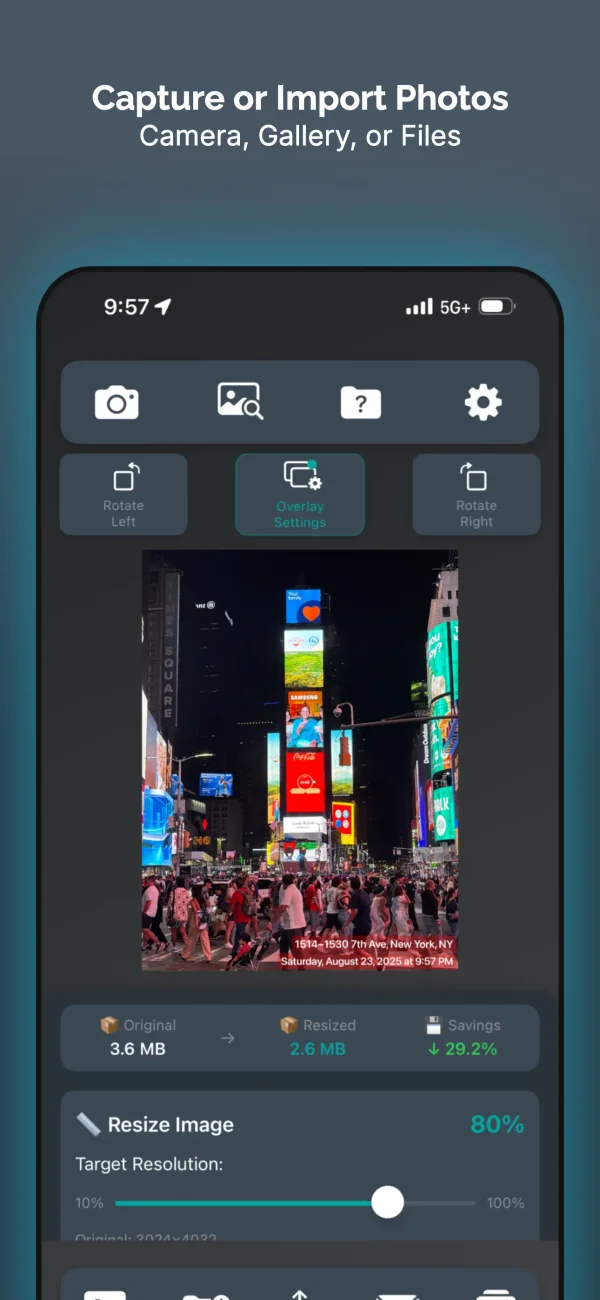
-Direct camera integration
-Gallery and Files app import
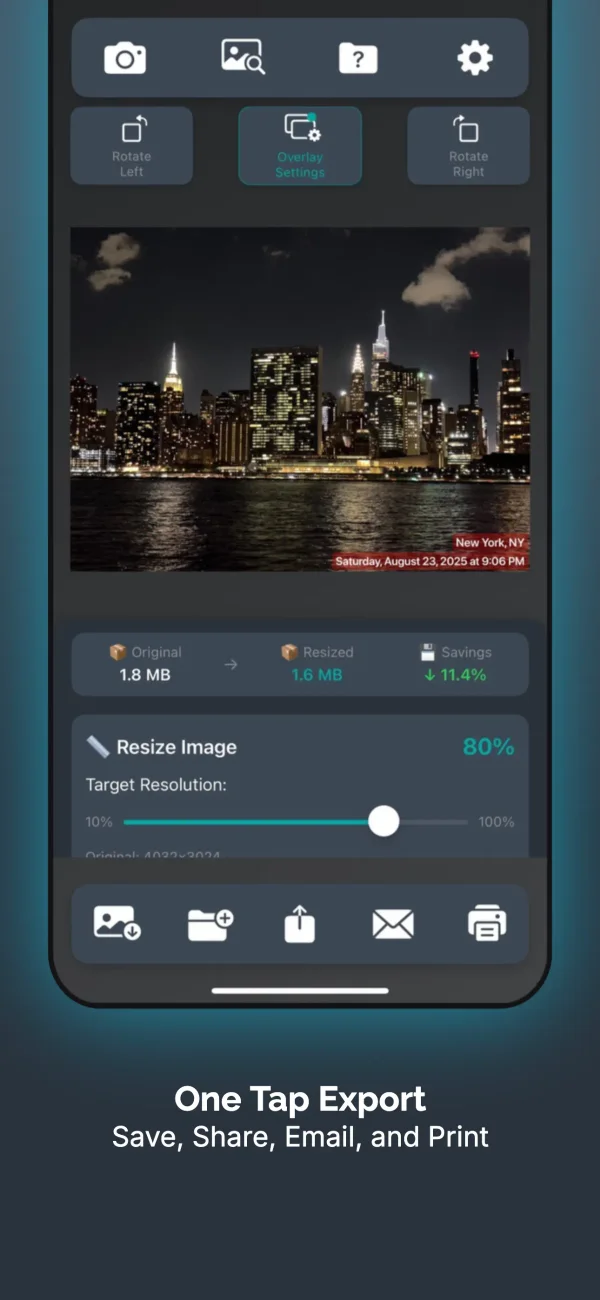
-Multiple export options
-Rotation tools
-Real-time preview
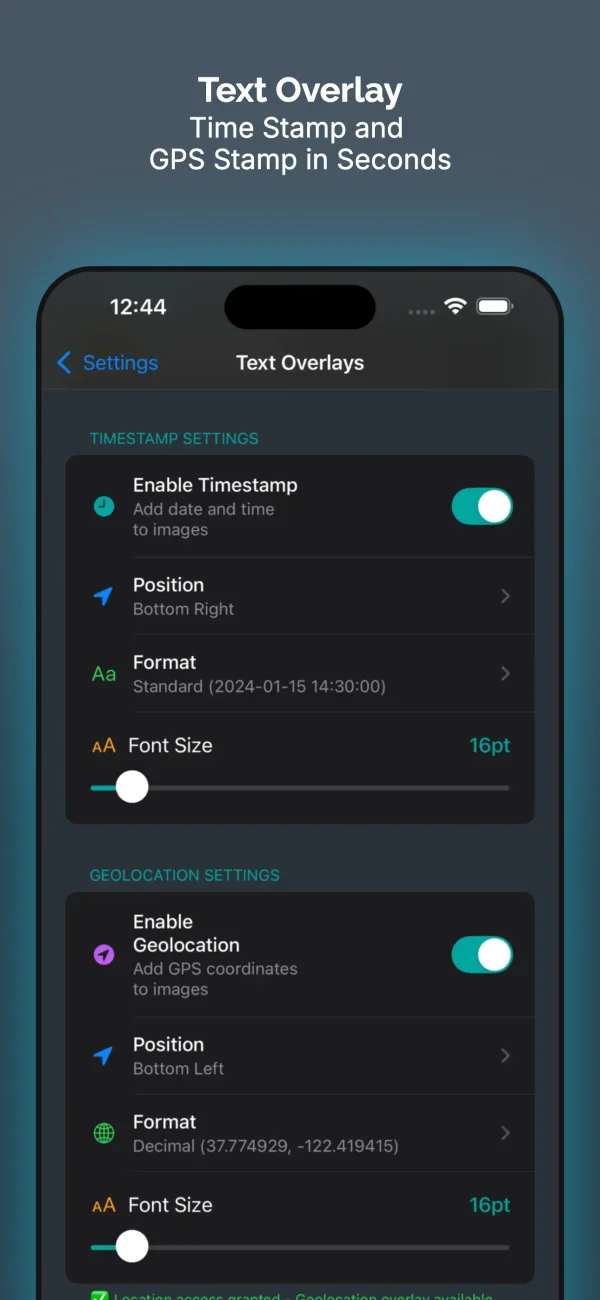
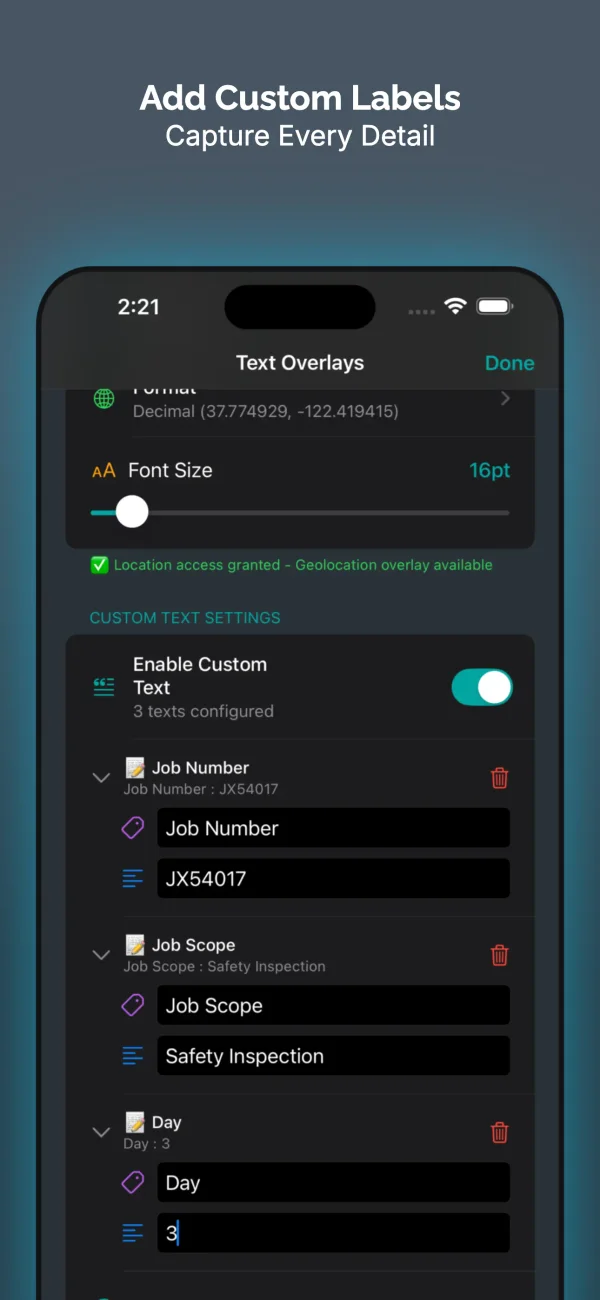
POWERFUL TEXT OVERLAYS - Add professional overlays with just a tap:
Timestamps - 6 customizable date/time formats
GPS Coordinates - Decimal, DMS, or street address format
Custom Text - Add up to 5 custom text fields with titles
Position overlays: corners, center
Adjust font size, weight, color, and background opacity
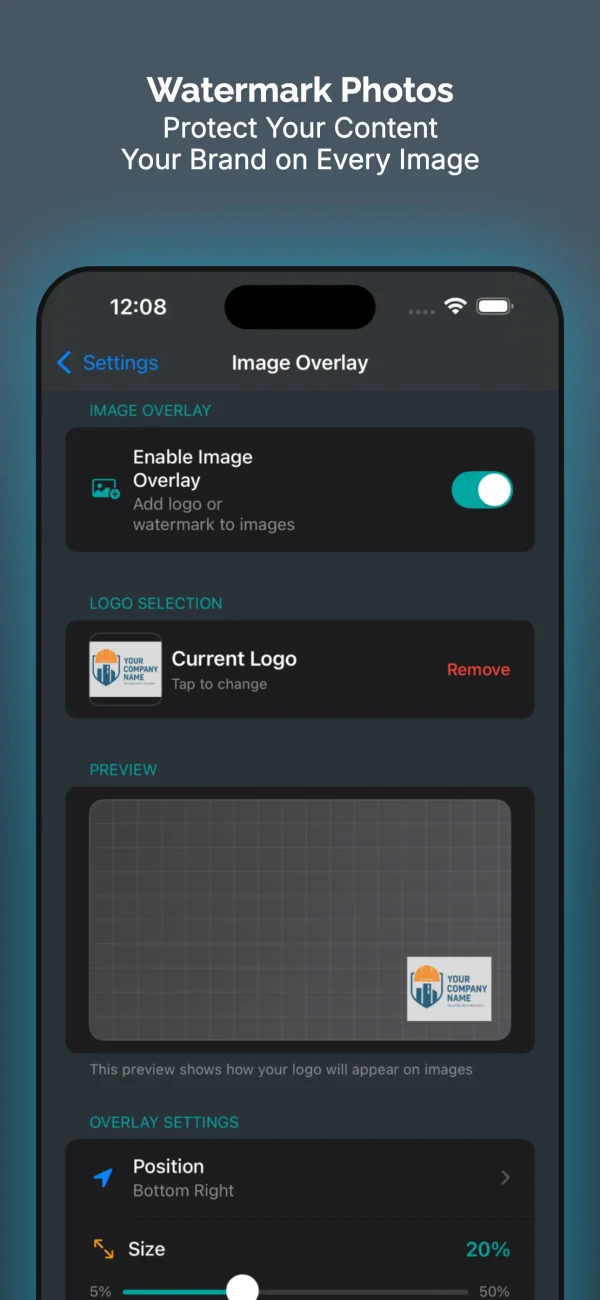
WATERMARK & LOGO OVERLAY - Protect your work and build your brand:
Add logos or watermarks to all your photos
Adjustable size, position, and transparency
Perfect for photographers, businesses, and content creators
Apply consistently across unlimited photos
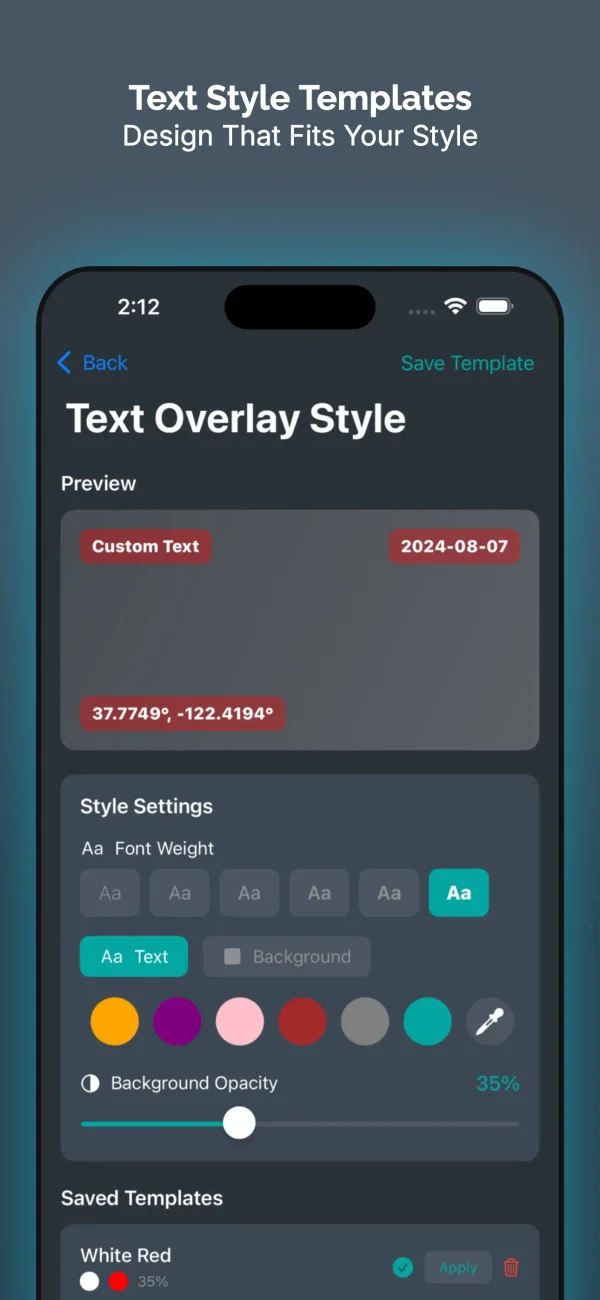
STYLE TEMPLATES - Save time with reusable style templates:
Create custom templates
Save your perfect combination of text color, background, font weight, and opacity
Apply any template with one tap
Perfect for maintaining consistent branding
Switch between styles instantly
SMART FILE MANAGEMENT
Custom file naming with prefix history
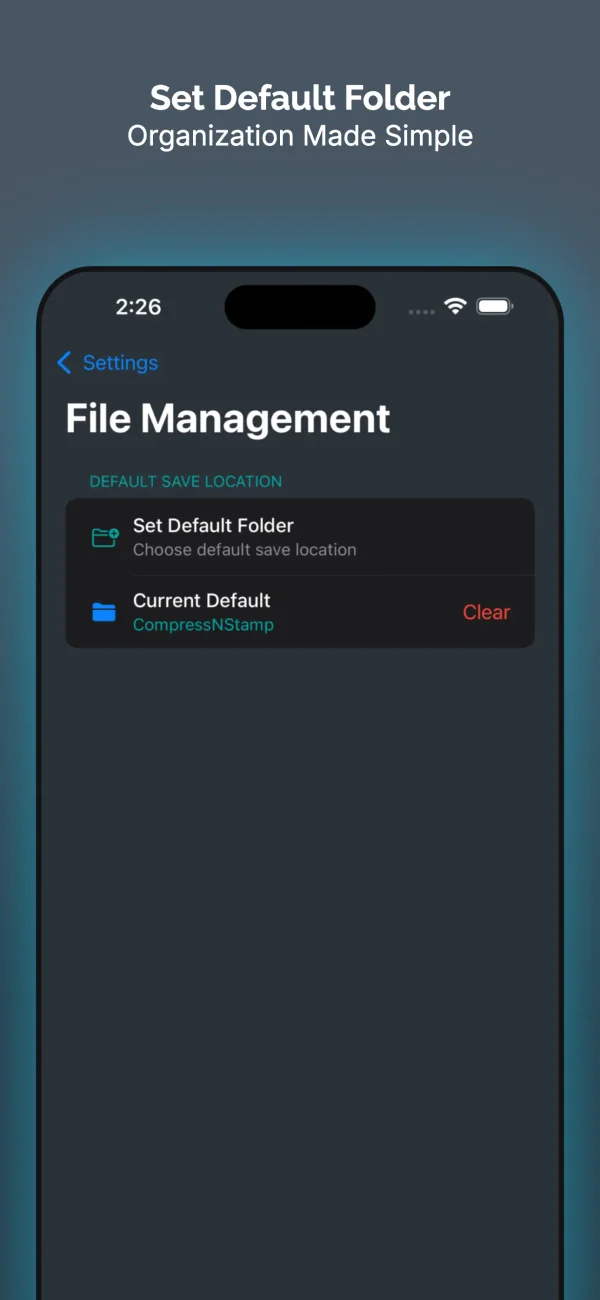
Set default save folders for one-tap exports
Quick save to Photos, Files, or custom folders
Share directly to any app or service
PRIVACY FIRST - Your privacy is our priority:
100% local processing
No account required
Your photos never leave your device
Works completely offline
LOCATION FEATURES
Automatic GPS tagging (with permission)
Convert coordinates to street addresses
Choose between coordinate formats
Privacy-conscious: only activates when you enable the feature
PERFECT FOR:
Real Estate Agents - Add property addresses and timestamps to listing photos
Contractors - Document job sites with location and date stamps
Photographers - Apply consistent watermarks and copyright information
Insurance Adjusters - Add claim numbers and timestamps to documentation
Field Workers - Tag photos with GPS coordinates and custom project codes
Social Media Creators - Brand your content with custom watermarksNature Enthusiasts: Organize your wildlife photos with GPS and Timestamps
WORKFLOW EXAMPLE:
Take a photo or import from gallery
Image automatically resizes based on your saved settings
Your saved template applies text overlays and watermark
Export with your custom file name to your default folder
Total time: under 5 seconds!
CompressNStamp isn't just another photo editor - it's a complete workflow solution designed to save you time while maintaining professional quality. Whether you're documenting work, protecting your creative content, or simply organizing photos, CompressNStamp makes it fast, easy, and private.
Download now and transform your photo workflow today!
Terms: https://www.apple.com/legal/internet-services/itunes/dev/stdeula/
新機能
バージョン 1.1.4 · 2025/9/28
Google ads integration. Removing ads if pro user feature enabled.
アプリのプライバシー
このアプリのデータの取り扱いについて、Apex Tech SystemsがApp Storeで申告している内容です。
-
ユーザーのトラッキングに使用されるデータ
他社のアプリやウェブサイトを横断してユーザーをトラッキングする目的で使用される場合があります。
- 位置情報
- ID
- 使用状況データ
-
ユーザーに関連付けられたデータ
収集され、ユーザーの識別情報に関連付けられる場合があります。
- 位置情報
- ID
- 使用状況データ
-
ユーザーに関連付けられないデータ
収集される場合がありますが、ユーザーの識別情報には関連付けられません。
- 診断
プライバシーの取り扱いは、ご利用の機能やお客様の年齢などに応じて異なる場合があります。
情報
- 販売元
- Apex Tech Systems LLC
- カテゴリ
- 写真/ビデオ
- バージョン
- 1.1.4
- 更新日
- 2025/9/28
- リリース
- 2025/9/4
- サイズ
- 15.5 MB
- 必要条件
- iOS 17.6以降
- 対象年齢
- 4+
- 価格
- 無料
- アプリ内課金
- あり
- 言語
- 英語
- 著作権
- © 2025 Apex Tech Systems LLC
こちらもおすすめ
-
 Wonder Stamp - Stamp Camera写真/ビデオ
-
 GPS Camera Map - WatermarkCam写真/ビデオ
-
 Auto Stamper Timestamp写真/ビデオ
-
 JunCam - GPS Timestamp Camera写真/ビデオ
-
 Cam Stamper車載ビデオ編集ツール
-
 Photo Collage Maker: Layouts写真/ビデオ
-
 Metadata Editor TagClear写真/ビデオ
-
 GPS Map Camera & Geotag Photo写真/ビデオ
-
 Video to Music - MP3 Converter写真/ビデオ
-
 Geotag Map Camera : Timestamp写真/ビデオ