- 対象年齢4+
- カテゴリ仕事効率化
- 開発元Elliot Fiske
- 言語英語
- サイズ63.1 MB
App Storeの公式ページにリンクしています
Download.orgはConditioning: App Blockerのファイルを一切ホストしていません。ボタンを押すと、Elliot Fiskeが公開しているApp Storeのアプリページが開きます。ページの最終確認:2026/11/20。
スクリーンショット
概要
開発元はこのテキストをお使いの言語で提供していません。
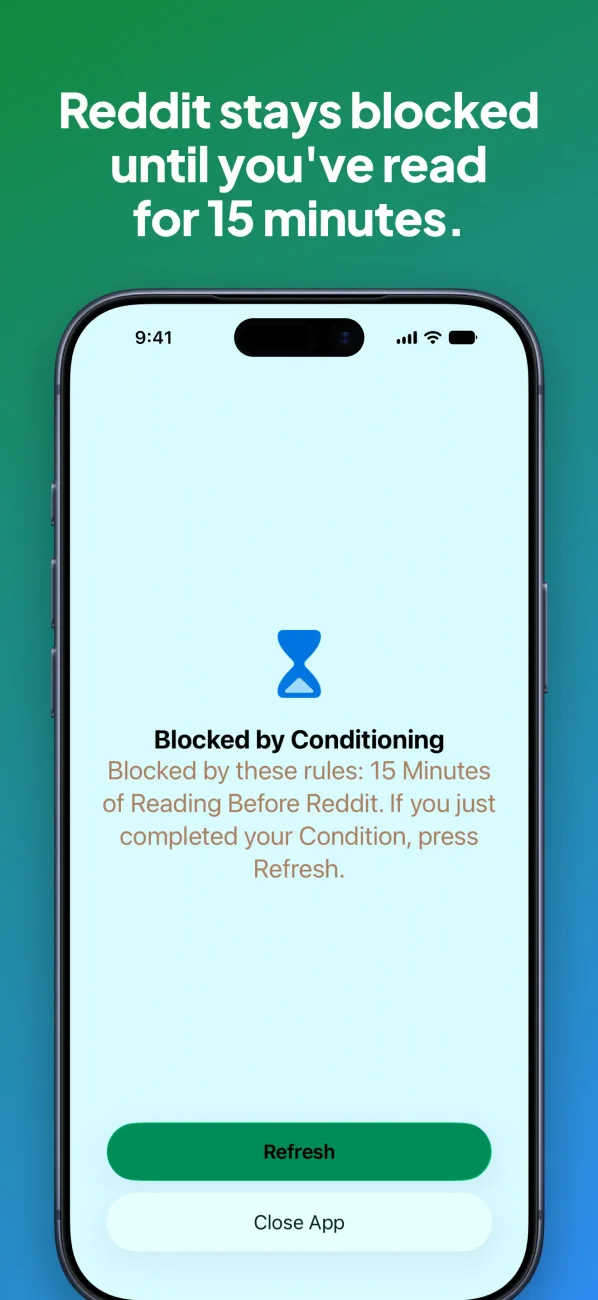
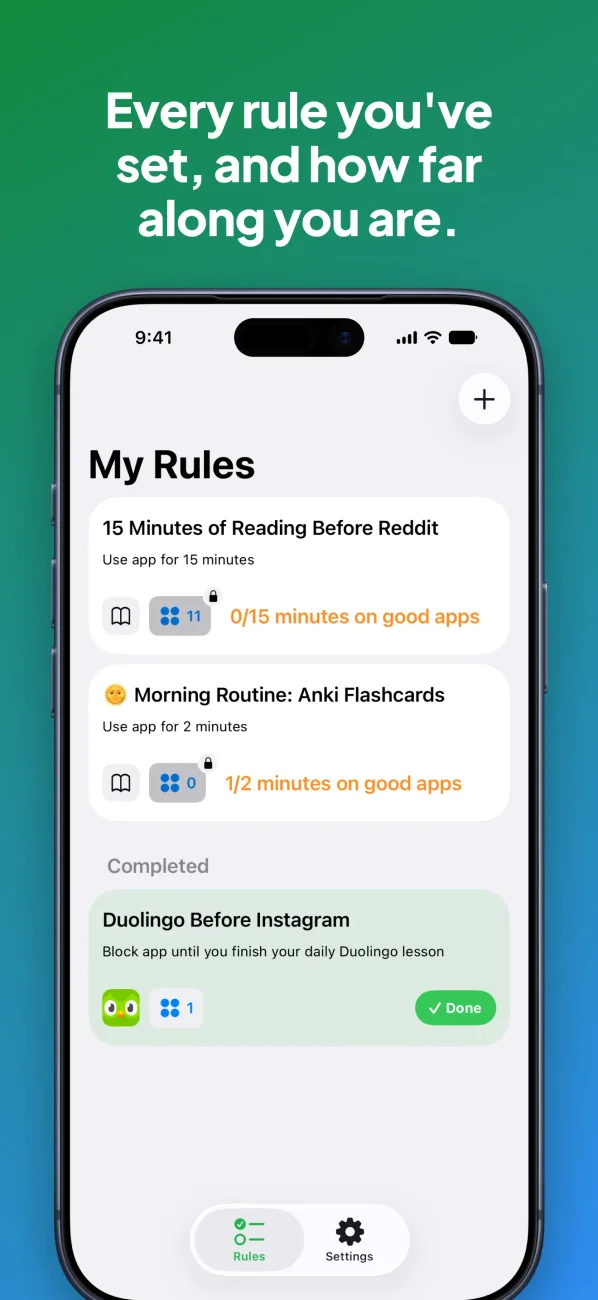
Block Reddit until you've read for 15 minutes. Block Instagram until you've finished a language lesson. Conditioning blocks the apps that waste your time until you've spent a few minutes on the apps that move you towards your long-term goals.
YOU'VE PROBABLY ALREADY TRIED THIS
I spent months on iOS Screen Time limits. Every time Twitter got blocked there was a "15 more minutes" button, and I pressed it every single time. It adds a speed bump – Conditioning gives you somewhere else to go.
What finally worked for me was a rule: fifteen minutes of reading before Reddit or Twitter. After a few weeks, "I'm bored" stopped meaning "open Twitter" and started meaning "read a few pages." At my worst I was on Twitter four hours a day. Now I barely open it.
TAKES ABOUT A MINUTE
1. Grant Screen Time permission. One tap and Face ID.
2. Pick the app to block.
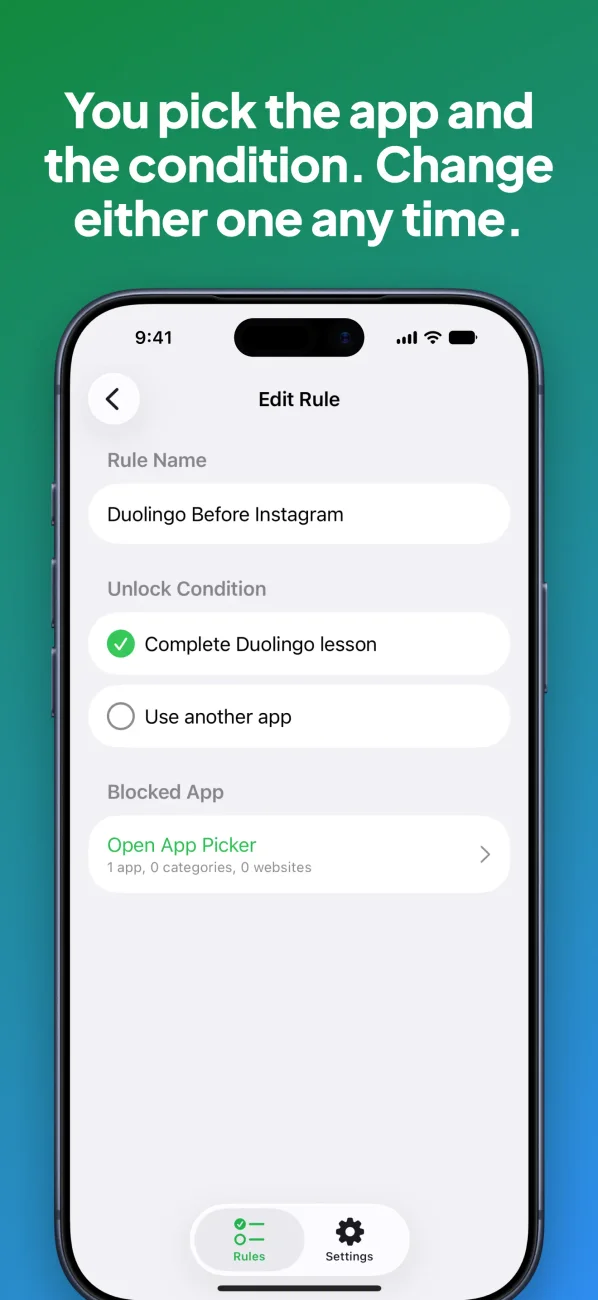
3. Pick the condition that unlocks it: time spent in an app that's better for you, or a finished language lesson.
That's it. You choose the app and the condition, and you can change either one whenever you want.
YOUR DATA STAYS ON YOUR PHONE
Apple hands Conditioning a random token instead of app names, and every rule and all Screen Time data stays on your device. The only thing that leaves is anonymous usage data, like "crashed when opening Settings", which is what the privacy label on this page shows. It never includes the apps you use or the rules you've set.
THREE MONTHS FREE, THEN $3.99 A YEAR
When you subscribe, you lock in the current price for life. The price will go up for other users as the app gets better – as long as you stay subscribed, you'll keep the current price. No free tier, no ads. If it doesn't work for you, cancel the trial and keep using it for the rest of the three months.
I MADE THIS FOR MYSELF FIRST
I write iOS apps for a living. When my Screen Time report said "4 hours a day on Twitter," I built the app I wanted and I've used it every day for a year. I'm Elliot, and you can reach me at hello@conditioning.app.
It works best if a screen that says "0/15 minutes reading" would send you to Kindle instead of to Settings to delete the rule. If that sounds like you, try it.
Conditioning is an auto-renewing yearly subscription: three months free, then $3.99 per year. Payment is charged to your Apple Account at confirmation of purchase. It renews automatically unless cancelled at least 24 hours before the end of the current period. Manage or cancel in your Apple Account settings.
Privacy Policy: https://conditioning.app/privacy
Terms of Use: https://www.apple.com/legal/internet-services/itunes/dev/stdeula/
新機能
バージョン 1.2.3 · 2026/10/27
Fix problem where "good app usage" from the previous day could sometimes affect the next day.
アプリのプライバシー
このアプリのデータの取り扱いについて、Elliot FiskeがApp Storeで申告している内容です。
-
ユーザーに関連付けられないデータ
収集される場合がありますが、ユーザーの識別情報には関連付けられません。
- ID
- 使用状況データ
- 診断
プライバシーの取り扱いは、ご利用の機能やお客様の年齢などに応じて異なる場合があります。
情報
- 販売元
- Elliot Fiske
- カテゴリ
- 仕事効率化
- バージョン
- 1.2.3
- 更新日
- 2026/10/27
- リリース
- 2025/9/30
- サイズ
- 63.1 MB
- 必要条件
- iOS 26.0以降
- 対象年齢
- 4+
- 価格
- 無料
- アプリ内課金
- あり
- 言語
- 英語
- 著作権
- © 2025-2026 Elliot Fiske
こちらもおすすめ
-
 Lanturn: Creative Projects仕事効率化
-
 Make Hay: Fitness App Blocker仕事効率化
-
 Simple Q&A Diary仕事効率化
-
 Speedy Reader - RSVPRSVPで速読を実現
-
 Alto Daily Habit Trackerリマインダーで習慣を継続
-
 OPENLANE Uploader仕事効率化
-
 Habit Doom: Anti-Doomscroll仕事効率化
-
 Zenvi - Earn Your Screen Time仕事効率化
-
 Esse: AI Video Summarizer仕事効率化
-
 Habits Garden: Upgrade life仕事効率化