- 対象年齢4+
- カテゴリヘルスケア/フィットネス
- 開発元Brice Rosenzweig
- 言語英語ほか1言語
- サイズ28.5 MB
App Storeの公式ページにリンクしています
Download.orgはConnectStats -のファイルを一切ホストしていません。ボタンを押すと、Brice Rosenzweigが公開しているApp Storeのアプリページが開きます。ページの最終確認:2026/11/25。
スクリーンショット

概要
開発元はこのテキストをお使いの言語で提供していません。
WARNING: The current version due to an API change will currently not see any existing history of your activities for Garmin, but only download activities done after your first install. We are working on a fix, meanwhile you can use strava in addition to Garmin to see some history
DESCRIPTION
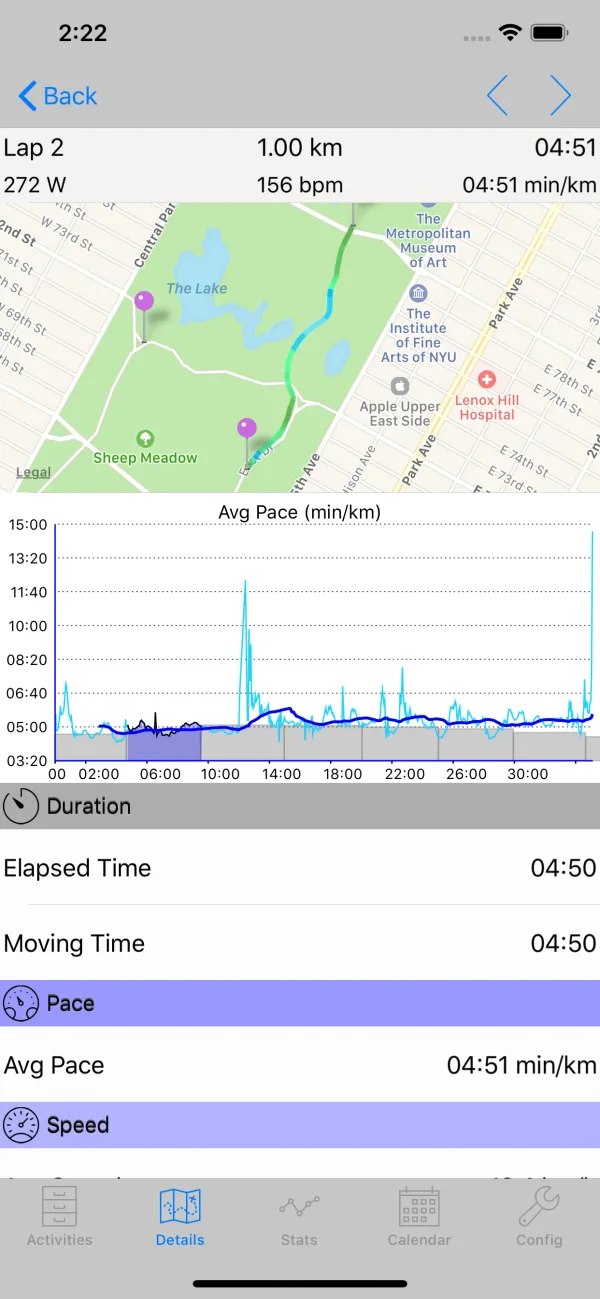
Connect Stats is an activity viewer for Garmin Connect or Strava. It provides in-depth review of your activities, search, analysis, plot and see basic statistics on all your data collected in garmin connect or strava from your iphone or ipad. You can read some of the motivation behind the app in the blog
NOTES
- Data from activity trackers like vivofit or vivosmart are not supported by this app.
- In case of initial connection trouble or issue, please check the support web site, the help or send me a bug report. If you write a negative review I can't reply to you and help you.
- This app is updated incrementally regularly, so the latest reviews constantly drop. Feel free to look at all reviews or leave a new one if you like the app.
- This app is now open source. See the support web page for details.
FEATURES
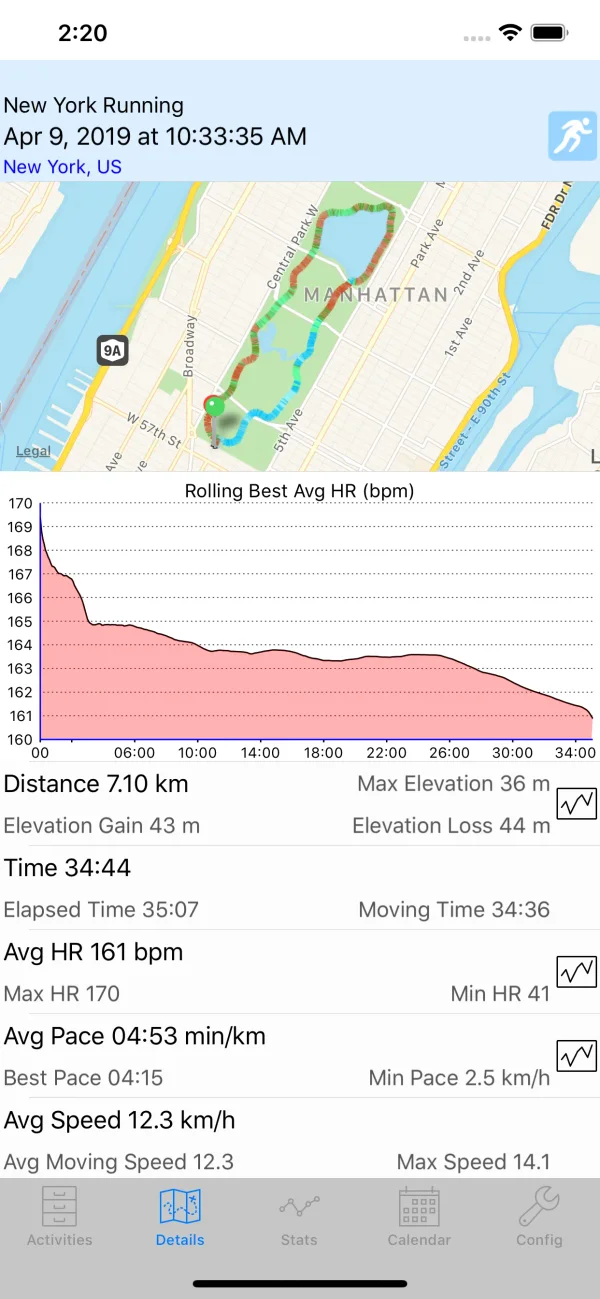
- Detailled report on your activities, with laps break down, map gradient, graphs and statistics
- Use gradient color to visually see on the map your heart rate, speed, power or cadence
- Calendar view of your activities
- Activity search
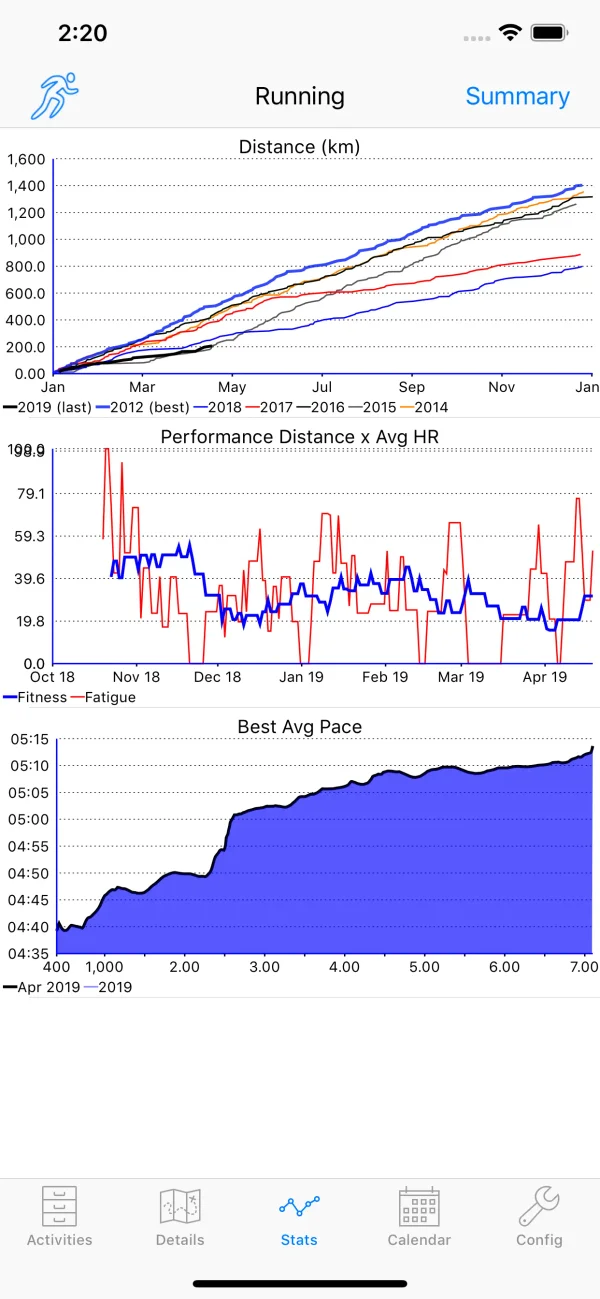
- Monthly/Weekly summary statistics of your activities
- Monthly/Weekly/Detailled Historical report and graphs on any collected data
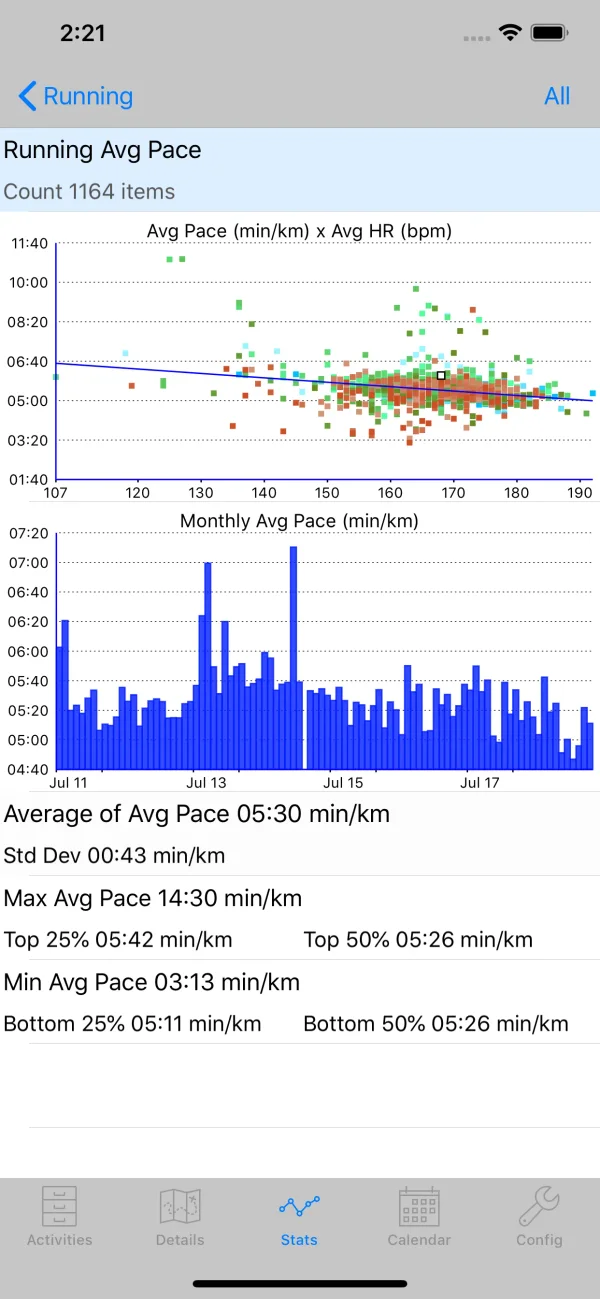
- Display scatter plots, trend lines for both historical and track data.
- Best Rolling Plots, histograms.
- Support multiple garmin connect account simultaneously with multiple profiles.
- Support most activity types, including support for lap swimming, ski, run bike, ...
- Display the location name for your activities.
- Derived metrics (stride length, Power kJ,...),
- Calculated and auto laps for arbitrary distances or time. Let's you see you split time or distance, fastest km, etc
- Display time in zone for power and heart rate. Zones are downloaded from garmin connect.
- Best Rolling plots and lap for HR, pace and power (Critical Power Plot)
- This app can import information from your HealthKit Data like the weight to add it to the analysis of your fitness
FIRST USE
- when you start the program you will be have to choose and enable download for the service of your choice.
* Garmin: you can choose the connectstats service, which will pop up a login message or to download from the website in which case you will have to enter your user name and password.
* Strava: upon first refresh, the strava login page will popup.
- you can then download activities by pulling down on the activity list.
- Note that the initial download process can be slow if you have a lot of activities. Also for Garmin activities from Garmin there will be an initial synchronisation that can take some time before the activities are ready.
- If you have issue connecting check the trouble shooting section on the web page.
- There is also a help section in the setting tab.
HOW TO USE IT
- You can refresh by pulling down the activity list
- You can navigate the different tabs and touching most data will let you drill down on that number.
- You can touch a graph or the gear button to rotate through the different graphs options or bring in the graph full screen.
- You can reload an activity to update changes in garmin connect by pulling down on the detail tab
- You can see full history of any field by selecting the field name in the stats page
Check the web site and the blog for a lot more details on how to use it and what the different screen and graph mean.
新機能
バージョン 10.0 · 2026/11/24
- Garmin: support for Garmin's new sign-in (OAuth 2.0)
- Strava: fixed sync hanging after signing in
- Strava: a failed sync is no longer recorded as a complete history download
- Activities imported from both Garmin and Strava are now matched as duplicates reliably, whatever order they arrive in
アプリのプライバシー
このアプリのデータの取り扱いについて、Brice RosenzweigがApp Storeで申告している内容です。
-
ユーザーに関連付けられないデータ
収集される場合がありますが、ユーザーの識別情報には関連付けられません。
- ヘルスケアとフィットネス
- 位置情報
- 連絡先情報
- ID
- 使用状況データ
- 診断
プライバシーの取り扱いは、ご利用の機能やお客様の年齢などに応じて異なる場合があります。
情報
- 販売元
- Brice Rosenzweig
- カテゴリ
- ヘルスケア/フィットネス
- バージョン
- 10.0
- 更新日
- 2026/11/24
- リリース
- 2012/12/10
- サイズ
- 28.5 MB
- 必要条件
- iOS 18.6以降
- 対象年齢
- 4+
- 価格
- 無料
- 言語
- 英語, フランス語
- 著作権
- © 2012 Brice Rosenzweig
こちらもおすすめ
-
 Sauce for Strava™ヘルスケア/フィットネス
-
 dynamicWatch Companionヘルスケア/フィットネス
-
 FitnessSyncerJoin health and fitness clouds
-
 Tempo: Run Log & Insightsヘルスケア/フィットネス
-
 RunGap - Workout Data Managerヘルスケア/フィットネス
-
 Slid: Strava Video & Statsヘルスケア/フィットネス
-
 Intervals.icu Companionヘルスケア/フィットネス
-
 フィットネス統計ウィジェット健康と活動の追跡
-
 fitMetrics: Health Trackerヘルスケア/フィットネス
-
 Garmin Clipboard™Team App