- 対象年齢4+
- カテゴリ仕事効率化
- 開発元Sinja Flach
- 言語ドイツ語ほか1言語
- サイズ5.7 MB
App Storeの公式ページにリンクしています
Download.orgはCounterellaのファイルを一切ホストしていません。ボタンを押すと、Sinja Flachが公開しているApp Storeのアプリページが開きます。ページの最終確認:2026/11/20。
スクリーンショット


概要
開発元はこのテキストをお使いの言語で提供していません。
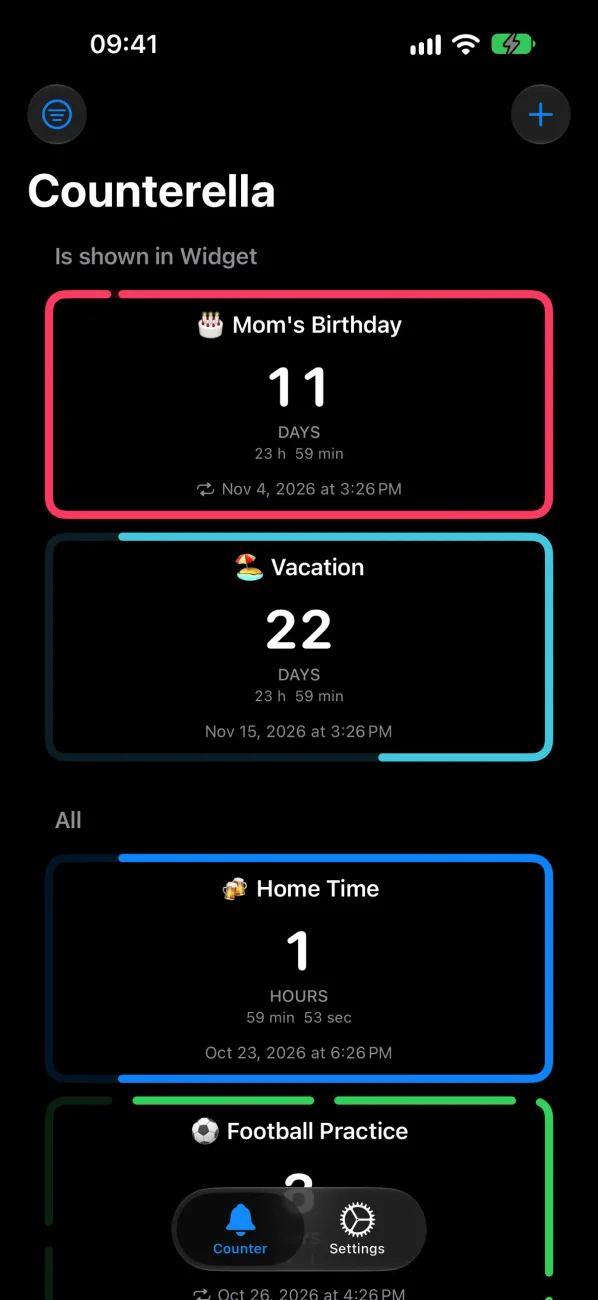
Counterella counts down to the things you're looking forward to. Or counts up from something that already happened. The trip in three weeks, Mom's birthday, your first anniversary, 100 days smoke-free.
Add an event, give it a date, and the app shows you how much time is left or how much has passed. On your Home Screen and Lock Screen too, if you like.
The app is free, has no ads and doesn't need an account. Everything stays on your iPhone.
ADD EVENTS AND KEEP TRACK
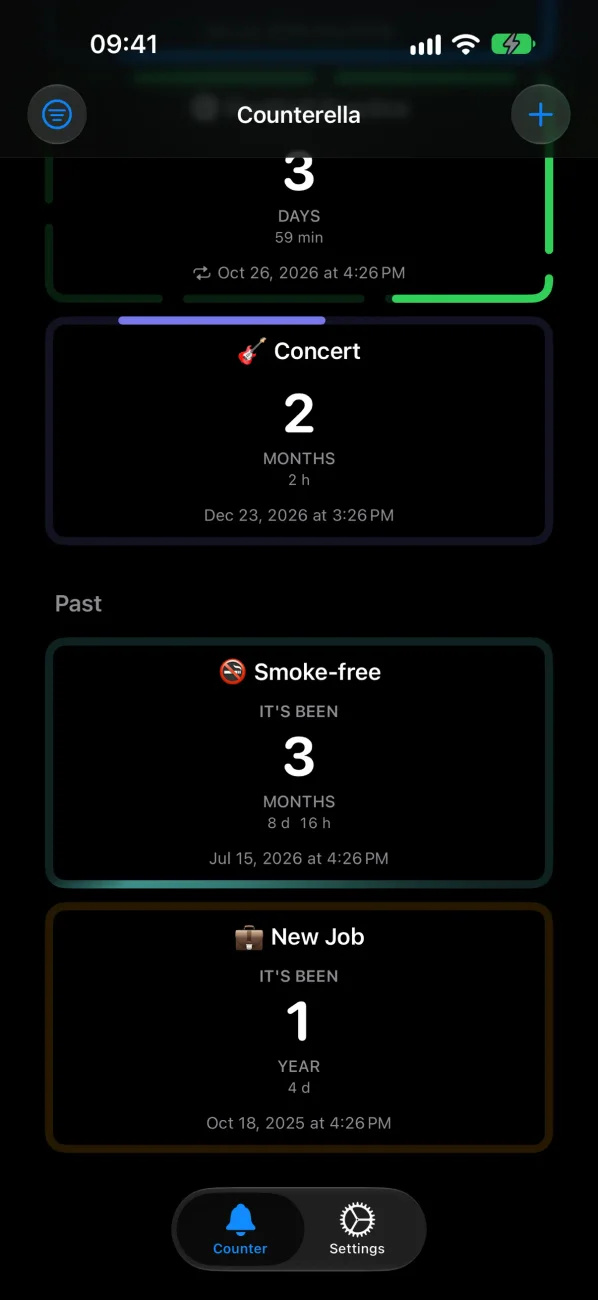
All an event needs is a title and a date. If the date is in the future, Counterella counts down. If it's in the past, it counts up. The display updates live, down to the second, and a progress bar shows how much of the wait is already behind you.
What else you can set:
• Repeat: weekly, monthly or yearly. Birthdays or payday only need to be added once.
• Category: Personal, Family, Work, Travel, Sports or Celebrations. You can filter the list by category.
• An emoji and a color for each event, so they're easier to tell apart.
• Reminders (more on that below).
Sort the list by next date, title or recently created. Past events go to the archive with a swipe, or automatically if you prefer.
You can bring in events straight from your calendar, and share any event as an image. With Siri and Shortcuts you can ask how long until an event, create a new one or open one directly.
WIDGETS
• One Counter (small): a single event with a progress ring
• Counter List (medium): every event you've marked for the widget
• Several Counters (medium): up to three events side by side
• Lock Screen: circular, rectangular or inline
REMINDERS
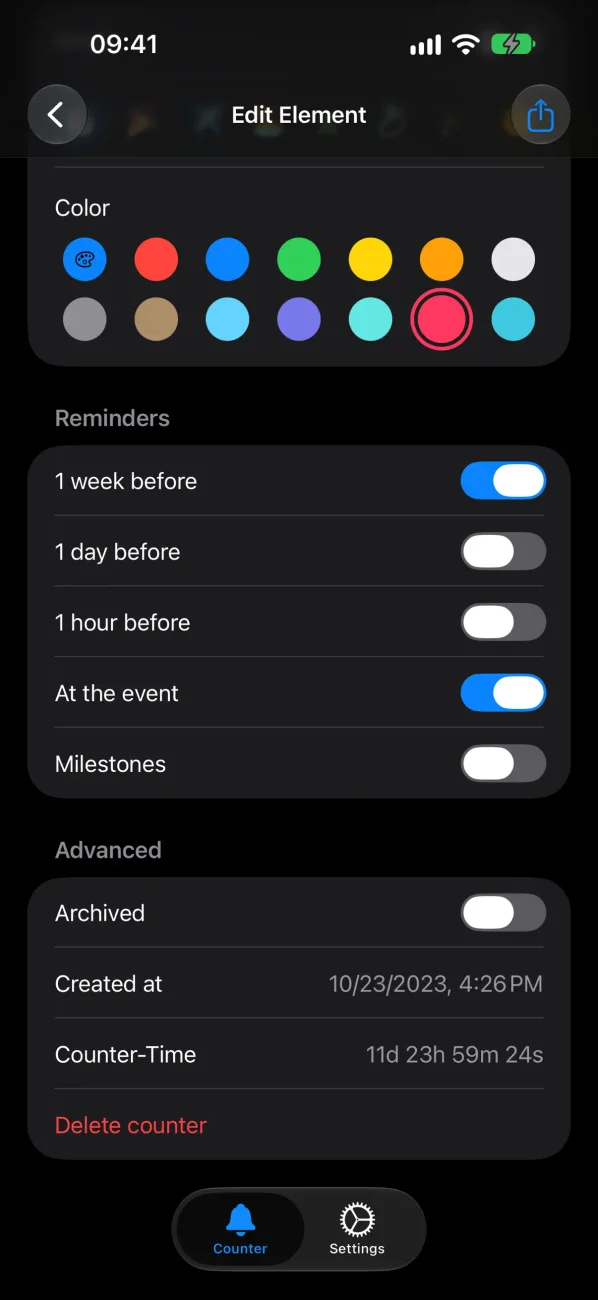
Get a reminder a week, a day or an hour before, or when the event starts. For past events there are milestones: after 100, 500, 1,000, 5,000 and 10,000 days, and on every anniversary. You choose the time of day for day-based reminders.
LOOK AND FEEL
Pick one of 13 accent colors, which also apply to the widgets, and choose light mode, dark mode or follow the system. You can change where the progress border starts and which way it runs. On the day of an event and at milestones there are small animations, which you can turn off.
PRIVACY
No tracking, no analytics, no account. Your events are stored only on your device and never sent anywhere.
新機能
バージョン 1.3.0 · 2026/10/23
New
• A short tutorial walks you through the main features on first launch. You can open it again anytime in Settings.
• Past events get their own overview, with a small animation at milestones like 100 days or anniversaries.
• In the last week before an event, the progress border splits into individual days.
• New app icons.
Improved
• The small widget has a new design with the progress bar at the bottom. The medium and Lock Screen widgets show days and hours as the event gets close.
• All widgets are now available in English.
• Accent colors are easier to read in light and dark mode.
• Reminders now use a softer sound.
Fixed
• You can tap anywhere on an event card, not just part of it.
• Cards no longer change height when seconds turn into minutes.
• If you allow notifications in iOS Settings, the app picks that up right away.
アプリのプライバシー
このアプリのデータの取り扱いについて、Sinja FlachがApp Storeで申告している内容です。
-
データの収集なし
開発元はこのアプリからデータを収集しません。
プライバシーの取り扱いは、ご利用の機能やお客様の年齢などに応じて異なる場合があります。
情報
- 販売元
- Sinja Flach
- カテゴリ
- 仕事効率化
- バージョン
- 1.3.0
- 更新日
- 2026/10/23
- リリース
- 2024/8/30
- サイズ
- 5.7 MB
- 必要条件
- iOS 18.0以降
- 対象年齢
- 4+
- 価格
- 無料
- アプリ内課金
- あり
- 言語
- ドイツ語, 英語
- 著作権
- © 2026 Sinja Flach
こちらもおすすめ
-
 Kairos:リマインダーとタイマー習慣・D-day・音声と写真で作成
-
 TokTok: Countdown Widget仕事効率化
-
 Time boxing : Habbit Building仕事効率化
-
 期限管理アシスタントOS 26インタラクティブウィジェットメイン画面ウィジェット
-
 Kagi Assistant仕事効率化
-
 FamHive: Family Organizer App仕事効率化
-
 Deadline Dash - AI ToDo, Goals仕事効率化
-
 Vacation Planner & Calendar仕事効率化
-
 砂時計カウントダウンタイマー:視覚支援とポモドーロ集中ビジュアルタイマーで勉強・子供の時間管理
-
 Deadline - 締め切りカウントダウン課題・試験・提出日をウィジェットで