
- 対象年齢4+
- カテゴリユーティリティ
- 開発元CREALITY 3D (HK) TECHNOLOGY LIMITED
- 言語英語
- サイズ488.1 MB
App Storeの公式ページにリンクしています
Download.orgはCreality Scanのファイルを一切ホストしていません。ボタンを押すと、CREALITY 3D (HK) TECHNOLOGY LIMITEDが公開しているApp Storeのアプリページが開きます。ページの最終確認:2026/11/16。
スクリーンショット
概要
開発元はこのテキストをお使いの言語で提供していません。
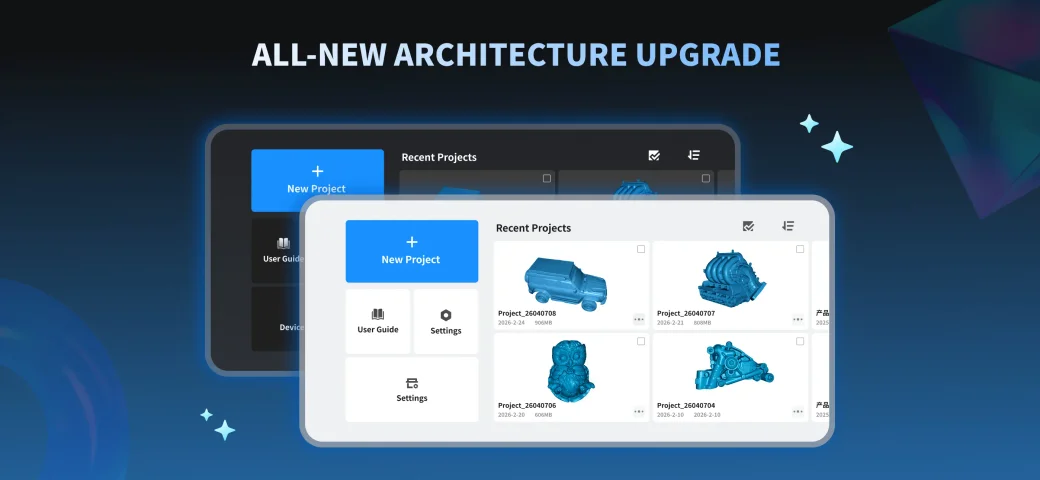
Creality Scan is the official mobile app built for the Creality 3D scanning ecosystem. It brings device connectivity, real-time scanning, model processing, project management, export, and sharing together on your smartphone—freeing you from the limits of a fixed workstation and giving you a complete, seamless 3D scanning workflow wherever you go.
Connect with Your Creality 3D Scanner
Connect with a wide range of Creality 3D scanners. With convenient mobile connectivity, you can quickly create scanning projects and check your scanner’s status, model, firmware version, and calibration information directly in the app.
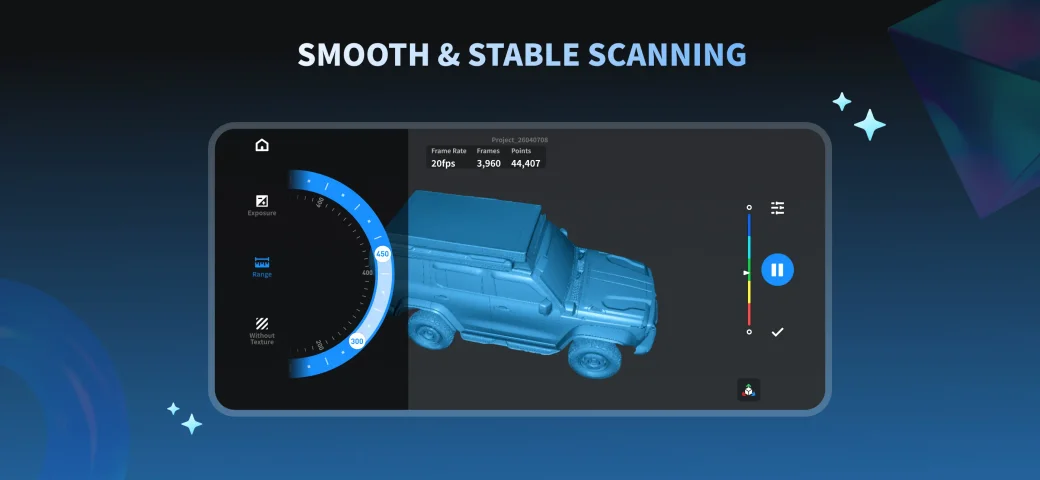
Scan Anywhere with Clear, Guided Workflows
Choose the scanning mode that best suits your scanner and the object you are capturing. Preview your model in real time on your smartphone and keep track of scanning progress as you work. Creality Scan makes complex 3D data capture more intuitive and easier to control—whether you’re in the studio or on the go.
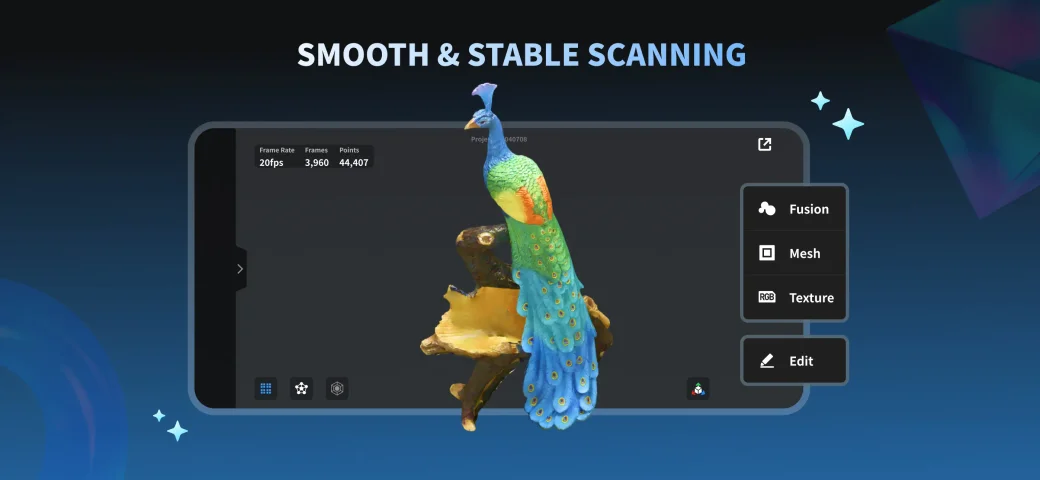
Powerful Mobile Post-Processing
Once scanning is complete, use the built-in tools to process and merge your scans, generate meshes, and optimize your models—all directly on your mobile device. With color scanning enabled, you can also generate RGB color textures for a more realistic representation of the object’s shape, details, and colors.
Manage, Export, and Share with Ease
View and manage your scanning projects in one place. Completed models can be exported in popular formats including PLY, STL, OBJ, and ASC, then shared to social media or storage apps on your phone. You can also transfer projects to your computer and continue working with them for 3D printing, reverse engineering, digital modeling, and other professional workflows.
Whether you’re in the studio, working on-site, or scanning on the move, Creality Scan puts professional 3D scanning capabilities in the palm of your hand.
*Compatibility
Creality Scan requires a compatible Creality 3D scanner. Some scanners require accessories such as a wireless handle or Wi-Fi Scan Bridge for mobile connectivity. Supported scanning modes and features vary by device. Please refer to Creality’s official compatibility information for details.
新機能
バージョン 3.1.3 · 2026/11/9
1.Added support for line laser scanning on Google Pixel phones
2.Added custom scanning templates for Pika
3.Improved scanning parameter adjustment interactions
4.Optimized the screen mirroring interface and added protocol version checks and update prompts
5.Fixed known issues and improved software stability and user experience
アプリのプライバシー
このアプリのデータの取り扱いについて、CREALITY 3D (HK) TECHNOLOGY LIMITEDがApp Storeで申告している内容です。
-
データの収集なし
開発元はこのアプリからデータを収集しません。
プライバシーの取り扱いは、ご利用の機能やお客様の年齢などに応じて異なる場合があります。
情報
- 販売元
- CREALITY 3D HK TECHNOLOGY LIMITED
- カテゴリ
- ユーティリティ
- バージョン
- 3.1.3
- 更新日
- 2026/11/9
- リリース
- 2023/10/14
- サイズ
- 488.1 MB
- 必要条件
- iOS 15.0以降
- 対象年齢
- 4+
- 価格
- 無料
- 言語
- 英語
- 著作権
- Creality 3D © All Rights Reserved.
こちらもおすすめ
-
 Thangsユーティリティ
-
 Thingiverse Printables | 3D GOユーティリティ
-
 3Drop - Thingiverse MakerWorldPrintables CrealityCloud Cult
-
 Snapmakerユーティリティ
-
 Prusaユーティリティ
-
 Anycubic: 3D Print & Modelsユーティリティ
-
 Thinger: 3Dプリンター用モデルスワイプでSTLデータを見つける
-
 ELEGOO Matrixユーティリティ
-
 Revo Scan - 3Dスキャナアプリ3Dスキャンアプリ
-
 3D Object & Room Scannerキャプチャモデル ARを表示する