- 対象年齢9+
- カテゴリ仕事効率化
- 開発元Perry Hampton
- 言語英語
- サイズ19.2 MB
App Storeの公式ページにリンクしています
Download.orgはCreateDeckのファイルを一切ホストしていません。ボタンを押すと、Perry Hamptonが公開しているApp Storeのアプリページが開きます。ページの最終確認:2026/11/18。
スクリーンショット

概要
開発元はこのテキストをお使いの言語で提供していません。
CreateDeck is the all-in-one app for creators who want to post more and think about it less. Say an idea out loud and CreateDeck turns it into scroll-stopping hooks, a full script, a filmed and edited video, and posts scheduled across every platform. One app. Start to finish.
HOW IT WORKS
1. Say it
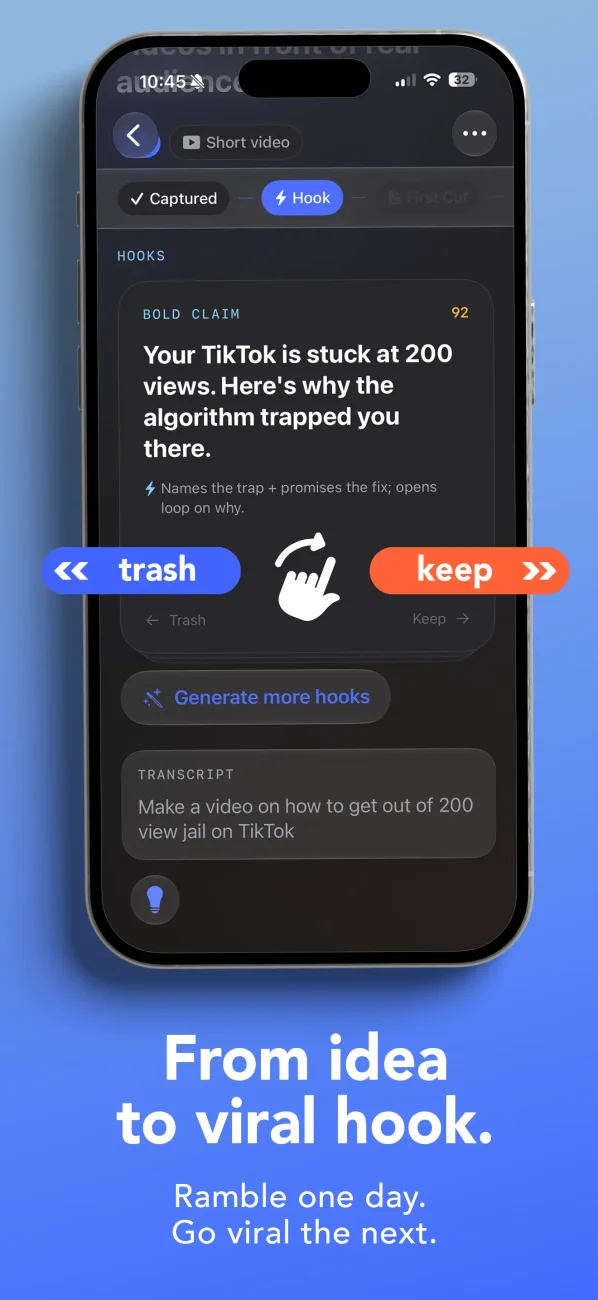
Tap the dot and ramble for 30 seconds. Transcription happens on your phone. Your memo becomes a distilled idea and a deck of hooks written in your voice.
2. Pick your hook
Nine hook types, grounded in pattern libraries built from top-performing videos in 25 creator niches: fitness, business, AI, creator economy, personal finance, parenting, and more. Swipe to keep the ones you'd say.
3. Get the script
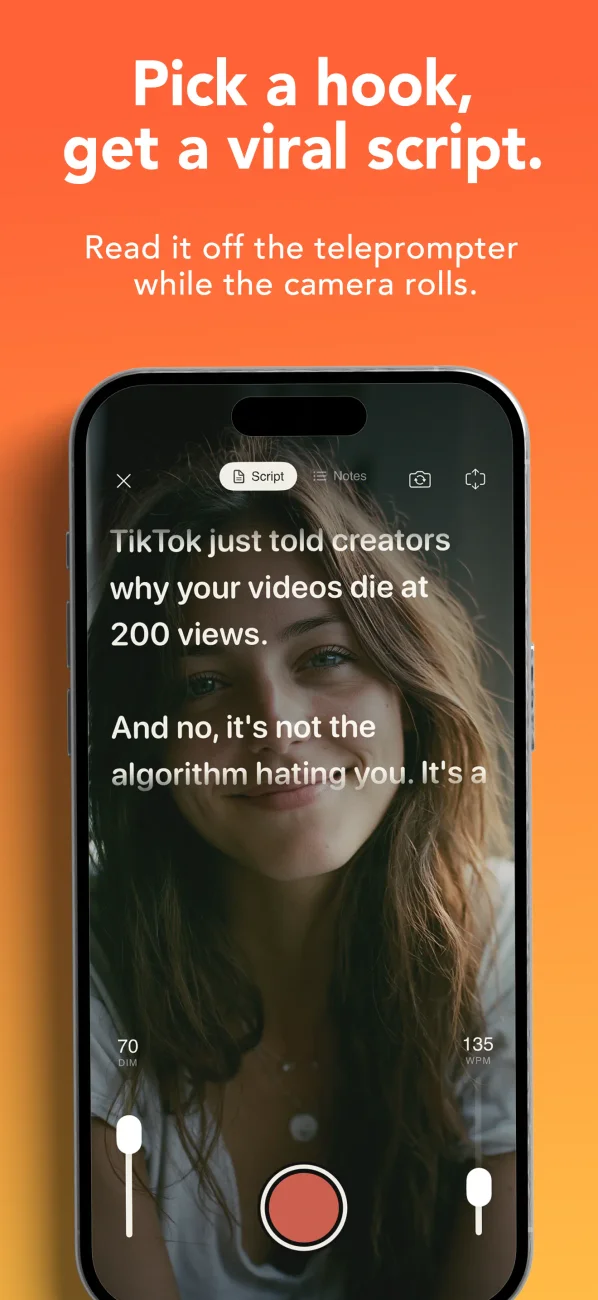
Pick a hook and get a full beat-by-beat script at the length you want, written how you talk. Reshape, revoice, or rebuild it in one tap. Six tones, from Straight-up to Teacher, Storyteller, and Hype.
4. Film it
Read your script off the built-in teleprompter, or film from glanceable cue notes. Read it, nail it, first take.
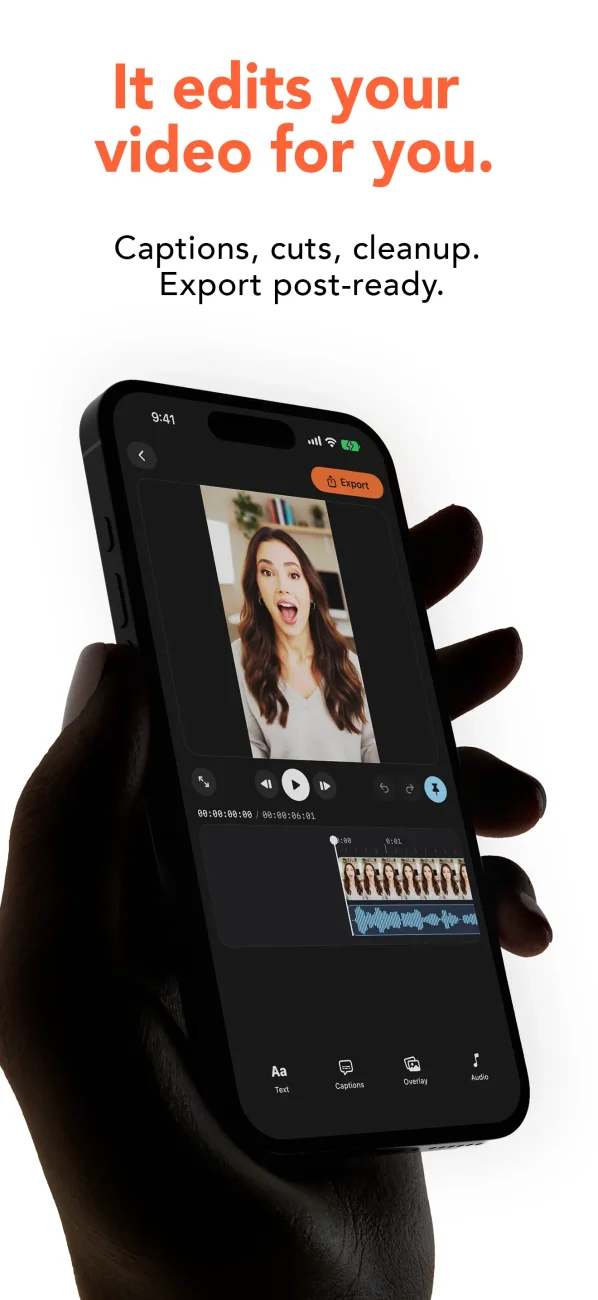
5. It edits the video for you
Captions, cuts, and cleanup happen right in the app. Export a post-ready video without opening an editor.
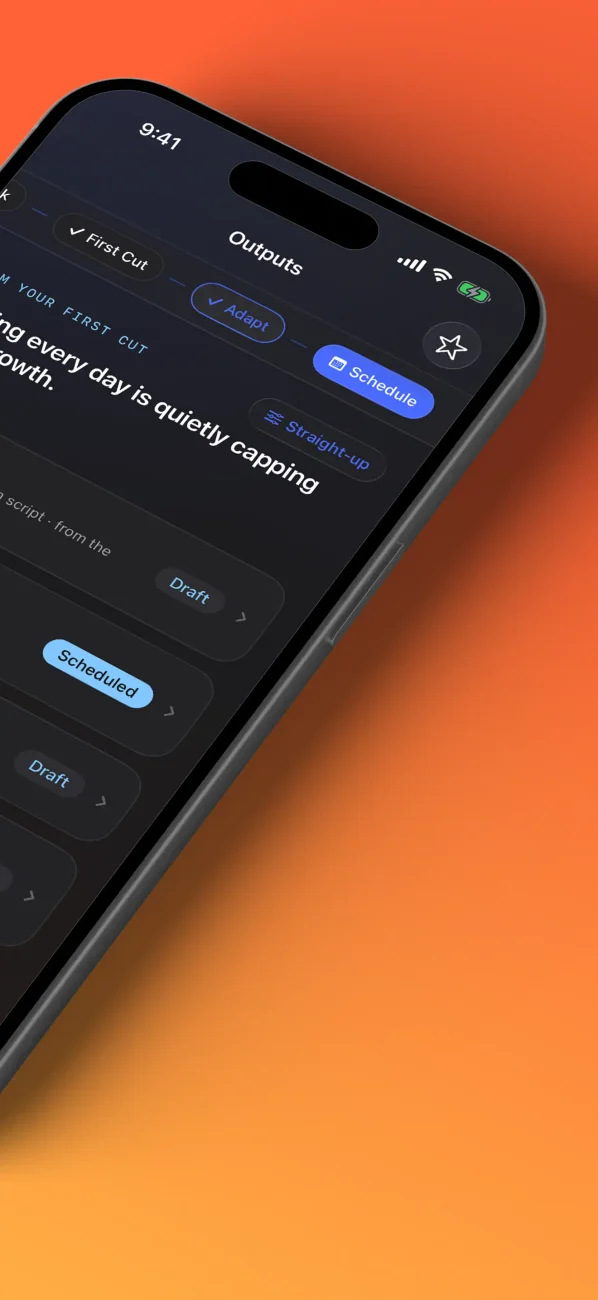
6. Post everywhere, on schedule
Adapt one script into native versions for TikTok, Reels, Shorts, X, and more. Schedule to film and schedule to post, with reminders. Pro links your accounts and publishes for you.
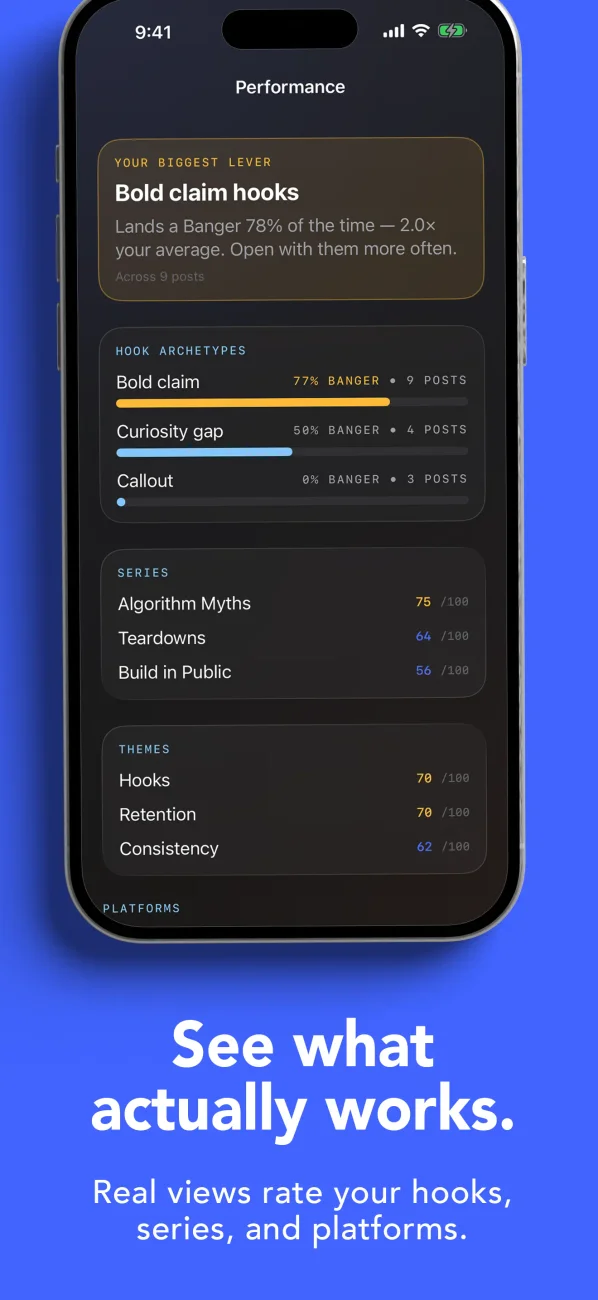
7. Know what works
Real views rate your hook types, series, and platforms. Do more of what wins. Every keep, skip, and edit sharpens your voice model.
YOUR PLAYBOOK, NOT A BLANK CALENDAR
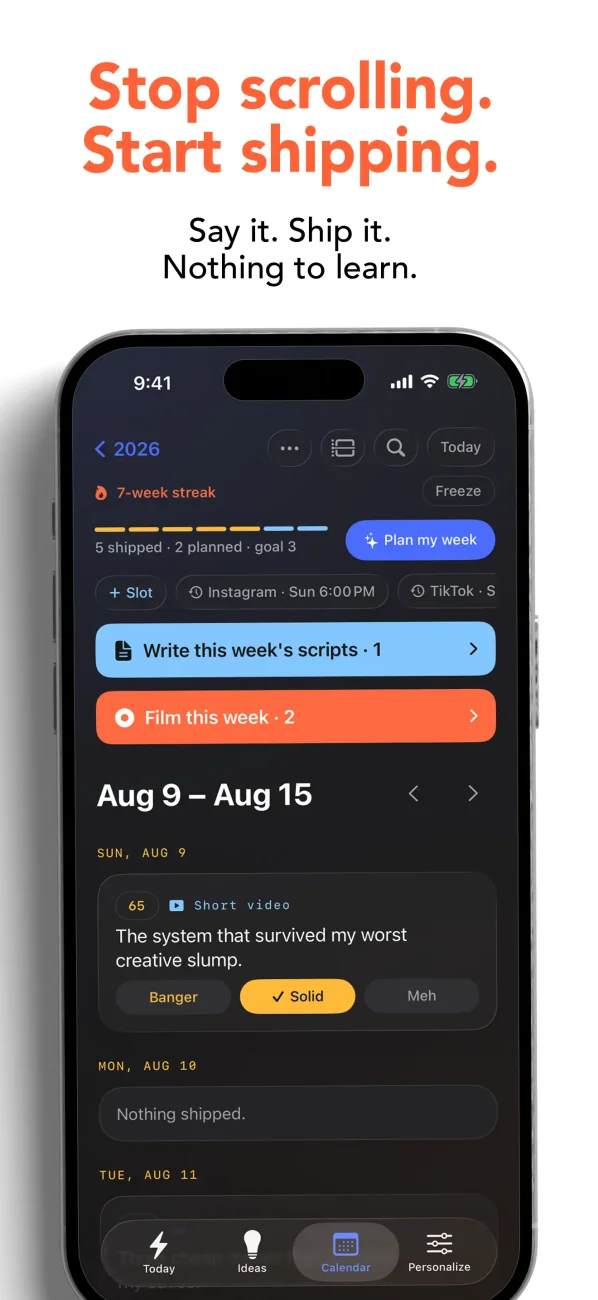
Tell CreateDeck what you post about, how often, and where your ideas usually die. It builds a week plan around your niche's winning content types and keeps a ship streak going. One next action, every day.
WHAT'S FREE
Voice and text capture with on-device transcription, 5 ideas, 10 AI generations, and one full First Cut video. Sign in with Apple is the only login, asked the first time you build hooks.
PRO + STUDIO
Pro ($29.99/month or $269/year, save 25% on annual): unlimited ideas and First Cuts, 500 generations a month, Adapt to every platform, performance intel, scheduling and publishing, integrations, the calendar.
Studio ($49.99/month or $449/year, save 25% on annual): everything in Pro, plus up to 5 brand profiles, client review links with comments, watch-time optimizer, and 1,000 generations a month.
PRIVACY
Your memos and your library live on your iPhone. Transcription runs on-device. When you build hooks or scripts, the idea text is sent for generation and not retained for training. Nothing is posted or shared without you.
Stop scrolling. Start shipping. Made for iPhone — with CreateDeck for Apple Watch on your wrist, and CreateDeck for Mac included with Pro and Studio.
SUBSCRIPTIONS
Pro: $29.99 per month, or $269 per year.
Studio: $49.99 per month, or $449 per year.
Payment is charged to your Apple ID account at confirmation of purchase. Subscriptions renew automatically unless auto-renew is turned off at least 24 hours before the end of the current period, and your account is charged for renewal within 24 hours of the end of the current period. Manage your subscription or turn off auto-renew in Settings > Apple ID > Subscriptions.
Terms of Use (EULA): https://createdeck.app/terms.html
Privacy Policy: https://createdeck.app/privacy.html
新機能
バージョン 1.1.4 · 2026/10/24
Ready for iPhone Duo.
CreateDeck now fits both of iPhone Duo's displays. On the open inner display every screen keeps its phone proportions, centered, instead of stretching edge to edge. On the closed outer display the tab bar and toolbars sit beside the status bar and nothing slides under it. The teleprompter follows the display's orientation, and when the phone is half open like a book the record button moves out of the fold.
Also fixed: the welcome title no longer truncates on narrow screens, and the capture waveform stays inside its card.
アプリのプライバシー
このアプリのデータの取り扱いについて、Perry HamptonがApp Storeで申告している内容です。
-
ユーザーに関連付けられたデータ
収集され、ユーザーの識別情報に関連付けられる場合があります。
- 購入
- 連絡先情報
- ID
- 使用状況データ
-
ユーザーに関連付けられないデータ
収集される場合がありますが、ユーザーの識別情報には関連付けられません。
- ユーザーコンテンツ
- 使用状況データ
- 診断
プライバシーの取り扱いは、ご利用の機能やお客様の年齢などに応じて異なる場合があります。
情報
- 販売元
- Perry Hampton
- カテゴリ
- 仕事効率化
- バージョン
- 1.1.4
- 更新日
- 2026/10/24
- リリース
- 2026/8/21
- サイズ
- 19.2 MB
- 必要条件
- iOS 26.0以降
- 対象年齢
- 9+
- 価格
- 無料
- アプリ内課金
- あり
- 言語
- 英語
- 著作権
- © 2026 Perry Hampton