- 対象年齢4+
- カテゴリ仕事効率化
- 開発元Crossroads Software Inc
- 言語英語
- サイズ21.7 MB
Crossroads eCite Applicationは現在App Storeで入手できない可能性があります
前回の確認時、ストアのページにアクセスできませんでした。リンク先は引き続きApp Storeの公式ページです。
スクリーンショット

概要
開発元はこのテキストをお使いの言語で提供していません。
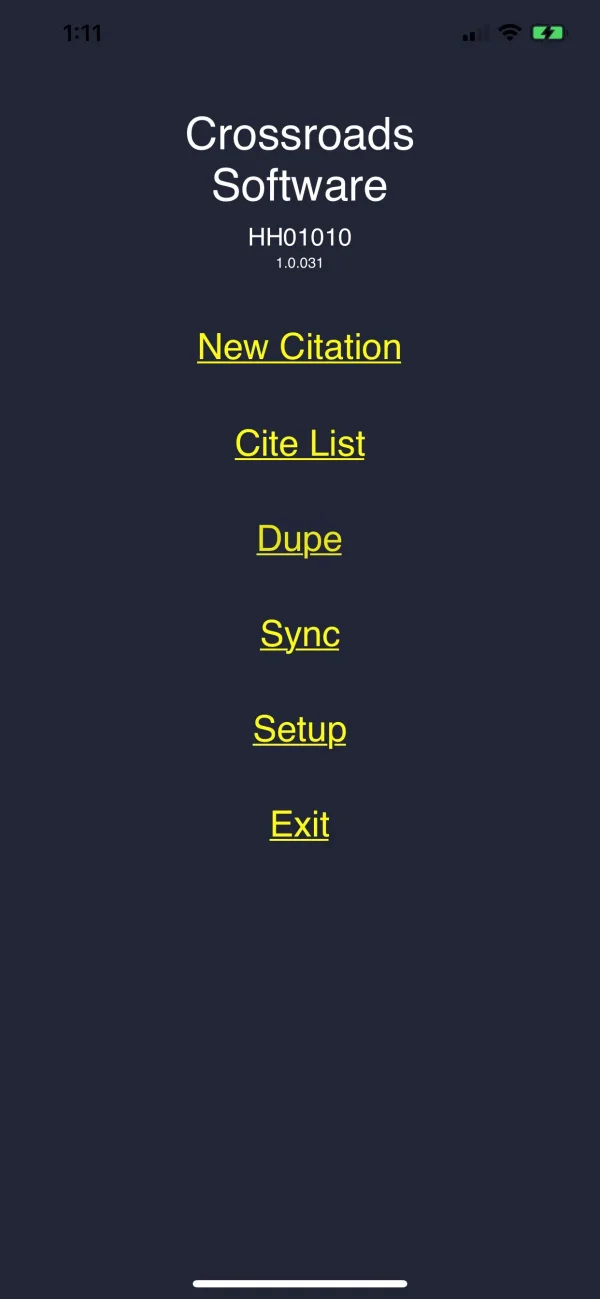
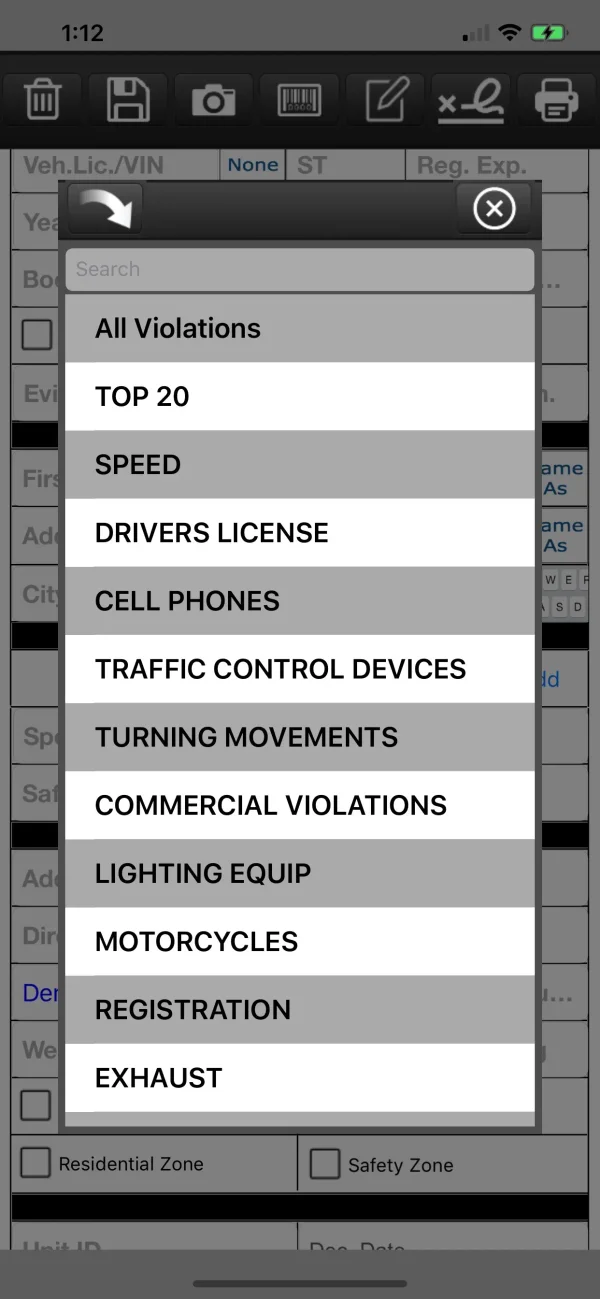
The Crossroads eCitation app is a complete Citation writer for Mobile Devices. The app runs on iPhones, iPads and uses Bluetooth printing and works with cameras and barcode readers. The app is highly developed to be easy to use with many detailed features for automation of the citation writing process.
Speed: The Citation Writing process is much faster using our app than writing by hand. The ability to quickly select items from lists (Vehicles, Colors, Violation Codes, Courts, Streets, etc.), along with barcode reading of Drivers Licenses, Registration Cards, Vehicle VINS abbreviates the process substantially.
“Dupe” Function: Often, officers will work a specific problem road or intersection for traffic violations. After writing the first cite, many of the items in the cites that follow are the same: Location, Conditions, Violation Codes, Court, Court Date, etc. Using the “Dupe” function, all info from a previous cite can be duplicated and the current violator and vehicle info can be scanned from barcodes and a new cite completed very quickly. The “Dupe” function can also duplicate vehicle info (for additional cites to passengers in a cited vehicle) and even violator info (for additional cites to an already cited person).
Field-level Validation: Many boxes (such as dates, times, violation codes and other items) are checked for validity as the items are entered and are validated for accuracy and completeness before printing a cite.
Barcode Reading: Drives Licenses, vehicles and many registration documents have bar-coded information. The device camera or barcode reader is used to read the barcodes and the eCitation app translates the info into the appropriate sections. This increases speed and accuracy for entering violator and vehicle information.
Reduce Error Rates: Citation writing errors are greatly reduced by using items lists that are approved by the courts for violation codes, violation degrees, court dates, and other drop-down list items. Scanning barcodes for driver licenses and registration documents adds speed and accuracy to capturing violator and vehicle information.
Bluetooth Printing: The device can be quickly and easily paired with a Bluetooth printer. Printed cites are Judicial Council compliant, paper is fade and smudge resistant and approved printers are small, light, fast, rugged and have long battery life between charges.
Configurability: Most list items on the cite are configurable using the desktop management tool. Configurable items include Violation codes, vehicle makes, models and colors, hair color, eye color, courts, court dates, streets, race, weather, road conditions, lighting, and traffic conditions. When an item is changed using the desktop management app, the items are updated on “sync” of the device.
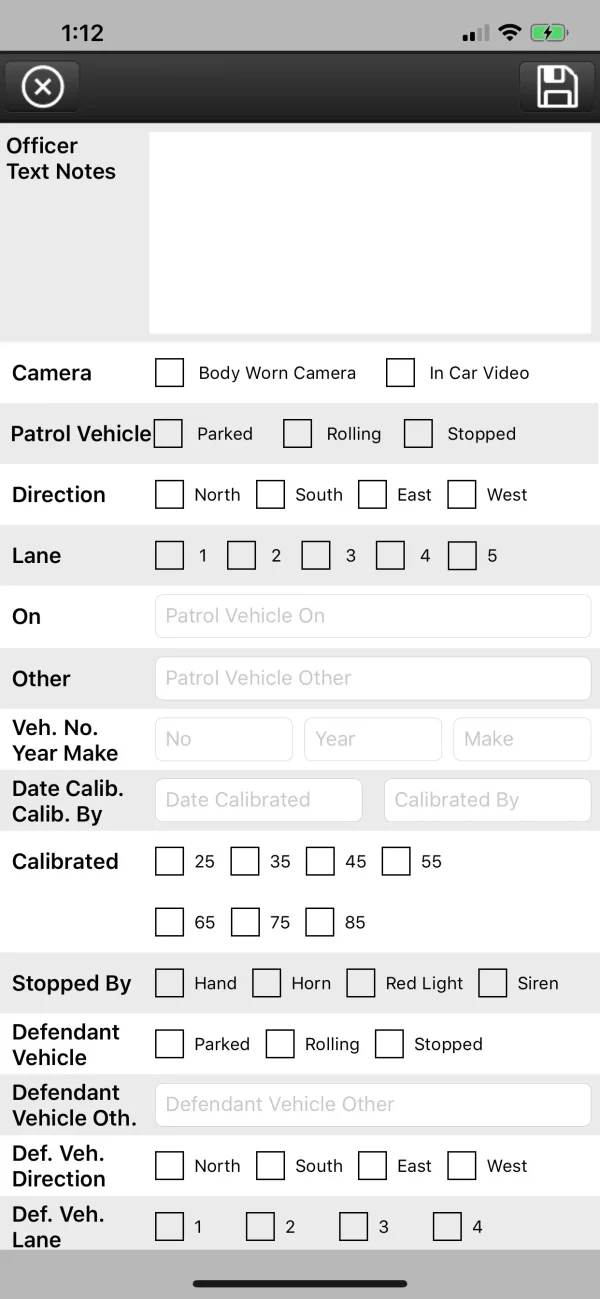
Officer Notes: Pre-formatted notes are set up with checkboxes and lists for common note items like location, lanes, conditions, violator behavior. Etc. Sections for violator statements and officer freeform notes with speech-to-text provide everything needed to document the event for use in court.
Photos: Pictures can be captured along with each cite to document the event. This is commonly used to photograph vehicle equipment violations, violator identity and driving conditions.
Wireless Sync: The app uses a wireless ‘sync’ to transfer cites to the desktop system (and back end database). Devices can use WiFi or air cards for syncing. On sync, the device configuration items are updated, cites are moved to the back end, ticket books are refreshed, and a check is made for any new program updates. Syncing is accomplished in just a few seconds.
Ticket Book Technology: Citation numbering is managed like hard copy ticket books. Each device has a book of tickets, and when it starts to run low, a new ticket book is issued on ‘sync’.
新機能
バージョン 1.0.49 · 2024/8/6
Case Number Save bug on Officer Notes update
アプリのプライバシー
このアプリのデータの取り扱いについて、Crossroads Software IncがApp Storeで申告している内容です。
-
ユーザーに関連付けられないデータ
収集される場合がありますが、ユーザーの識別情報には関連付けられません。
- 位置情報
- ID
- 診断
プライバシーの取り扱いは、ご利用の機能やお客様の年齢などに応じて異なる場合があります。
情報
- 販売元
- Crossroads Software Inc
- カテゴリ
- 仕事効率化
- バージョン
- 1.0.49
- 更新日
- 2024/8/6
- リリース
- 2019/8/18
- サイズ
- 21.7 MB
- 必要条件
- iOS 11.0以降
- 対象年齢
- 4+
- 言語
- 英語
- 著作権
- © Memduh Gorkem